
 Polish
  English
  German
  Spanish
  Italian
  French
  Danish
  Portuguese
  Swedish
  Korean
  Japanese
 W Elementorze istnieją setki opcji dostosowywania stron i bloków. Dzięki ElementsKit będziesz mieć do wyboru więcej gotowych i dobrej jakości opcji. Niezależnie od tego, czy są one bezpłatne, czy premium, szablony są profesjonalnie zaprojektowane. W tej dokumentacji dowiesz się jak wykorzystać w pełni gotowe szablony.
Przed rozpoczęciem procesu pamiętaj, że potrzebujesz zarówno Elementora, jak i ElementsKit, aby uzyskać dostęp do w pełni gotowego szablonu.
Procedura korzystania z szablonu gotowego do ElementsKit #
Gotowy szablon można wykorzystać na dwa sposoby. Możesz po prostu utworzyć lub edytować stronę z poziomu pliku Opcja stron Panelu. W przeciwnym razie możesz go również użyć Szablony Elementora.
Ze stron #
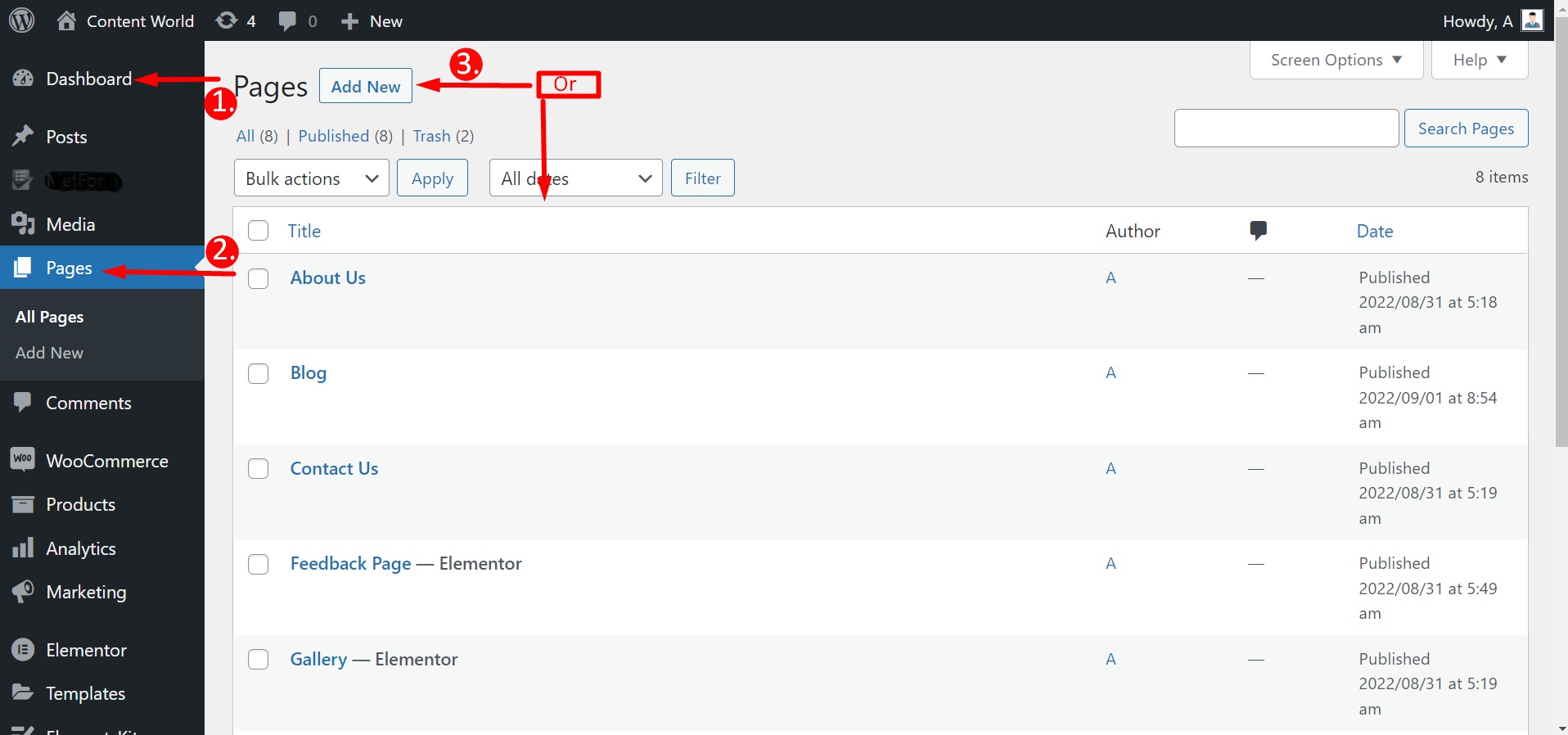
Przejdź do swojego panelu -> Przejdź do stron -> Kliknij Dodaj nowy Strona lub Wybierz dowolną istniejącą stronę -> Edytuj za pomocą Elementora
Po kliknięciu Edytuj za pomocą Elementora musisz to zrobić naciśnij ikonę ElementsKit, aby wybrać w pełni gotowy szablon. Jednak nie wszystkie szablony są bezpłatne; niektóre są premium. Nie możesz więc wybrać żadnego wybranego szablonu. Zaraz pod szablonem zobaczysz, czy jest darmowy, czy płatny.
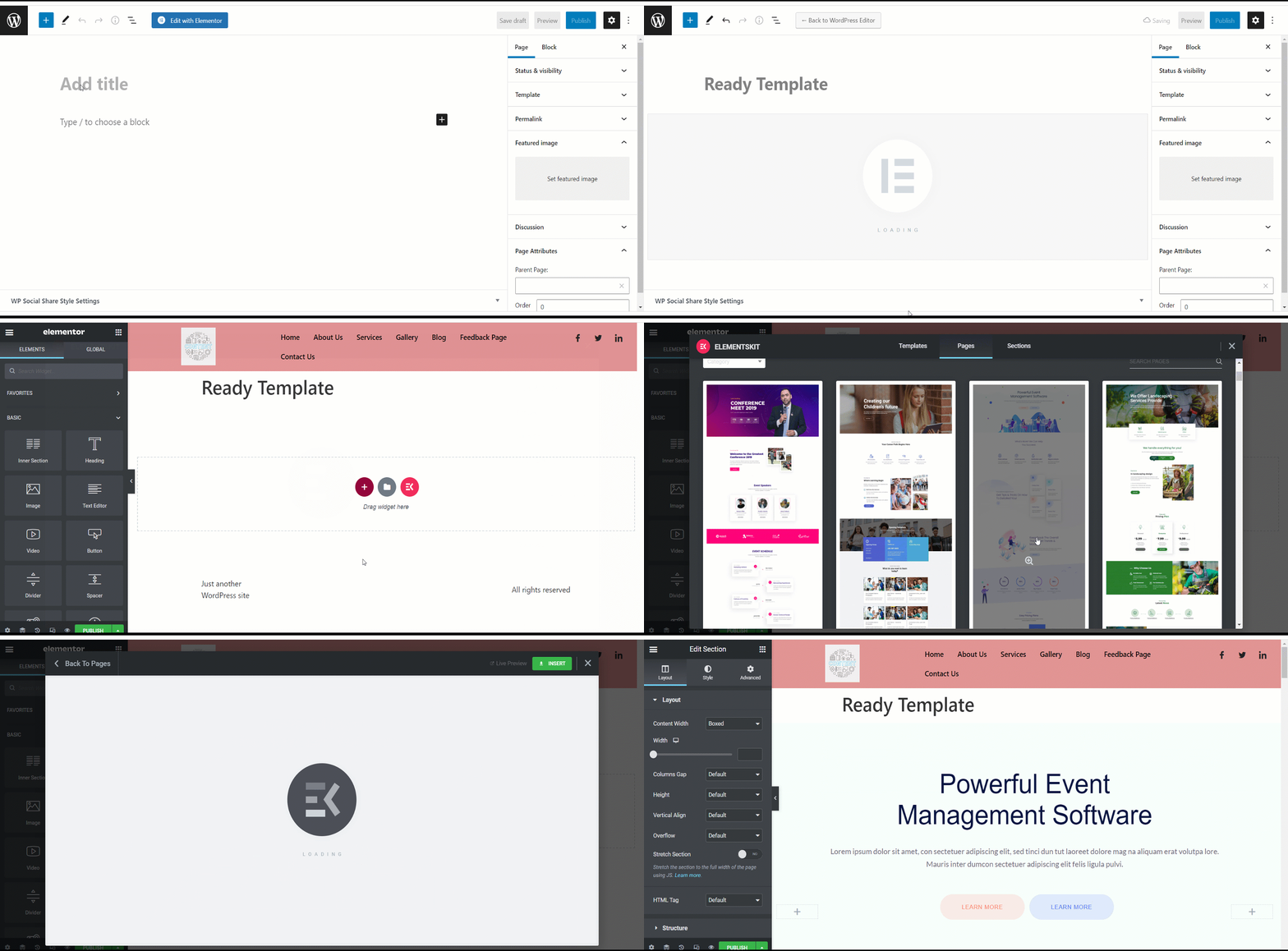
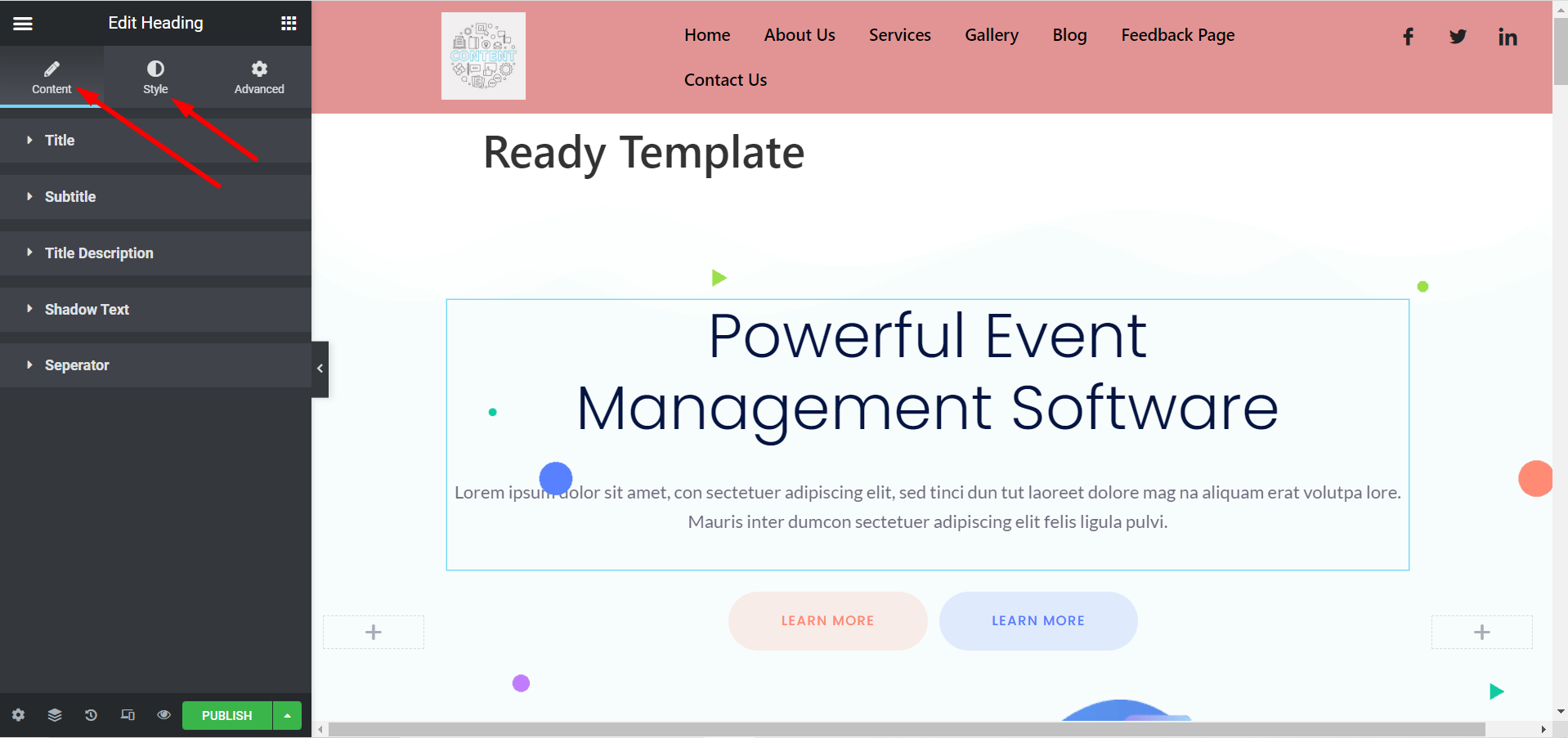
Teraz możesz dostosować swój szablon zgodnie ze swoimi preferencjami. Możesz zmienić tytuł, obrazy, opisy, przyciski i inne rzeczy, rozwijając Sekcje Treść i Styl.
Z szablonów Elementora #
Przejdź do swojego panelu -> Znajdź Elementor -> Przejdź do Szablonów -> Kliknij Dodaj nowy
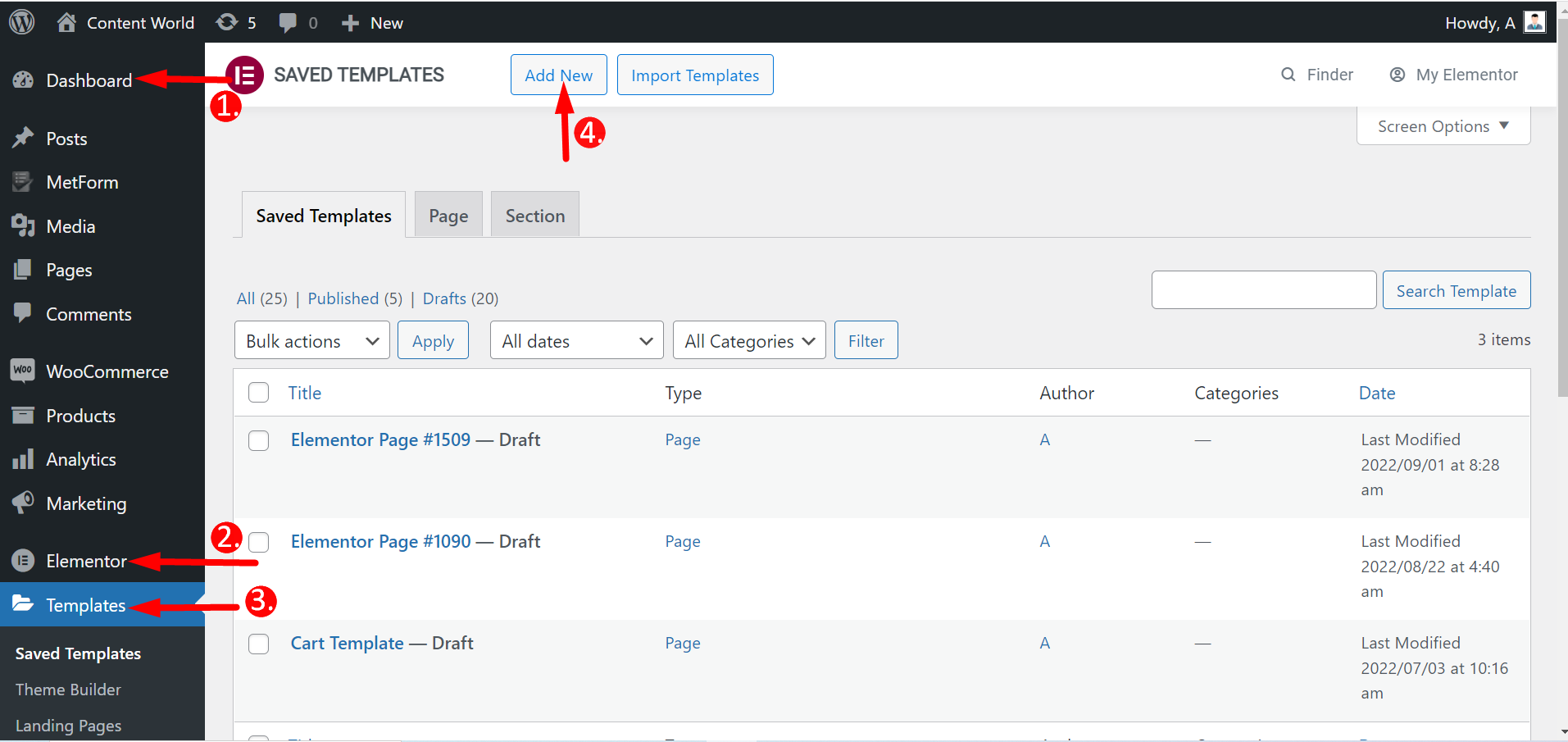
Tutaj możesz tworzyć strony, w tym strony docelowe i sekcje. Zatem wybierz typ szablonu, nazwij go i utwórz. Pozostałe kroki są takie same jak poprzednio.
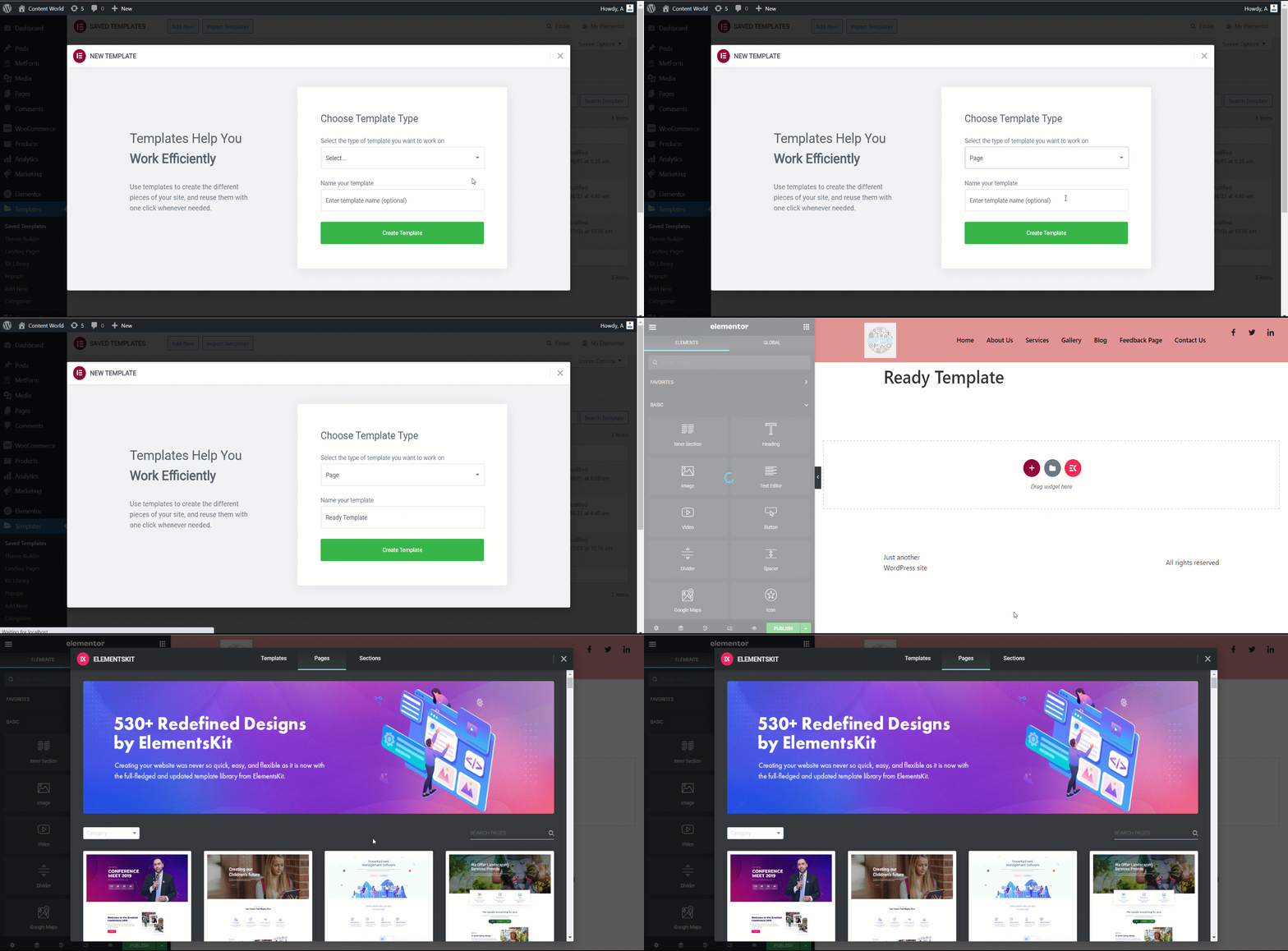
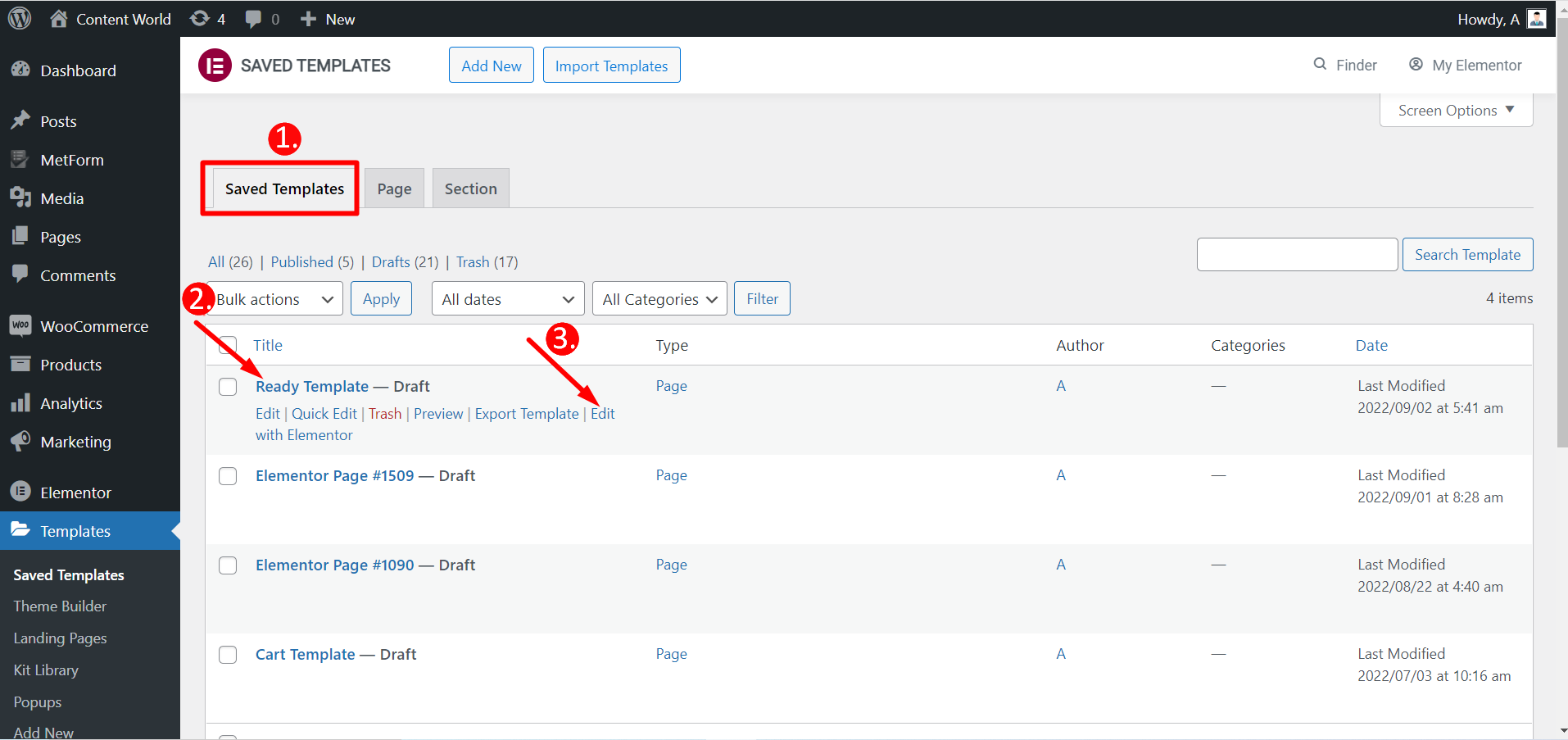
Możesz także edytować zapisane szablony za pomocą Elementora.
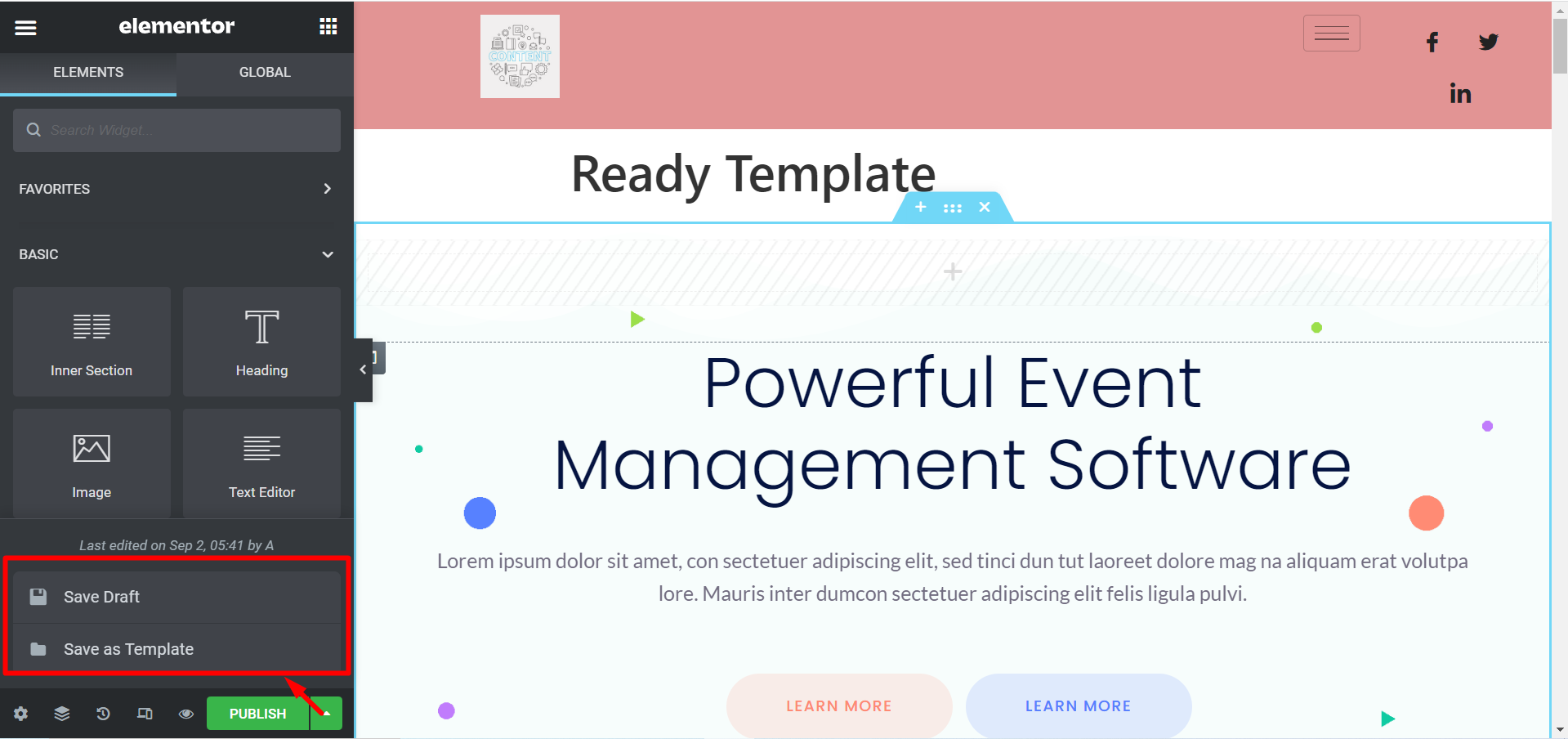
Jeśli nie chcesz publikować szablonu, istnieje taka możliwość Zapisz Projekt. Możesz także zapisać swój szablon jako Zachowaj jako szablon i użyj go później.
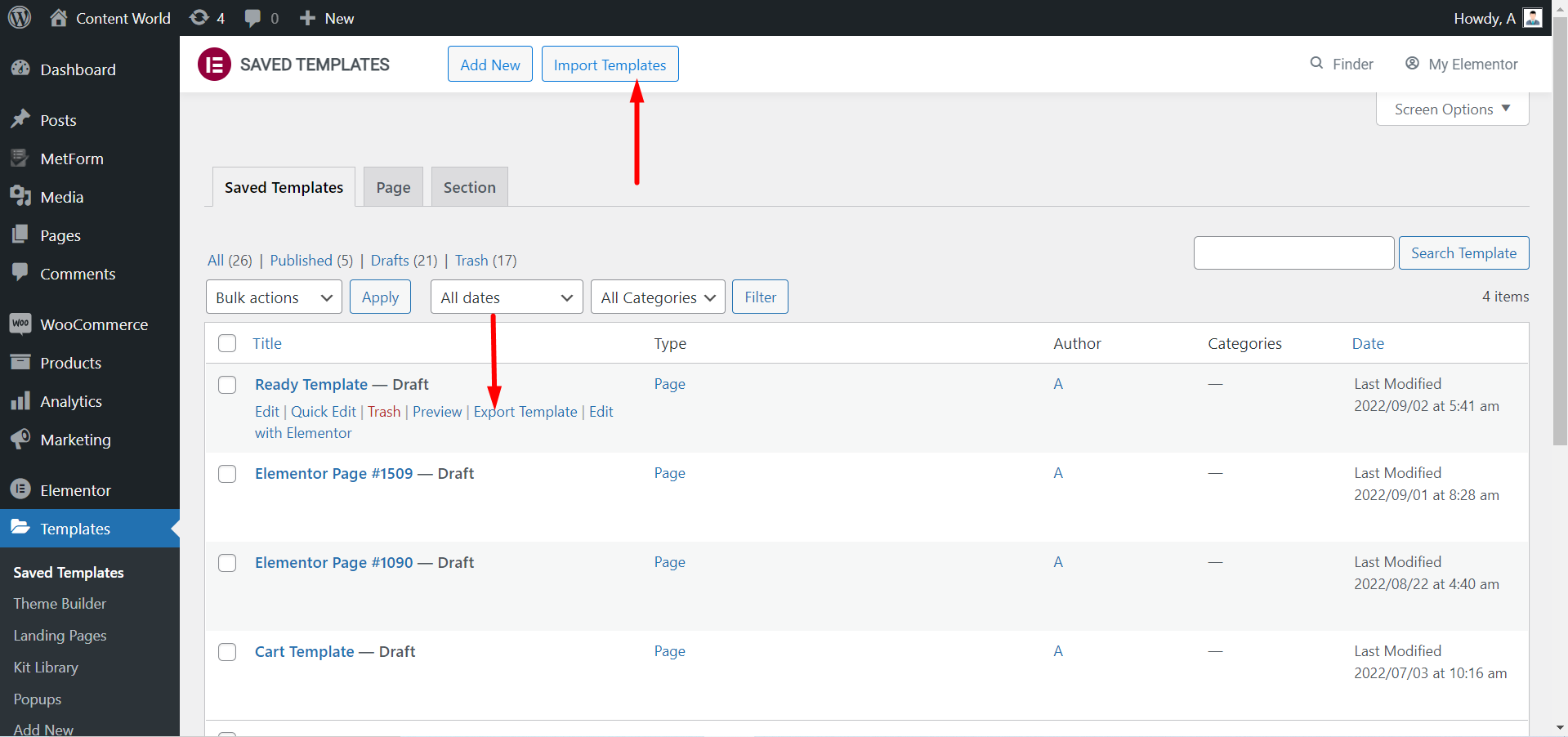
Możesz Eksportuj szablon Jeśli potrzebujesz. Ponownie, jeśli pobrałeś szablony, możesz to zrobić Zaimportuj szablony i wykorzystać je.
Spójrz na dostosowaną stronę przy użyciu gotowego szablonu ElementsKit-
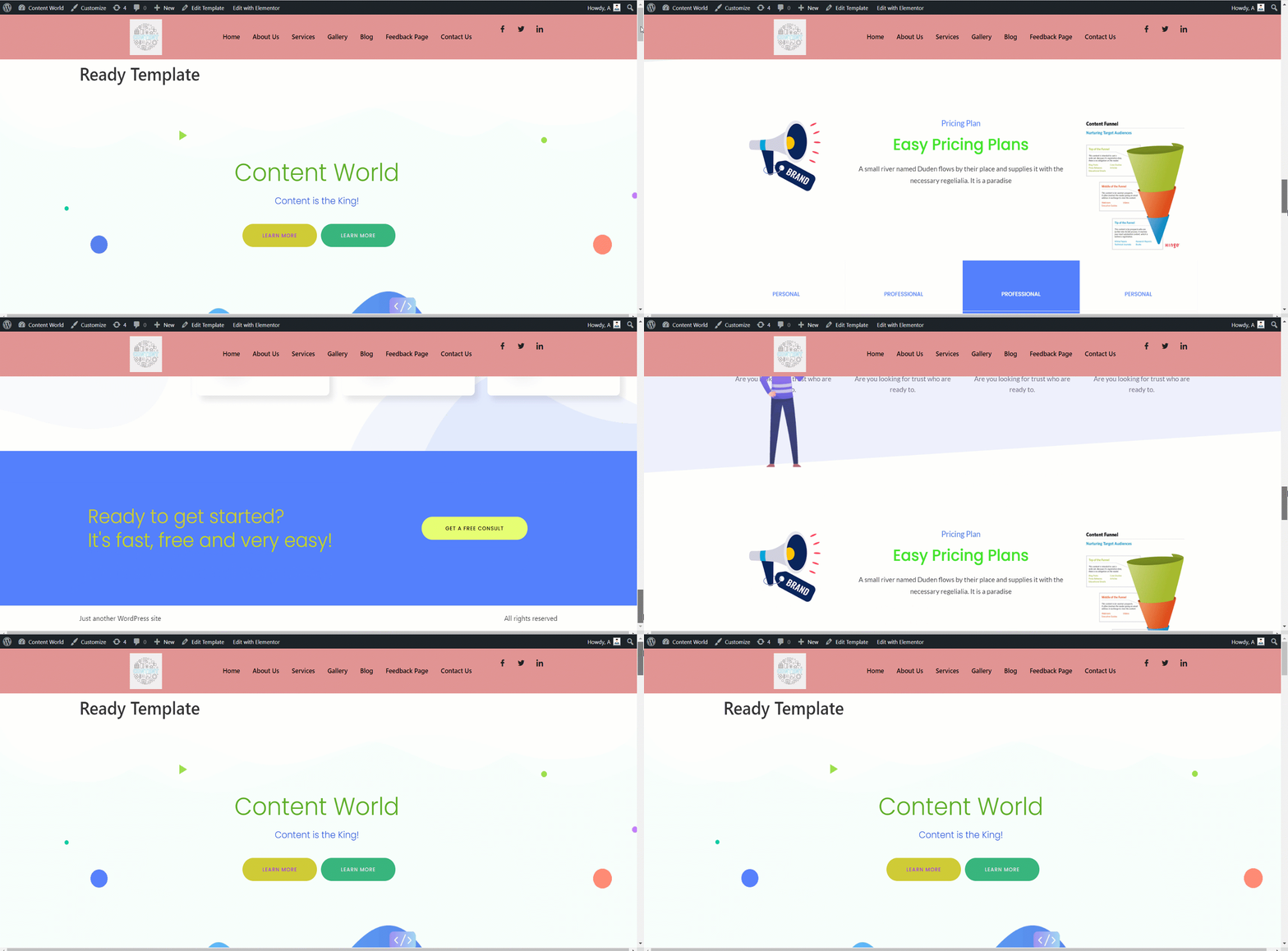
Gotowe szablony ElementsKit pomagają stworzyć bazę dla Twojej witryny. Jest elastyczny w dostosowywaniu, ładnie wygląda i oszczędza czas. Możesz być profesjonalistą lub początkującym z niewielką wiedzą. Możesz zbudować w pełni funkcjonalną stronę internetową, korzystając z tych gotowych szablonów.


