


 Danish
  English
  German
  Spanish
  Italian
  French
  Portuguese
  Swedish
  Polish
  Korean
  Japanese
 Der er hundredvis af valgmuligheder i Elementor for at tilpasse sider og blokke. Og med ElementsKit vil du have flere klar- og kvalitetsvalg at vælge imellem. Uanset om det er gratis eller premium, er skabelonerne professionelt designet. I denne dokumentation vil du vide, hvordan du bruger skabeloner, der er helt klar til brug.
Før du starter processen, skal du huske, at du har brug for både Elementor og ElementsKit for at få adgang til en fuldt klar skabelon.
Procedure for at bruge ElementsKit Ready-skabelon #
Der er to måder at bruge en klar skabelon på. Du kan simpelthen oprette eller redigere en side fra Mulighed for sider af Dashboardet. Ellers kan du også bruge den fra Elementor skabeloner.
Fra sider #
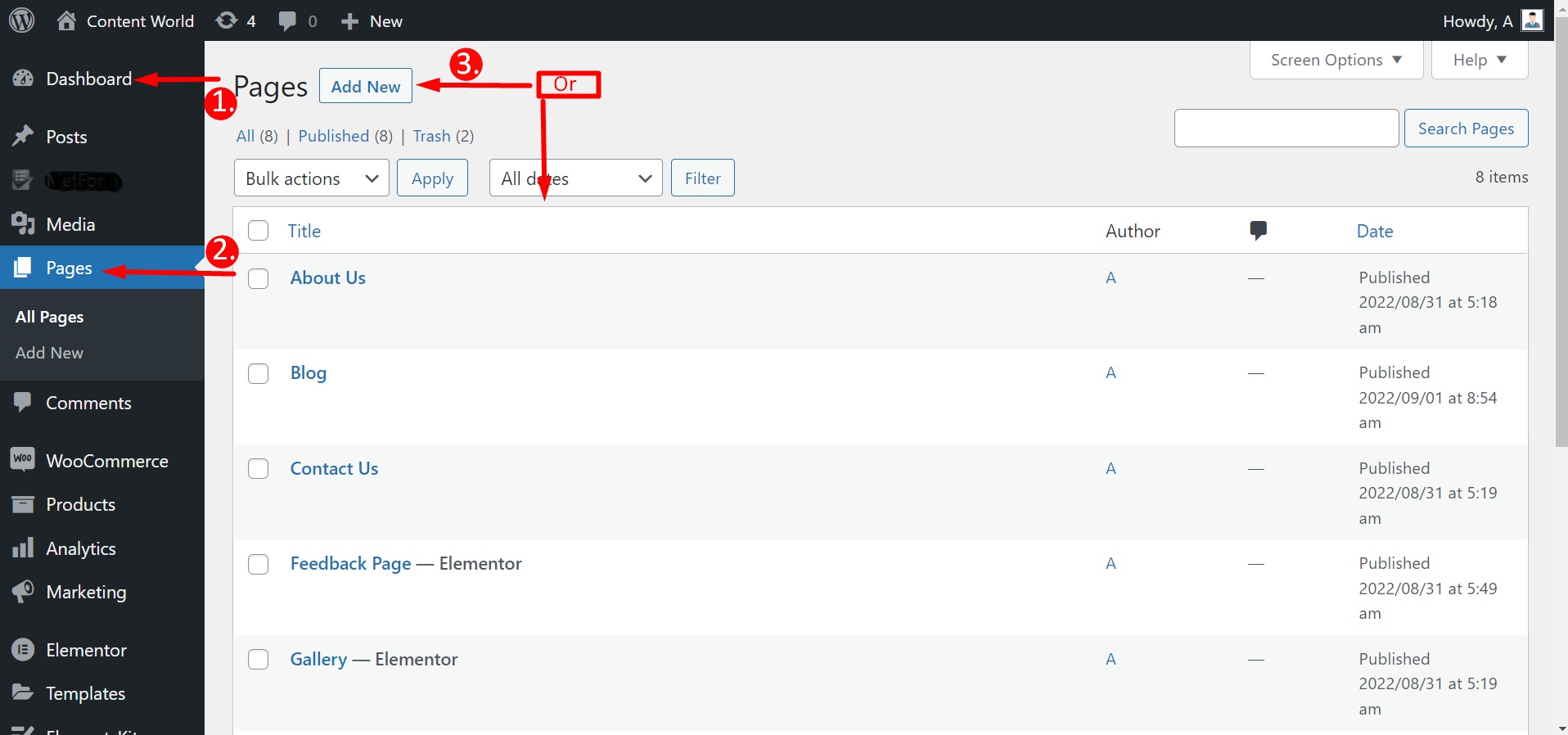
Naviger til dit Dashboard -> Gå til Sider -> Klik på Tilføj ny Side eller Vælg en eksisterende side -> Rediger med Elementor
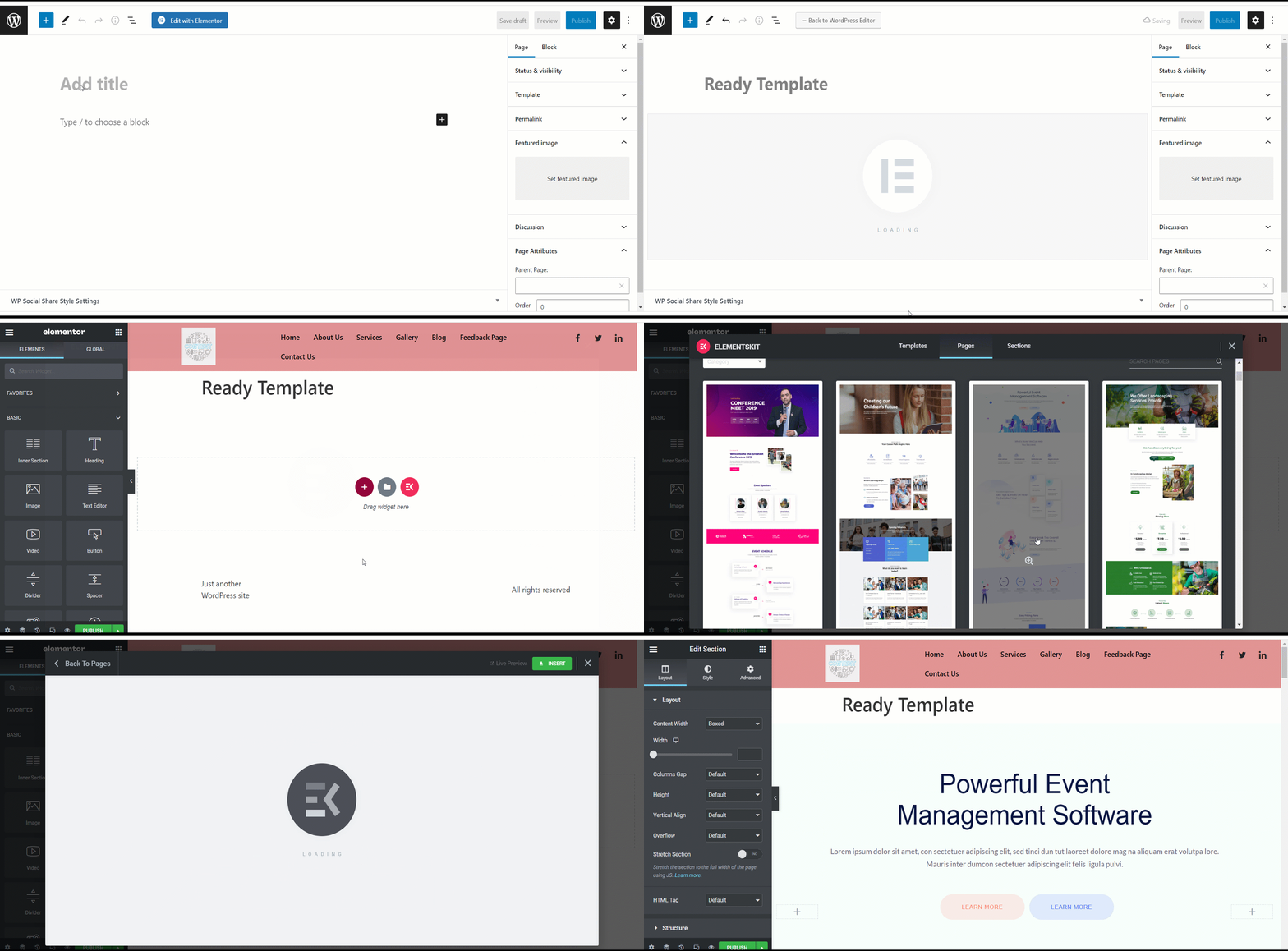
Når du har klikket på Rediger med Elementor, skal du tryk på ElementsKit-ikonet for at vælge en helt klar skabelon. Men ikke alle skabeloner er gratis; nogle er premium. Så du kan ikke vælge en skabelon efter eget valg. Du vil se, om det er gratis eller betalt lige under en skabelon.
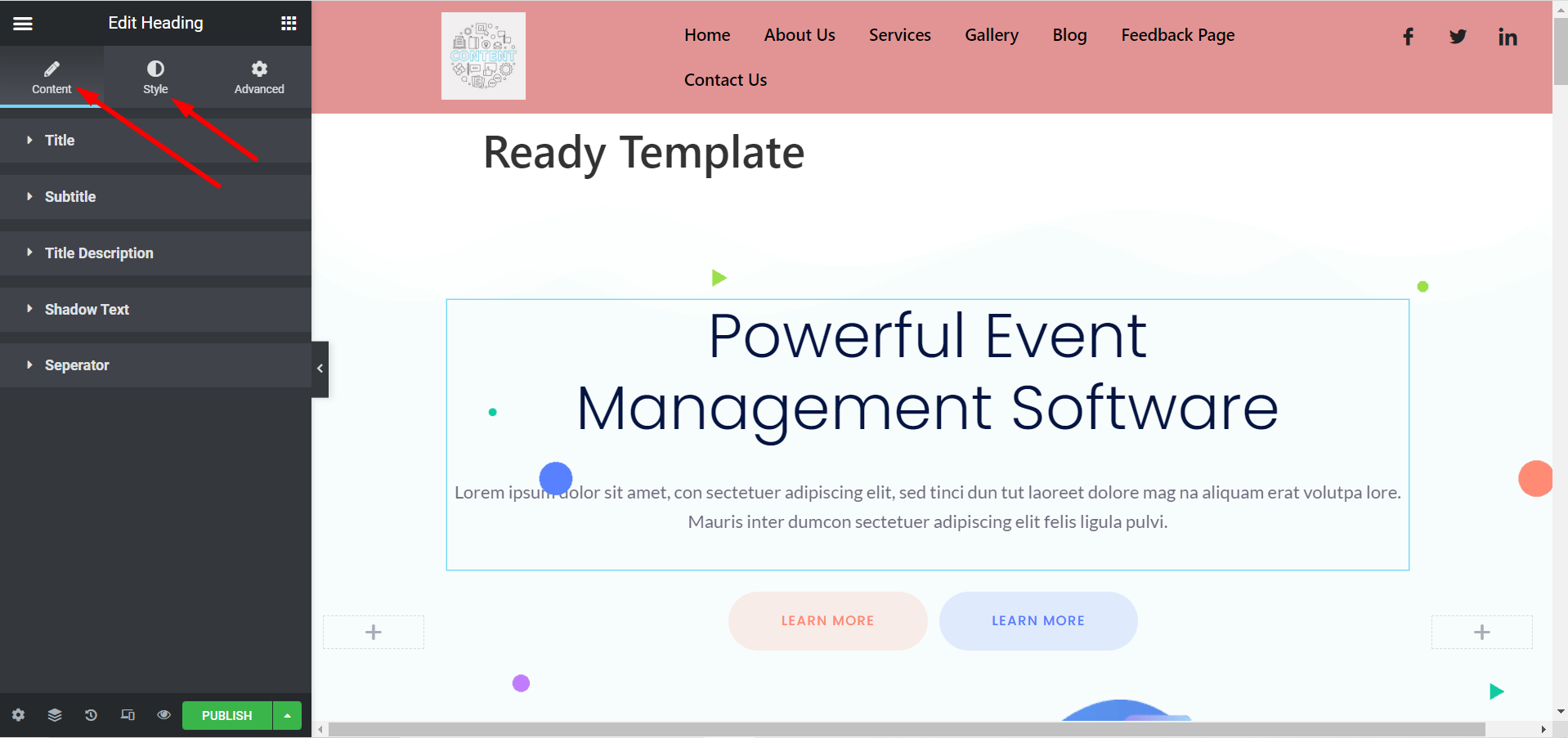
Nu kan du tilpasse din skabelon efter dine præferencer. Du kan ændre titel, billeder, beskrivelser, knapper og andre ting ved at udvide Indhold og stilsektioner.
Fra Elementor skabeloner #
Naviger til dit Dashboard -> Find Elementor -> Gå til skabeloner -> Klik på Tilføj ny
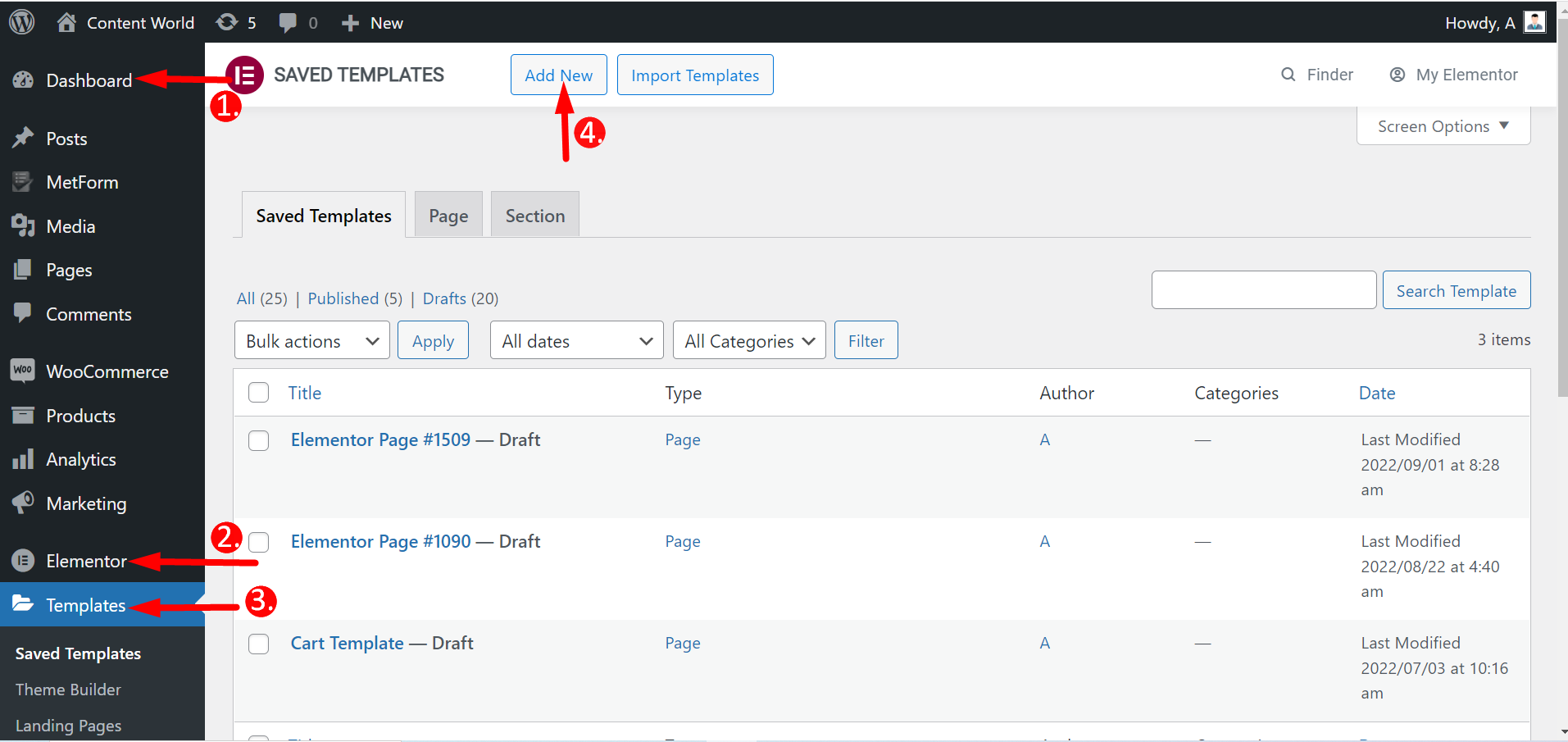
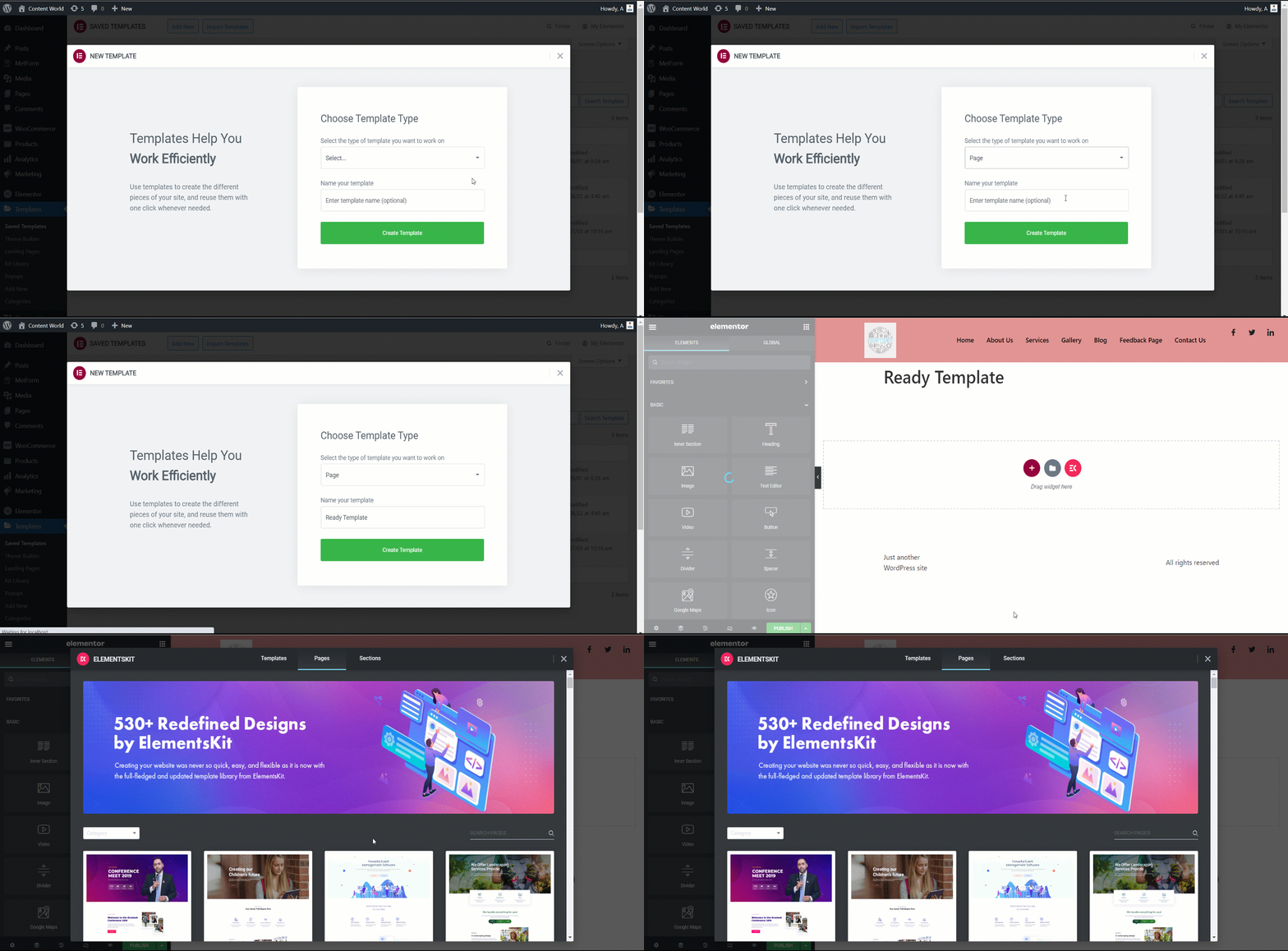
Her kan du oprette sider, herunder landingssider og sektioner. Så vælg skabelontypen, navngiv den og opret den. Resten af trinene er de samme som før.
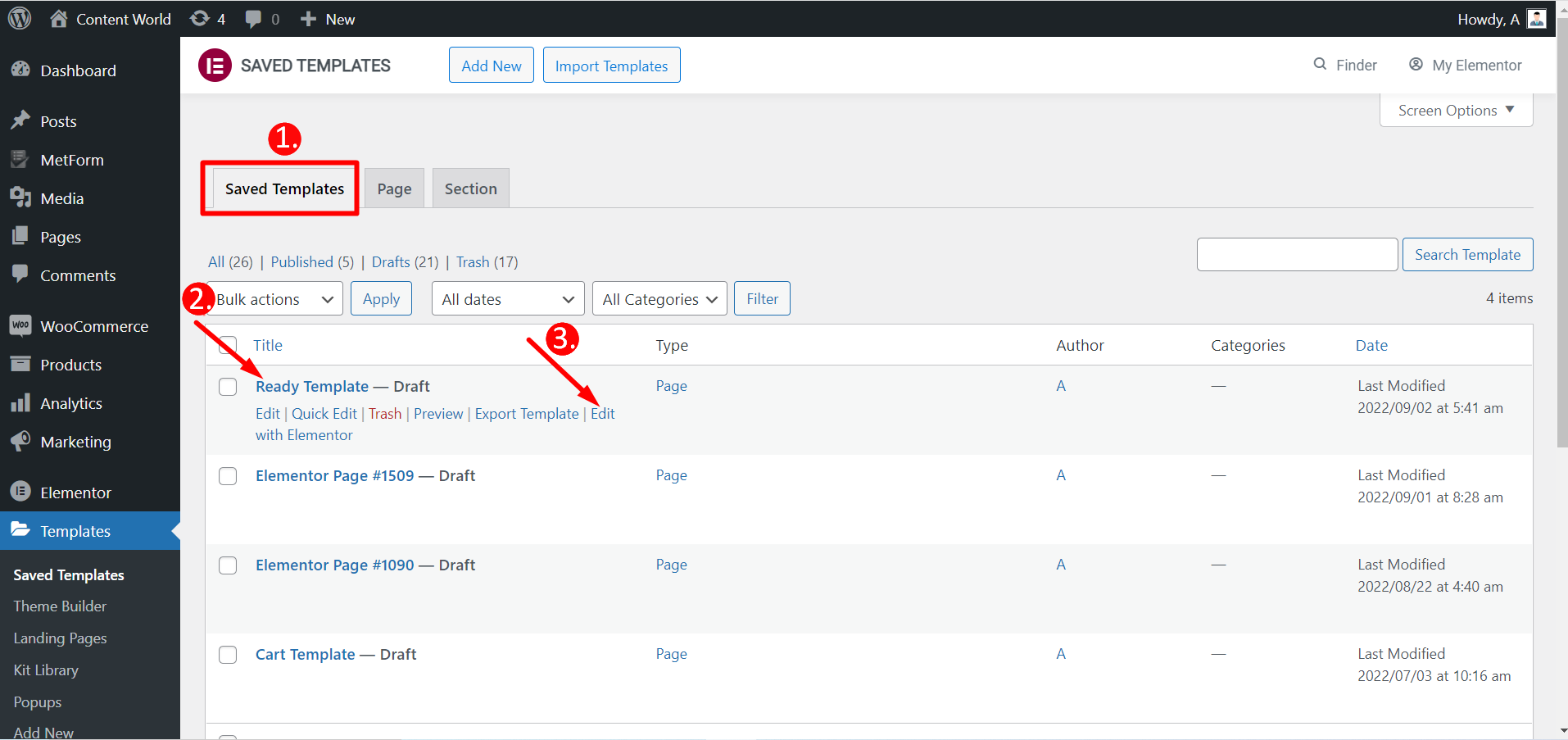
Du kan også redigere gemte skabeloner med Elementor.
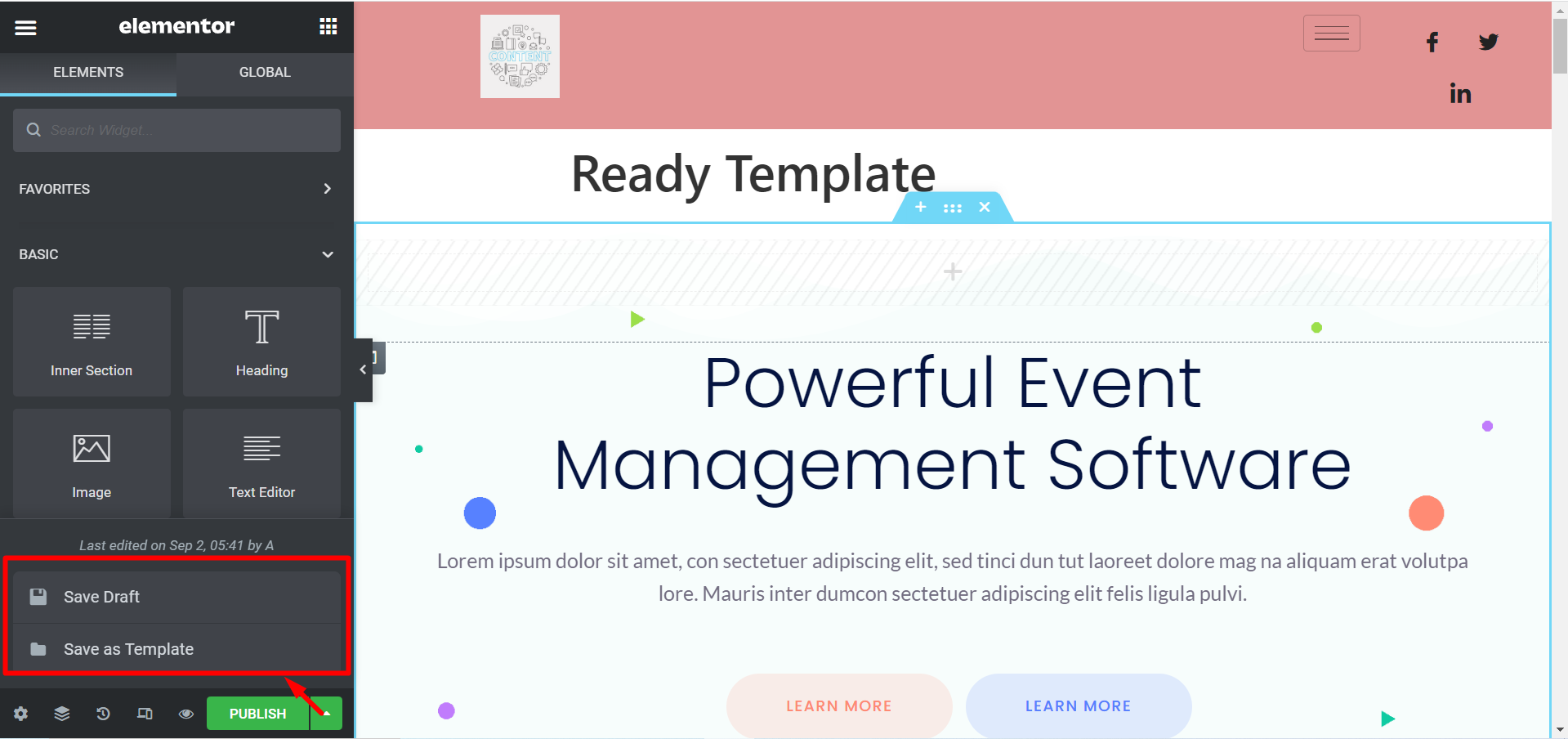
Hvis du ikke ønsker at udgive en skabelon, er der mulighed for at Gem udkast. Du kan også gemme din skabelon som Gem som skabelon og bruge det senere.
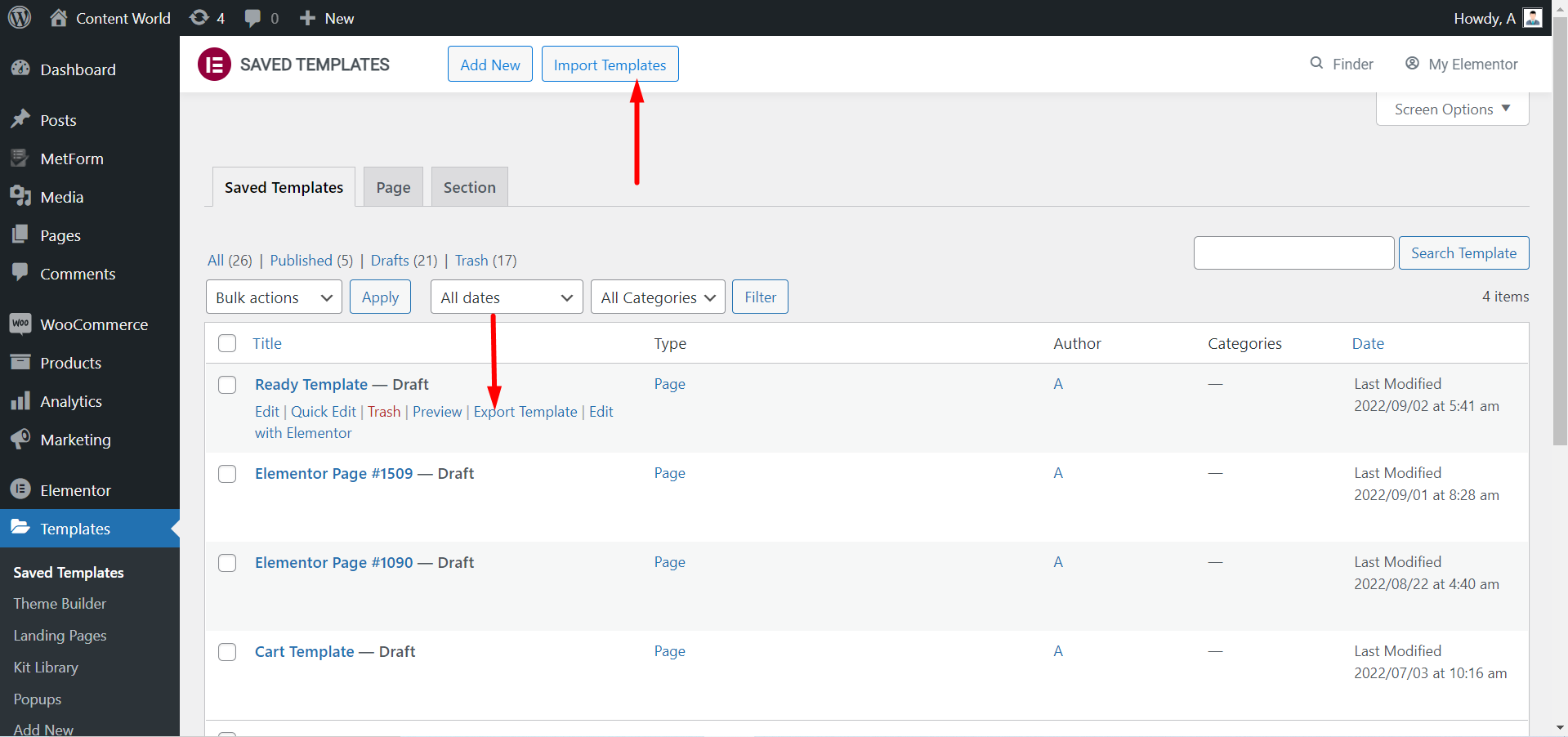
Du kan Eksporter skabelonen hvis du har brug for. Igen, hvis du har downloadet skabeloner, kan du Importer skabelonerne og bruge dem.
Tag et kig på en tilpasset side ved hjælp af ElementsKit klar skabelon-
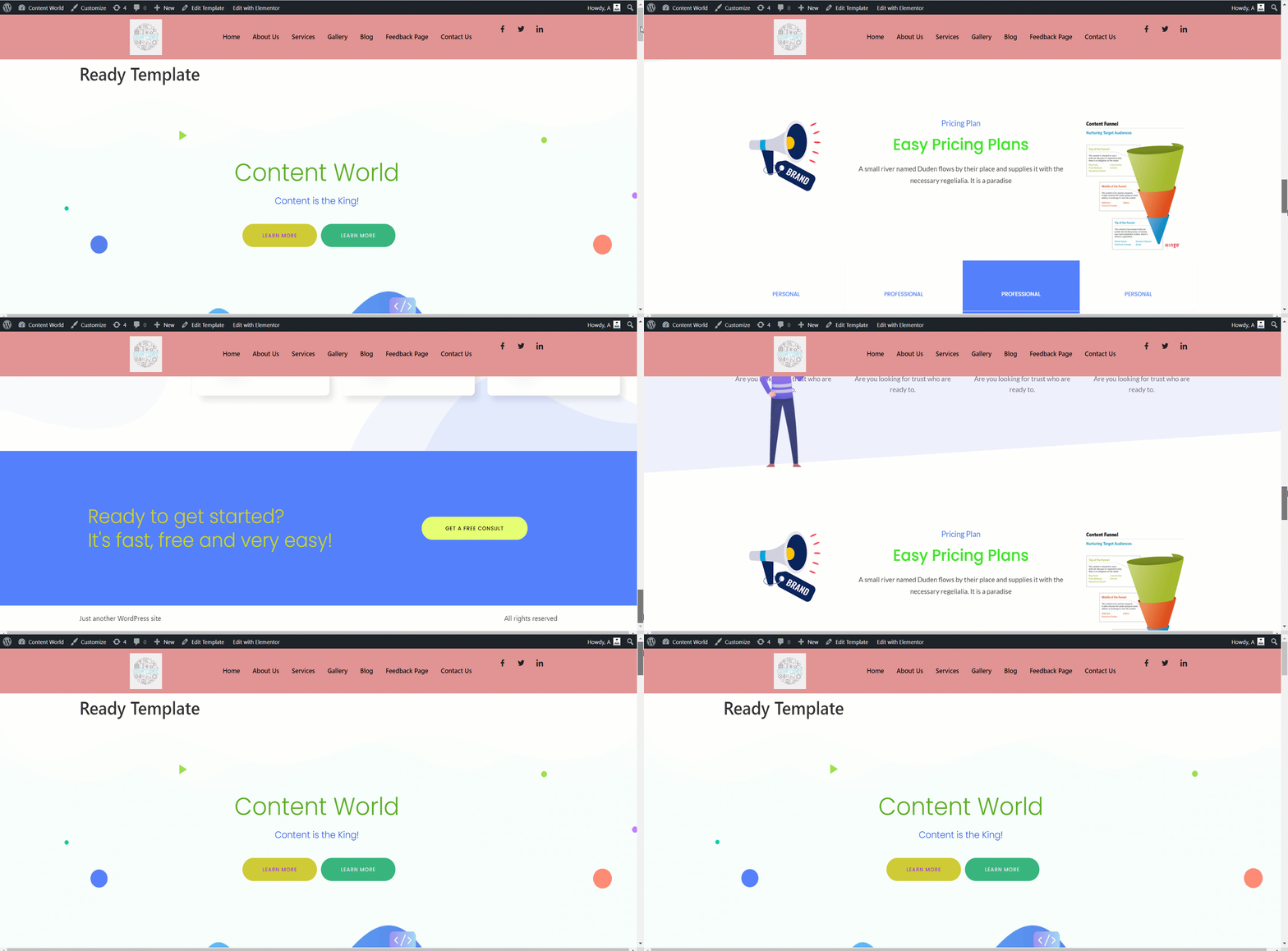
ElementsKits færdige skabeloner hjælper med at skabe en base for din hjemmeside. Den er fleksibel at tilpasse, ser flot ud og sparer tid. Du kan være en professionel eller nybegynder med lidt viden, du kan bygge en fuldstændig funktionel hjemmeside ved hjælp af disse færdige skabeloner.


