


 Swedish
  English
  German
  Spanish
  Italian
  French
  Danish
  Portuguese
  Polish
  Korean
  Japanese
 Det finns hundratals val i Elementor för att anpassa sidor och block. Och med ElementsKit kommer du att ha fler färdiga och bra kvalitetsval att välja mellan. Oavsett om det är gratis eller premium, är mallarna professionellt designade. I den här dokumentationen kommer du att veta hur du använder mallar som är helt färdiga att använda.
Innan du startar processen, kom ihåg att du behöver både Elementor och ElementsKit för att få tillgång till en helt färdig mall.
Procedur för att använda ElementsKit Ready-mall #
Det finns två sätt att använda en färdig mall. Du kan helt enkelt skapa eller redigera en sida från Alternativ för sidor av instrumentpanelen. Annars kan du också använda den från Elementor mallar.
Från sidor #
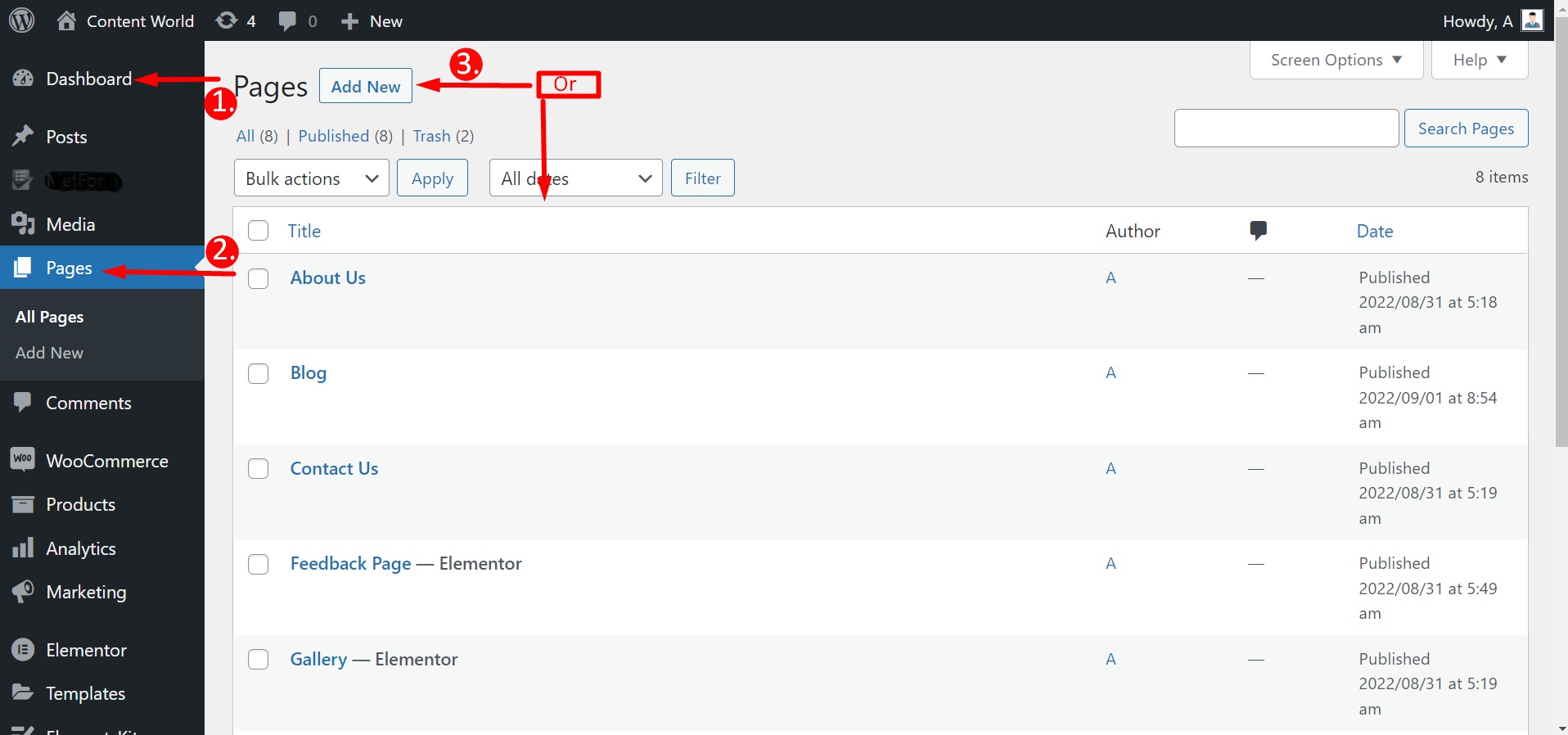
Navigera till din instrumentpanel -> Gå till sidor -> Klicka på Lägg till ny Sida eller Välj en befintlig sida -> Redigera med Elementor
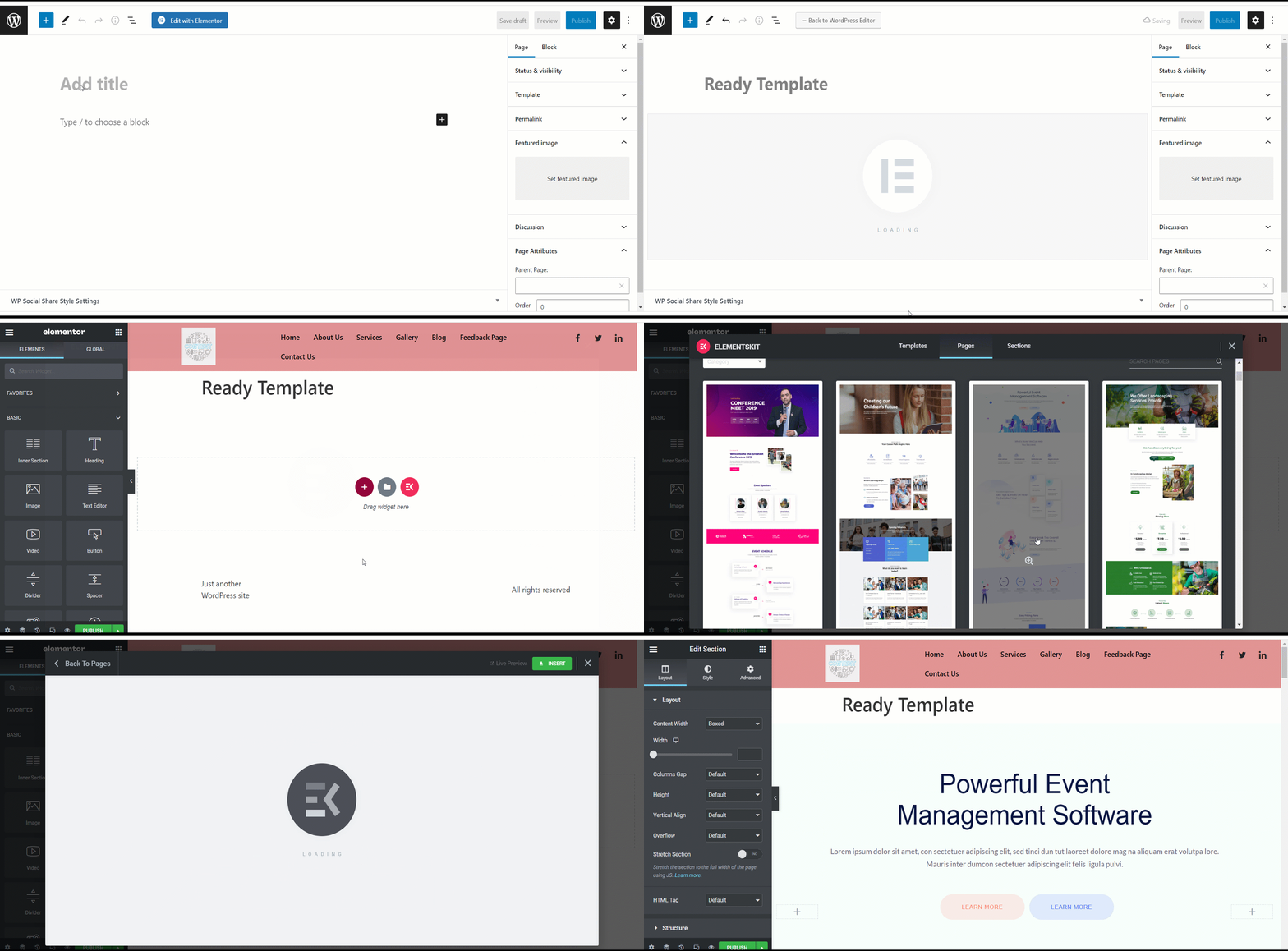
Efter att ha klickat på Redigera med Elementor måste du tryck på ElementsKit-ikonen för att välja en helt färdig mall. Men alla mallar är inte gratis; vissa är premium. Så du kan inte välja valfri mall. Du kommer att se om det är gratis eller betalat precis under en mall.
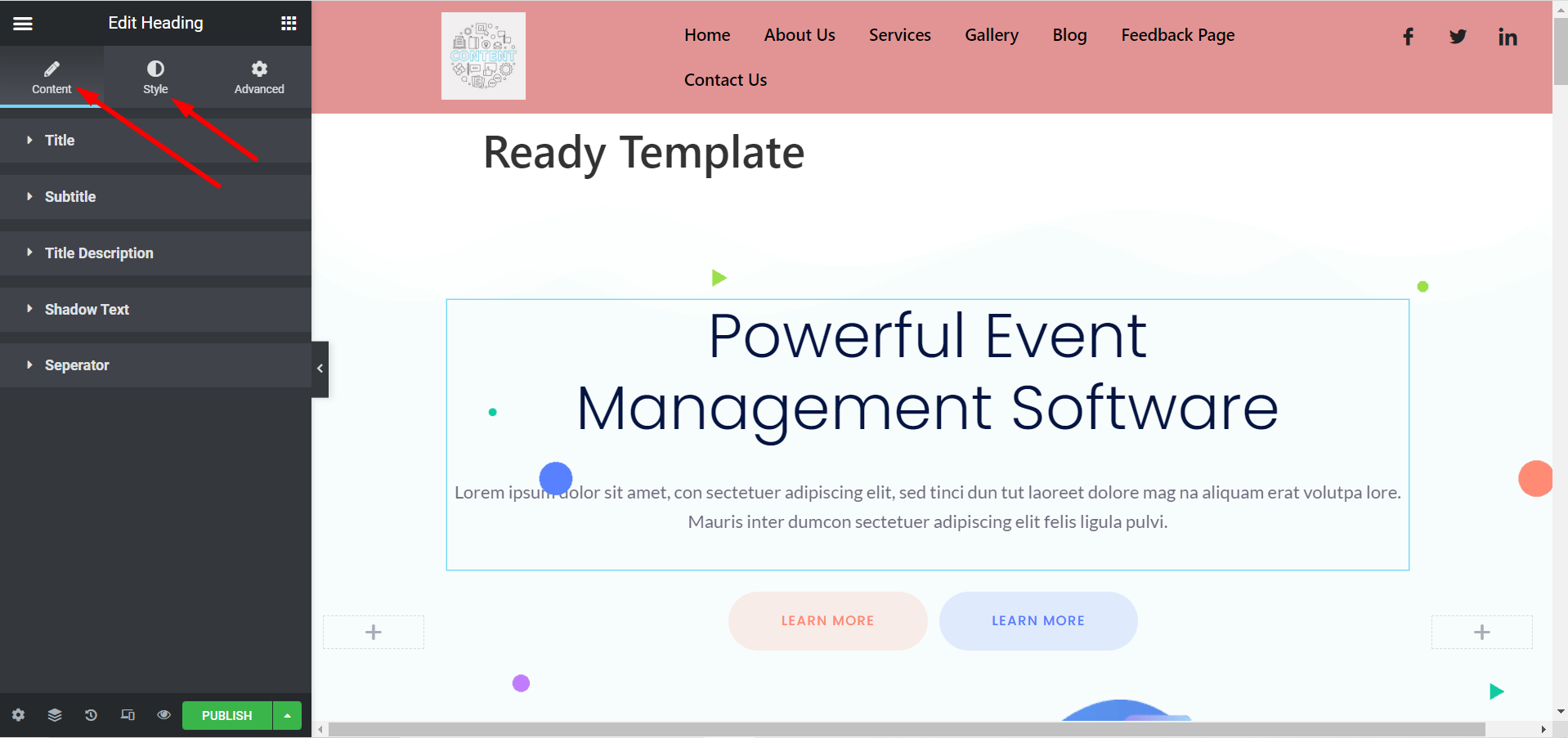
Nu kan du anpassa din mall enligt dina preferenser. Du kan ändra titel, bilder, beskrivningar, knappar och annat genom att expandera Innehåll och stilsektioner.
Från Elementor-mallar #
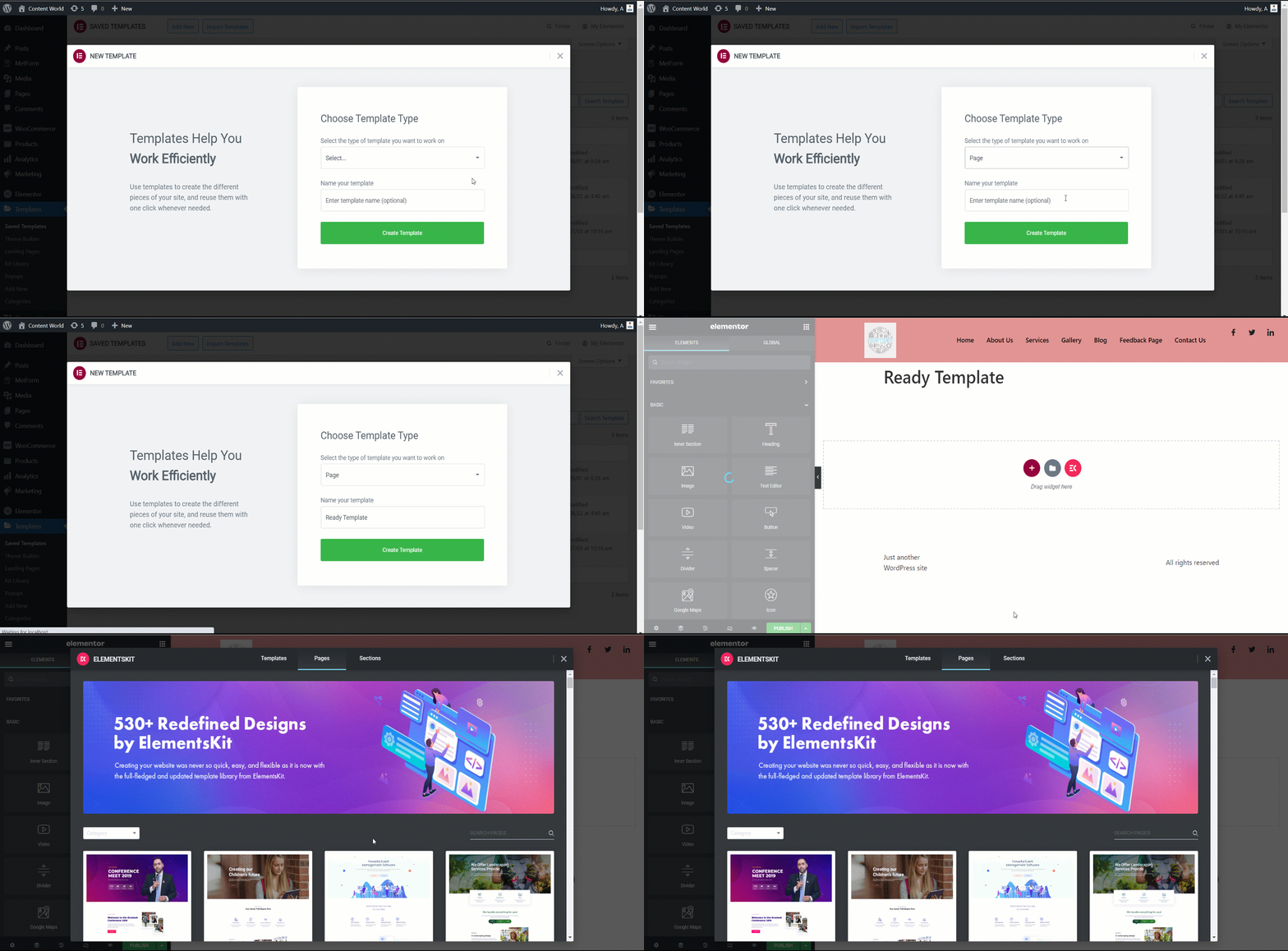
Navigera till din Dashboard -> Hitta Elementor -> Gå till Mallar -> Klicka på Lägg till ny
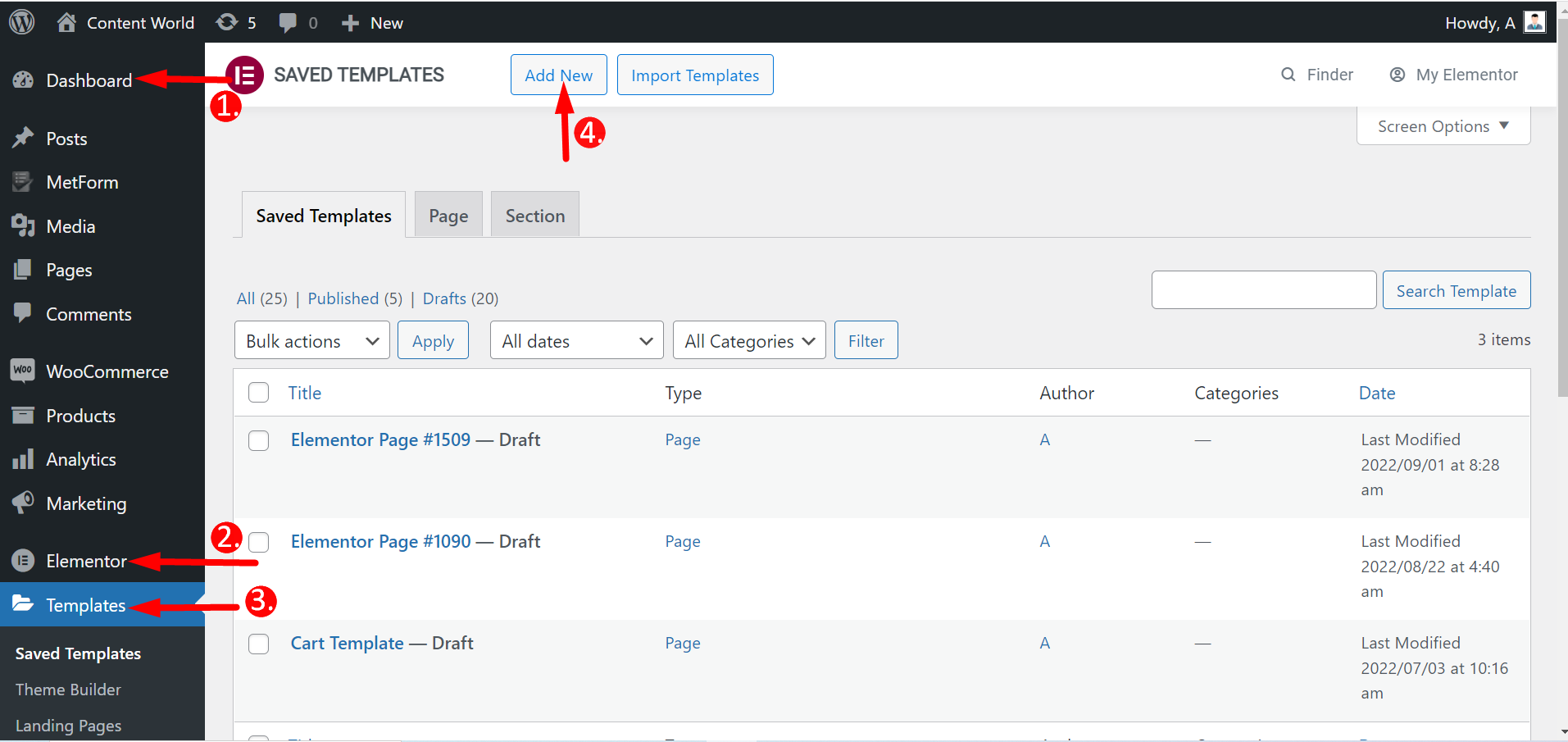
Här kan du skapa sidor, inklusive målsidor och sektioner. Så välj malltyp, namnge den och skapa den. Resten av stegen är desamma som tidigare.
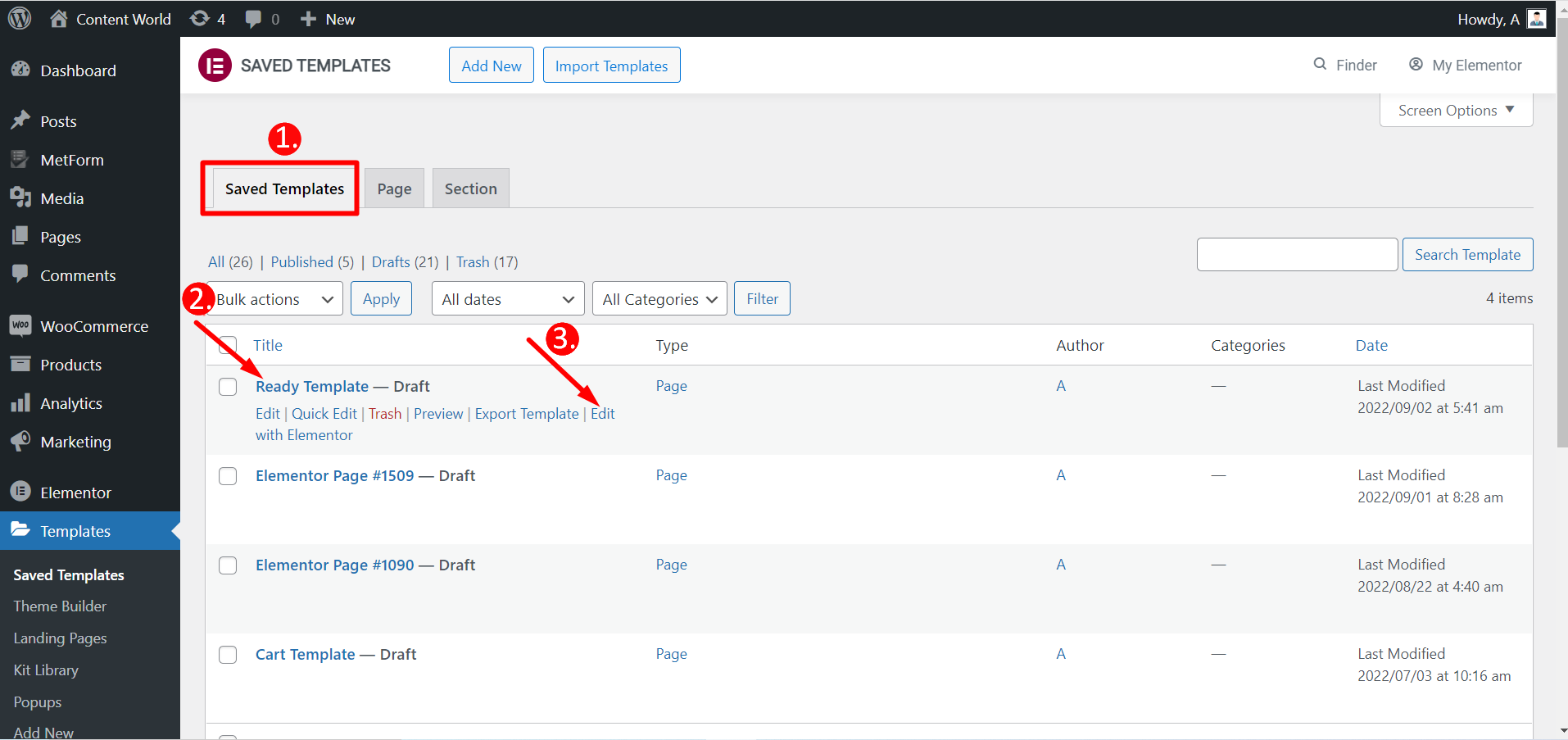
Du kan också redigera sparade mallar med Elementor.
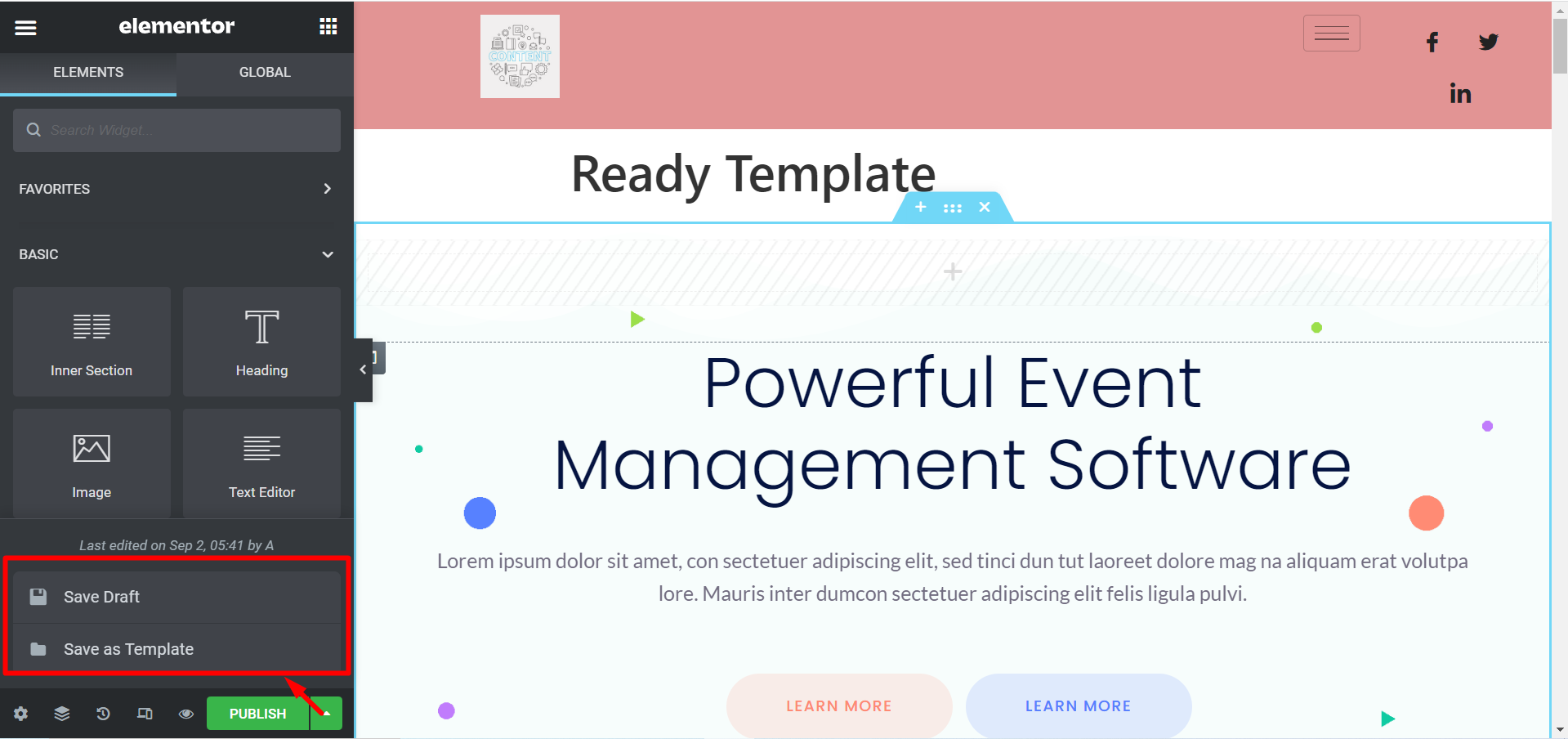
Om du inte vill publicera en mall finns det ett alternativ Spara utkast. Du kan också spara din mall som Spara som mall och använda den senare.
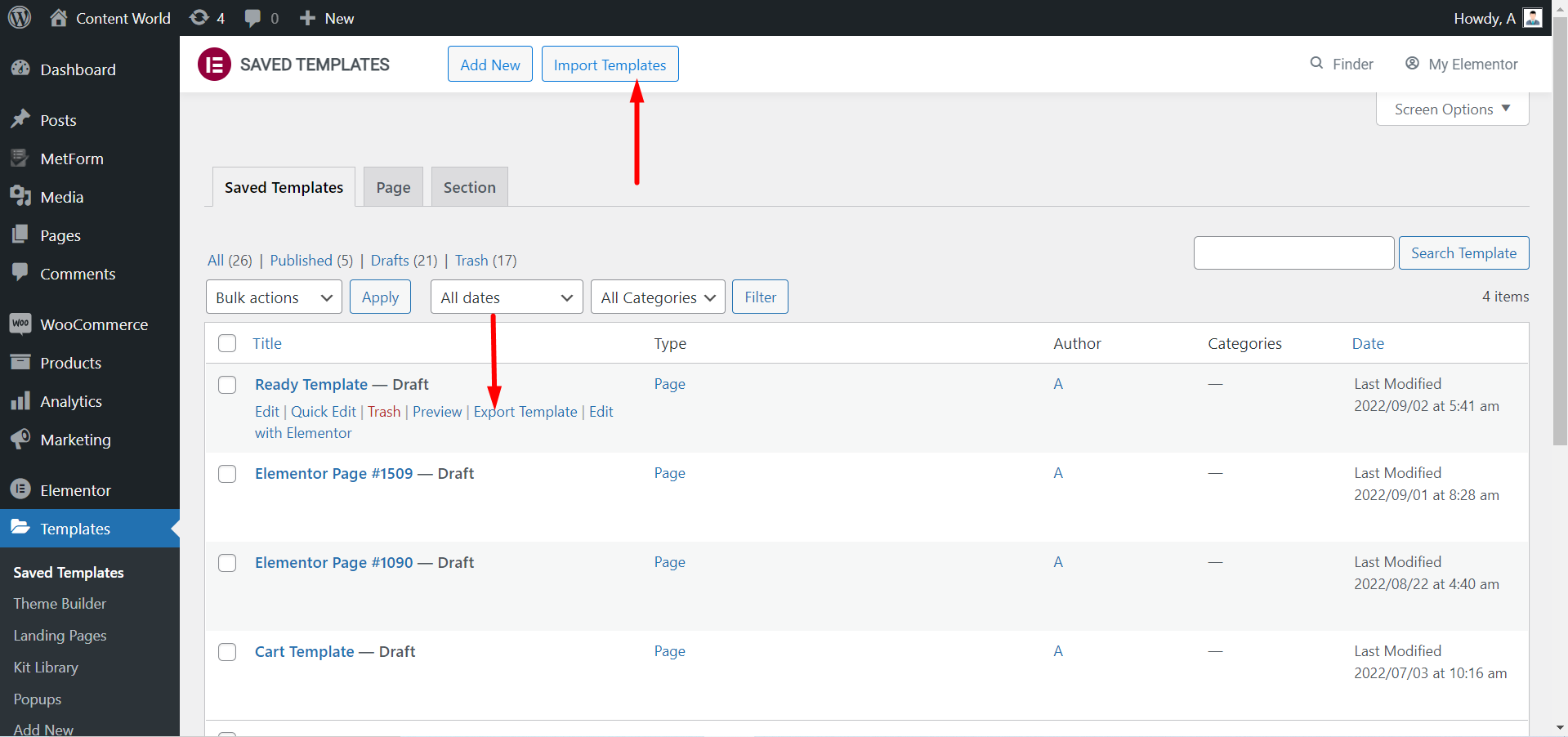
Du kan Exportera mallen om du behöver. Återigen, om du har laddat ner mallar kan du Importera mallarna och använda dem.
Ta en titt på en anpassad sida med ElementsKit redo mall-
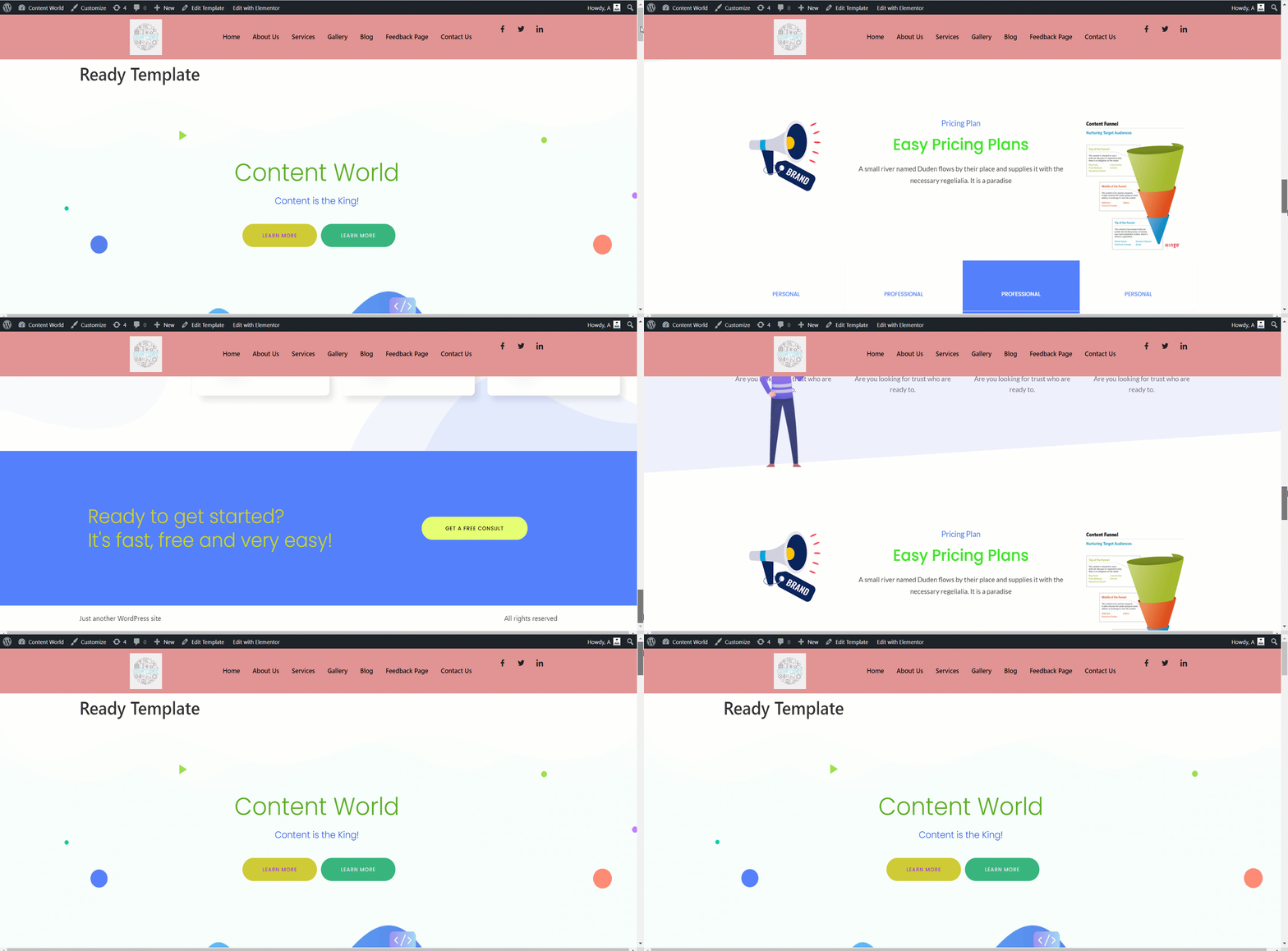
ElementsKits färdiga mallar hjälper till att skapa en bas för din webbplats. Den är flexibel att anpassa, snygg och sparar tid. Du kanske är proffs eller nybörjare med lite kunskap, du kan bygga en helt funktionell webbplats med dessa färdiga mallar.


