
 Italian
  English
  German
  Spanish
  French
  Danish
  Portuguese
  Swedish
  Polish
  Korean
  Japanese
 Esistono centinaia di scelte in Elementor per personalizzare pagine e blocchi. E con ElementsKit avrai scelte più pronte e di buona qualità tra cui scegliere. Che siano gratuiti o premium, i modelli sono progettati in modo professionale. In questa documentazione imparerai come utilizzare modelli completamente pronti all'uso.
Prima di iniziare il processo, ricorda che sono necessari sia Elementor che ElementsKit per accedere a un modello completamente pronto.
Procedura per utilizzare il modello pronto per ElementsKit #
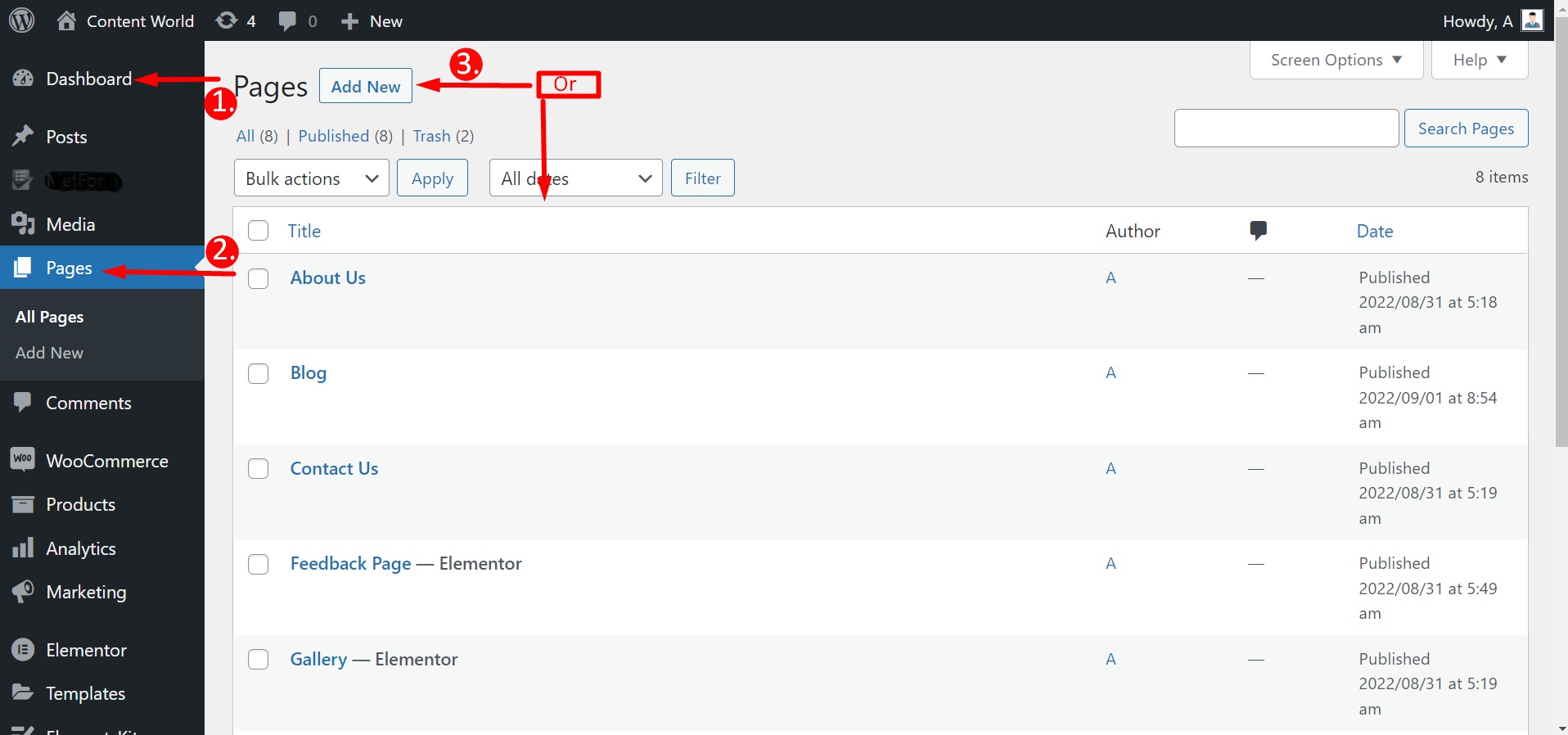
Esistono due modi per utilizzare un modello già pronto. Puoi semplicemente creare o modificare una pagina dal file Opzione pagine del cruscotto. Altrimenti puoi usarlo anche da Modelli Elementor.
Dalle pagine #
Passa alla Dashboard -> Vai a Pagine -> Fai clic su Aggiungi nuovo Pagina oppure Seleziona una pagina esistente -> Modifica con Elementor
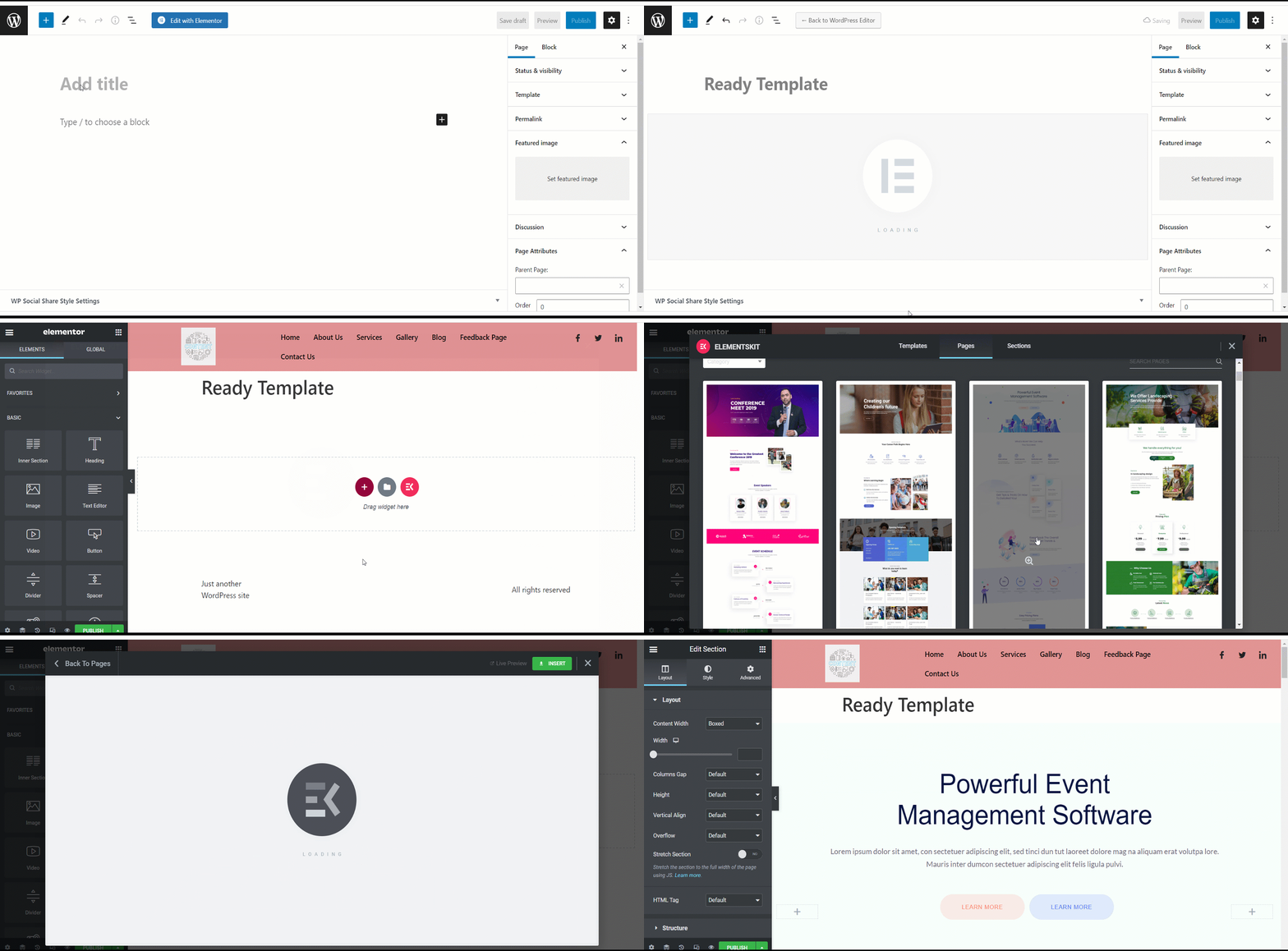
Dopo aver fatto clic su Modifica con Elementor, è necessario farlo premi l'icona ElementsKit per scegliere un modello completamente pronto. Ma non tutti i modelli sono gratuiti; alcuni sono premium. Pertanto, non puoi scegliere alcun modello di tua scelta. Vedrai se è gratuito o a pagamento proprio sotto un modello.
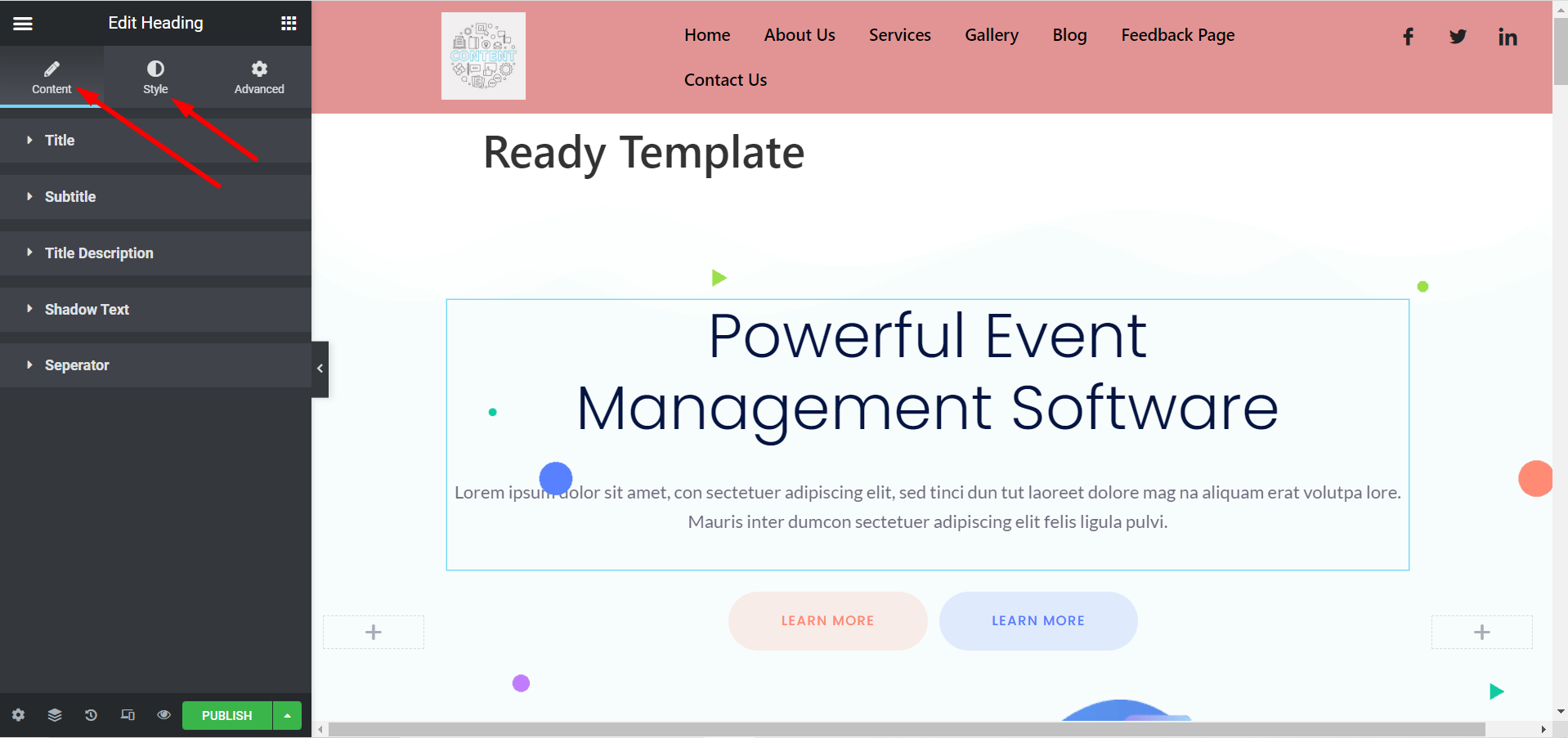
Ora puoi personalizzare il tuo modello in base alle tue preferenze. Puoi modificare il titolo, le immagini, le descrizioni, i pulsanti e altre cose espandendo il file Sezioni Contenuto e Stile.
Dai modelli Elementor #
Passa alla dashboard -> Trova Elementor -> Vai a Modelli -> Fai clic su Aggiungi nuovo
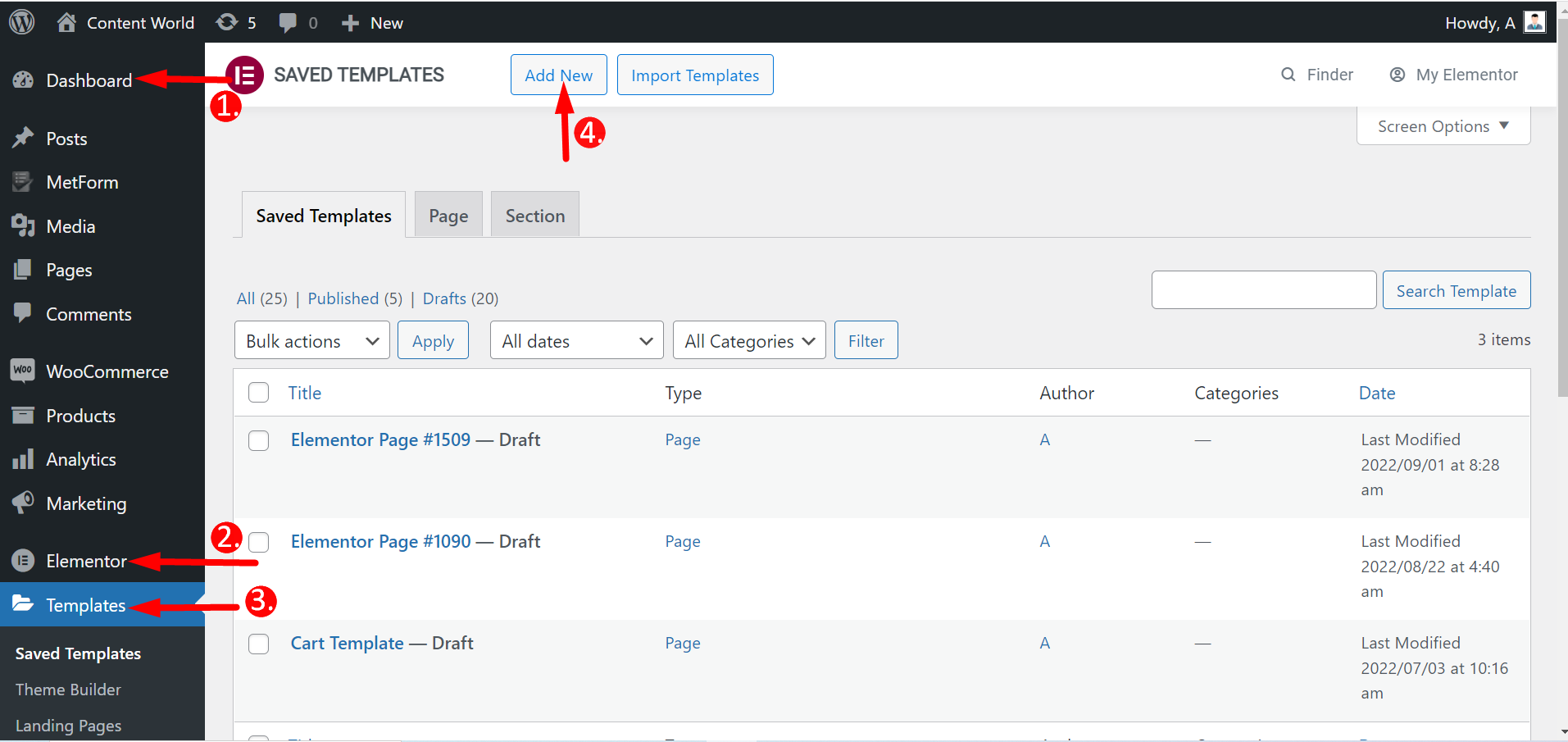
Qui puoi creare pagine, comprese pagine di destinazione e sezioni. Quindi, seleziona il tipo di modello, assegnagli un nome e crealo. Il resto dei passaggi sono gli stessi di prima.
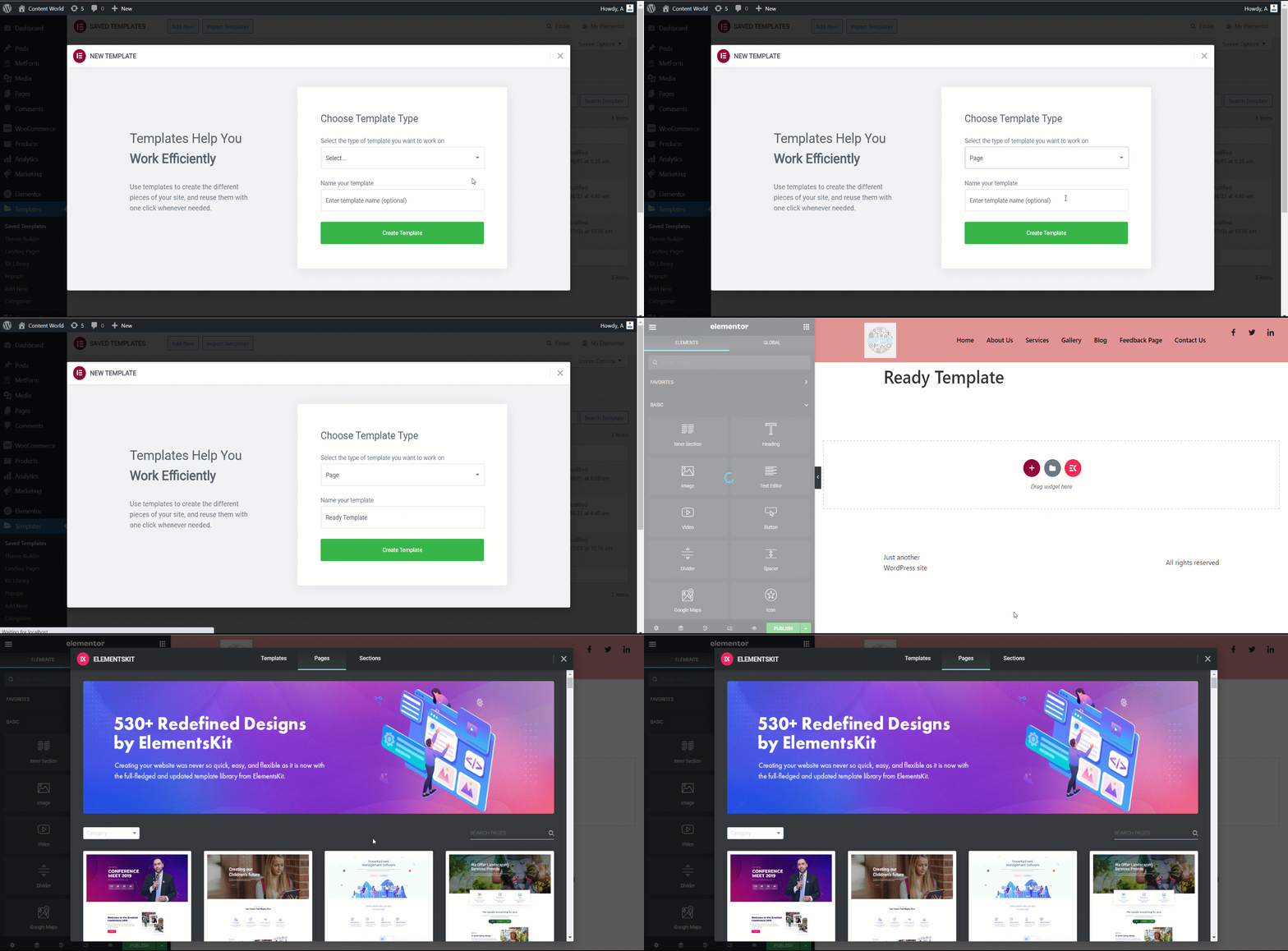
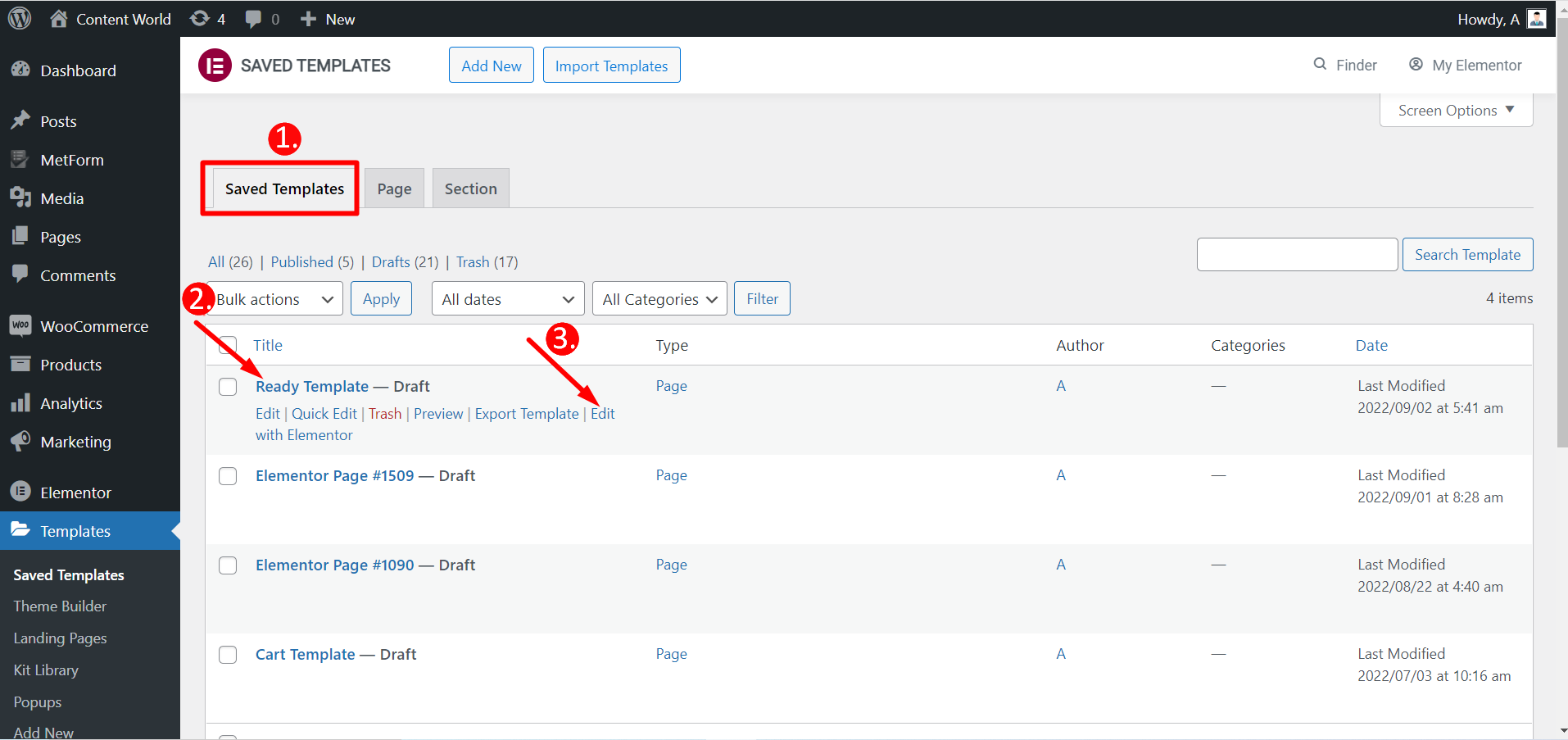
Puoi anche modificare i modelli salvati con Elementor.
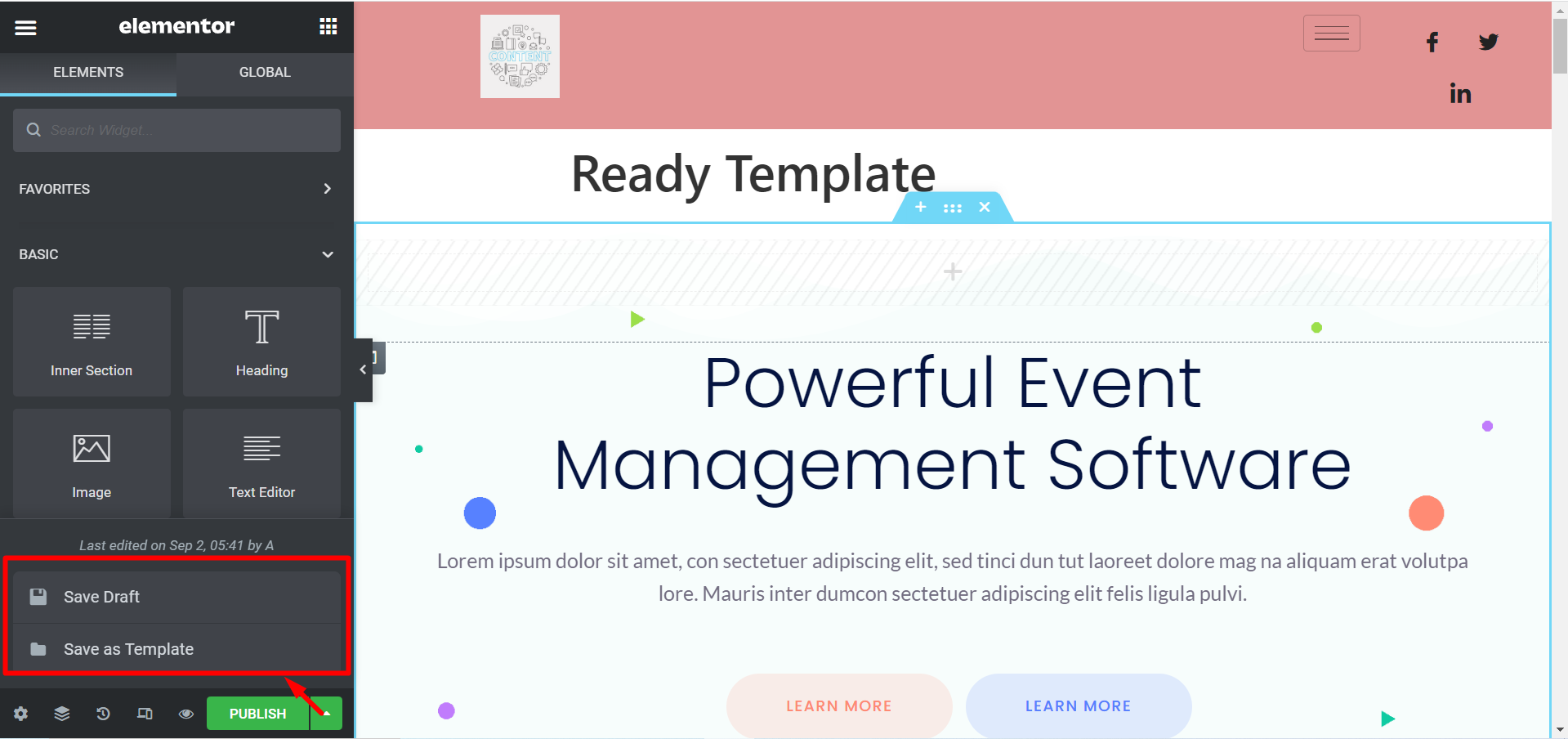
Se non vuoi pubblicare un modello, c'è un'opzione per farlo Salva la bozza. Inoltre, puoi salvare il tuo modello come Salva come modello e usarlo più tardi.
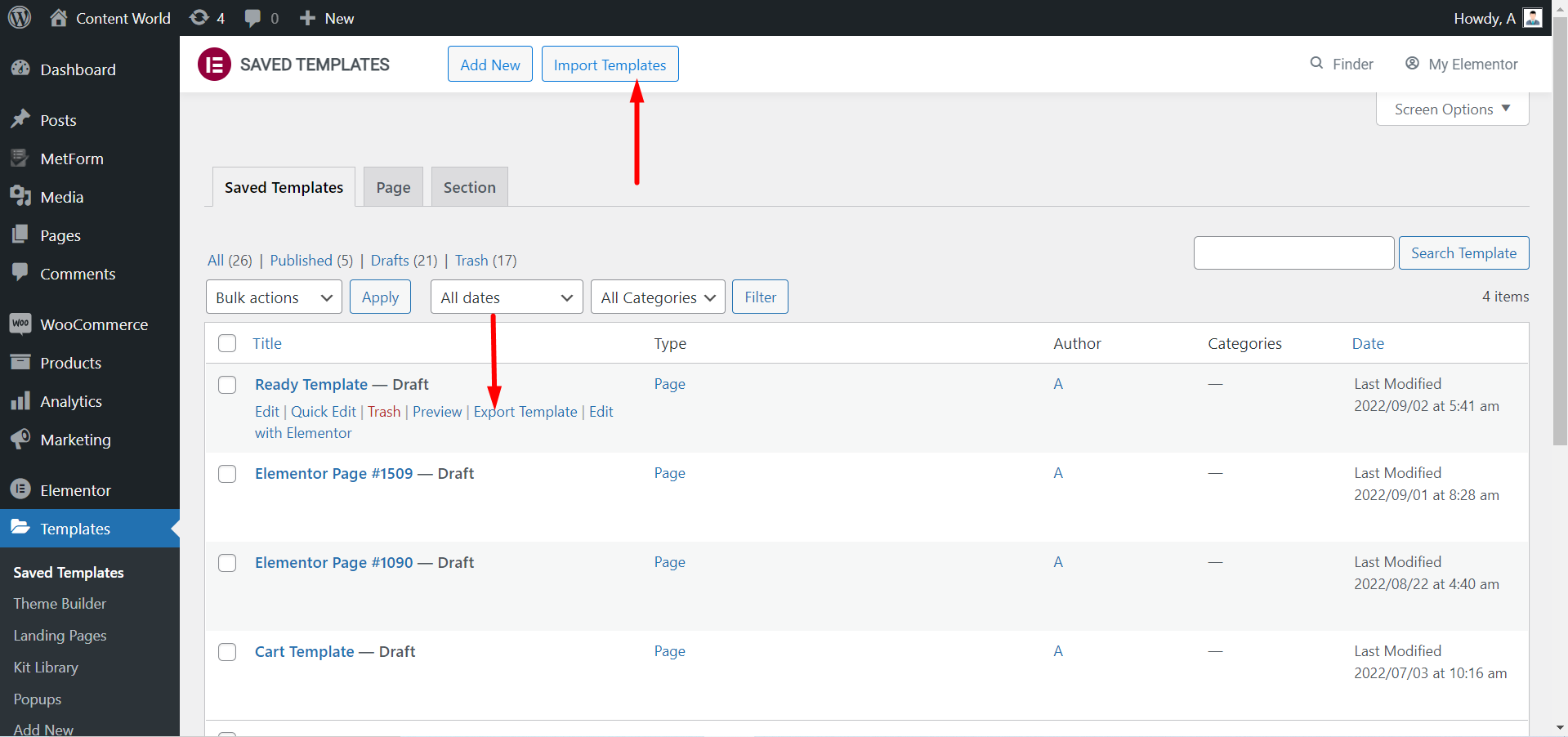
Puoi Esporta il modello se avete bisogno. Ancora una volta, se hai scaricato dei modelli, puoi farlo Importa i modelli e utilizzarli.
Dai un'occhiata a una pagina personalizzata utilizzando il modello pronto per ElementsKit-
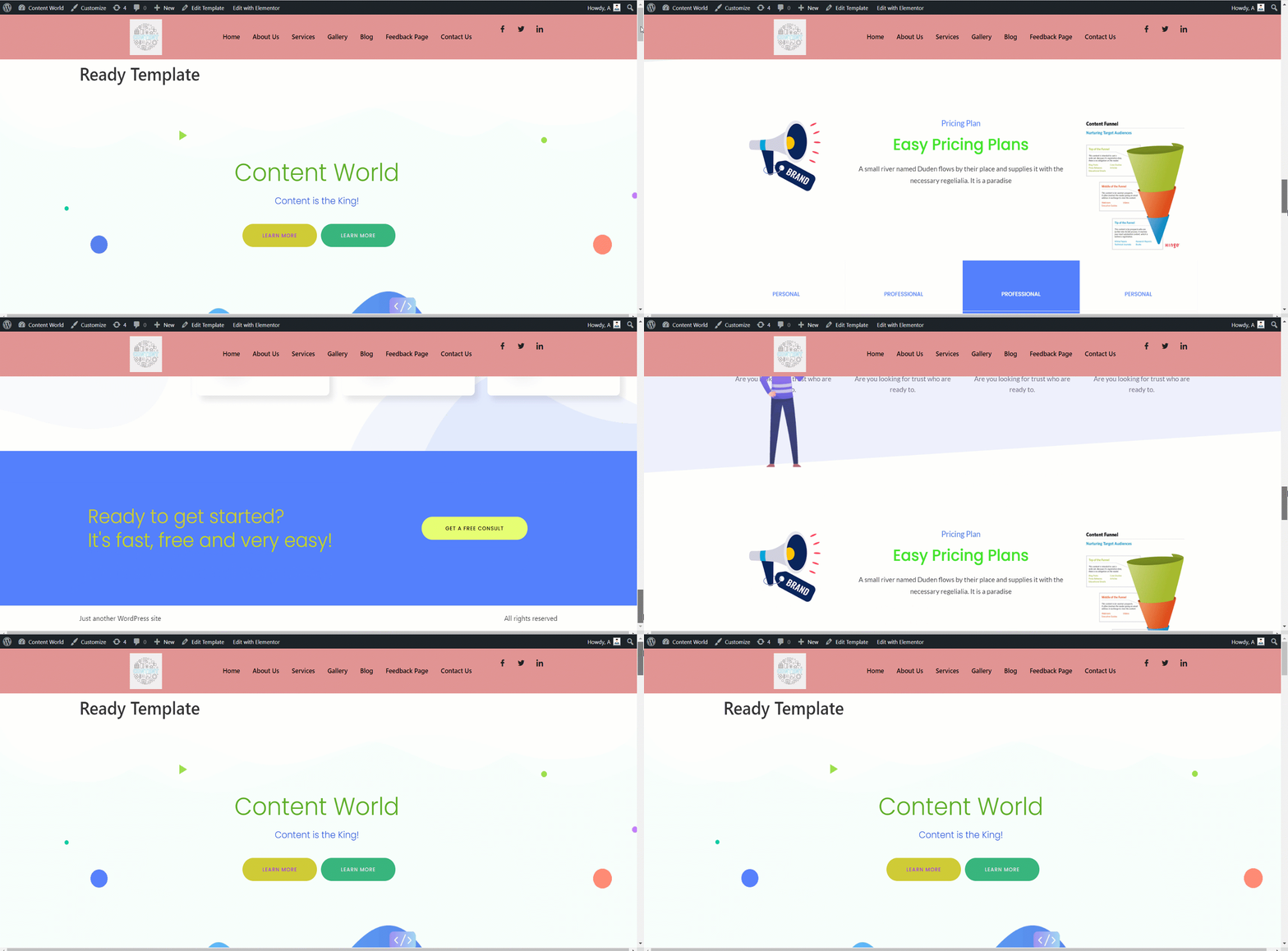
I modelli pronti di ElementsKit aiutano a creare una base per il tuo sito web. È flessibile da personalizzare, ha un bell'aspetto e fa risparmiare tempo. Che tu sia un professionista o un principiante con poca conoscenza, puoi creare un sito Web completamente funzionale utilizzando questi modelli già pronti.


