
 English
  German
  Spanish
  Italian
  French
  Danish
  Portuguese
  Swedish
  Polish
  Korean
  Japanese
 WP Social has everything you need to link your social media to your website. Add social login, social post share, and count of social media engagement using the WordPress social media plugin.
WP Social Post Count feature lets you show how many posts you have on your social media profiles. To use this WordPress social post counter feature:
Step-1: Enable the WP Social Post Count Feature #
To enable the WP Social Post Count,
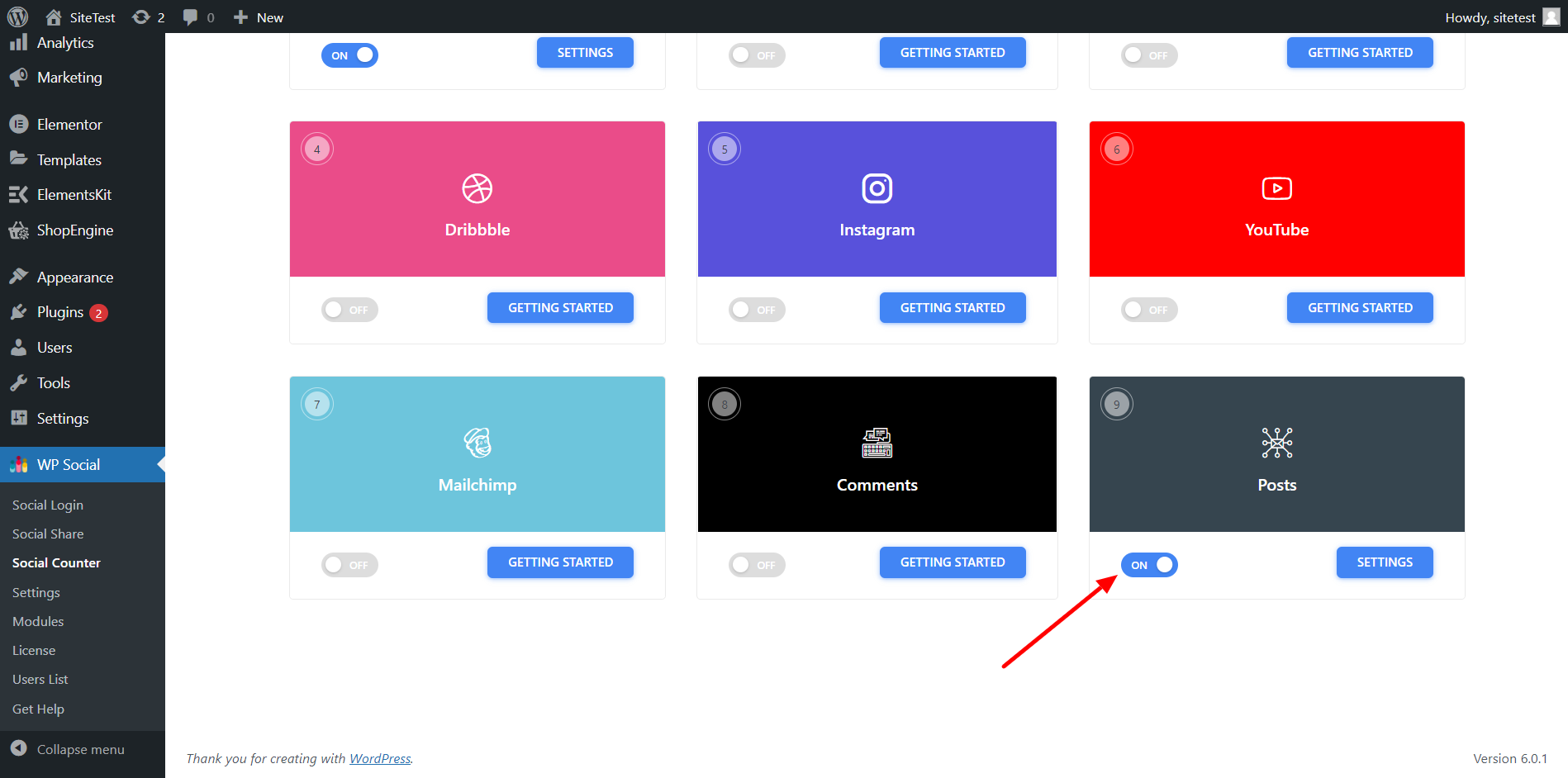
- Go to WP Social > Social Counter from WordPress dashboard.
- Go to the Providers tab and scroll down to Posts.
- On the toggle button for Posts.
Step-2: Adjust the Settings for WordPress Social Posts #
To configure the setting,
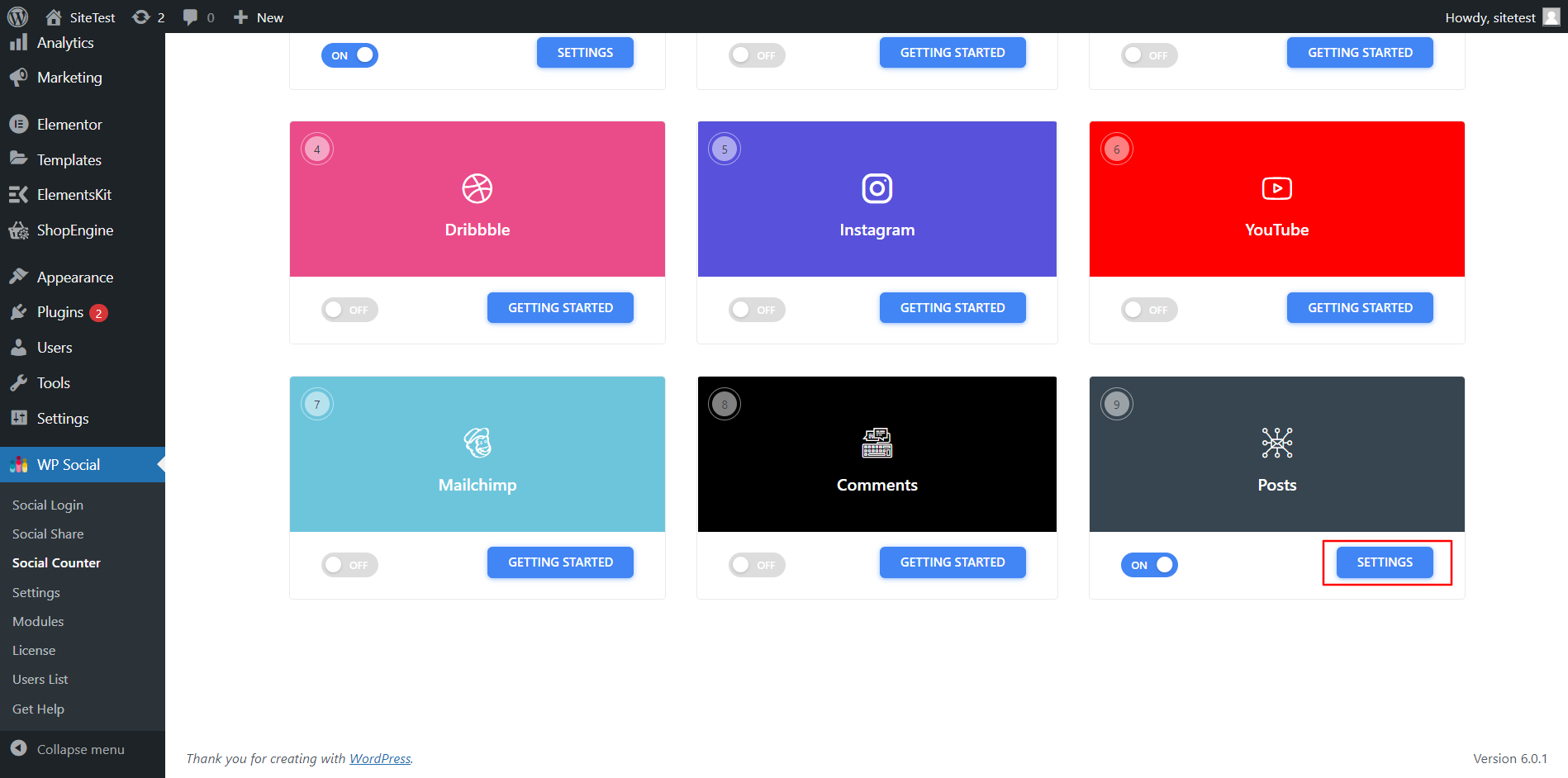
- Click Settings for the posts.
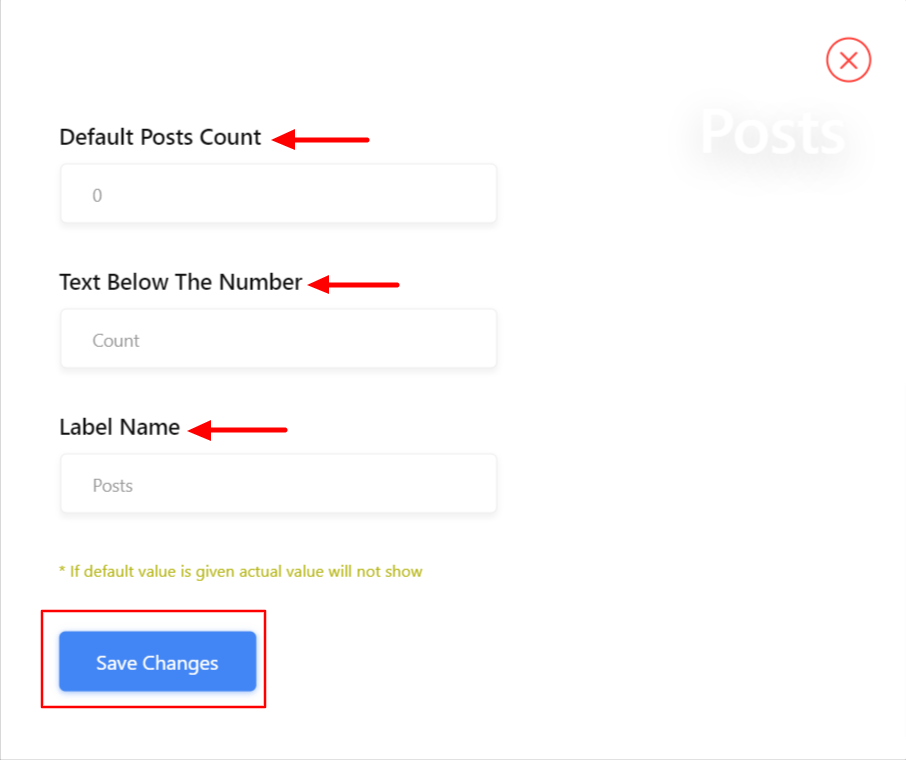
- In the settings, set the Default Post Count number to show.
- Set the Text Below The Number.
- Add a Label Name.
- Save the changes.
Finally, your website is ready to display the post count from your social media profiles like Facebook, YouTube, Dribble, Instagram, and more.


