
 Italian
  English
  German
  Spanish
  French
  Danish
  Portuguese
  Swedish
  Polish
  Korean
  Japanese
 WP Sociale ha tutto il necessario per collegare i tuoi social media al tuo sito web. Aggiungi l'accesso social, la condivisione dei post social e il conteggio del coinvolgimento sui social media utilizzando il plug-in per social media WordPress.
Conteggio dei post sui social WP la funzione ti consente di mostrare quanti post hai sui tuoi profili di social media. Per utilizzare questa funzionalità di contatore dei post social di WordPress:
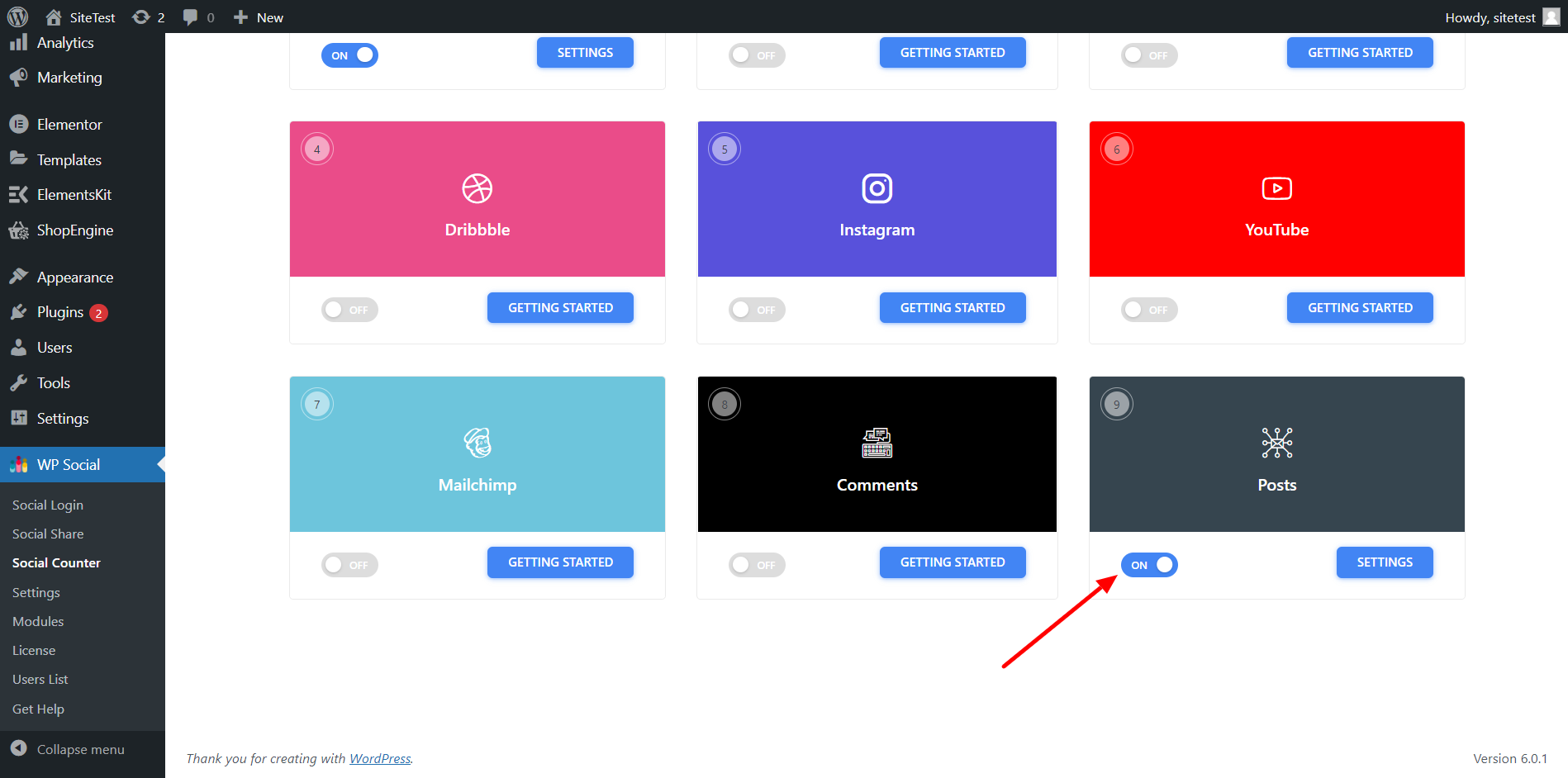
Passaggio 1: attiva la funzione di conteggio dei post social di WP #
Per abilitare il conteggio dei post social di WP,
- Vai a WP Social > Contatore sociale dalla dashboard di WordPress.
- Vai a Fornitori scheda e scorri verso il basso fino a Post.
- Sul pulsante di attivazione/disattivazione per i post.
Passaggio 2: modifica le impostazioni per i post social di WordPress #
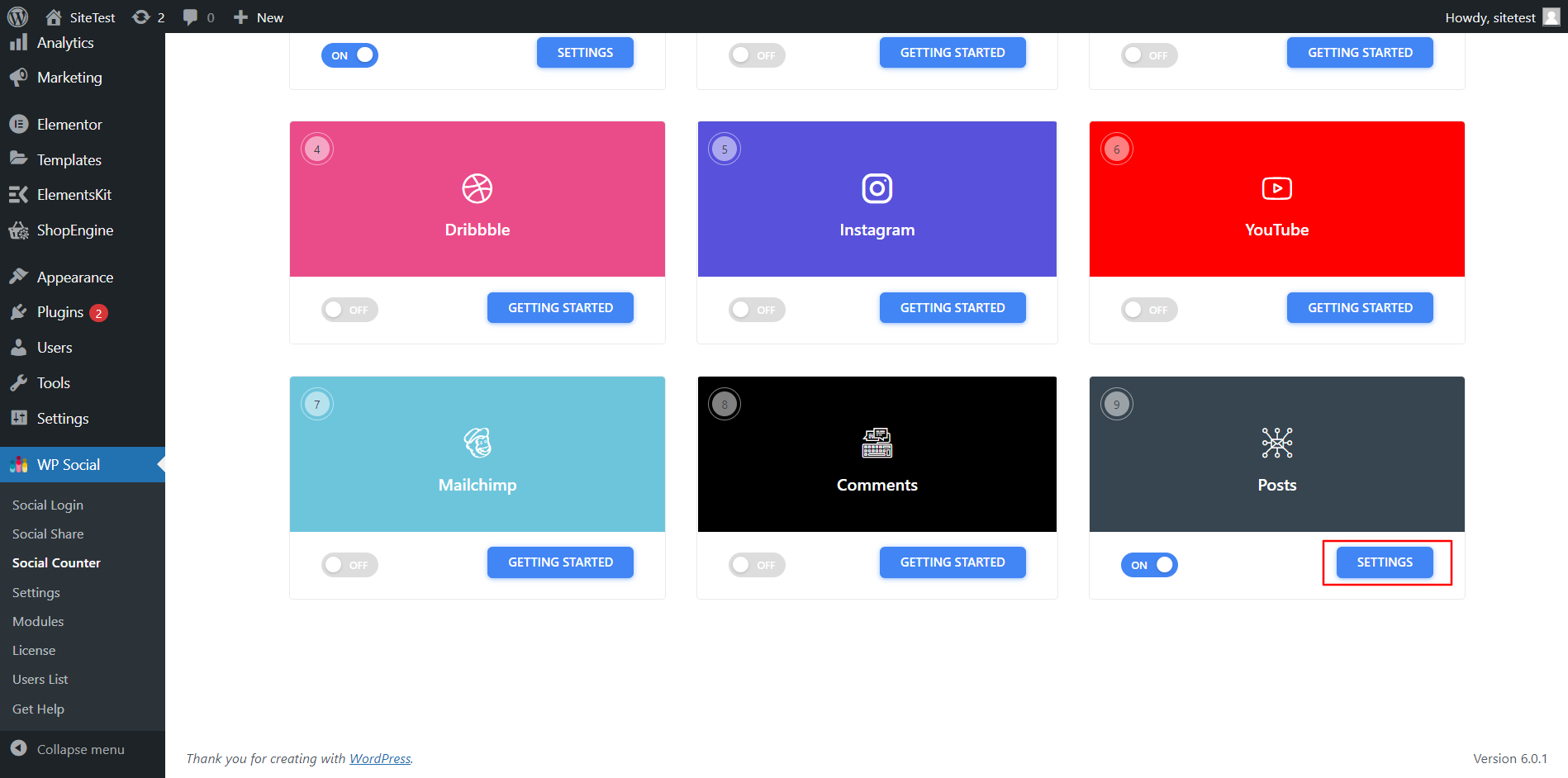
Per configurare l'impostazione,
- Clic Impostazioni per i post.
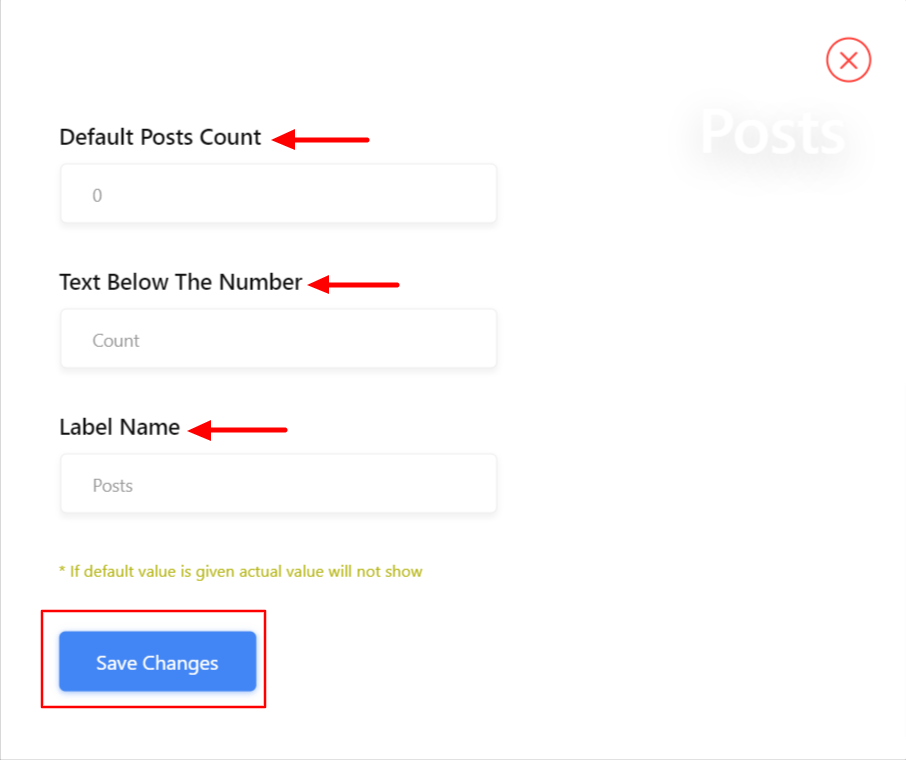
- Nelle impostazioni, imposta il Conteggio post predefinito numero da mostrare.
- Impostare il Testo sotto il numero.
- Aggiungere un Nome dell'etichetta.
- Salva le modifiche.
Finalmente, il tuo sito web è pronto per visualizzare il conteggio dei post dai tuoi profili di social media come Facebook, YouTube, Dribble, Instagram e altri.


