


 Swedish
  English
  German
  Spanish
  Italian
  French
  Danish
  Portuguese
  Polish
  Korean
  Japanese
 WP Social har allt du behöver för att länka dina sociala medier till din webbplats. Lägg till social inloggning, delning av sociala inlägg och antal engagemang i sociala medier med WordPress-plugin för sociala medier.
WP Social Post Count funktionen låter dig visa hur många inlägg du har på dina sociala medieprofiler. För att använda denna WordPress sociala posträknarefunktion:
Steg-1: Aktivera WP Social Post Count-funktionen #
För att aktivera WP Social Post Count,
- Gå till WP Social > Social Counter från WordPress instrumentpanel.
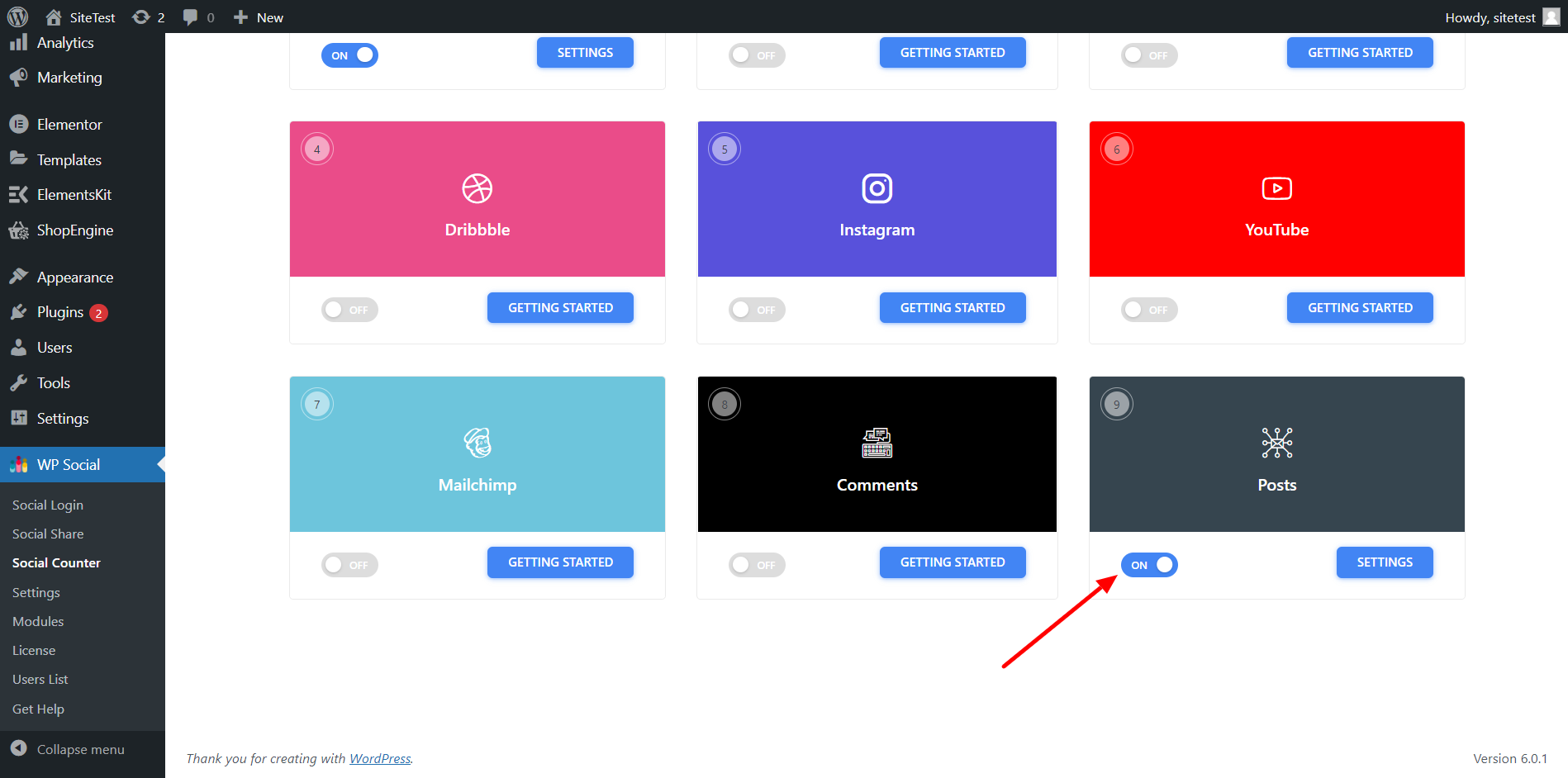
- Gå till Leverantörer fliken och scrolla ner till Inlägg.
- På växlingsknappen för inlägg.
Steg-2: Justera inställningarna för WordPress sociala inlägg #
För att konfigurera inställningen,
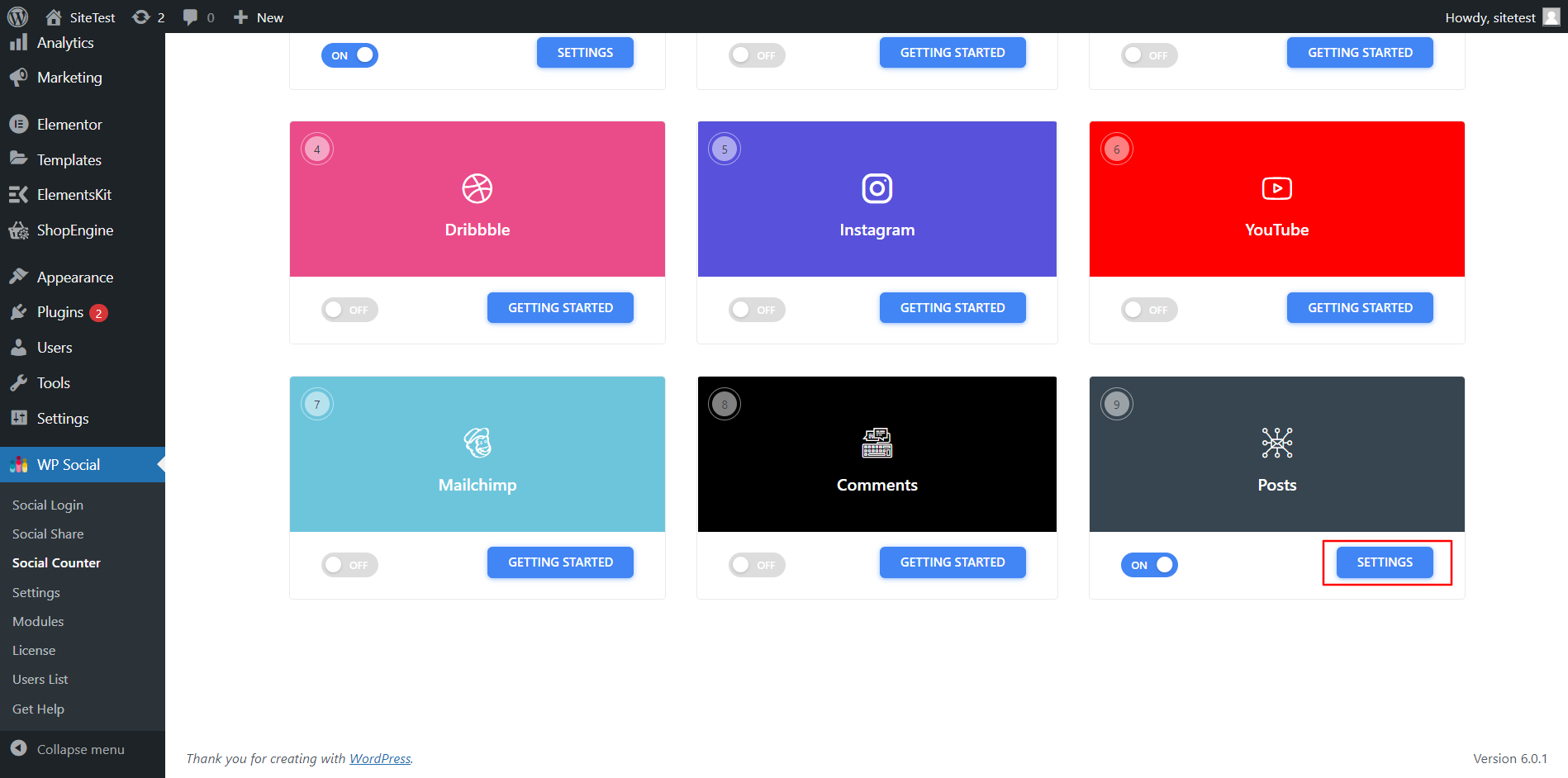
- Klick inställningar för inläggen.
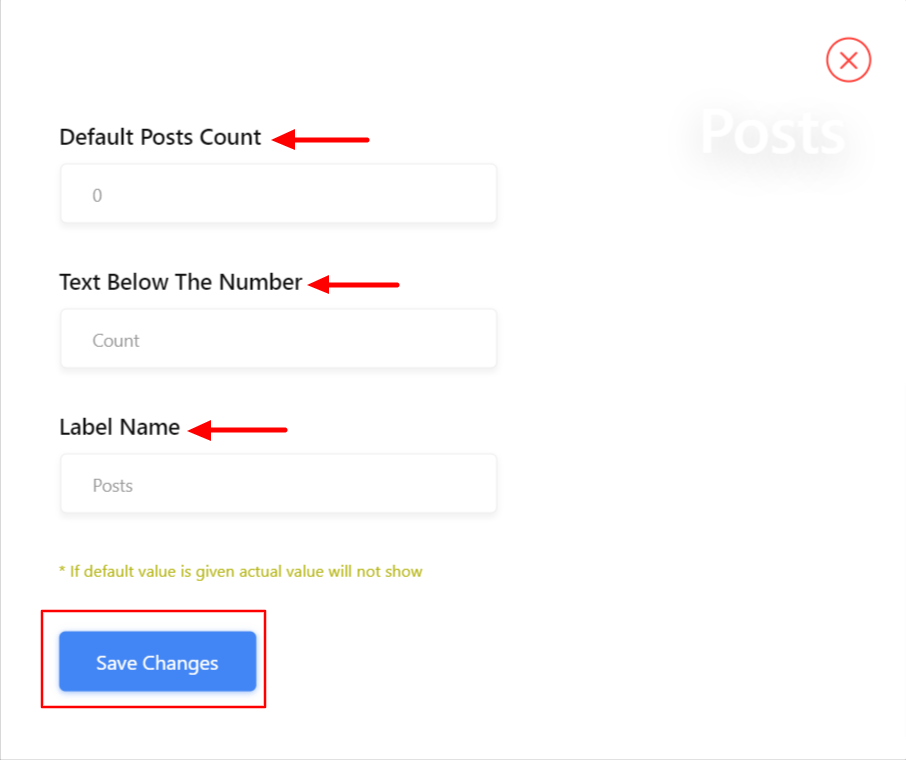
- I inställningarna ställer du in Standardpostantal nummer att visa.
- Ställ in Text under numret.
- Lägg till en Etikettnamn.
- Spara ändringarna.
Äntligen är din webbplats redo att visa antalet inlägg från dina sociala medieprofiler som Facebook, YouTube, Dribble, Instagram och mer.


