


 Italian
  English
  German
  Spanish
  French
  Danish
  Portuguese
  Swedish
  Polish
  Korean
  Japanese
 Le persone vengono reindirizzate attraverso la pagina di annullamento del pagamento se il pagamento non va a buon fine. Normalmente veniamo reindirizzati alla pagina di ringraziamento dopo aver effettuato con successo l'ordine. Ma è anche importante mostrare ai tuoi clienti dopo un pagamento fallito. Utilizzando ora la funzionalità MetForm Pro aggiornata, hai questa opzione per portare i tuoi clienti a qualsiasi pagina, nonché a una pagina di annullamento del pagamento.
In questa documentazione rapida ma dettagliata, imparerai come impostare una pagina di annullamento del pagamento reindirizzato per il tuo sito WordPress.
Come impostare la pagina di annullamento del pagamento #
Impostazioni #
Per prima cosa devi installare MetForm Pro, poi bastano pochi clic per impostare la pagina di annullamento.
Navigare verso: Cruscottod –> MetForm –> Impostazioni –> Pagamento –> Annulla pagina –> Seleziona una pagina qualsiasi dall'elenco –> Salva modifiche
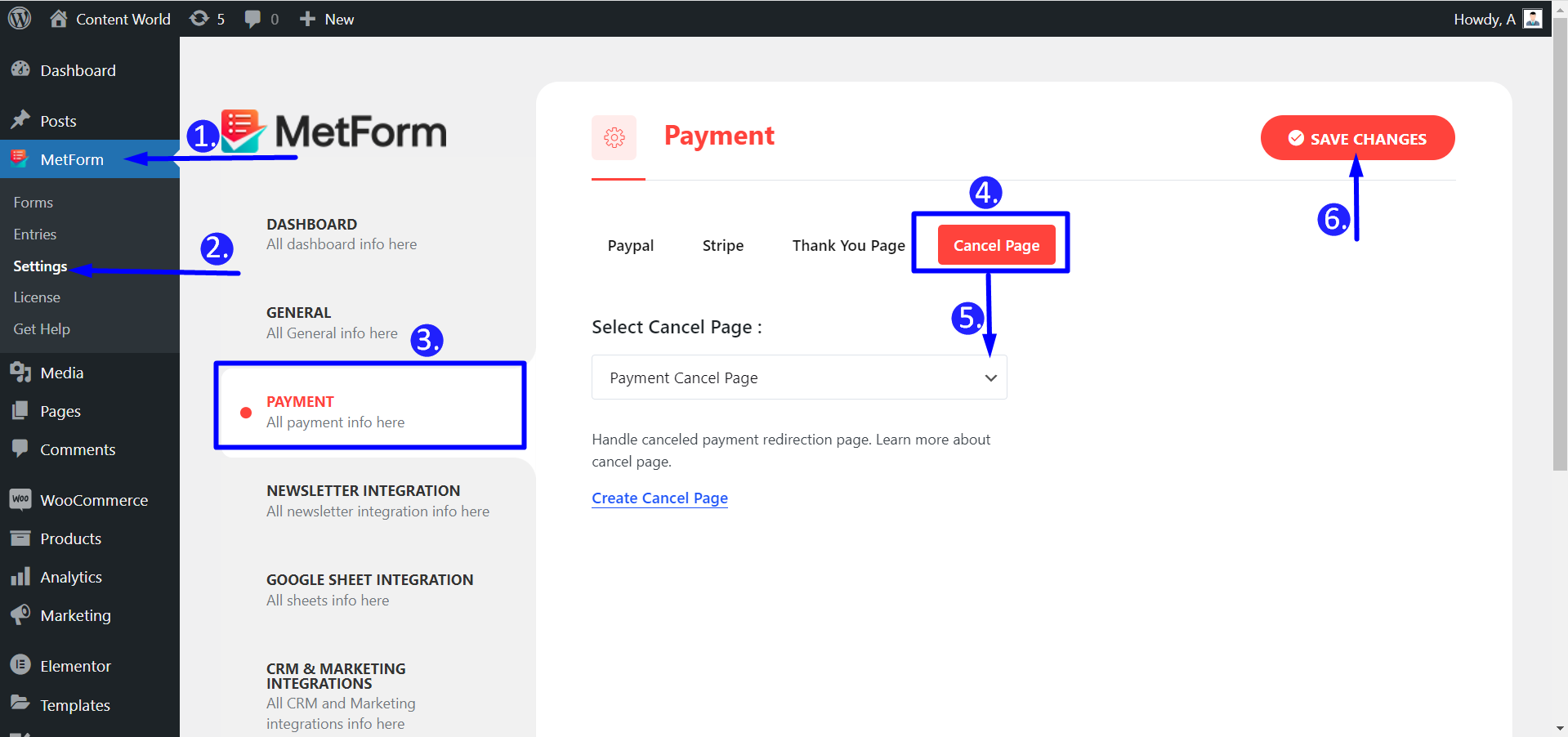
Processo lavorativo #
Un processo di pagamento può essere annullato per vari motivi. Un utente potrebbe selezionare il gateway di pagamento sbagliato, lasciare vuoto un campo obbligatorio o altro. Pertanto, un operatore di marketing può impostare il reindirizzamento su a Pagina di pagamento, pagina del carrello o semplicemente qualsiasi pagina di annullamento del pagamento. Qui abbiamo progettato per te una pagina di esempio. Dopo l'annullamento di un pagamento, una pagina reindirizzata potrebbe apparire così:
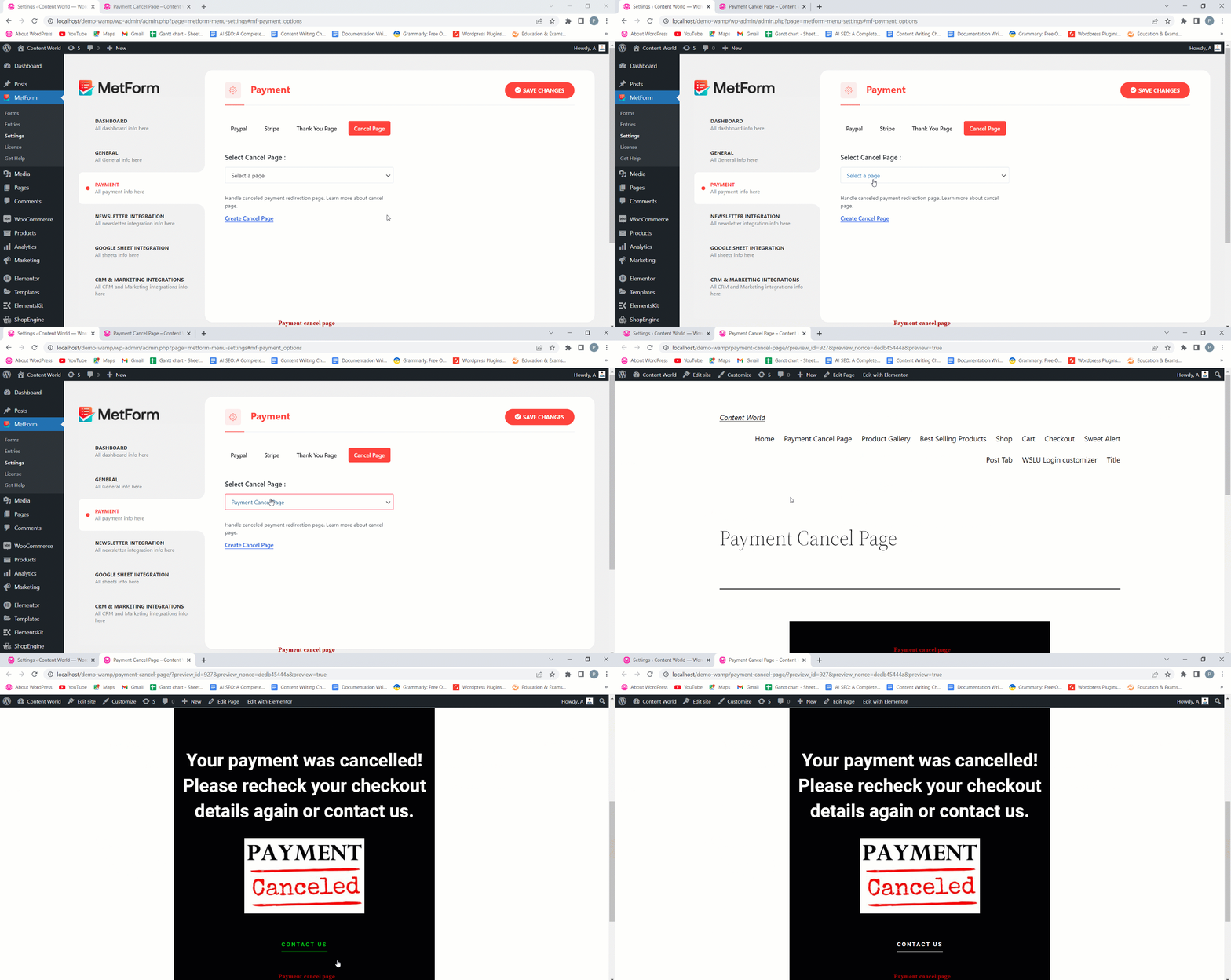
Non è un processo semplice? Quindi, imposta oggi stesso qualsiasi pagina reindirizzata per l'annullamento del pagamento con MetForm. È un bel modo per confermare ai tuoi clienti i pagamenti annullati e risparmiare tempo.


