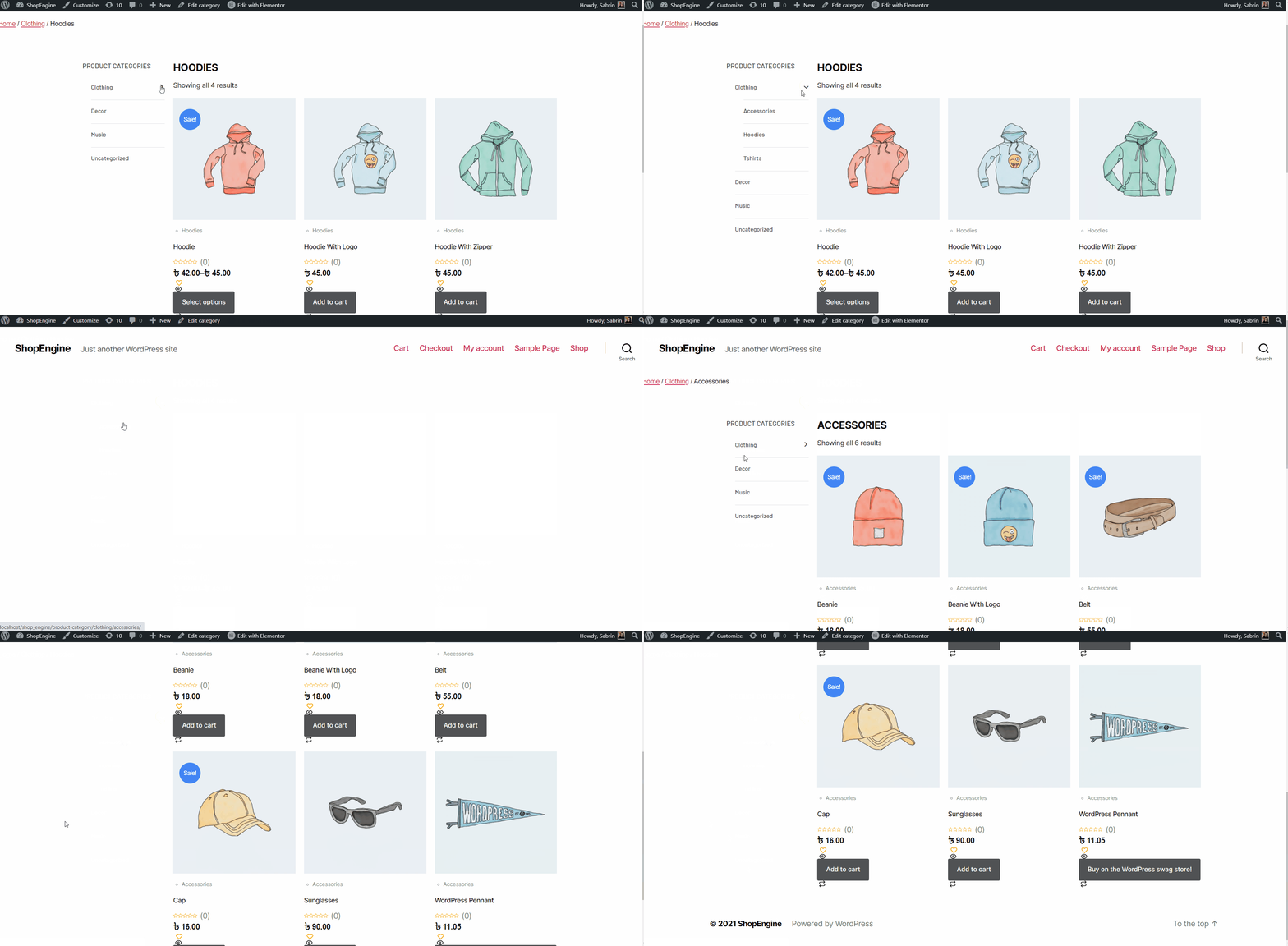
ShopEngine Archive Widgets, including Category, Archive Title, Archive Count, Archive Products, and Product Filters etc., let you design a custom Shop/Archive template and fully control your WooCommerce product archive layout.
Watch the video guide:
Quick Steps to Create an Archive Page Template:
- Gå til ShopEngine → Templates.
- Klik Add New Template.
- Vælge Archive (Shop Page) as the template type.
- Provide a template name → Opret skabelon.
- Klik Rediger med Elementor.
- Insert ShopEngine Archive widgets (Products, Ordering, Result Count, Pagination).
- Adjust layout settings (columns, grid, spacing).
- Style content (typography, colors, buttons).
- Klik Offentliggøre.
- Sæt Visningsbetingelser (Entire Shop or Specific Categories) → Save.
For detailed guidance, follow the steps below:
How to Create a WooCommerce Archive Page with ShopEngine #
Lige follow the step-by-step process to create & beautify your Archive page with ShopEngine, an WooCommerce archive page builder:
Step 1: Create a WooCommerce Product Archive Page Template #
- Naviger til ShopEngine-> Skabeloner fra dit WordPress-dashboard.
- Klik på Tilføj ny button to create an Skabelon til arkivside.
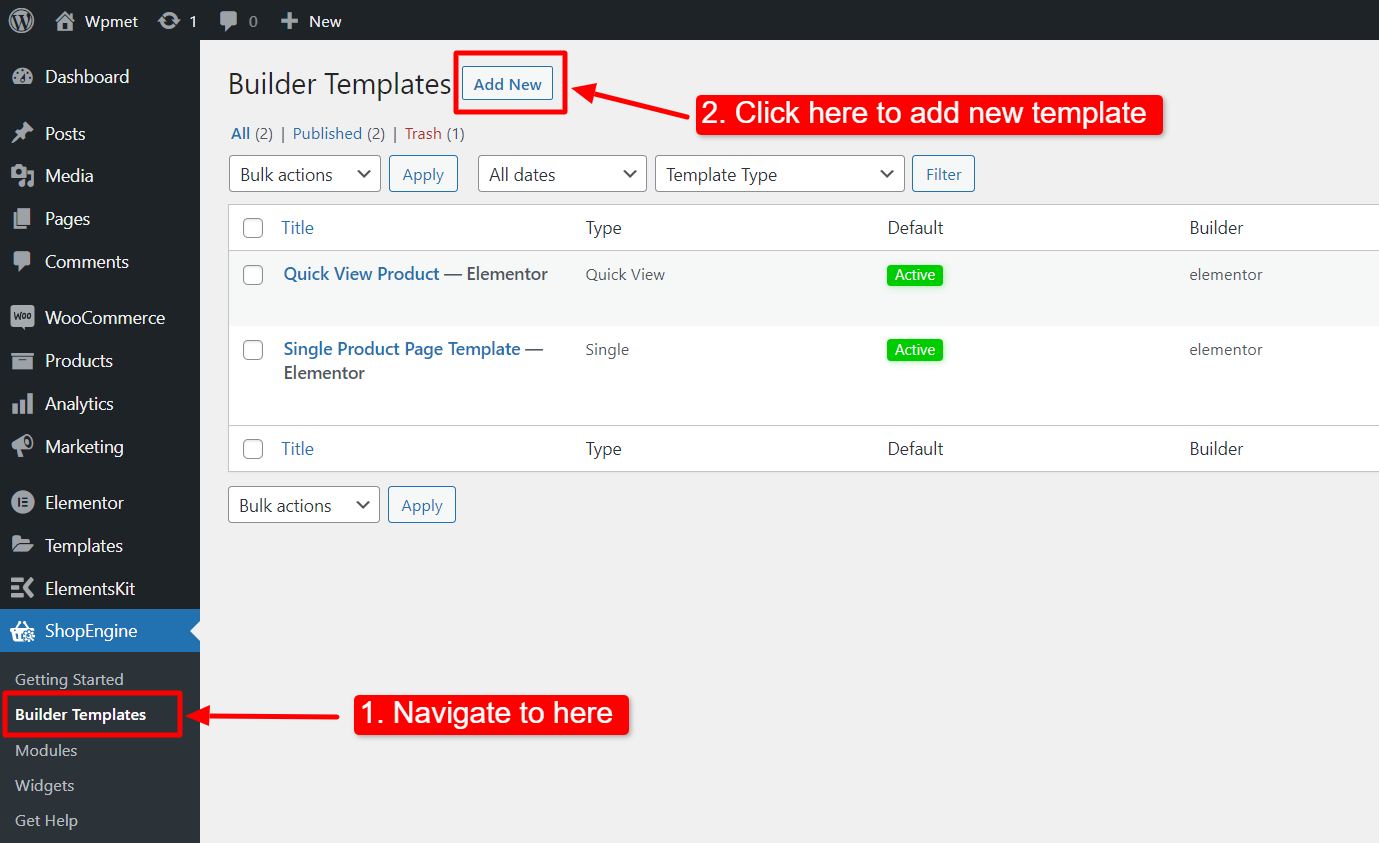
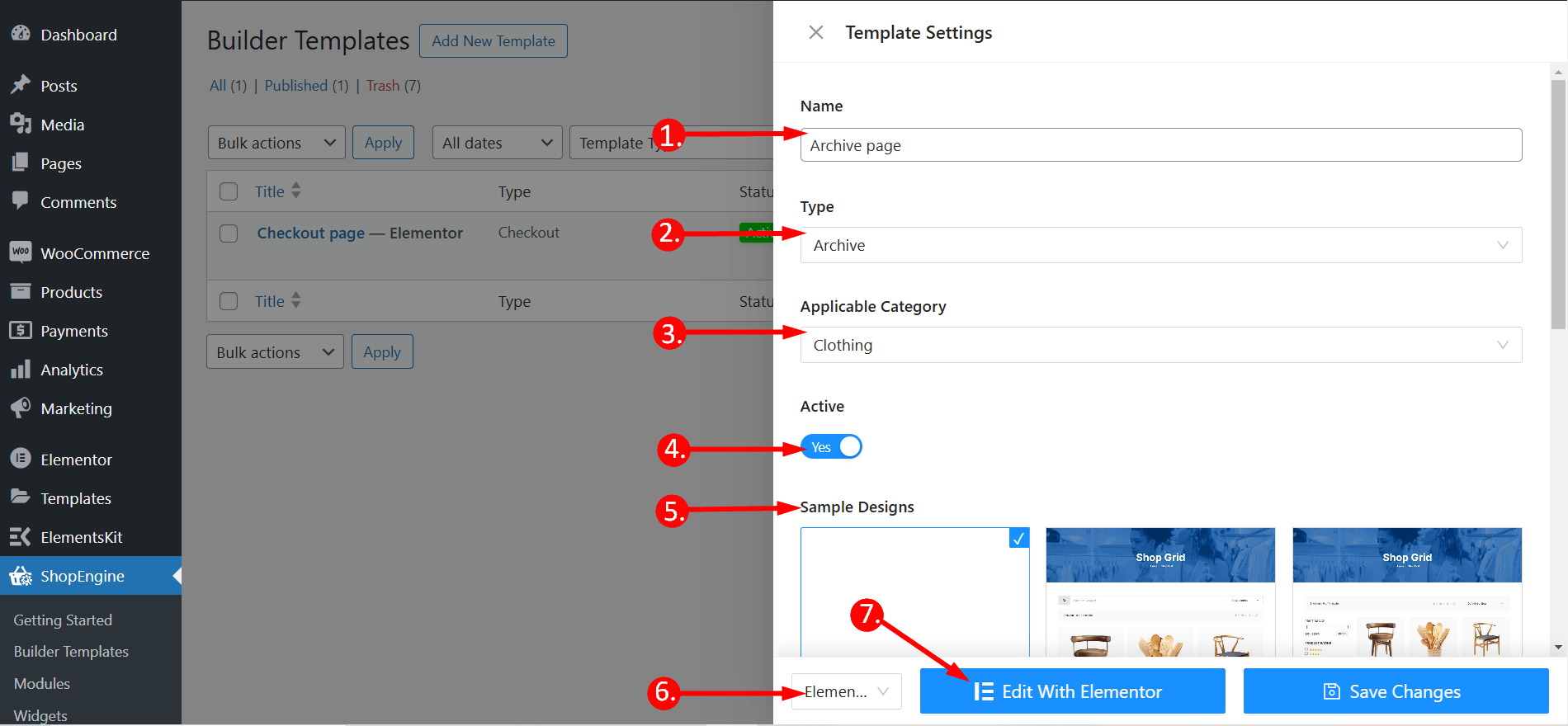
Derefter vises et off-canvas-vindue for skabelonindstillinger. I skabelonindstillingerne,
- Indtast en Skabelonnavn.
- Set the template Type: Arkiv.
- Vælg en Gældende kategori for products. (Optional. However, if you choose a category, you have to create another template for general products as well as products of other categories).
- Aktiver Sæt standard to set the template as Standard.
- Vælg et design fra available templates eller create a design on your own using single product page widgets. We will show the template created from the scratch.
- Vælg hvilken editor du vil bruge til at redigere skabelonen fra de givne muligheder: Elementor og Gutenberg.
- Klik nu på Edit with Elementor/Gutenberg or Save changes.
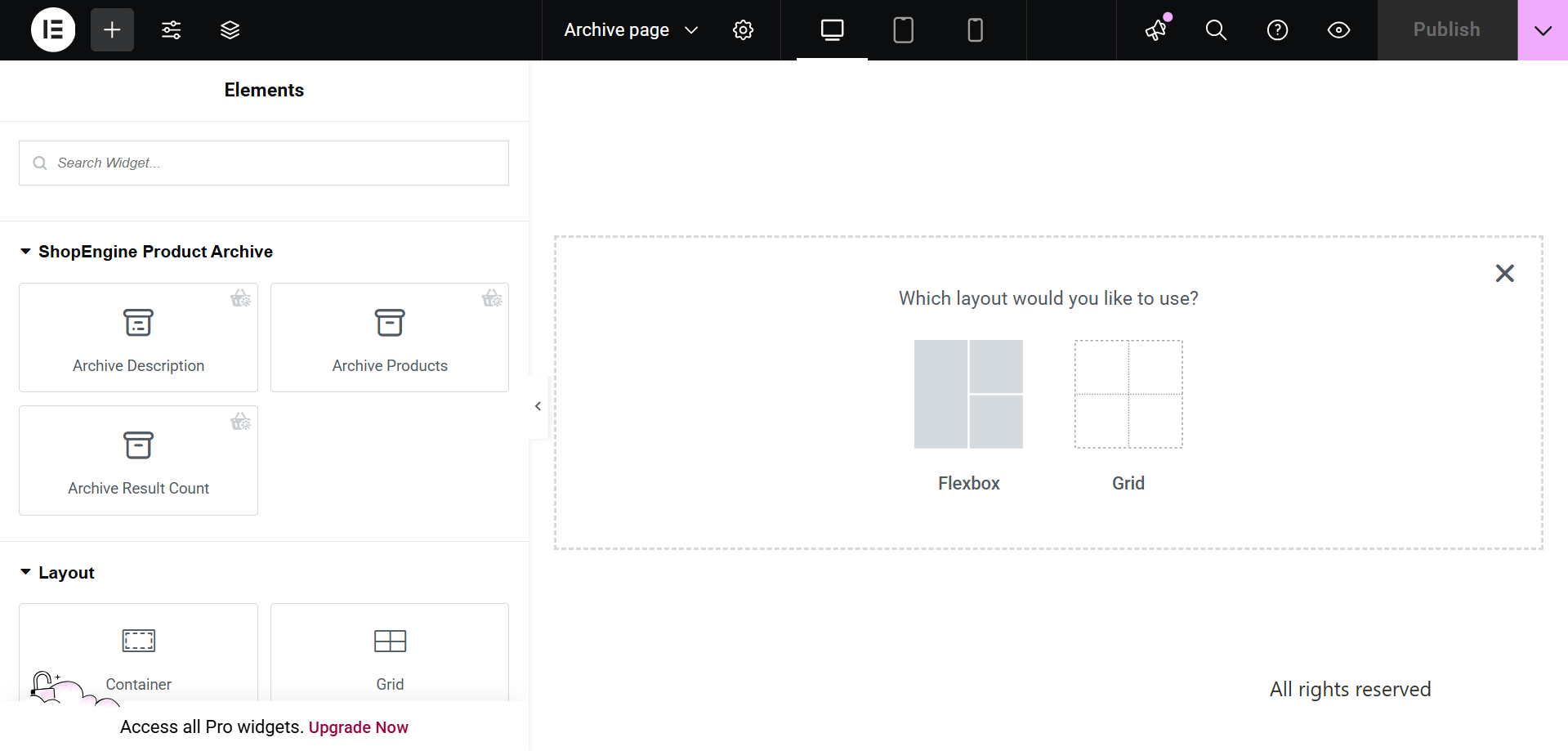
Step 2: Choose a structure #
- Vælg din struktur fra det valgte område.
Step 3: Design your WooCommerce archive page with ShopEngine Archive Widgets #
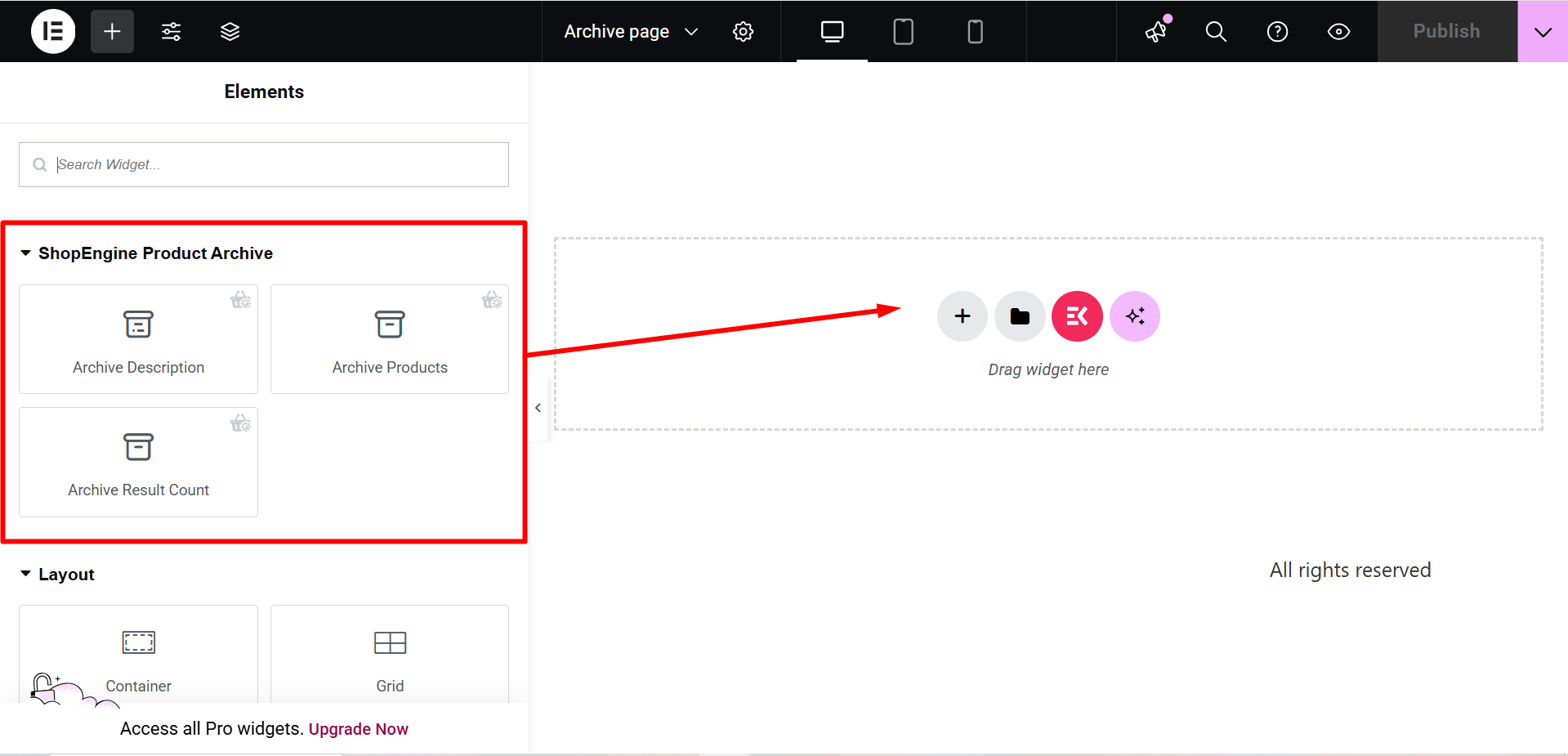
Go to a ShopEngine Block and you can design your own. Here you will get some specified ShopEngine Archive Widgets including Category, Arkiv titel, Archive Count, Archive Products, etc. Lad os se, hvordan du tilpasser dem:
Now just drag the following widgets and drop them on the selected area.
- Kategori.
- Archive Title.
- Archive Count.
- Arkiv produkter.
Step 4: Publish your Archive Page #
- Når du er færdig med at designe, skal du klikke Opdatering.
Now view the Archive Page from the front end. There you can see the Archive page you have designed and check every functionality of the page is working perfectly.