

 German
  English
  Spanish
  Italian
  French
  Danish
  Portuguese
  Swedish
  Polish
  Korean
  Japanese
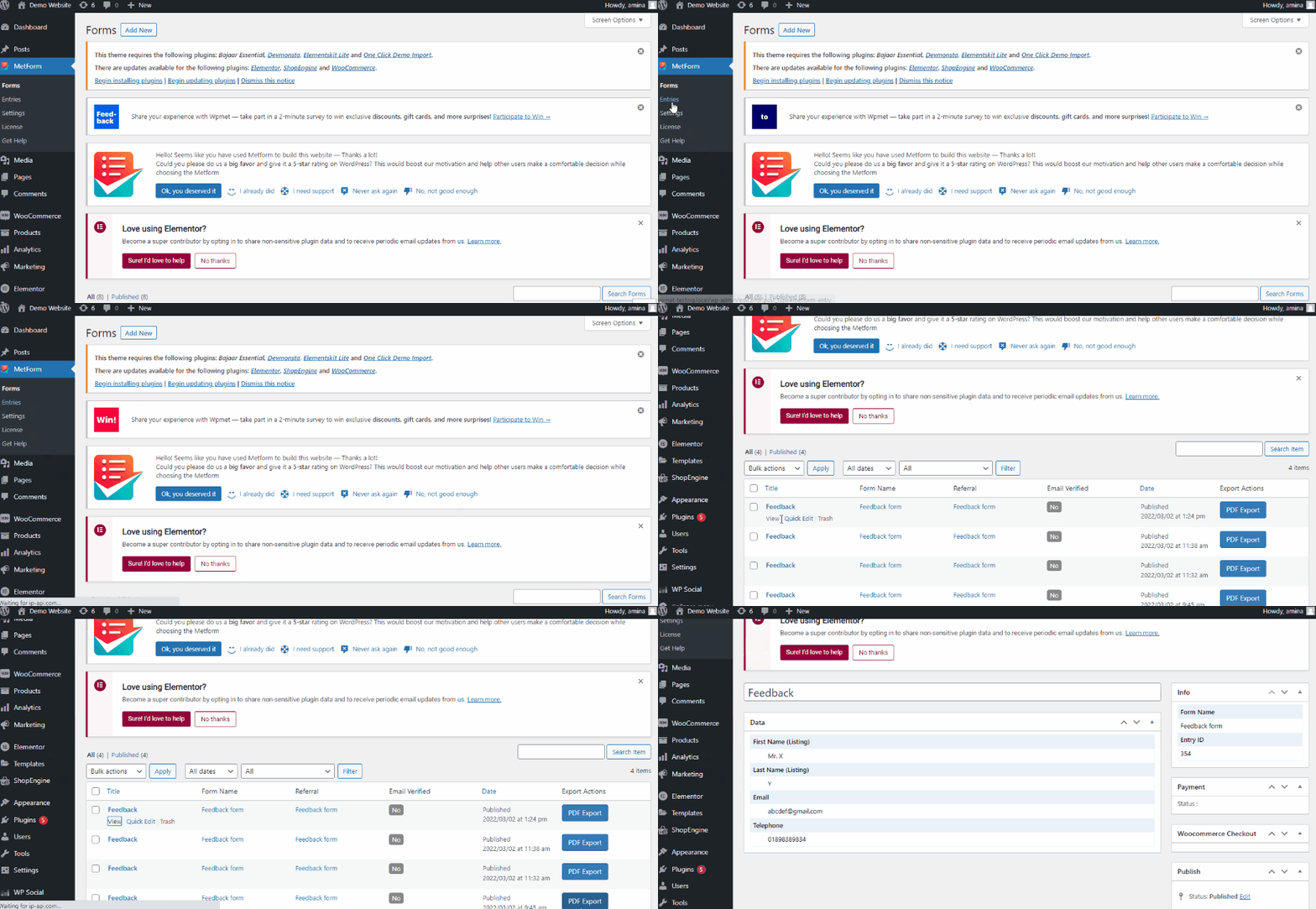
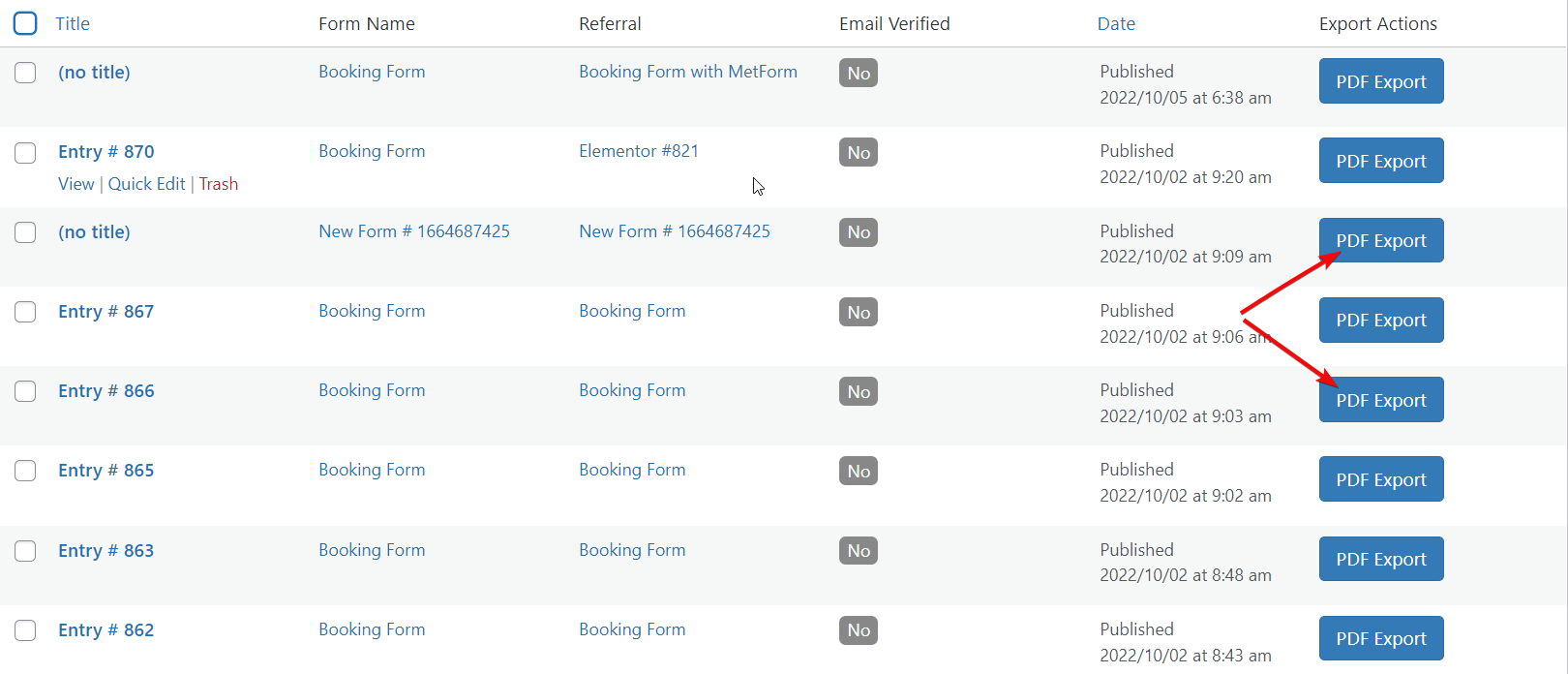
 Im Eingabefeld von MetForm können Sie alle Formulare finden, die von Ihren Besuchern eingereicht wurden. Von hier aus können Sie Formularübermittlungen ganz einfach überwachen und alle Daten abrufen, die von Ihren Besuchern oder Kunden übermittelt werden. Sie können die übermittelten Daten Ihres Kunden auch im PDF-Format exportieren.
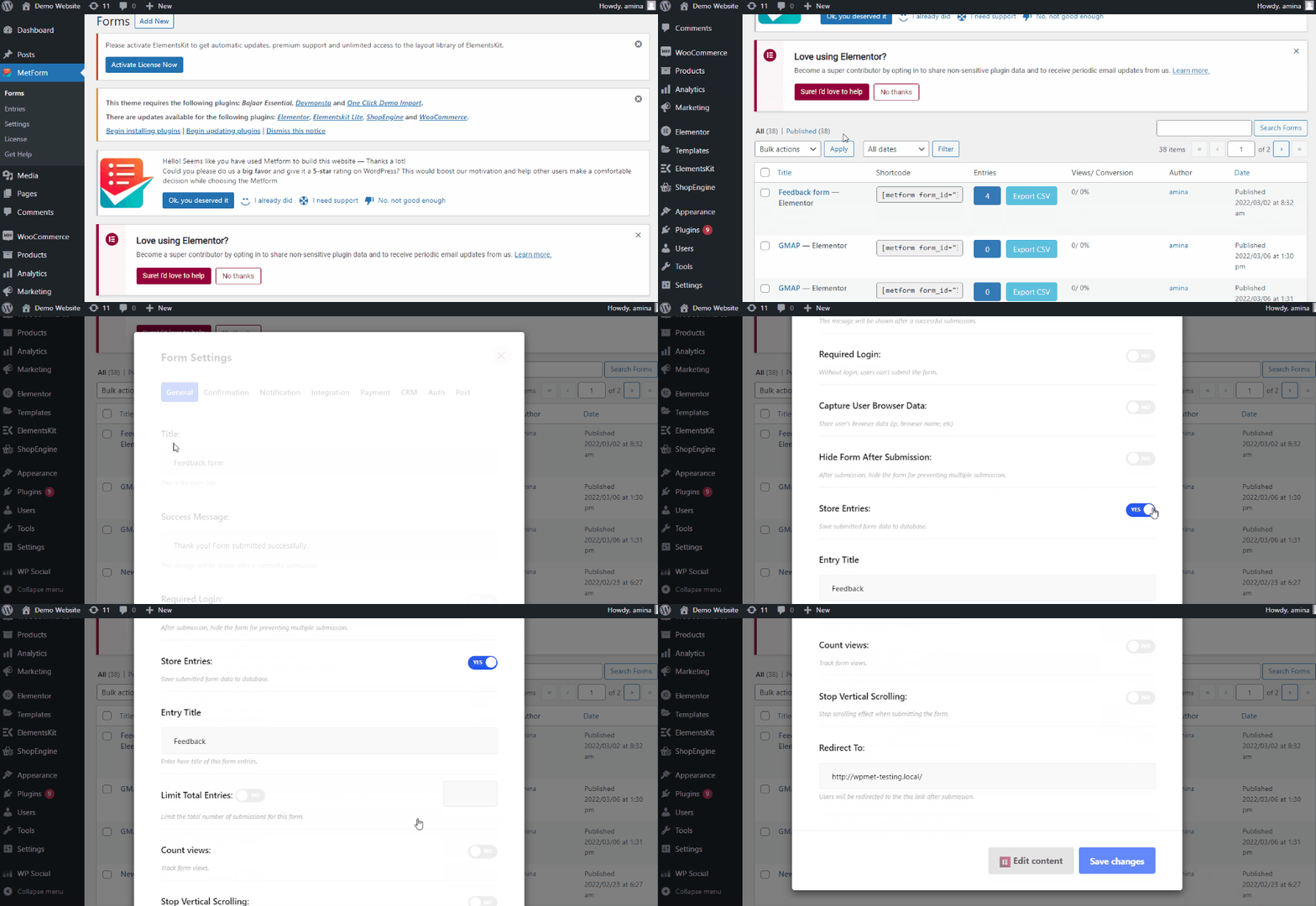
Zuerst müssen Sie „Einträge speichern“ aktivieren Klicken Sie in den allgemeinen Einstellungen auf „Einträge“, um das Feld „Einträge“ zu aktivieren. Gehen Sie dazu zu MetForm>> Forms und klicken Sie anschließend auf Option zum Bearbeiten des Formulars gefällt mir das hinzugefügte GIF. Dann „Einträge speichern“ aktivieren und klicken Sie auf die Schaltfläche „Änderungen speichern“. Anschließend werden alle vom Kunden eingereichten Formulare im Feld „Einträge“ angezeigt.
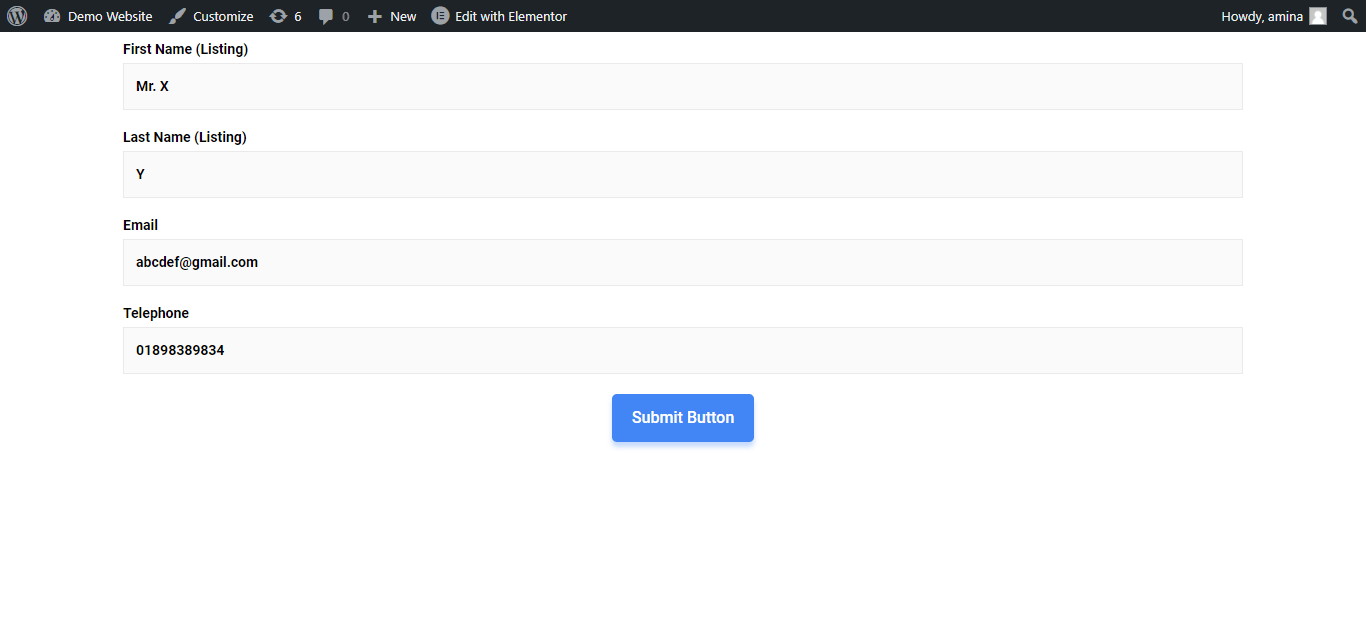
Wenn Ihre Kunden beispielsweise Formularinformationen eingeben und wie unten beschrieben auf die Schaltfläche „Senden“ klicken. Das finden Sie bei den Einträgen.
Um das eingereichte Formular anzuzeigen, Gehen Sie zu den Einträgen und klicken Sie auf die Ansichtsoption des Eintrags wie das GIF. Hier können Sie die Daten aller Formulareinsendungen einsehen.