




ShopEngine’s Quick View Builder Template lets you add a quick-view popup for WooCommerce products.
Customers can see product details without opening the full product page.
Watch the video guide of using ShopEngine quick view template:
Here are the quick steps:
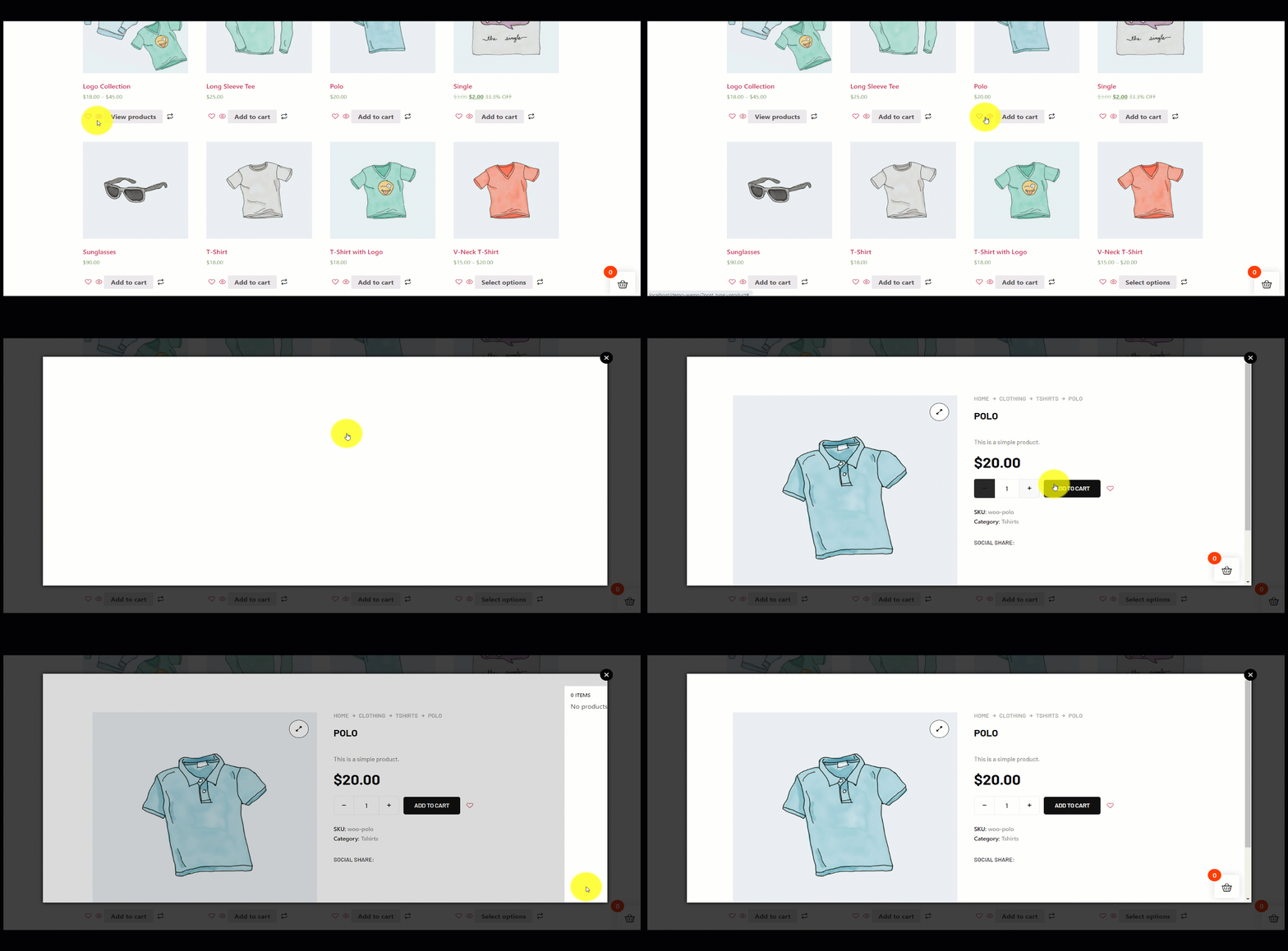
- View the shop or archive page, click the quick view icon on any product to test.
- Una función de vista rápida permite a las personas obtener una descripción general de los productos WooCommerce rápidamente. Con esta función, las personas pueden consultar cualquier producto sin visitar la página de detalles.
- Habilitar el Quick View module in the ShopEngine dashboard.
- Ir a Builder Templates > Add New, choose Vista rápida and start editing.
- Select or create a product to link with the template and editar con elementor.
- Customize the quick view layout (add widgets, style, etc.) and ahorrar.
- You can enable the WooCommerce quick view feature by using our ShopEngine plugin. ShopEngine quick view template adds this functionality to your WooCommerce store to quickly view any item.
Follow the steps below for a detailed guide.
Uso de la plantilla Quick View Builder #
To take advantage of this amazing feature you must have installed the TiendaMotor plugin to your WordPress site. Afterward, follow the below steps –
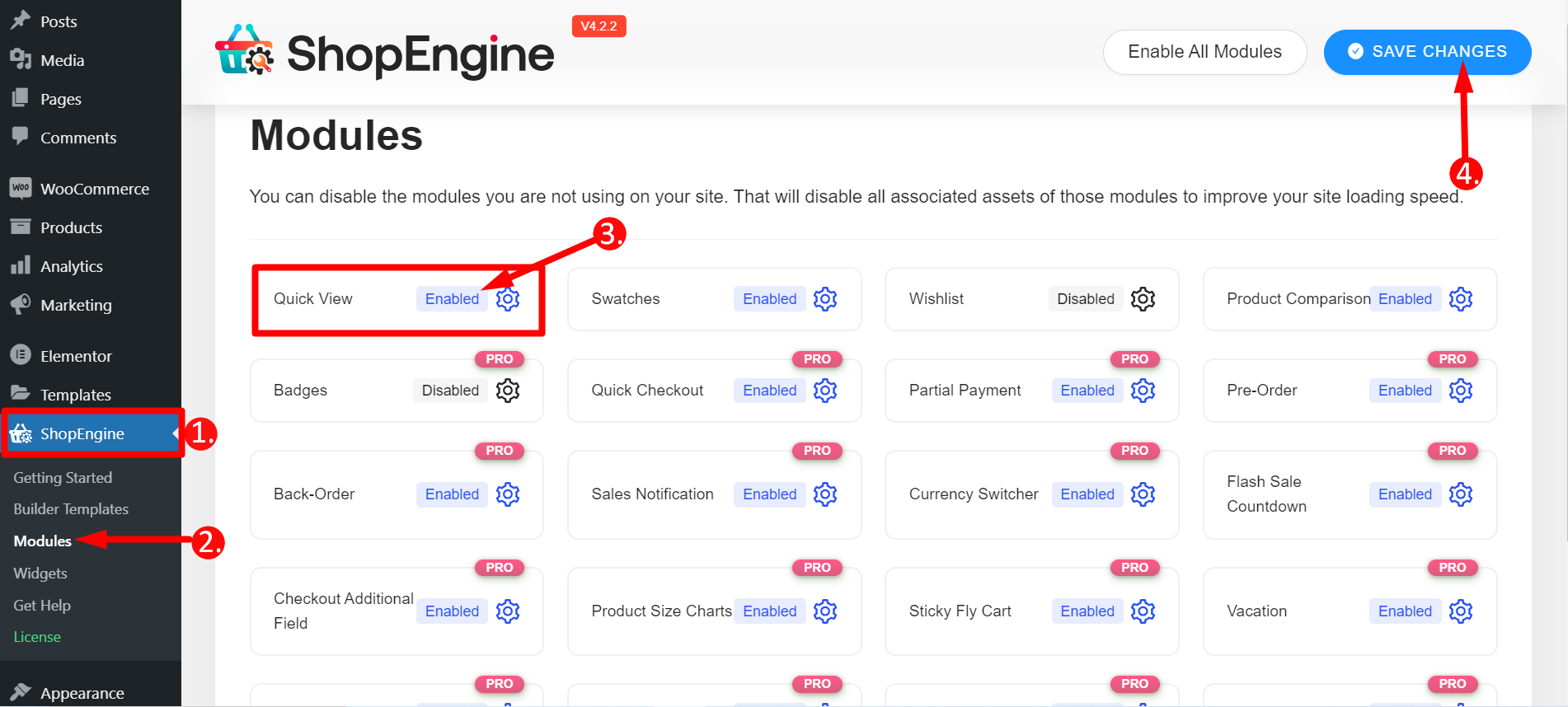
STEP-1: Enable Quick View module #
De tu Panel de control de WordPress ir a 1. ShopEngine -> 2. Haga clic en Módulos -> 3. Busque el módulo Vista rápida y habilítelo -> 4. Guardar cambios
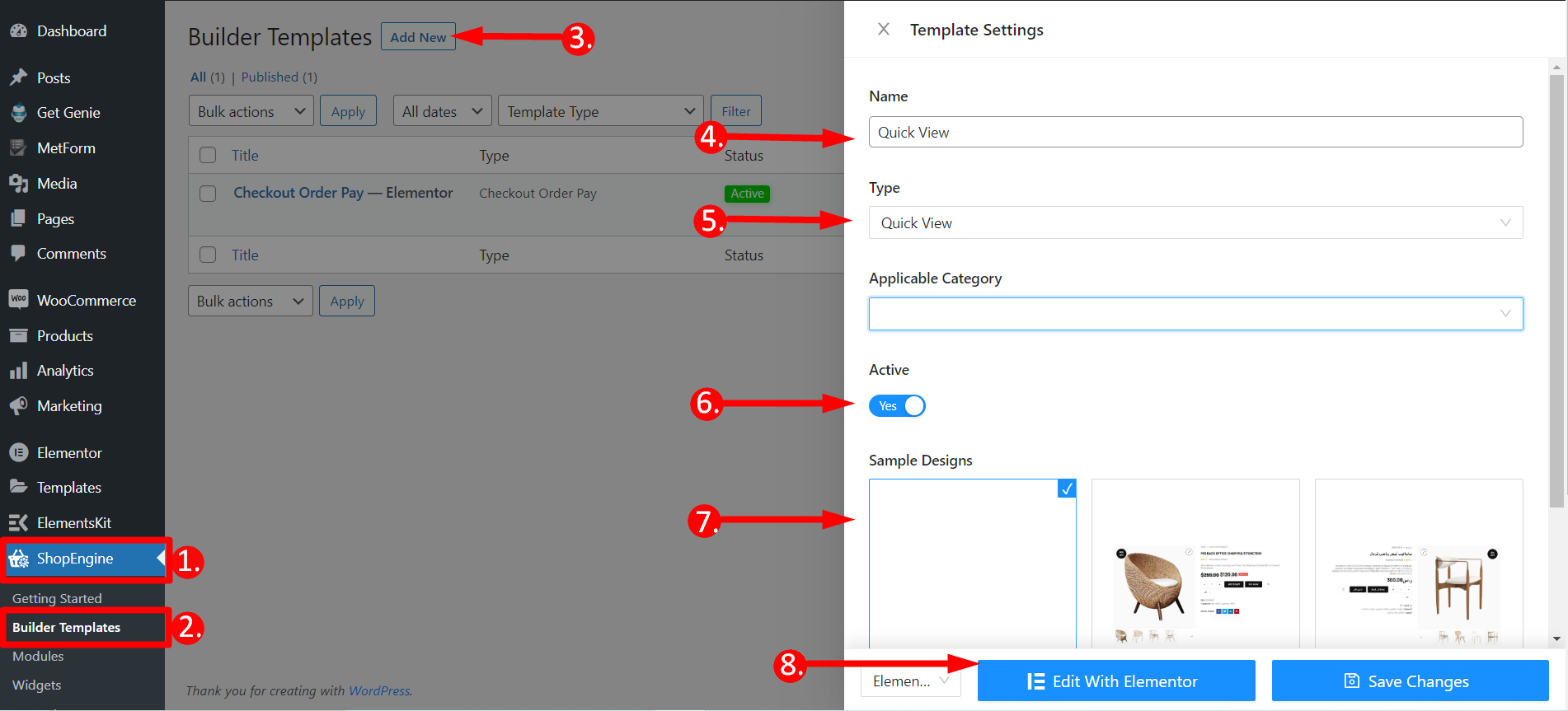
STEP-2: Open a Quick View Template #
- Volver a ShopEngine
- Buscar plantillas de creación
- Haga clic en Agregar nuevo
- Dale un nombre a la plantilla.
- Seleccionar tipo – Vista rápida
- Activo- Sí
- Elija cualquier diseño de plantilla
- Haga clic en Editar con Elementor
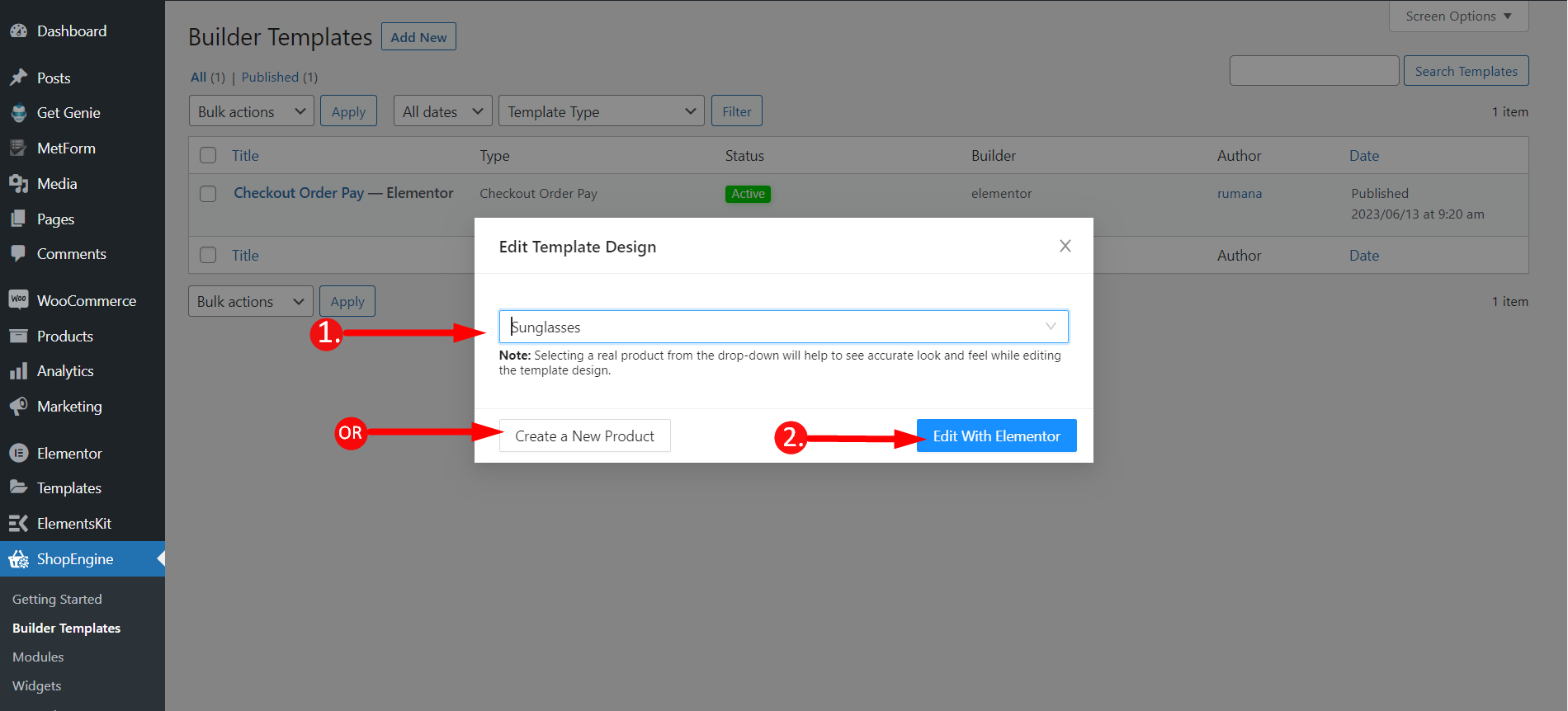
STEP-3: Select a Product & Edit with Elementor #
Aparecerá una ventana en este paso.
- Tienes que escribir el nombre de cualquier producto o también puedes crear un producto nuevo.
- Haga clic en Editar con Elementor
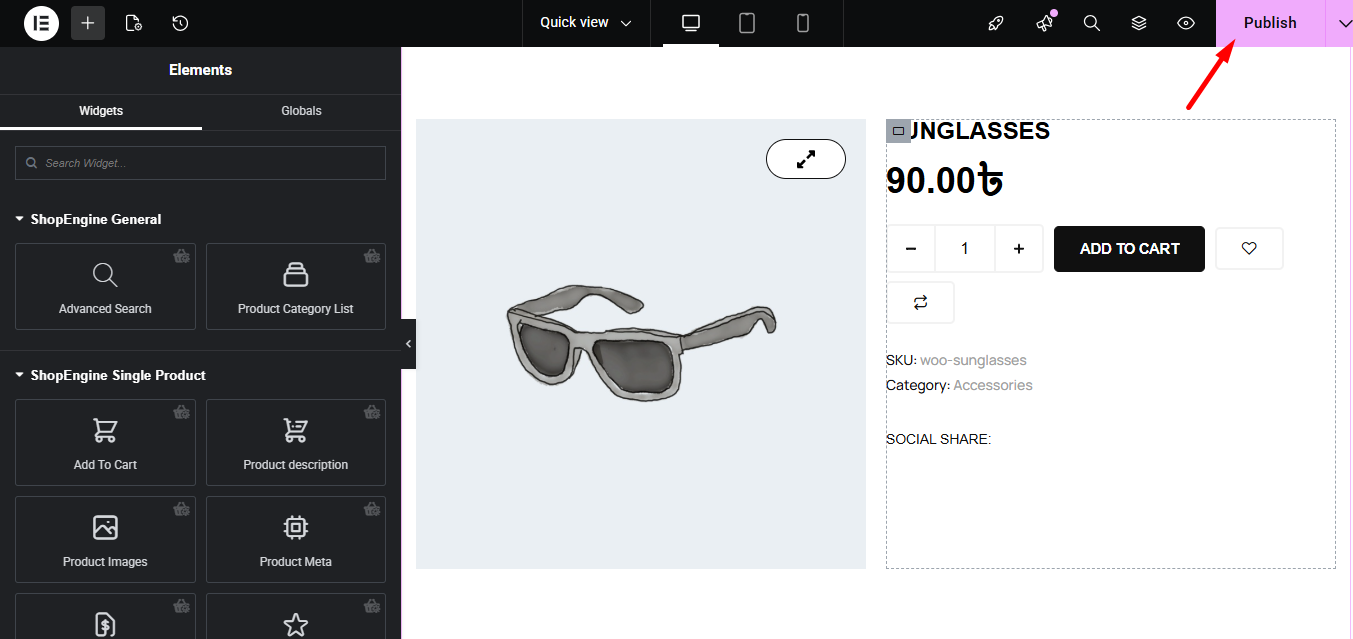
STEP-4: Publish the Template #
You can now edit the single product that you have just added. If you wish you can also add any other widget like Related Products, Recently Viewed Products, or others and customize the page accordingly.
Finally, click the publish button.
Final Step- Check any Product Quickly #
To check the Elementor product quick view feature, you have to visite la página de la tienda o la página de archivo. Consulte el GIF a continuación; se agrega un ícono de vista rápida a cada producto. Haga clic en cualquier producto y un marco I único aparecerá. Desde el marco, puede seleccionar la cantidad del producto, agregarlo al carrito, realizar la compra y hacer otras cosas.
Es simple y rápido con la mayoría completo creador de plantillas para WooCommerce ShopEngine. Espero que la documentación le resulte útil.


