




ShopEngine’s Quick View Builder Template lets you add a quick-view popup for WooCommerce products.
Customers can see product details without opening the full product page.
Watch the video guide of using ShopEngine quick view template:
Here are the quick steps:
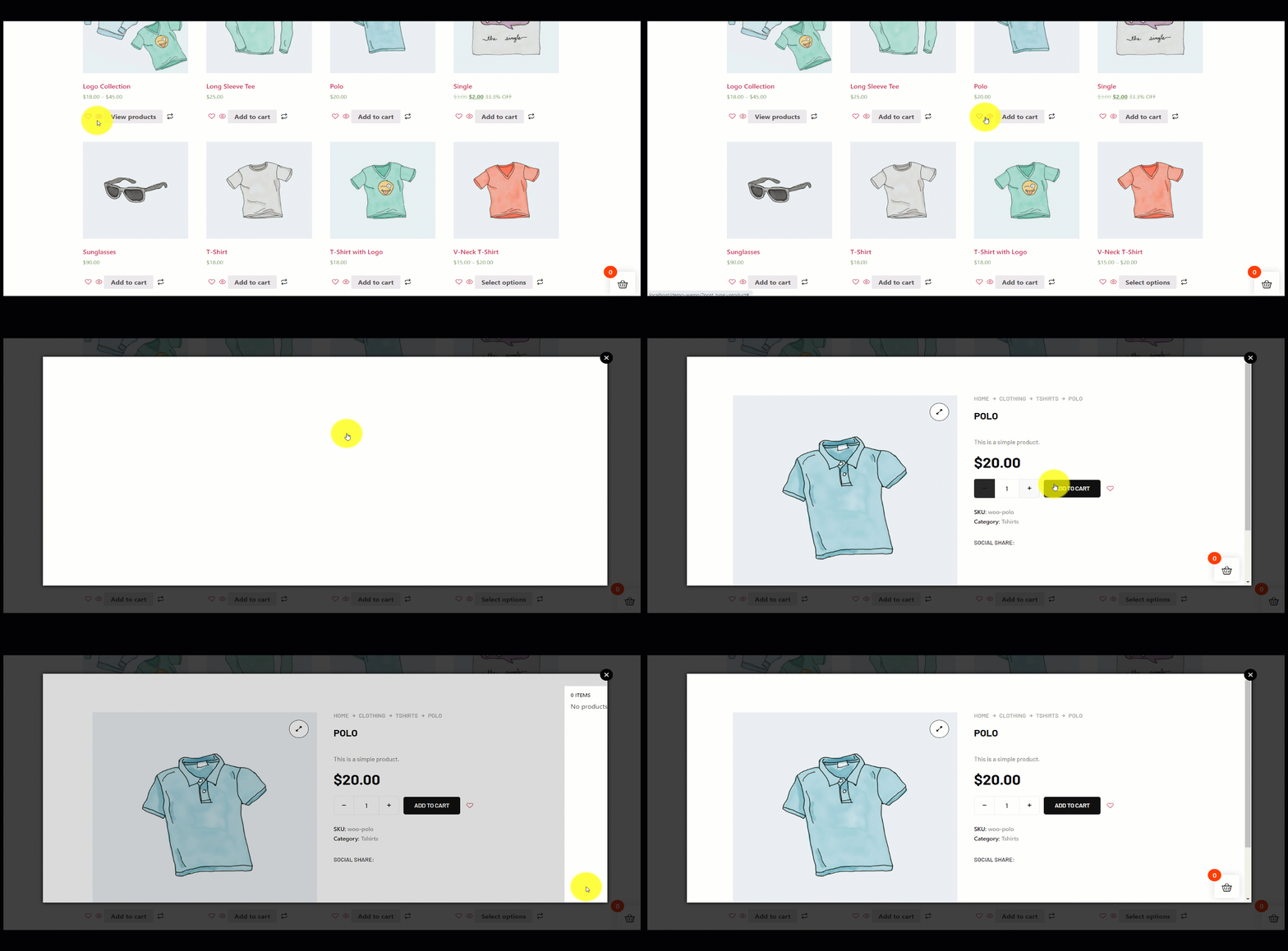
- View the shop or archive page, click the quick view icon on any product to test.
- En snabbvisningsfunktion gör att människor snabbt kan få en överblick över WooCommerce-produkter. Med funktionen kan människor kontrollera vilken produkt som helst utan att besöka detaljsidan.
- Aktivera Quick View module in the ShopEngine dashboard.
- Gå till Builder Templates > Add New, choose Snabbtitt and start editing.
- Select or create a product to link with the template and redigera med Elementor.
- Customize the quick view layout (add widgets, style, etc.) and spara.
- You can enable the WooCommerce quick view feature by using our ShopEngine plugin. ShopEngine quick view template adds this functionality to your WooCommerce store to quickly view any item.
Follow the steps below for a detailed guide.
Använda Quick View Builder-mall #
To take advantage of this amazing feature you must have installed the ShopEngine plugin to your WordPress site. Afterward, follow the below steps –
STEP-1: Enable Quick View module #
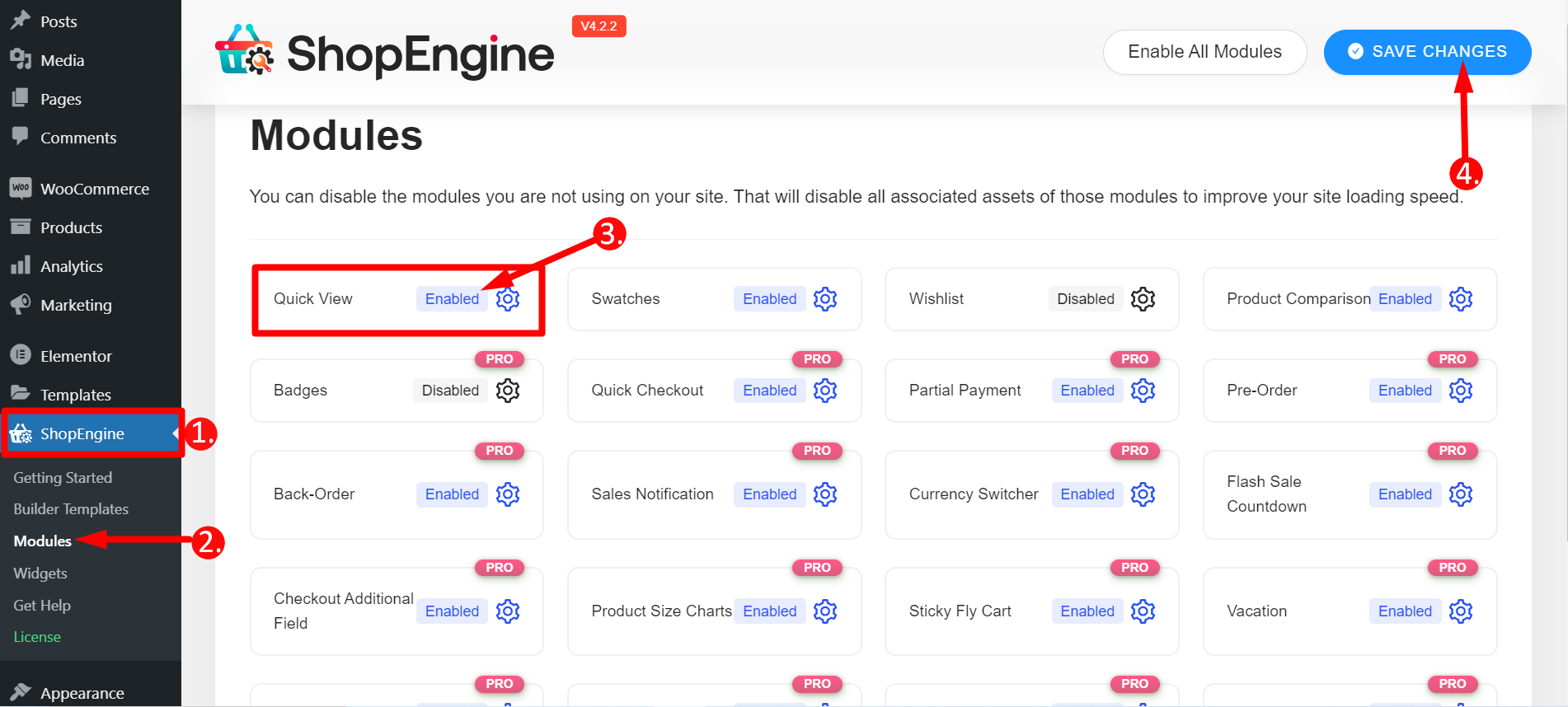
Från din WordPress instrumentpanel gå till 1. ShopEngine -> 2. Klicka på Moduler -> 3. Hitta Quick View-modulen och aktivera den -> 4. Spara ändringar
STEP-2: Open a Quick View Template #
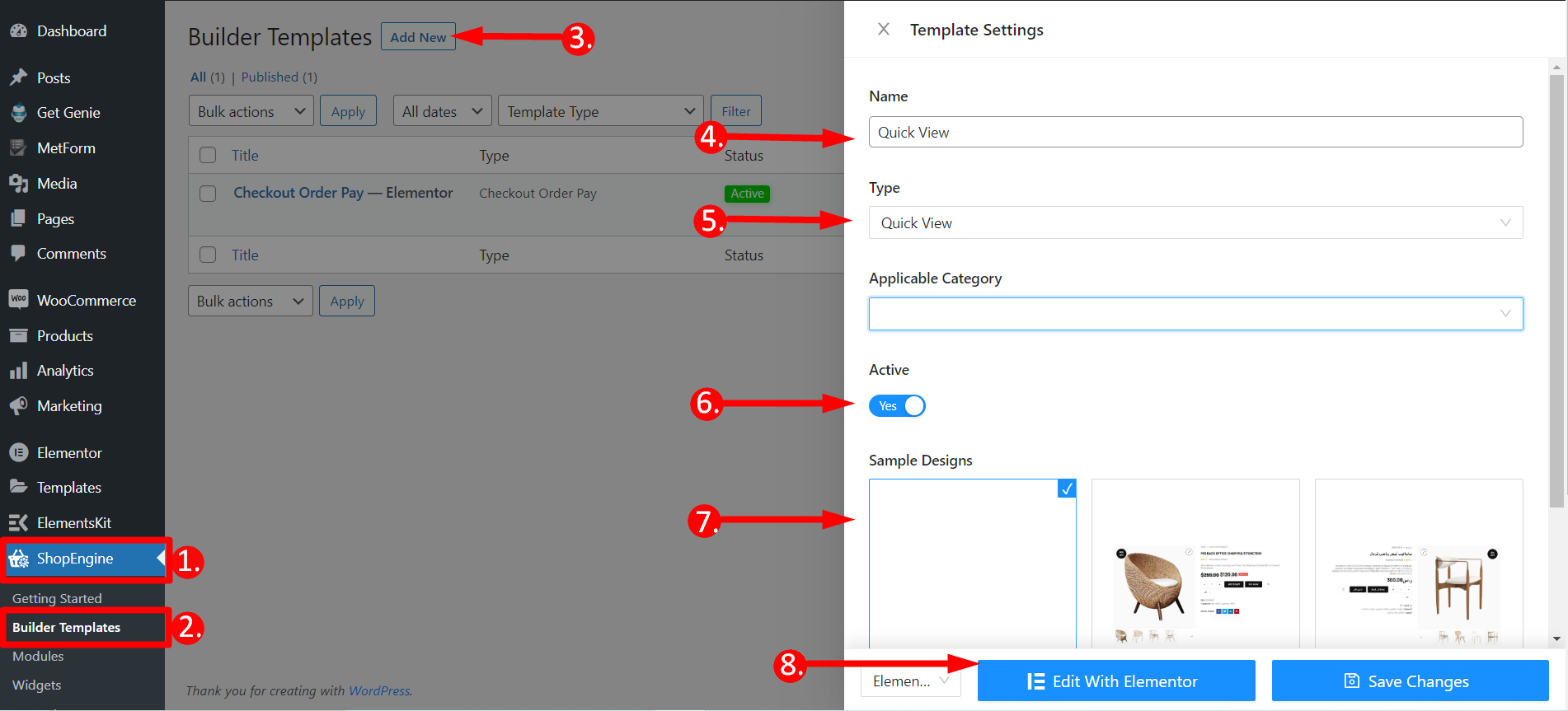
- Gå tillbaka till ShopEngine
- Hitta Builder-mallar
- Klicka på Lägg till ny
- Ge mallen ett namn
- Välj typ – Snabbvy
- Aktiv - Ja
- Välj valfri malldesign
- Klicka på Redigera med Elementor
STEP-3: Select a Product & Edit with Elementor #
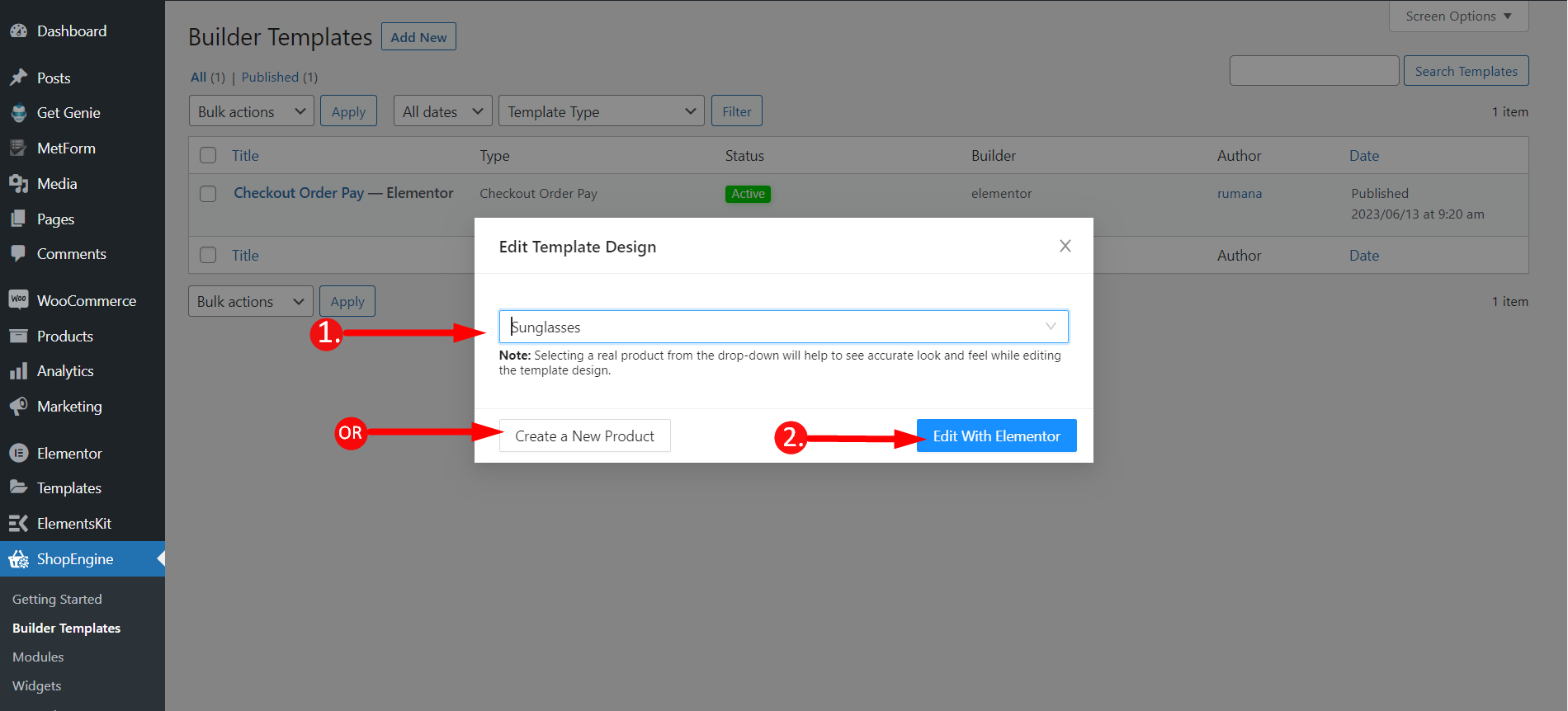
Ett fönster kommer att dyka upp i detta steg.
- Du måste skriva valfri produkts namn eller så kan du också skapa en ny produkt.
- Klicka på Redigera med Elementor
STEP-4: Publish the Template #
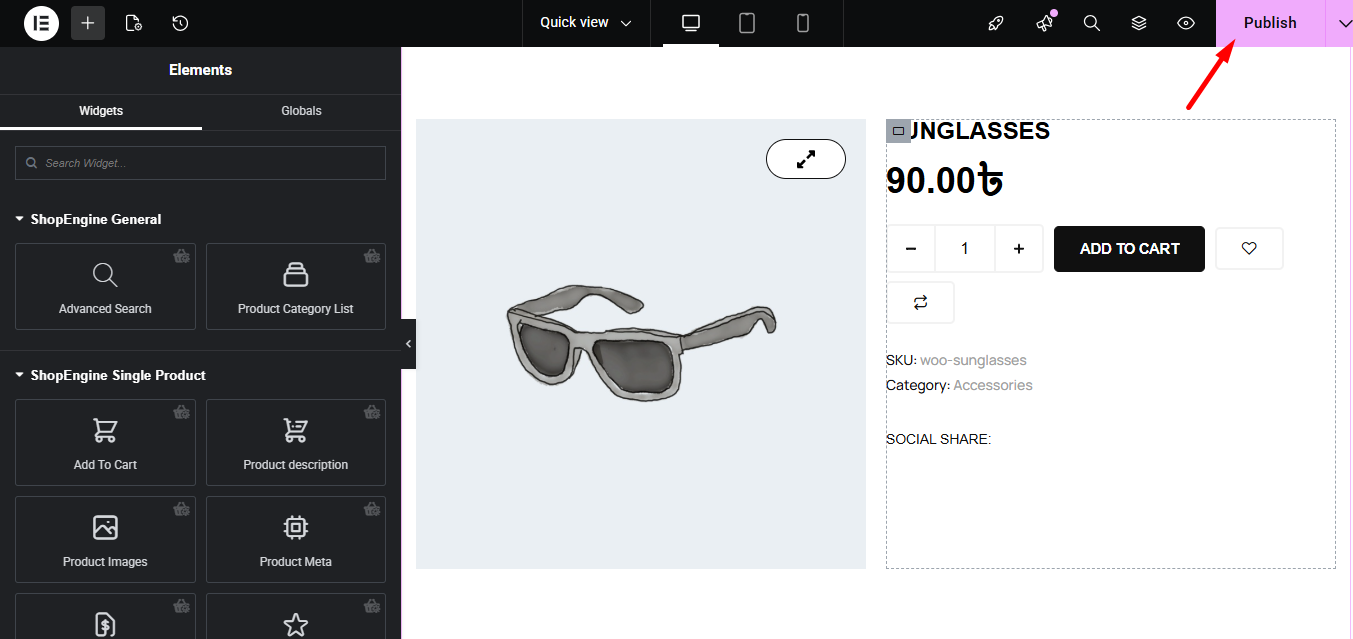
You can now edit the single product that you have just added. If you wish you can also add any other widget like Related Products, Recently Viewed Products, or others and customize the page accordingly.
Finally, click the publish button.
Final Step- Check any Product Quickly #
To check the Elementor product quick view feature, you have to besök butikssidan eller arkivsidan. Kolla GIF nedan, det finns en snabbvy ikon till varje produkt. Klicka på valfri produkt och a enkel I-frame kommer att dyka upp. Från ramen kan du välja mängden av produkten, lägga till den i varukorgen, gå till kassan och göra andra saker.
Det är enkelt och snabbt med det mesta komplett WooCommerce mallbyggare ShopEngine. Hoppas du tycker att dokumentationen är till hjälp.


