




 Korean
  English
  German
  Spanish
  Italian
  French
  Danish
  Portuguese
  Swedish
  Polish
  Japanese
 Elementor에는 페이지와 블록을 사용자 정의할 수 있는 수백 가지 선택 사항이 있습니다. 그리고 ElementsKit을 사용하면 더 많은 준비된 고품질 선택 사항을 선택할 수 있습니다. 무료이든 프리미엄이든 템플릿은 전문적으로 디자인되었습니다. 이 설명서에서는 완전히 사용할 수 있는 템플릿을 사용하는 방법을 알 수 있습니다.
프로세스를 시작하기 전에, 완전히 준비된 템플릿에 액세스하려면 Elementor와 ElementsKit이 모두 필요하다는 점을 기억하세요.
ElementsKit Ready 템플릿을 사용하는 절차 #
준비된 템플릿을 사용하는 방법에는 두 가지가 있습니다. 간단히 페이지를 만들거나 편집할 수 있습니다. 페이지 옵션 대시보드의. 그렇지 않으면 다음에서도 사용할 수 있습니다. Elementor 템플릿.
페이지에서 #
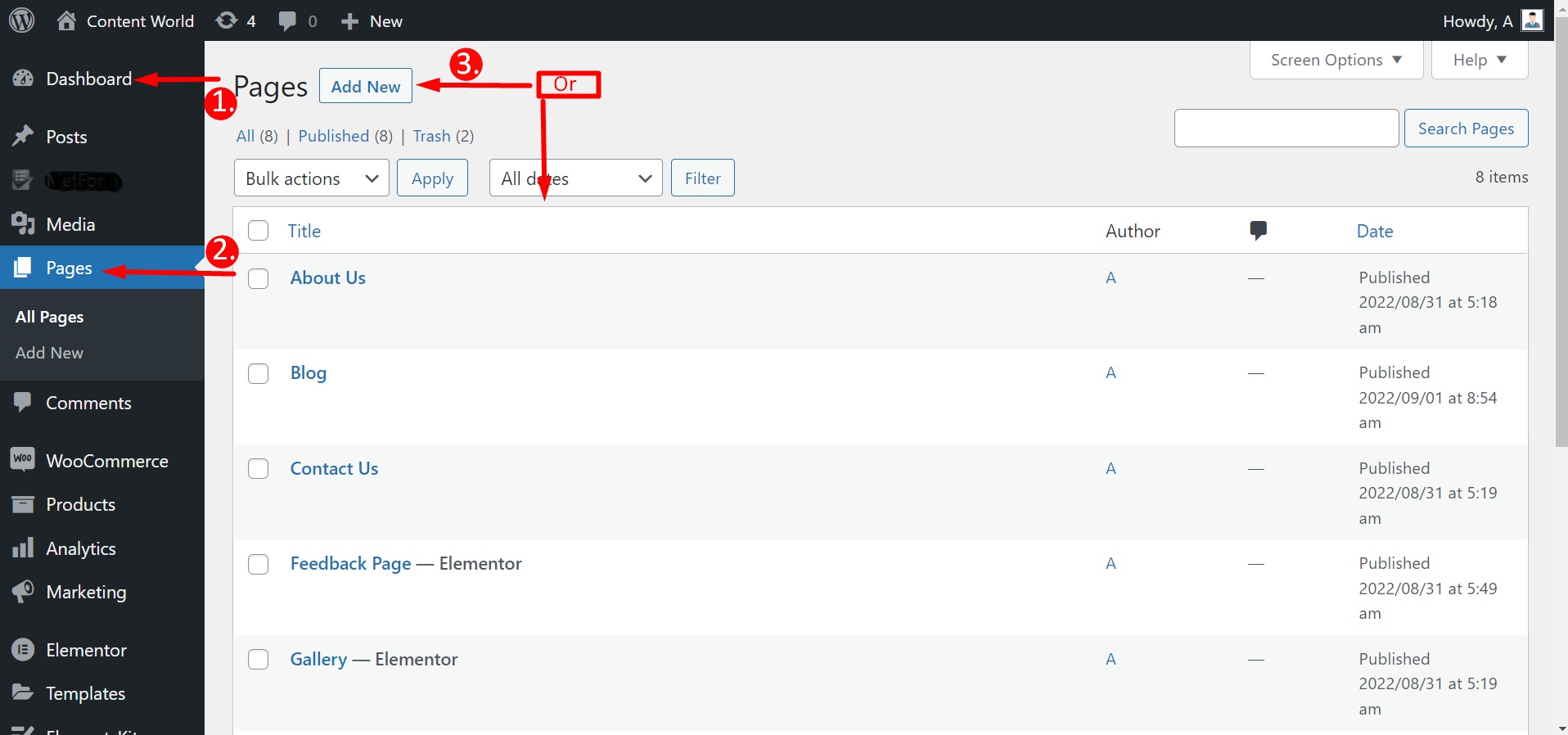
대시보드로 이동 -> 페이지로 이동 -> 새로 추가를 클릭하세요. 페이지 또는 기존 페이지를 선택하세요 -> Elementor로 편집
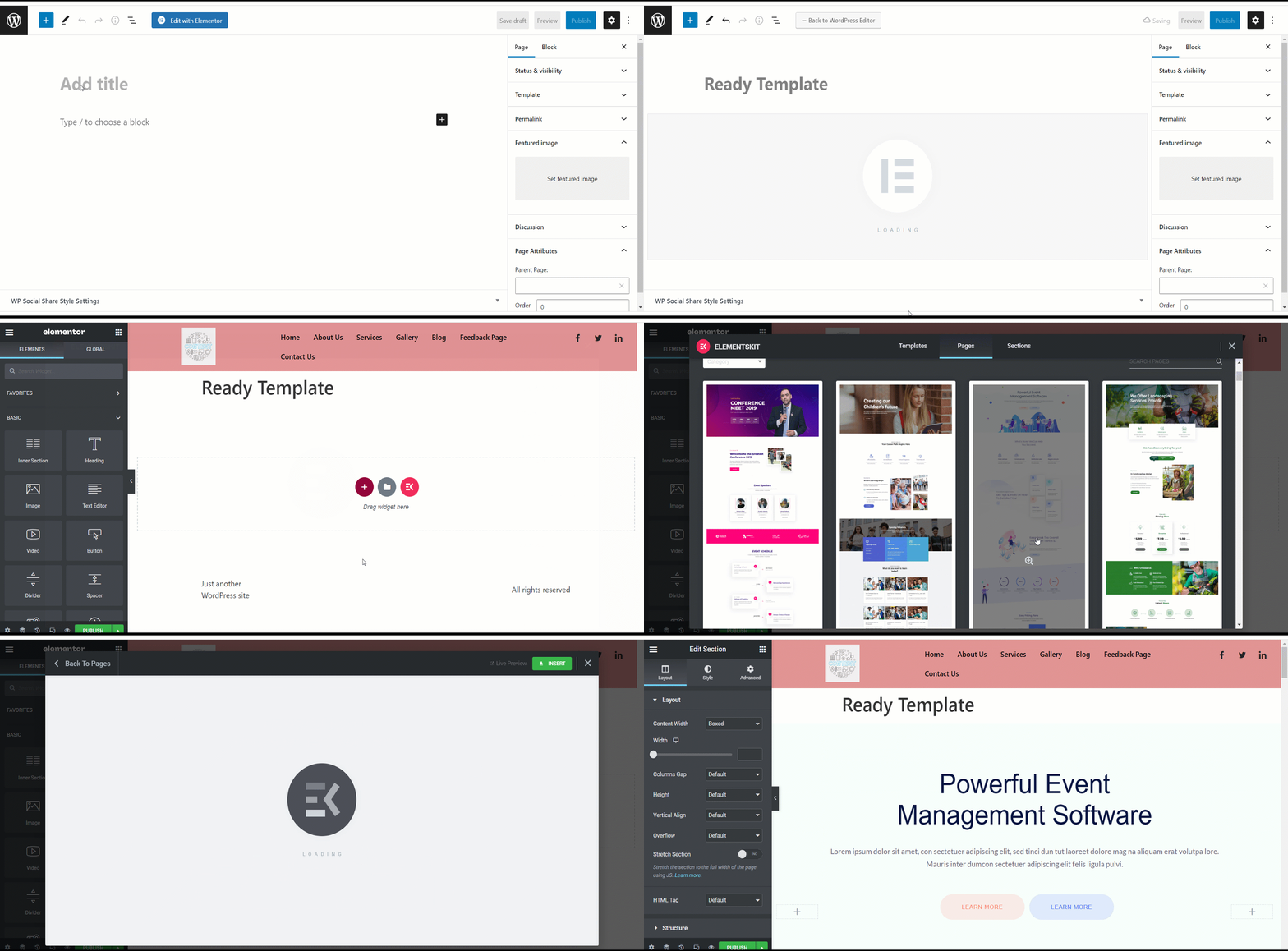
Elementor로 편집을 클릭한 후 다음이 필요합니다. ElementsKit 아이콘을 눌러 완전히 준비된 템플릿을 선택하세요. 하지만 모든 템플릿이 무료인 것은 아닙니다. 일부는 프리미엄입니다. 따라서 원하는 템플릿을 선택할 수 없습니다. 템플릿 바로 아래에서 무료인지 유료인지 확인할 수 있습니다.
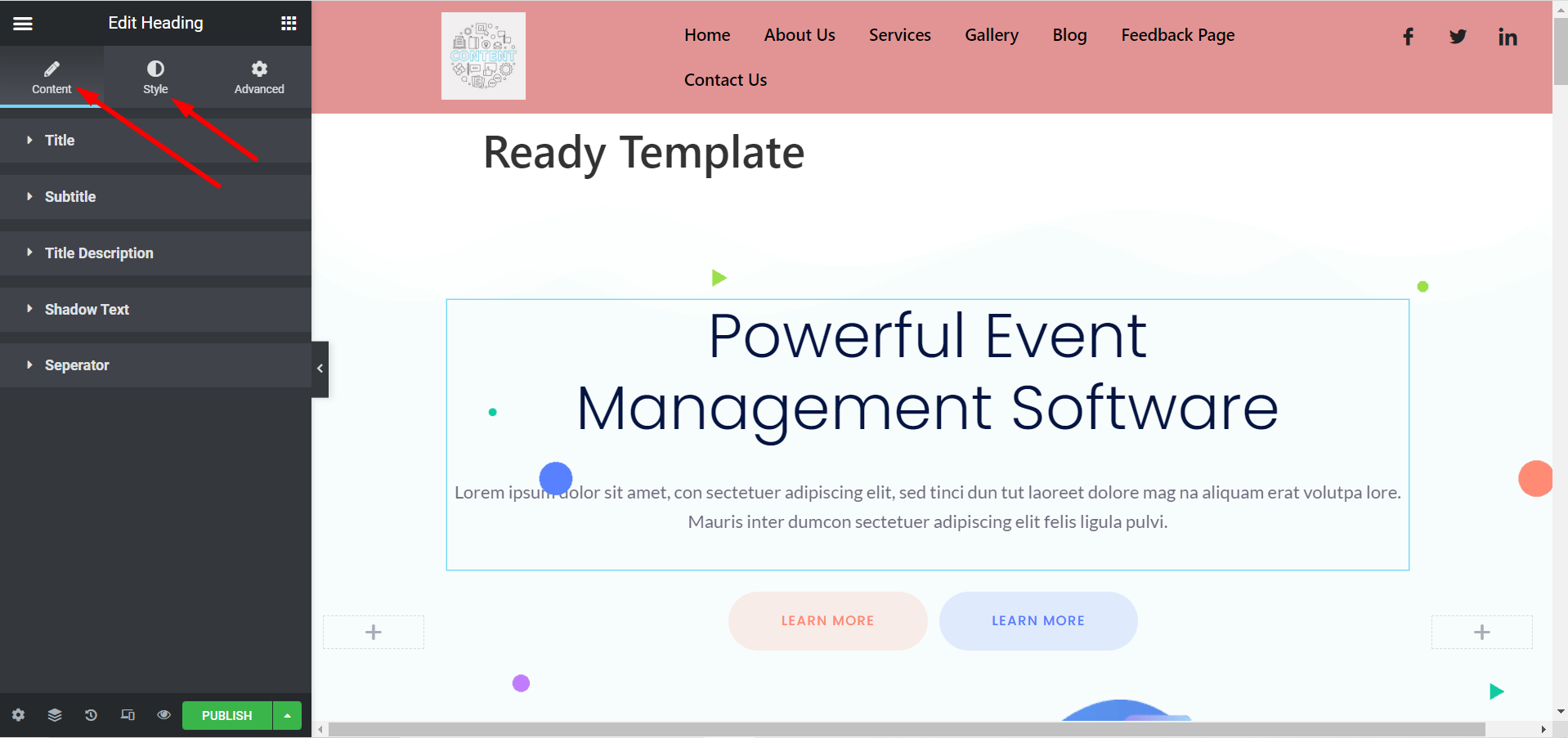
이제 선호도에 따라 템플릿을 사용자 지정할 수 있습니다. 확장하여 제목, 이미지, 설명, 버튼 및 기타 항목을 변경할 수 있습니다. 콘텐츠 및 스타일 섹션.
Elementor 템플릿에서 #
대시보드로 이동 -> Elementor 찾기 -> 템플릿으로 이동 -> 새로 추가 클릭
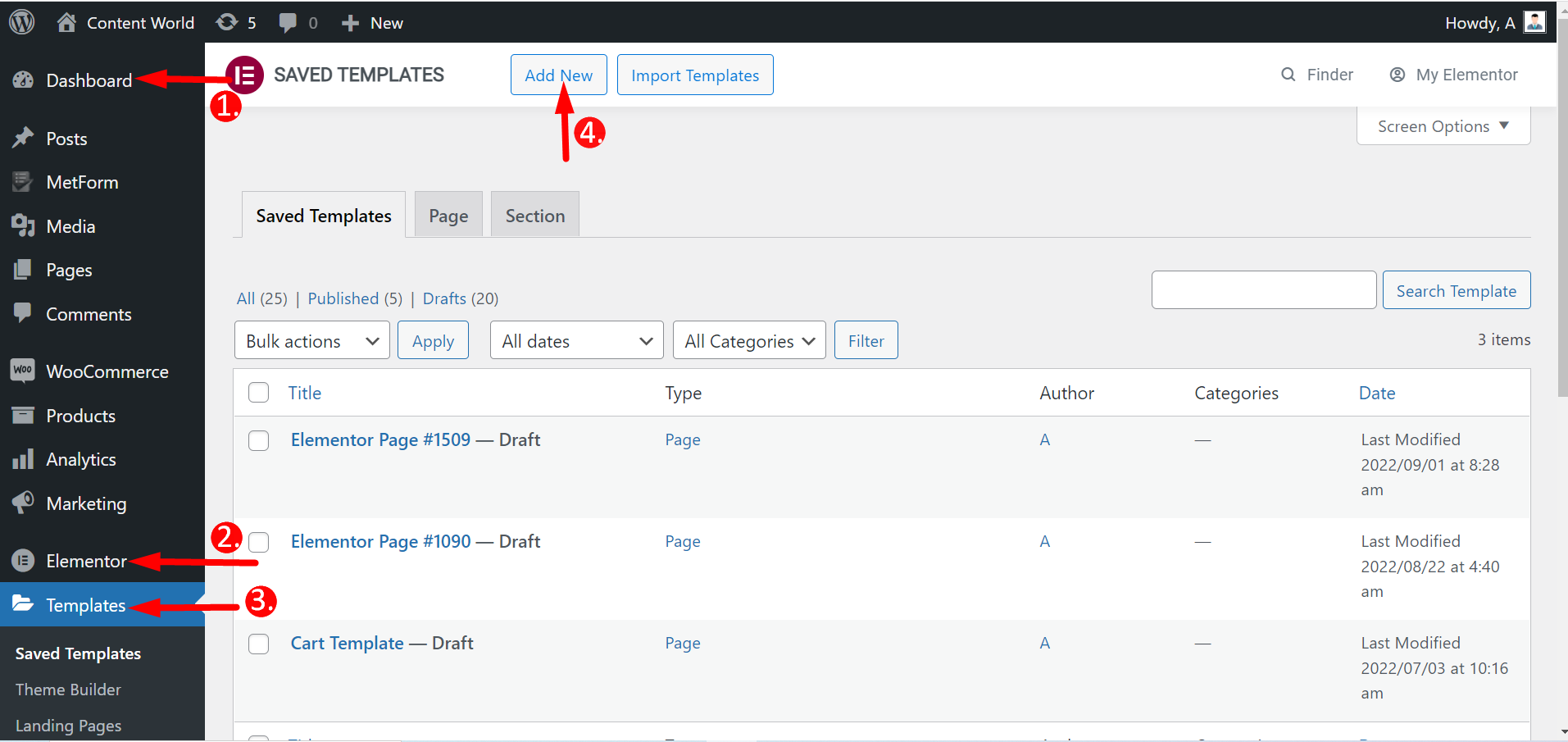
여기에서 랜딩 페이지와 섹션을 포함한 페이지를 만들 수 있습니다. 따라서 템플릿 유형을 선택하고 이름을 지정하고 만듭니다. 나머지 단계는 이전과 동일합니다.
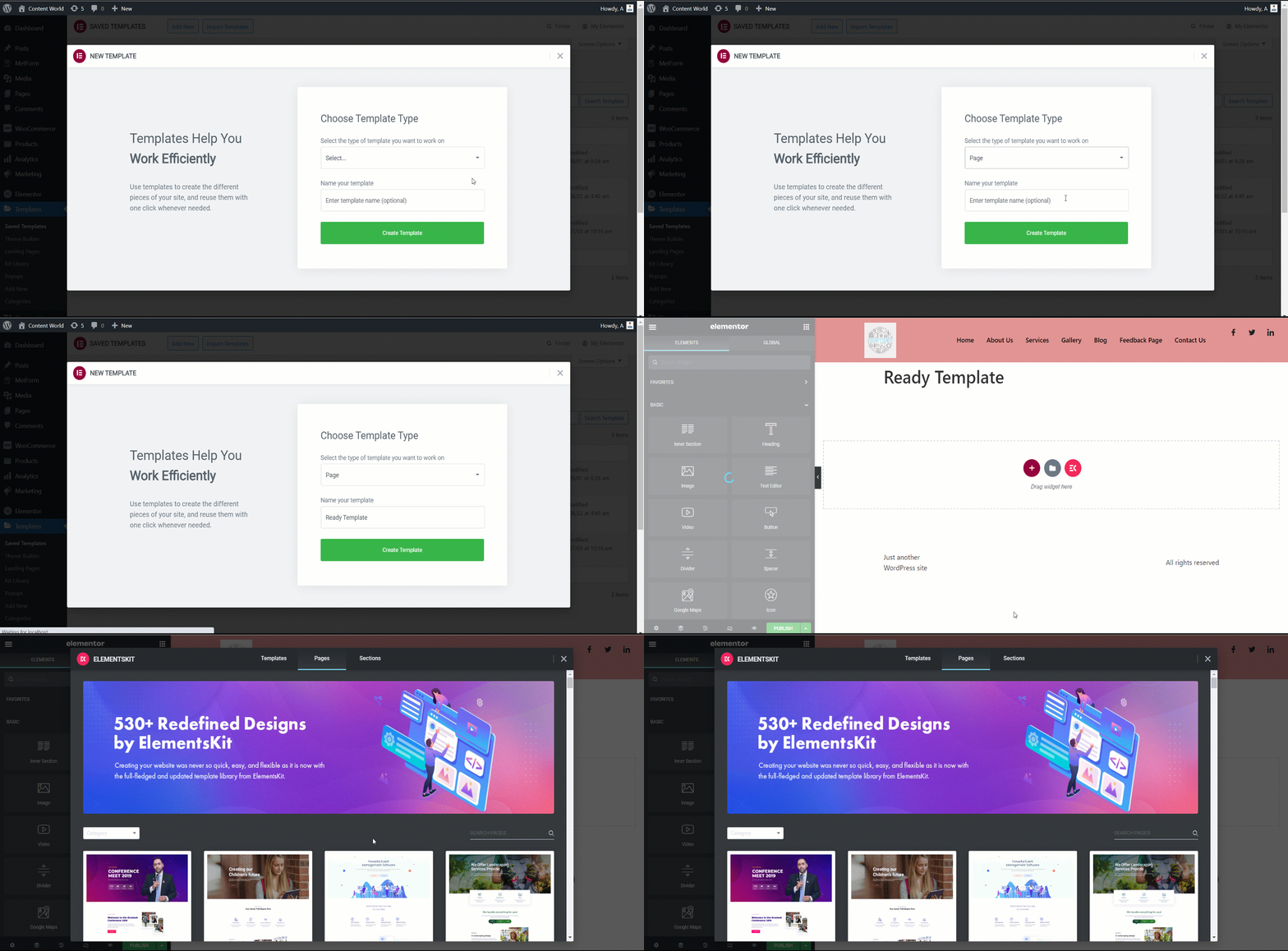
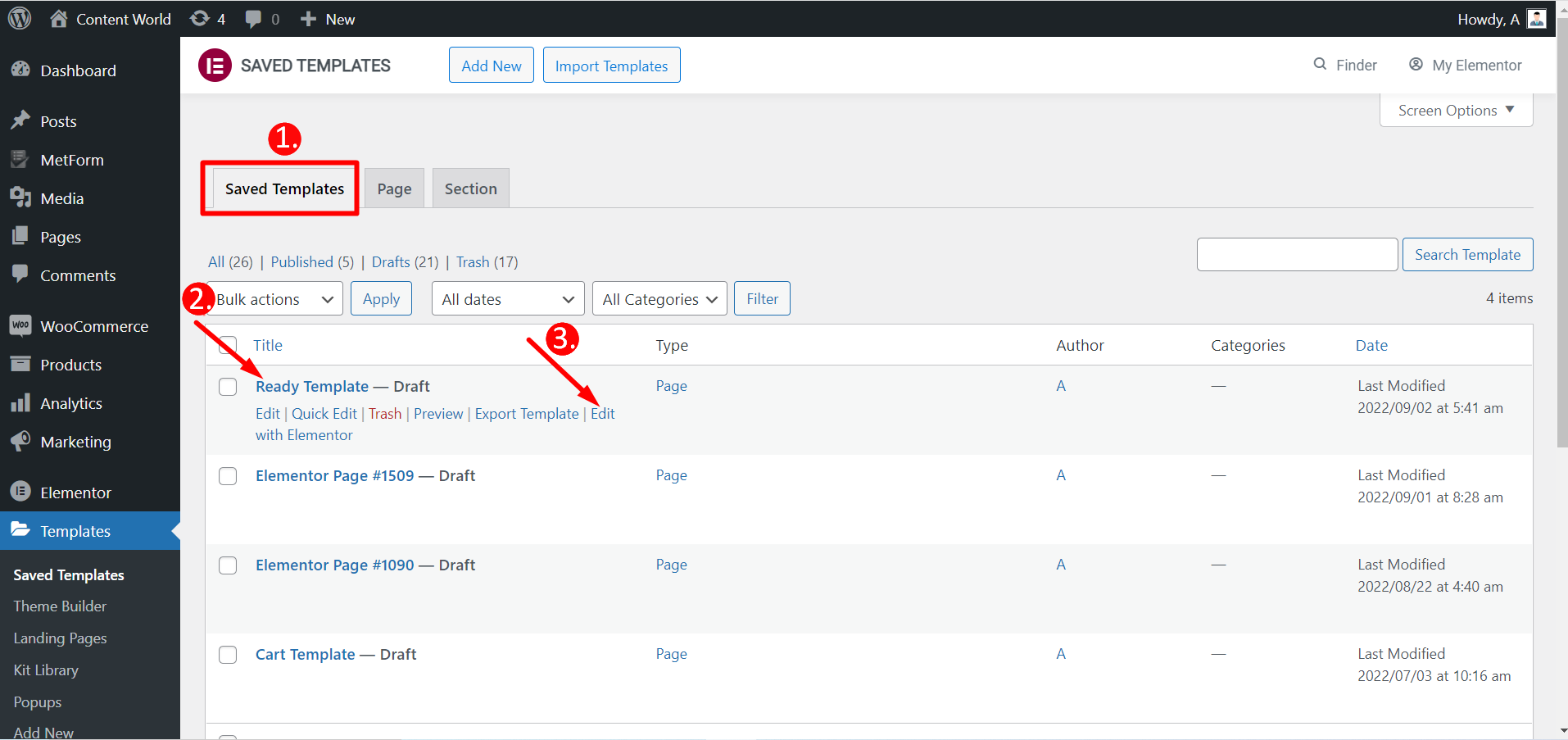
Elementor를 사용하여 저장된 템플릿을 편집할 수도 있습니다.
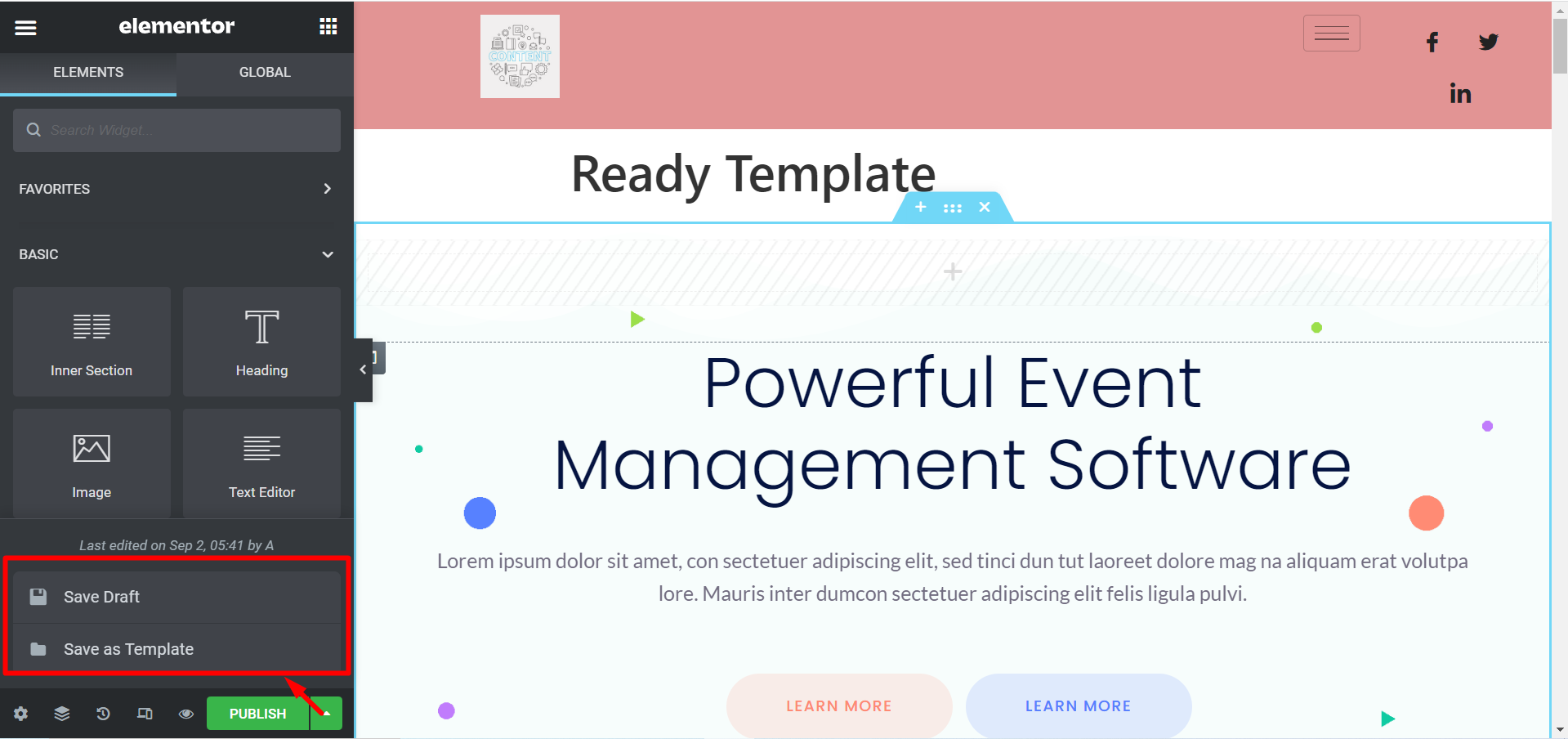
템플릿을 게시하지 않으려면 다음 옵션이 있습니다. 초안 저장또한 템플릿을 다음과 같이 저장할 수 있습니다. 템플릿으로 저장 나중에 사용하면 됩니다.
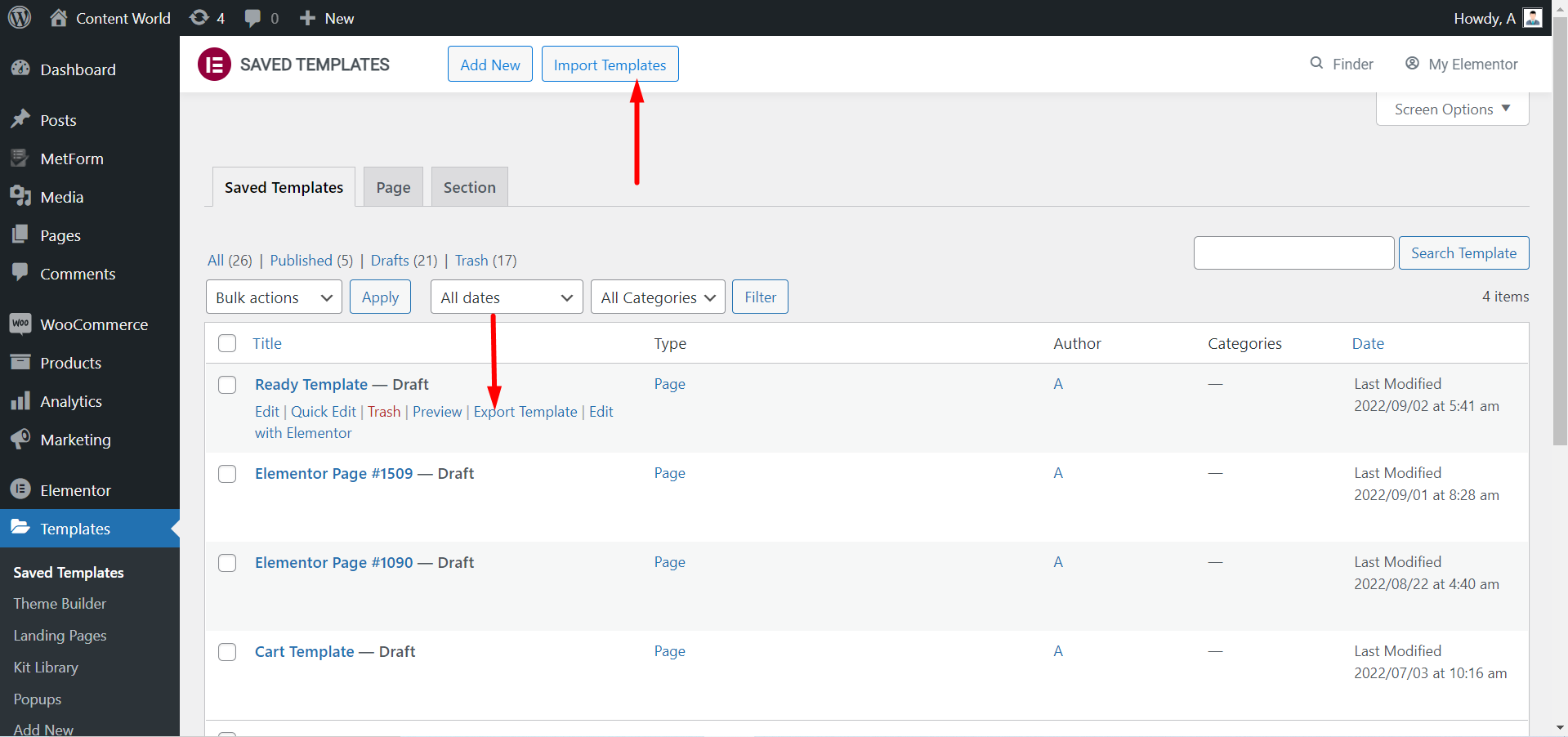
당신은 할 수 있습니다 템플릿 내보내기 필요한 경우 다시 말하지만, 템플릿을 다운로드한 경우 다음을 수행할 수 있습니다. 템플릿 가져오기 그리고 이를 활용합니다.
ElementsKit 준비 템플릿을 사용하여 사용자 정의 페이지를 살펴보세요.
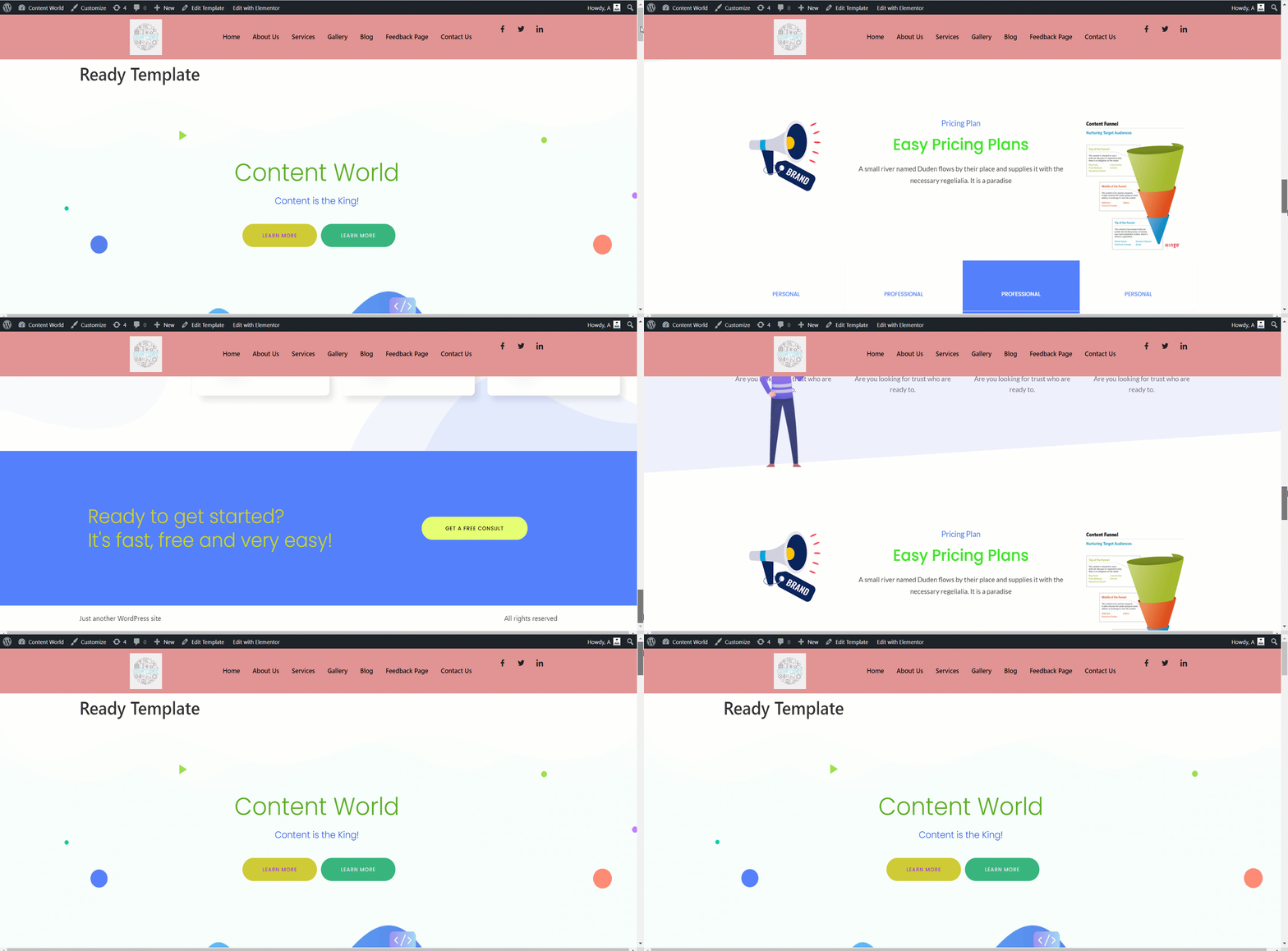
ElementsKit의 기성 템플릿은 웹사이트의 기반을 만드는 데 도움이 됩니다. 사용자 정의가 유연하고, 보기 좋으며, 시간을 절약할 수 있습니다. 전문가이든 지식이 거의 없는 초보자이든 이러한 기성 템플릿을 사용하여 완벽하게 기능하는 웹사이트를 만들 수 있습니다.


