


 Japanese
  English
  German
  Spanish
  Italian
  French
  Danish
  Portuguese
  Swedish
  Polish
  Korean
 Elementor には、ページやブロックをカスタマイズするための選択肢が何百もあります。ElementsKit を使用すると、より多くの既成の高品質な選択肢から選択できます。無料かプレミアムかにかかわらず、テンプレートはプロがデザインしたものです。このドキュメントでは、すぐに使用できるテンプレートの使い方を説明します。
プロセスを開始する前に、完全に準備されたテンプレートにアクセスするには、Elementor と ElementsKit の両方が必要であることに注意してください。
ElementsKit 準備済みテンプレートを使用する手順 #
既製のテンプレートを使用するには2つの方法があります。 ページオプション ダッシュボードからでも使用できます。 Elementorテンプレート.
ページから #
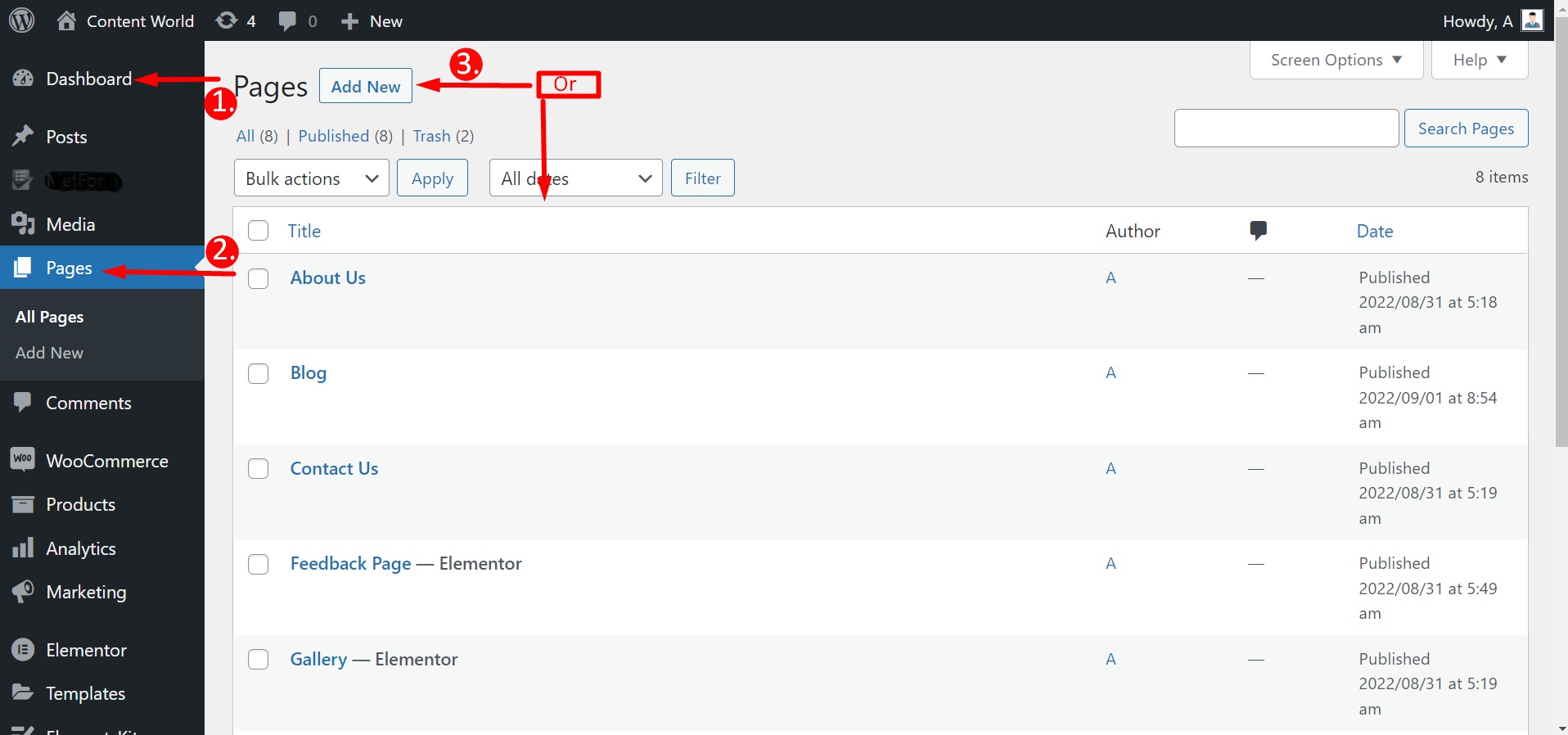
ダッシュボードに移動 -> ページに移動 -> 新規追加をクリック ページ または既存のページを選択 -> Elementorで編集する
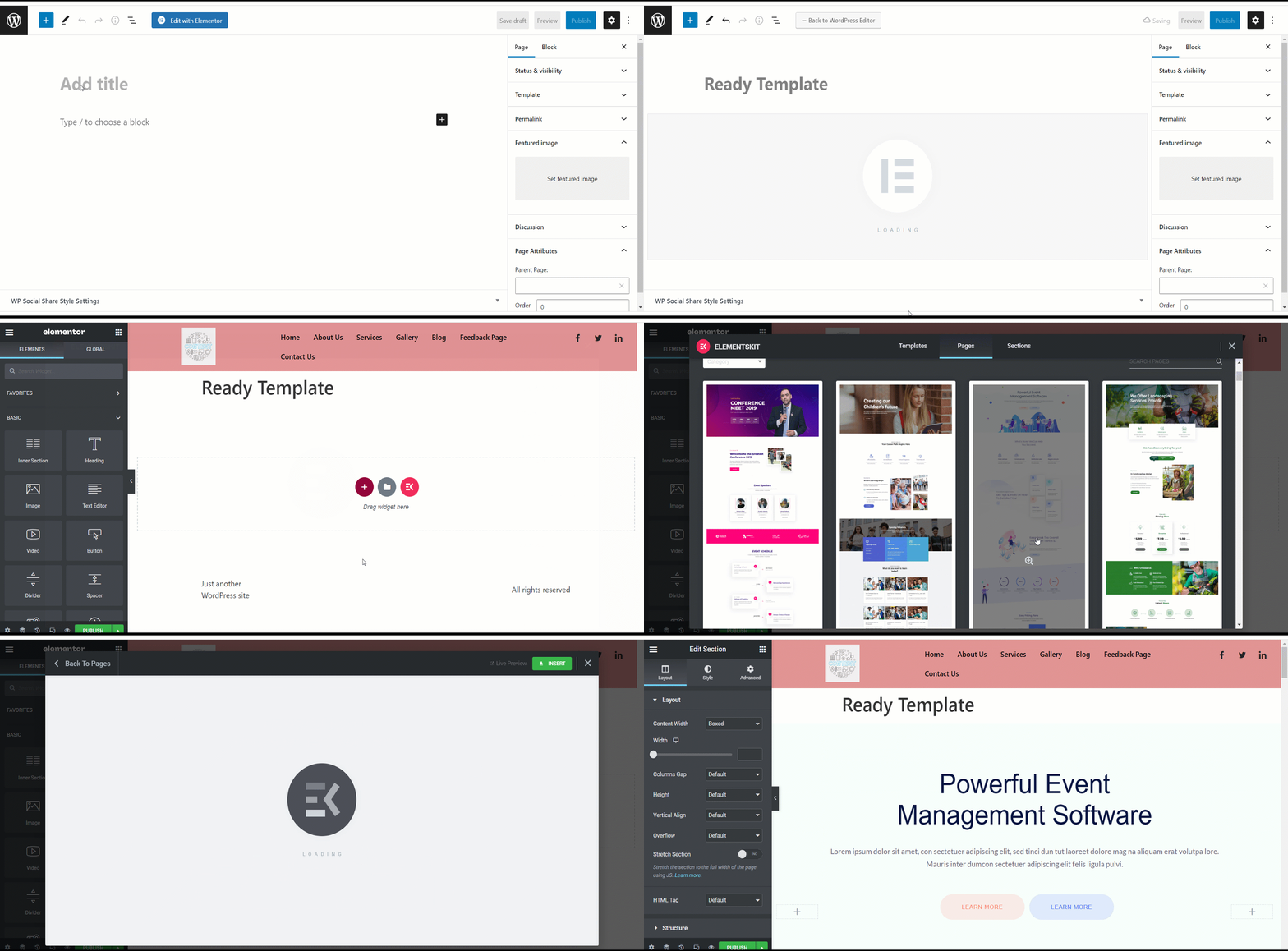
「Elementorで編集」をクリックした後、 ElementsKitアイコンを押して、完全に準備されたテンプレートを選択しますただし、すべてのテンプレートが無料というわけではなく、一部は有料です。そのため、任意のテンプレートを選択することはできません。テンプレートの下に、無料か有料かが表示されます。
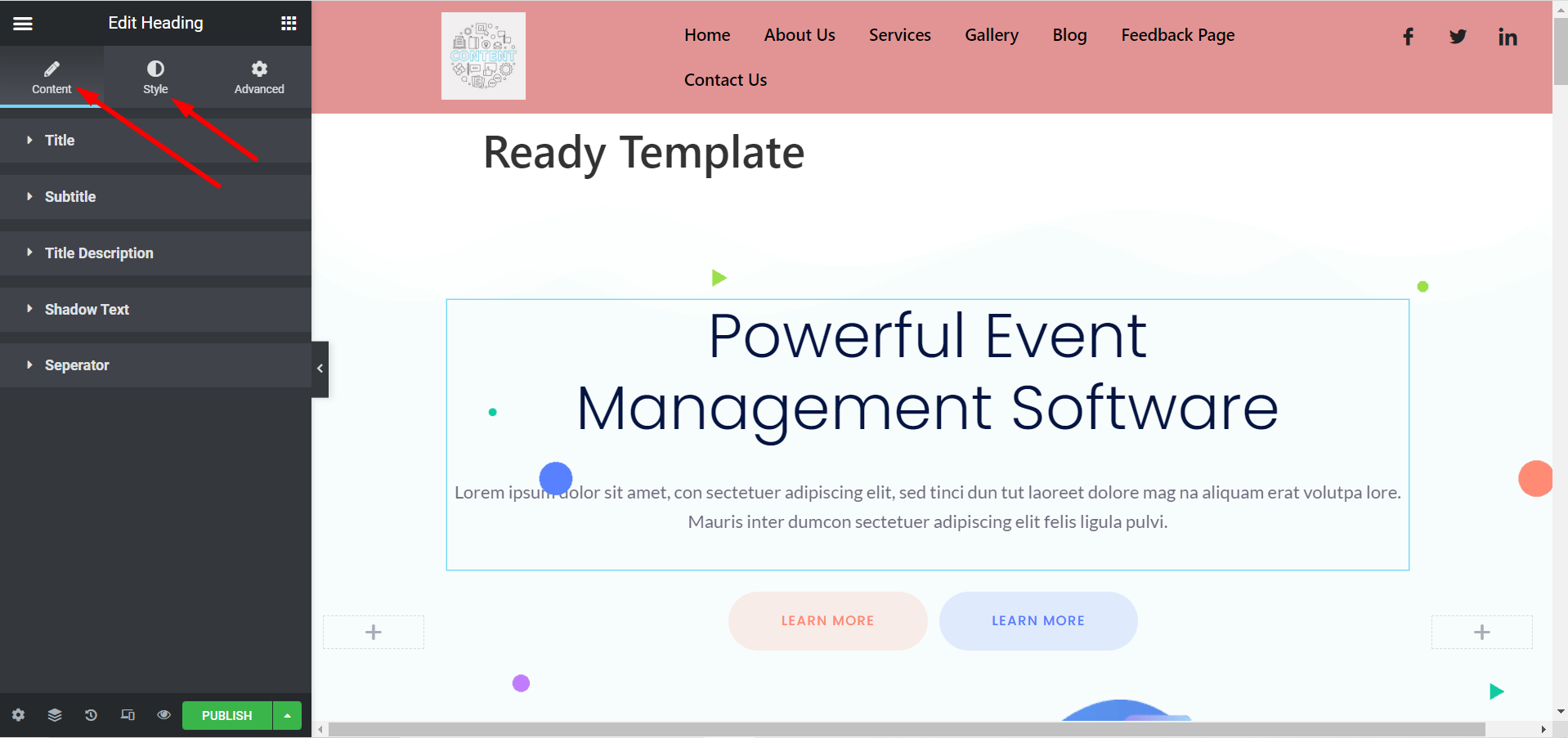
これで、好みに応じてテンプレートをカスタマイズできます。タイトル、画像、説明、ボタンなどを変更するには、 コンテンツとスタイルのセクション.
Elementorテンプレートから #
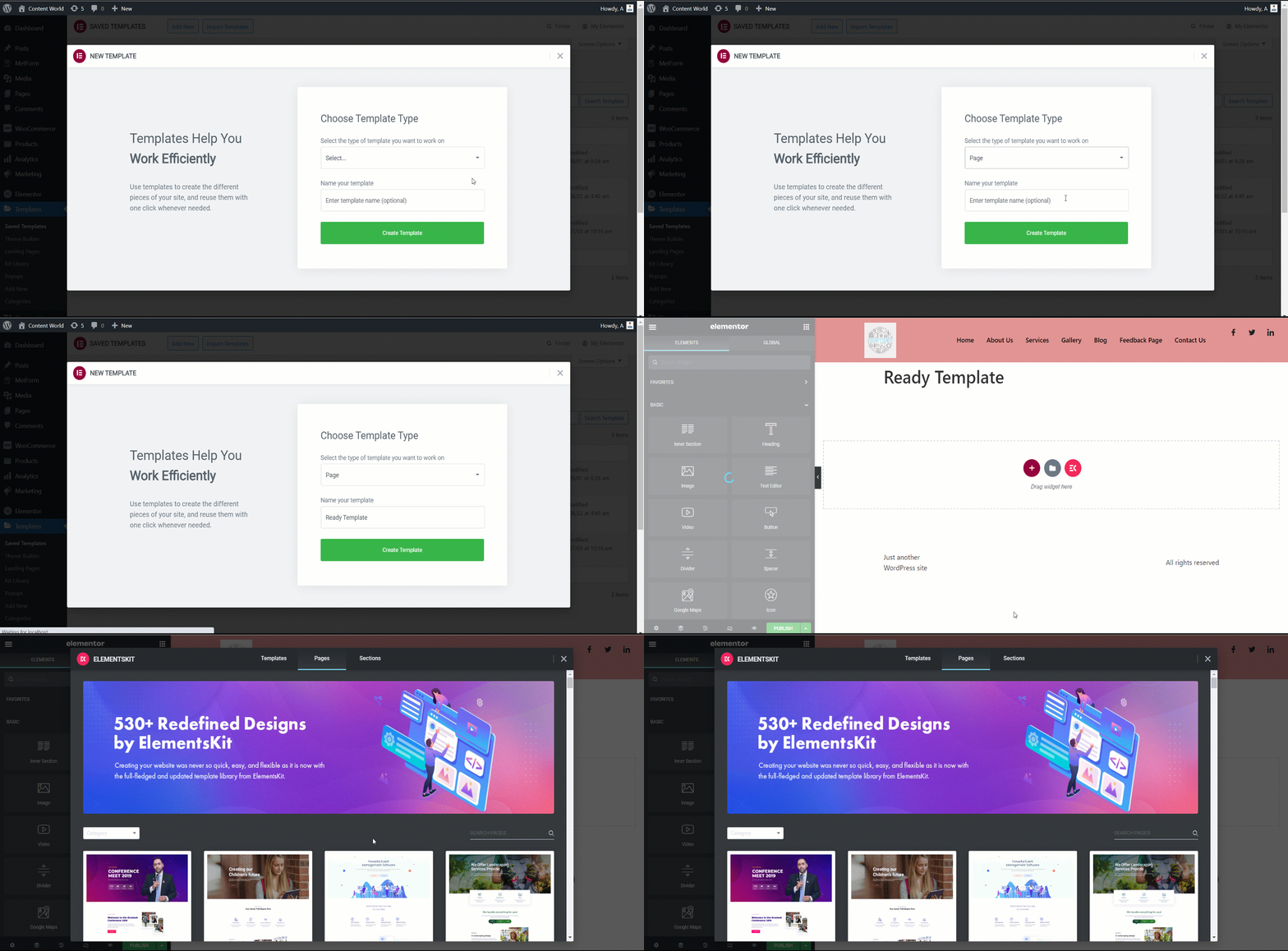
ダッシュボードに移動 -> Elementorを探す -> テンプレートに移動 -> 新規追加をクリック
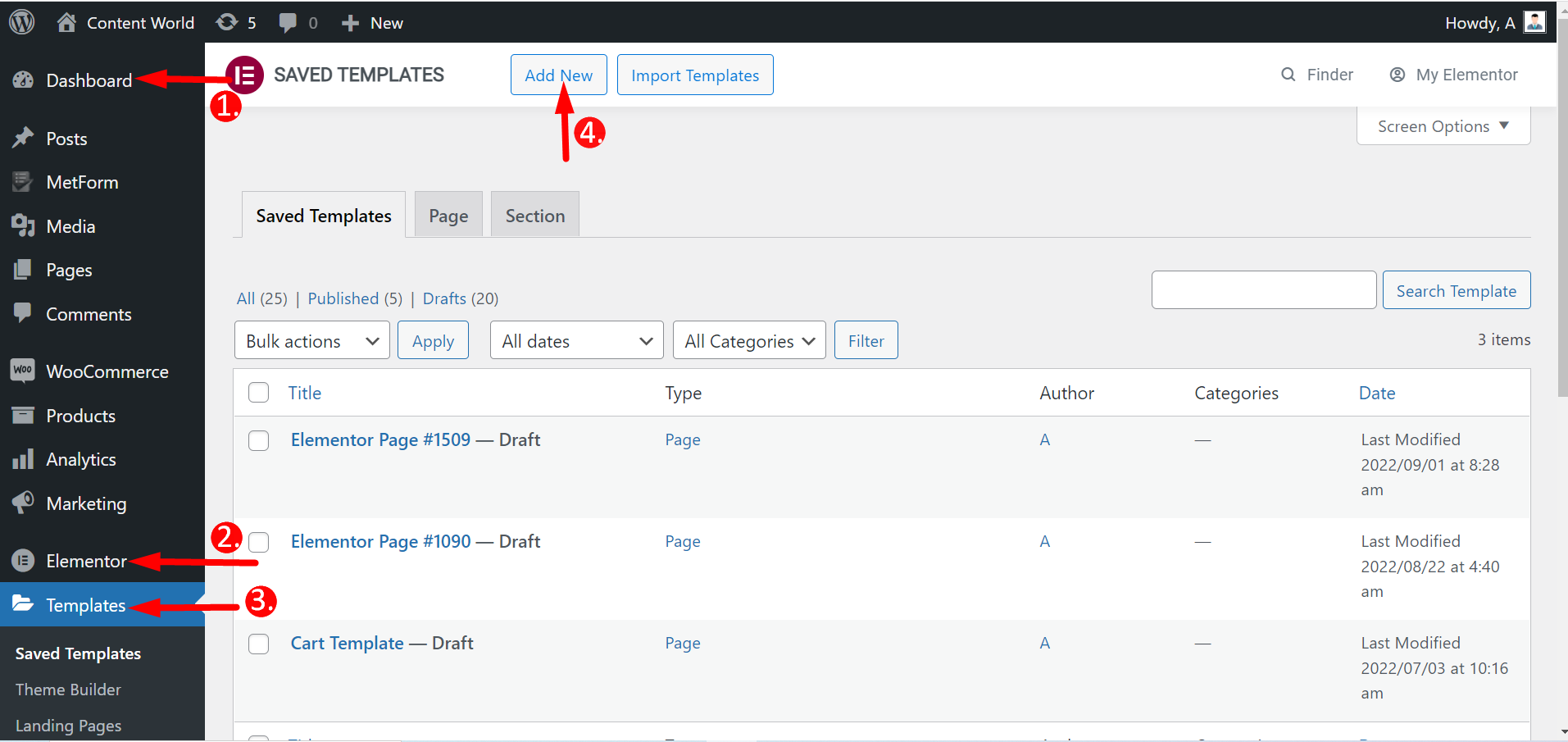
ここでは、ランディング ページやセクションなどのページを作成できます。テンプレートの種類を選択し、名前を付けて作成します。残りの手順は前と同じです。
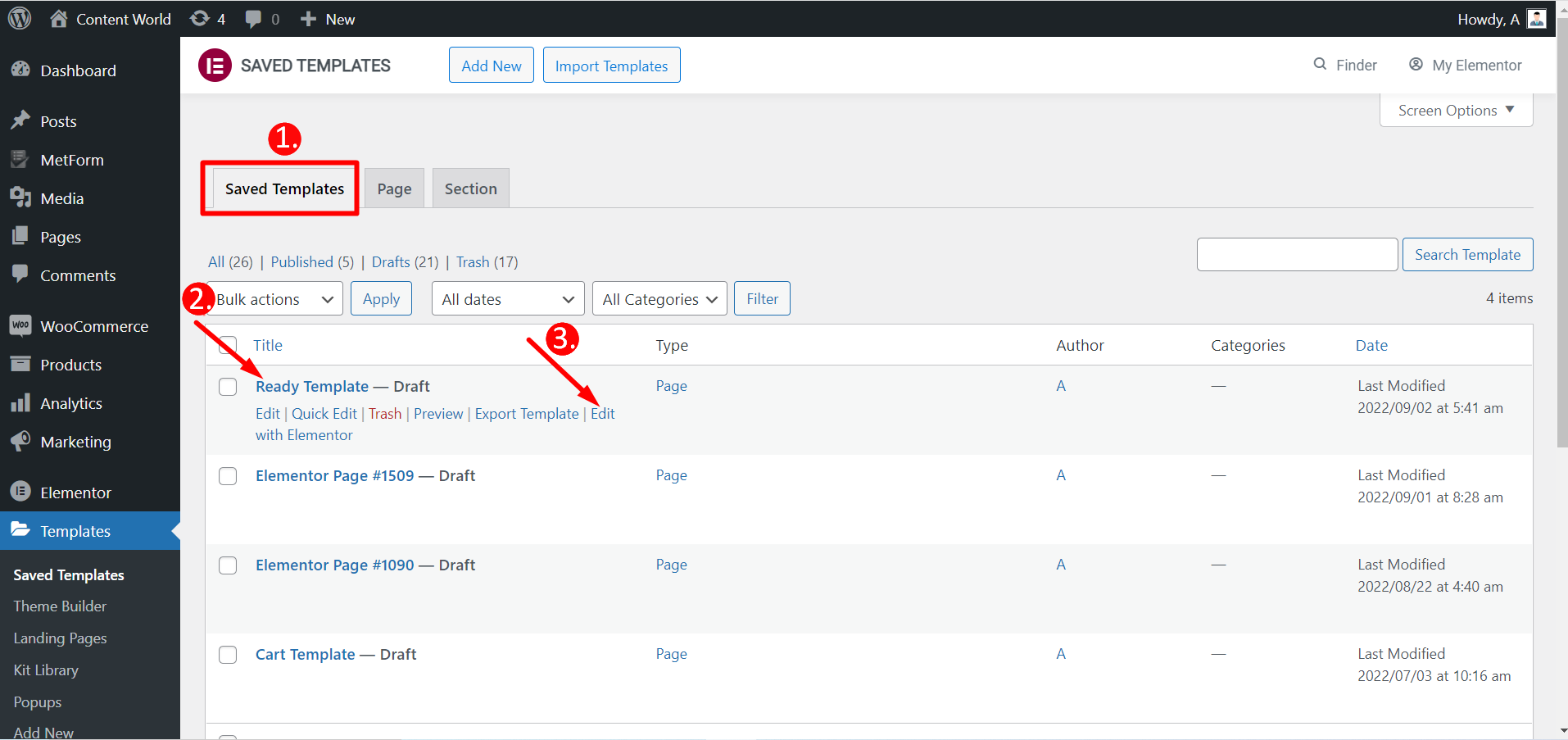
Elementor を使用して保存したテンプレートを編集することもできます。
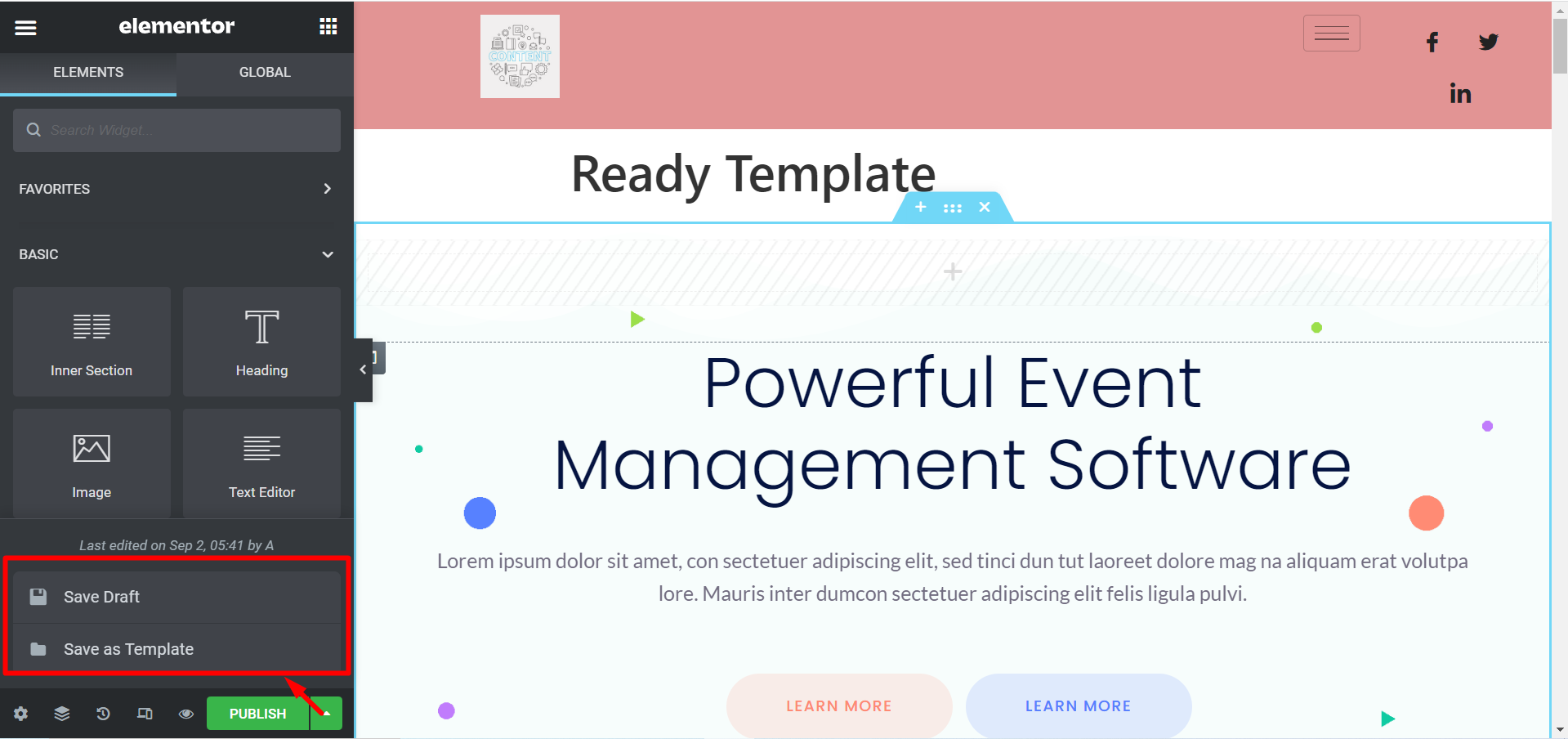
テンプレートを公開したくない場合は、 下書きを保存また、テンプレートを次のように保存することもできます。 テンプレートとして保存 後で使用します。
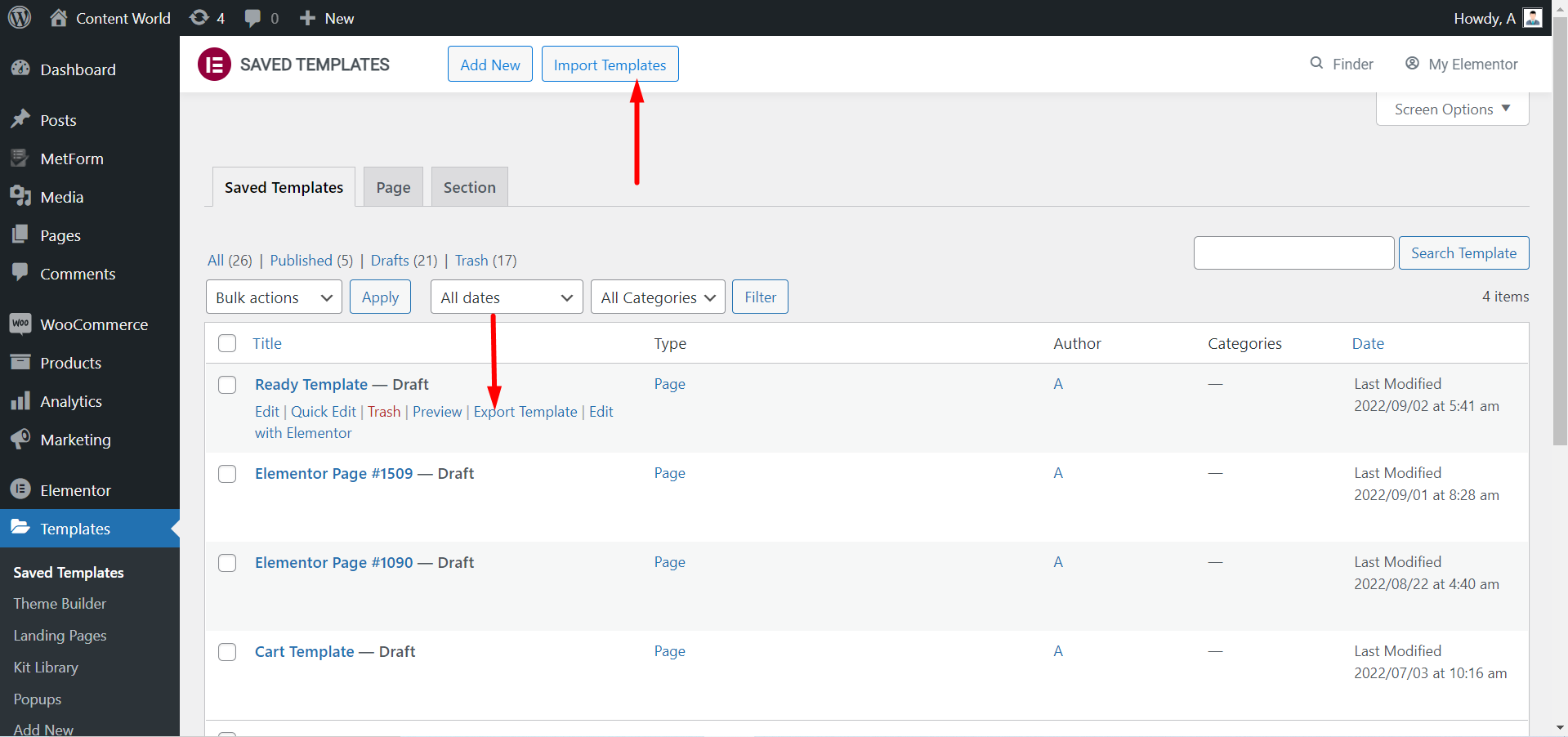
あなたはできる テンプレートをエクスポートする 必要に応じて。繰り返しますが、テンプレートをダウンロードした場合は、 テンプレートをインポートする そしてそれらを活用します。
ElementsKitのテンプレートを使用してカスタマイズされたページをご覧ください。
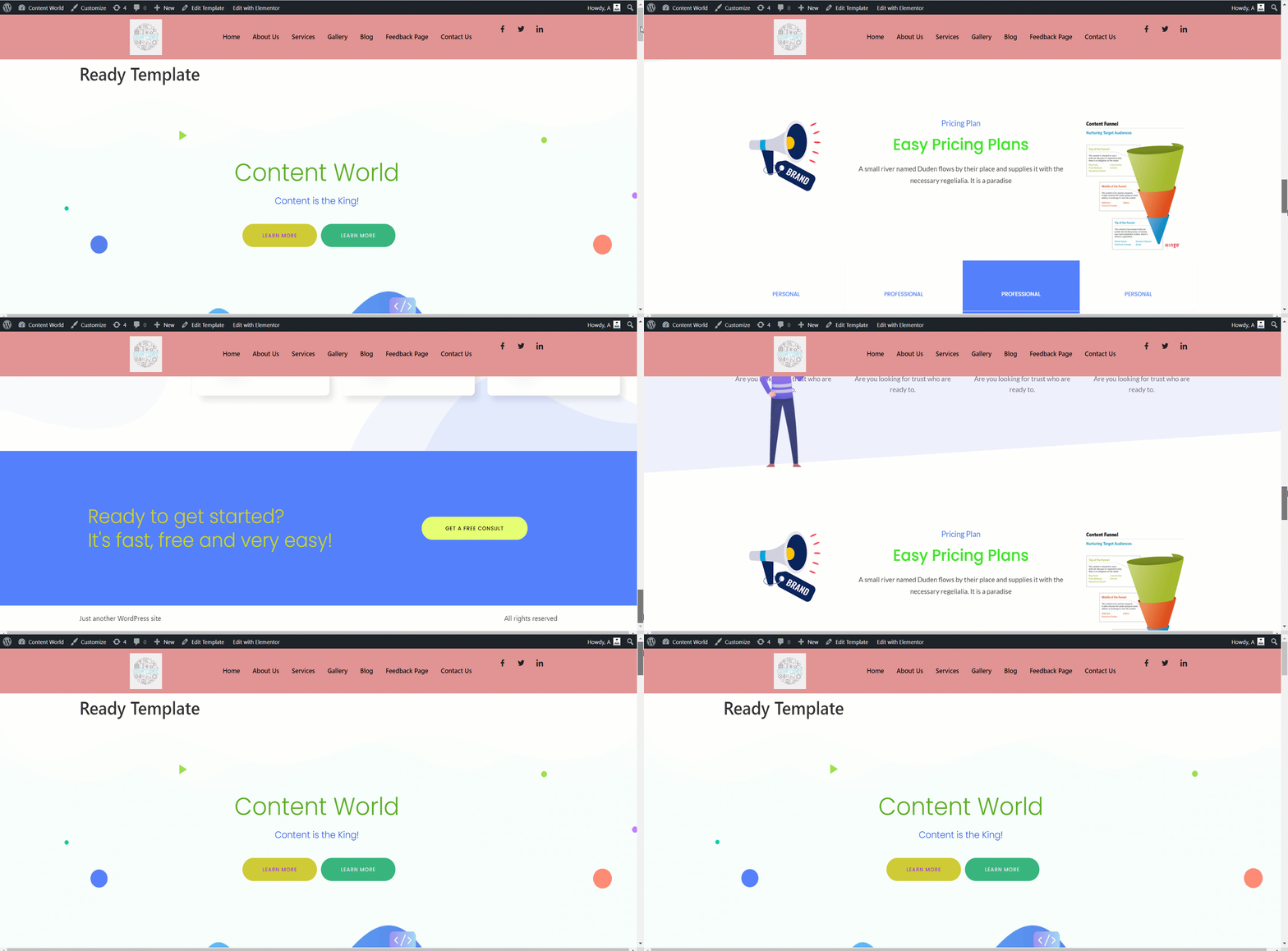
ElementsKit の既成テンプレートは、Web サイトのベースを作成するのに役立ちます。カスタマイズが柔軟で、見栄えがよく、時間を節約できます。プロでも、知識の少ない初心者でも、これらの既成テンプレートを使用して完全に機能する Web サイトを構築できます。


