




 Korean
  English
  German
  Spanish
  Italian
  French
  Danish
  Portuguese
  Swedish
  Polish
  Japanese
 ShopEngine의 Cart Total은 장바구니 테이블을 멋지게 꾸밀 수 있는 또 다른 편리한 위젯입니다. 위젯을 사용하면 소계, 총액 등 장바구니 총액의 다양한 요소를 변경하고 결제 버튼으로 진행할 수 있습니다.
ShopEngine의 장바구니 테이블을 사용하는 방법은 무엇입니까?
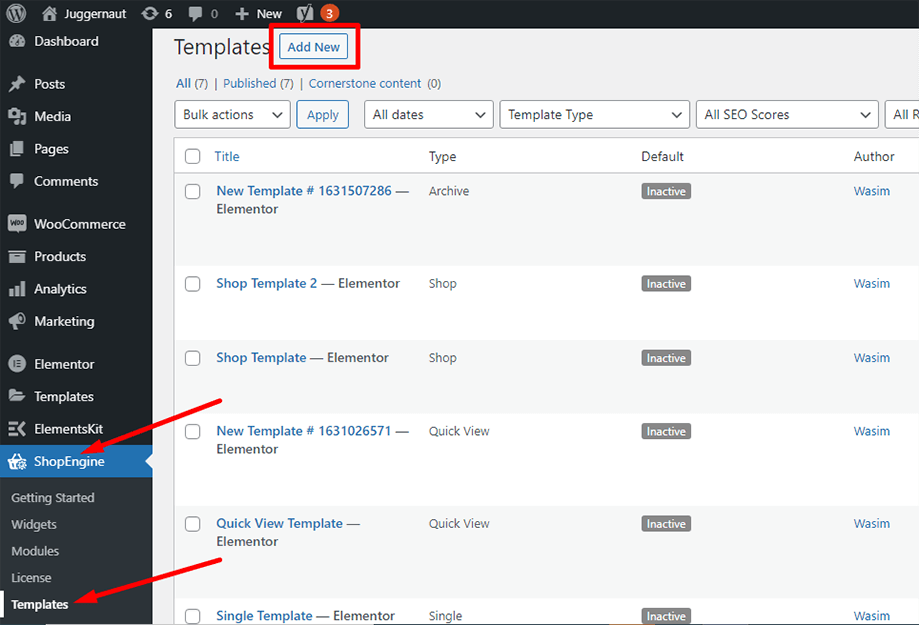
우선, 관리자 패널의 대시보드로 이동하여 항목 목록에서 ShopEngine을 찾으세요. ShopEngine을 클릭한 다음 드롭다운 메뉴에서 템플릿을 선택합니다. 그런 다음 “새로운 걸 더하다" 텍스트 " 옆 오른쪽 상단의 버튼템플릿".
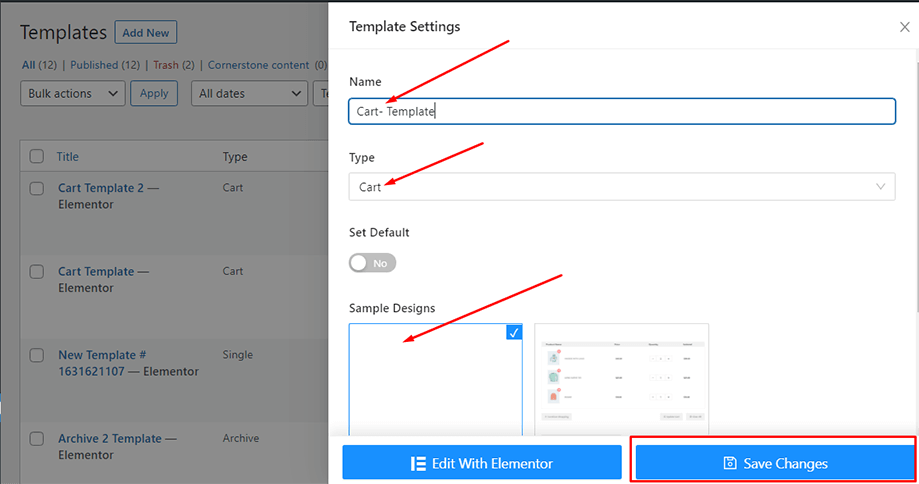
그 직후 템플릿 설정을 위한 팝업 창이 나타납니다. 템플릿 이름을 다음에서 설정하세요. 이름 필드를 클릭하고 장바구니 테이블 위젯을 확인하는 것이 목표이므로 장바구니 유형을 선택하세요.
또한 기본 샘플 디자인을 선택하거나 처음부터 디자인을 시작할 수도 있습니다. 마지막으로 '를 누르세요.변경 사항을 저장하다"버튼.
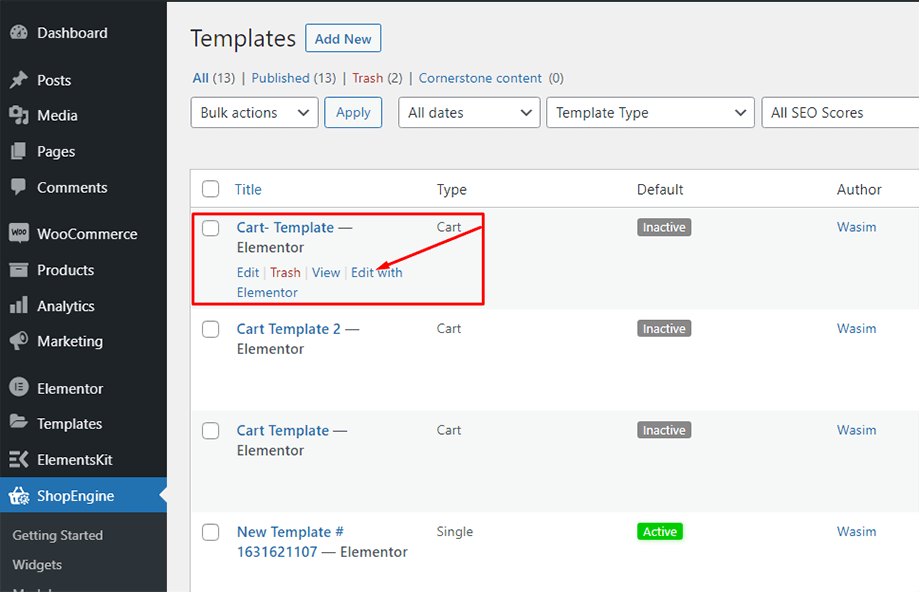
템플릿이 생성되고 목록 상단에서 볼 수 있습니다. 이제 “Elementor로 편집”를 눌러 Elementor 창으로 전환합니다.
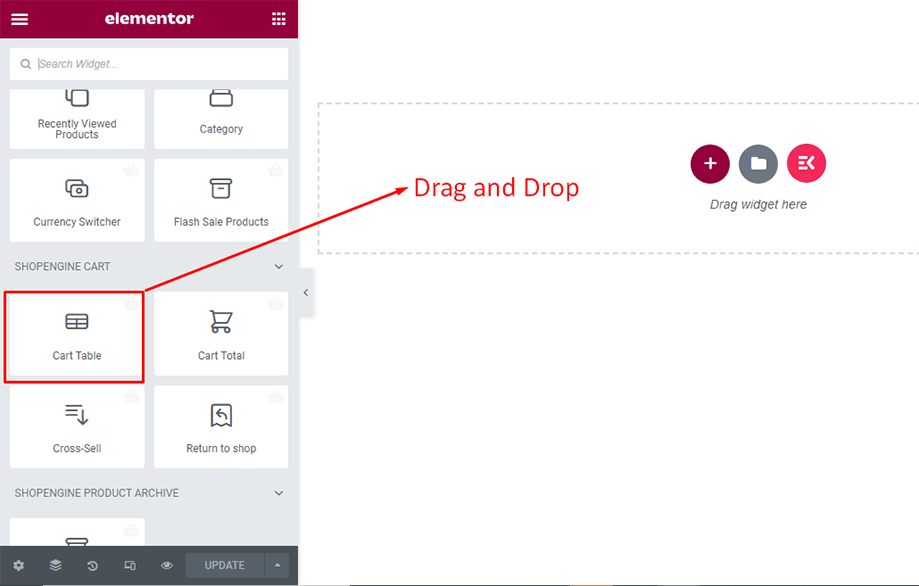
이 단계에서는 왼쪽에 ShopEngine 위젯 목록이 있는 사이드바가 표시됩니다. ShopEngine 장바구니 섹션에서 장바구니 테이블 위젯을 찾거나 일반적으로 검색 필드에서 위젯을 검색한 후 지정된 영역으로 끌어서 놓을 수 있습니다.
그러면 제품 이름, 제품 이미지, 가격, 소계, 수량 및 기타 필요한 버튼과 같은 여러 항목이 포함된 장바구니 테이블이 나타납니다.
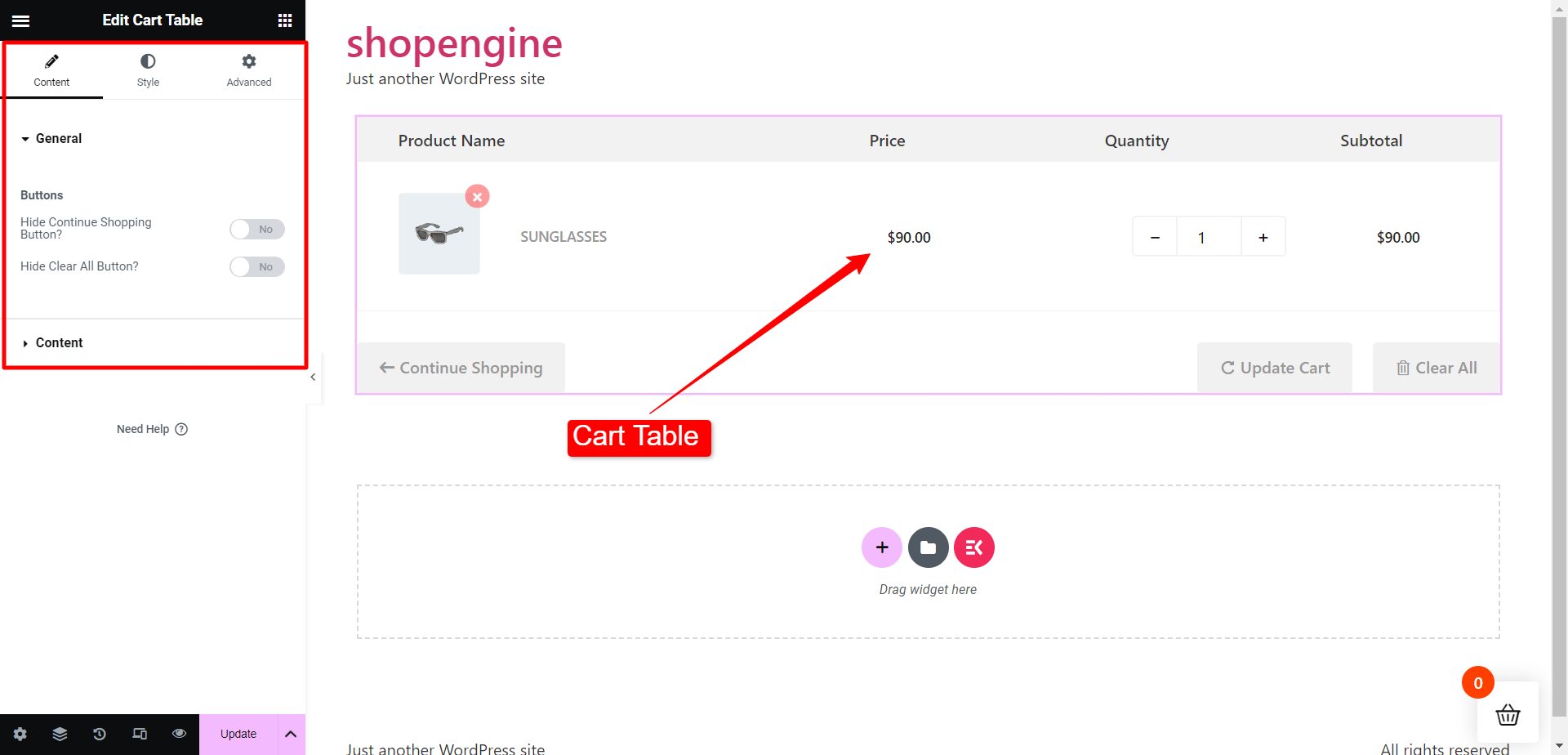
이제 ShopEngine Cart 섹션에서 Cart Total 위젯을 찾거나 검색창에서 위젯을 검색한 후 할당된 영역에 드래그 앤 드롭할 수 있습니다.
그 후 장바구니 합계 위젯이 즉시 표시됩니다. 이제 스타일 탭에서 필요한 조정을 할 수 있습니다. 장바구니 테이블 섹션에서는 제목과 가격 인쇄, 제목 색상, 가격 색상 등을 변경할 수 있습니다.
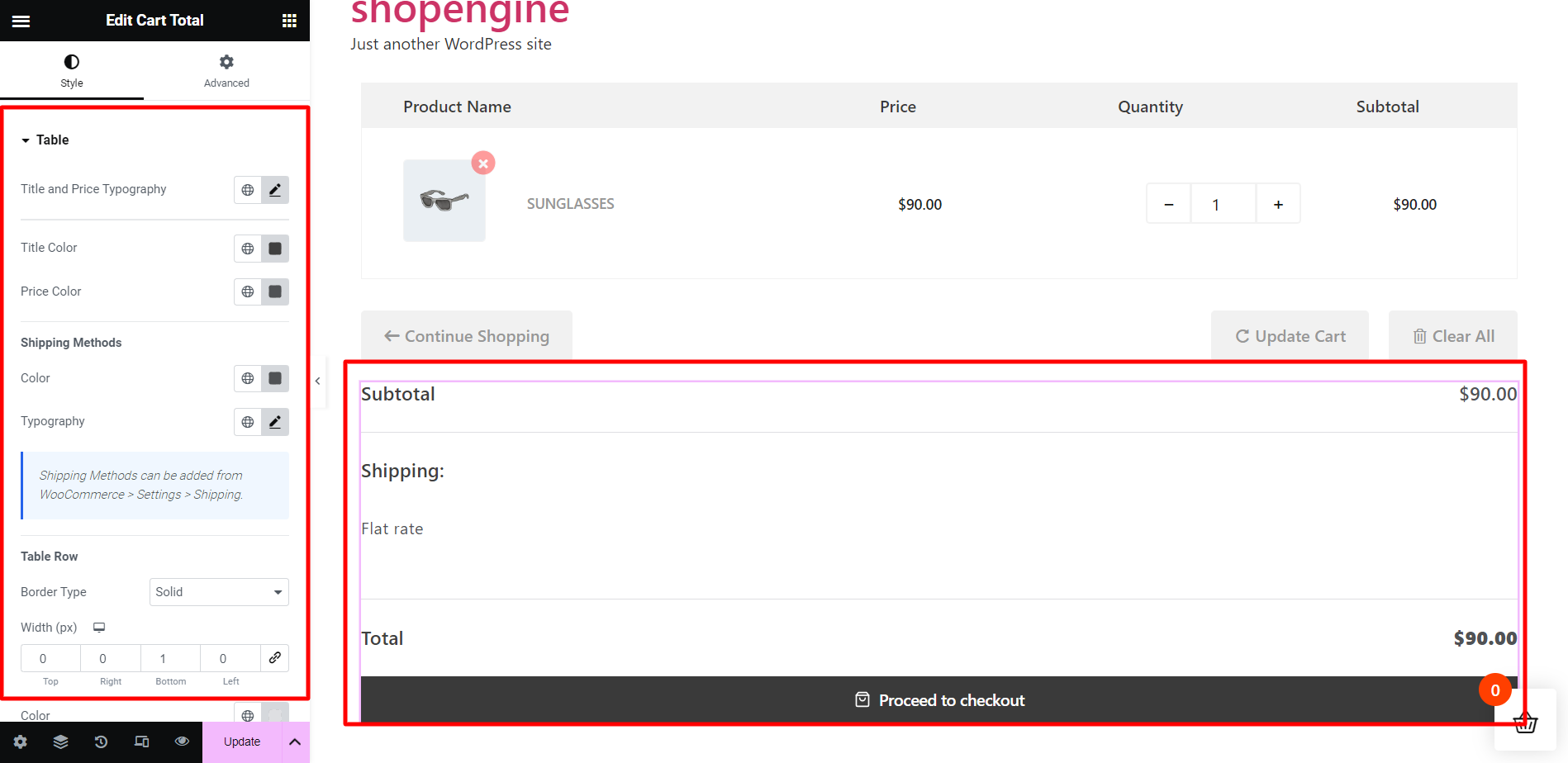
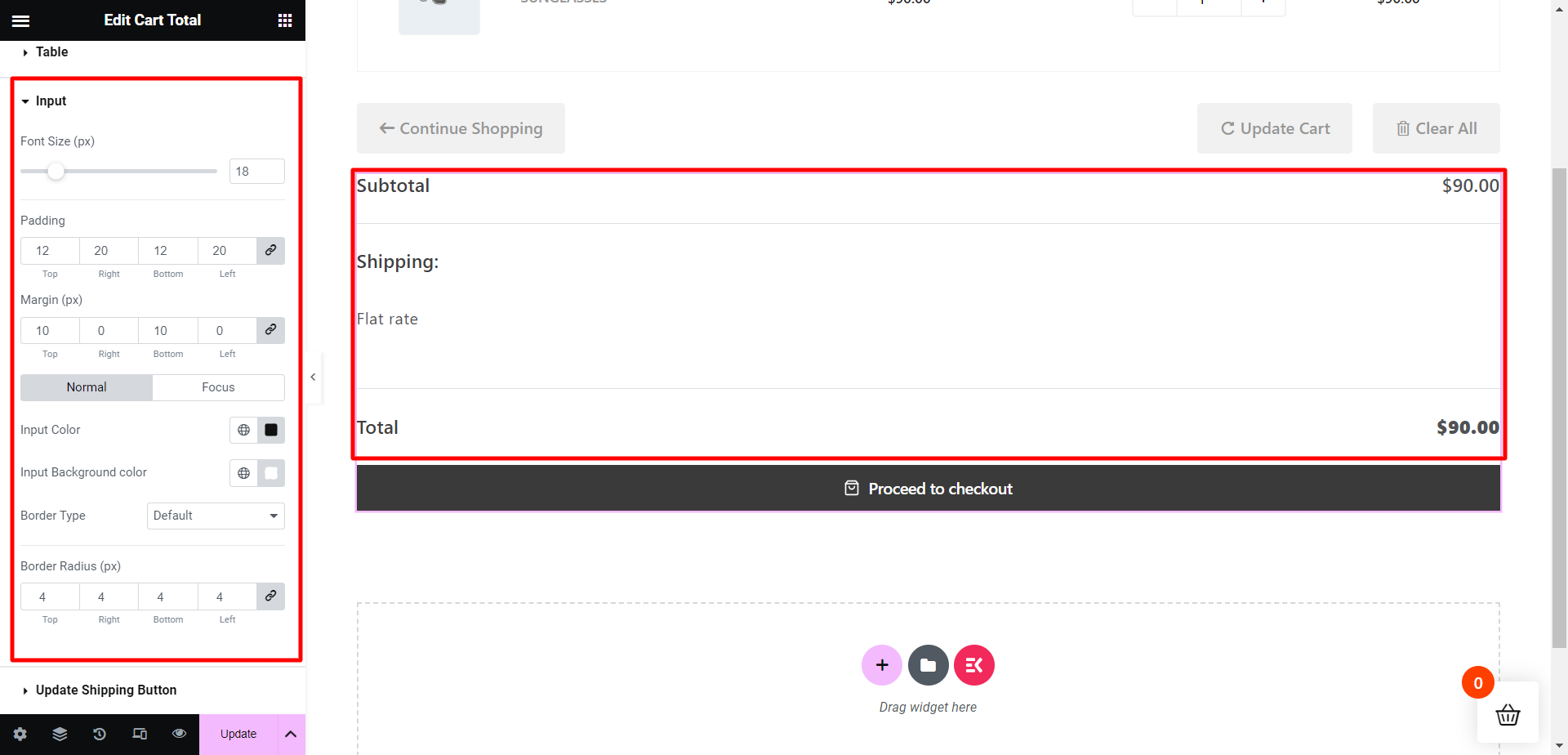
다음으로 입력 섹션에서는 글꼴 크기, 패딩, 여백, 입력 색상, 입력 배경 색상 등을 조정할 수 있습니다.
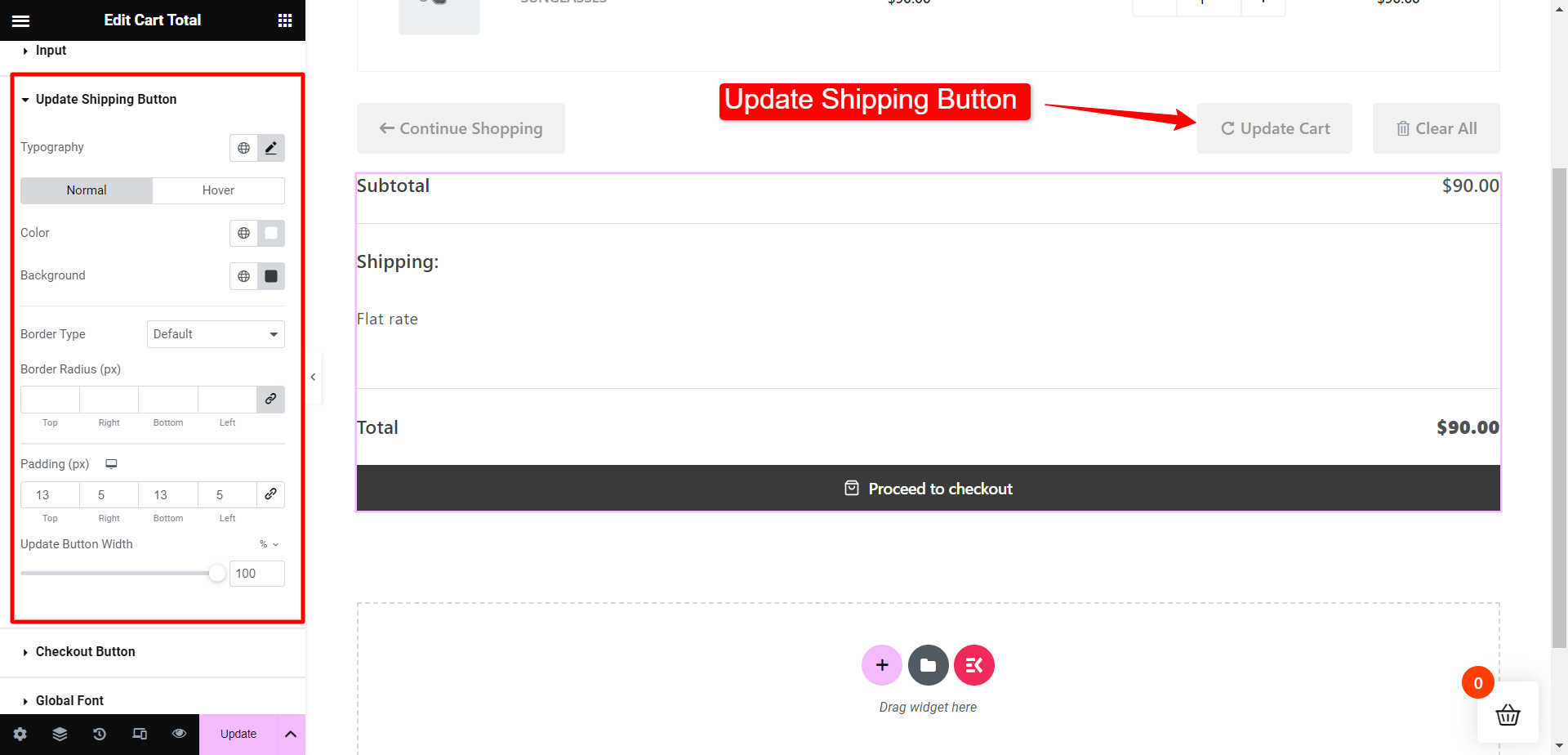
그런 다음 배송 버튼 업데이트 섹션에서는 활자체, 버튼 색상, 테두리 유형, 테두리 반경 등을 수정할 수 있습니다.
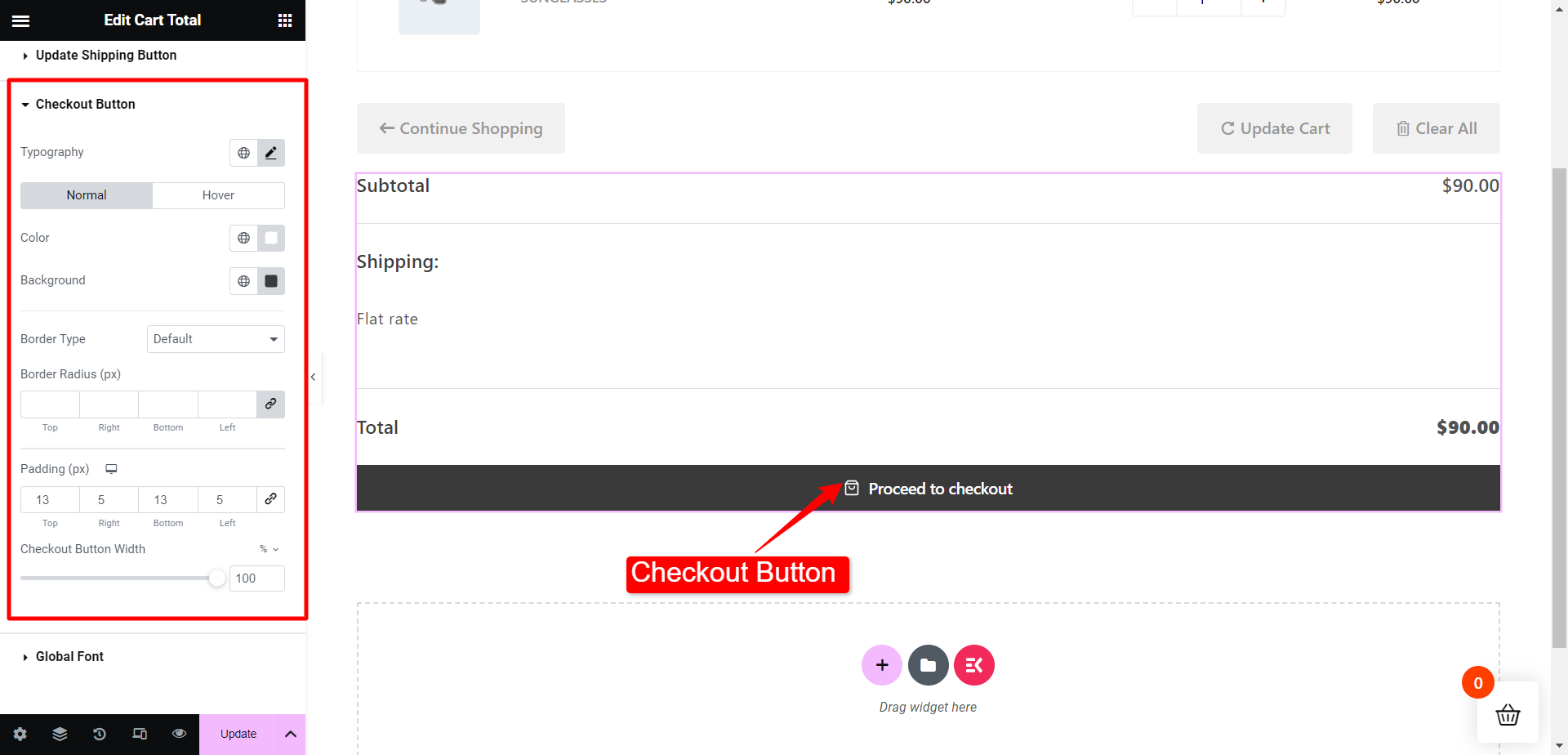
마찬가지로 결제 버튼 섹션에서는 활자체, 버튼 색상, 테두리 유형, 테두리 반경 등을 수정할 수 있습니다.
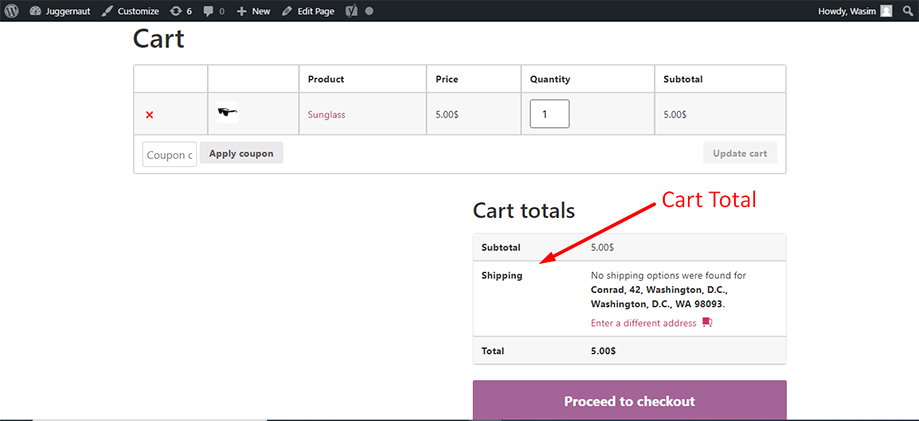
장바구니 합계는 아래 스크린샷의 장바구니 합계 아래에 표시된 것처럼 프런트 엔드에 표시됩니다.
이것이 ShopEngine Cart Total 위젯을 활용하고 카트 전체 요소를 향상시키는 방법입니다.


