


 Korean
  English
  German
  Spanish
  Italian
  French
  Danish
  Portuguese
  Swedish
  Polish
  Japanese
 Form duplication is one of the fine features of the MetForm form builder. MetForm allows you to duplicate a form easily whenever you need it. It is a hassle-free process that you can do within seconds. Most importantly, you can do it with the free version as well.
Let’s take a look at this document to learn how to duplicate a WordPress form with MetForm.
How to Duplicate a WordPress Form with MetForm #
If you’re looking to duplicate a WordPress form using the MetForm plugin, it means you already have MetForm installed and activated on your website.
So start from your WordPress dashboard and follow the steps below:
1단계: Select an Existing Form #
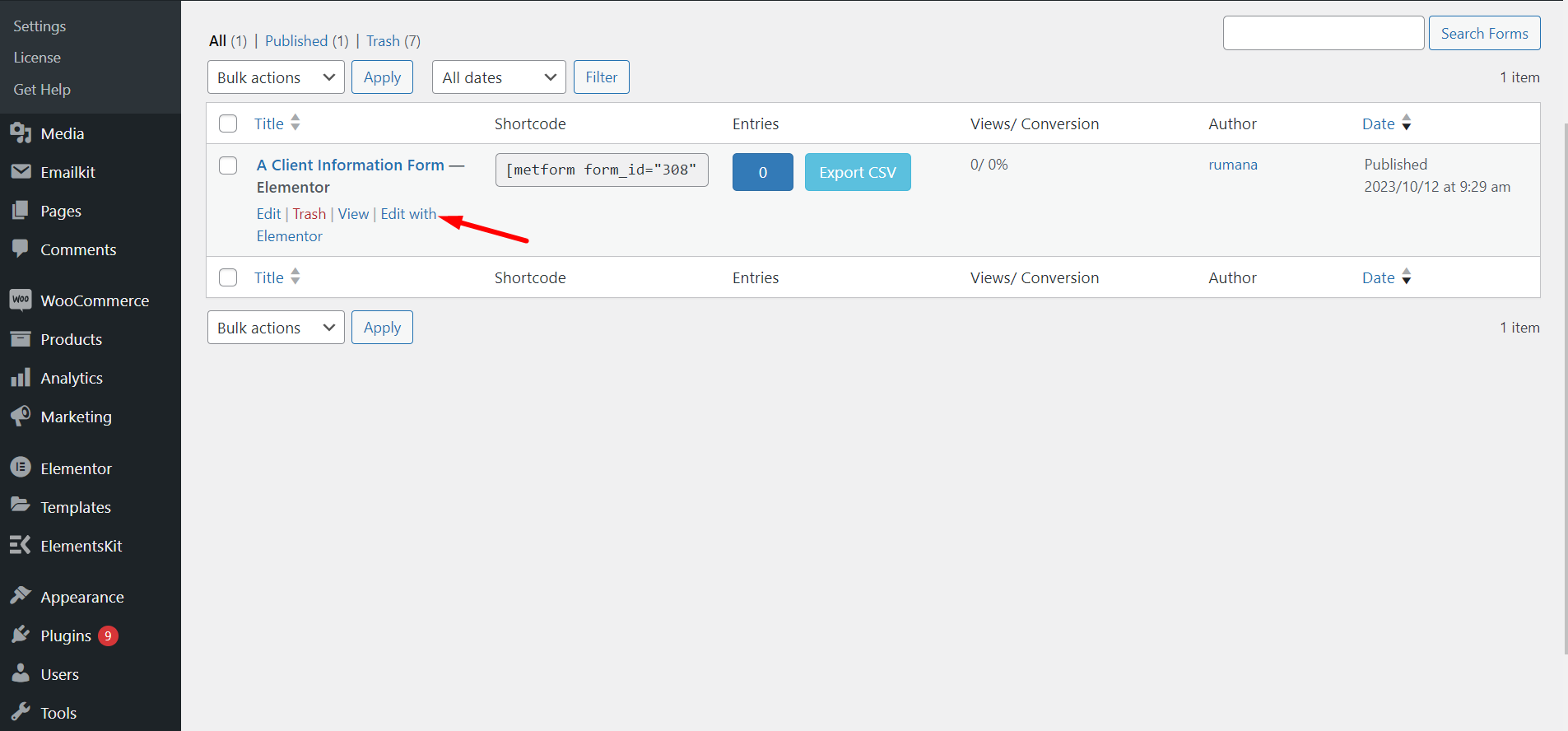
MetForm에서 모든 양식으로 이동 -> 복제해야 하는 양식을 선택하고 Elementor로 편집을 클릭합니다.
2단계: Copy WordPress Form #
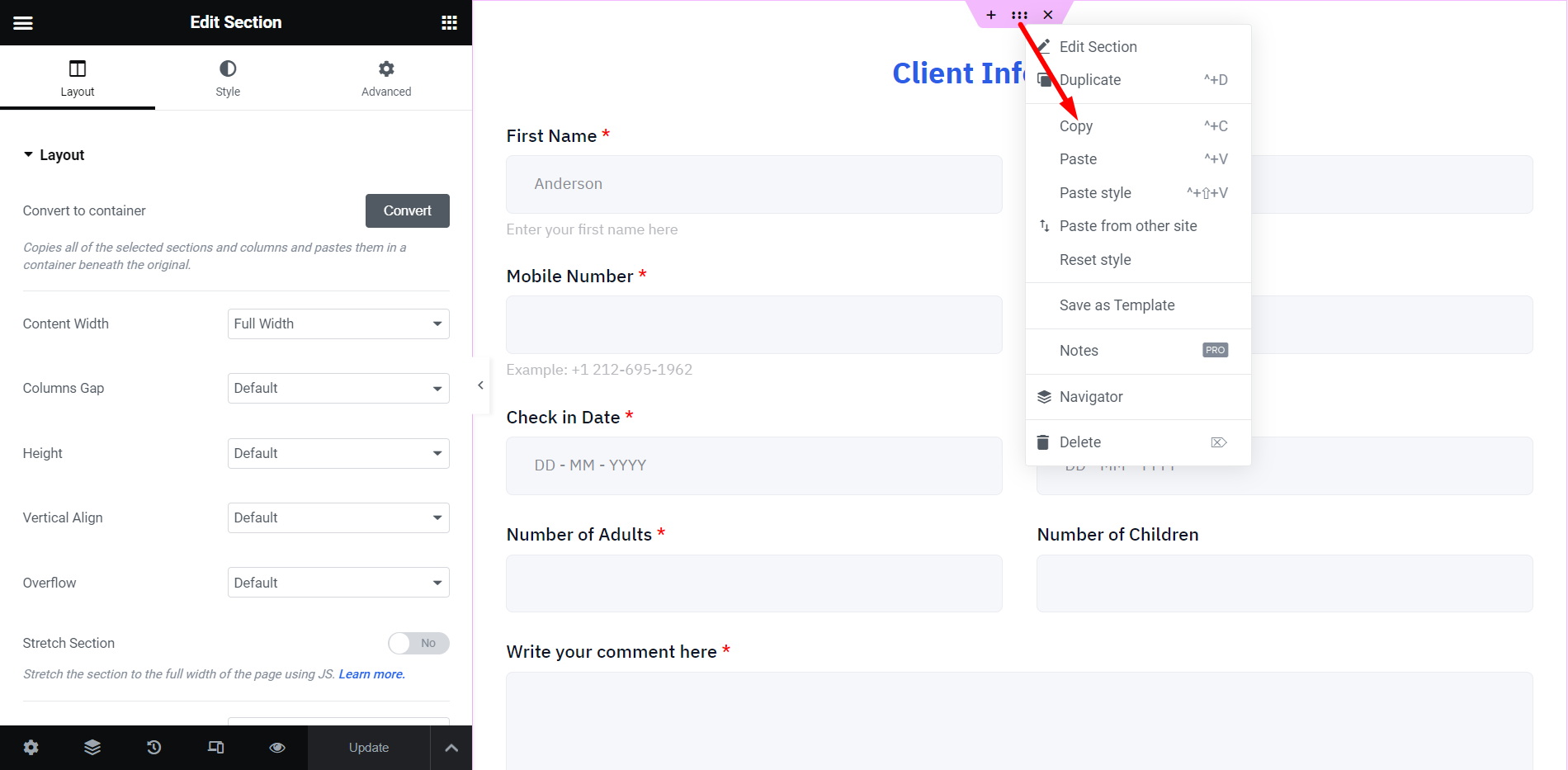
At this moment, you can see the MetForm builder interface on your screen. To copy this form, right-click on the dashboard and select “Copy All Content”. Here, the form we have duplicated is the ‘Client Information Form’.
Here, one thing you need to note is that if you want to duplicate a specific part of an existing form. through copying an element or container.
Do note that you can also duplicate a specific part of an existing form. To do this, drag the mouse cursor to a container and right-click on the container, here click on the “복사" 옵션.
STEP-3: Add a New Form #
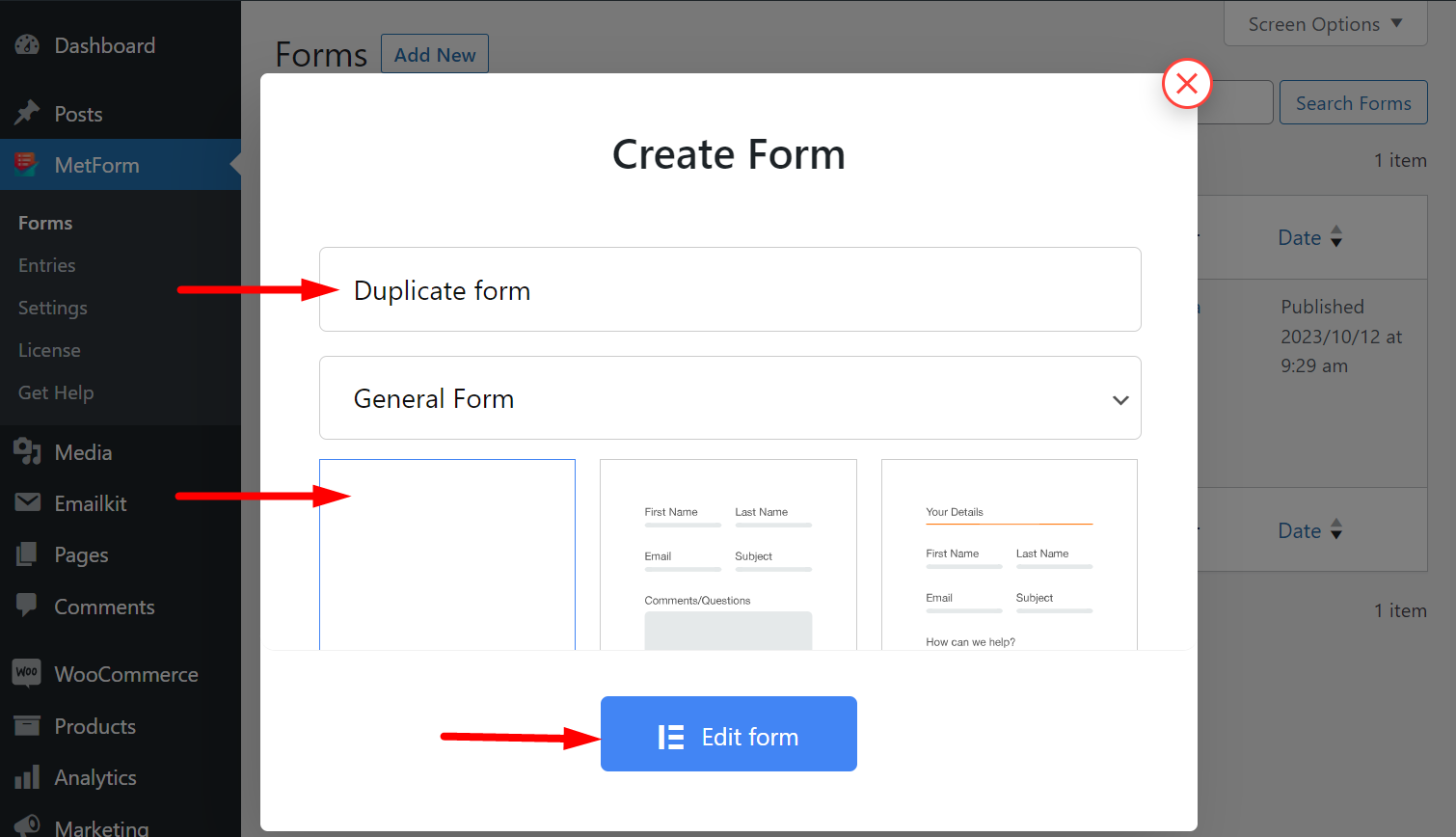
다음으로 MetForm으로 돌아가서 새 양식을 만듭니다. 양식에 이름을 지정하고 빈 템플릿을 가져와 양식을 편집합니다. 여기서 양식은 'Duplicate Form' 입니다.
STEP-4: Paste Copied Content #
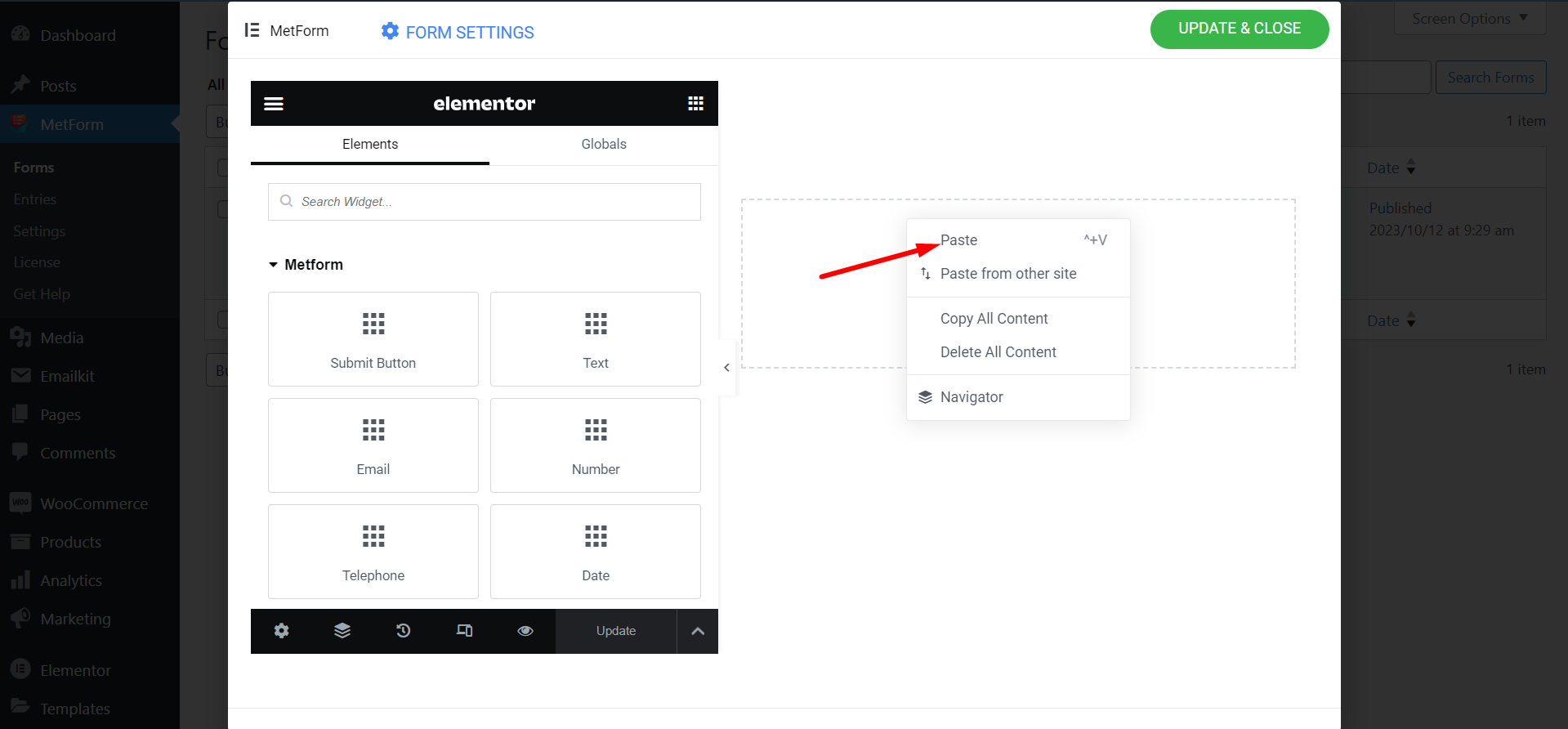
이제 이전에 복사한 양식을 붙여넣으세요.
STEP-5: Preview New Form #
새 양식이 성공적으로 생성되었습니다. 이제 두 양식을 모두 봅니다.
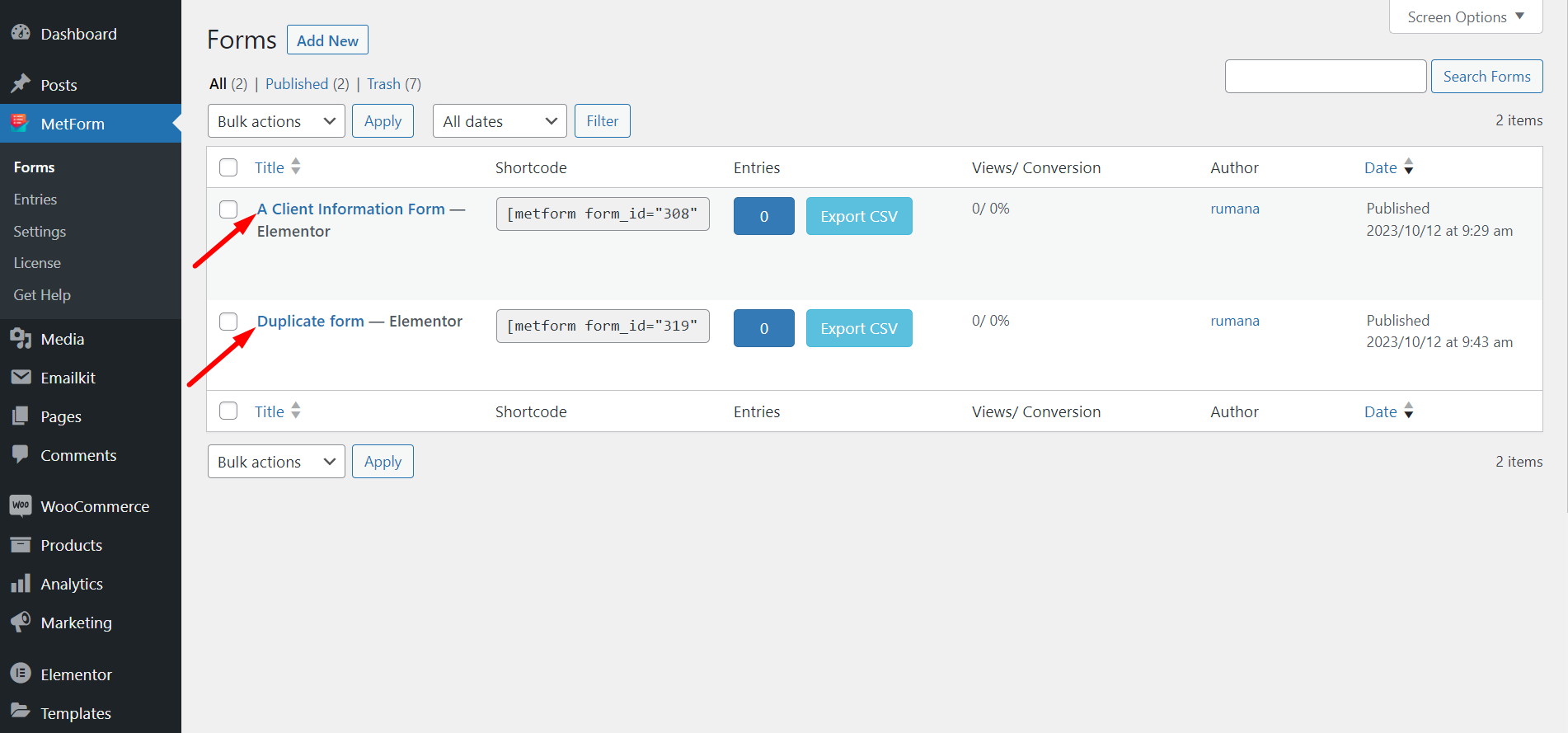
STEP-6: Form Duplication Success! #
양식을 성공적으로 복제했습니다.
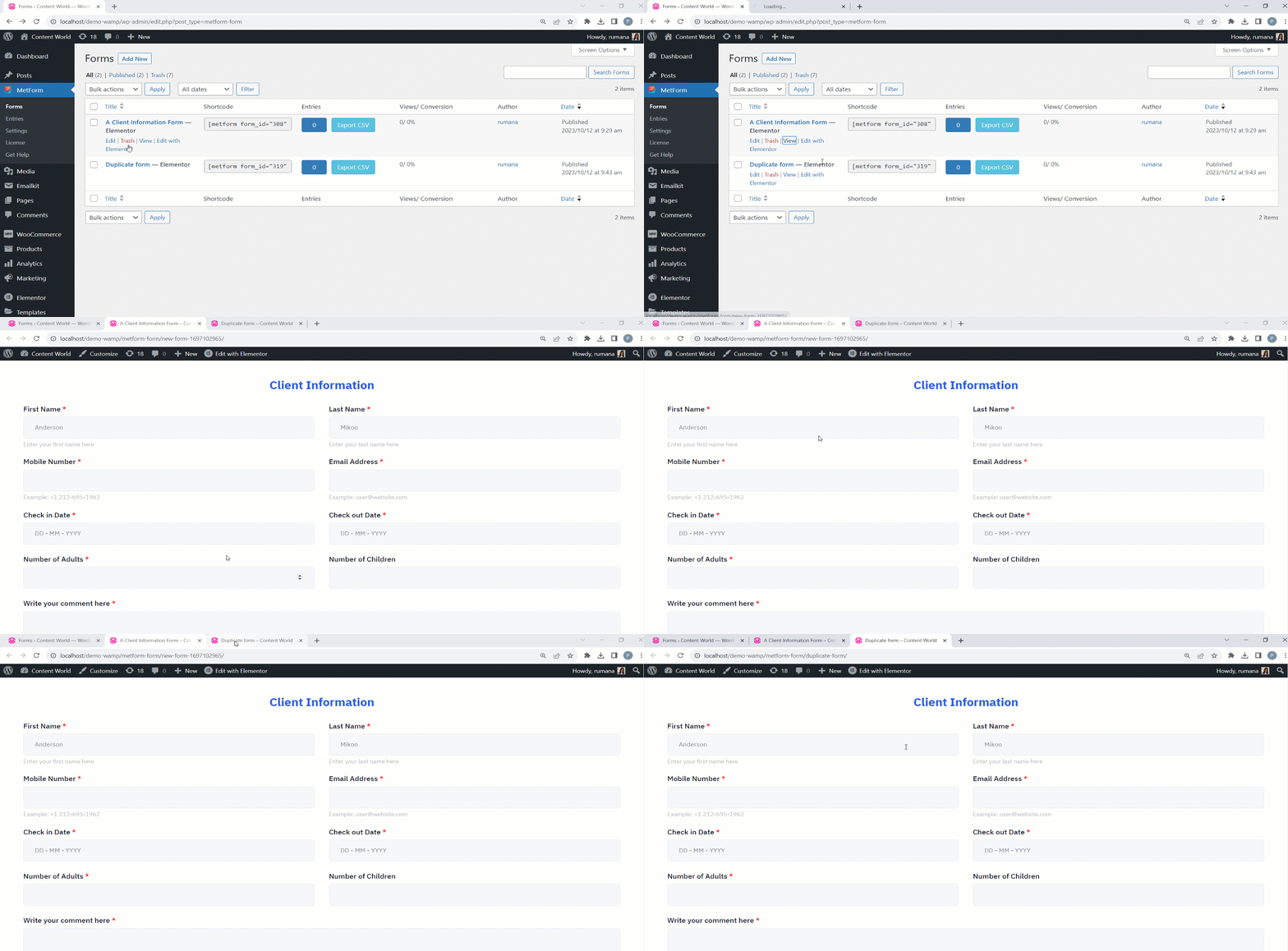
단계를 따르고 원본 양식의 구조와 레이아웃을 복사하여 시간과 노력을 절약하세요.


