
 Korean
  English
  German
  Spanish
  Italian
  French
  Danish
  Portuguese
  Swedish
  Polish
  Japanese
 최고의 폼 빌더 MetForm을 사용하면 WordPress 폼 이메일 알림을 쉽게 설정할 수 있습니다. 여기서 공유한 단계를 따르기만 하면 됩니다.
- 설정하려면 알림 이메일, 첫 번째 양식 만들기
양식을 만드는 방법 #
따라가다 비디오 스크린캐스트:
Or Follow the Step By Step Process
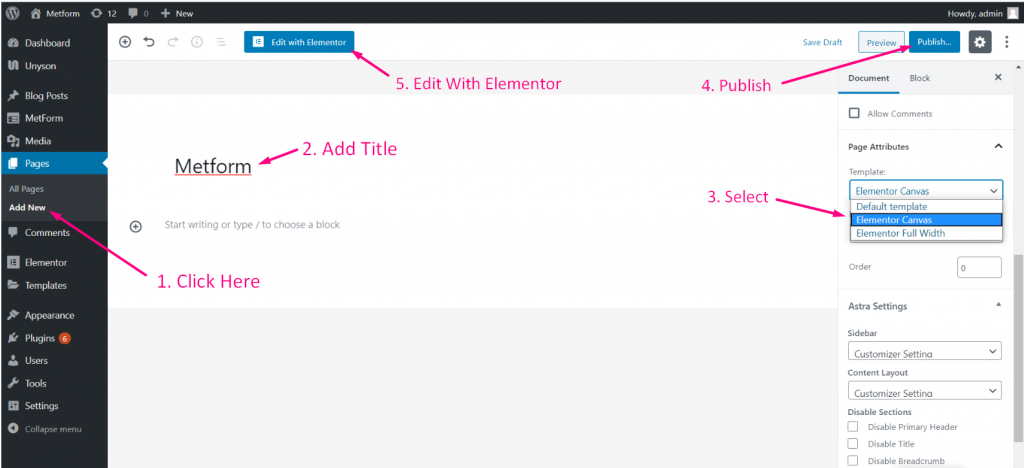
단계=>1: 이동 계기반=> 페이지=> 새로운 걸 더하다=>
- 추가하다 페이지 제목
- 템플릿 선택 엘리멘터 캔버스
- 클릭 게시
- Elementor로 편집
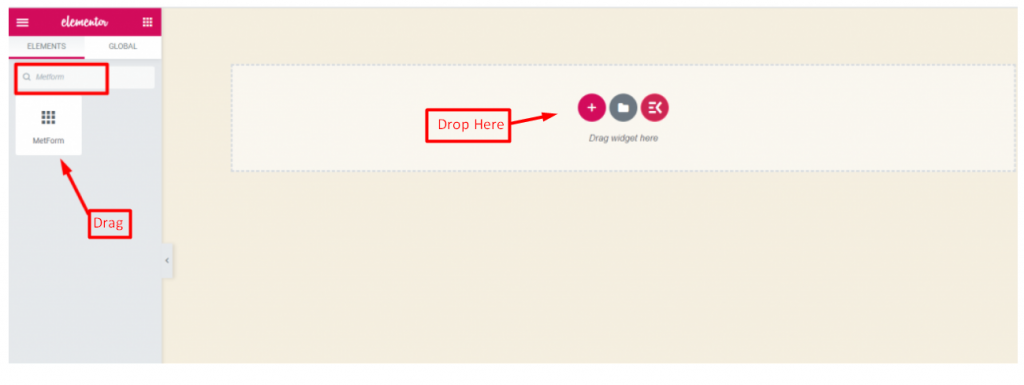
- 단계=>2: 검색 대상 메트폼=> 끌어서 놓기
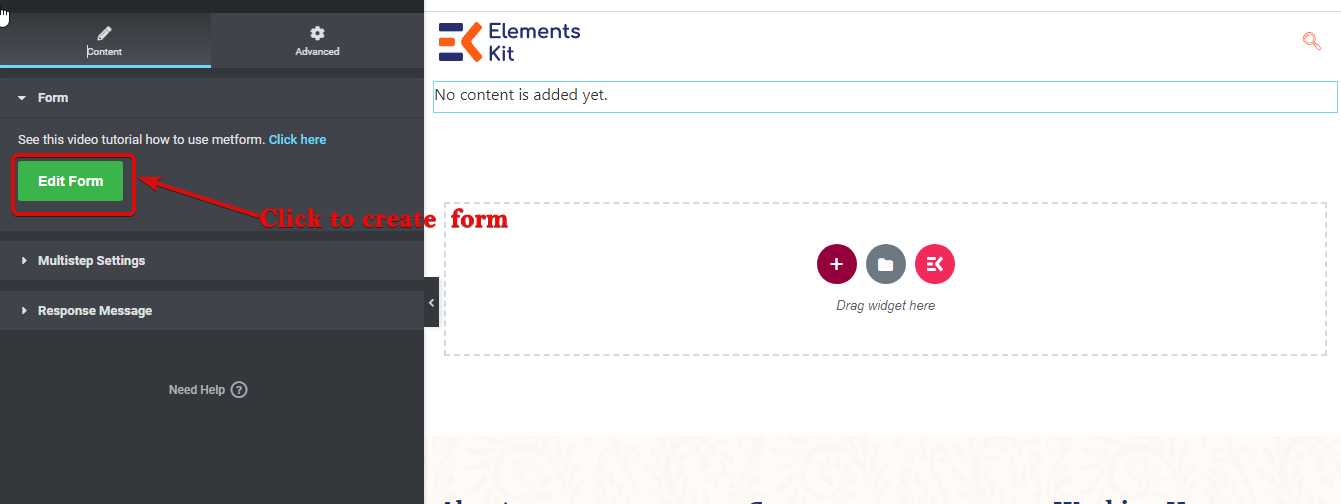
- 단계=>3: 선택한 아이콘을 클릭하세요
- 단계=>4: 이전에 생성한 양식에서 양식 옵션을 선택하세요
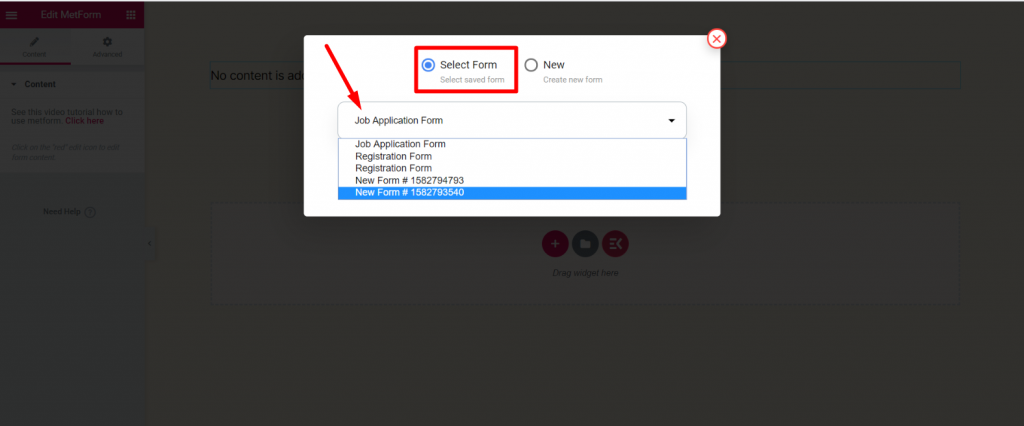
- 아니면 선택할 수 있습니다 새로운=> 귀하의 양식 이름=> 클릭하세요 양식 편집
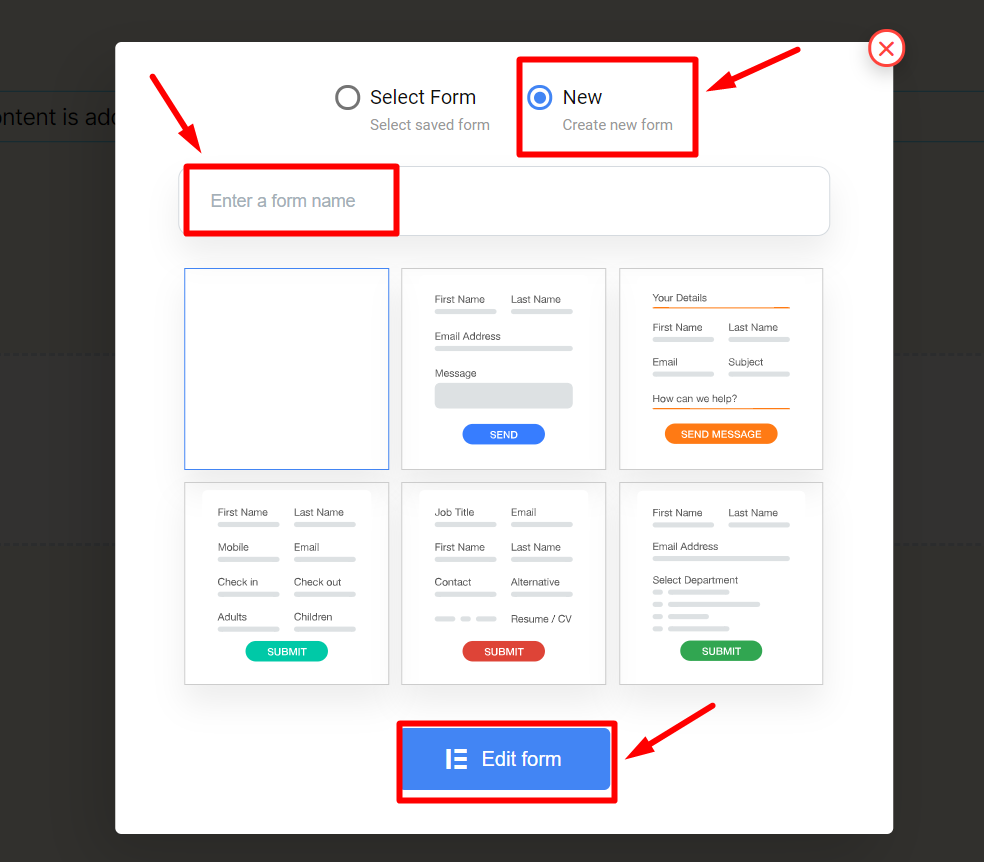
- 그만큼 생성된 양식 나타날 것입니다 => 클릭하세요 양식 설정
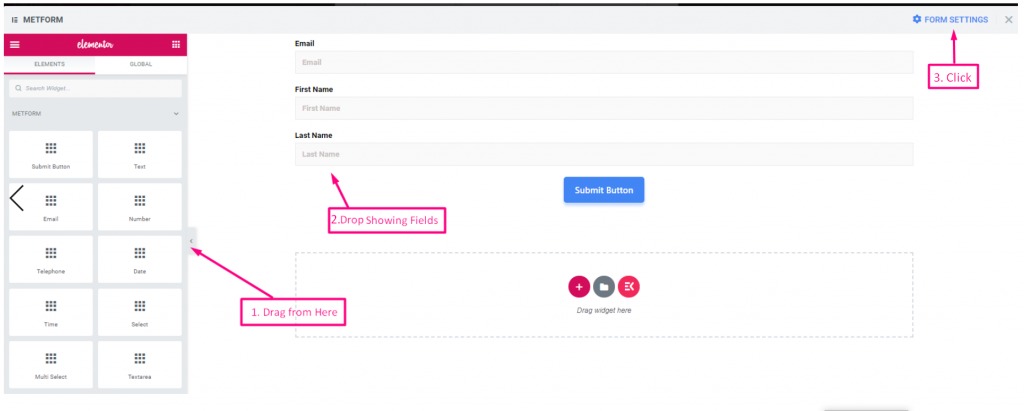
양식 설정 #
이동 양식 설정=> 알림 이메일
알림 이메일 #
관리자에게 이메일로 제출 사본을 보낼 수 있습니다. 또한 별도의 폼에 대해 다른 WordPress 폼 이메일 알림을 설정할 수도 있습니다.
- 영상 화면 캐스트를 따라가세요
또는 단계별 프로세스를 따르세요
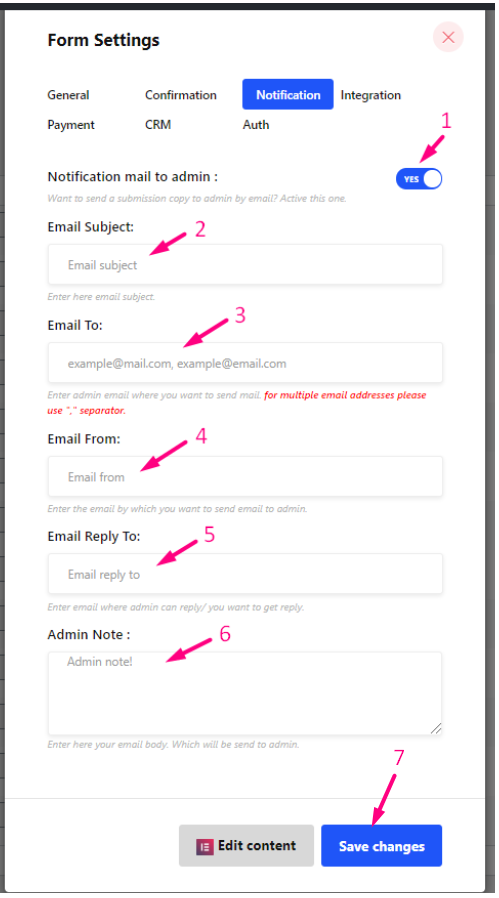
단계=>1: 로 이동 양식 설정 → 알림
- 알림 메일을 관리자에게 전환 옵션: 사용자 제출이 완료되거나 모든 유형의 고객 데이터가 처리된 후 관리자에게 알립니다.
- 메일 제목: 이메일의 제목을 입력하세요.
- 받는 사람 : 메일을 보내고 싶은 관리자 이메일을 입력하세요. 여러 이메일 주소의 경우 구분 기호인 ","를 사용하세요.
- 이메일 보낸 사람: 관리자에게 이메일을 보내고 싶은 이메일을 입력하세요.
- 이메일 답장: 관리자가 답변할 수 있는 이메일 주소나 답변을 받고 싶은 이메일을 입력하세요.
- 관리자 메모: 관리자에게 전송할 이메일 내용을 여기에 입력하세요.
- 변경 사항 저장.
조건부 관리자 이메일 라우팅 #
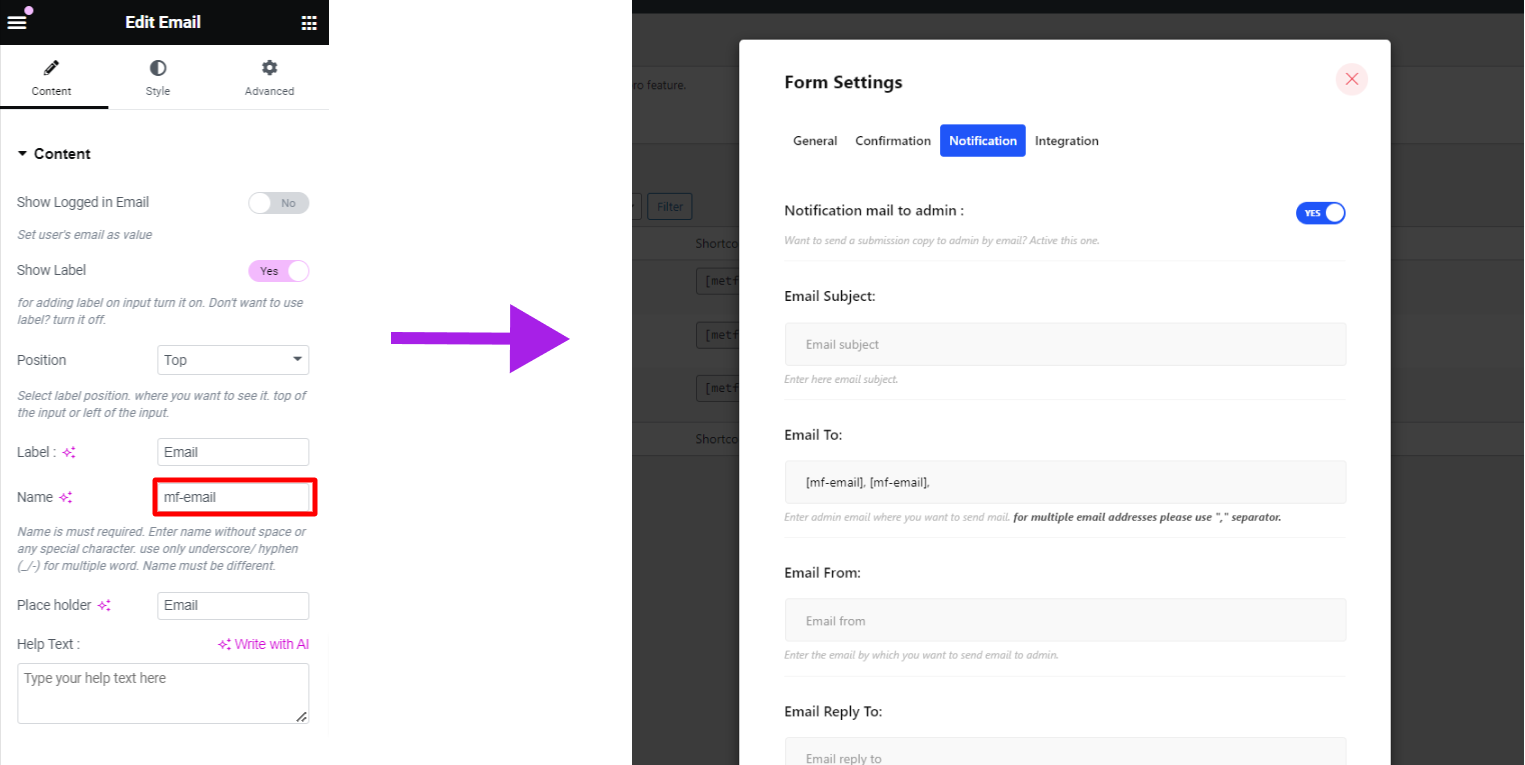
MetForm의 새로운 기능 중 하나는 이메일 양식에 대한 동적 및 조건부 관리자 설정입니다. 양식에서 선택한 내용에 따라 양식을 다른 이메일 주소로 보낼 수 있는 조건부 관리자 이메일 라우팅을 설정할 수 있습니다. 드롭다운, 체크박스, 버튼, 텍스트 위젯 등 다양한 위젯에서 태그를 가져와 이러한 태그를 "받는 사람” 필드를 사용하여 자동으로 적절한 팀에 양식을 전송합니다.
예를 들어, 구매와 관련된 모든 양식은 영업팀에 전달해야 하고, 기술적 문제와 관련된 양식은 지원팀에 보내야 합니다.



