






Are your website’s pop-ups driving genuine conversions or just driving visitors away?
Well! That depends on the choice of your pop-up plugin.
Pop-ups are still one of the most effective marketing campaigns. In fact, there were reports that exit-intent popups doubled the sales conversion rate.
This blog post will walk you through the comparison of the 3 popular popup plugins, PopupKit vs OptinMonster vs OptiMonk. At the end of this blog, you’ll be able to determine which is the best popup plugin for you.
Quick Overview
Choosing the right lead generation tool can have a big impact on conversions, email growth, and sales. PopupKit, OptinMonster, and OptiMonk are popular solutions for creating pop-ups and on-site messages, but they differ greatly in complexity, AI capabilities, and ideal use cases. They are compared in terms of key strengths and differences to help you decide which platform best fits your business needs.
➡️ PopupKit
1. Simple and user-friendly pop-up tool because of its drag-and-drop style interface.
2. Easy to setup with basic and advanced targeting and personalization.
3. A WordPress-based popup pluign that offers deep control inside WP.
4. Deep integration with e-mail services, CRMS, e-commerce platforms, etc.
5. Lighweight and optimized for performance.
6. Relatively new compared to OptinMonster and Optimonk but available in the most affordable tier plans.
➡️ OptinMonster
1. Excellent variety of templates, triggers, and behavioral rules (exit-intent, scroll triggers, etc.).
2. Good analytics and A/B testing, but expensive compared to PopupKit.
3. Excellent AI-powered targeting and optimization.
➡️ OptiMonk
1. AI-driven personalization focused on e-commerce growth.
2. Smart segmentation and cart abandonment features for higher conversions.
3. Uses machine learning to optimize messaging and product recommendations.
4. Most expensive popup plugin compared to PopupKit and OptinMonster.
Overview of Each Popup Tool
Before diving into the comparison, let’s understand what each tool offers and what makes them stand out.
What is PopupKit?
PopupKit is an all-in-one popup builder designed for marketers who want a flexible and visually appealing way to capture leads and boost conversions. It’s built with simplicity and performance in mind. It allows users to design beautiful popups, slide-ins, gamification, and banners without writing a line of code, which is everyone’s preference.
PopupKit focuses on personalization and automation like email. This enables marketers to deliver the right message to the right audience at the right time. It’s often praised for its lightweight performance and smooth integration with popular email marketing platforms and eCommerce tools.
What does PopupKit offer?
👍 PopupKit allows you to build highly converting popups with familiar WordPress elements as it uses the Gutenberg block editor.
👍 It offers 260+ pre-designed popup templates for campaigns like exit-intent, countdown, gamified wheels, lightbox, and so much more.
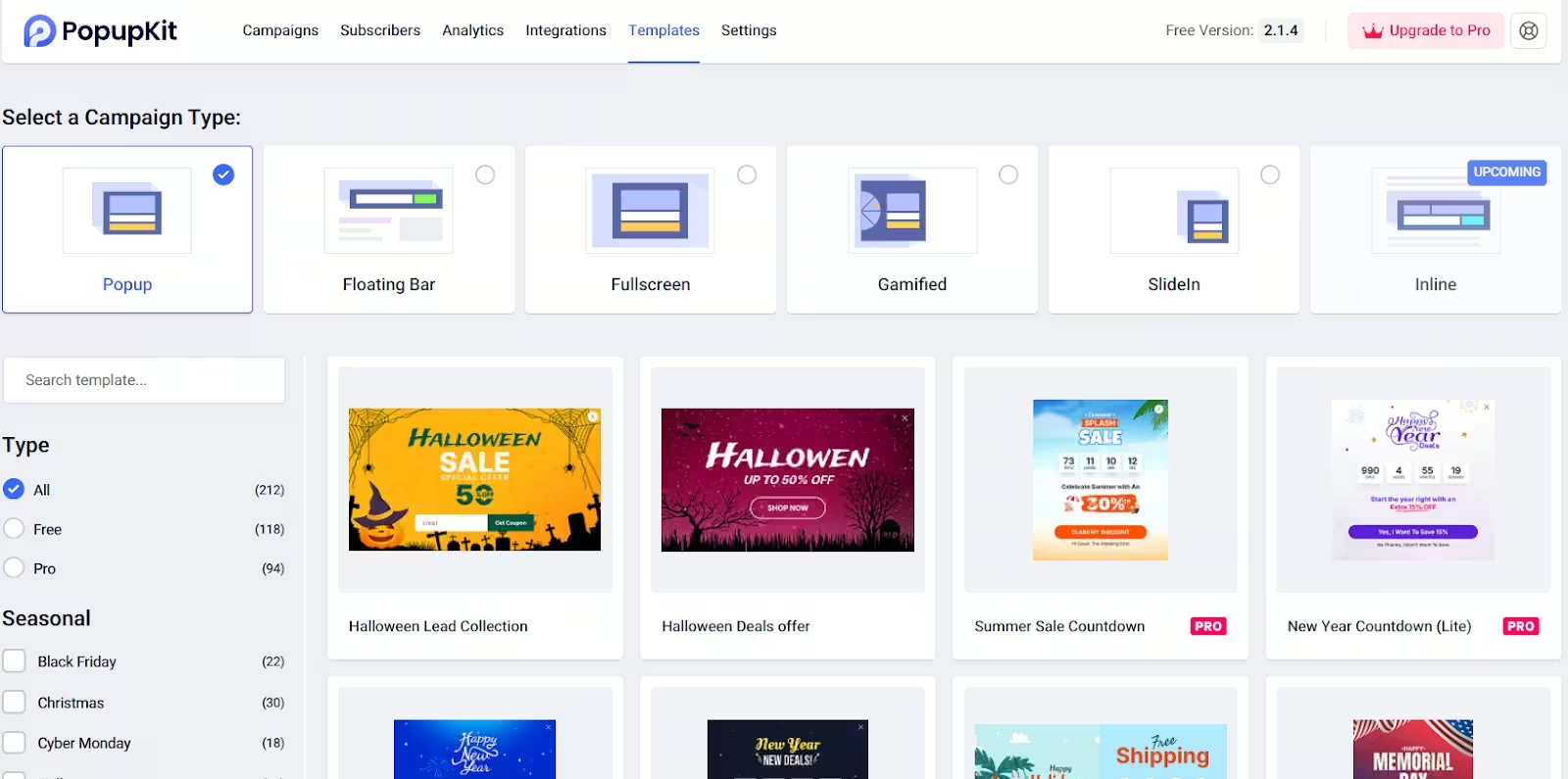
👍 Has a dynamic mechanism for strategic triggers and display conditions such as scroll depth, inactivity, exit intent, scheduling, device targeting, geolocation, etc.
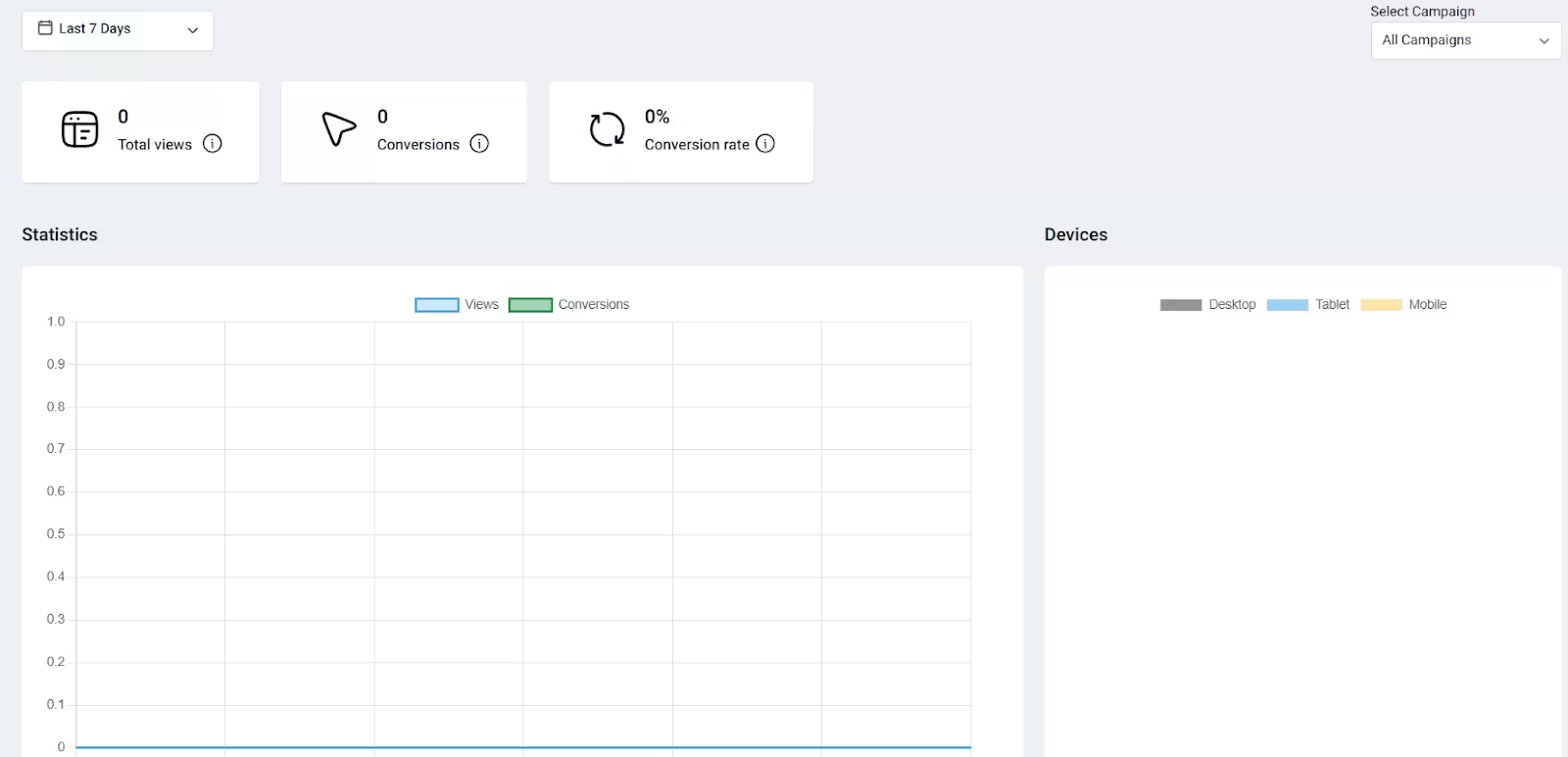
👍 PopupKit has an analytics dashboard that gives you the number of views and conversions, and even the conversion rate in desktop, tablet, and mobile views.
What is OptinMonster
OptinMonster is a long-standing and well-known lead generation/popup/onsite conversion SaaS (Software as a Service) tool. It is not limited to WordPress; it can be used on many website platforms, either via embed code, plugin integrations, or scripts.
OptinMonster is known for:
1. OptinMonster supports multiple campaign formats, including lightbox/pop-up modals, slide-ins, floating bars, and full-screen welcome mats. It also has content lockers where your visitor needs to sign up or perform an action to access the content.
2. It has 700+ pre-built templates for different formats/goals, to get started quickly.
3. It can show follow-up campaigns based on prior behaviour. For instance, if you closed the first popup, then the popup that will show later will be a different one.
4. OptinMonster has built-in A/B split testing so you can test variations to improve performance.
What is OptiMonk
OptiMonk is a conversion rate optimization/popup and personalization tool focused especially on e-commerce, but usable broadly. Its feature set embraces behavioral targeting, revenue attribution, and onsite personalization beyond just popups.
Here are the core features of OptiMonk:
- OptiMonk emphasises features built for online stores. For instance, it can recommend “recently viewed products”, “most popular products in a category”, monitor stock, and even let visitors add to cart from a popup.
- It supports various targeting rules, such as by country, referral source like Facebook, Google, etc., returning vs new visitor, custom variables & cookies, visitor behaviour, etc.
- Supports no-code drag & drop editor, ability to reuse style settings, and custom CSS/JS.
- Just like other popup plugins, Optimonk also offers analytics for impressions, conversions, etc.
PopupKit vs OptinMonster vs OptiMonk: Comparison Table
Here’s a high-level comparison to help you see their differences at a glance:
Key Features Comparison
Now, let’s break down how they compare across crucial feature categories:
Design and Customization
Here’s a comparison details of the 3 popup plugins in terms of design and customization.
| Feature Area | PopupKit | OptinMonster | OptiMonk |
|---|---|---|---|
| Drag & Drop / Visual Editor | Has a drag-and-drop style builder | Has a visual builder with drag & drop, plus a “Canvas” template for building from scratch. | With drag & drop elements and Theme Kit to set brand styles. |
| Branding / Style reuse | Customizable container, overlay, animations, fonts, etc. Has reusable templates and styles across multiple campaigns | Lets you start from a blank canvas. It supports custom CSS/JS, and brand-level custom branding in higher tiers | Has “Themes” and “Saved Styles” to define your brand colours, fonts, and border styles in the “Theme Kit” and reuse these across campaigns. |
| Responsive / Mobile customisation | Supports device-specific display (mobile/desktop) and display conditions. | Has a mobile preview mode, and blocks can be customised. | You get mobile-specific settings (hide elements on mobile, adjust layout) and mobile preview. |
| Advanced / custom code | Supports custom CSS/JS | Supports adding custom HTML blocks, custom CSS/JS, plus full layout control via “Canvas”. | Supports custom JavaScript & CSS in the editor. |
Overall, OptinMonster and OptiMonk usually offer more “out-of-the-box” design polish and prebuilt effects, whereas PopupKit appeals to those wanting maximum control within WordPress. Users can also add custom CSS to tweak designs beyond the builder.
Targeting and Personalization
To help you see how each popup plugin handles showing the right message to the right person at the right time, here’s a head-to-head comparison.
| Target Types | PopupKit | OptinMonster | OptiMonk |
|---|---|---|---|
| Visitor Type & Frequency | ☑️ | ☑️ | ☑️ |
| Geolocation | ☑️ | ☑️ | ☑️ |
| IP Blocking | ☑️ | ☑️ | ☑️ |
| Display Conditions | ☑️ | ☑️ | ☑️ |
| Schedule | ☑️ | ☑️ | ☑️ |
| Device Targeting | ☑️ | ☑️ | ☑️ |
| Smart Triggers | ☑️ | ☑️ | ☑️ |
| E-commerce | ☑️ | ☑️ | ☑️ |
| Cookie Targeting | ☑️ | ☑️ | ☑️ |
| AdBlock Detection | ☑️ | ☑️ | ☑️ |
In summary, OptiMonk leads for deep personalization and capturing more context about users. But OptinMonster’s targeting is more mature than the 2 plugins. While PopupKit is solid for if you are looking for many standard use cases.
Integrations and Compatibility
This section will cover what each plugin supports (email services, CRMs, e-commerce platforms, automation tools), how flexible their “any tool” connectivity is (webhooks, Zapier, custom code), and compatibility with website/CMS platforms.
| Integration / Tool | PopupKit | OptinMonster | OptiMonk |
|---|---|---|---|
| Mailchimp | ✔️ | ✔️ | ✔️ |
| ConvertKit | ✔️ | ✔️ | ✔️ |
| HubSpot | ✔️ | ✔️ | ✔️ |
| WooCommerce | ✔️ | ✔️ | ✔️ |
| Zapier | ✔️ | ✔️ | ✔️ (via Webhooks/Zapier) |
| Webhooks | ✔️ | ✔️ (supports Webhooks) | ✔️ |
| Slack | ✔️ | 🗙 | 🗙 |
OptinMonster is a strong choice for wider ecosystem connectivity across CRM, email marketing, and custom tools. OptiMonk stands out for e-Commerce compatibility. But if you are a WordPress user and looking for a simpler and cost-effective popup plugin with great integration with other tools, PopupKit is a very good option.
Pricing and Value for Money
Here, you will know the comparison of the 3 plugins in the context of value for money and what their trade-offs are.
| Tool | Price | What you get (versus cost) |
|---|---|---|
| PopupKit | * Personal – $31.6/yr * Professional – $79.6/yr * Agency – $119.6/yr | One-time or annual license gives unlimited pageviews, full feature set, including gamified popups, WooCommerce, etc. |
| OptinMonster | * Basic – $84/yr * Plus – $228/yr * Pro – $348/yr * Growth – $588/yr | SaaS with strong features (A/B testing, targeting, analytics, e-commerce integrations), but the cost scales with site count/impressions. |
| OptiMonk | * Available in free version with 10,000 Pageviews/mo. * Essential – $228/yr * Growth – $828/yr * Premium – $2,148/yr | Offers free tier; pricing based on pageviews; inclusive features (all features included in base plan), so you don’t have to keep upgrading for “features”, only for volume. |
OptiMonk has an edge because the free tier + inclusive features mean low risk and a clear upgrade path.
OptinMonster shines for its strong feature set and advanced targeting/integrations, but you need to pay more.
PopupKit offers the best cost if you are using WordPress or require many site setups with unlimited pageviews.
Performance and Impact
| Aspect | PopupKit | OptinMonster | OptiMonk |
|---|---|---|---|
| Script loading/architecture | WP plugin that injects scripts via the site. Generally lightweight, but it depends on the theme/plugins and caching. | Cloud service with async/defer embed options and recommended non-blocking install. | CDN-served embeds with platform integrations (Shopify etc.) and are designed for lightweight delivery. |
| Mobile behavior/controls | Supports device targeting, but performance depends on theme responsiveness. | Responsive by default, mobile preview, and mobile-specific targeting/settings. | Strong mobile controls (hide/show elements, mobile previews & optimizations). |
| Heavy assets & CLS risk | Manageable, avoid large images/fonts in popups; WP site may add extra assets. | Vendor advises limiting heavy assets. Use placeholders to avoid CLS. | Built for e-commerce that often includes mobile-friendly patterns to reduce CLS. |
| A/B testing & experimentation | Basic A/B capability, but more manual measurement is often required. | Robust built-in A/B testing and variant analytics. | Built-in A/B testing and campaign experimentation geared toward e-commerce use. |
| Analytics & attribution | Basic analytics that integrates with WP tools and external analytics. | Good analytics and integrations with CRMs and analytics platforms for tracking conversions. | Strong ecommerce attribution (revenue, AOV) and direct integrations (Shopify/GA) for campaign ROI. |
| Reported conversion impact | Effective for lead capture on WP sites. Impact varies widely with targeting and site setup. | Proven across many use-cases for list growth and lead gen. Large template + trigger set yields strong results. | Optimized for e-commerce. Often shows measurable revenue/AOV lift when product/cart data is used. |
| Best use case for performance vs impact | WP sites that want a lightweight, integrated plugin. | Brands need flexible campaigns with strong A/B testing, and low site-impact when configured correctly. | E-commerce stores that prioritize revenue attribution, personalized onsite offers, and mobile optimization. |
| Implementation risk (scale / complexity) | Lower complexity for WP users, but higher risk on complex WP stacks. | Moderate. But it could be steeper for many features. Still scalable for large sites. | Moderate to high if integrating advanced e-commerce features. |
➡️ If your primary KPI = revenue / AOV / ecommerce lift, start with OptiMonk and enable its ecommerce analytics. Monitor GA4 revenue events to attribute properly.
➡️ If your primary KPI = email list growth & flexible campaign types and you want low technical friction + templates, use OptinMonster and follow its async install + performance guidance.
➡️ If you run WordPress and want something lightweight you control inside WP, try PopupKit (but test on a staging site to check theme/plugin interactions).
Pros and Cons Comparison
This pros and cons comparison plays a major role in deciding the best popup plugin for you.
| Tool | Pros | Cons |
|---|---|---|
| PopupKit | – Built for WordPress (Gutenberg blocks) and includes lots of templates + gamified popup types. – Strong at page-level targeting, exit intent, device & geo targeting for WordPress sites. | Has only WordPress support. |
| OptinMonster | – Very solid, well-known brand; many templates & campaign types (popups, floating bars, full-screen, etc). – Strong targeting features (e.g., exit intent, device-specific, location) and drag-and-drop builder. – Good analytics and A/B testing support. | – Pricing can escalate quickly: many advanced features are locked to higher tiers. – Some users report a learning curve for advanced features or slower support. |
| OptiMonk | – Good customization, personalization, and targeting options (especially for e-commerce use cases) with many templates. – Good user reviews, good support, and overall high satisfaction. | – Some reviewers point out that integrations may not cover every tool or require workarounds. – Non-ecommerce users might not use the full power. |
Which One is Better?
There’s no absolute “winner” here. The best choice depends heavily on your use case, technical setup, traffic, budget, and priorities.
So, here are some recommendations based on typical scenarios:
👍 If you run a WordPress site and want full control inside WP, PopupKit can be a compelling choice. You get tight integration, block-based editing, and fewer external dependencies.
👍 If you want a reliable, platform-agnostic, feature-rich SaaS with broad support and mature tools, OptinMonster is a strong pick. It balances ease of use and depth of functionality.
👍 If you run an e-commerce store and want powerful personalization, conversion attribution, and advanced targeting tied to shopping behavior, OptiMonk might be your best bet.

Leave a Reply