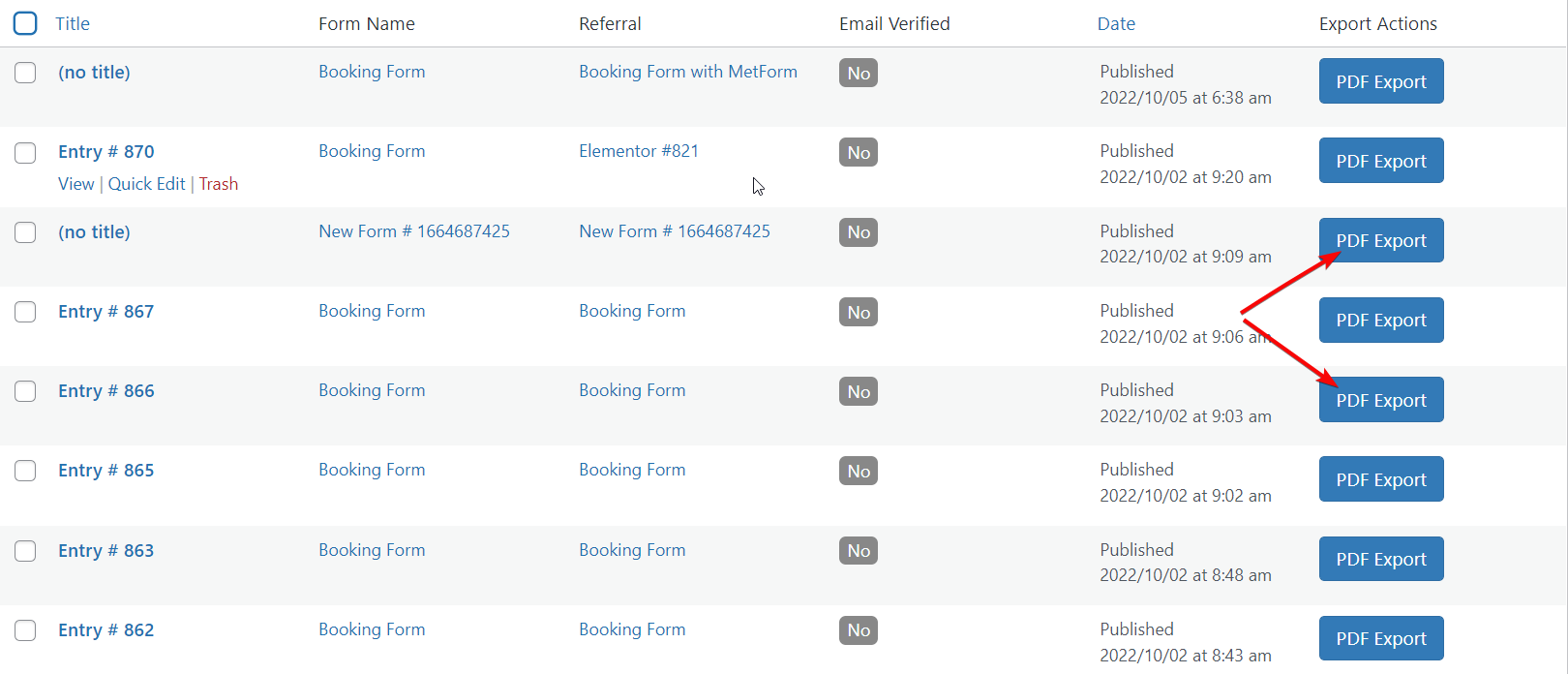
Forms are one of the most important tools for collecting and managing user data on any website. With Metform, form entries are automatically stored in your WordPress dashboard.
MetForm Entries provides a complete entry management system to collect and organize all your form submissions in one place. It allows you to easily review responses, track user activity, and export data whenever needed.
Here are the steps to collect and export form entries using MetForm:
✅ 할 수 있게 하다 매장 항목 from the form’s General settings
✅ Save/update the form after enabling
✅ Users submit the form → entries get stored automatically
✅ 이동 MetForm → Entries in the dashboard
✅ Select a form to view its submissions
✅ 딸깍 하는 소리 보다 to check full entry details
✅ Manage entries (review, organize, track data)
✅ Export entries as CSV/PDF if needed
✅ (Optional) Set entry limits to control submissions
예: A contact form collects user messages → all submissions appear under Entries → you can view details, edit them, or export the data as CSV for reporting.
Takeaway: MetForm Entries gives you a centralized system to manage, review, and export all form submissions, making data handling simple and organized.
MetForm Entries #
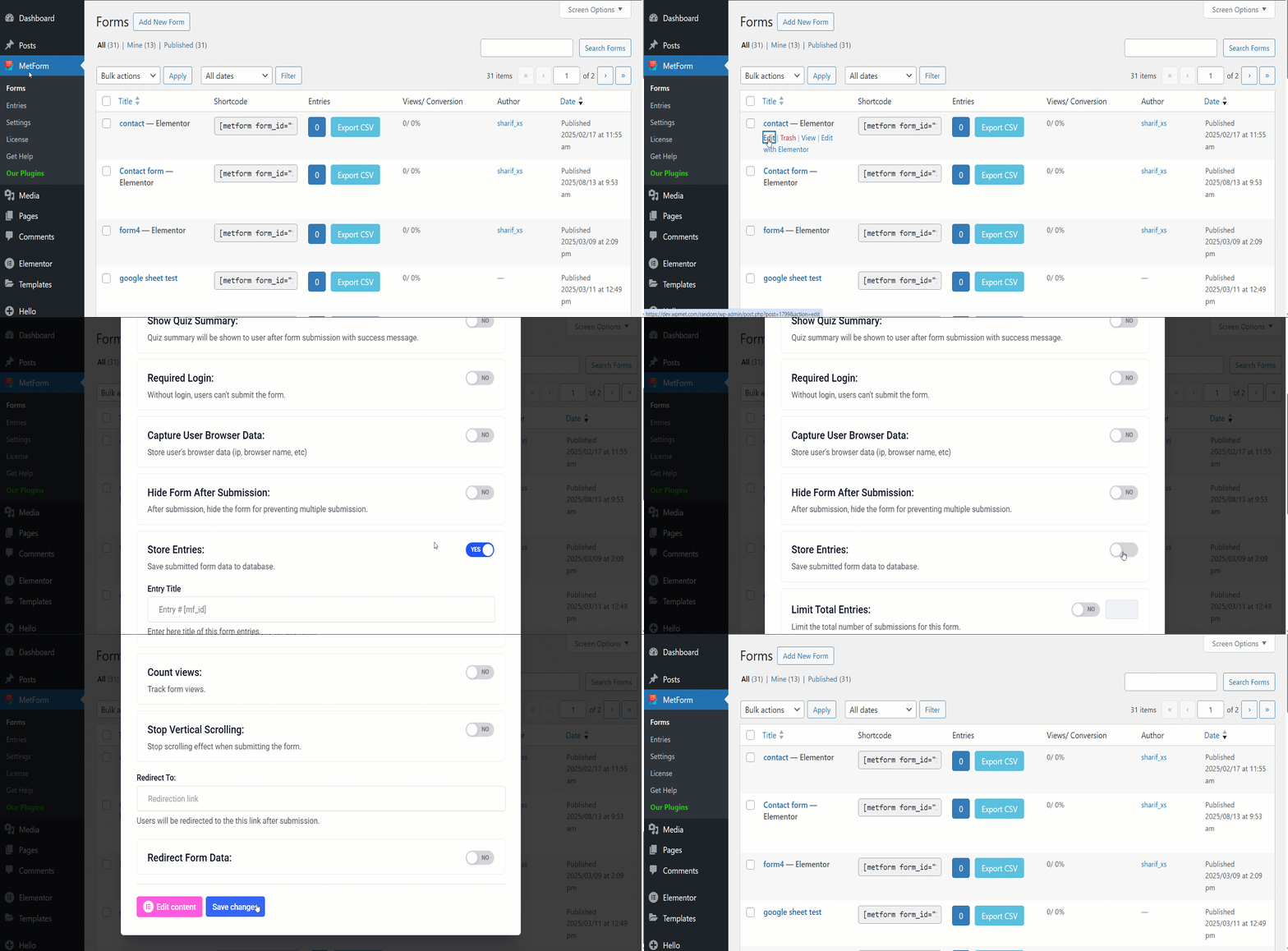
먼저, 다음을 수행해야 합니다. "저장 항목" 활성화 from the general settings to enable the Entries field. To do that –
- 이동 MetForm>> Forms
- 다음을 클릭하세요. 양식 편집 옵션 like the added gif
- 그 다음에 "저장 항목" 활성화 and press the save changes button
After doing this, all customer-submitted forms will be shown up in the Entries field
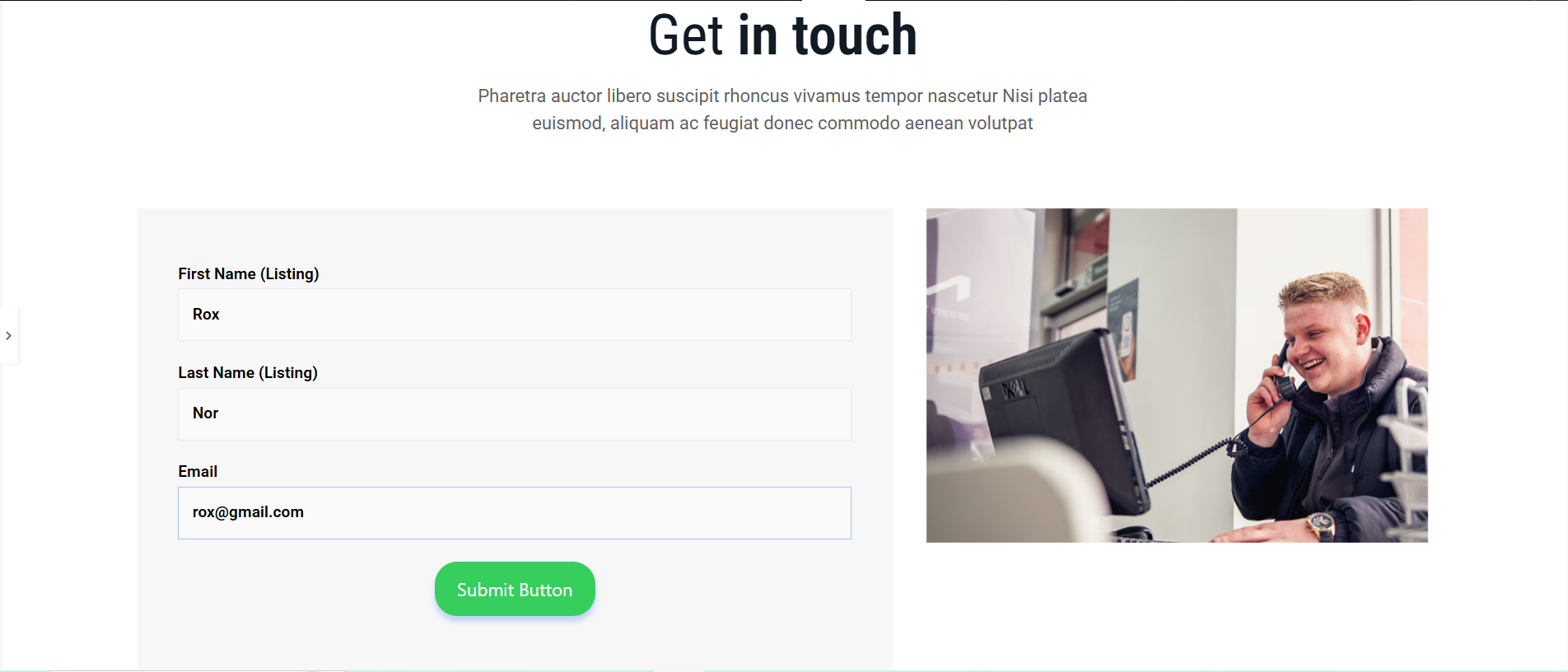
예를 들어, 고객이 아래와 같이 양식 정보를 입력하고 제출 버튼을 누르면 항목에서 찾을 수 있습니다.
제출된 양식을 보려면 항목으로 가서 보기 옵션을 클릭하세요 gif와 같은 항목의. 여기에서 모든 양식 제출의 데이터를 볼 수 있습니다.
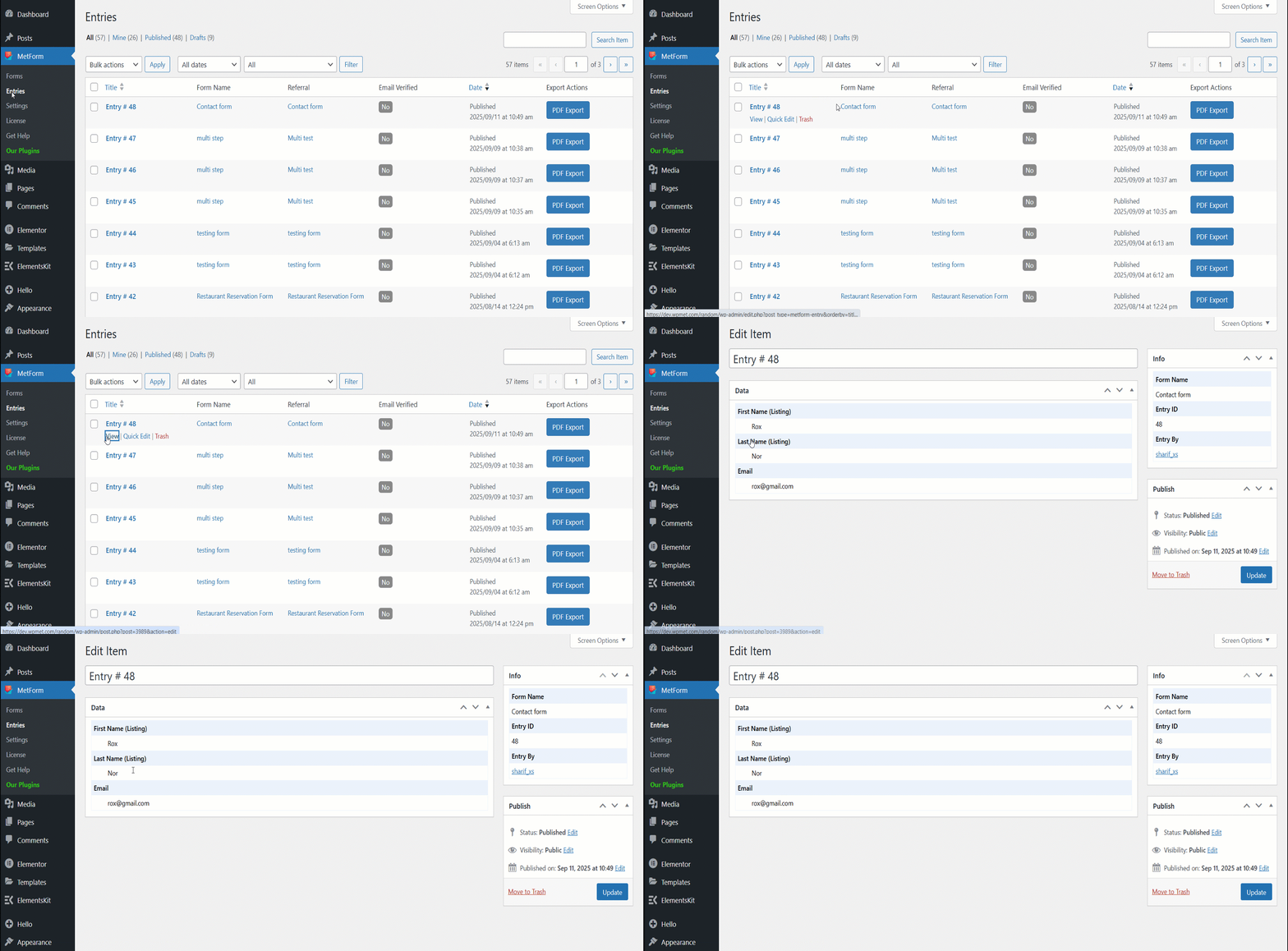
MetForm’s entries field will let you find all the forms that are submitted by your visitors. From here, you can easily monitor form submissions and get all the data that is submitted by your visitors or customers. You can also export your customers’ submitted data in PDF format.