
 Japanese
  English
  German
  Spanish
  Italian
  French
  Danish
  Portuguese
  Swedish
  Polish
  Korean
 支払いが失敗したままになると、支払いキャンセル ページにリダイレクトされます。通常、注文が正常に完了すると、サンキューページにリダイレクトされます。ただし、支払いが失敗した後に顧客に見せることも重要です。更新された MetForm Pro 機能を使用すると、クライアントを支払いキャンセル ページだけでなく任意のページに移動できるようになりました。
この簡単かつ詳細なドキュメントでは、WordPress サイトにリダイレクトされた支払いキャンセル ページを設定する方法を学びます。
支払いキャンセルページの設定方法 #
設定 #
まず、MetForm Pro をインストールする必要があります。その後、数回クリックするだけでキャンセル ページを設定できます。
案内する: ダッシュボアd –> MetForm –> 設定 –> 支払い –> ページのキャンセル –> リストから任意のページを選択 –> 変更を保存
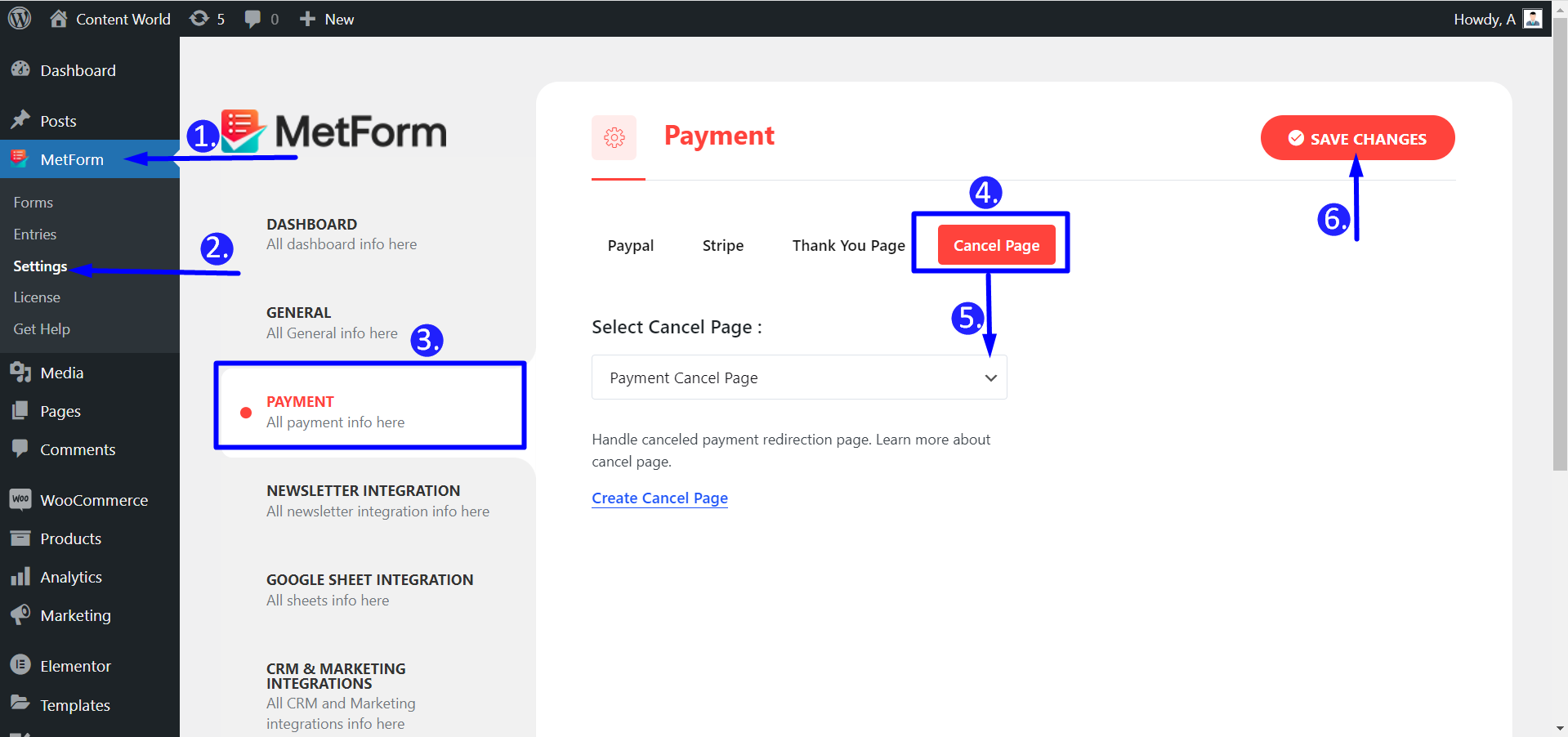
作業工程 #
さまざまな理由により、支払いプロセスがキャンセルされる場合があります。ユーザーが間違った支払いゲートウェイを選択したり、必須フィールドを空白のままにしたりする可能性があります。したがって、マーケティング担当者はリダイレクトを設定できます。 チェックアウト ページ、カート ページ、または単に支払いキャンセル ページ。ここでは、サンプルページをデザインしました。支払いをキャンセルすると、リダイレクトされたページは次のようになります。
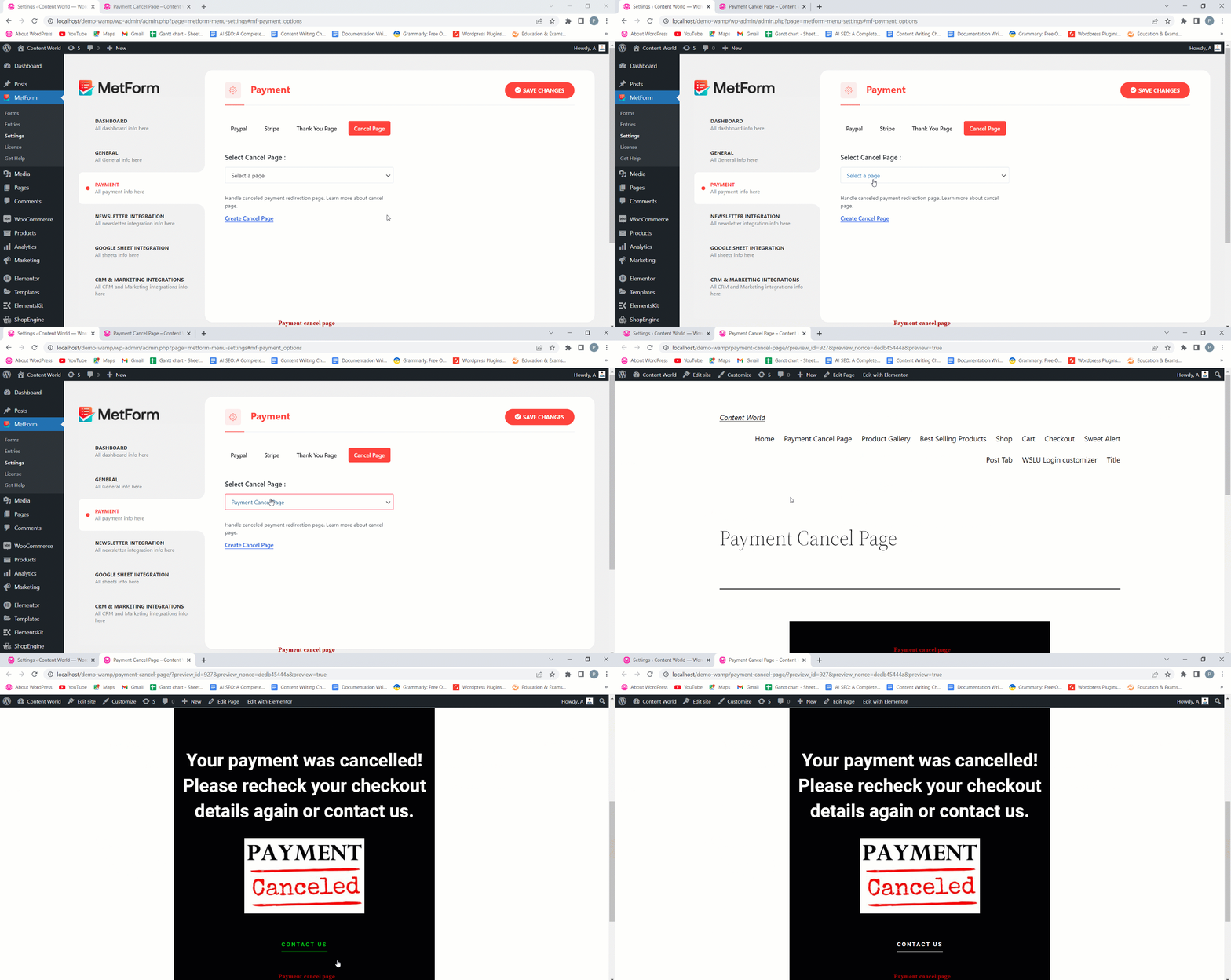
それは単純なプロセスではないでしょうか?したがって、今すぐ MetForm を使用してリダイレクトされたページを支払いキャンセル用に設定してください。これは、キャンセルされた支払いについて顧客に確認し、時間を節約するための優れた方法です。


