




The MetForm Pro version includes everything you get in the free version, plus a set of advanced features designed to give you more control, more customization options, and a smoother form-building experience overall. If you need deeper flexibility, integrations, or professional-grade capabilities, Pro is where those extras finally show up.
Wymagania #
- Install Elementor plugin: Pobierz wtyczkę
Step 1: Purchasing MetForm Pro #
Here’s the detailed guideline about purchasing the MetForm Pro.
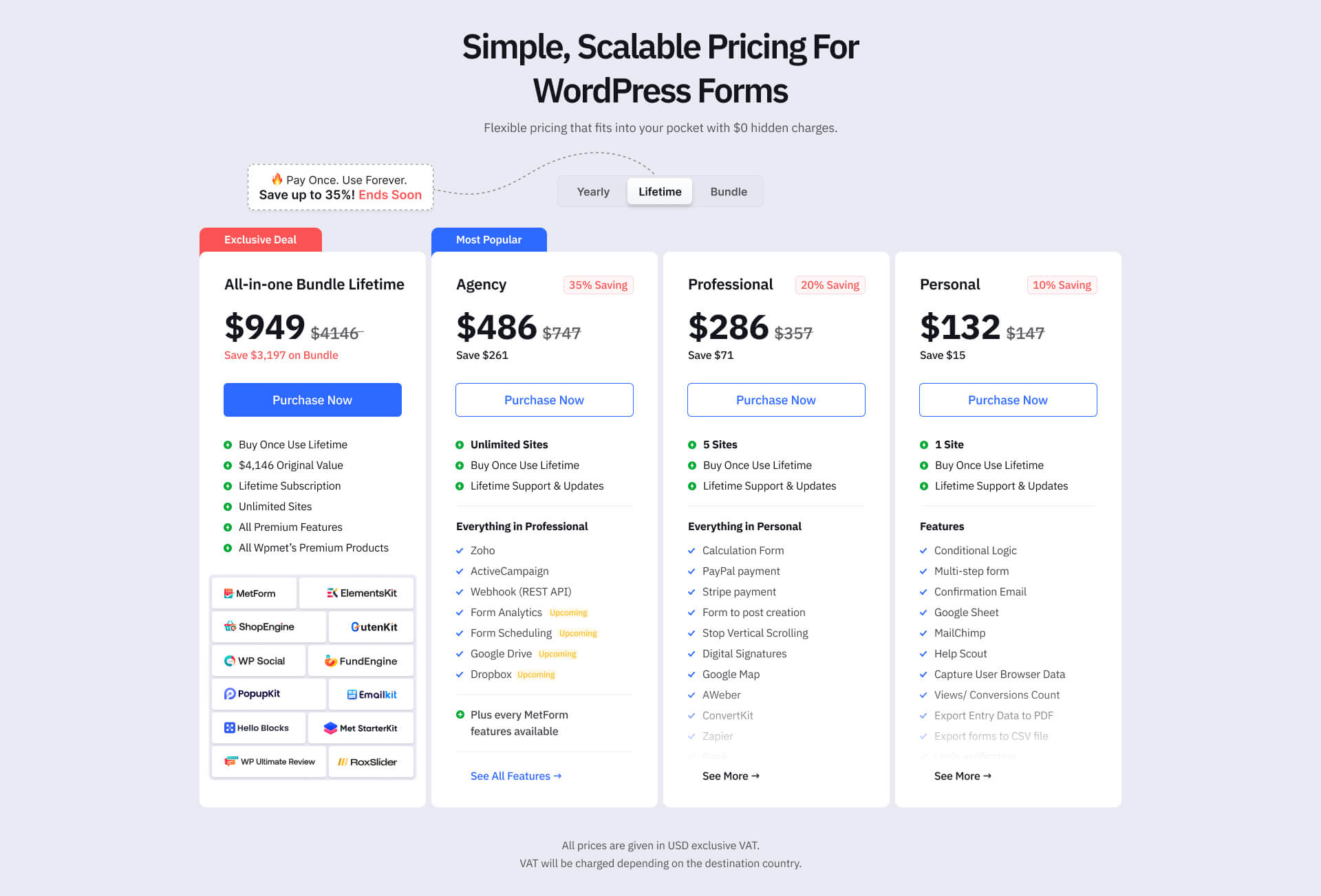
- Przeglądaj Strona z cennikiem MetForm pro and choose your preferred pricing plan.
- Kliknij KUP TERAZ button, and it will redirect you to the Wymeldować się strona.
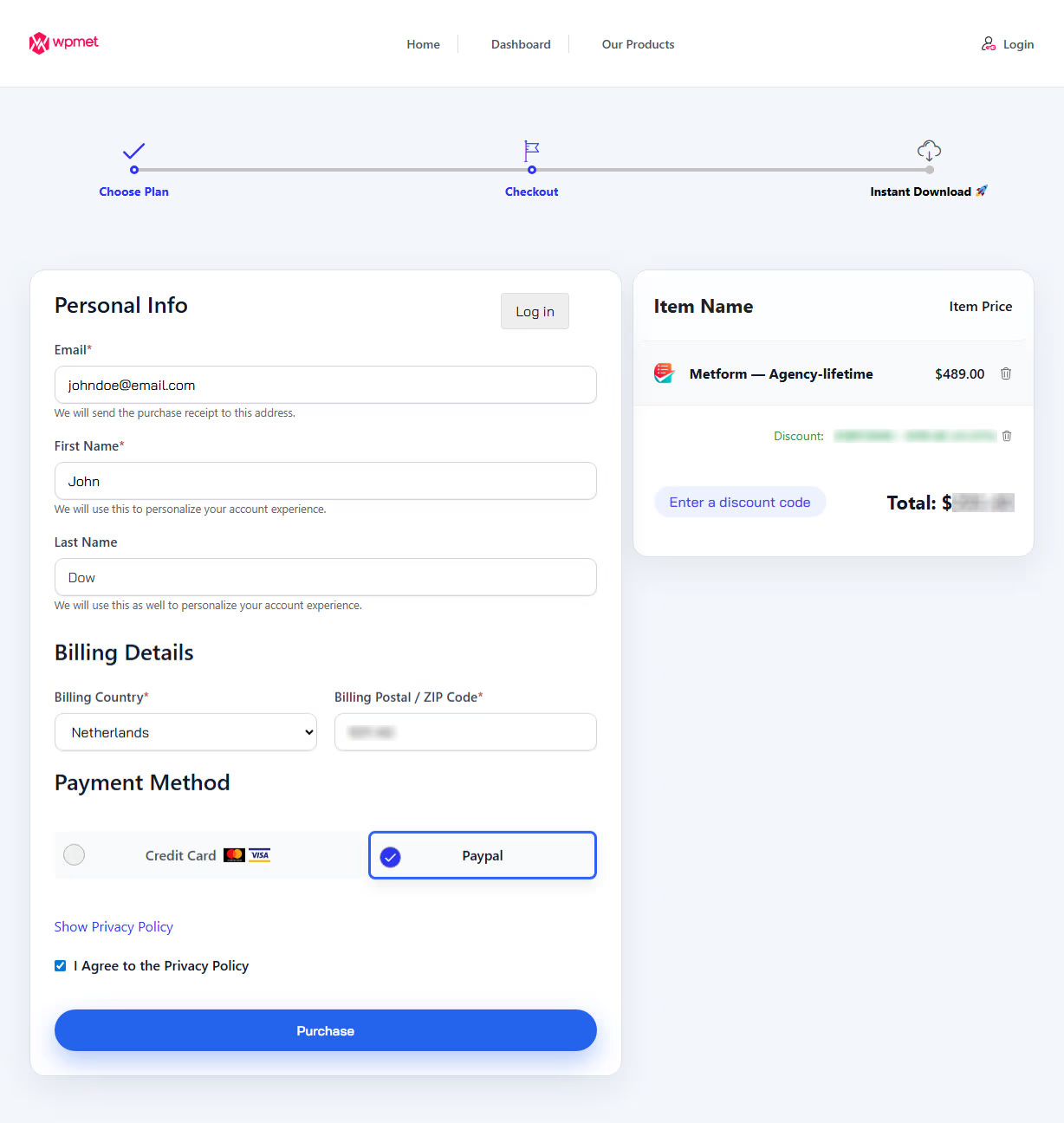
Next in the Wymeldować się step,
- Input your personal information on there.
- Enter the your billing details.
- Wybierz payment method.
- Make sure to check the box for Polityka prywatności.
- Na koniec kliknij przycisk purchase przycisk.
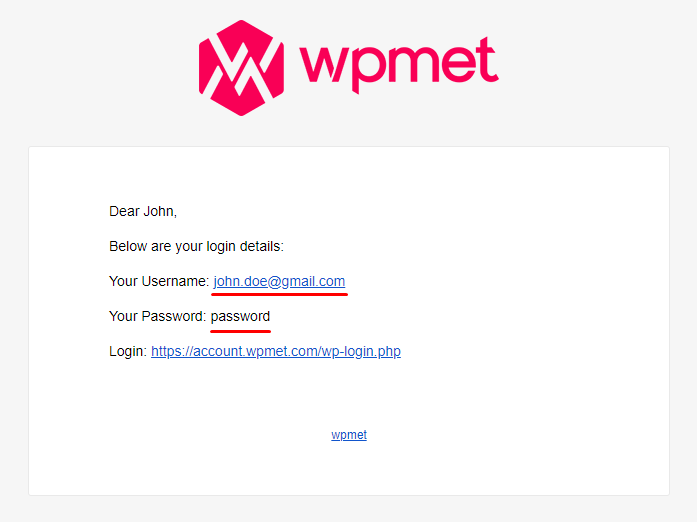
Once you complete your purchase. You will get an email about your purchase. Check the email to get the credentials.
It contains the following things:
- Login URL.
- Your Username for Wpmet account.
- Password for for Wpmet account.
Step 2: Get MetForm Pro Plugin and Licesne Key #
Teraz musisz log into Wpmet account using the credentials (Username and Password) you recieved in the email.
Here, you can download the plugin file and get your license key.
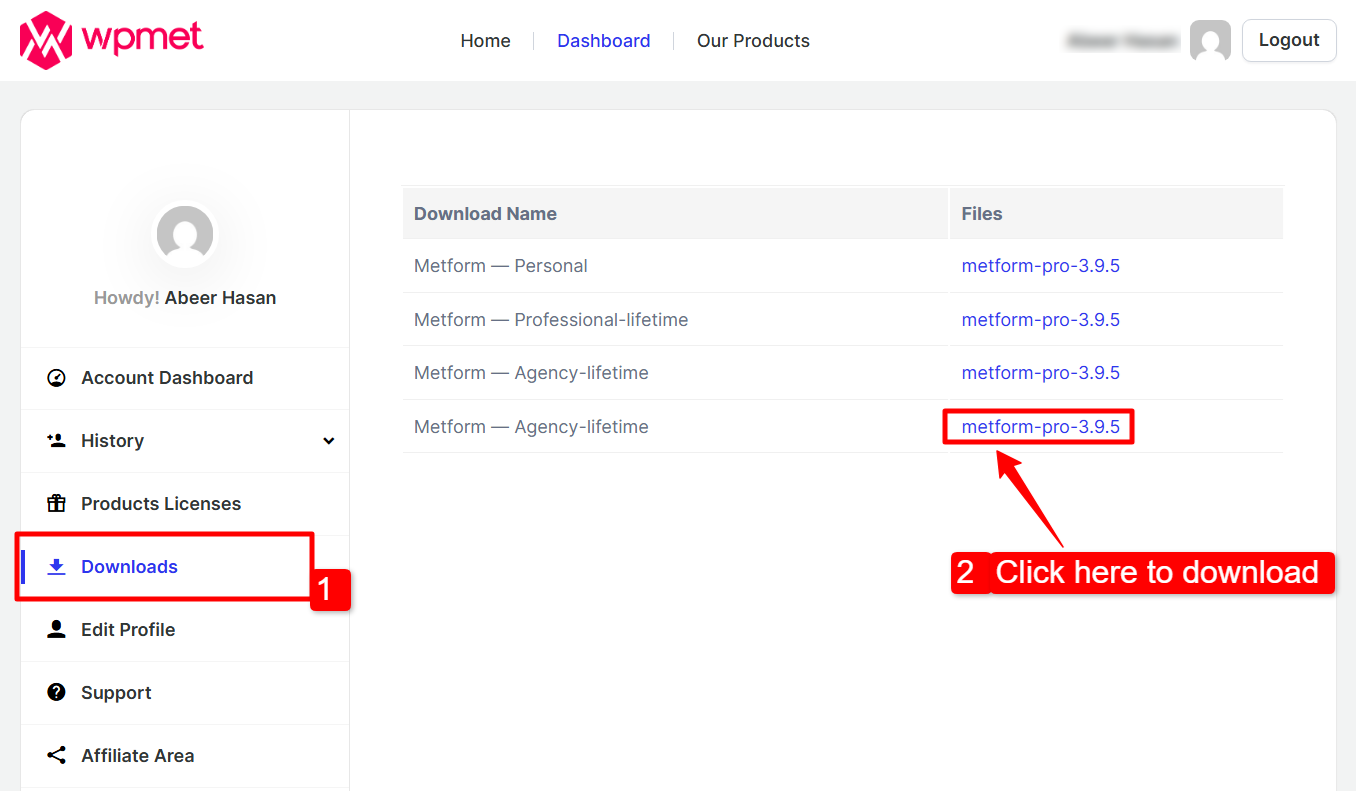
Firstly download plugin file,
- Idź do Pliki do pobrania tab in your Wpmet account.
- Then download file by clicking that file version name.
To get the License key for MetForm Pro:
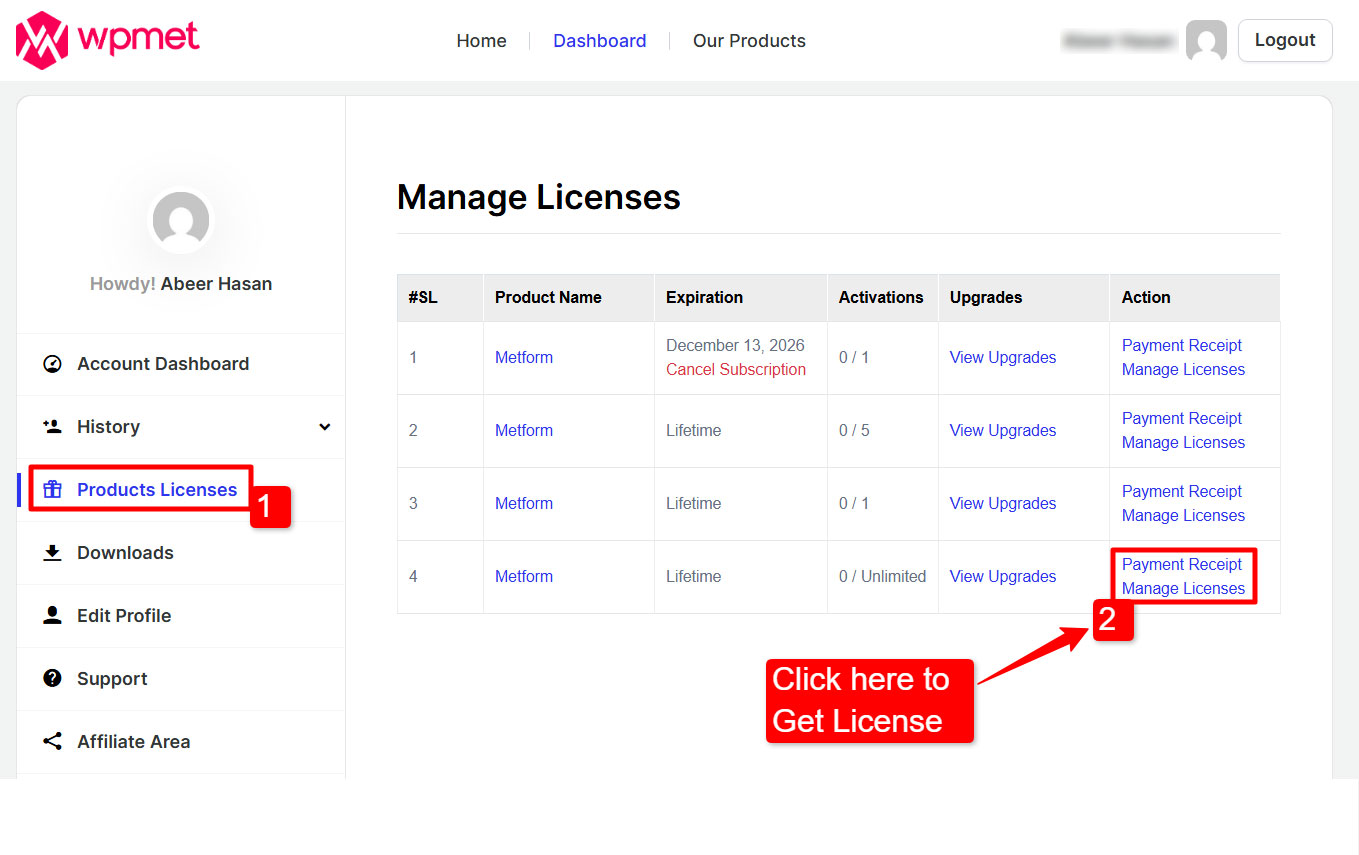
1. Go to the Licencja produktu strona.
2. Click on the Zarządzaj licencją for MetForm. There you will find the license key for MetForm Pro.
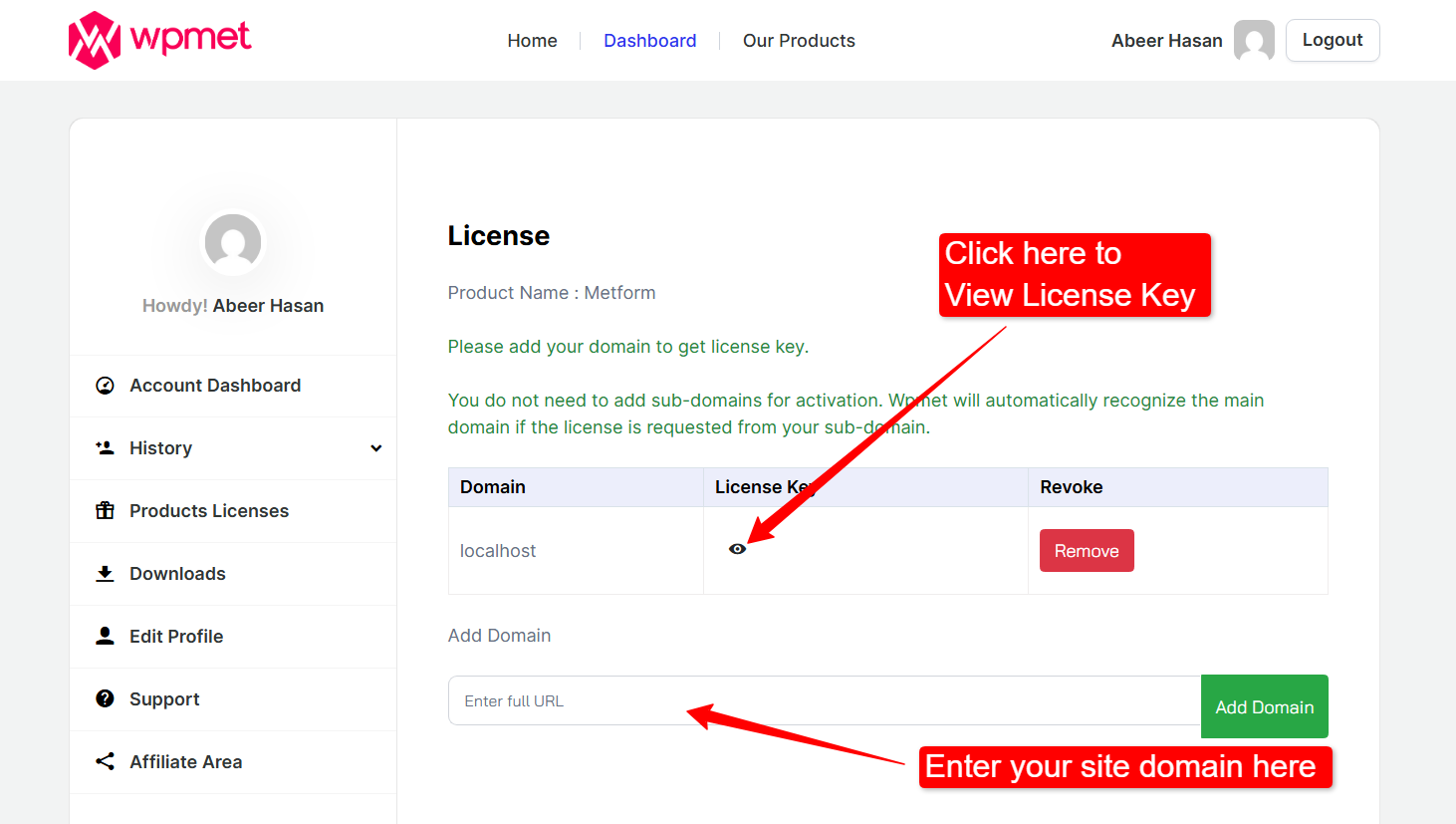
3. In the license page, you will have the License Key. To use the key, You have to add the domain of your website. Enter your site’s domain and click on the Dodaj domenę button. Then copy the License Key.
Step 3: Installing and Activating MetForm Pro #
Once you have purchased the MetForm Pro, you can then install and activate the plugin on your website.
To install the MetForm pro,
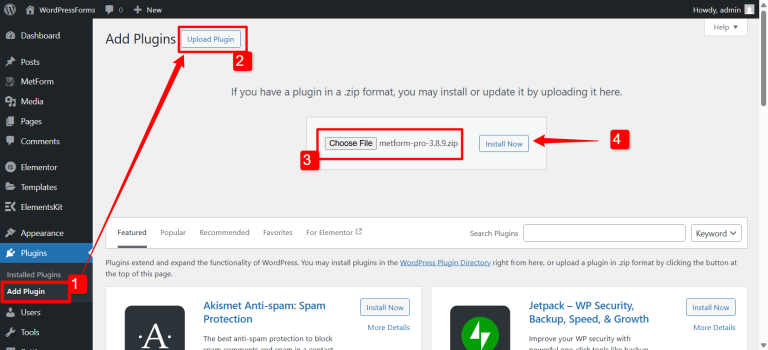
- Login to your WordPress dashboard and proceed to the Wtyczki > Dodaj nowe.
- Teraz kliknij Prześlij wtyczkę button on the top right-corner.
- Teraz kliknij Wybierz plik button and upload the downloaded MetForm Pro .zip file (that your have downloaded from the email).
- Kliknij na Zainstaluj teraz. Once the installation is done, Click on the Aktywuj przycisk, aby aktywować MetForm.
[Note: Make sure that the MetForm free version is installed on your WordPress website.]
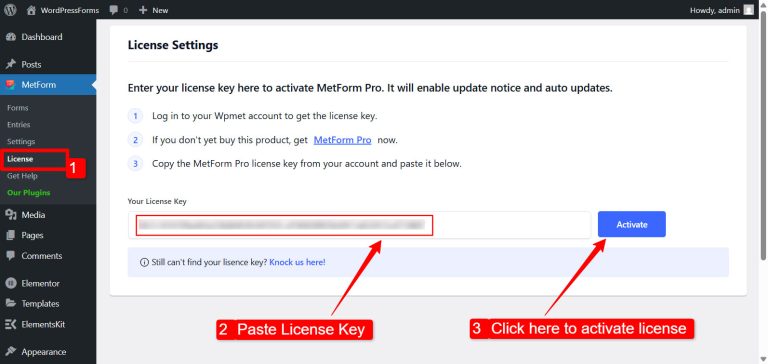
Dodanie klucza licencyjnego jest ostatnim krokiem procesu instalacji MetForm pro. Oto proces:
- Iść do MetForm > Licencja z panelu WordPress.
- Paste the License Key (that you have copied earlier) on the input field and click the Aktywuj przycisk.
That’s it, you have installed and activated the MetFrom Pro on your site. Now you can start using the MetForm features and create Elementor forms with most flexibility.
Once everything is set up and your license is activated, you’re ready to take full advantage of MetForm Pro and start building more powerful, flexible forms with ease.



