
Don't Miss the Biggest Wpmet Discount
.
AIO Bundle for only $799
00 DAY
:
00 HOUR
:
00 MIN
:
00 SEC
Save $4,102

ElementsKit 및 Plus 애드온: 어느 것이 귀하에게 적합합니까?

ElementsKit과 플러스 애드온

Two popular choices are ElementsKit and The Plus Addons for Elementor. Both extend Elementor beyond its defaults, but they take different approaches. This comparison covers widgets, performance, pricing, and user experience so you can decide which one fits your project.

Quick Overview: ElementsKit vs Plus Addons for Elementor

Both ElementsKit and The Plus Addons extend Elementor’s capabilities, but they serve different user needs. ElementsKit is a broader all-in-one toolkit with 120+ widgets, a Header and Footer Builder, Mega Menu Builder, and a full module system. Plus Addons focuses on visually oriented widgets and design effects with a smaller but curated selection.

Key Differences Between ElementsKit and Plus Addons for Elementor:

Number of widgets and features
✅ ElementsKit: 120+ widgets and modules with a broad range of essential, creative, and advanced functionality
✅ Plus Addons: 100+ widgets focused on design-heavy and animated elements

Header and footer builder
✅ ElementsKit: Full drag-and-drop header and footer builder with conditional display and sticky support
✅ Plus Addons: No built-in header or footer builder

Performance and accessibility
✅ ElementsKit: Per-widget CSS loading (4.0), up to 80% TBT reduction, WCAG 2.1 accessibility compliance
✅ Plus Addons: Standard optimization, no dedicated accessibility compliance

Advanced modules
✅ ElementsKit: Mega Menu Builder, Widget Builder, Conditional Content, Sticky Content, Parallax, Marquee Anything, and more
✅ Plus Addons: Dark Mode, Advanced Typography, Animated Backgrounds, Advanced Page Scroll

무료 버전
✅ ElementsKit: Available with 90+ free widgets on WordPress.org
✅ Plus Addons: Free version available with 35+ widgets and 5 extensions

가격
✅ ElementsKit: Personal (1 site) from $49/yr, Professional (5 sites) from $119/yr, Agency (unlimited) from $249/yr
✅ Plus Addons: 1 site from $39/yr, 5 sites from $79/yr, Unlimited sites from $169/yr

예를 들어, if you want to build a full website with a sticky mega menu, a custom header and footer, conditional content for logged-in users, and a marquee logo slider, ElementsKit handles all of that natively in one plugin. If your main goal is adding animated backgrounds, advanced typography effects, or dark mode to an existing Elementor layout, Plus Addons covers that more directly.

ElementsKit is the stronger all-in-one choice for most Elementor users building complete websites. Plus Addons is a solid option for those who specifically need design-effect widgets and animated elements and do not require header building or a full module system.

ElementsKit이란 무엇입니까?

ElementsKit
ElementsKit

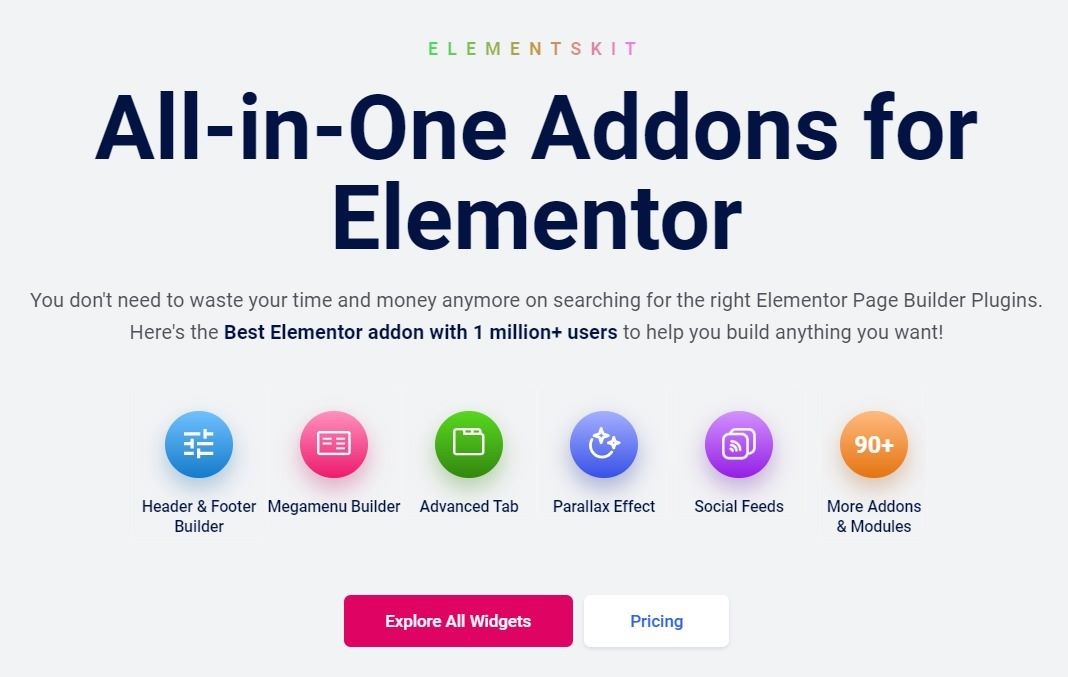
ElementsKit 머리글 및 바닥글 작성 기능과 함께 필수 및 고급 위젯의 방대한 라이브러리를 자랑하는 올인원 Elementor 애드온입니다. 버튼과 같은 기본 요소부터 시차 효과, 소셜 증명 위젯과 같은 창의적인 옵션까지 웹사이트 디자인에 필요한 모든 것을 제공합니다.

Moreover, ElementsKit boasts over 2 million active installations and an impressive satisfaction rating of 98%, solidifying its status as the preferred choice for website building by the majority.

Elementor용 플러스 애드온은 무엇인가요?

Elementor용 플러스 애드온

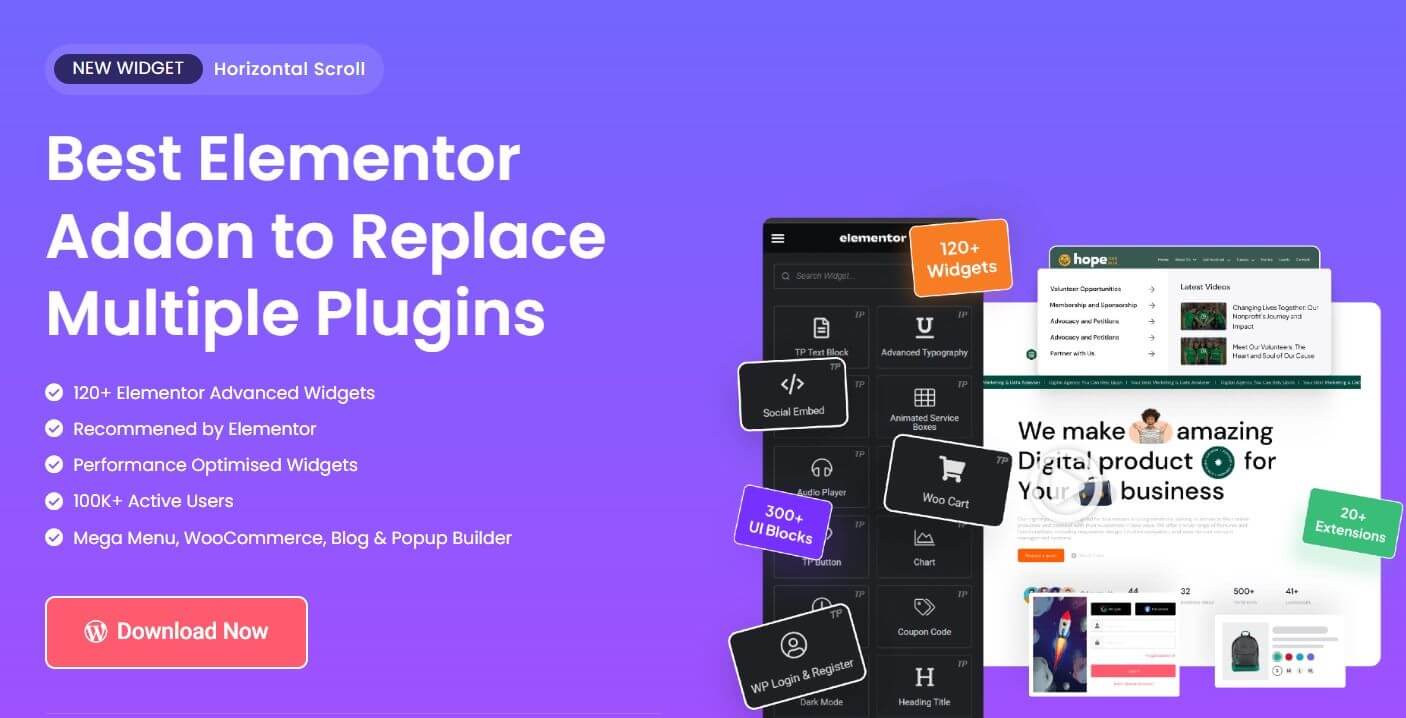
그만큼 Elementor용 플러스 애드온 웹 사이트의 디자인과 기능을 향상시키는 사용자 친화적이고 시각적으로 매력적인 위젯을 제공하는 데 중점을 둡니다. 애니메이션 요소, 콘텐츠 캐러셀, 소셜 공유 버튼 등 다양한 위젯을 제공하며 모두 방문자의 관심을 끌고 참여를 유지하도록 설계되었습니다.

ElementsKit과 Plus 애드온: 종합적인 비교

ElementsKit과 Plus 애드온 중에서 선택할 때 고려해야 할 주요 측면은 다음과 같습니다.

기능 비교(필수 위젯 및 고급 기능):

두 플러그인 모두 양식, 버튼, 가격표와 같은 기본 위젯을 제공합니다. 그러나 ElementsKit은 머리글 및 바닥글 빌더, 위젯 Elementor 빌더, 고급 슬라이더 등을 포함하여 더 넓은 선택을 자랑합니다. Plus Addons는 애니메이션 배경 및 고급 타이포그래피 옵션과 같은 디자인 중심 기능에 더 중점을 둡니다.

특징ElementsKit플러스 애드온
사용자 정의 게시물 유형✓✗
고급 슬라이더✓✗
고급 아코디언✓✗
이미지 아코디언✓✗
고급 툴팁✓✗
위젯 빌더✓✗
머리글 및 바닥글 작성기✓✗
이미지 호버 효과✓✗
고급 양식(다단계, 조건부 논리, CRM 통합)✓✗
메가 메뉴 빌더✓✗
맞춤 사용자 역할✓✗
글로벌 위젯✓✗
애니메이션 배경✗✓
고급 페이지 스크롤✓✓
다크 모드✗✓
Vimeo 삽입✓✓
고급 타이포그래피✓✓
Marquee Anything Module ✓✗
YouTube Feed Widget✓✓
Event Calendar Widget✓✗
Protected Content Widget✓✓
Stacked Cards Widget✓✗

통합 전투

ElementsKit과 Elementor Plus Addons는 모두 Elementor와 완벽하게 통합되므로 편집기 내에서 해당 기능을 쉽게 사용할 수 있습니다. 또한 원활한 통합을 통해 위젯을 페이지 레이아웃에 직접 끌어다 놓을 수 있습니다. 그러나 ElementsKit은 머리글 및 바닥글 작성 기능과 같은 추가 기능을 제공하므로 이와 관련하여 보다 포괄적인 솔루션이 됩니다.

도구는 통합의 깊이와 범위가 다르며 전체 작업 흐름에 영향을 미칩니다. ElementsKit이 Elementor 편집기 이상으로 기능을 확장하는 심층 통합을 갖춘 이유는 다음과 같습니다.

  • Elementor 인터페이스 내에서 직접 사용자 정의 게시물 유형을 관리하여 콘텐츠 생성 및 편집을 단순화할 수 있습니다.
  • 글로벌 위젯이 표시되는 특정 페이지나 섹션을 설정하여 일관성을 보장하고 시간을 절약할 수 있습니다.

반면 Plus Addons는 주로 Elementor 편집기 자체 내에서 기능을 통합하는 데 중점을 둡니다.

속도 및 성능 대결

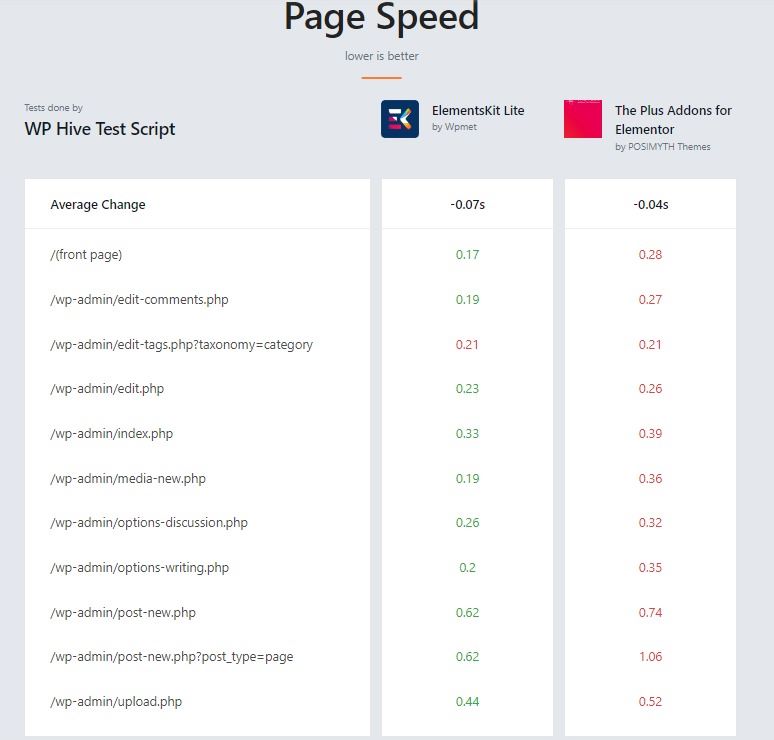
속도와 성능은 웹 사이트의 로딩 속도와 사용자 경험에 직접적인 영향을 미치기 때문에 중요한 요소입니다. 그러나 ElementsKit은 성능 최적화 측면에서 Plus Addons를 능가합니다. 아래 비교표는 그 이유를 설명합니다.

특징ElementsKit플러스 애드온
코드 최적화더 빠른 로딩을 위한 경량 코드약간 더 큰 공간을 차지할 수 있습니다.
성능 테스트일반적으로 독립적인 테스트(예: WP Hive)를 기반으로 더 빠른 것으로 간주됩니다.ElementsKit에 비해 페이지 속도가 약간 느려질 수 있습니다.
메모리 사용량+0.78KB의 낮은 메모리 사용량.약간 더 많은 메모리를 사용할 수 있습니다.
로딩 속도다음을 사용하면 웹사이트 로딩 시간이 더 빨라질 수 있습니다. -0.07초 WP Hive 테스트 스크립트 기반로딩 속도에 약간의 영향을 미칠 수 있음
모듈형 디자인더 나은 성능을 위해 특정 위젯을 활성화/비활성화할 수 있습니다.속도를 유지하려면 더 많은 수동 최적화가 필요할 수 있습니다.
WP 하이브 테스트 스크립트

Plus Addons Elementor는 다양한 기능을 제공하지만 ElementsKit에 비해 리소스가 약간 더 무거울 수 있습니다. 이는 특히 리소스가 제한된 서버에서 웹사이트 로딩 속도와 성능에 잠재적으로 영향을 미칠 수 있습니다. Plus Addons는 일부 최적화 기능을 제공한다는 사실을 감안할 때 ElementsKit만큼 성능의 우선 순위를 정하지 않습니다.

어느 것이 더 사용자 친화적인가

어떤 플러그인이 더 사용자 친화적인지 결정하는 것은 주관적일 수 있으며 개인의 선호도에 따라 달라질 수 있습니다. 그러나 결정하는 데 도움이 되는 사용자 친화성 측면에 대한 분석은 다음과 같습니다.

요소 키트:

  • ElementsKit은 명확한 라벨과 직관적인 기능을 갖춘 깨끗하고 잘 구성된 인터페이스를 자랑합니다. 이는 간단한 접근 방식을 선호하는 초보자나 사용자에게 도움이 될 수 있습니다.
  • 위젯은 논리적으로 분류되어 있어 필요한 특정 요소를 쉽게 찾을 수 있습니다. 이 조직은 시간을 절약하고 작업 흐름을 간소화할 수 있습니다.
  • ElementsKit은 기능을 효과적으로 사용하기 위한 자세한 설명과 지침을 제공하는 포괄적인 문서와 튜토리얼을 제공합니다. 이는 학습 및 문제 해결에 도움이 될 수 있습니다.

플러스 애드온:

  • 특히 완전한 초보자의 경우 ElementsKit에 비해 직관적이지 않은 것처럼 보일 수 있지만 사용자 친화적인 인터페이스를 제공합니다.
  • Plus Addons Elementor가 제공하는 방대한 위젯 라이브러리와 사용자 정의 옵션은 일부 사용자에게 부담스러울 수 있으며 원하는 기능을 찾으려면 더 많은 탐색이 필요할 수 있습니다.
  • Plus Addons는 문서를 제공하지만 ElementsKit의 리소스에 비해 덜 상세하거나 광범위할 수 있습니다. 이는 심층적인 지침을 원하는 사용자에게 어려움을 초래할 수 있습니다.

어느 것이 가장 좋은 제안을 가지고 있습니까 (가격)

두 플러그인 모두 적절한 위젯 선택이 포함된 무료 버전을 제공합니다. 두 플러그인의 가격 계획은 비슷하며 ElementsKit은 기본 가격에 대해 약간 더 많은 기능을 제공합니다.

플러그인무료계층 계획
ElementsKit🔥 1200+ ready blocks
🔥 100+ custom addons
🔥 57+ ready templates
🔥 20+ modules
🚨 Personal (1 site): $49/yr
🚨 Professional (5 sites): $119/yr
🚨 Agency (unlimited sites): $249/yr
플러스 애드온🔥 35개 이상의 위젯
🔥 5개의 확장 프로그램
🚨 1개 사이트: $39/년
🚨 5개 사이트: $79/년
🚨 무제한 사이트: $169/년

**더 나은 선택은 무엇입니까? (장단점, 평가 및 사용자 리뷰)

어떤 플러그인을 고려해야 할지 가늠하기 위해 두 플러그인의 장단점과 사용자 평가를 살펴보겠습니다.

플러그인장점단점사용자 평가
ElementsKit광범위한 위젯 라이브러리(필수 및 고급 모두)머리글 및 바닥글 작성 기능성능 최적화 기능무료 버전 사용 가능사용자 정의를 너무 많이 하고 싶은 유혹을 느낄 수도 있습니다.5점 만점에 4.9점
플러스 애드온사용자 친화적인 인터페이스시각적으로 매력적이고 독특한 위젯필수 위젯의 좋은 선택ElementsKit에 비해 제한된 고급 기능전체 액세스를 위해서는 유료 구독이 필요합니다.5점 만점에 4.7점

그렇다면 사용자는 Elementor의 2가지 애드온에 대해 어떻게 생각합니까?

🤔 사용자들은 ElementsKit의 다양성, 성능, 지원 및 가격 대비 가치를 높이 평가합니다. 

🤔 사용자는 Plus Addons의 사용 용이성과 위젯의 미적 매력을 높이 평가합니다. 그러나 일부 사용자는 다른 옵션에 비해 기능 세트가 제한되어 있다고 생각합니다.

👉 또한 읽어보세요: ElementsKit과 Ultimate 애드온 비교

What is the main difference between ElementsKit and Plus Addons for Elementor?

ElementsKit is a broader all-in-one addon with 120+ widgets, a Header and Footer Builder, Mega Menu Builder, Widget Builder, and a full module system covering sticky content, conditional content, parallax effects, and more. Plus Addons focuses more on visually oriented widgets and design effects. If you need a complete site-building toolkit, ElementsKit covers more ground. If your primary need is design-focused widgets with animated effects, Plus Addons may suit that narrower use case.

Does ElementsKit work with the free version of Elementor?

Yes. ElementsKit works with the free version of Elementor. You do not need Elementor Pro to use ElementsKit’s widgets, modules, or the Header and Footer Builder.

Which plugin has more widgets, ElementsKit or Plus Addons?

 ElementsKit has significantly more widgets. ElementsKit Pro includes 120+ widgets and modules compared to Plus Addons’ selection. The ElementsKit free version alone includes 90+ widgets, which already exceeds Plus Addons’ free offering of 35+ widgets.

 Is ElementsKit faster than Plus Addons?

Based on independent testing, ElementsKit has a lighter footprint. It loads approximately 0.07 seconds faster and uses about 0.78KB less memory per page according to WP Hive comparison data. ElementsKit also introduced per-widget CSS loading in version 4.0, which further reduces unused CSS on pages where only a subset of widgets are in use.

Can I use both ElementsKit and Plus Addons at the same time?

Technically yes, but it is not recommended. Running two major Elementor addon plugins simultaneously increases the risk of JavaScript conflicts, slower page load times, and duplicate widget functionality. Most users find one comprehensive addon sufficient.

Which plugin is better for beginners?

ElementsKit is generally considered more beginner-friendly due to its organized widget categories, comprehensive documentation, and video tutorials. Plus Addons has a user-friendly interface but the volume of customization options can feel overwhelming for new users without detailed guidance.

What happens to my site if I switch from Plus Addons to ElementsKit?

 Widgets from Plus Addons will stop rendering if the plugin is deactivated, since they are specific to that plugin. You would need to rebuild those sections using ElementsKit widgets. It is recommended to make the switch during a low-traffic period and test thoroughly before going live.

마무리: ElementsKit과 플러스 애드온

Both plugins serve Elementor users well, but they solve different problems.

Choose ElementsKit if you need a complete site-building toolkit: 120+ widgets, a Header and Footer Builder, Mega Menu Builder, Conditional Content, performance-first architecture, and WCAG 2.1 accessibility compliance across all widgets. It is the stronger choice for agencies, freelancers, and anyone building complex multi-page sites.

Choose Plus Addons if your primary need is design-focused widgets with animated effects and advanced typography, and your site does not require header building or a large widget library.

For most Elementor users building full websites, ElementsKit covers significantly more ground at a comparable price point.


Cza 아바타

Cza

Cha is a WordPress specialist with expertise in WooCommerce, AI SEO strategy, and Gutenberg-based website development. Cha believes in dreaming with purpose and living with intention.

코멘트

답글 남기기

이메일 주소는 공개되지 않습니다. 필수 필드는 *로 표시됩니다

목차