




The MetForm comes with WordPress rest API integration, allowing you to make POST/ GET requests to another API endpoint. Creating REST API requests is easy with the MetForm plugin. Read this documentation to learn how to integrate REST API in WordPress.
전제 조건: #
For REST API integration to your WordPress forms, you need to have the following plugins installed on your WordPress site:
👑 You need to have the MetForm Agency Plan to use this feature.
1단계: MetForm에서 문의 양식 편집 #
REST API에 대한 MetForm 문의 양식을 편집하려면:
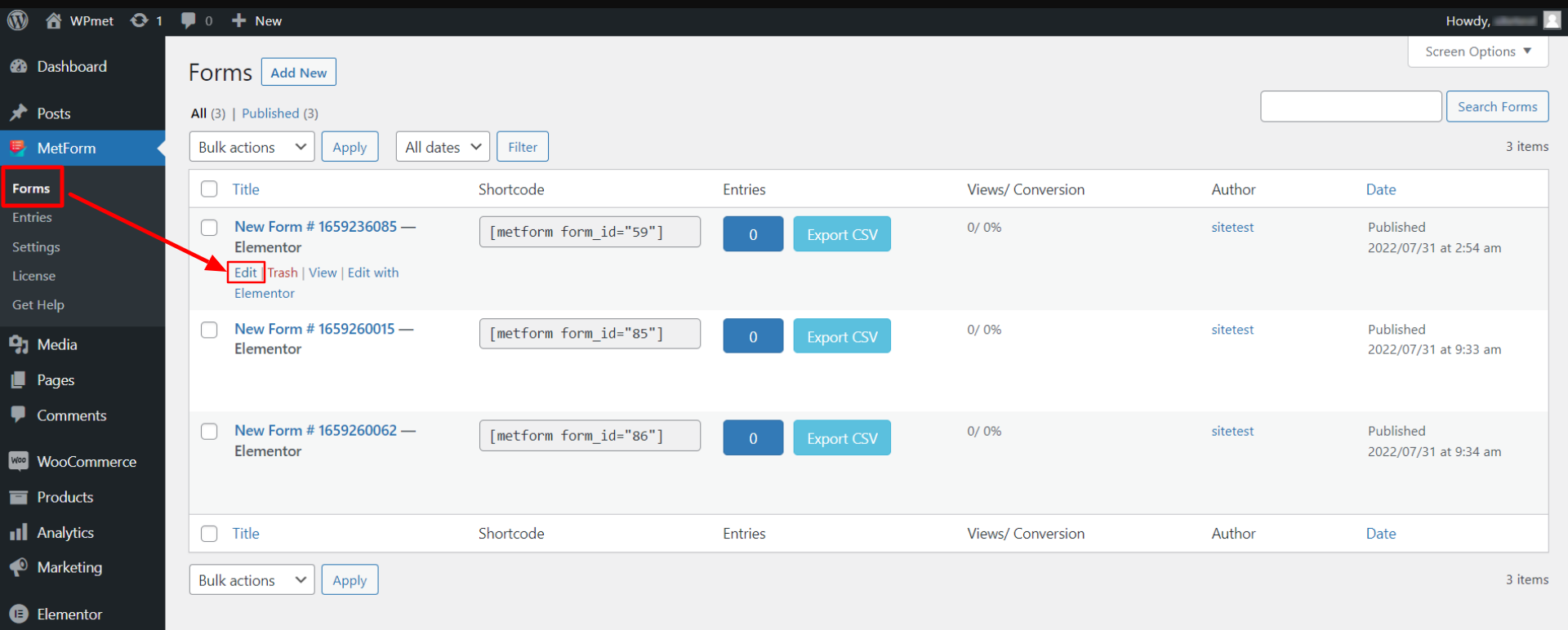
1.1 다음으로 이동 MetForm > 양식 WordPress 대시보드에서.
1.2 “를 클릭하세요.편집하다”을 클릭하여 REST API를 통합하는 양식에 대한 양식 설정을 엽니다.
2단계: WordPress REST API 통합 활성화 #
양식 설정에는 WordPress REST API 통합 옵션이 있습니다. REST API를 통합하려면:
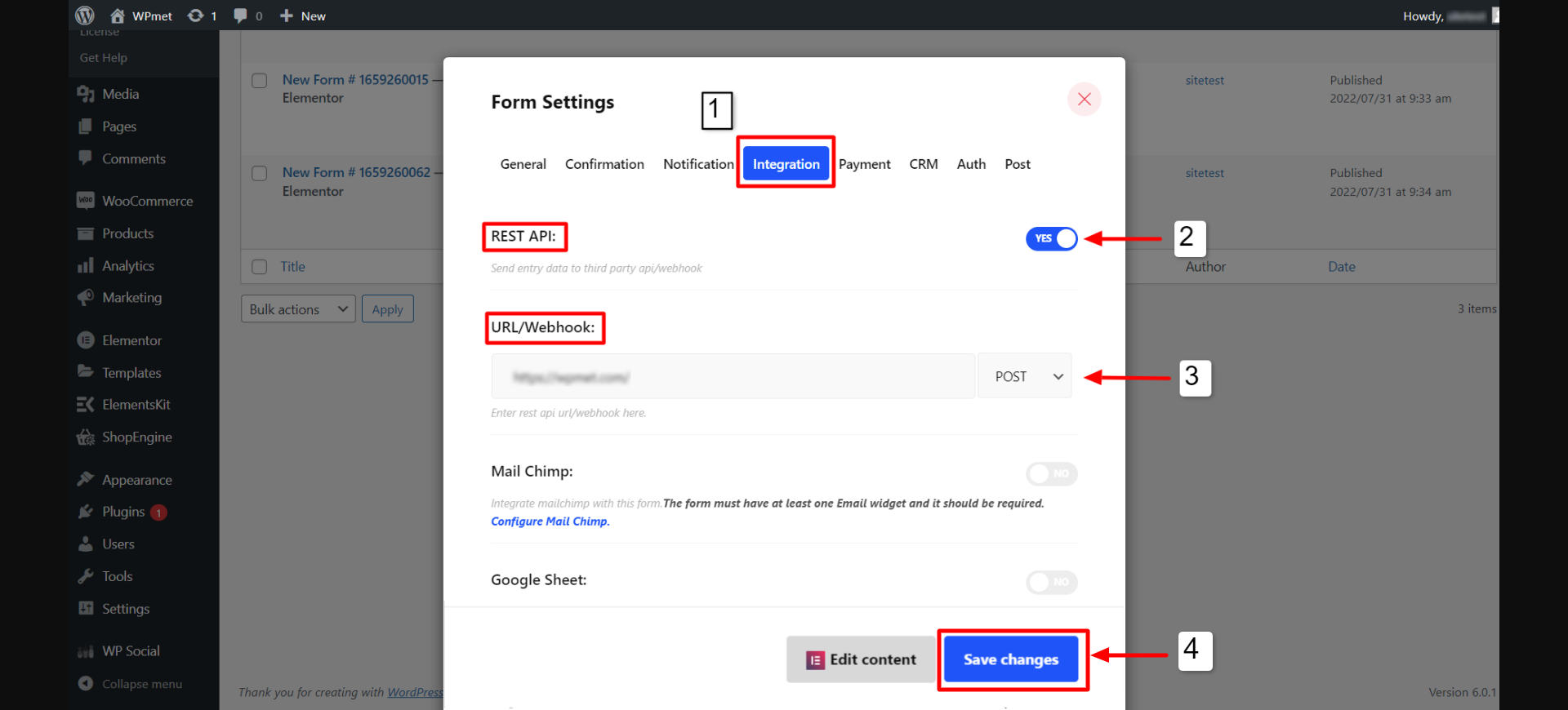
2.1 열기 완성 양식 설정 아래 탭.
2.2 활성화 토글 버튼 REST API를 사용하여 통합을 활성화합니다.
2.3 활성화되면 다음을 선택합니다. 우편 또는 얻다 REST API에 대한 방법입니다.
2.4 API 엔드포인트 URL을 입력하세요. URL/웹훅 필드.
2.5 마지막으로 변경 사항을 저장하다 버튼을 눌러 프로세스를 완료하세요.
위 단계를 따르면 MetForm 플러그인을 사용하여 Elementor에서 WordPress REST API 통합을 쉽게 만들 수 있습니다.


