


 Korean
  English
  German
  Spanish
  Italian
  French
  Danish
  Portuguese
  Swedish
  Polish
  Japanese
 다음을 사용하여 다양한 페이지의 특정 섹션을 디자인할 수 있습니다. ElementsKit 모듈 입자. 이것은 새롭고 ElementsKit의 프로 기능. 이 멋진 기능은 전문적으로 만들어졌으며 배우기 쉽습니다. 이제 할 수 있습니다 각 섹션을 원하는 대로 맞춤설정하여 WordPress 사이트를 아름다운 배경으로 꾸미세요.
어떻게 되는지 보자 ElementsKit 입자 모듈 공장-
ElementsKit 입자 모듈 활용 #
첫째로, 당신은 ElementsKit pro를 설치하고 입자 모듈을 켜야 합니다.. 그런 다음 기능 사용자 정의를 시작할 수 있습니다.
입자 모듈 #
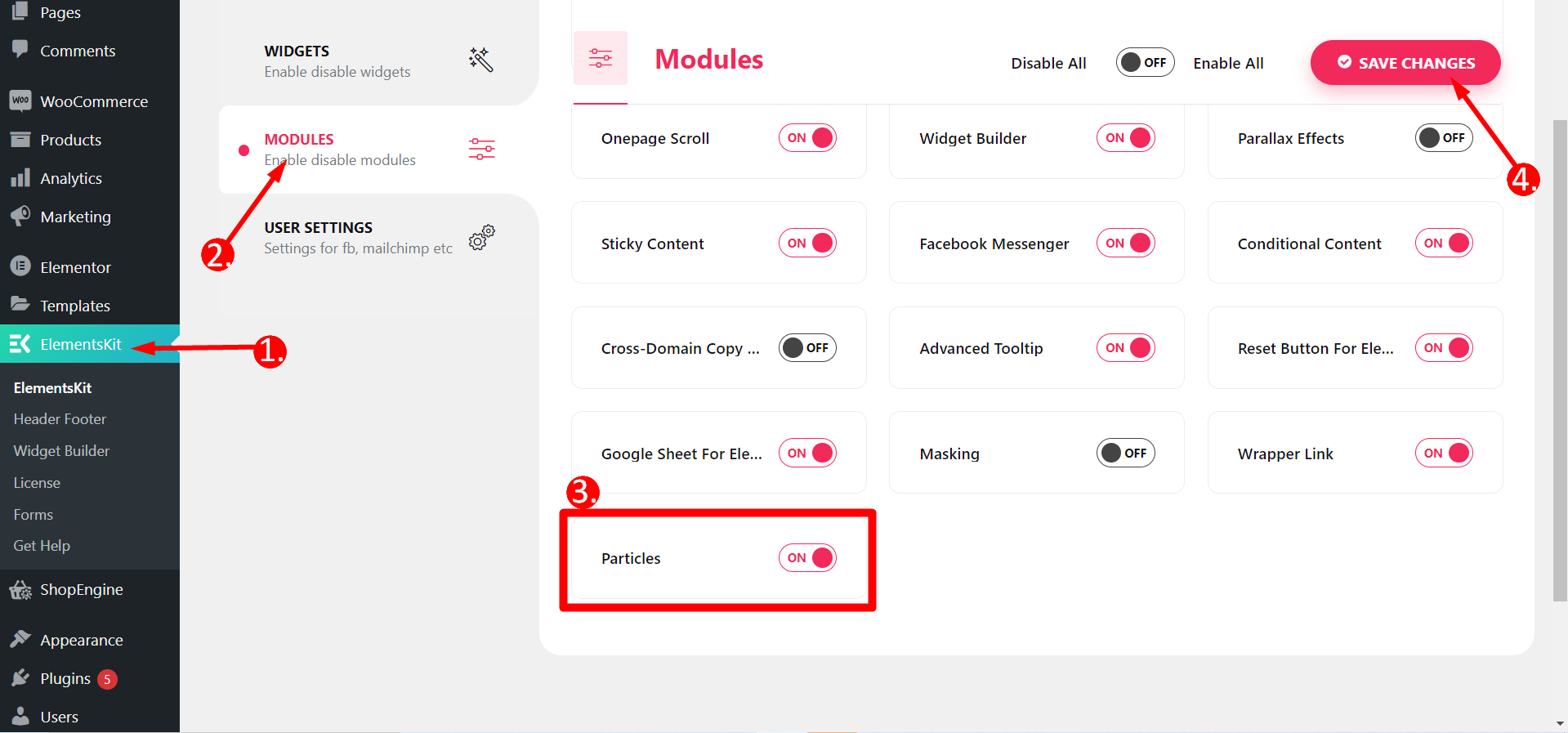
이 기능을 활용하려면 먼저 모듈을 켜야 합니다. WordPress 대시보드로 이동 -> 1. ElementsKit 찾기 -> 2. 모듈로 이동 -> 3. 입자 찾기 -> 4. 변경 사항 저장
Elementor로 페이지 편집 #
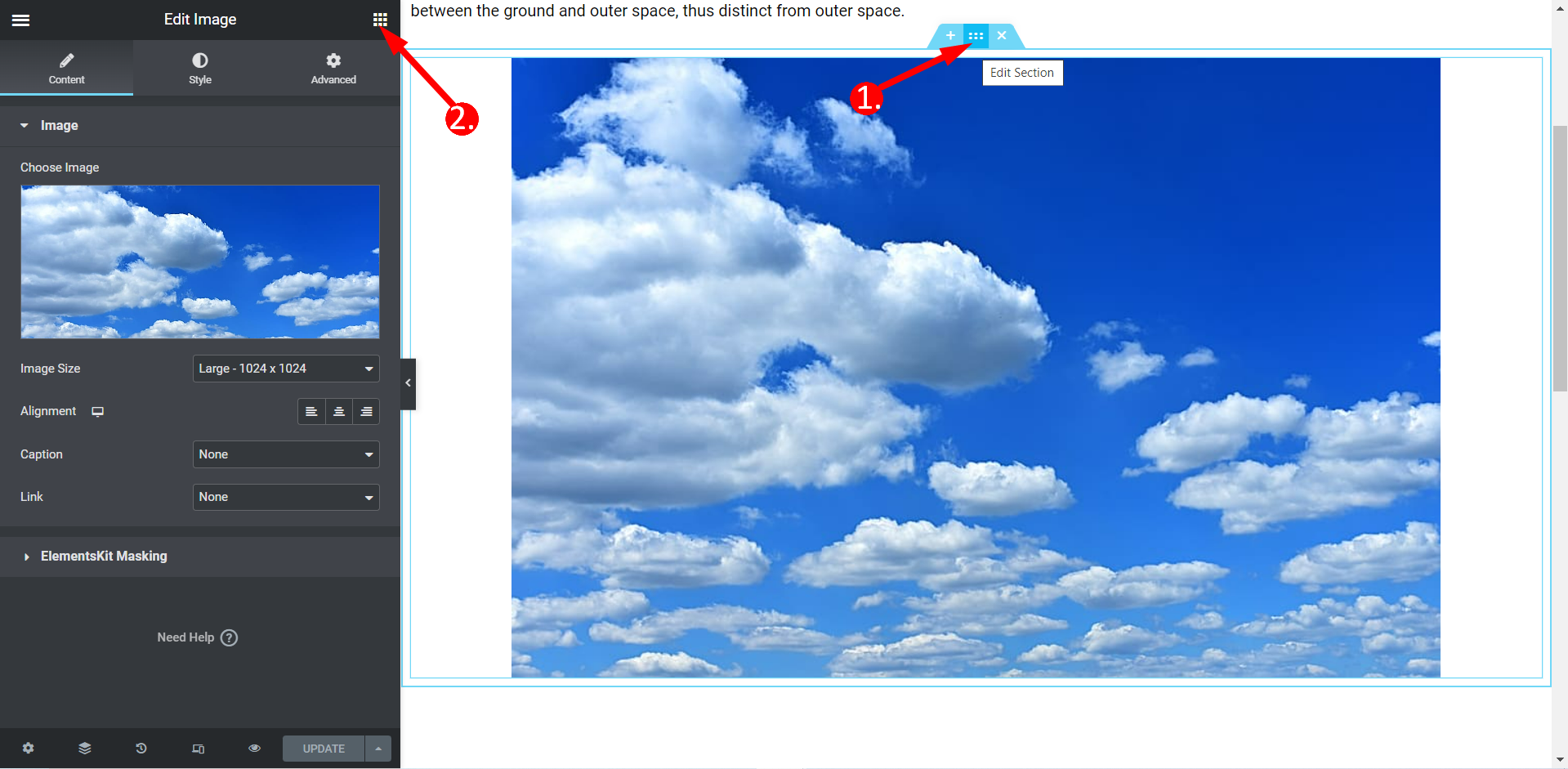
이제 해야 할 일 아무 페이지나 선택하세요 당신이 디자인하고 싶은 것. 또는 다음과 같이 할 수도 있습니다. 새 페이지 만들기 그런 다음 Elementor로 편집하세요.
- 페이지의 아무 섹션이나 선택하고 섹션 편집을 클릭하세요.
- 고급으로 이동
ElementsKit 입자 활성화 #
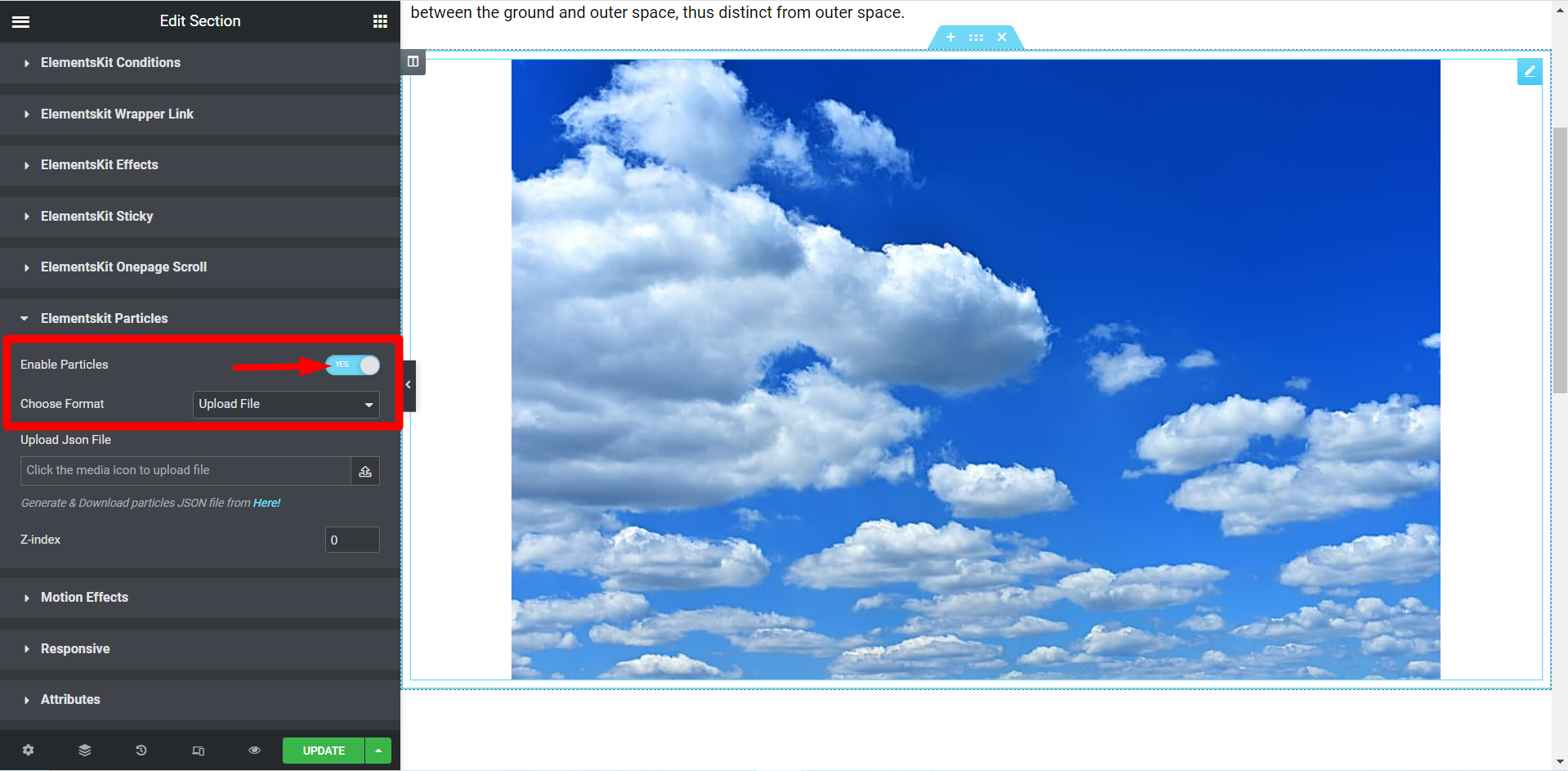
ElementsKit Particles 기능 표시줄을 찾아 스위치를 YES로 누르세요.
형식 선택 #
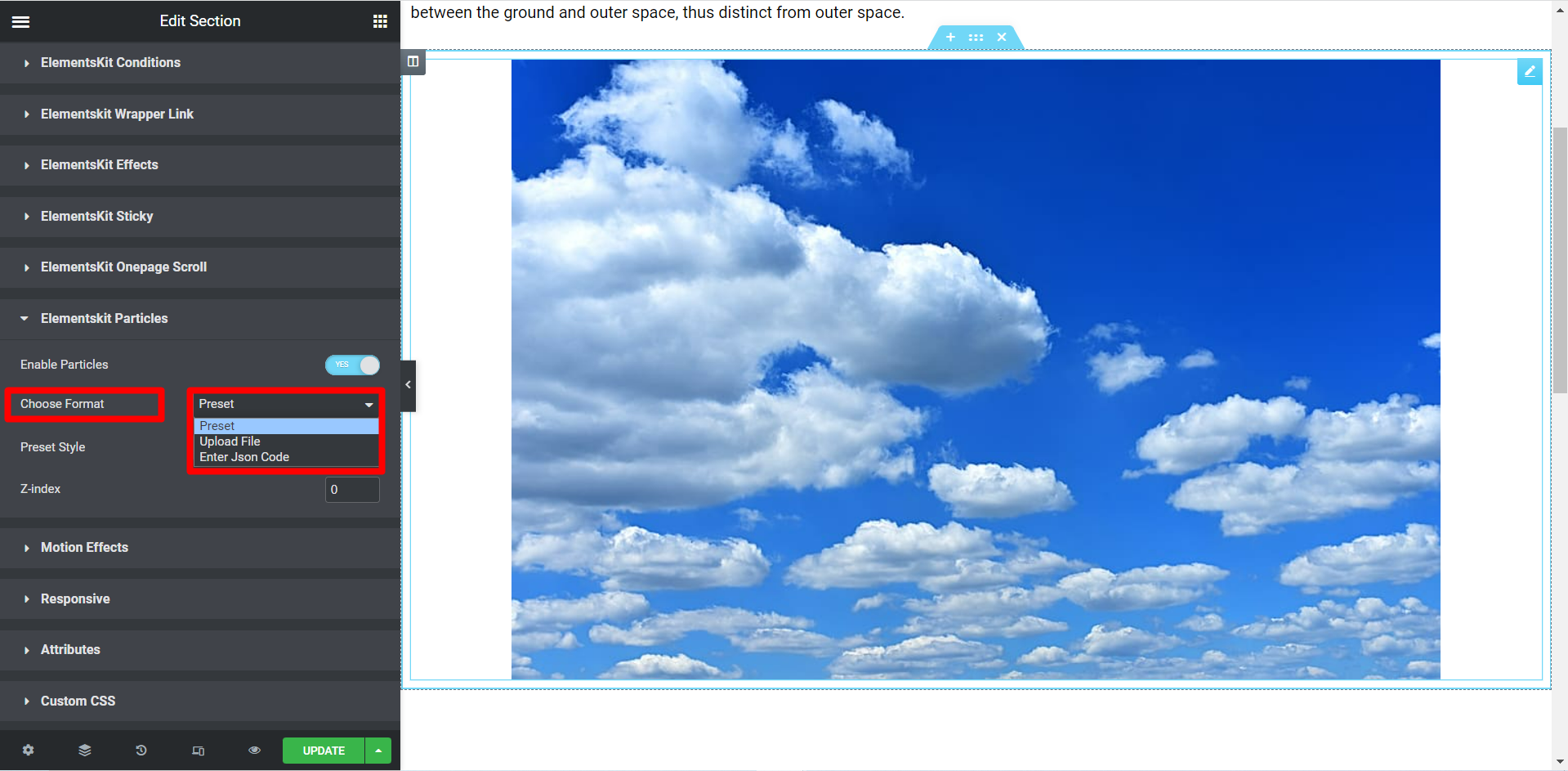
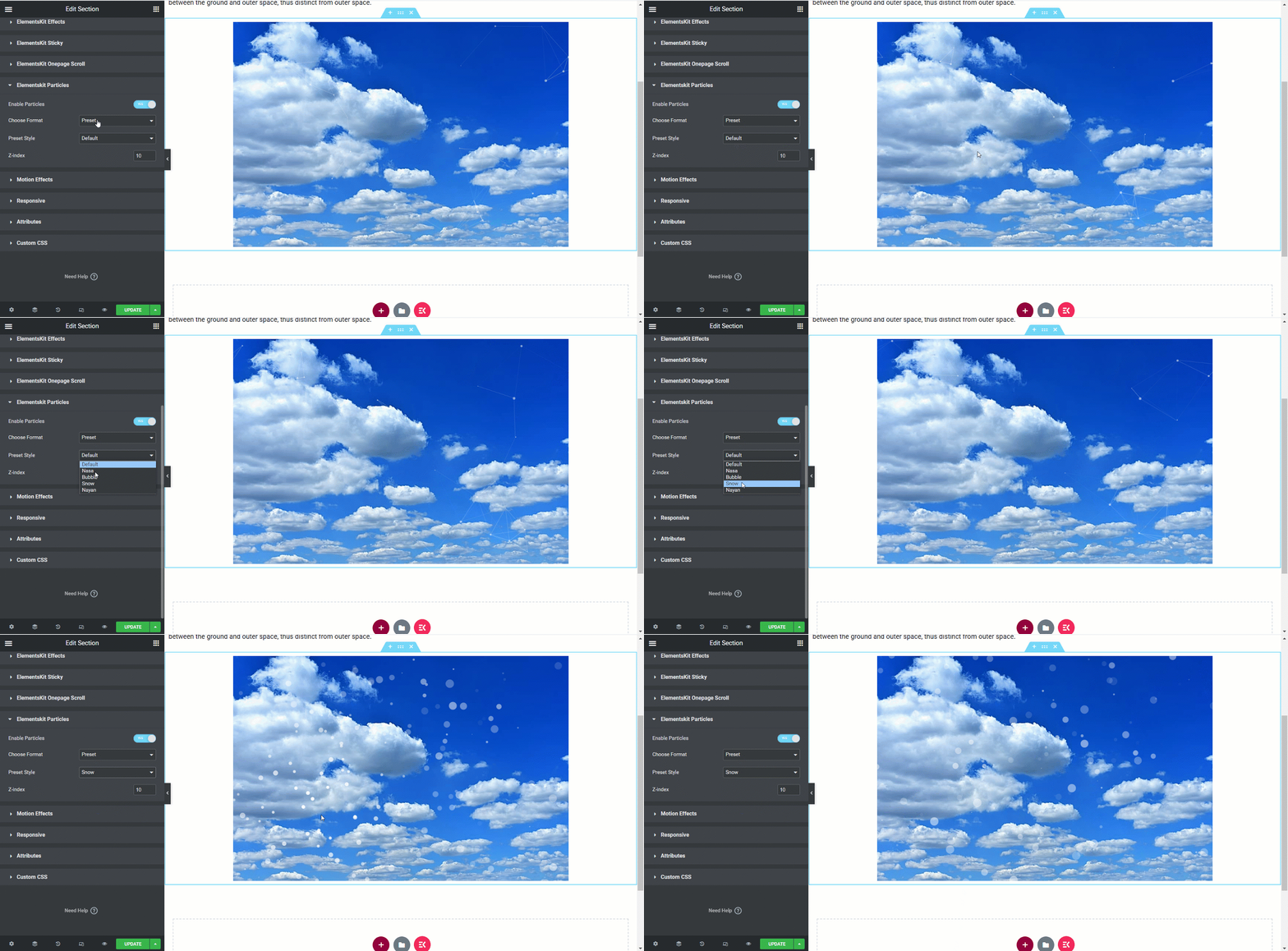
세 가지 형식이 있습니다 – 사전 설정, 파일 업로드 및 Json 코드 입력.
형식을 선택하세요– 프리셋 #
있다 사전 설정 형식을 위한 다섯 가지 스타일 – 기본, NASA, Bubble, Snow 및 Nayan. 모든 스타일은 서로 다른 효과를 제공합니다.
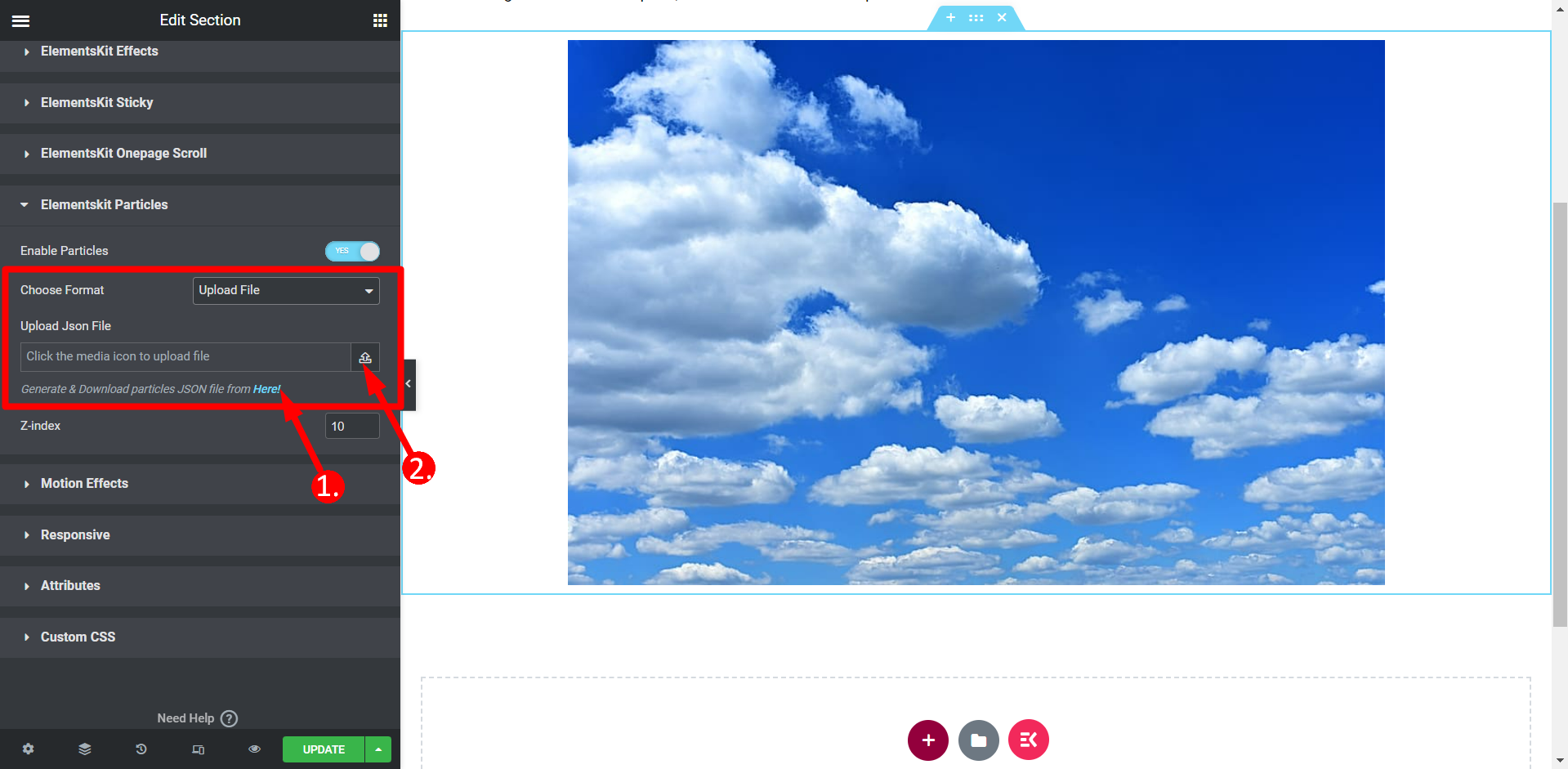
형식을 선택하세요. 파일 업로드 #
- JSON 파일을 생성해야 합니다. 링크를 클릭하면 이 과정을 쉽게 수행할 수 있습니다.
- 다음으로 이름이 지정된 필드에 파일을 업로드합니다. JSON 파일 업로드.
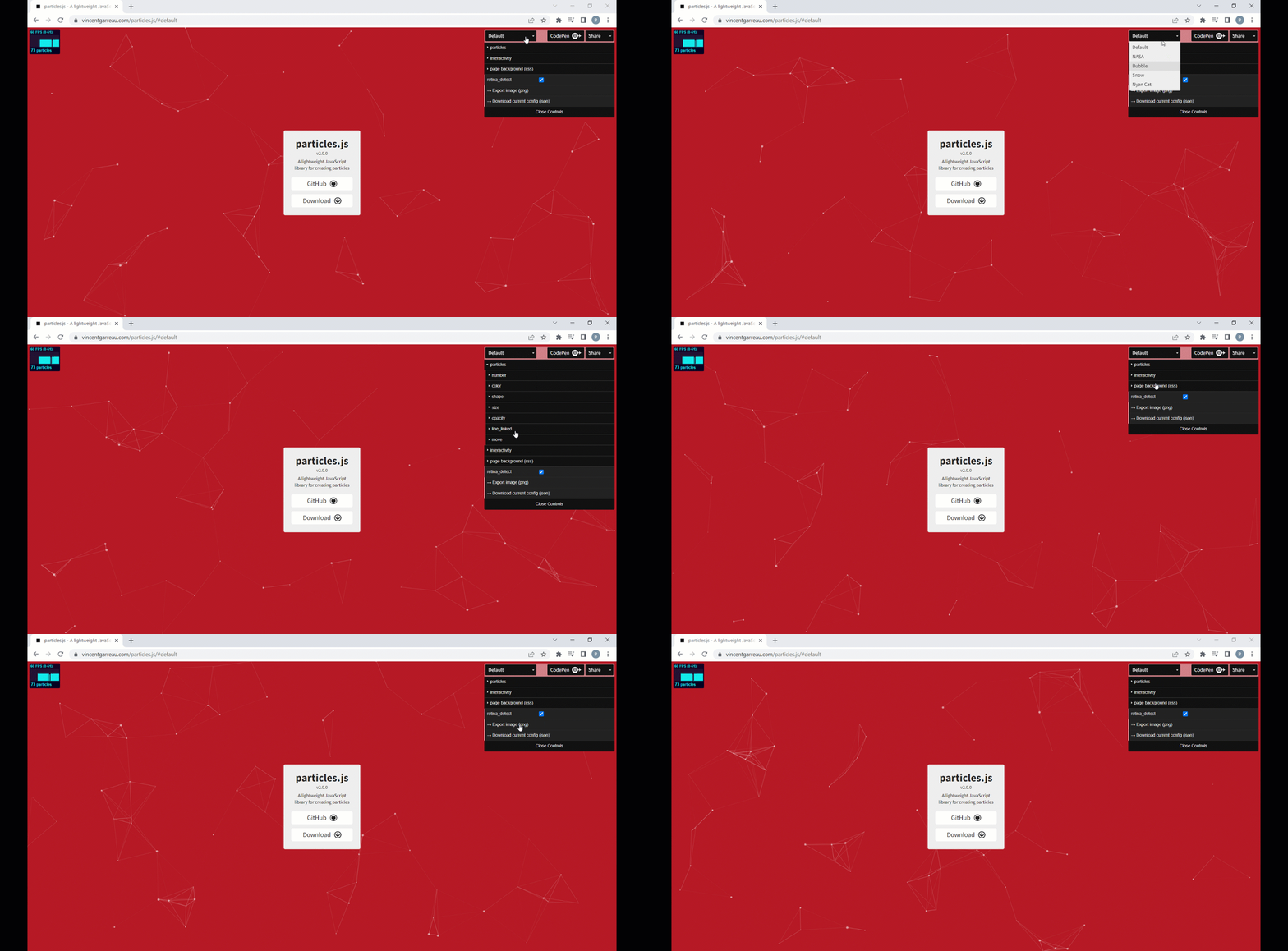
JSON 파일 다운로드
위의 링크를 클릭하면 선택 사항에 따라 입자를 사용하여 섹션을 사용자 정의할 수 있는 이 사이트로 연결됩니다. 사용자 정의 후 현재 구성(JSON)을 다운로드할 수 있습니다.
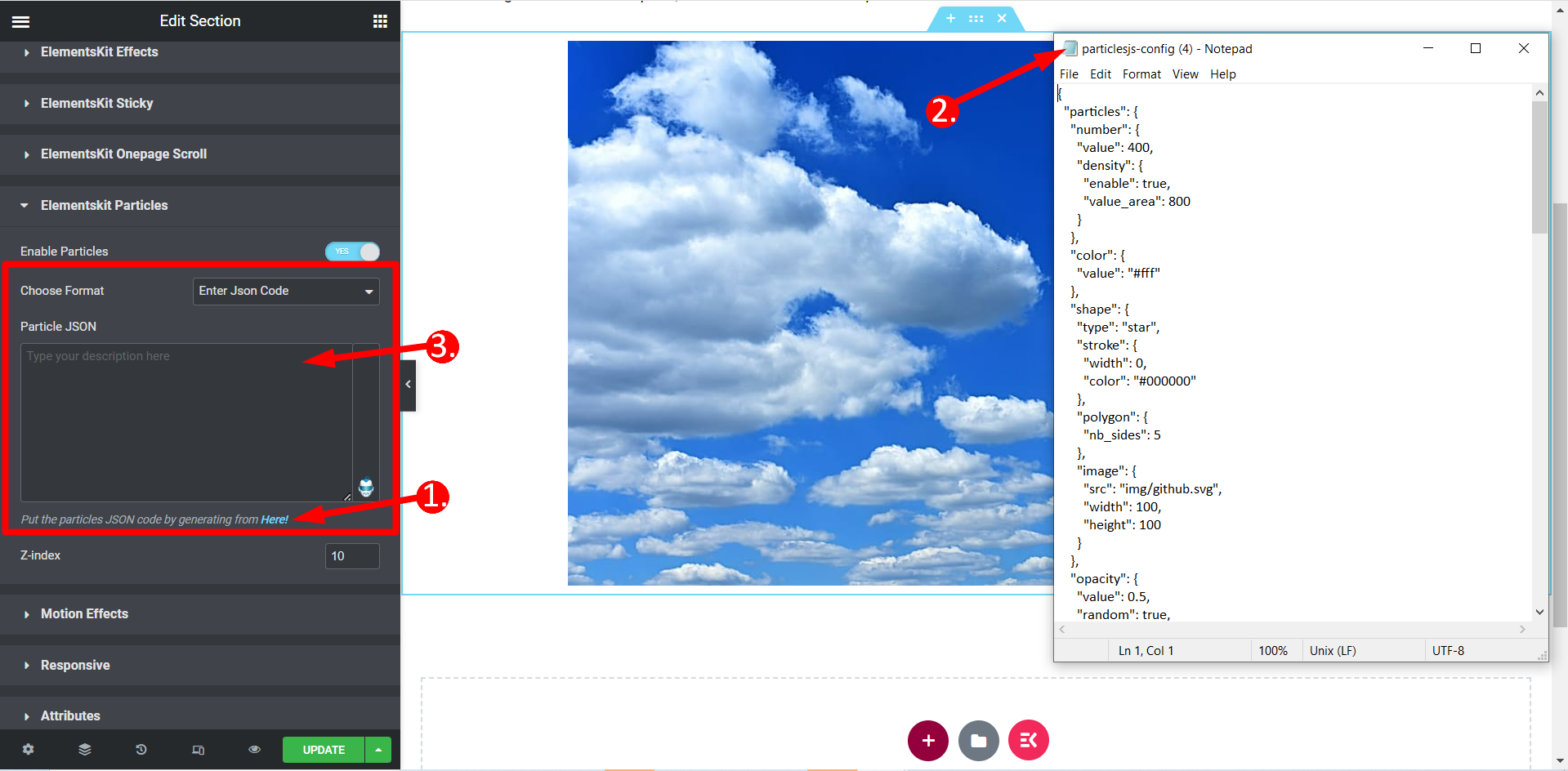
형식을 선택하세요. JSON 코드를 입력하세요 #
- 먼저 JSON 파일을 생성해야 하며 프로세스는 이전과 동일합니다.
- 다운로드한 파일을 편집기에서 열거나 간단히 메모장으로 열고 코드를 복사하세요.
- 마지막으로 이름이 지정된 필드에 코드를 붙여넣습니다. 입자 JSON.
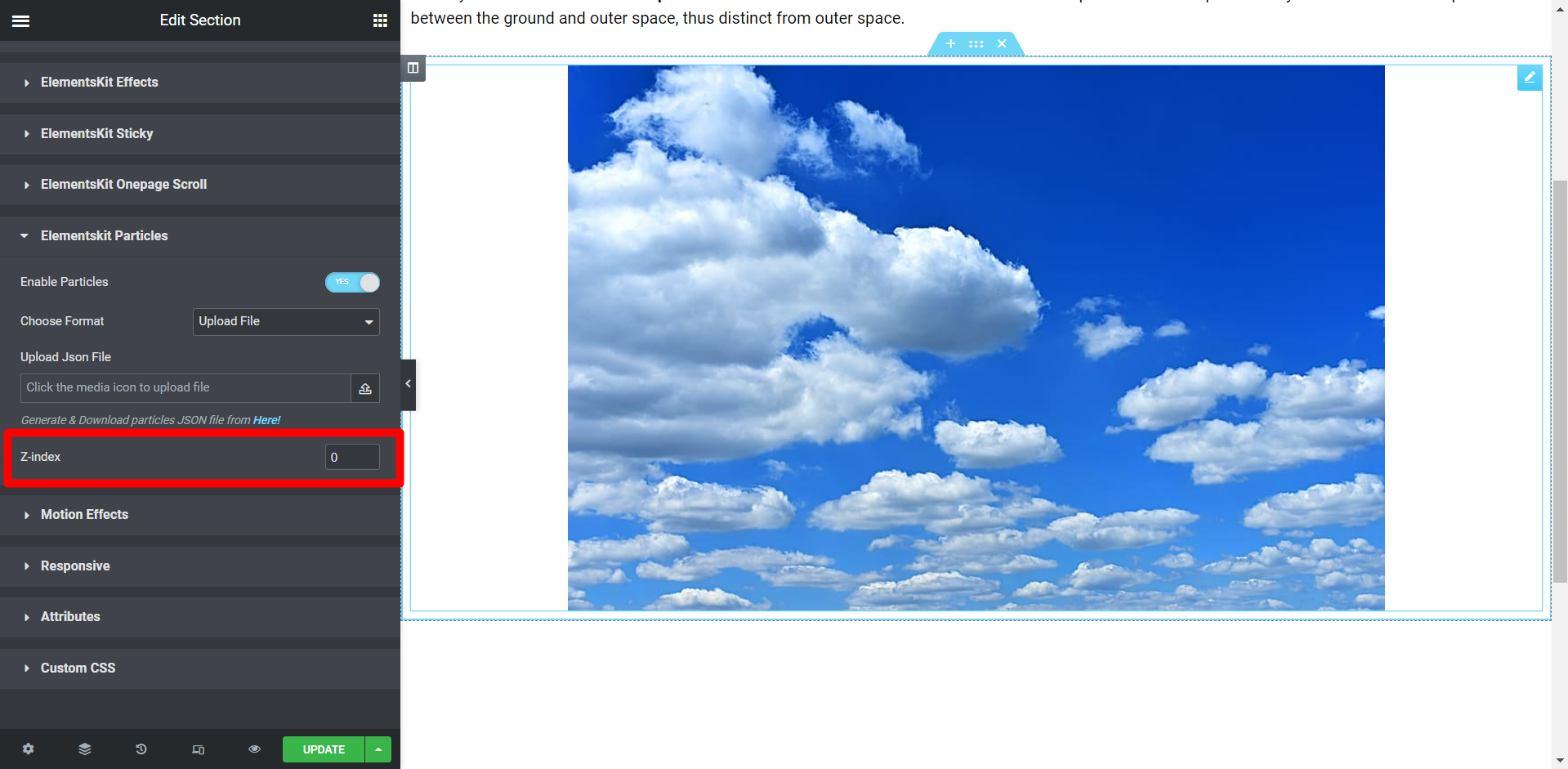
Z-지수 #
여기에서는 필요에 따라 입자의 위치를 지정하는 값을 설정해야 합니다.
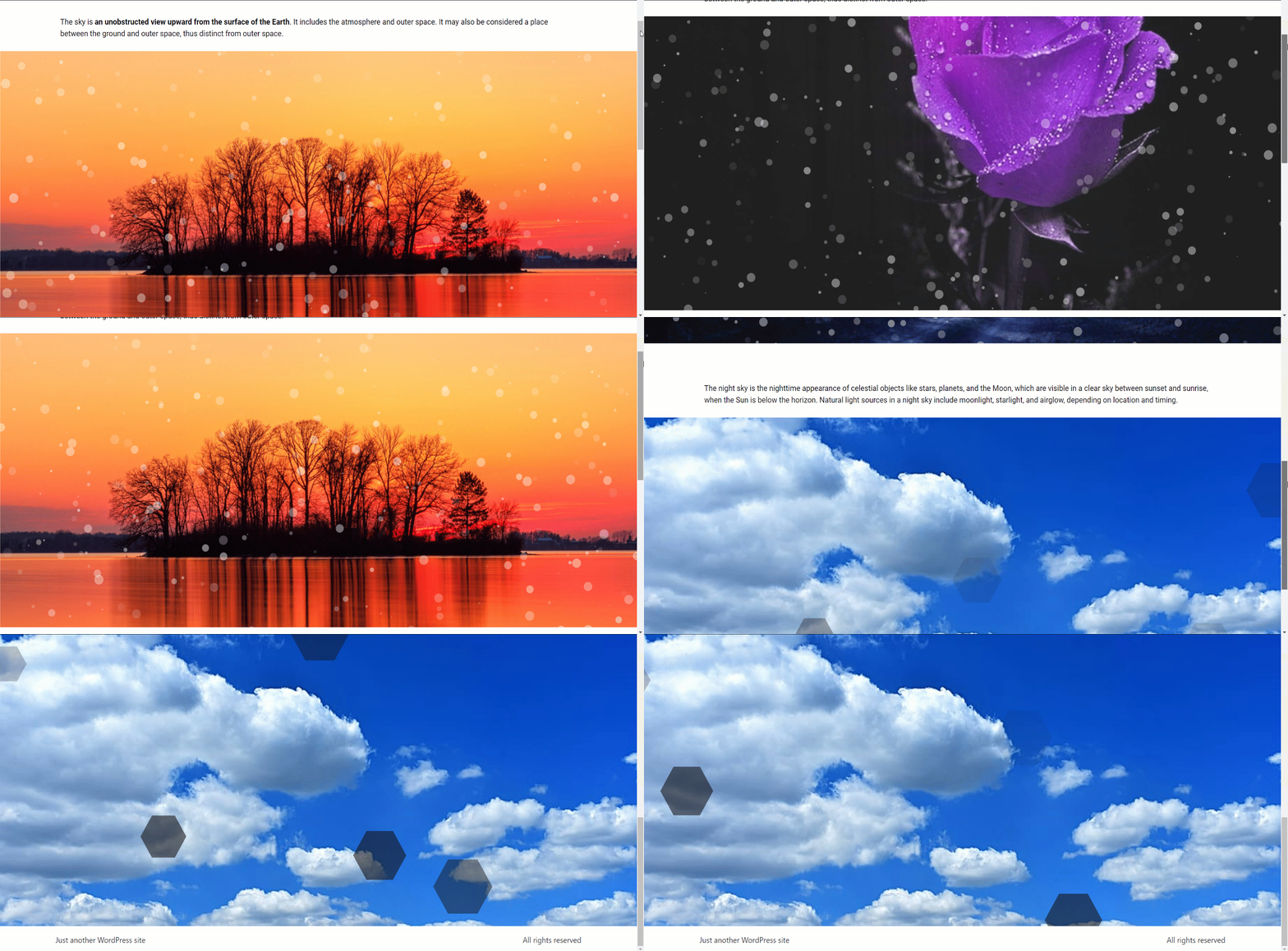
최종 출력 #
이것은 사용자 정의를 기반으로 한 최종 출력입니다.
이것이 입자 기능을 사용하는 과정입니다. 사용자 정의가 쉽고 다양한 입자 배경을 실험하면서 짧은 시간 내에 사이트 모양을 변경할 수 있습니다.


