
Elementor 用の ElementsKit オールインワン アドオン このWordPress市場に参入して以来、その人気は高まっています。私たちは常にユーザーの要望を汲み取り、ものづくりに取り組んでいます。 より簡単に、より良く!
ElementsKit は 2019 年半ばに設立されました。未満で 7 years、私たちは成功裏に献身的に支援されています 2 million WordPress Elementor Web 開発プラットフォームを世界中の人々に提供しています。
ユーザーエクスペリエンスを向上させるために、ここで最新のアップデートを発表します。 ElementsKit のプロ版.
私たちは、この新しいリリースがあなたにとって絶対的なターニングポイントになると心から信じています。 WordPress ウェブサイトの速度とパフォーマンスを向上させる.
そこに着く前に、質問したいことがあります。 🤔
とは何ですか 3つの重要な要素 WordPress ウェブサイトの?
You got it right, a large collection of templates and ready layouts, 100+ website ページ, and 1000+ ready sections.
ElementsKit for Elementor には必要な要件などがすべて揃っていると伝えたら、どう思いますか? 😄
ElementsKit を使用すると、 別のElementorアドオンを購入する必要はありません WordPress ウェブサイト内で。特に、最新のアップデートでは、 先進的でありながらユーザーフレンドリーなウェブサイト すべて自分で。
それでは、最新情報を見ていきましょう。 🦘
Quick Overview: ElementsKit’s Latest Update
The latest update of ElementsKit for Elementor introduces a more simplified layout system, enhanced performance optimization, and an expanded library of pre-designed templates, pages, and sections. This update makes website building easier and fast without additional plugins.
ElementsKit’s Latest Update:
✅ Simplified LayoutKit structure: Organized into Templates, Pages, and Sections for easier navigation.
✅ 35+ pre-designed pages: Ready-to-use layouts across multiple categories.
✅ 800+ sections/blocks: Includes headers, footers, and widget-based designs in one place.
✅ Template kits for full websites: Quickly launch complete sites with minimal setup.
✅ Performance improvements: Optimized code, reduced JS/CSS load, and faster page speed.
✅ Better integrations & features: Enhanced compatibility with marketing tools and form builders
✅ Accessibility-first rebuild: WCAG 2.1-compliant markup, keyboard navigation, and screen reader support across all widgets
✅ Font Awesome removed: 1.05 MB eliminated from every page load by switching to ElementsKit’s own SVG icon system
例えば、 instead of designing a homepage from scratch, you can select a pre-built page template, customize the content, and publish it instantly, saving hours of design and development time.
This update reinforces ElementsKit as an all-in-one Elementor アドオン by combining design resources, performance optimization, and usability improvements into a single toolkit.
ElementsKit のアップデート
サイトのパフォーマンスを向上させるには、最適化が最も重要な要素です。当社は常にユーザーの満足度を高めることに重点を置いてきました。
ElementsKit の LayoutKit を使用するには、 ElementsKit ボタン ページの下部セクションにあります。セクションは以下の画像のようになります。

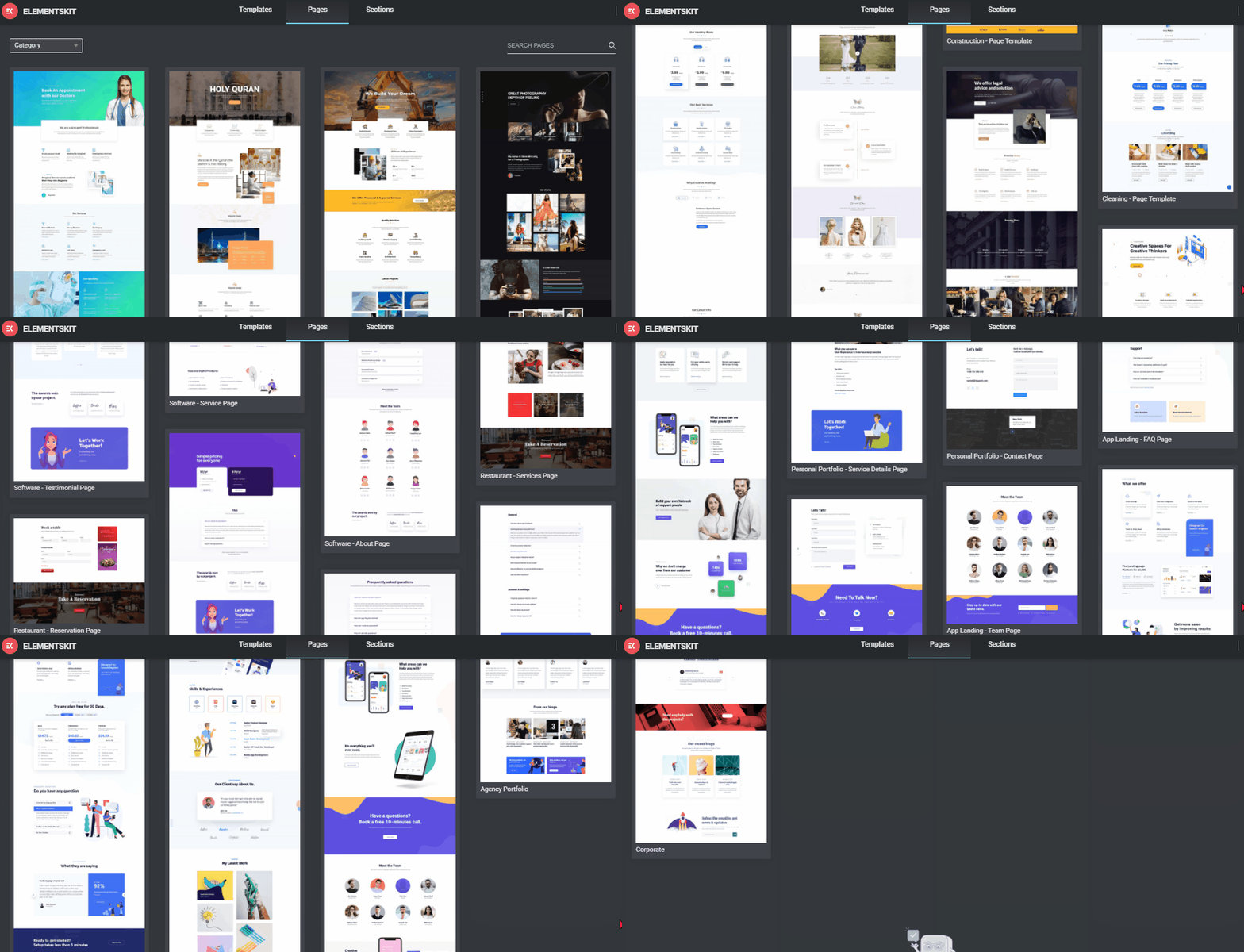
以下のアップデートは、 プロユーザーElementor エディター ページでこの美しい ElementsKit ウィジェット ボタンをクリックした後に表示される最初の変更では、5 つの部分が次のように分割されていることがわかります。 3 つの重要な要素: テンプレート、ページ、セクション 必要なものです。
さらに、各部分はより繊細な方法でより良いアップデートが施されています。私たちは、プログラマ以外の友人やユーザーにとっても、物事をよりわかりやすく、整理できるように常に努めています。
ElementsKit 4.0: Performance and Accessibility Overhaul
ElementsKit 4.0 is the most significant technical update since the plugin launched. It focuses on two things most Elementor addon plugins overlook entirely: raw page speed and accessibility compliance.
Speed Improvements
ElementsKit 4.0 removed Font Awesome from the plugin entirely. This single change eliminates 1.05 MB of icon font files that previously loaded on every page using ElementsKit, regardless of whether Font Awesome icons were in use. The plugin now uses its own lightweight SVG-based icon system instead.
The result: up to 80% reduction in Total Blocking Time (TBT) and a 40% improvement in mobile performance scores on Google PageSpeed Insights, measured on real-world test pages before and after the update.
For users, this means faster pages, better Core Web Vitals scores, and stronger SEO performance without changing a single setting.
Accessibility Compliance
ElementsKit 4.0 rebuilds the HTML output of all widgets to meet WCAG 2.1 accessibility standards. Every widget now ships with:
- Proper ARIA labels and roles
- Full keyboard navigation support
- Screen reader-compatible markup
- Semantic HTML structure
This makes ElementsKit the first major Elementor addon to treat accessibility as a default, not an afterthought. For agencies and freelancers building sites for clients in regulated industries — healthcare, education, government, and finance — this removes a significant compliance burden.
No settings to configure. No extra plugin required. Every widget is accessible out of the box from ElementsKit 4.0 onward.
✨ 事前にデザインされたページ
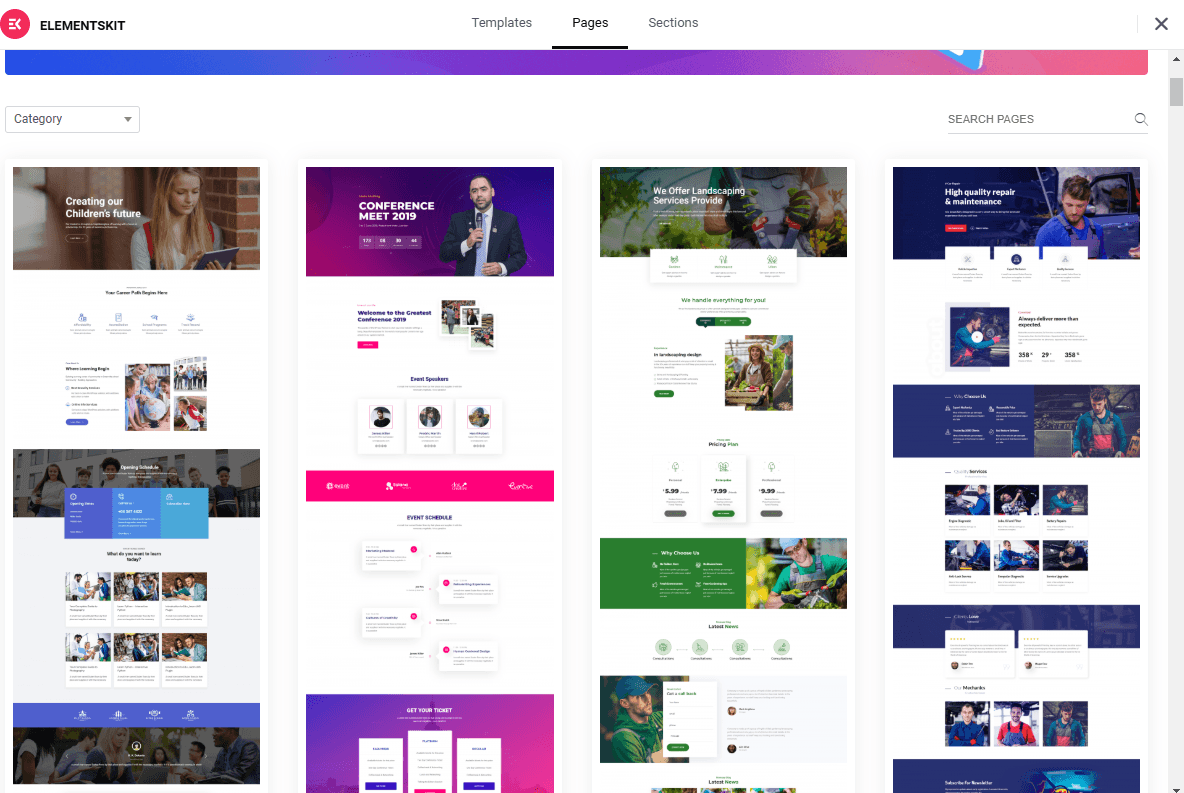
今では、 35 以上の事前デザイン済み WordPress, and エレメンター web pages. You don’t need to download other plugins to add pages to your website, we have covered almost all the categories as possible at your convenience.

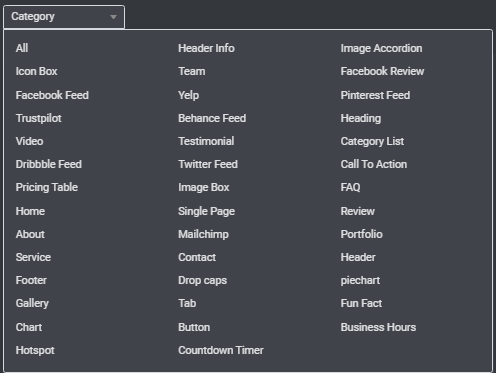
より快適にするために、カテゴリタブをクリックして、どのカテゴリから移動するかを選択できます。 左上隅 ページの。
簡単にお知らせしますが、準備ができたページは次の目的で利用できます。 無料ユーザーとプロユーザーの両方ただし、最新のページは ElementsKit pro ユーザーのみが利用できます。
✨ 1000+ Ready Blocks or Sections
ここで、ElementsKit セクション タブに、WordPress Elementor のヘッダー、フッター、ウィジェットがすべてまとめられています。これらをカテゴリから簡単に検索できます。 左上 コーナー。
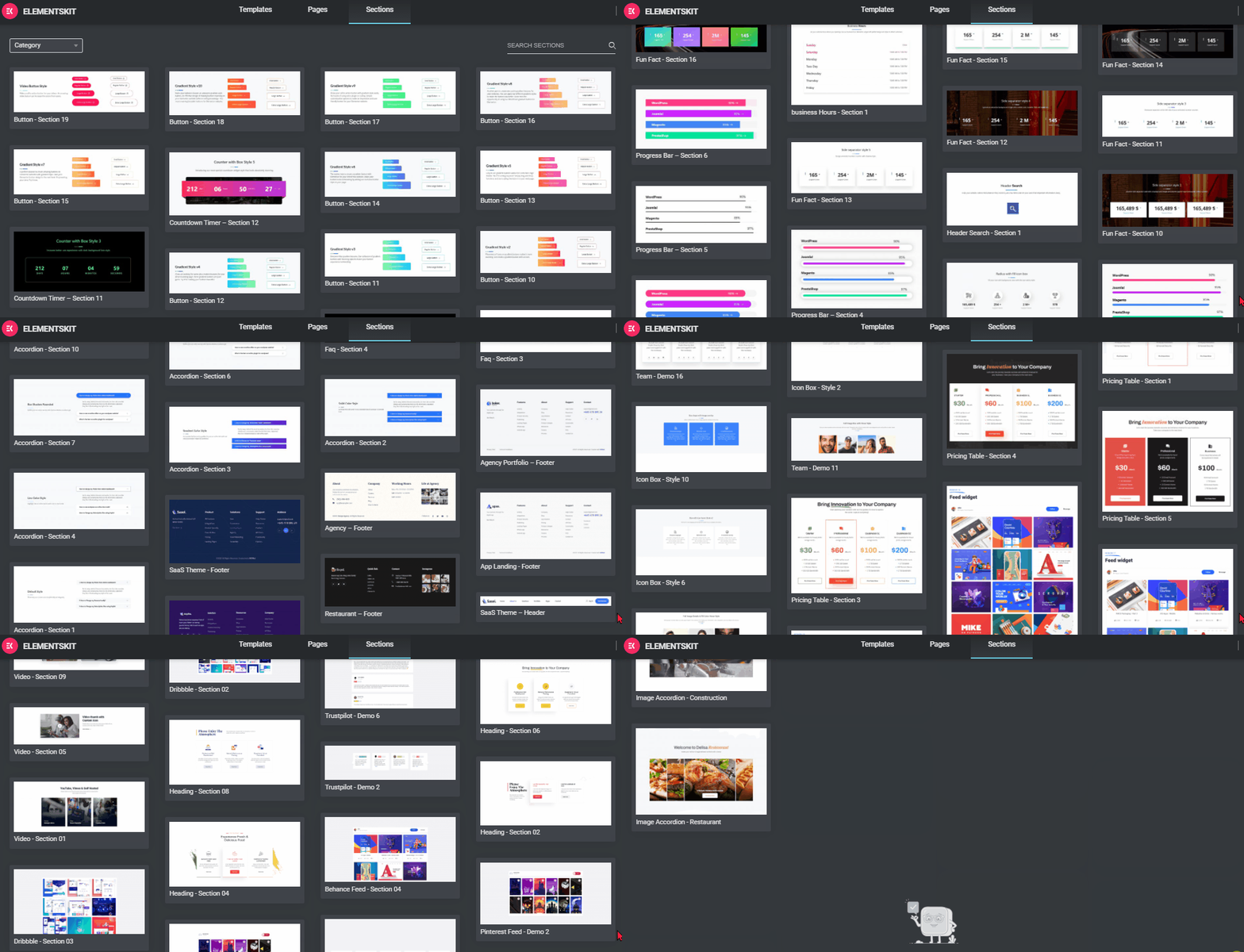
このセグメントには、あらゆるタイプのヘッダー、フッター ブロック、グラフ セクション、その他多くのものが必ず見つかります。 すべてを 1 か所で.
✨ 事前に構築されたテンプレートキット
プロユーザー向けに完全なテンプレートを用意しています。ElementsKitのプロユーザーでウェブサイトを作成したい場合は、 テンプレートのいずれかを選択すれば、はい、準備完了です.
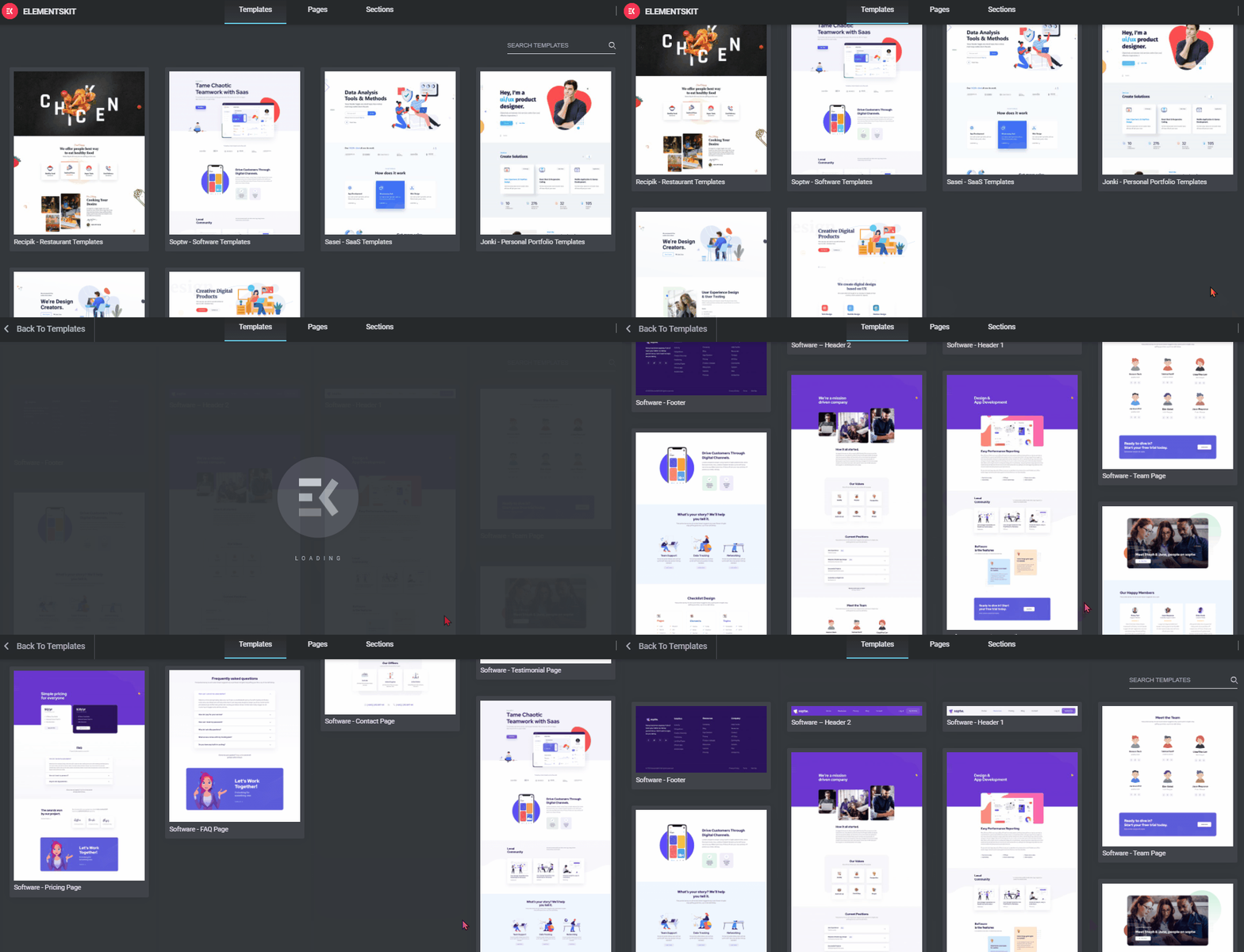
いずれかのカテゴリーでWordPress Elementorウェブサイトを構築したい場合は、テンプレートをクリックして情報を入力するだけで準備完了です。 今後のアップデートでは、さらに多くのテンプレート キットがリリースされる予定です。
ぜひ最新のビデオをチェックしてください ElementsKit のアップデートに続いて 👇🏻

Some of the Recent Pro Features Introduced by ElementsKit
Here are some exciting premium feature that has been published by ElementsKit in recent times to create a modern website.
ElementsKit Liquid Glass: Make your Elementor sections and cards look like frosted glass with a single toggle. Apply real-time blur, transparency, and light refraction effects that turn ordinary layouts into visually stunning, Apple-inspired interfaces.
ElementsKit Global Badge: Attach eye-catching labels to any Elementor widget: New, Hot, Sale, or fully custom text. Set it once, style it your way, and make the most important content on your page impossible to miss.
ElementsKit Stacked Cards: Turn passive scrolling into an immersive layered experience. As visitors scroll, cards animate into view with custom rotations, filters, and transitions, stacking beautifully to reveal your content one by one.
ElementsKit Scroll Reveal: Make every element on your Elementor page earn its entrance. Reveal text, images, and entire sections with directional animations, custom speed, delay controls, and branded color reveal effects as visitors scroll down.
ElementsKit Advanced Search: Give your visitors a smarter way to find content instantly. Add a fully styled, live search bar to any Elementor page, with results that appear in real time, without a page reload.
ElementsKit Copyright: Add a clean, always-accurate copyright notice to any Elementor page or footer. Use dynamic shortcodes to auto-update the year and site name, set it once and never touch it again.
ElementsKit Particle Background: Make your Elementor sections come alive with animated floating particles in the background. Choose shapes, colors, speed, and density to create an interactive, physics-driven backdrop that reacts to mouse movement.
ElementsKit Interactive Links: Go beyond plain hyperlinks. Add stunning hover effects to any text link in Elementor, with animated underlines, color fills, and visual transitions that make every clickable element feel intentional and polished.
ElementsKit Parallax Effects: Add depth and motion to your Elementor pages with multi-layer parallax scrolling. Elements move at different speeds as visitors scroll, creating a cinematic, three-dimensional feel without writing a single line of code.
ElementsKit Vertical Menu: Replace standard horizontal navigation with a sleek, space-saving vertical menu built inside Elementor. Perfect for sidebars, dashboards, and multi-level navigation structures that need to stay organized and visually clean.
Also, these social feed widgets:
ElementsKit Facebook Feed: Pull your latest Facebook posts directly into any Elementor page and keep your site content fresh automatically.
ElementsKit Instagram Feed: Display a live, filterable Instagram gallery inside Elementor to turn your feed into a conversion-ready content section.
ElementsKit Twitter Feed: Embed your latest tweets into any Elementor layout and keep visitors connected to your brand’s voice in real time.
ElementsKit Pinterest Feed: Showcase your Pinterest boards directly on your Elementor site and drive traffic back to your pins without leaving your page.
ElementsKit YouTube Feed: Display your YouTube channel, playlist, or search results directly inside Elementor. Choose Grid, Masonry, or Carousel layout with live stats, lightbox playback, and a built-in cache system.
ElementsKit Marquee Anything: Scroll any Elementor container automatically: logos, testimonials, product cards, or a mix of everything. Lives in the Advanced tab so no rebuilding needed. Pure CSS animation with Pause on Hover and soft edge fade support.
ElementsKit Event Calendar: Display and manage events inside Elementor with three source options: manual entry, Google Calendar sync, and The Events Calendar plugin integration. Five view modes, event popups, per-event colors, and multi-session support for conference-style schedules.
ElementsKit Protected Content: Password protect any Elementor section or saved template without touching a membership plugin. Access can be granted by shared password or WordPress user role, with full style control over the lock screen and unlock button.
🤩 あなたの生活を楽にするその他のプラグイン..!
メットフォーム
芸術作品のように新しい WordPress サイトを構築したところで、最も重要な点の 1 つを見落としていないことを願っています。 基本的な側面 ウェブサイトの?それは正しい: お問い合わせフォーム 📝
メットフォーム は、WordPress の使いやすい問い合わせフォームビルダーの 1 つです。その 無制限の機能 そして 最先端の事前構築済みフォーム 力が強まっています 400,000+ websites 世界中で。ドラッグ アンド ドロップ インターフェイスのフォーム ビルダーを使用すると、フォームの作成が非常に簡単になります。開発者でなくても、ワンクリックで連絡先フォームを作成できます。

コードを知らなくても、シンプルでありながら本格的なお問い合わせフォームを作成できます。設計方法はシンプルで直感的です。 インターフェースをクリックまたはドラッグアンドドロップし、データを入力するだけで、希望のフォームが完成します。.
✨ より良い Web サイトの作成に役立つ MetForm の主な機能を次に示します。
- 3.+ predefined forms, 35+ built-in added input fields, and 30 templates. Also supports multiple column layouts.
- MetForm プラグインを使用すると、MailChimp、AWeber、MailPoet、Get Response、Convert Kit、その他多くのプラットフォームを統合できます。
- ユーザーに送信確認メールを送信できます。
- メッセージと役立つ通知は、WordPress 管理パネルにコピーされます。あるいは、メールアドレスに転送してもらうこともできます。
- その他の便利な統合には、Zapier、Google Sheets、Slack などがあります。
- CSV ファイル経由でデータ エントリをエクスポート
- Google reCAPTCHA は、フォームをスパムから保護するのに役立ちます。
- 連絡先データベースを管理するために、WordPress ダッシュボード上の CRM とシームレスに対話します。
- リアルタイム プレビューを備えた素敵な AJAX ドラッグ アンド ドロップ ビルダーがあります。
- マルチステップフォームは、コンバージョンを向上させることが実証されているため、サポートされています。
MetForm には、24 時間年中無休のカスタマー サポート、ドキュメント、言語翻訳、FAQ ページ、その他のさまざまなリソースが標準で付属しています。無料版またはプレミアム版をご利用の場合でも、弊社のサポート システムがお手伝いいたします。
ショップエンジン
ShopEngine is here to give you the easiest, fastest, and effortless WooCommerce site-building experience that you have ever imagined. Even non-developers can build a visually stunning website all by themselves 😎
ShopEngine を使用すると、次の完全なパッケージを入手できます。 70+ Fully Customizable Widgets, 20+ Useful Modules, 16+ pre-designed templates, さらに役立つコミュニティサポートが提供されます。

さえ ShopEngine の無料版には、非常に競争力があり直感的な WooCommerce 機能が備わっています より良い電子商取引 Web サイトを作成するのに役立ちます。 ShopEngine は、プロフェッショナルでありながら使いやすい Web サイト デザインを開発することができ、より多くのリードとコンバージョンを獲得するのに役立ちます。
それでは、 ShopEngine オールインワン WooCommerce ビルダーの無料バージョンとプロ バージョン どちらが自分に適しているかを判断するのに役立ちます。
✨ ShopEngine 無料およびプロ 特徴 一目で:
| 概要 | 無料 | プロ |
|---|---|---|
| ウィジェット | 40+ | 65+ |
| モジュール | 4+ | 13+ |
| テンプレート | 5+ | 15+ |
コア機能とモジュールとは別に、ShopEngine は専門的にコーディングされており、 年中無休のテクニカルサポートにより定期的に更新可能.
ShopEngine PRO があなたに適している主な理由は次のとおりです。
- 最高の e コマース ストアの作成を支援する WooCommerce プラグインが必要です。
- ウェブサイトを軽量化したい場合は、ShopEngine が最適です。 eコマースストアとして十分な要素がすべて揃っているためです。
- お金と時間を重視するなら、ShopEngine が最適です。
ShopEngine のすべてのオファー より良い WordPress WooCommerce ウェブサイトを構築するのに役立つ貴重なパッケージ。現在、すべての WooCommerce テンプレート ビルダーの中で最高の無料ウィジェット プラグインを提供しています。
無制限のテンプレートと機能を備え、Web サイトの動作を高速化するのにも役立つ、完全な WordPress WooCommerce ビルダー パッケージが必要な場合は、 ショップエンジン それがあなたの最終目的地です。
Wpソーシャル
Wp Social は、WordPress ウェブサイトにさまざまなスタイルのソーシャル ログイン、ソーシャル カウンター、ソーシャル シェア ボタンを追加するのに役立ちます 🙌🏼
ウェブサイトをソーシャル メディアに合わせて調整するために、ソーシャル ログイン、ソーシャル カウンター、ソーシャル シェア用の複数のプラグインをダウンロードする必要はありません。
WordPress ソーシャル メディア プラグインを活用する場合、 Wpソーシャル あなたの優先リストの一番上にあるはずです。このプラグインには、サイトのトラフィックを大幅に拡大できる便利な機能が搭載されています。ソーシャルメディアとの連携も簡単に行えます。

追加するかどうか ソーシャルシェア、ソーシャルログイン、ソーシャルカウンター, WP social の 3 つの機能をすべて利用できます。では、1 つで入手できるのに、なぜ 3 つの異なるプラグインをインストールするのでしょうか?
訪問者はソーシャル アカウントを使用してサイトにログインし、さまざまなプラットフォームでコンテンツを共有できます。
✨ より良いウェブサイトの作成に役立つ WpSocial の主な機能は次のとおりです。
- GDPR準拠: ユーザーデータを収集する前に GDPR 準拠を有効にし、データを保護します。
- 最新の API: プラグインのアプリケーション プログラミング インターフェイスは、最新のソフトウェア開発キットを使用して設計されています。
- 機能の有効化/無効化: これは WP social で利用できる素晴らしい機能で、必要に応じて機能を有効にしたり、サイトの速度低下を防ぐために使用していない機能を無効にしたりできます。
- 多数のソーシャル チャネルへのアクセス: このプラグインでは、14 以上のソーシャル共有ネットワーク、8 以上のソーシャル カウンター ネットワーク、8 以上のソーシャル ログイン ネットワークを表示できます。
- スムーズな登録とソーシャル ログイン: これにより、Woocommerce、Buddypress、Facebook、LinkedIn、Twitter などを介して、手間のかからないワンクリック登録とソーシャル ログインが実現します。
さまざまなソーシャル メディア プラットフォームで合計シェアと個別シェアの両方を表示できます。このコスト効率の高いソーシャル メディア プラグインを使用すると、ソーシャル チャンネルのファン、フォロワー、購読者の合計数を表示することもできます。
プラグインを更新する必要があるのはなぜですか?
まず、ElementsKit Pro に切り替えると、すべてのウィジェット、レイアウト、モジュールに完全にアクセスできるようになり、プログラマーでなくても Web サイトを作成するのに役立ちます。
ElementsKit Pro をインストールすると、高度な Web サイトを作成するのに十分なすべての機能とモジュールが備わっており、しかも軽量であるため、お金も大幅に節約できます。
プラグインを常に最新の状態に維持すると、サイトがハッキングされる危険が軽減されます。その理由は、更新によって次のことが実行されるためです。
| 1. セキュリティを強化する |
| 2. バグを修正する |
| 3. 高性能 |
| 4. 機能の追加 |
| 5.機能の強化 |
ElementsKitがElementorの「オールインワン」アドオンである理由
ElementsKit がこれほど成功している主な理由の 1 つは次のとおりです。 機能は定期的に更新されます 時々。 ElementsKit を使用すると、Web サイト構築リソースの完全なパッケージが入手できます。
- 最適化されたサーバー負荷: ElementsKit provides you with the ability to assist with the most critical components of server load balancing. This update will reduce loading times, increase the buffer size, increase available cache space, and clear up the database’s junk.
- Speed-Up Your Site Performance: ElementsKit 4.0 delivers up to 80% reduction in Total Blocking Time and a 40% improvement in mobile performance scores. The removal of Font Awesome alone eliminates 1.05 MB from every page load, directly improving Core Web Vitals and Google PageSpeed scores without any manual configuration. This will help you to get more coversion in online marketplaces and improve user experience by speeding up your site’s performance.
- SEO フレンドリー: ビジネスや Web サイトにとって SEO の最も重要なコンポーネントの 1 つは、検索エンジンの最適化です。 Web サイトの速度を許容レベルまで上げることで、読者の関心を引き続けます。大きなランキング上のメリットが得られます。
🧐 クイックインフォメーション
専門家によると、消費者はサイトに滞在して注意を払うのは短時間だけであり、ページ速度は SEO ランキングに直接関係します。
So, in order to minimize increased traffic and improve page speed, we focused on improving the site’s speed and performance. This gives you a better chance to ウェブサイトの効率と品質を向上させます。
- コードをより速く、より良く縮小: コードを追加するたびに読み込み時間は長くなりますが、適切に構築された小さなプラグインの場合、パフォーマンスへの影響は最小限に抑えられます。
これらの要因を考慮して、不要な CSS および JS 呼び出しの数、ファイル サイズ、および多数のファイルを 1 つのファイルに結合する連結ファイルの削減に重点を置きました。
ElementsKit には、サイトを作成するための機能が備わっています。 軽くて良い 使用する:
- Removed Font Awesome entirely and replaced it with a native SVG icon system, eliminating 1.05 MB of font files from every page load
- We have used HTML/CSS image-accordion などの JS の代わりに
- Used cached JS code (By function) instead of repeated code
- 生のスクロール機能を使用する代わりに、Elementor ウェイポイント関数を使用しました。
それ以外にも、私たちはたくさん使用しました サードパーティの JS プラグイン。ただし、現在、Elementor でサポートされている JS プラグインを使用しています。
1. 滑らかな JS
2. 素晴らしい JS
3. 石積み
4. 日付ピッカーなど。
Expert Insights
The latest ElementsKit update reflects a clear shift toward all-in-one efficiency and modular performance rather than just adding more features. By consolidating templates, headers, footers, and widgets into a unified LayoutKit structure, the plugin reduces workflow friction. This is something that significantly impacts both beginners and professional designers working at scale.
Another key takeaway is the emphasis on performance-first design. ElementsKit’s modular system allows users to enable only the widgets they need, helping minimize unnecessary code bloat and improve loading speed. This emphasis is an increasingly critical factor for SEO and user experience.
Additionally, the growing library of 800+ sections and pre-built layouts signals a move toward faster site deployment, especially for agencies and freelancers who need to deliver projects quickly without sacrificing design quality.
Lastly, this update positions ElementsKit not just as an addon, but as a complete site-building ecosystem. This update reduces reliance on multiple plugins while improving speed, scalability, and ease of use.
最終的な考え
皆様のご支援、ご鞭撻に心より感謝申し上げます。更新された両方をダウンロードできるようになりました ライト そして プロ このページのバージョン。プラグインをインストールするだけで、新しい機能にアクセスできるようになります。
最新のアップデートや機能リクエストについてのアイデアを、下のコメントセクションで忘れずに共有してください。喜んでレビューさせていただきます!
この記事が気に入った場合は、私たちのブログに参加すると、さらに役立つヒントやブログがきっと見つかります。 WPmet コミュニティ の上 フェイスブック/ツイッター。チャンネル登録もお忘れなく YouTube 役立つチュートリアルをご覧ください。
/


コメントを残す