Fall for Wpmet Up to 83% OFF


GutenKit Advanced Search block lets you refine your search with advanced filters and operators.
Let’s learn how to use the block.
How to use Advanced Search #
Access to your WordPress dashboard > Go to GutenKit > Blöcke > Find Advanced Search > Toggle the button to turn it ON
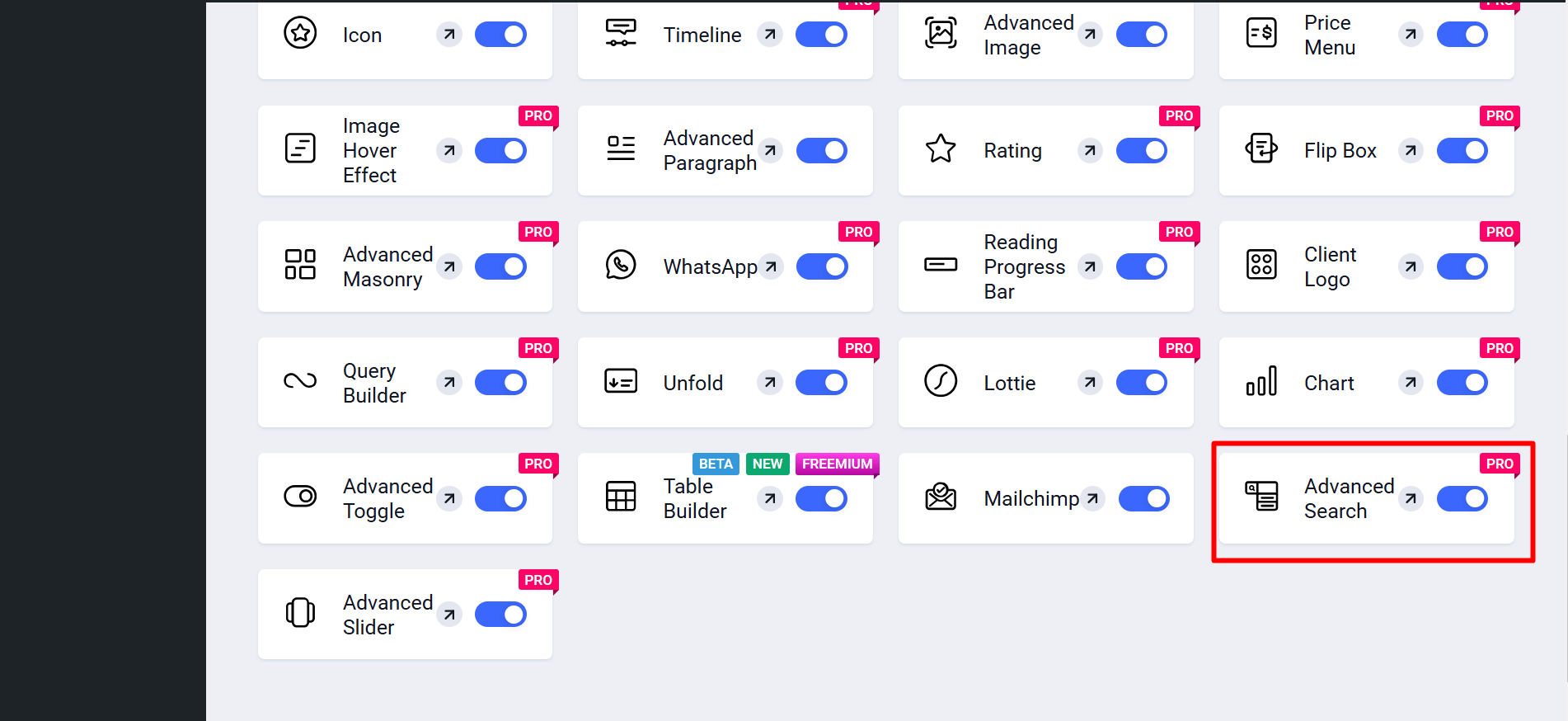
Jetzt,
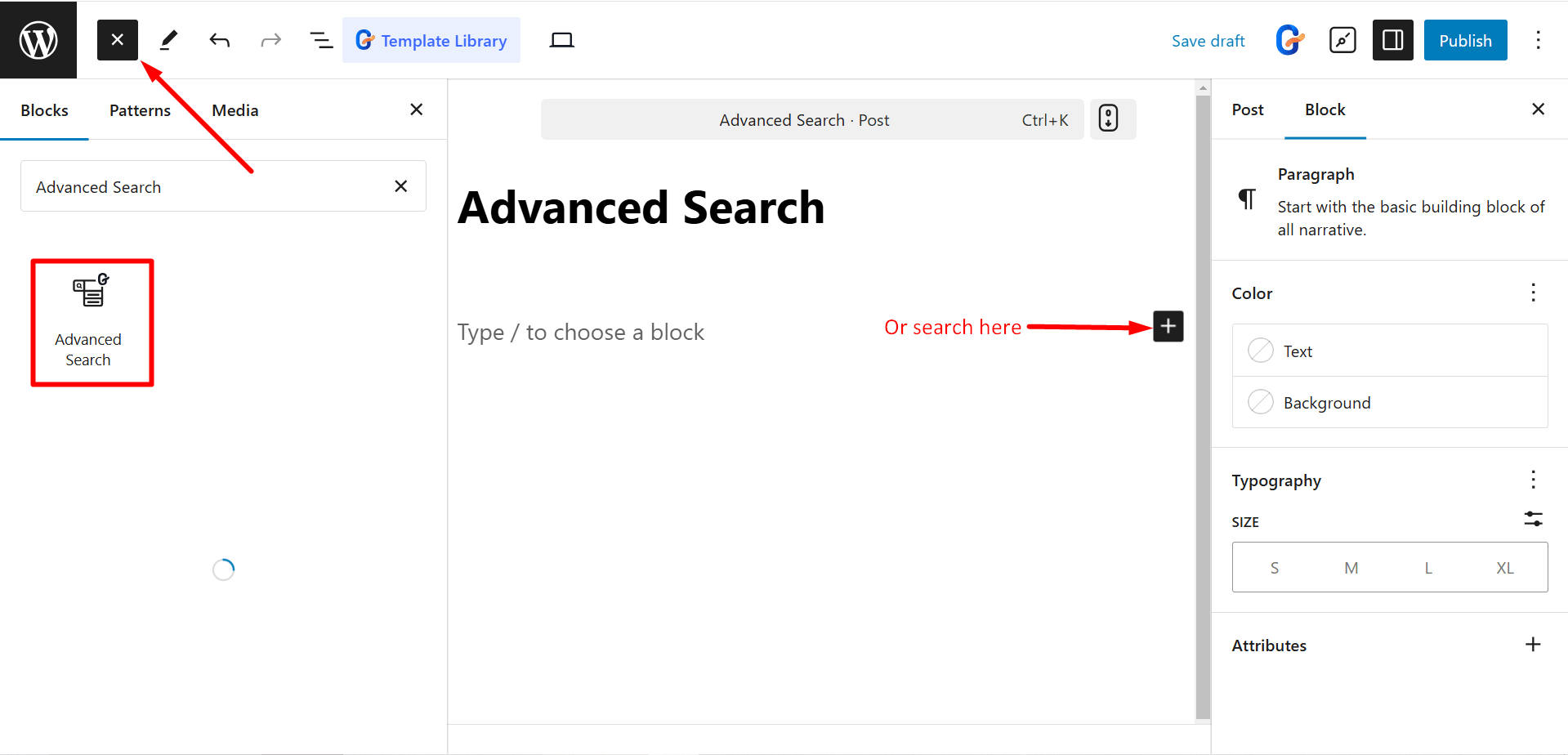
- Finden Pages/Posts > Add New Page/Post oder beginnen Sie mit der Bearbeitung einer vorhandenen Seite mit dem Blockeditor.
- Suche nach "+”-Symbol auf der rechten Seite oder oben im Editor-Bildschirm. Klick es.
- Es erscheint ein Blockmenü, suchen Sie nach „Erweiterte Suche“.
- Wenn Sie es sehen, klicken Sie darauf oder ziehen Sie es per Drag & Drop auf den Blockeditor-Bildschirm.
Inhaltsteil bearbeiten #
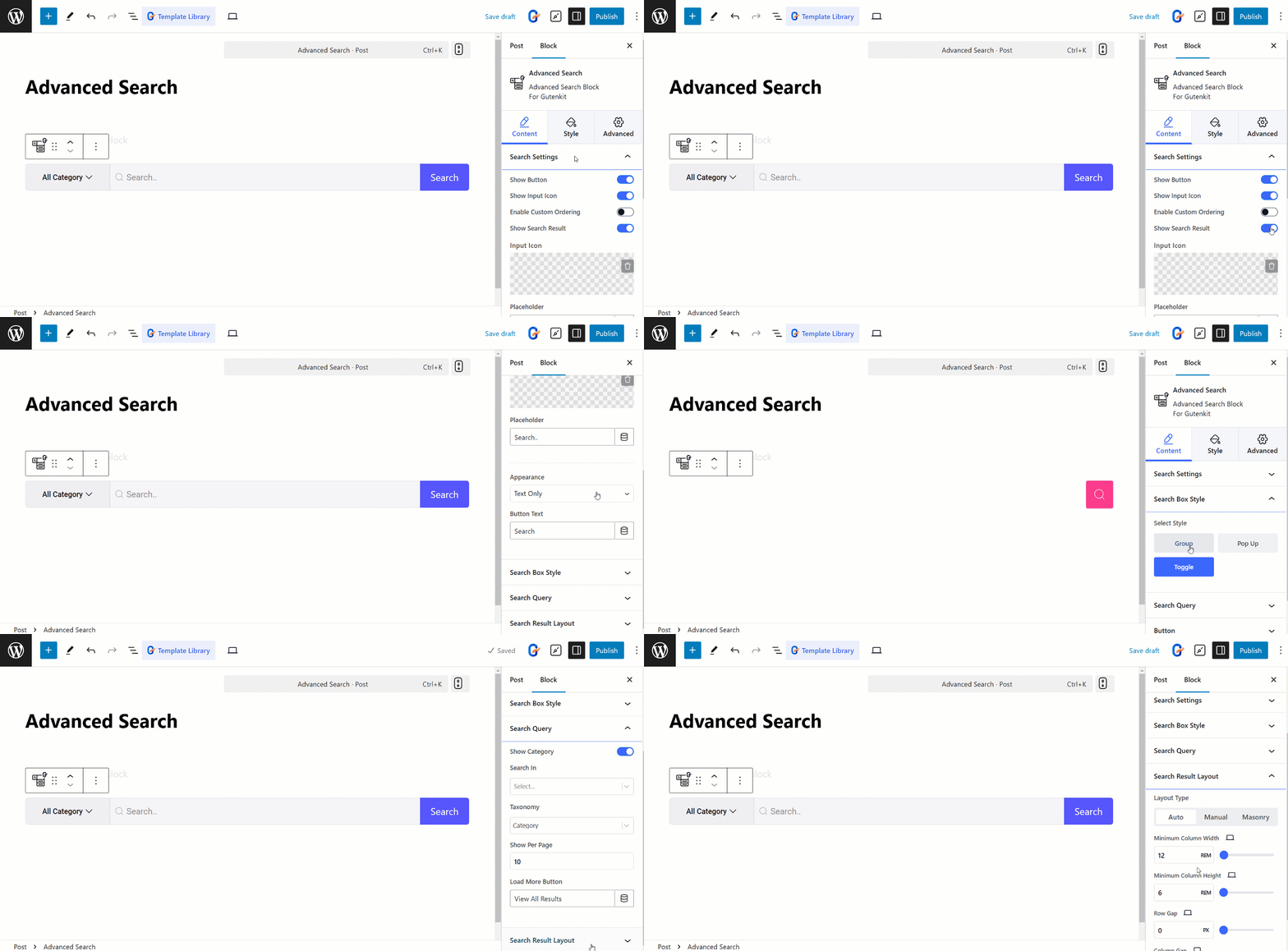
Search Settings: Under this option, you can control –
- Show Button: Displays a button to trigger the search.
- Show Input Icon: Displays an icon within the search input field.
- Benutzerdefinierte Bestellung aktivieren: Allows you to customize the order of search results.
- Show Search Result: Displays the search results below the search bar.
- Input Icon: Sets the icon to be displayed within the search input field.
- Platzhalter: Sets the placeholder text within the search input field.
- Aussehen: Controls the visual style and layout of the search block.
- Schaltflächentext: Sets the text displayed on the search button.
Search Box Style: Here, you can select styles like Group, Pop Up and Toggle.
Search Query: To search queries, you’ll get the following controls –
- Show Category: Displays a dropdown to filter search results by category.
- Search In: Specifies the fields to search within (e.g., title, content, excerpt).
- Taxonomie: Select the taxonomy to use for filtering search results (e.g., categories, tags).
- Show Per Page: Sets the number of search results displayed per page.
- Load More Button: Displays a button to load additional search results.
- Search Result Layout: Determines the layout style for search results.
- Layout Type: Sets the layout type for search results (automatic, manual, or masonry).
- Säulen: Sets the number of columns to display search results in.
- Zeilenabstand: Sets the spacing between rows of search results.
- Spaltenabstand: Sets the spacing between columns of search results.