





Max Mega Menu is better for users who want a basic, lightweight, and theme-compatible extension of the default WordPress menu system. On the other hand, ElementsKit is for Elementor users who need complete visual control and advanced design flexibility with drag-and-drop editing. The right choice completely depends on your requirements and specifications.
Max Mega Menu enhances the native WordPress menu interface with widget support. It doesn’t support the Elementor drag-and-drop editor.
ElementsKit Mega Menu works inside Elementor, which offers drag-and-drop editing, a design-rich template library, and deeper customization.
This blog will walk you through an in-depth comparison based on user experience, template support, design and customization, compatibility, responsiveness, customer support, and pricing, so you can find out the right fit.
Max Mega Menu vs ElementsKit Mega Menu:
Max Mega Menu and ElementsKit Mega Menu are two popular solutions for creating mega menus in WordPress. Max Mega Menu enhances the default WordPress menu system with widgets and layout options, making it ideal for users who prefer a lightweight and theme-compatible solution.
ElementsKit Mega Menu, on the other hand, is built for Elementor users and offers full drag-and-drop control, advanced design flexibility, and pre-built templates.
Max Mega Menu vs ElementsKit Mega Menu
| Funktioner | Max Mega Meny | ElementsKit Mega Menu |
|---|---|---|
| Builder environment | Works inside the default WordPress menu editor | Built inside the Elementor editor |
| Template library | Inte tillgänglig | Includes pre-built templates and sections |
| Widget support | WordPress widgets only | Any Elementor widget |
| Header and footer templates | ❌ | 45+ |
| Block sections | ❌ | 1000+ |
| Menu icons | 600+ | 3000+ |
| Importable sections | ❌ | ✅ |
| Full width/position control | Begränsad | Extensive via Elementor editor |
| Support team | Priority support for Pro users | 24/7 prompt support |
| WordPress.org betyg | 4.8/5 | 4.9/5 |
| Five-star reviews | 475+ | 1850+ |
| Lifetime offer | ❌ | ✅ |
Exempel
A WordPress site using the default menu editor may choose Max Mega Meny to extend the existing navigation with widgets and menu layouts. Meanwhile, an Elementor-based website can use ElementsKit Mega Menu to design complex navigation menus with drag-and-drop sections, widgets, and templates.
Sammanfattning
Max Mega Menu is suitable for users who want a lightweight extension of the native WordPress menu system. ElementsKit Mega Menu is better suited for Elementor users who need advanced customization, visual editing, and template-driven navigation design.
What is Max Mega Menu?
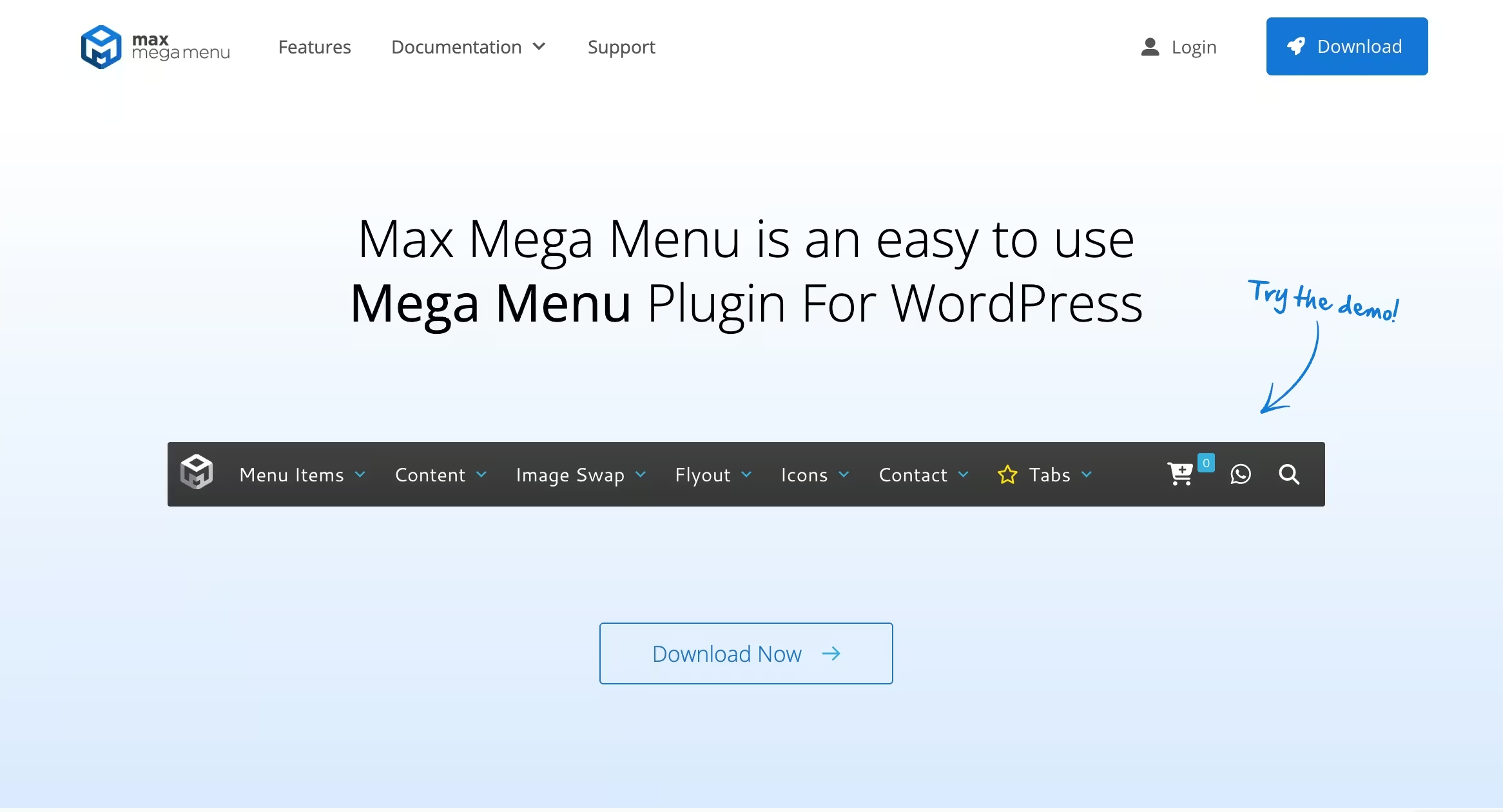
Max Mega Meny is a dedicated solution that converts your website navigation into a rich menu structure. It lets you add different menu type including horizontal, vertical, accordion, sticky, and tabbed submenus, to your WordPress site. It’s supported by a theme editor to create responsive menus in minutes.
| Funktioner | Max Mega Meny |
|---|---|
| Auto conversion of existing menu | ✅ |
| Horizontal, vertical, accordion, Sticky menu | ✅ |
| Widget support inside menus | ✅ |
| Mobile and touch friendly | ✅ |
What is ElementsKit mega menu?
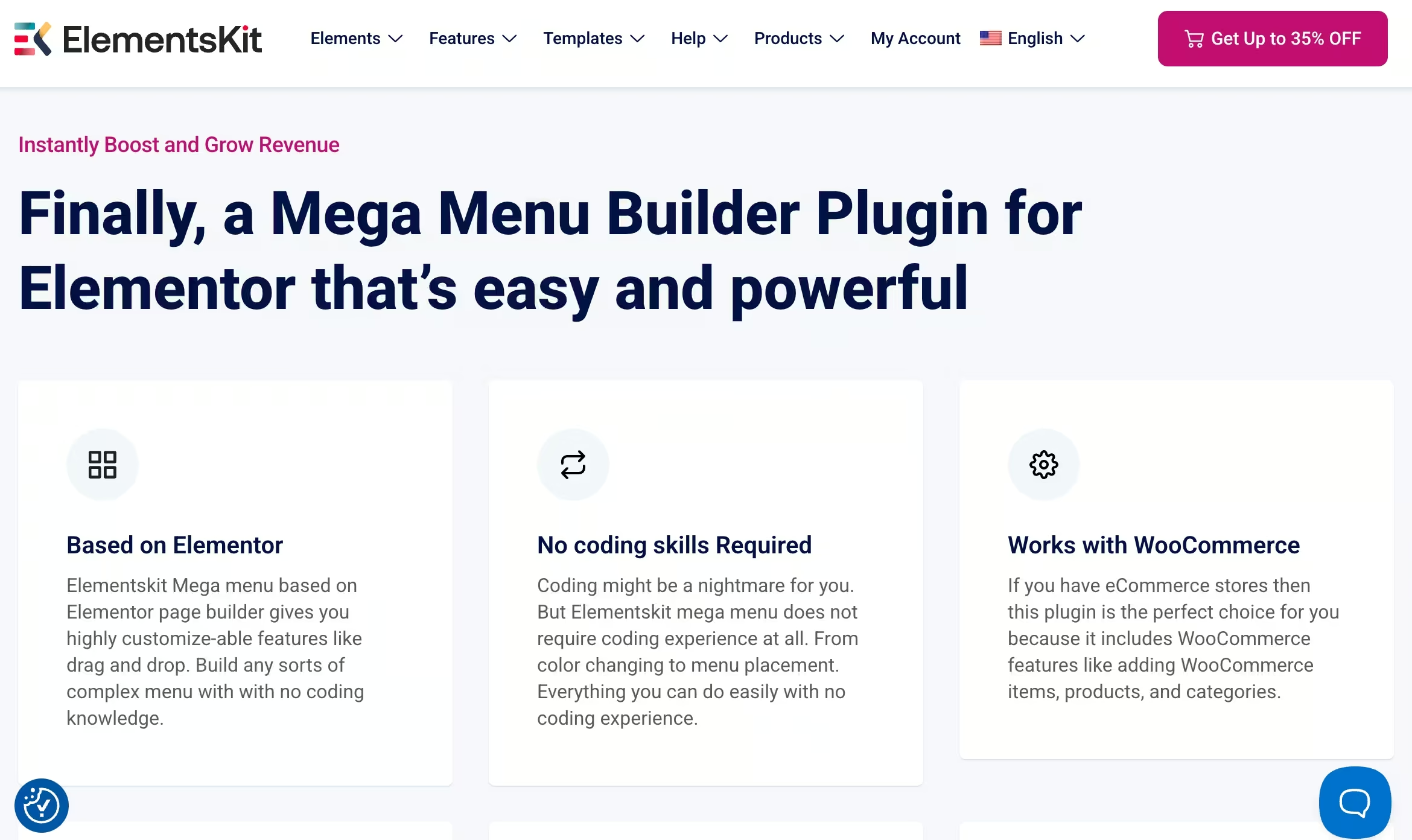
ElementsKit megameny is a module within the ElementsKit Elementor addon that lets you create a fully responsive and optimized mega menu inside the Elementor editor with pre-built templates and 90+ widgets. This method is ideal for Elementor users who seek design flexibility.
| Funktioner | ElementsKit Mega Menu |
|---|---|
| Friendly Elementor editor support | ✅ |
| Drag-and-drop content | ✅ |
| Elementor widgets in menus | ✅ |
| Complete design control | ✅ |
| Template library | ✅ |
Builder experience
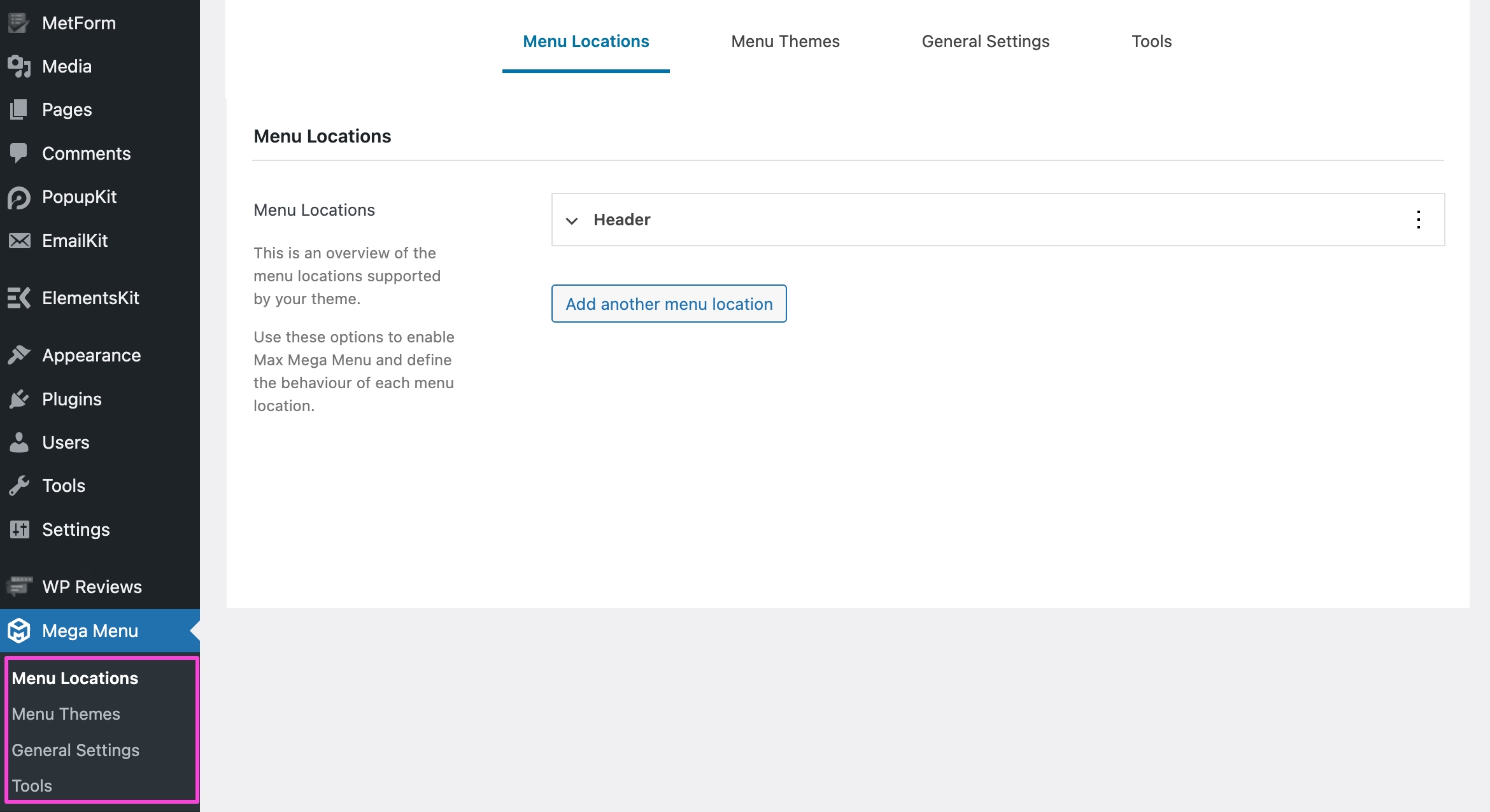
Max Mega Menu operates inside the default WordPress menu editor. On the Max Mega Menu tab, you will get a guide to add a mega menu. This is based on a settings-based configuration rather than a visual building approach.
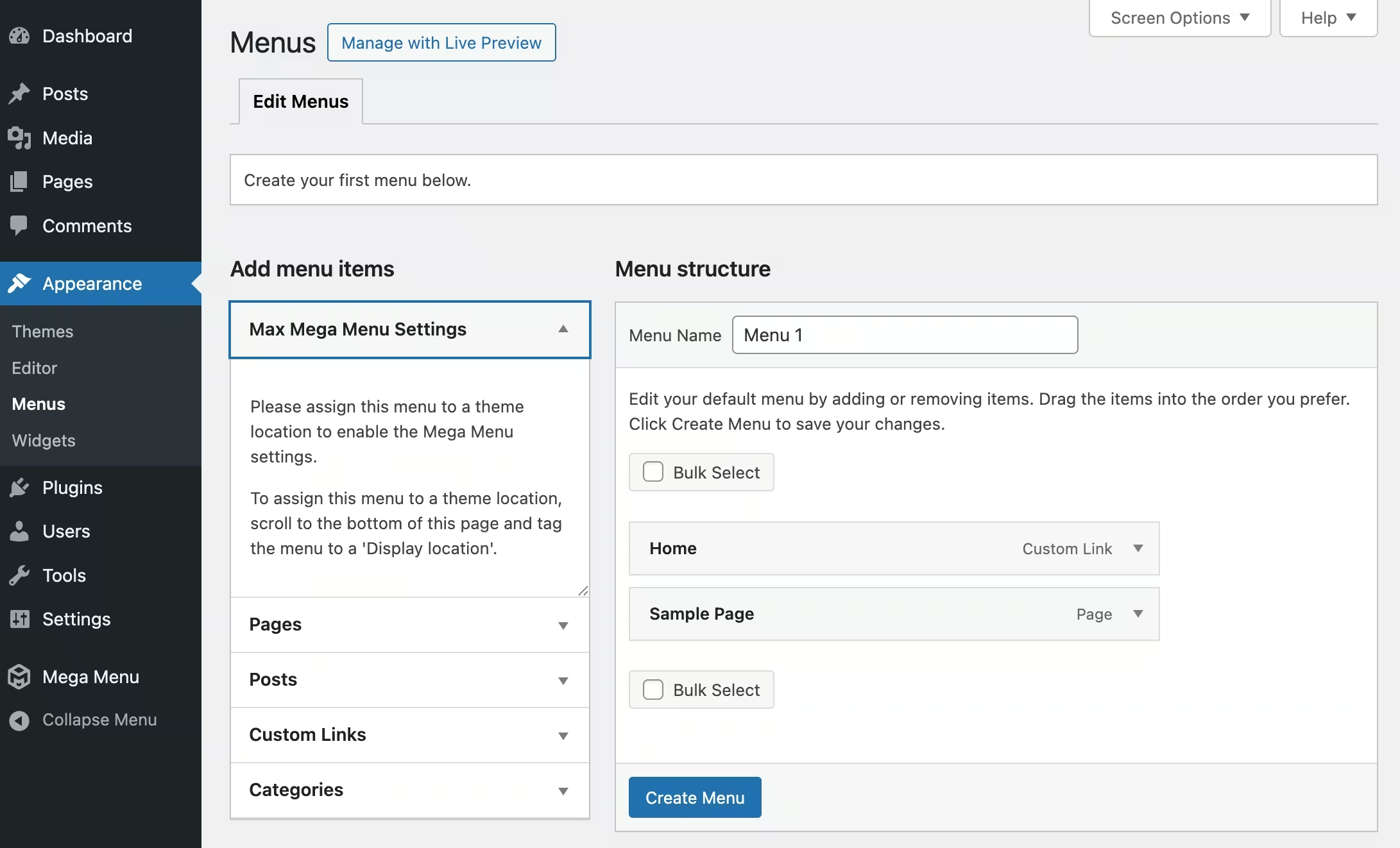
Also, you can select locations for your mega menu from the Menu locations tab. Besides, you will find vast options under Menu Themes and General Settings. Max Mega Menu is not dependent on the Elementor editor.
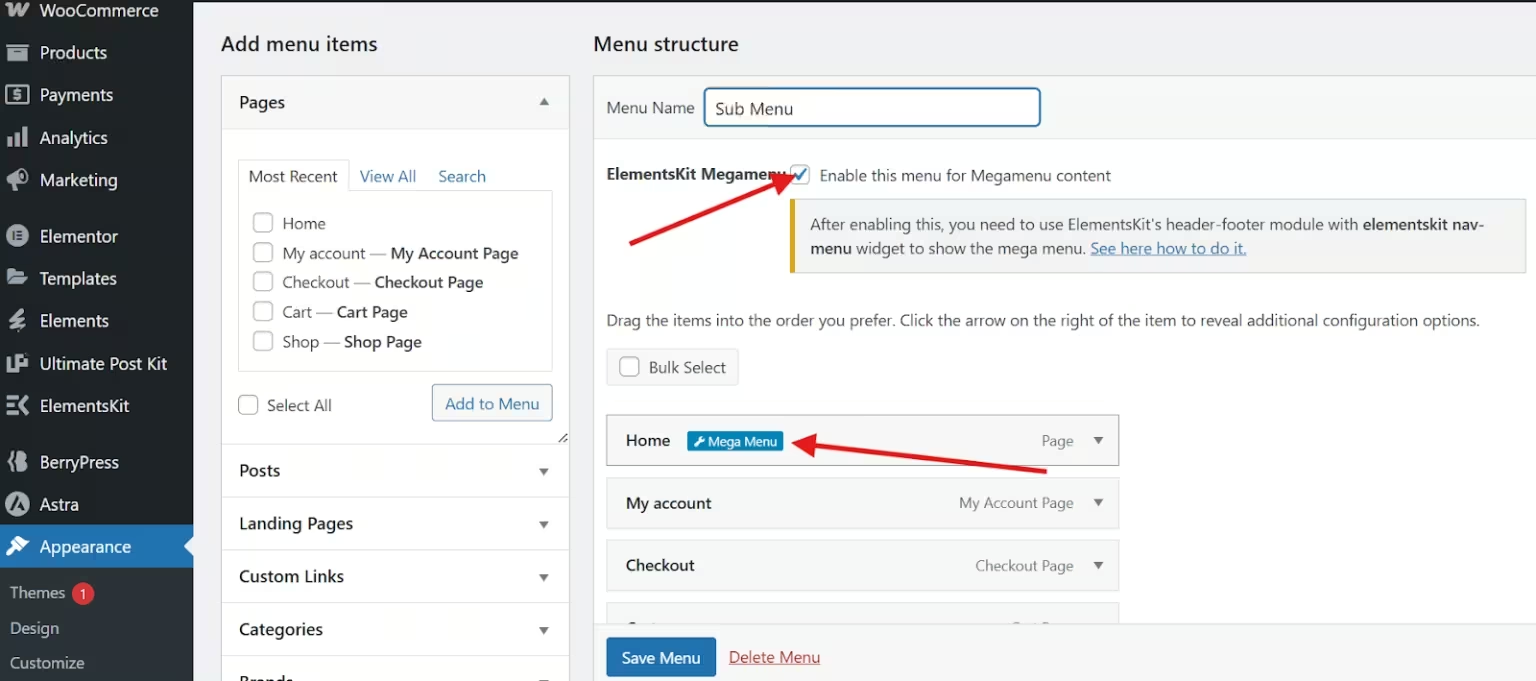
On the other hand, ElementsKit mega menu integrates with the Elementor editor. After adding the navigation menu, you can add mega menu for each menu option. For that, you need to click the Mega Menu icon within the WordPress default menu editor page. After all adjustments from the popup tab, click the “Edit with Elementor”.
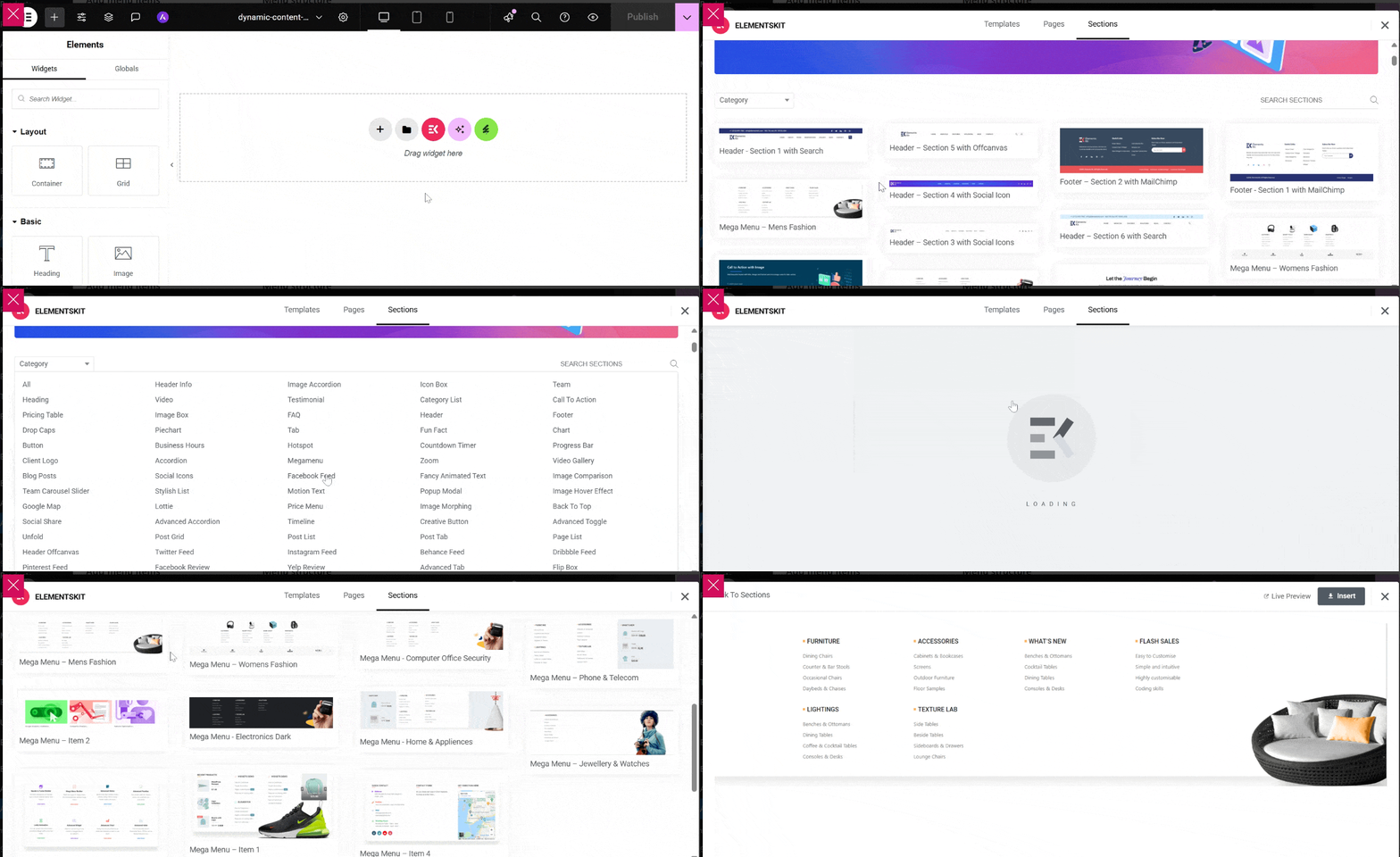
ElementsKit’s Mega Menu also offers prebuilt templates for smooth menu creation and customization. You can design menus using drag-and-drop sections, columns, and widgets with real-time visual feedback.
Here is a quick comparison of these mega menu plugins in terms of builder experience:
| Funktioner | Max Mega Meny | ElementsKit Mega Menu |
|---|---|---|
| WordPress menu editor | Classic background UI | Elementor editor |
| Drag-and-drop layout inside menu | Limited widget positioning | Complete Elementor drag-and-drop |
| Live preview | Begränsad | Ja |
| Enkel användning | Måttlig | Lätt |
Template support
Max Mega Menu doesn’t provide pre-built templates or block sections. On the other hand, ElementsKit Mega Menu comes with a template library that includes header and footer templates, block sections, and icons.
| Funktioner | Max Mega Meny | ElementsKit Mega Menu |
|---|---|---|
| Header and footer templates | ❌ | 45+ |
| Block sections | ❌ | 1000+ |
| Menu icons | 600+ | 3000+ |
| Importable sections | ❌ | ✅ |
Design and customization
The most noticeable differences between these two plugins lie in design flexibility. Max Mega Menu offers all the essential styling options, but it remains short in terms of structural capabilities.
In contrast, ElementsKit’s Mega Menu utilizes Elementor’s visual editor to offer advanced content customization, design flexibility, and custom styling options.
Here is the comparison between these two plugins based on design aspects:
| Design aspects | Max Mega Meny | ElementsKit Mega Menu |
|---|---|---|
| Style menus with custom fonts and colors | Grundläggande | Complete visual control vis Elementor |
| images/icons in menu | Ja | Ja |
| Advanced content | Widgets only | Any Elementor widget |
| Full width/position control | Begränsad | Extensive via Elementor editor |
Kompatibilitet
Max Mega Menu has compatibility with all WordPress themes and plugins. It also supports Elementor, but it’s not optimized for Elementor’s drag-and-drop interface since it is integrated the core WordPress menu system.
On the contrary, ElementsKit Mega menu is compatible with all the popular Elementor-supported themes and plugins. Unlike Max Mega Menu, it is designed to support the Elementor drag-and-drop editor.
| Kompatibilitet | Max Mega Meny | ElementsKit Mega Menu |
|---|---|---|
| WordPress-teman | Ja | Elementor compatibility |
| Plugins | Ja | Elementor compatible plugins |
| Elementor support | Works but not built in Elementor | Ja |
| WooCommerce support | Ja | Ja |
Lyhördhet
Both plugins are mobile responsive. Although you need to get the Pro version to enjoy the sticky feature for both cases. Have a look at their quick comparison in terms of responsiveness.
| Device suppot | Max Mega Meny | ElementsKit Mega Menu |
|---|---|---|
| Mobile-friendly | Ja | Ja |
| Touch navigation | Ja | Ja |
| Klibbig | Pro funktion | Pro option |
För-och nackdelar
Understanding the advantages and shortcomings helps you to compare and decide which plugin is the best for your website design needs and setups. Below we have provided what each solution does well and where they may fall short.
Max Mega Menu:
Max Mega Menu is designed focusing on performance, accessibility, and compatibility. This solution is suitable for those who want a lightweight, simple design and customization control for their site.
| Fördelar | Nackdelar |
|---|---|
| 1. Lightweight solution | 1. Basic functionality. |
| 2. Good compatibility with themes and plugins. | 2. Dedicated solution. |
| 3. Easy setup. | 3. No template and preview option. |
| 4. Minimal learning curve. | 4. Classic editing. |
ElementsKit Mega Menu:
ElementsKit Mega Menu prioritizes design freedom and limitless website customizations. This one is ideal for users who are already in the Elementor ecosystem and looking for advanced customization support inside menus.
| Fördelar | Nackdelar |
|---|---|
| 1. Complete design flexibility. | 1. Requires Elementor free version. |
| 2. Drag-and-drop customizations. | 2. Might get overwhelmed with advanced functionalities and performance. |
| 3. Prebuit templates and sections support. | |
| 4. Less learning curve for Elementor users. |
Customer support
Max Mega Menu and ElementsKit Mega Menu are well-documented and supported plugins that reflect in their user reviews and ratings. However, ElementsKit’s Mega Menu has more reviews and ratings on WordPress.org compared to Max Mega Menu. Let’s have a look at their user support and commitment:
| User support | Max Mega Meny | ElementsKit Mega Menu |
|---|---|---|
| Dokumentation | Ja | Fully documented |
| Community support | Tillgängliga | Larger user base |
| Support team | Priority support for Pro users | 24/7 prompt support |
| Video | Tillgängliga | Omfattande |
| WordPress.org betyg | 4.8/5 | 4.9/5 |
| Five-star reviews | 475+ | 1850+ |
Prissättning
Here is the price comparison of these two mega menu plugins:
Max Mega Menu:
Max Mega Menu only offers yearly packages. No lifetime license (Once in a lifetime) is available in this dedicated mega menu plugin. Its pricing starts at $29/year, which is less than the ElementsKit mega menu.
| Paket | Årlig |
|---|---|
| Personal license | $29 |
| Business license | $49 |
| Developer license | $99 |
ElementsKit Mega Menu:
Both yearly and lifetime deals are available in ElementsKit, where the yearly and lifetime plans respectively start at $49 & $147. The price of the Max Mega Menu might seem less than that of ElementsKit.
But if you check the lifetime prices of ElementsKit Mega Menu, then you will understand it is far more profitable than Max Mega Menu.
| Paket | Årlig | Livstid |
|---|---|---|
| Personlig | $49 | $147 |
| Professionell | $119 | $357 |
| Byrå | $249 | $747 |
Avslutar
The decision between Max Mega Menu and ElementsKit Mega Menu depends on your workflow and design priorities.
If you want a lightweight, default WordPress menu system and theme-compatible solution, then Max Mega Menu is efficient and reliable.
If you are already using Elementor and want full visual control, pre-built templates, advanced layouts, and conversion-focused design elements inside your navigation, ElementsKit Mega Menu provides significantly greater flexibility. Its drag-and-drop builder and widget ecosystem make it super easy to design a rich mega menu with vast control settings.


Lämna ett svar