





This guide will walk you through the process of integrating GetResponse med PopupKit. By connecting these platforms, every lead captured through your WordPress popups will be automatically synced to your GetResponse contact lists.
Nödvändig förutsättning:
Accessing MailerLite integration requires a PopupKit Pro subscription.
How to Integrate PoupKit with GetResponse #
Follow the steps below to connect PoupKit with a GetResponse account.
Step 1: Get GetResponse API Key #
To authorize the connection, you first need to generate a unique API key from your GetResponse account:
- Logga in till din GetResponse account.
- Klicka på Verktyg menu in the top-left corner of the dashboard.
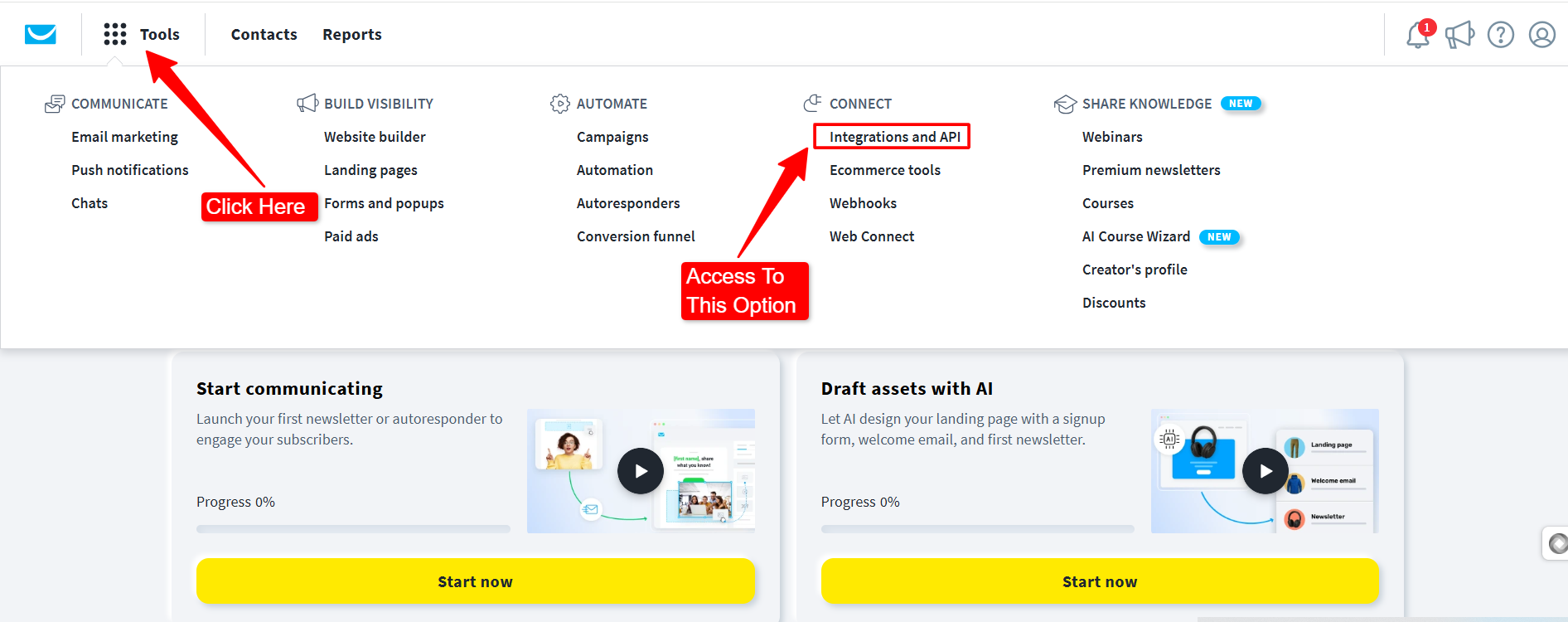
- Välj Integrations and API from the dropdown list.
- Klicka på API tab at the top of the page. Like in the image below:
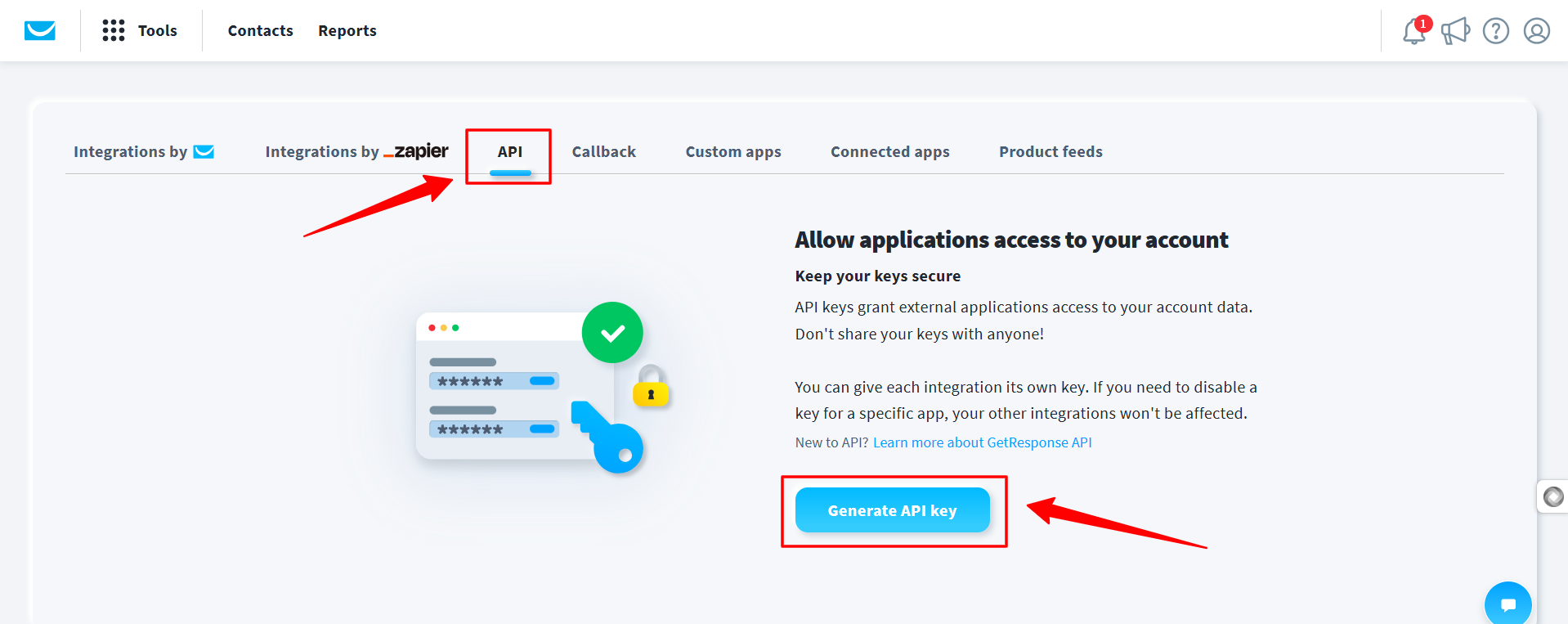
- Klicka på Generate API key knapp.
- Name your key: Give it a descriptive name like “PopupKit Integration” to keep track of its use.
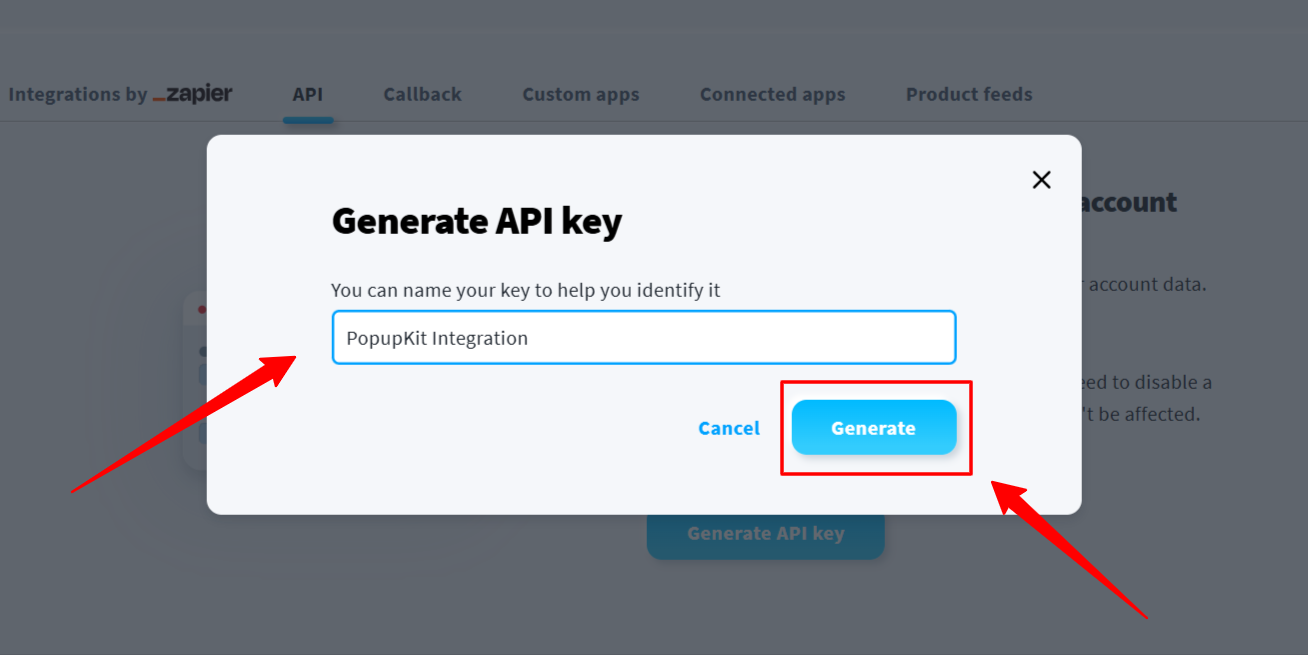
- Klicka på Generera knapp.
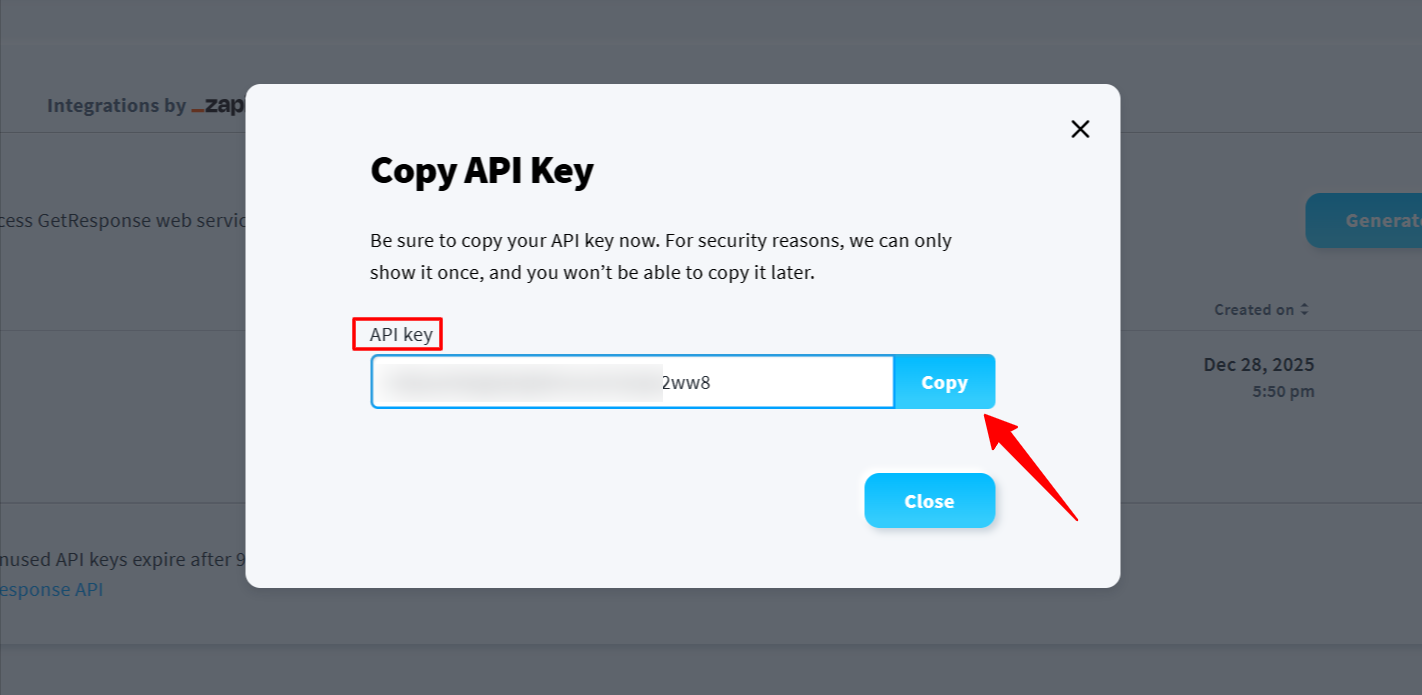
- Copy the Key: Click the “Copy” button. Make sure to save it safely, as you may need it for future reference.
Step 2: Add API Key to PopupKit Settings #
Once you have your API key, you need to input it into the PopupKit settings on your WordPress site:
Gå till din WordPress instrumentpanel och navigera till PopupKit > Settings > Integrationer flik.
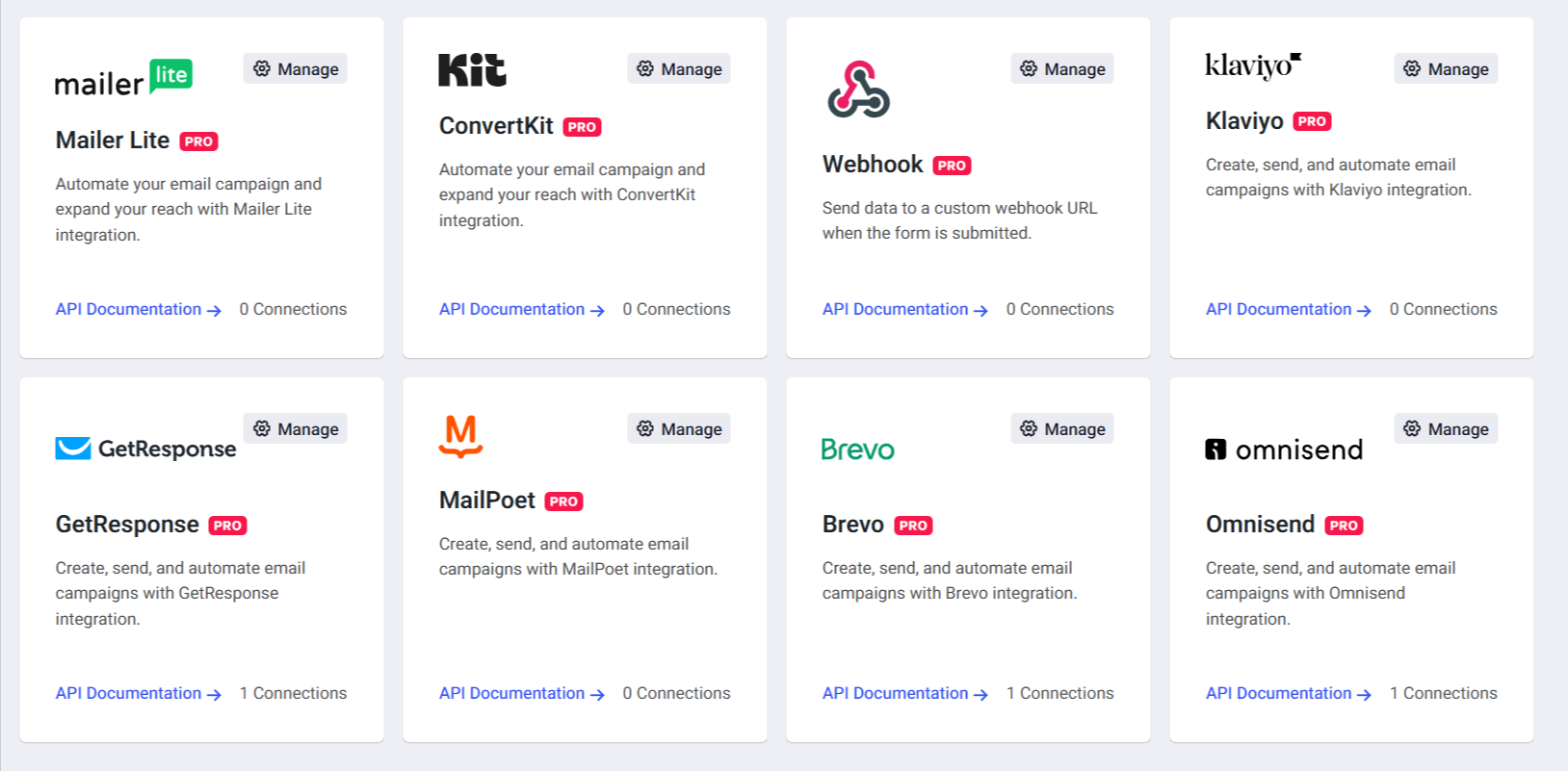
Hitta GetResponse in the list of available marketing services and click on the “Manage” option. You’ll see a popup screen to attach your API Key.
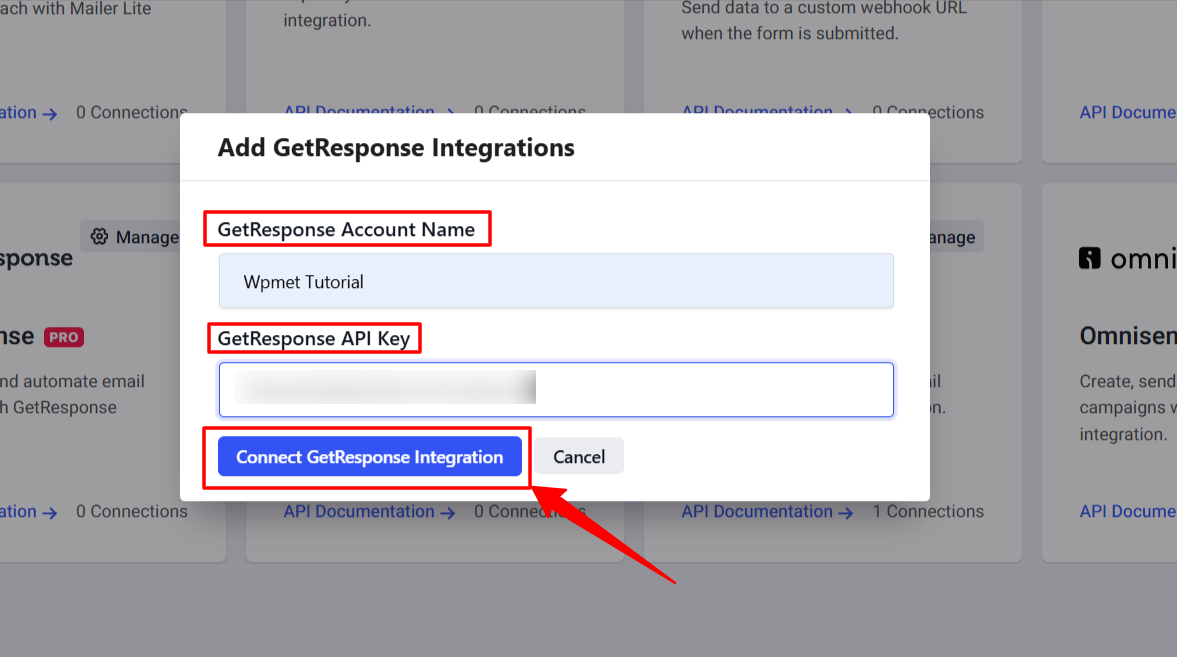
Välj din GetResponse Account Name and paste your API-nyckel into the provided field. And, hit the “Connect GetResponse Integration alternativ.
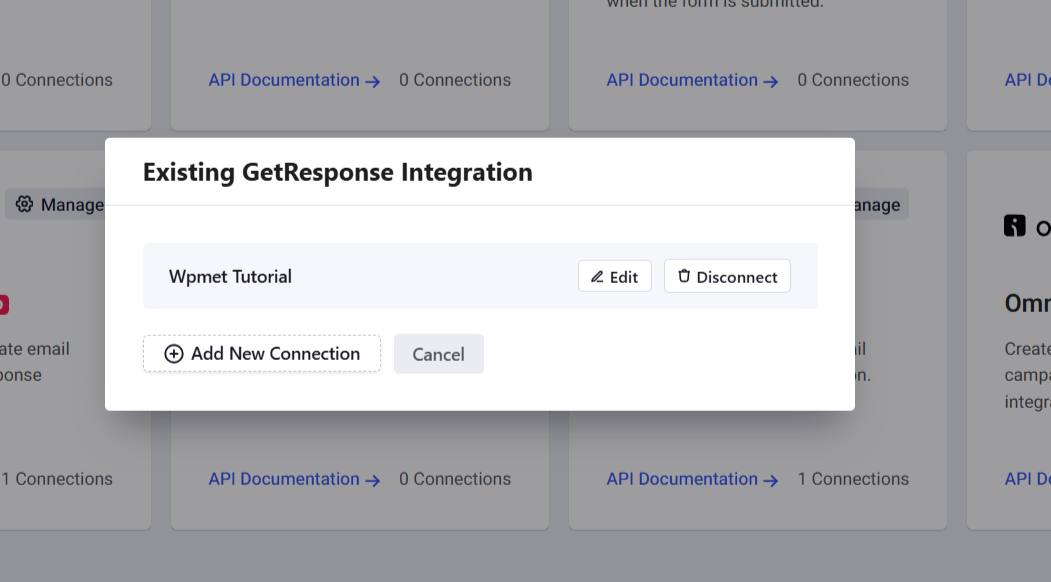
And, you’ll find your account is successfully connected.
Step 3: Configure GetResponse in the PopupKit Editor #
After the global connection is established, you can link specific popups to your GetResponse campaigns:
To do this, add a new popup campaign or start editing an existing one with PoupupKit. Then, in the editor, complete your popup design and must add a Form block. Next, click on the Form block settings and locate the Integrationer alternativ.
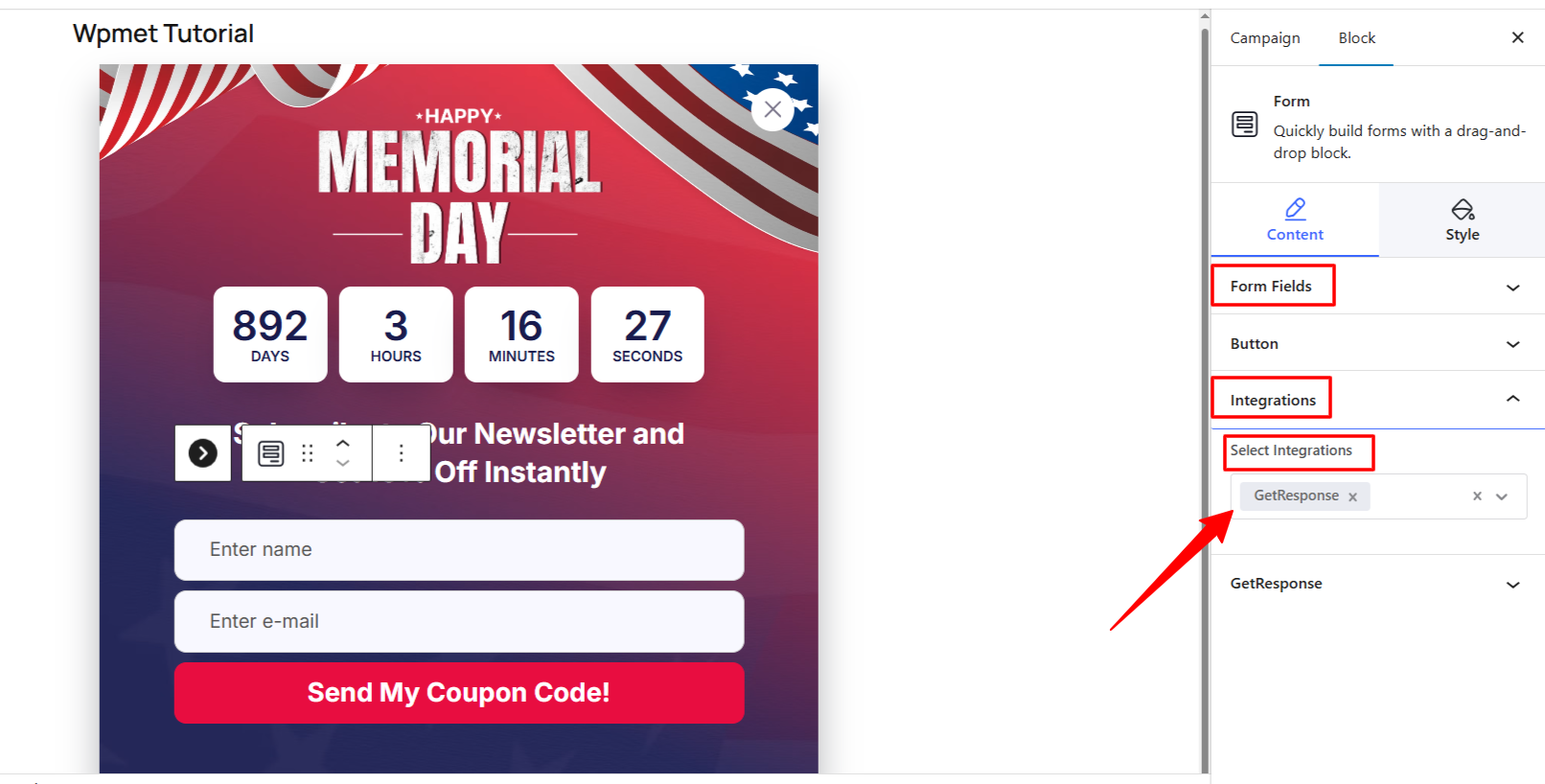
Välj GetResponse from the “Select Integrations” dropdown.
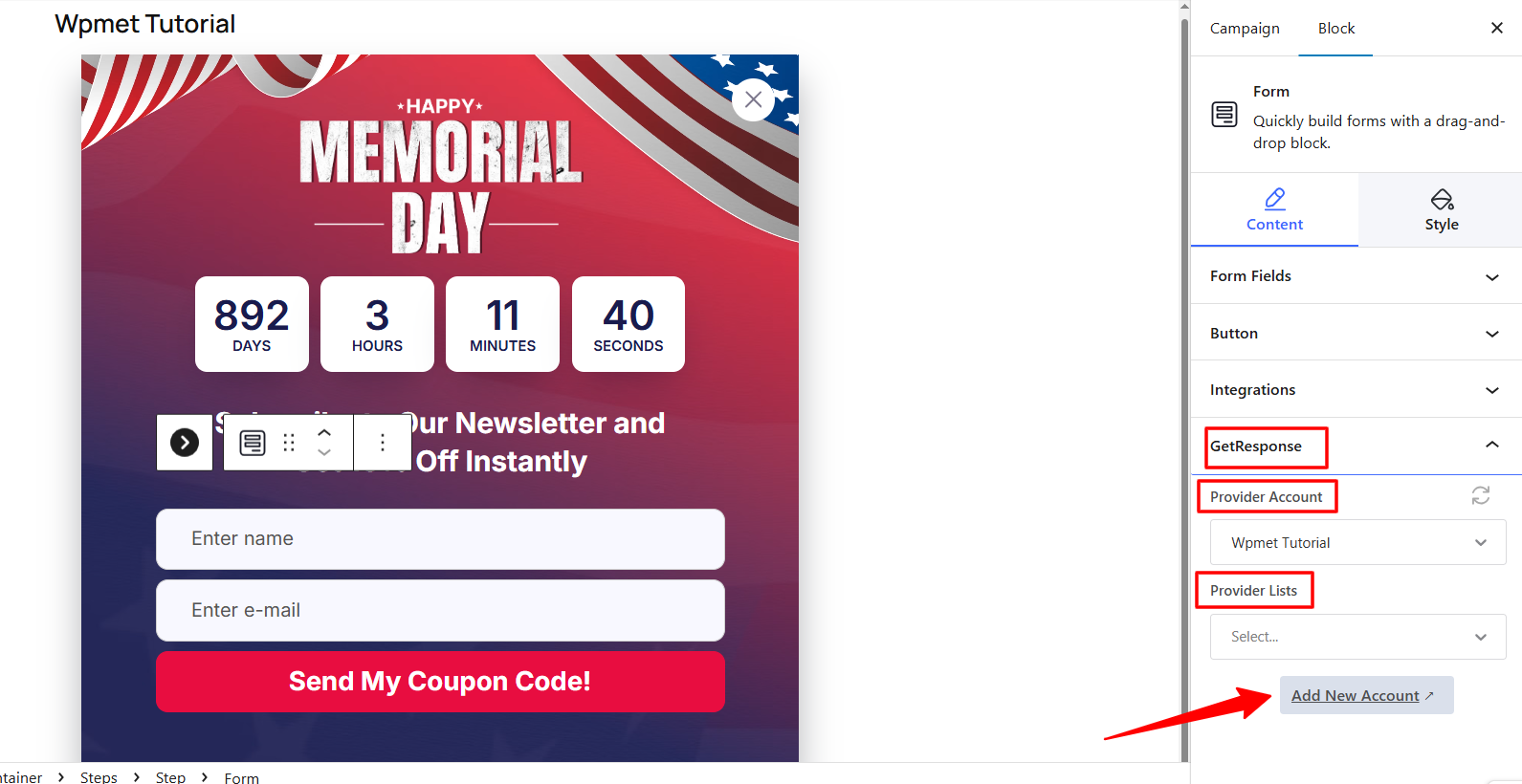
Välj din konto and then select the specific GetResponse List (Campaign) where new leads should be added. And, publish your Popup once you are done.
Your PopupKit integration with GetResponse is now active! New subscribers will be added to your chosen GetResponse list instantly.


