





This article will show you how to integrate Omnienviar com Kit pop-up. By following this doc, you can automatically sync your popup leads directly to your Omnisend contact lists.
Pré-requisito:
Accessing MailerLite integration requires a PopupKit Pro subscription.
How to Integrate PoupKit with Onmisend #
Let’s go through the step-by-step process of connecting Ominsend with PoupKit.
Step 1: Get Omnisend API Key #
To get started, you need to generate an API key from your Omnisend account:
- Conecte-se para o seu Omnienviar painel.
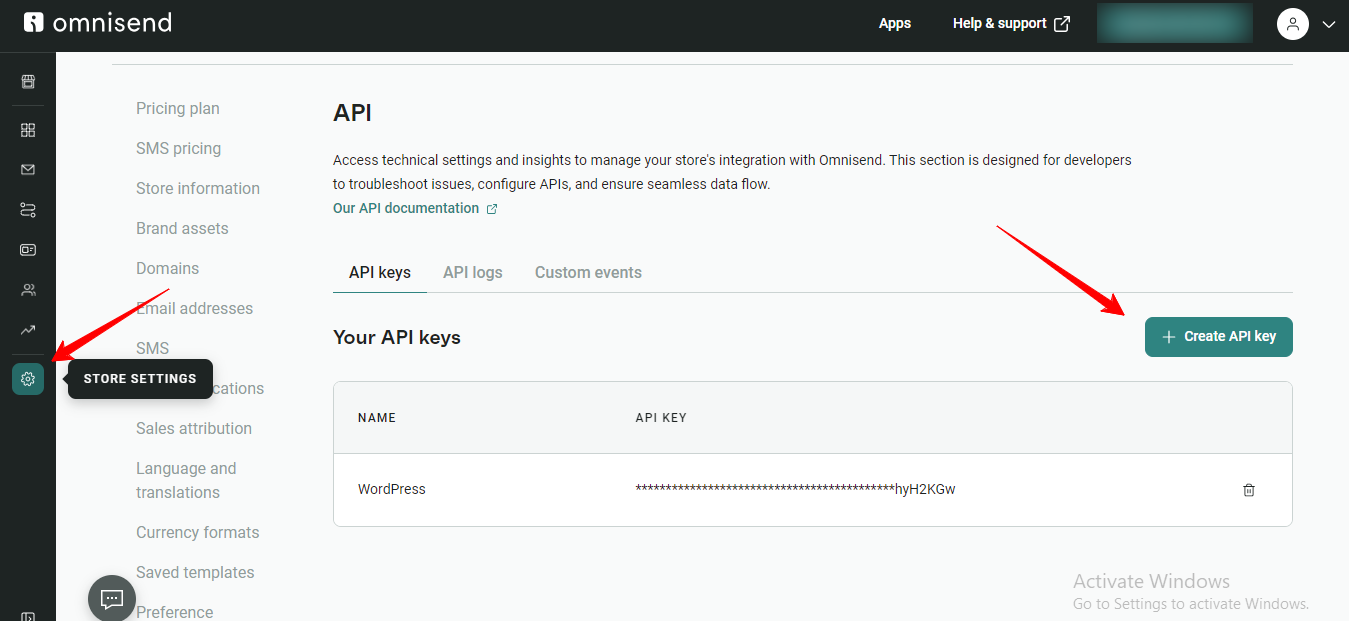
- Click on your Profile name in the top-right corner and select Store Settings.
- On the left sidebar, navigate to API e clique em API Keys.
- Clique no Create API Key botão.
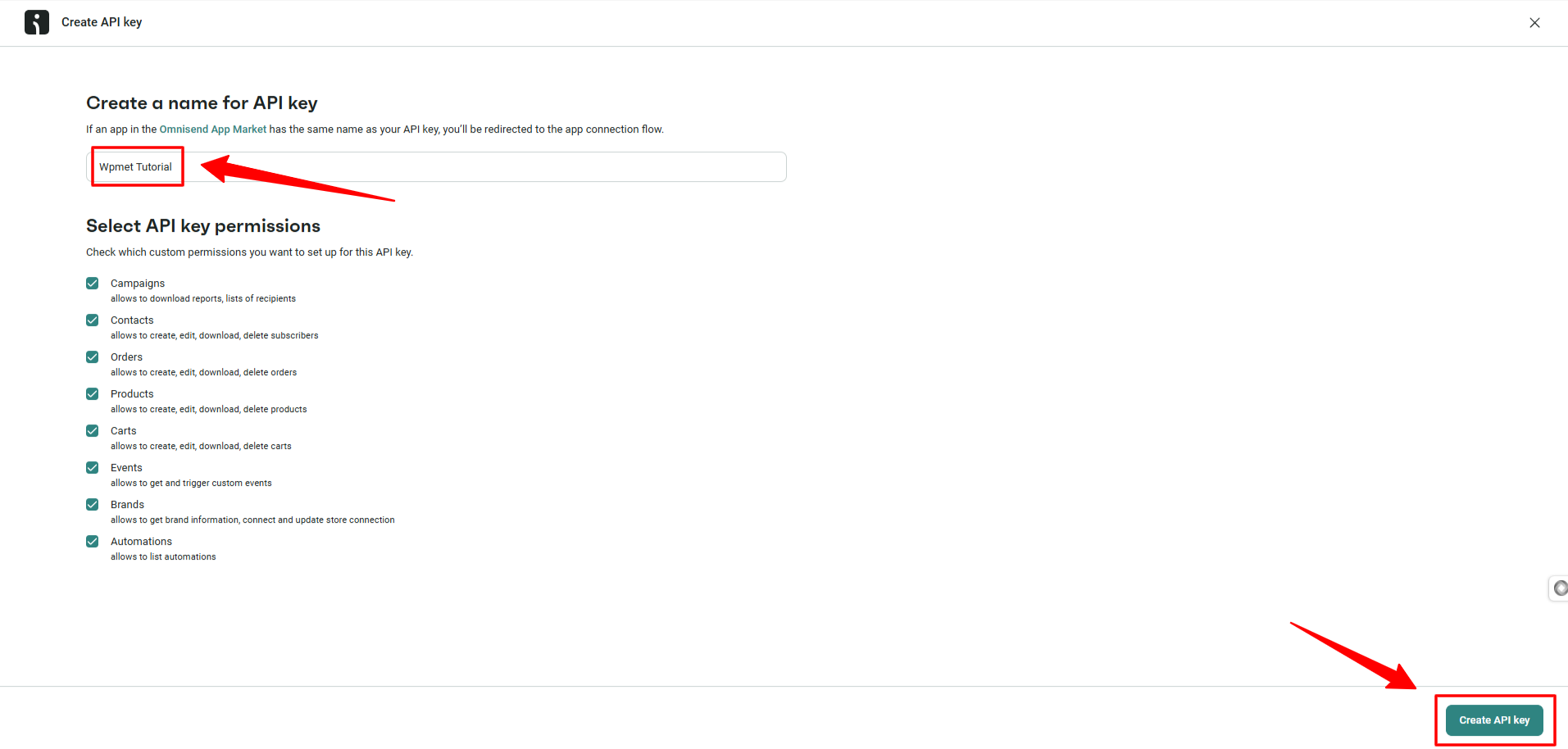
- In the next screen, you need to Name your key (e.g., “PopupKit Integration”).
- Clique Generate API Key. And, your API Key will appear.
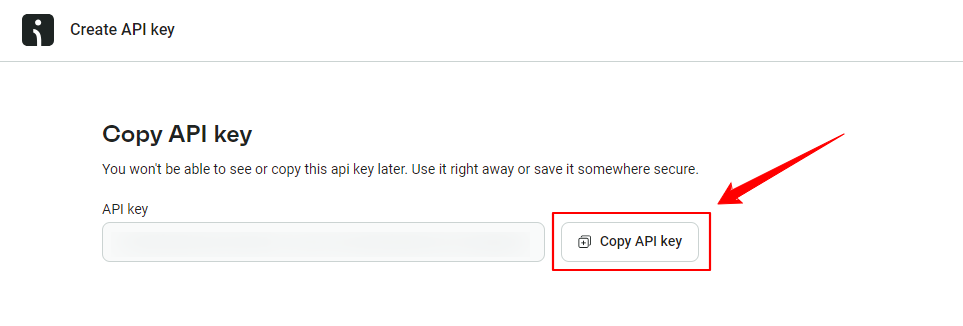
Copy the API Key immediately and store it safely, as Omnisend will not show the full key again.
Step 2: Add API Key to PopupKit Settings #
Once you have your API key, you need to connect it to the PopupKit plugin:
- Vá para sua Painel WordPress.
- Navegar para PopupKit > Integrations
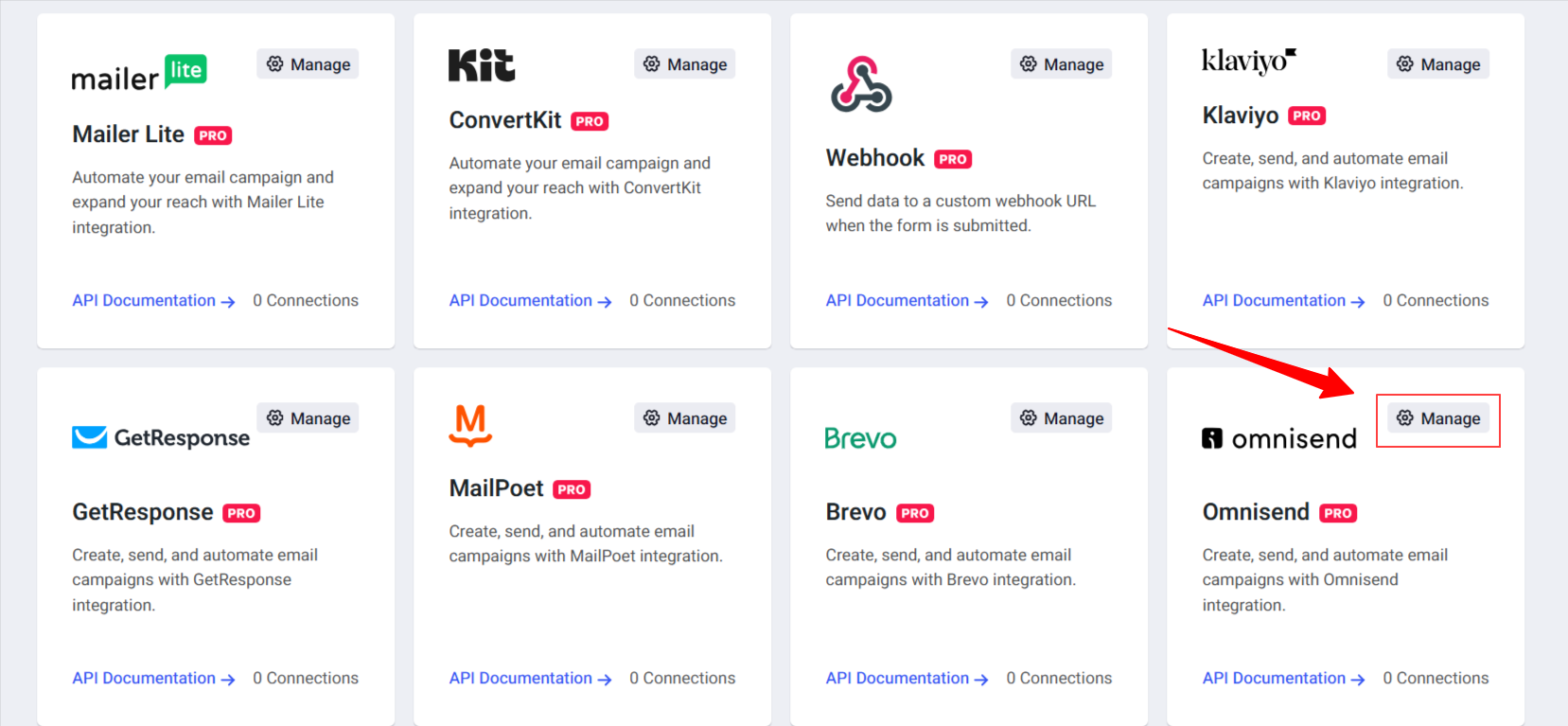
- Encontrar Omnienviar in the list of available integrations.
- Once you see it. Click the “Manage” opção.
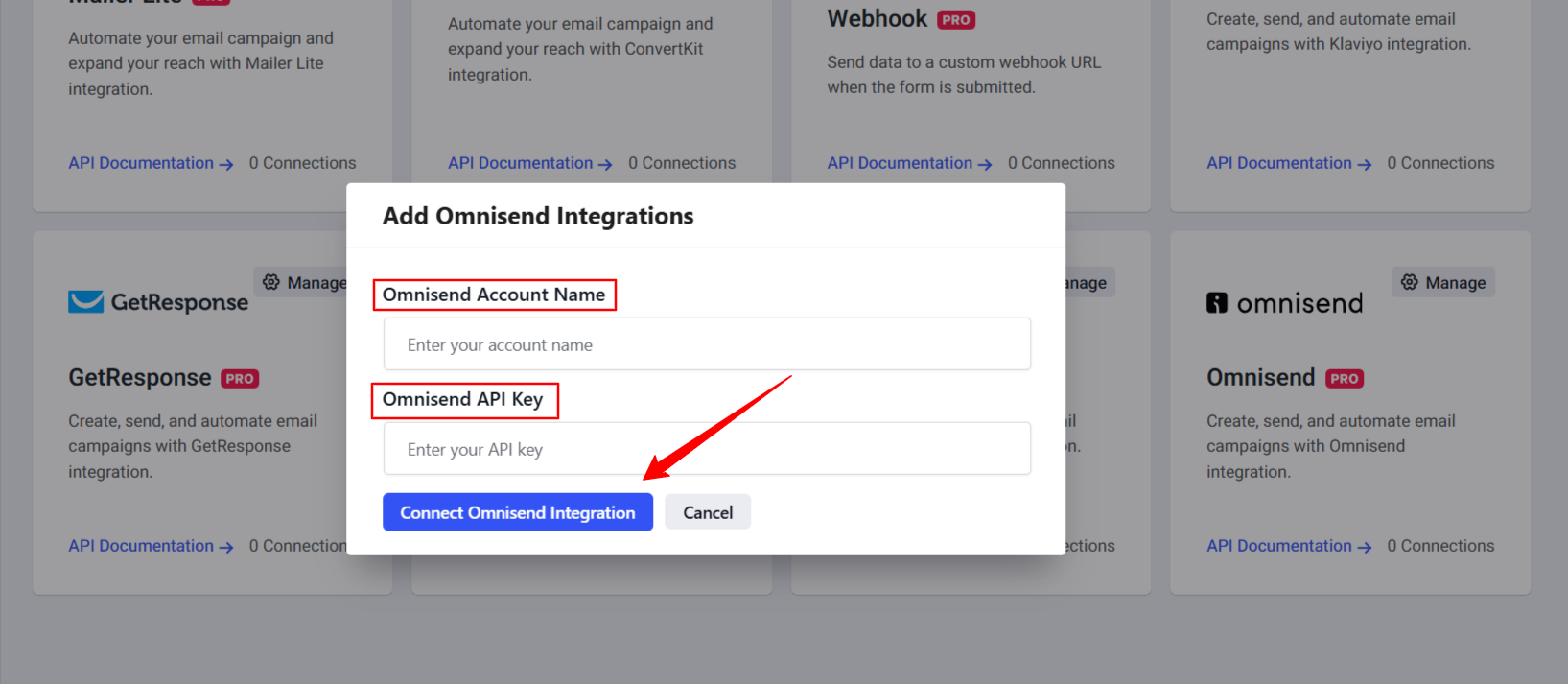
- A popup will appear. Enter your Omnisend Account Name and paste your Chave API into the designated field.
- Então, acerte o Connect Omnisend Integration botão.
And, from now on, you can link a specific popup form to your Omnisend account.
Step 3: Configure Omnisend in the Popup Editor #
In this step, you’ll see how to set up Omnisend in the popup editor interface.
Start designing a new popup campaign or edit an existing one. Once you’re in the editor panel, design a popup with a Forma bloquear.
Selecione os Forma element within your popup layout. In the left-hand settings panel, look for the Integrações opção.
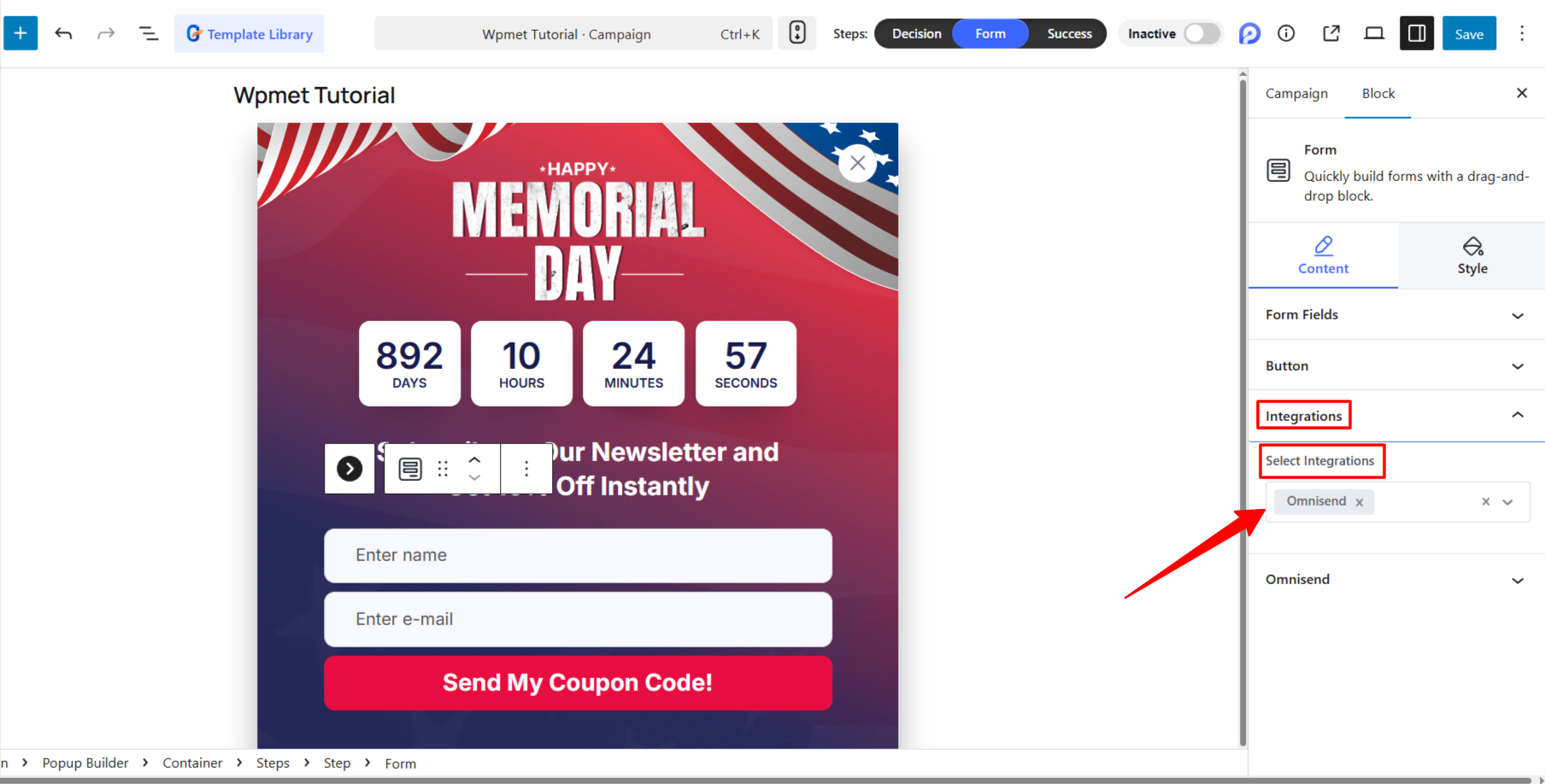
Escolher Omnienviar from the “Select Integration” dropdown menu.
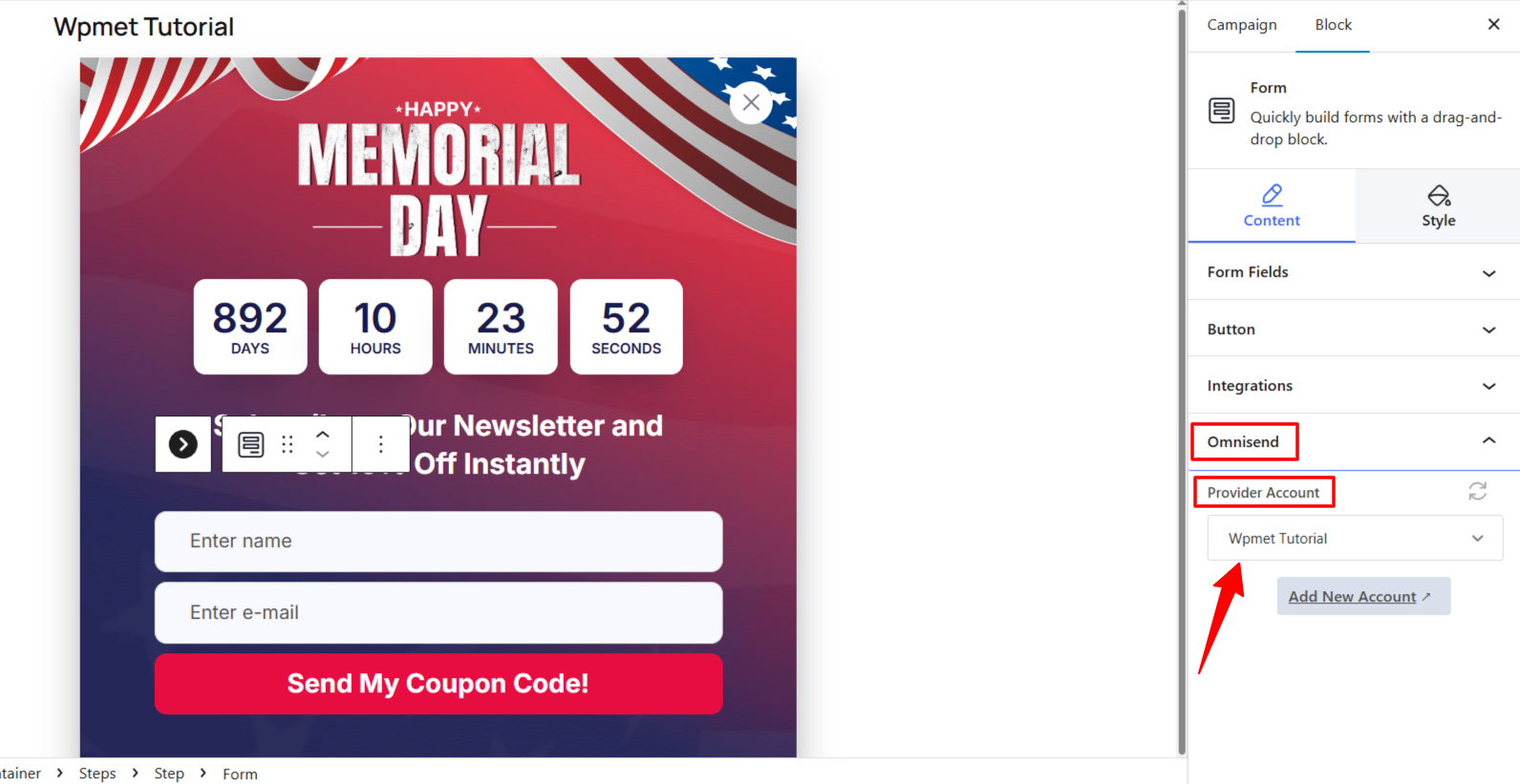
Add your Provider Account (the one you authorized in Step 2). Also, choose the Omnisend List ou Segment where you want to send the leads.
To ensure the data is transferred correctly, check the Omnisend dashboard and move to the API tab e clique API Logs opção.
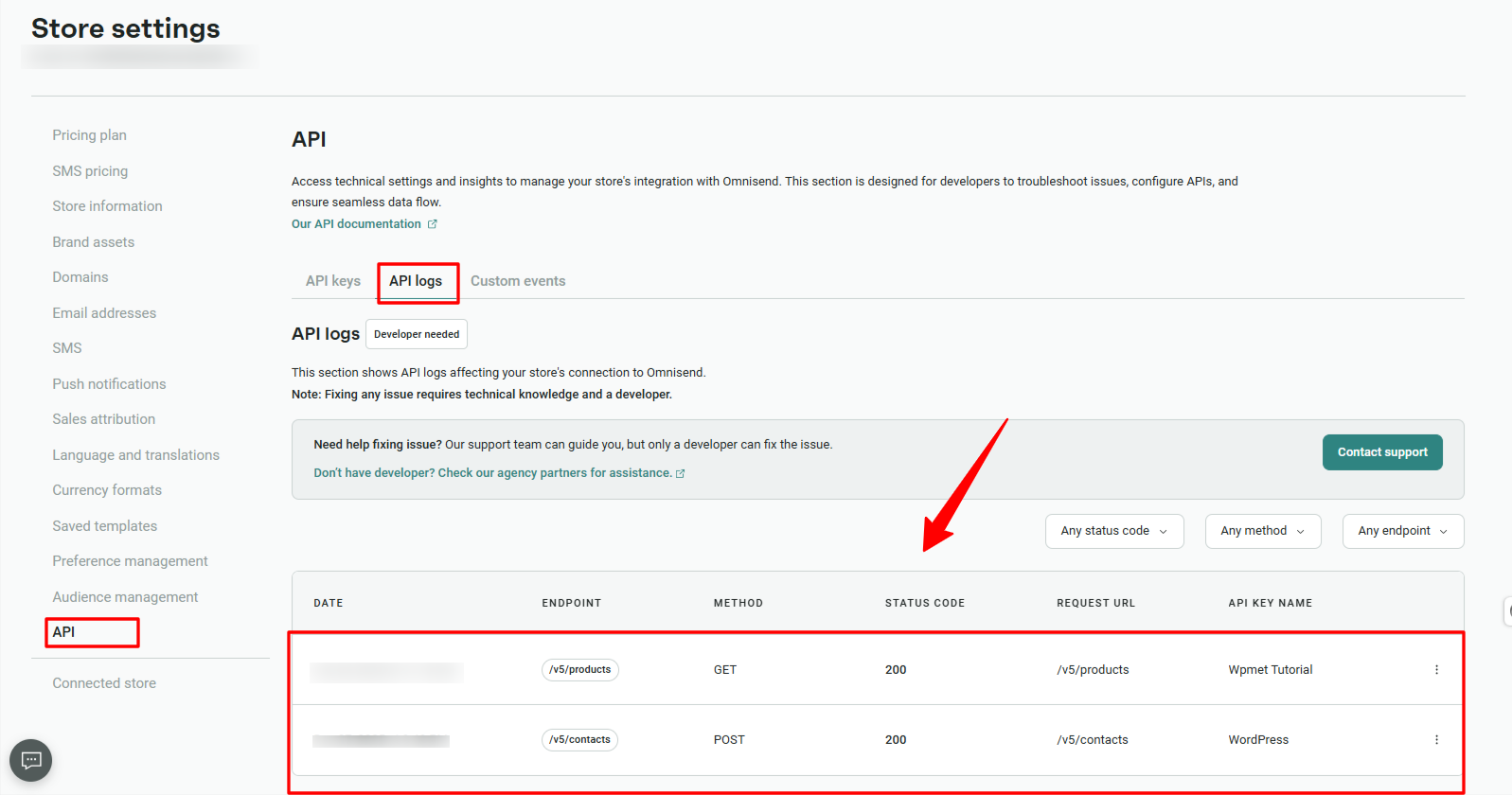
Your PopupKit form is now fully integrated with Omnisend! Every time a visitor signs up through your popup, their information will be instantly synchronized with your Omnisend audience.


