
 Korean
  English
  German
  Spanish
  Italian
  French
  Danish
  Portuguese
  Swedish
  Polish
  Japanese
 WP 소셜 웹사이트에 소셜 미디어 기능을 통합하여 웹사이트 참여를 향상시킬 수 있는 궁극적인 기회를 제공합니다. Facebook, Twitter, Dribble, Instagram 등과 같은 인기 있는 소셜 미디어 플랫폼에서 소셜 로그인, 공유 옵션 및 소셜 개수를 추가할 수 있습니다.
WP 소셜 댓글 카운터 기능을 사용하면 소셜 미디어 플랫폼에 게시된 게시물의 댓글 수를 표시할 수 있습니다. 이 WordPress 소셜 댓글 카운터 기능을 사용하여 소셜 미디어 게시물의 참여도를 과시할 수 있습니다. 이 기능을 사용하려면:
1단계: WP 소셜 댓글 수 기능 활성화 #
WP 소셜 댓글 수를 활성화하려면,
- 이동 WP 소셜 > 소셜 카운터 WordPress 대시보드에서.
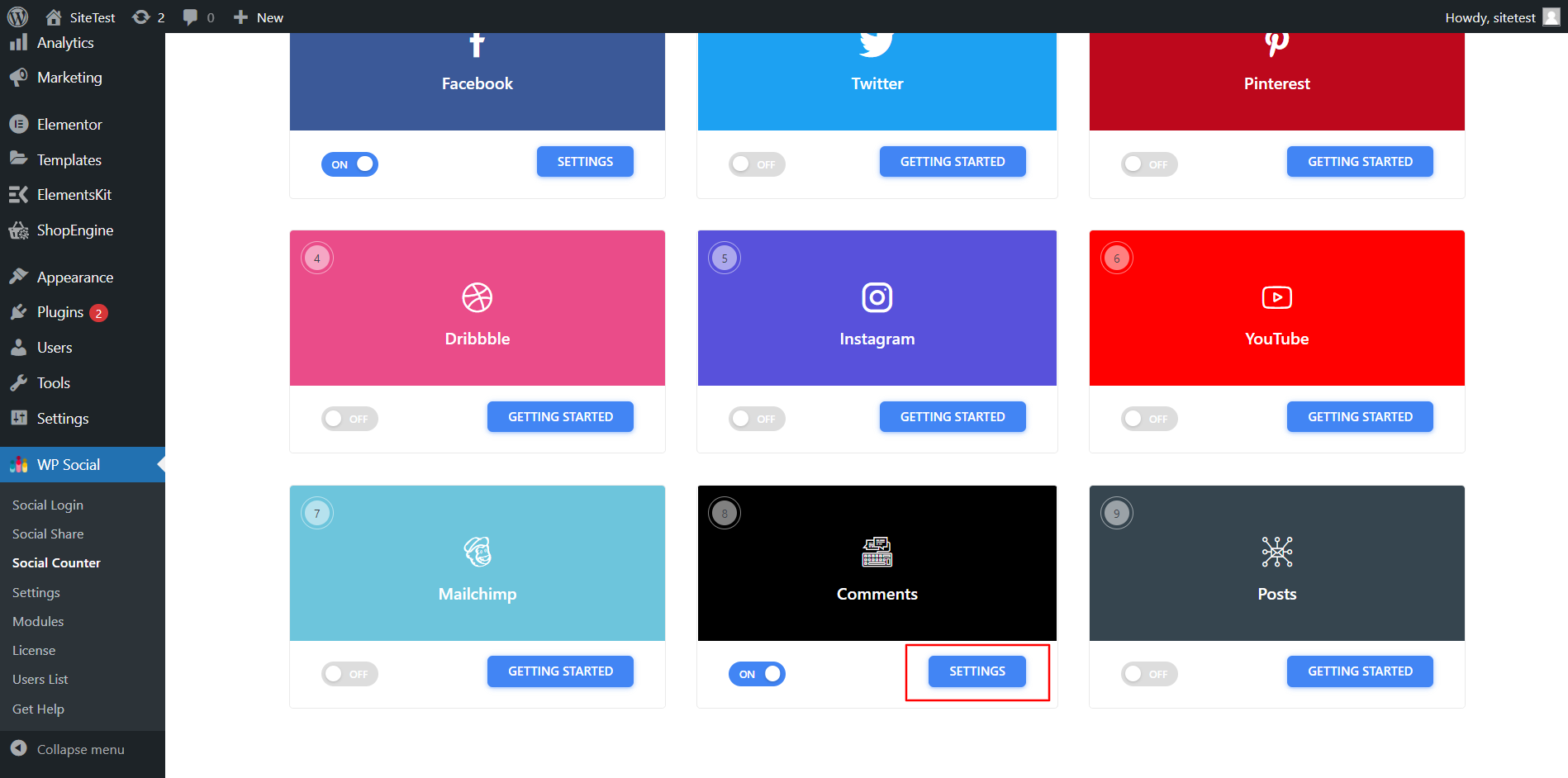
- 다음으로 이동 공급자 탭을 클릭하고 댓글까지 아래로 스크롤하세요.
- 댓글의 토글 스위치를 켭니다.

2단계: WordPress 소셜 댓글 카운터 설정 조정 #
- 딸깍 하는 소리 설정 댓글을 위해.
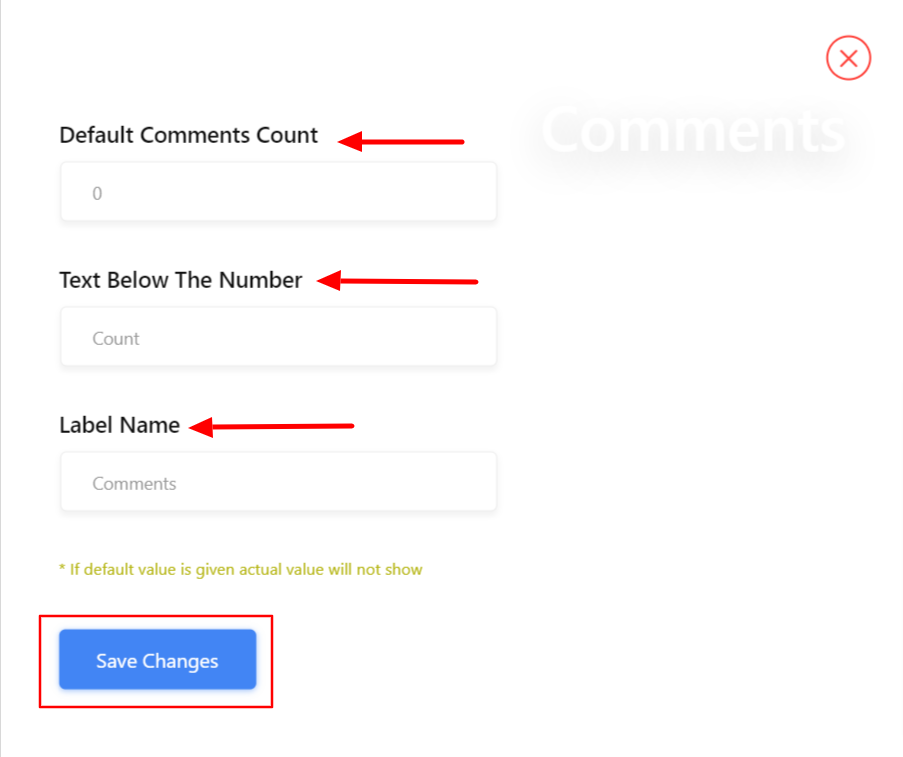
- 설정에서 번호를 선택하세요. 기본 댓글 수.
- 설정 숫자 아래 텍스트.
- 세트 라벨 이름.
- 변경 사항을 저장합니다.
이제 소셜 미디어 프로필의 댓글 수를 웹사이트에 직접 표시할 수 있습니다.


