






With TableKit, you can customize the styles of each column individually. This way, you can mark and highlight any column to easily identify the column easily.
How to customize column style for WordPress tables #
Once you create a WordPress table with the TableKit, you can start customizing the table. To customize each column individually:
- Select the table builder block.
- に移動します。 スタイル タブ。
- を展開します。 カラム セクション。
- クリックしてください +Add Style button to select the column you want to customize.
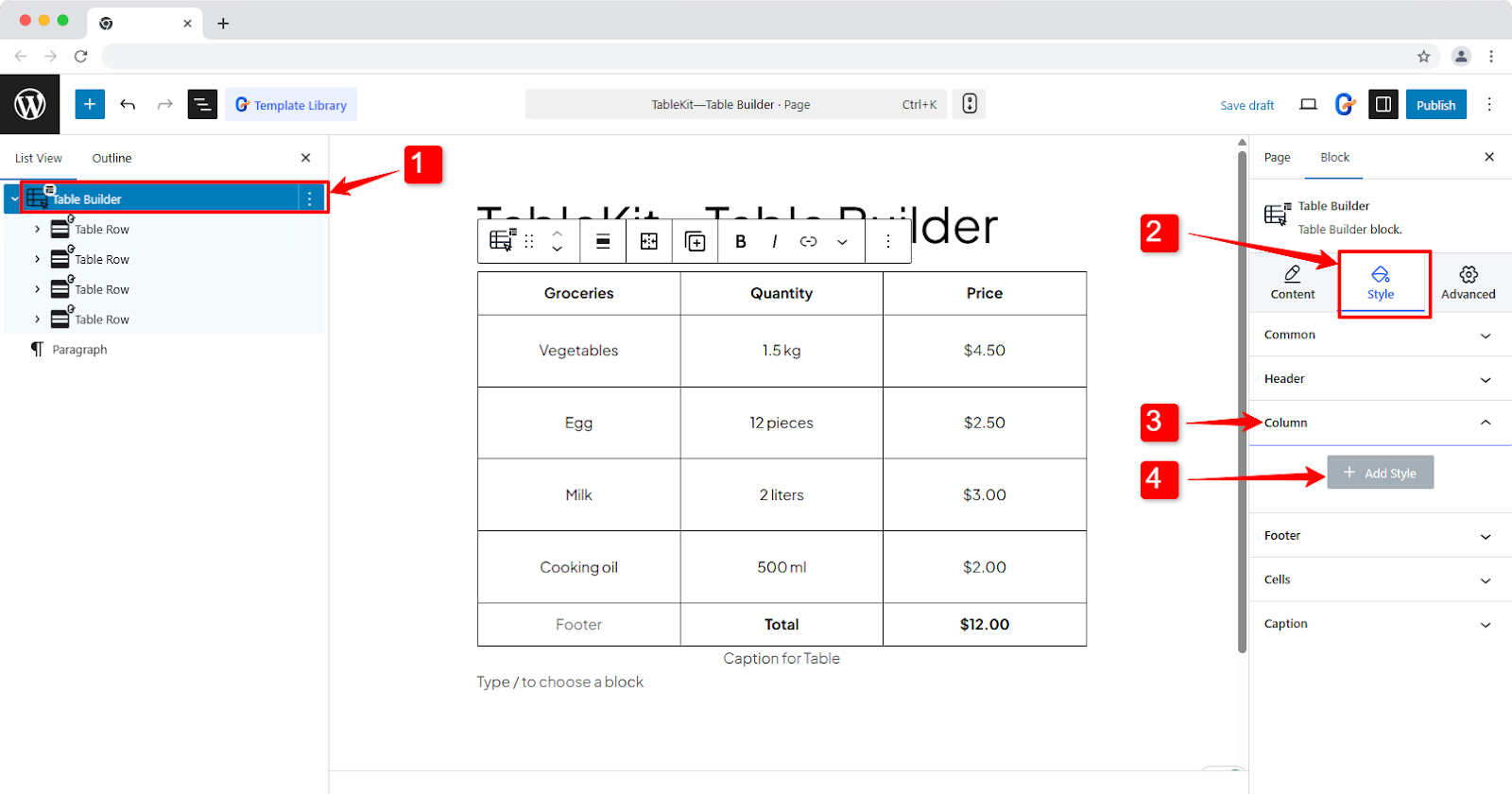
Individual column styling #
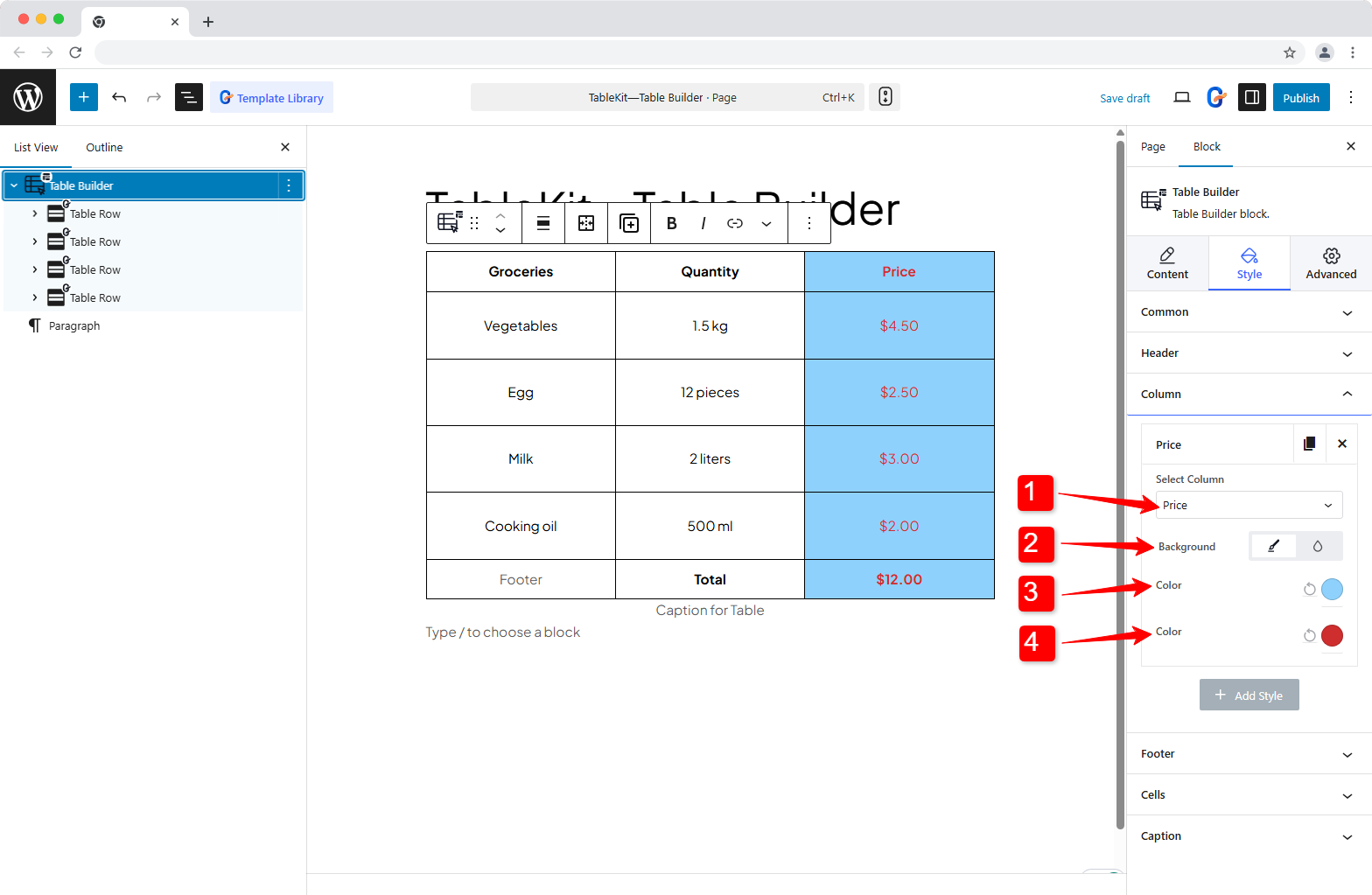
Once you click on the + Add Style button, an item list will appear. Here, each item represents one column.
- Select a column you want to customize.
- Choose a background type: クラシック (static) or 勾配.
- を設定します 背景色 for the selected column.
- 追加 text color for every text in that column.
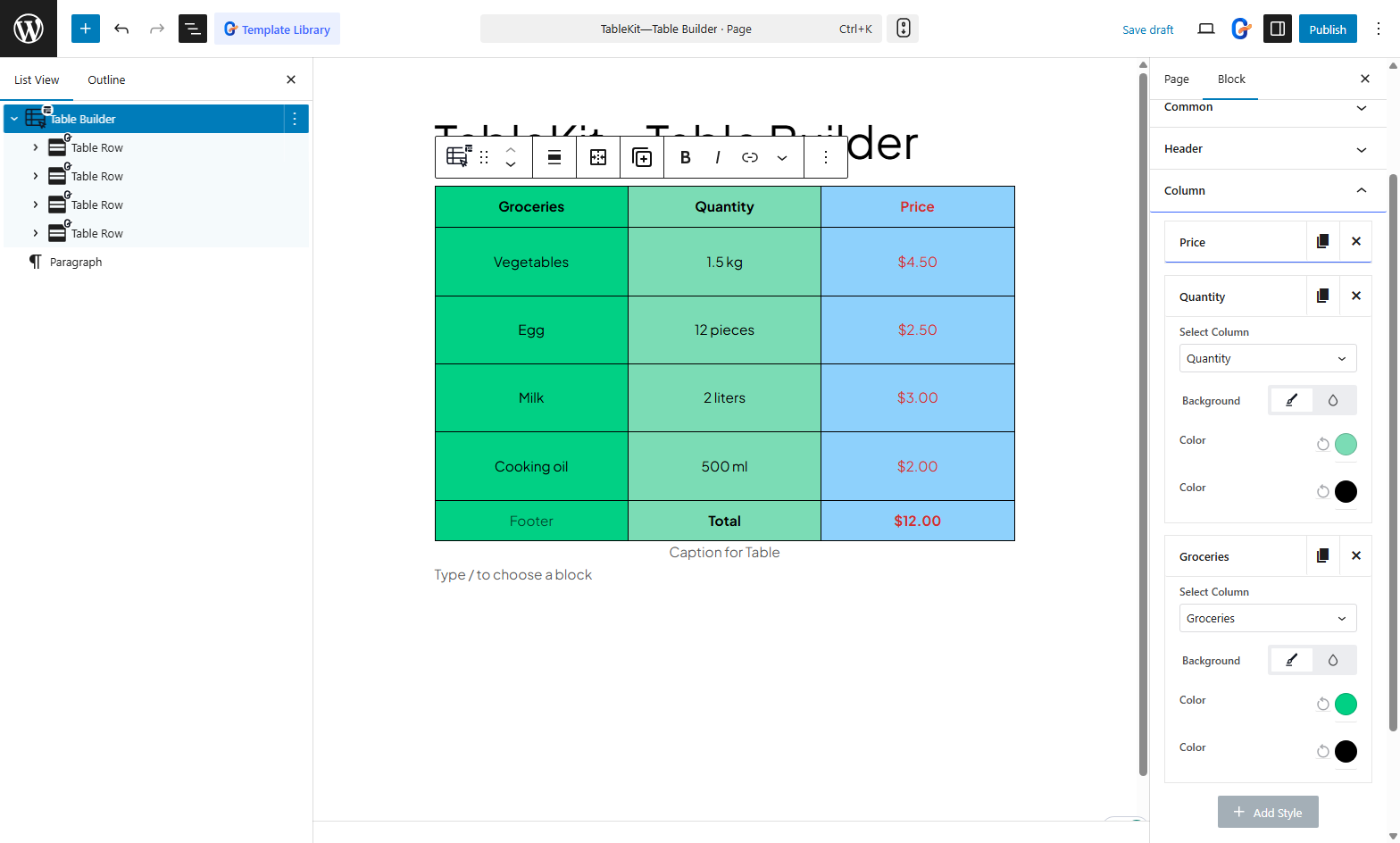
For other columns, you can add more items and customize their background styles and text color accordingly.
Like column styling, TableKit comes with endless customization options for tables. Explore this most flexible WordPress table builder and shift your table-building experience.


