




ActiveCampaign is a powerful platform known for its marketing automation and CRM capabilities. The PopupKit integration with ActiveCampaign allows you to instantly send the data collected through your website popups directly into your customer lists, triggering personalized follow-up campaigns.
Let’s learn how to integrate ActiveCampaign with PopupKit.
ActiveCampaign Integration with PopupKit #
前提条件: ActiveCampaign integration is available exclusively in the PopupKit Pro version. Please select the plan that meets your needs.
Now, proceed with the following steps.
STEP 1: Access to ActiveCampaign #
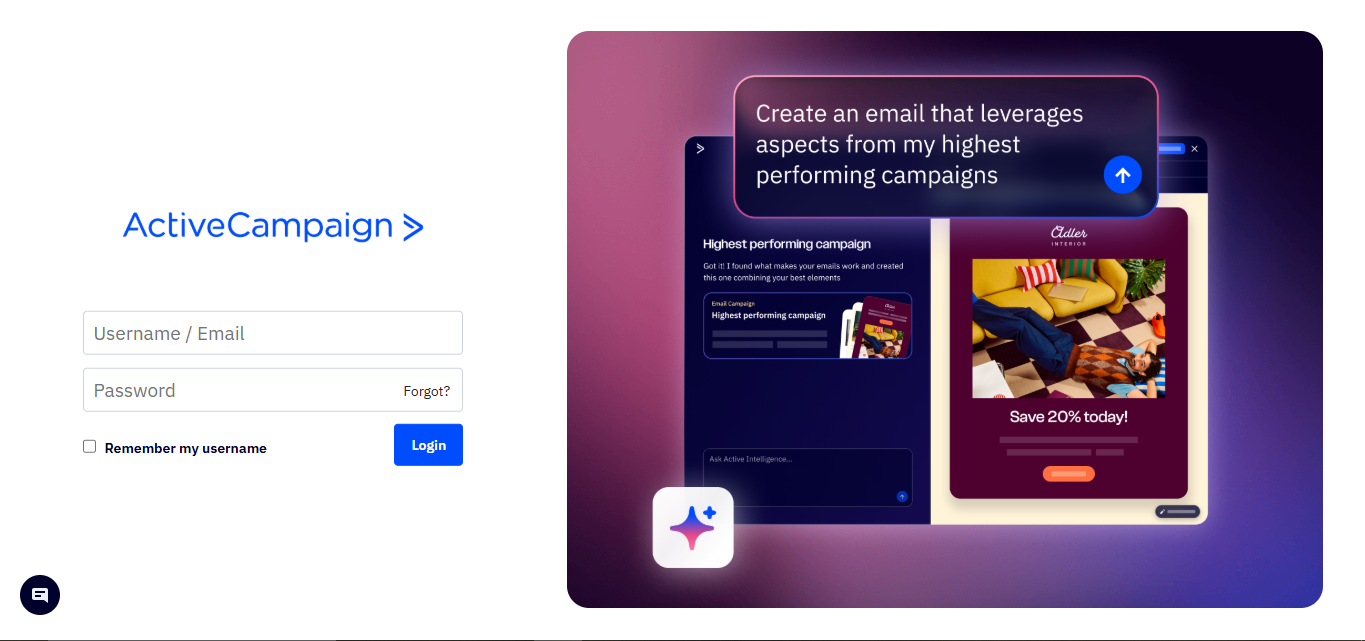
訪問 ActiveCampaign site and login to your ActiveCampaign account.
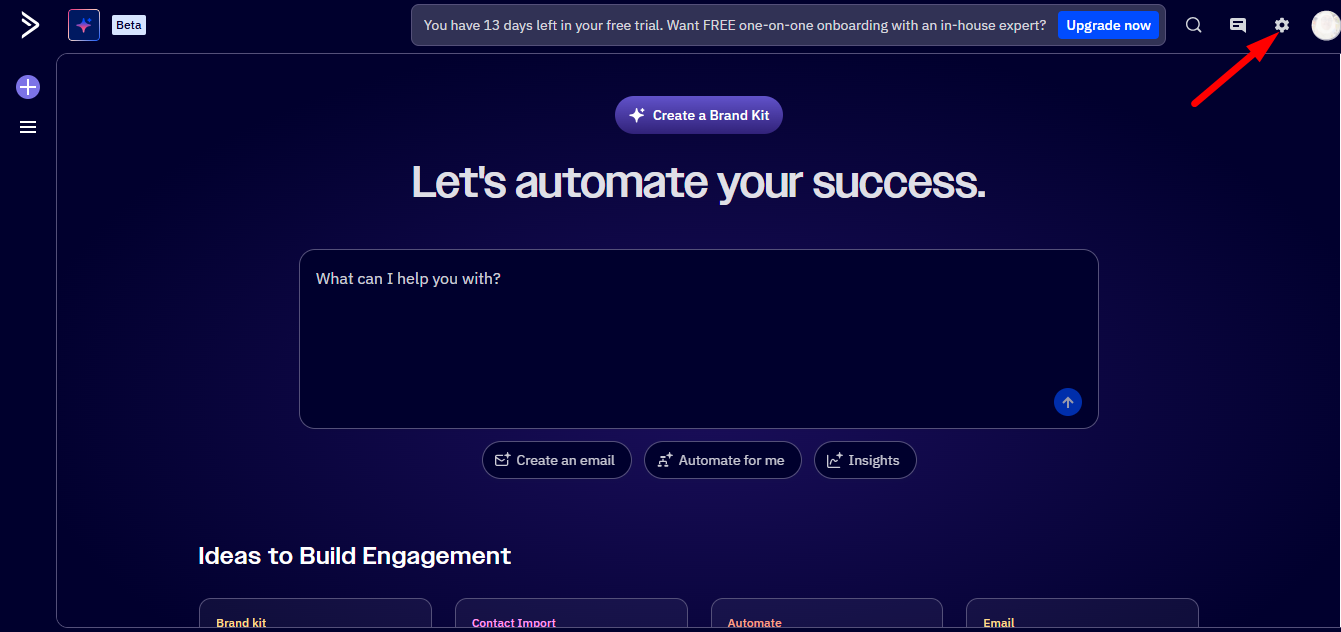
ここをクリックしてください Settings option from the top panel.
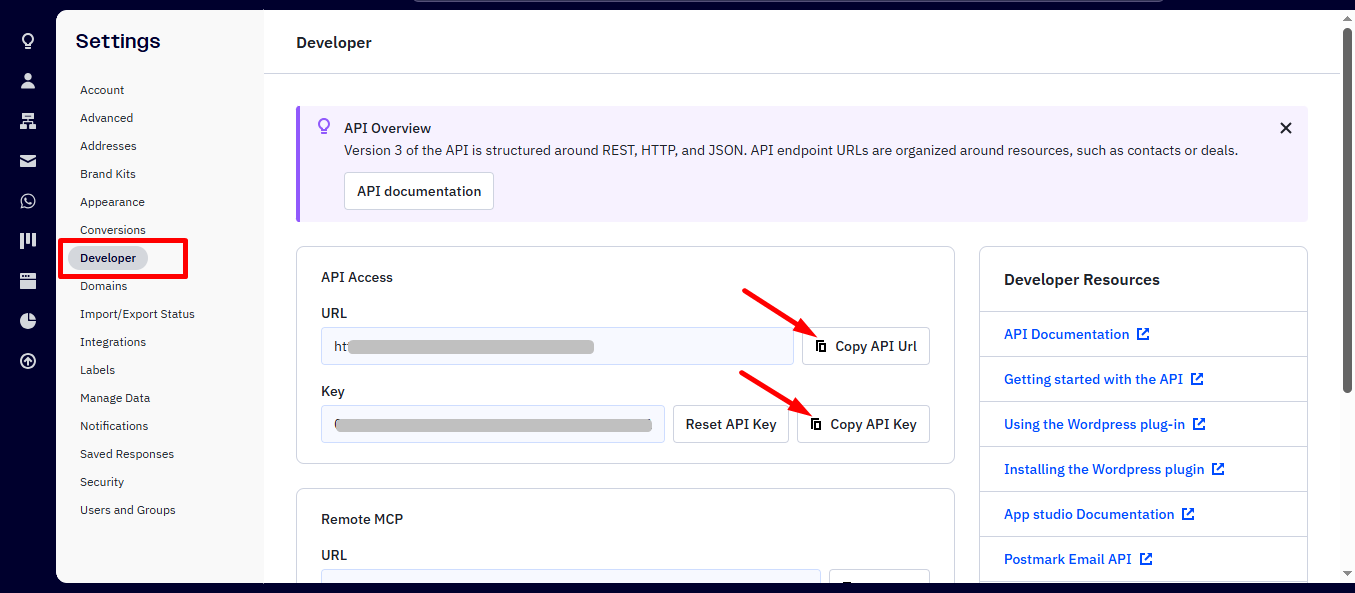
From developer option copy the API access url and API key.
STEP 2: Access PopupKit Integrations #
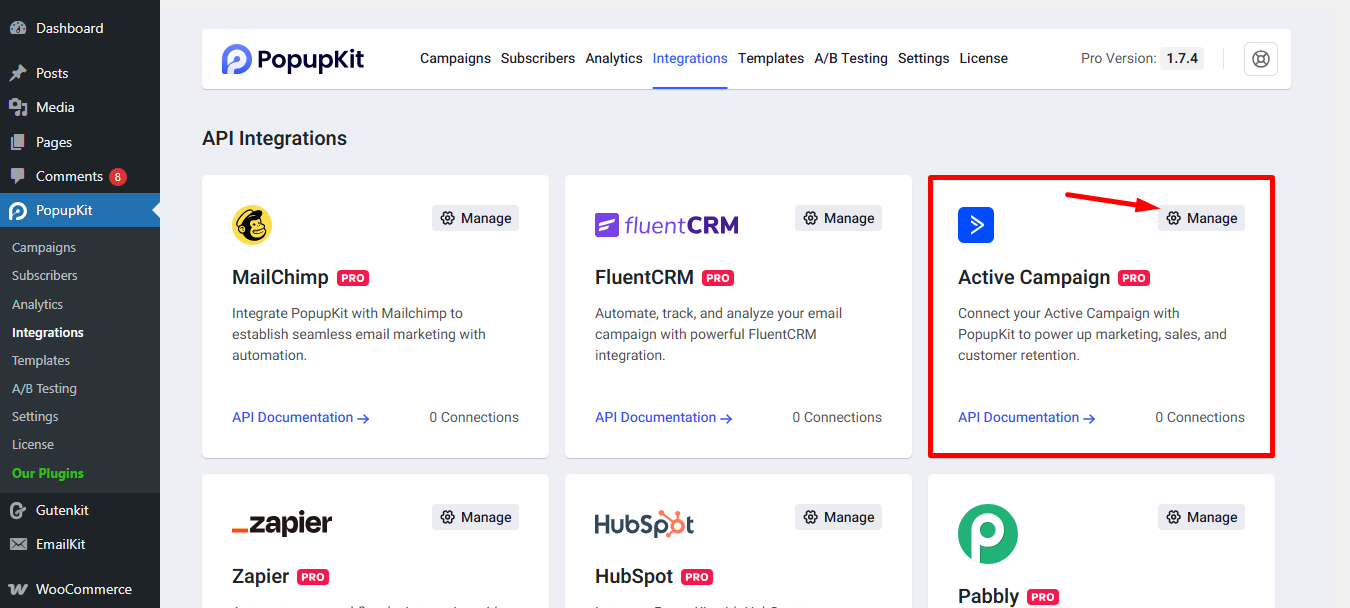
From your WordPress dashboard, navigate to PopupKit, then select the Integrations tab.
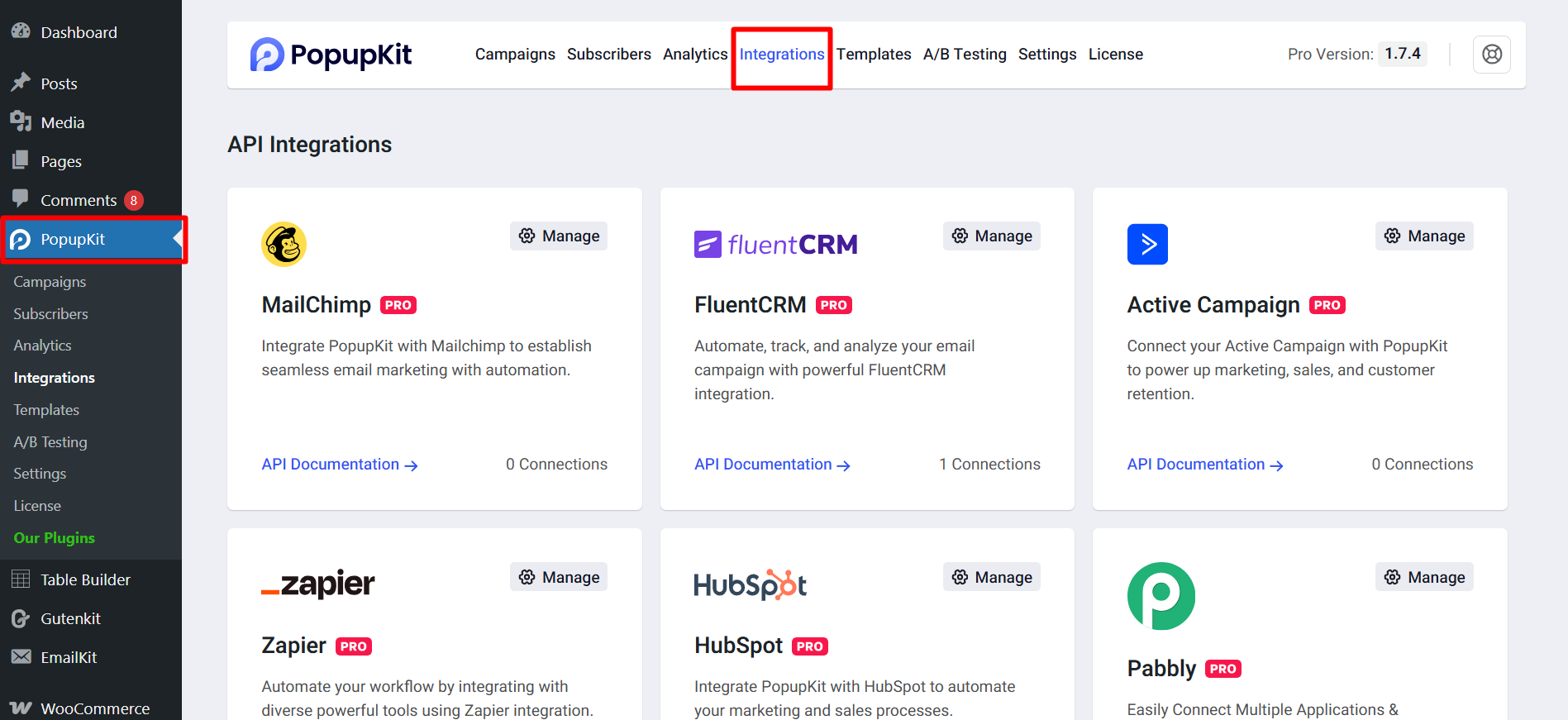
Navigate to the ActiveCampaign cart, then select the ‘Manage Settings’ アイコン。
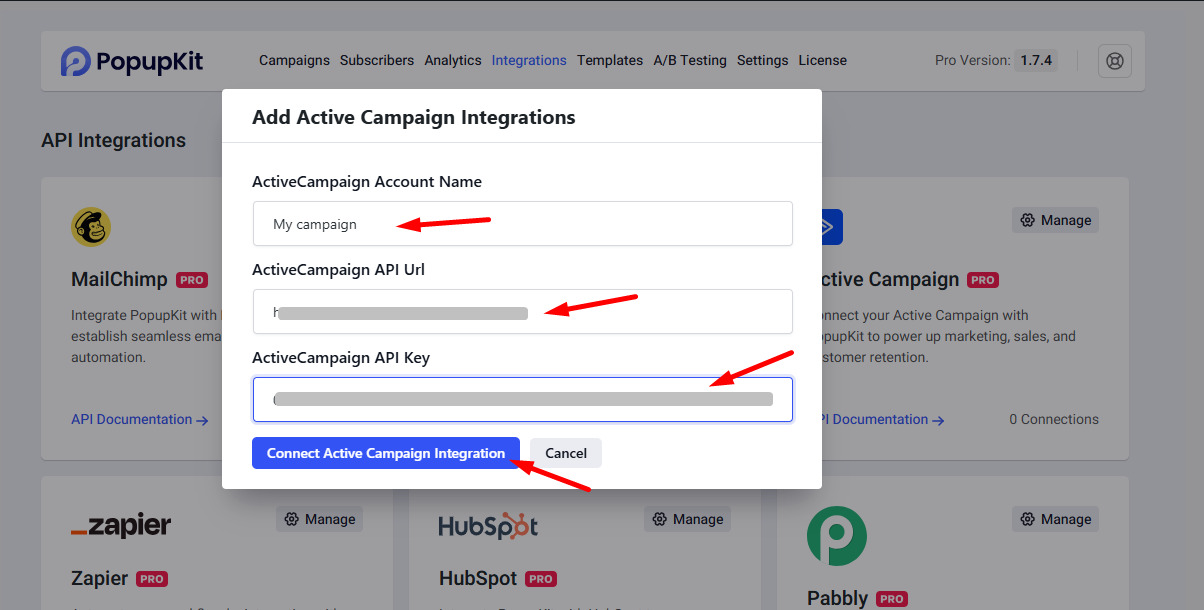
Insert ActiveCampaign integrations details and connect.
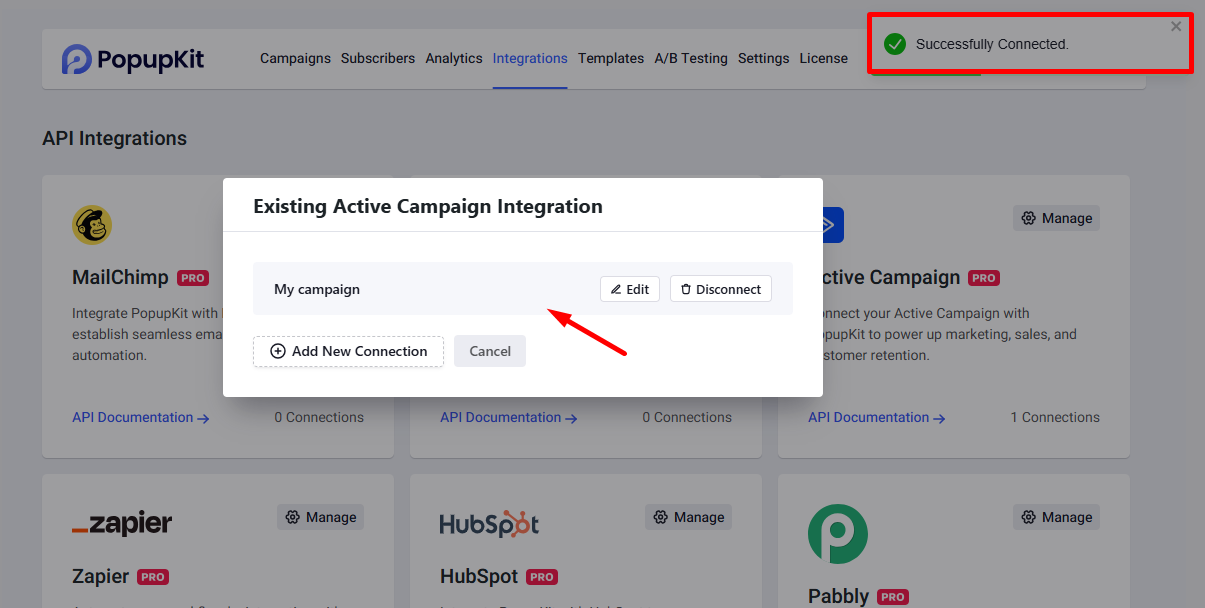
The ActiveCampaign now shows a successful connection status.
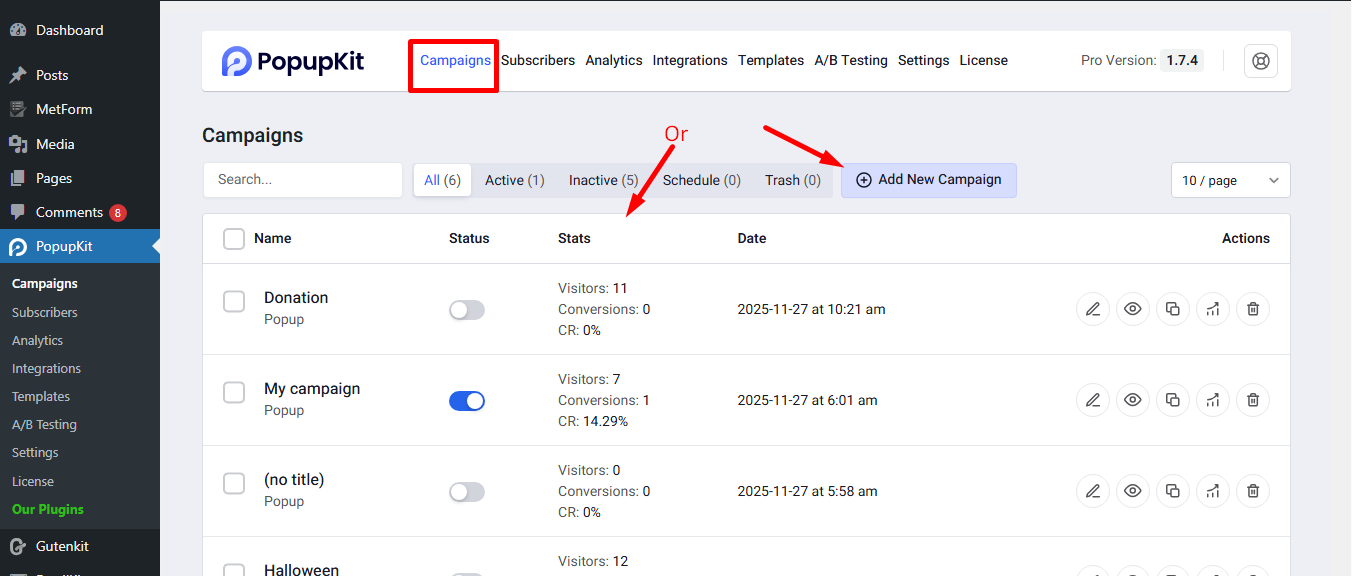
STEP 3: Connect ActiveCampaign to a Campaign #
Open a new campaign or choose any active campaign from the list.
Now, select the form field to open the 統合 panel on the right. From the list of integrations, choose アクティブなキャンペーン.
Important: This integration requires a form field to be present.
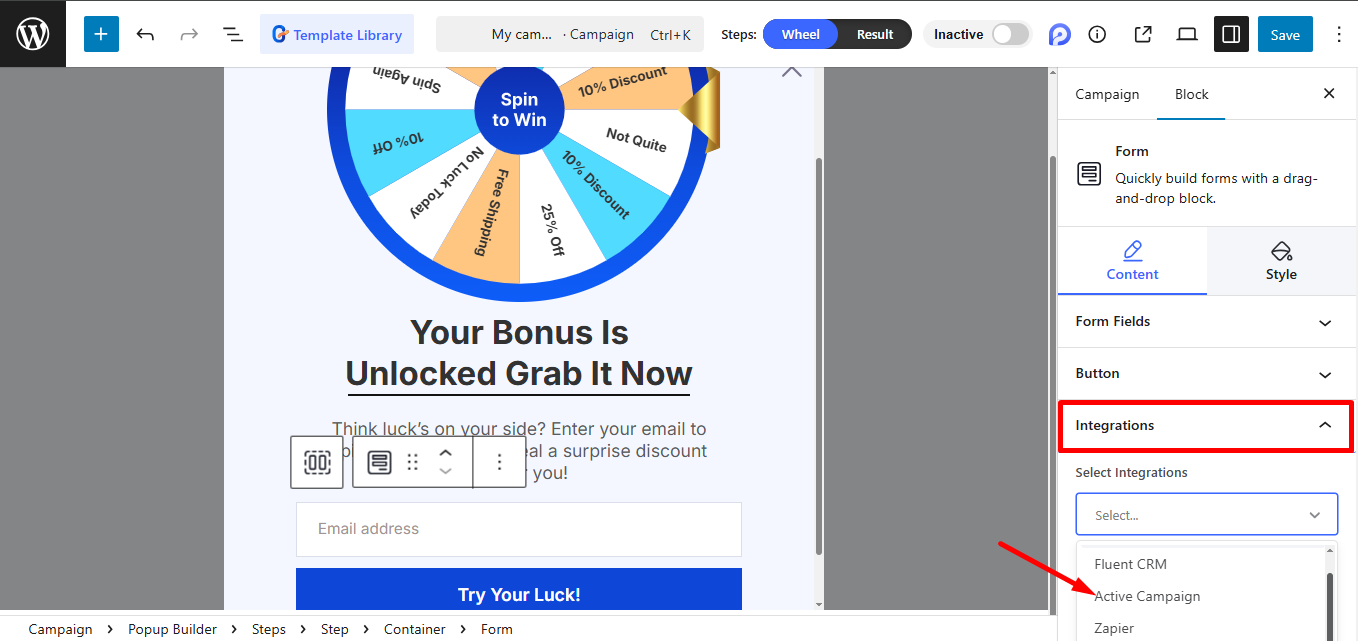
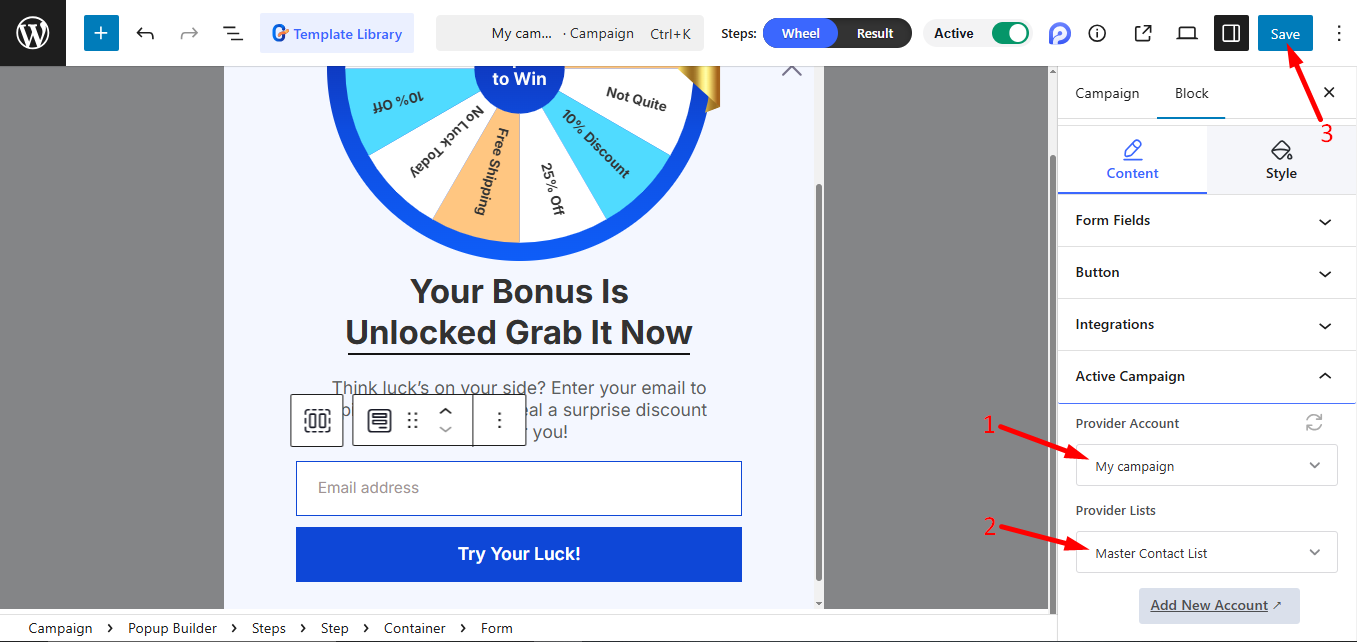
To continue:
- Provide the account name.
- Select a provider from the list.
- Save to finalize your changes.
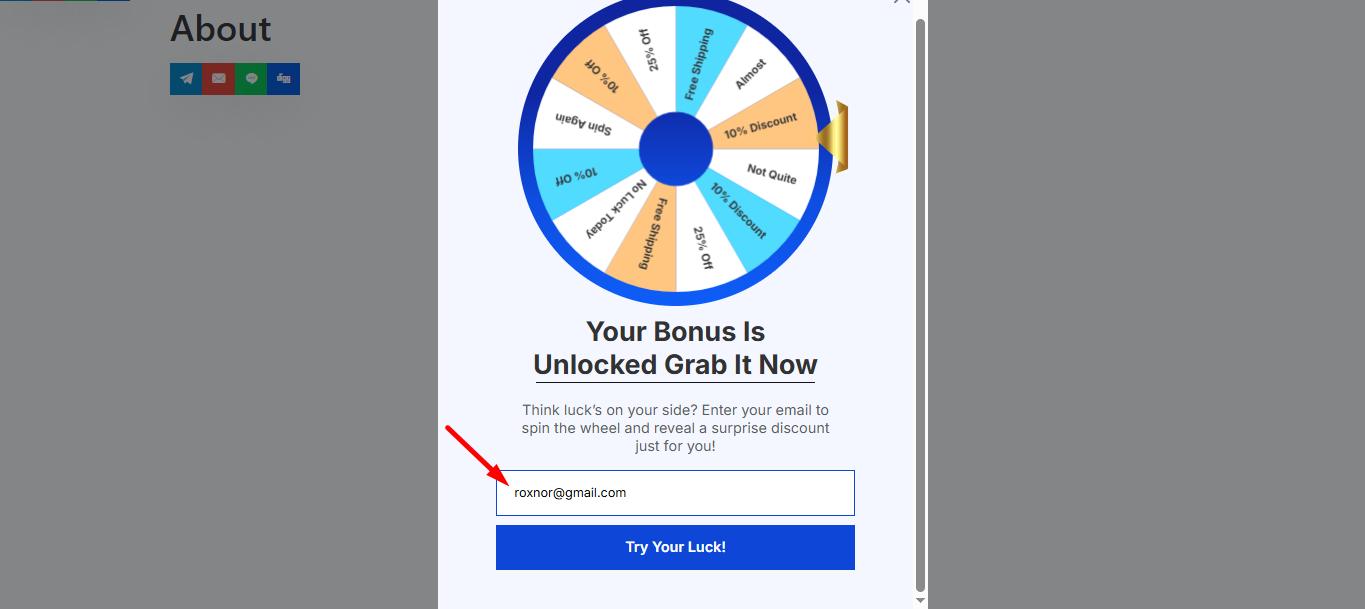
Preview the popup and submit the form to finish.
今、 switch back to ActiveCampaign. Your submitted email will appear in the 連絡先 セクション, confirming the integration.
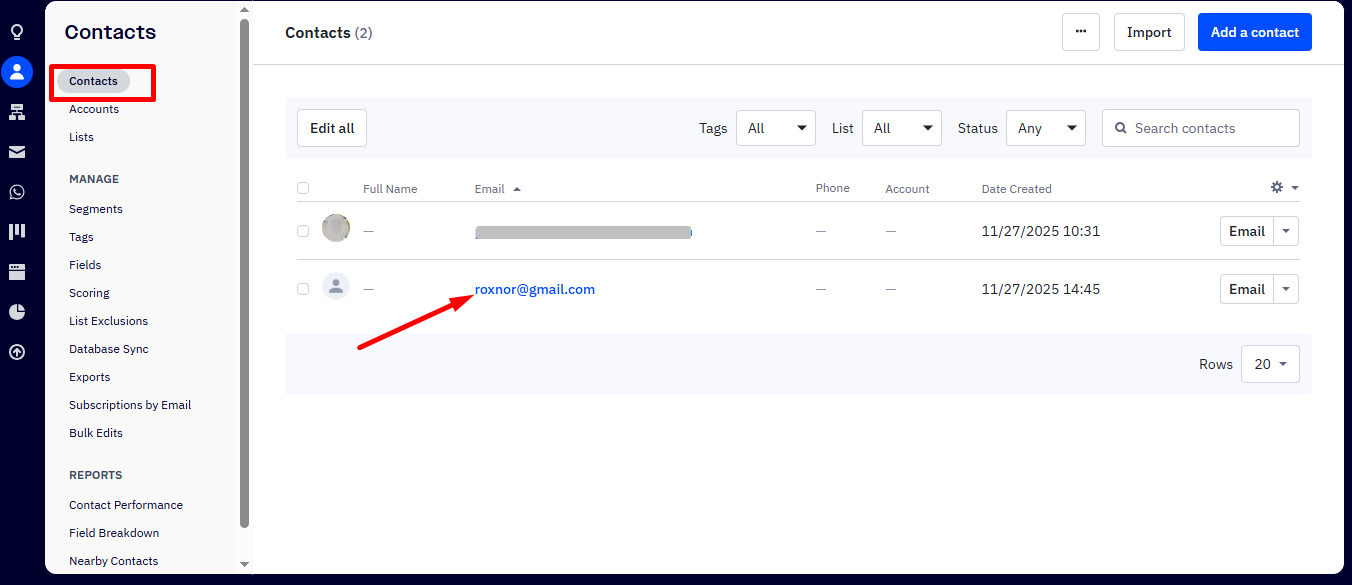
Your PopupKit data is now seamlessly flowing into ActiveCampaign. You are officially ready to transform new leads into loyal customers using personalized, hands-free automation!


