前提条件: #
For GetResponse integration to your WordPress forms, you need to have the following plugins installed on your WordPress site:
- エレメンター: プラグインのダウンロード
- MetForm プロ: プラグインを入手する
👑 You need to have the MetForm Professional Plan to use this feature.
Generate an API Key for GetResponse #
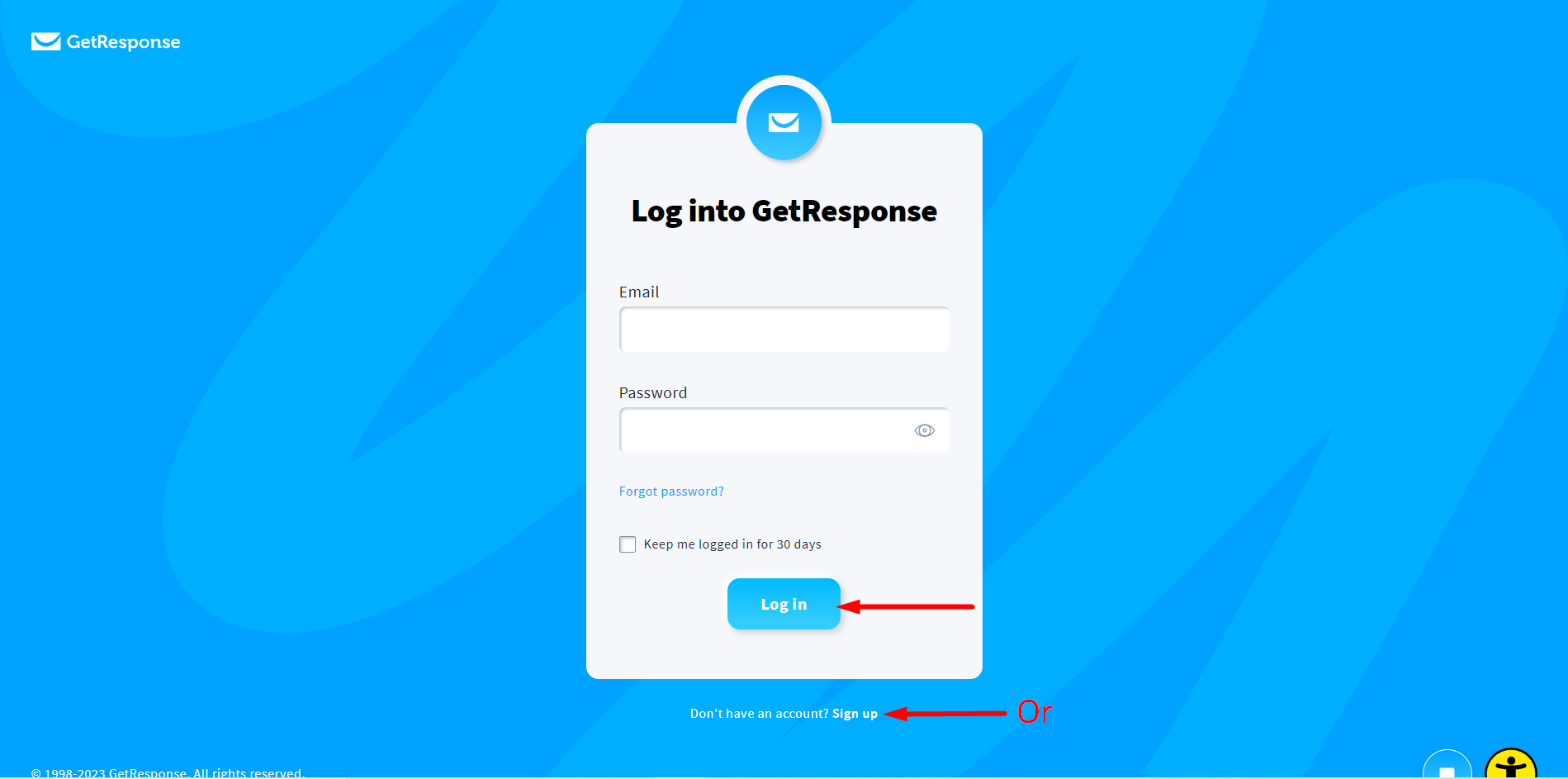
を作成します 応答の取得 アカウント でログインしてくださいメールアドレスとパスワード
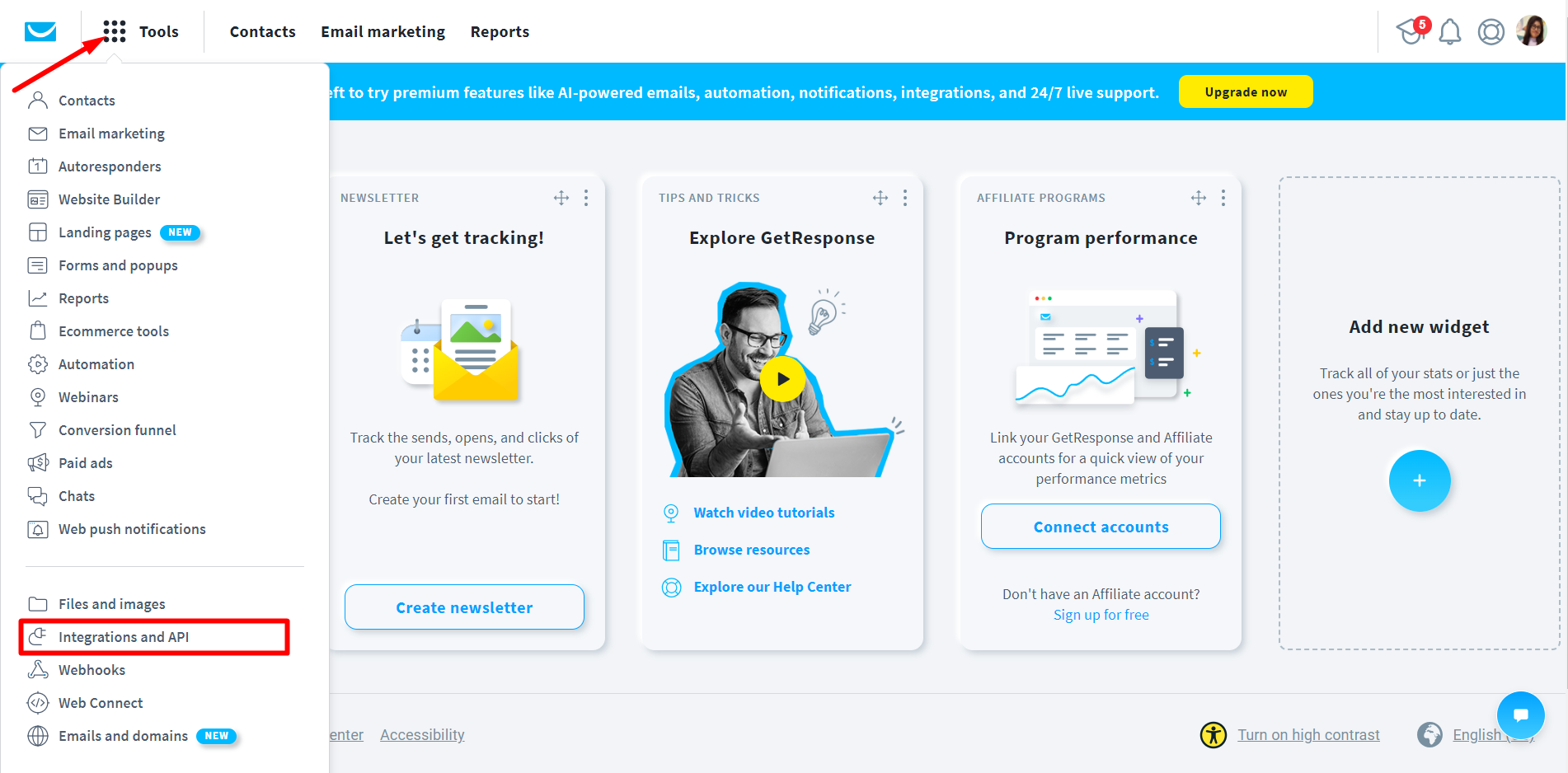
「統合とAPI」をクリックします.
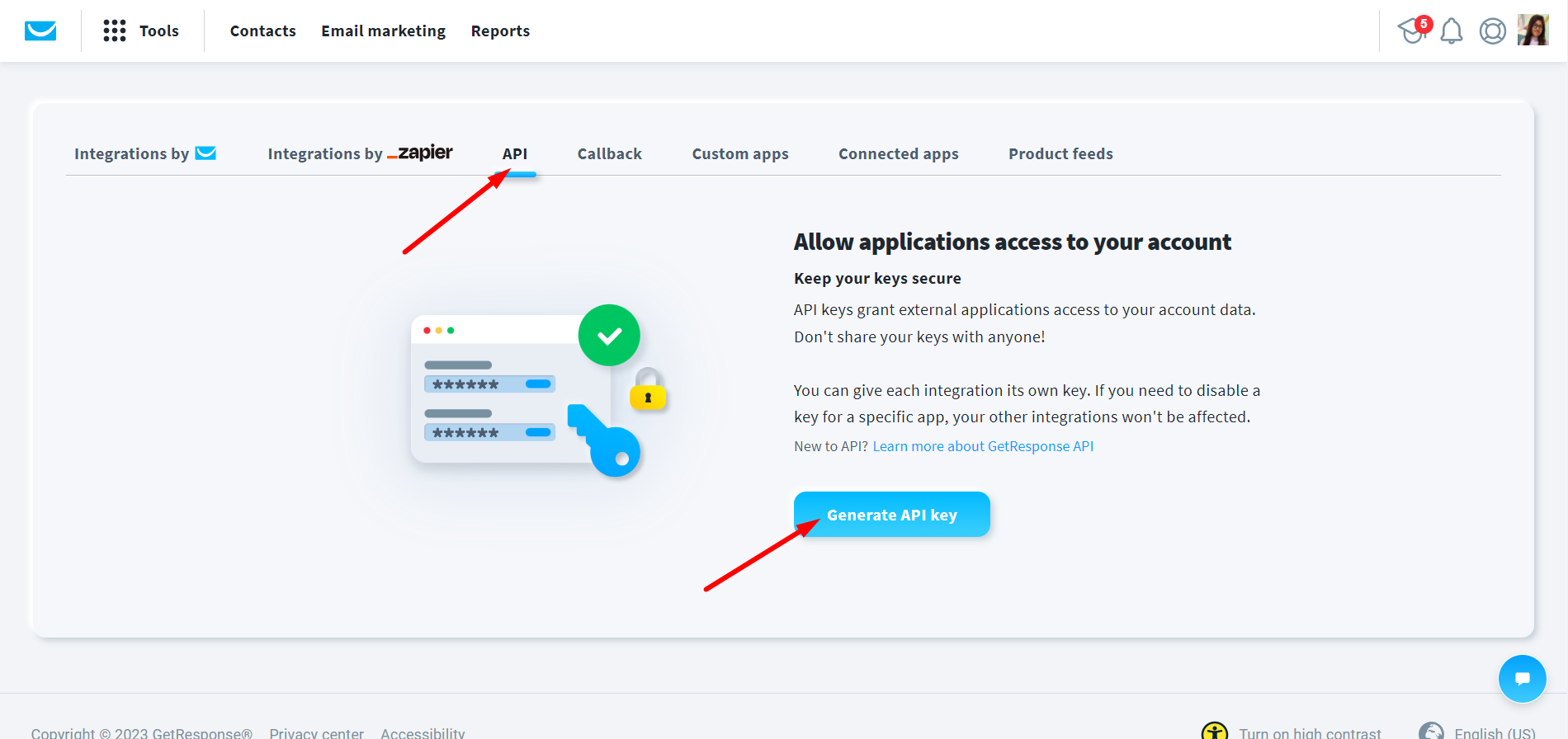
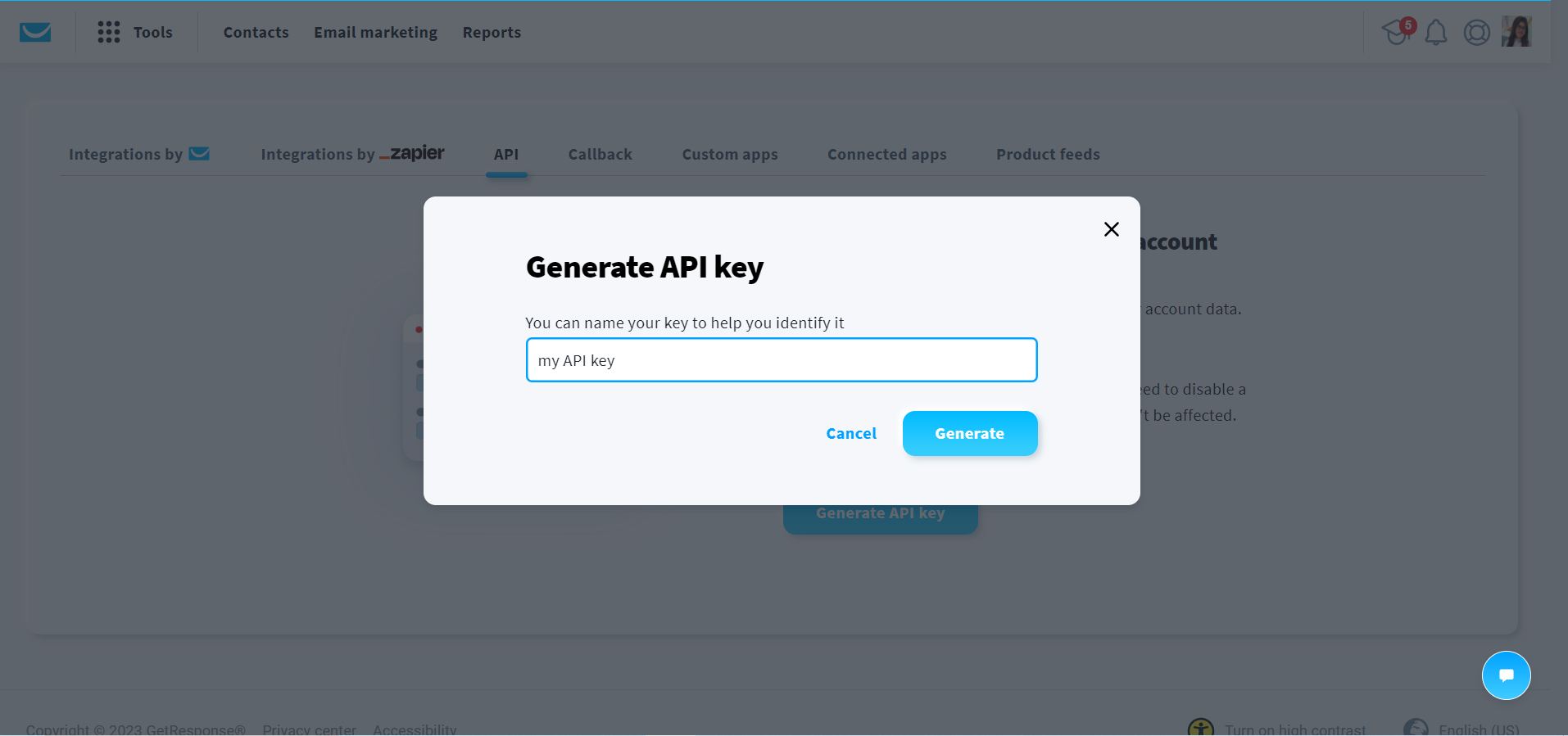
Click on API → Generate API Key
次に、キーに名前を付けます。
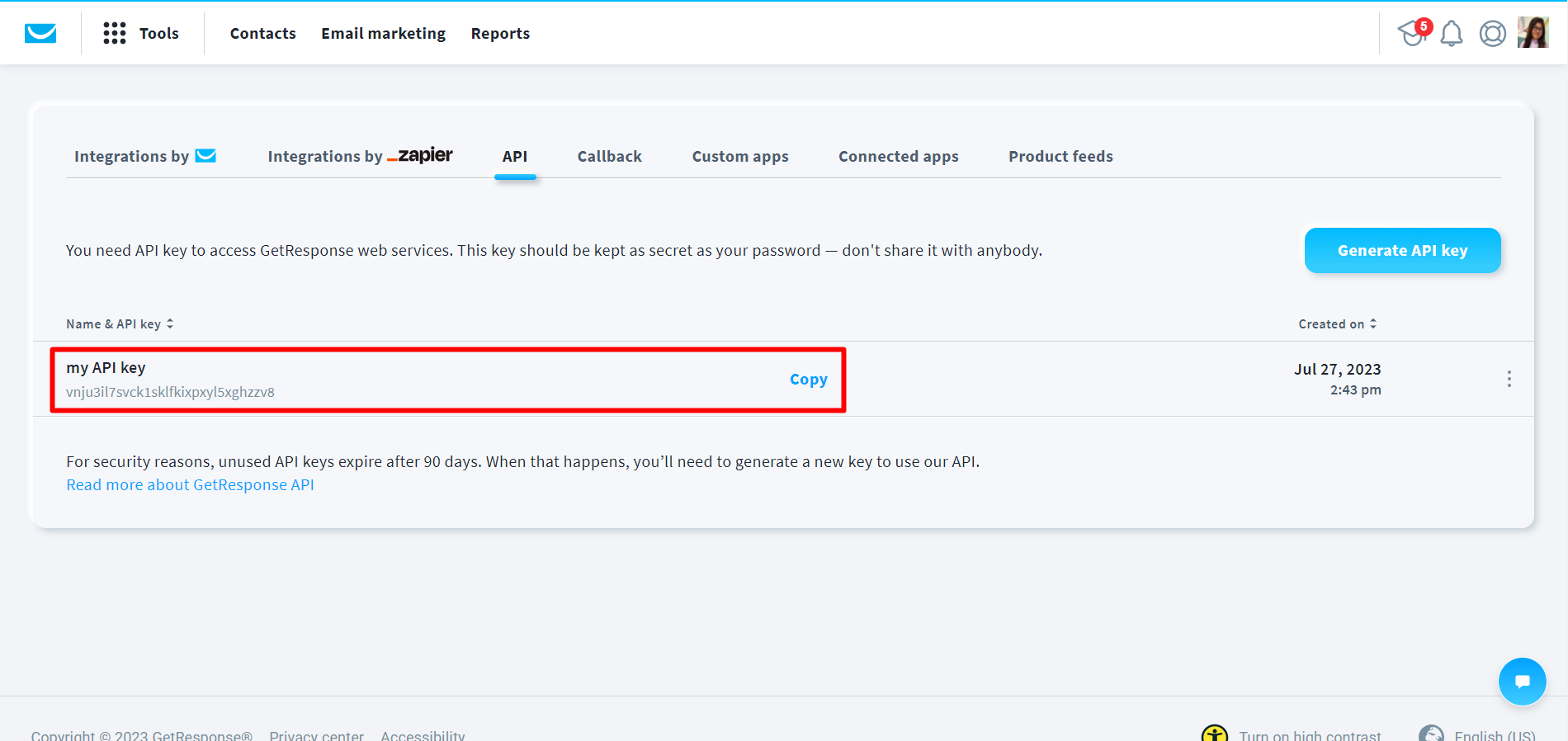
API キーの準備ができました。キーをコピーします。
Connect WordPress Form with GetResponse #
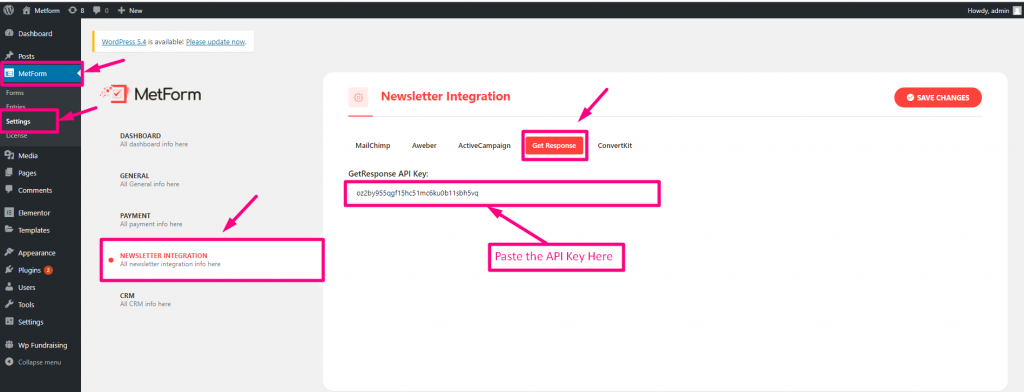
Use the API Key you just generated from your GetResponse account. Paste that GetResponse API Key into your MetForm dashboard. For that,
- Log in to your WordPress dashboard, and navigate to MetForm → Settings → Newsletter Integration.
- Now move to GetResponse タブ。
- Paste the GetResponse API Key in the designated field.
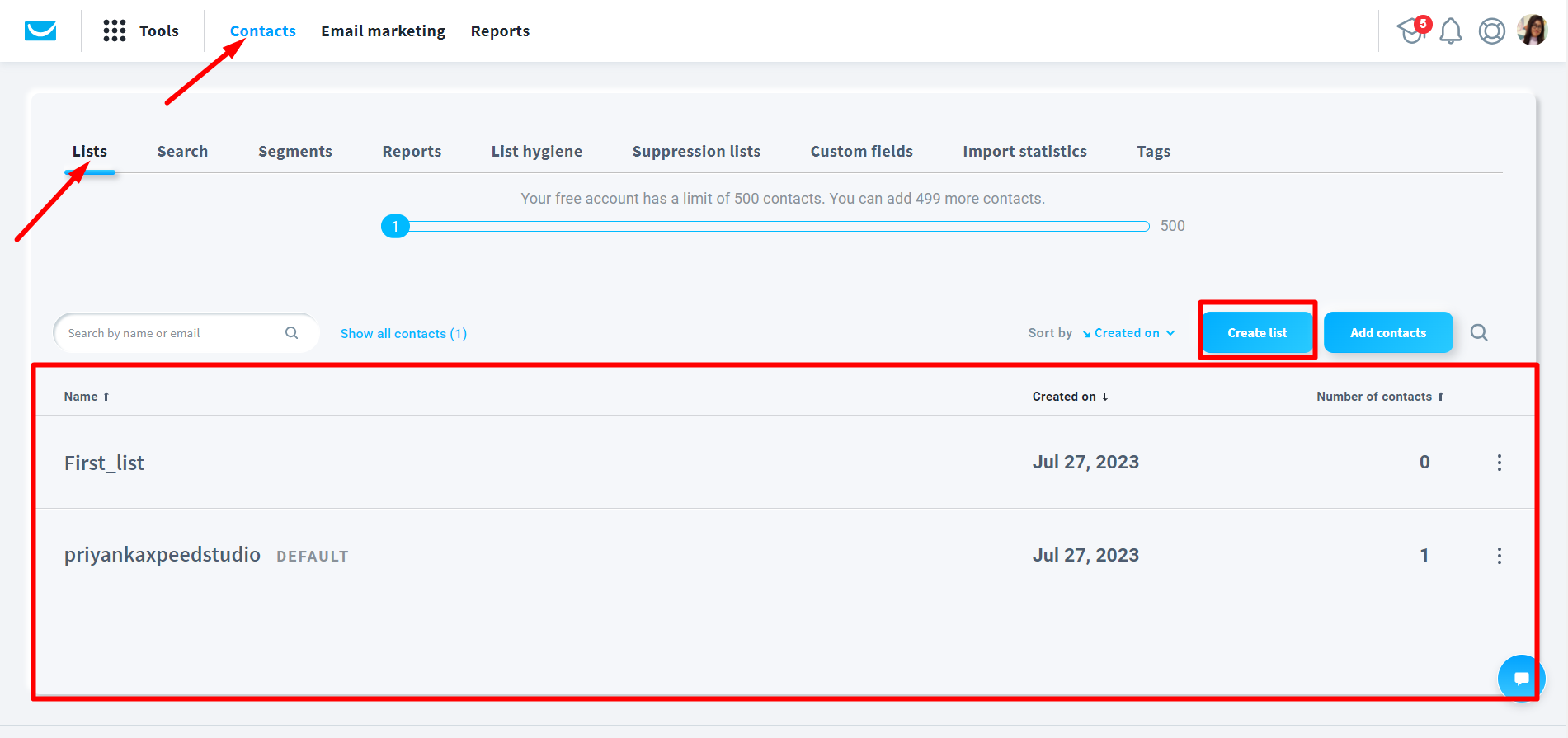
リストの作成
Go to contacts => Lists => Create list => Name your list => Your list is ready
フォームを作成する #
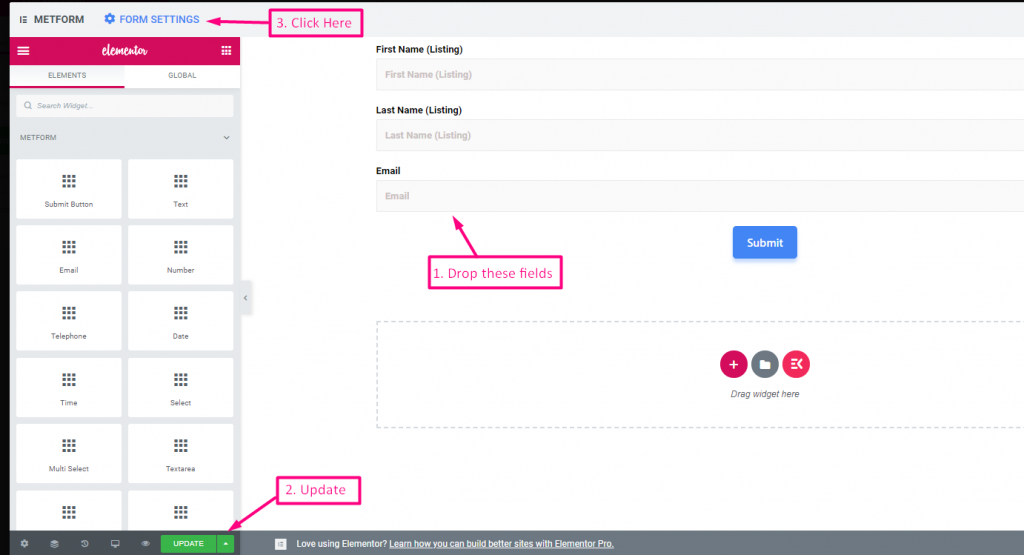
- 次の名前の 3 つのフィールドをドラッグ アンド ドロップするだけです。 名(リスト)、姓(リスト)、メールアドレス
- クリック アップデート
- クリック フォーム設定
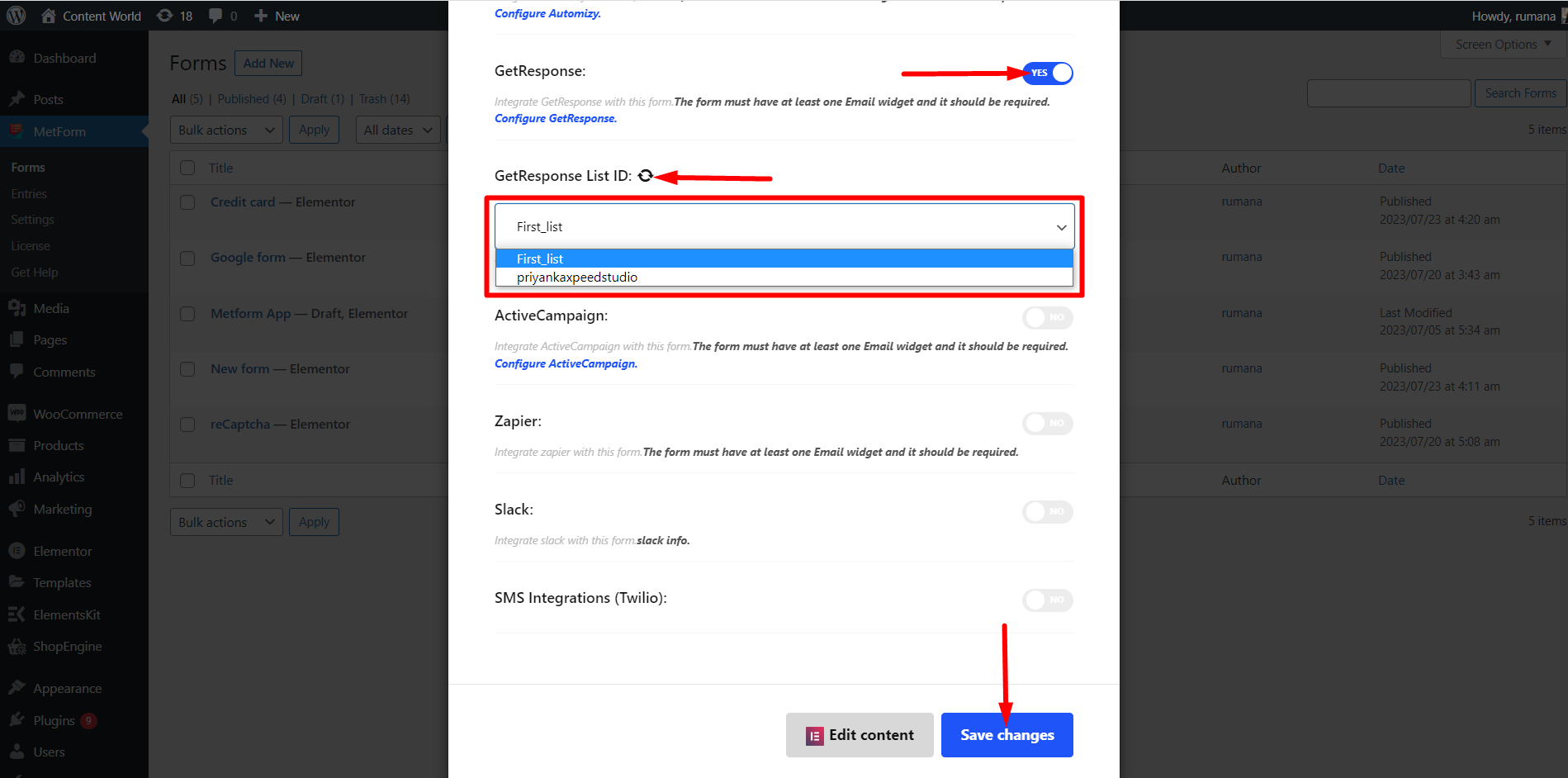
- フォーム設定=>有効にする 応答の取得
- リストを更新する
- フォームを保存する
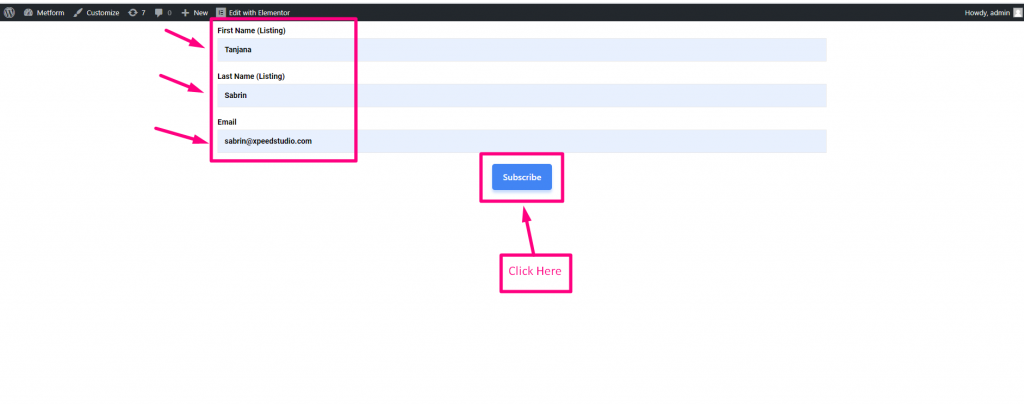
- 行く サイトへ=> フォームに記入してクリックしてください 送信ボタン