





To show a TikTok follower count on WordPress without coding, you need to use a TikTok follower counter plugin like WP Social that fetches live follower data via TikTok API and sets counter with shortcodes.
TikTok followers are more than just numbers, they are proof of your brand’s authenticity and credibility. If you can integrate TikTok follower count on your WordPress website, it can be a game-changer for your business or brand. It instantly builds trust, encourages new visitors to follow you, and adds strong social proof to your online presence.
The good news is you don’t need coding to make this happen. With WP Social, you can seamlessly display real-time TikTok follower count anywhere on your WordPress site.
So, in this tutorial, we’ll learn in-depth how to show TikTok followers count in WordPress using WP Social. Let’s dive in.
Quick Overview
To integrate TikTok followers count in WordPress, you have to set up a social plugin first. Here we’ll use WP Social which is a all-in-one solution for social login, counter and share. This will display real-time TikTok follower count on your website.
Here are the steps you need to follow to add TikTok followers counter:
Passo 1: Enable TikTok followers count by visit Social Counter under WP Social and turning on toggle button of TikTok followers from providers tab.
Step 2: Register TikTok account and connect app to get access token.
Passaggio 3: Configure basic information, copy web URL to add products and set scopes.
Step 4: Connect TikTok by adding credentials, entering access token and pressing save changes.
Passaggio 5: Check TikTok connection by setting TikTok counter with shortcodes.
Why display TikTok follower count in WordPress?
Here are the reasons why the TikTok follower counter matters for your WordPress site:
- Strong brand credibility: A visible social counter shows your brand is active and has many followers, which enhances brand credibility.
- Increase followers: Displaying social follower counters encourages visitors to follow your brand on TikTok like others, and they get convinced by seeing TikTok followers.
- Add social proof: It can become fruitful while running marketing campaigns like Black Friday, Holiday sales, etc., and boost conversations.
- Boost engagement & conversations: Social counter convinces visitors to engage with your content and place an order.
- Increase trust for new visitors: People visiting your site for the first time look for credibility. TikTok follower counter grows this trust and appears as a reliable brand.
- Build community trust: Brand credibility spreads from one person to another, which makes your follower count a powerful trust signal.
How to Show TikTok Followers Count in WordPress
There are two methods of displaying TikTok follower count in WordPress. One is suitable for coders, and another is appropriate for all, including beginners. Here, we’ll show the easiest method of displaying TikTok followers using WordPress plugins such as WP Social.
WP Social is a WordPress social plugin that allows you to add accesso sociale, share, and counter without coding. Curious how?
Let’s dive in to follow the step-by-step process of how to show TikTok follower count in WordPress using WP Social:
Step 1: Enable TikTok counter
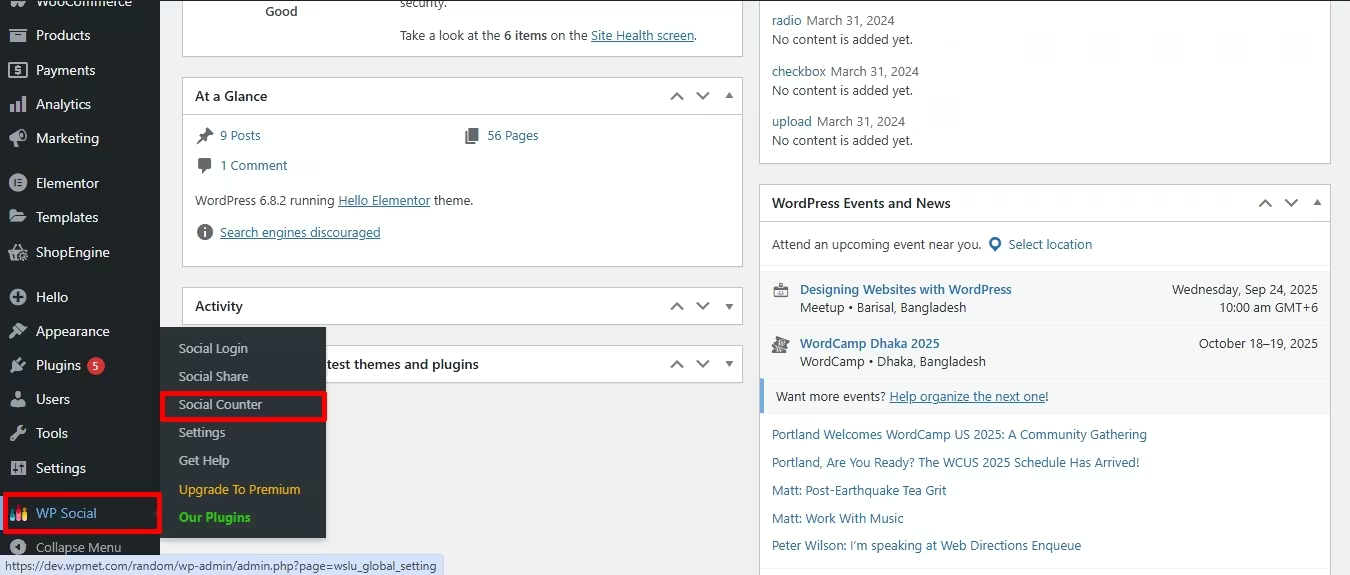
The very first step of this integration is enabling the social counter from WP Social. For that, navigate to your WordPress dashboard and visit Social Counter under WP Social.
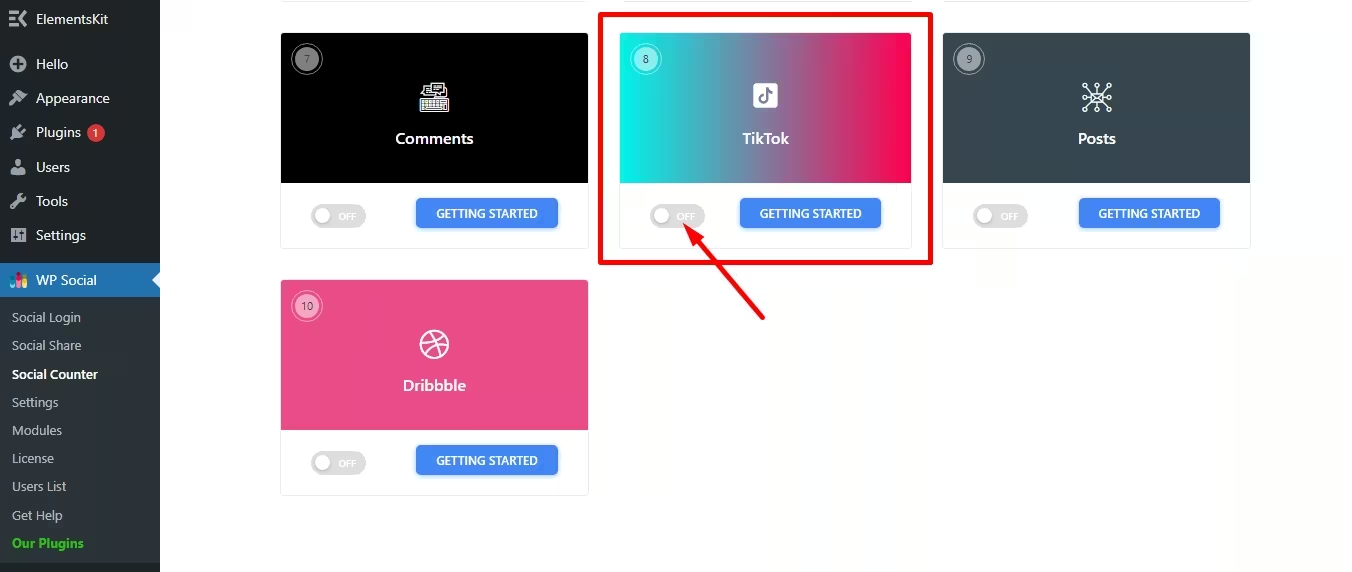
Then, go to the Providers tab E accendere the toggle button of the TikTok counter.
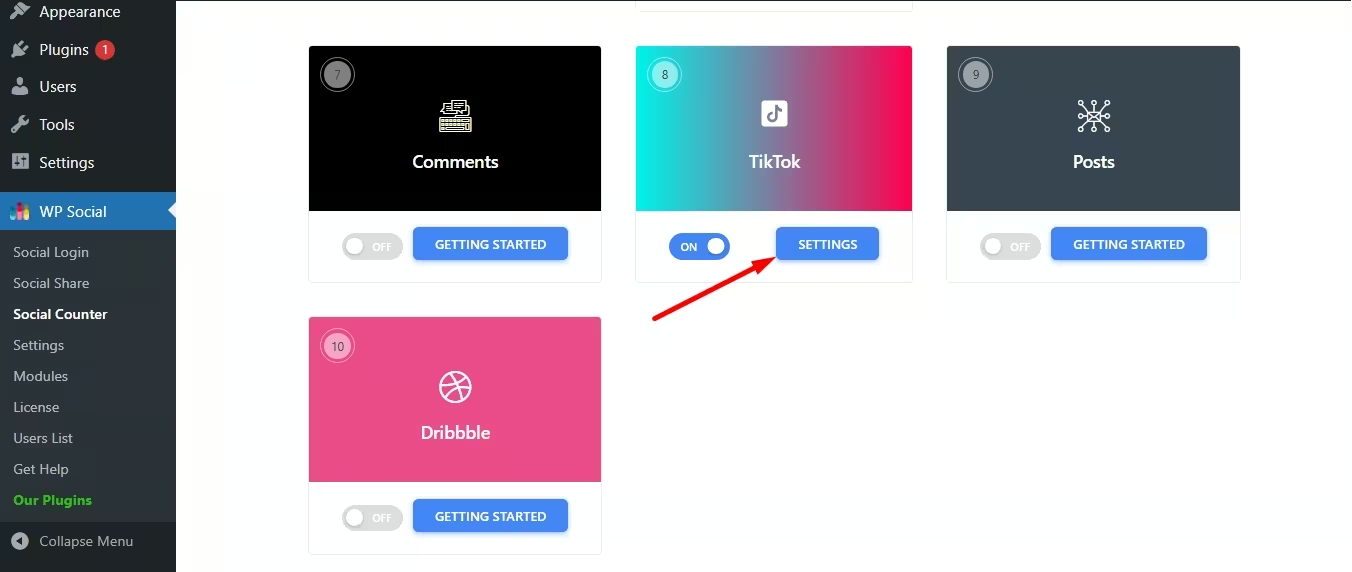
Dopo di che, press the “Settings” next to the toggle button.
This will pop up a tab where you have to click the “Get Access Token” pulsante.
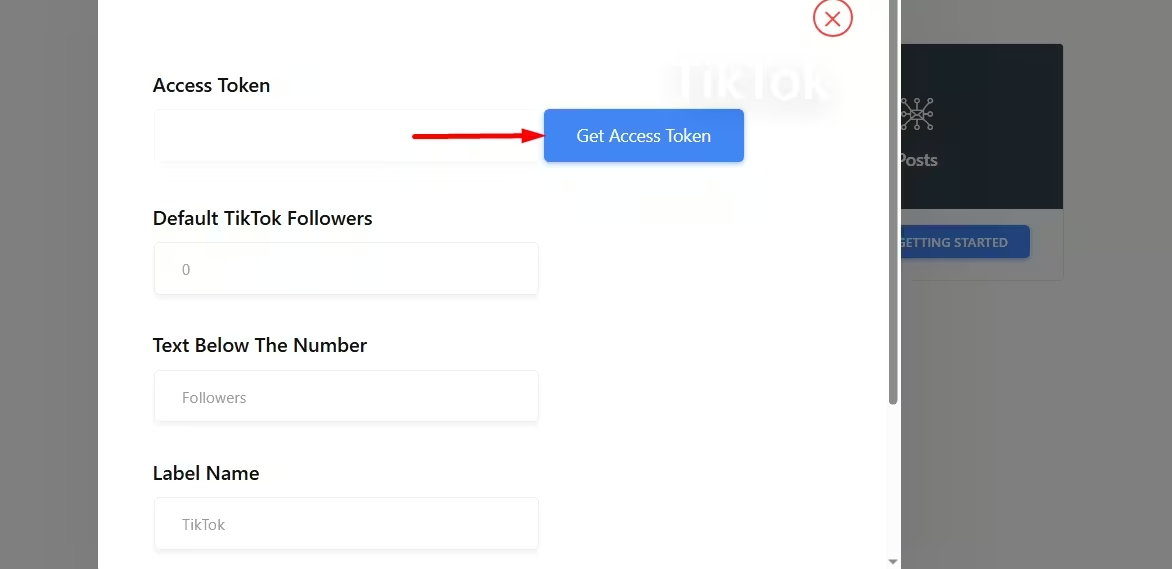
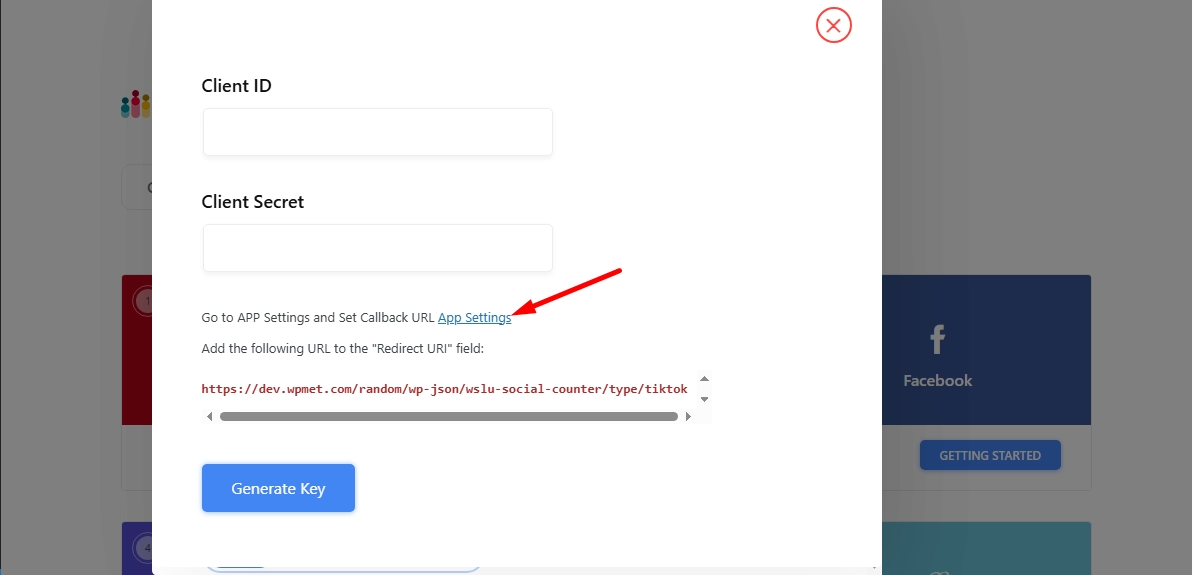
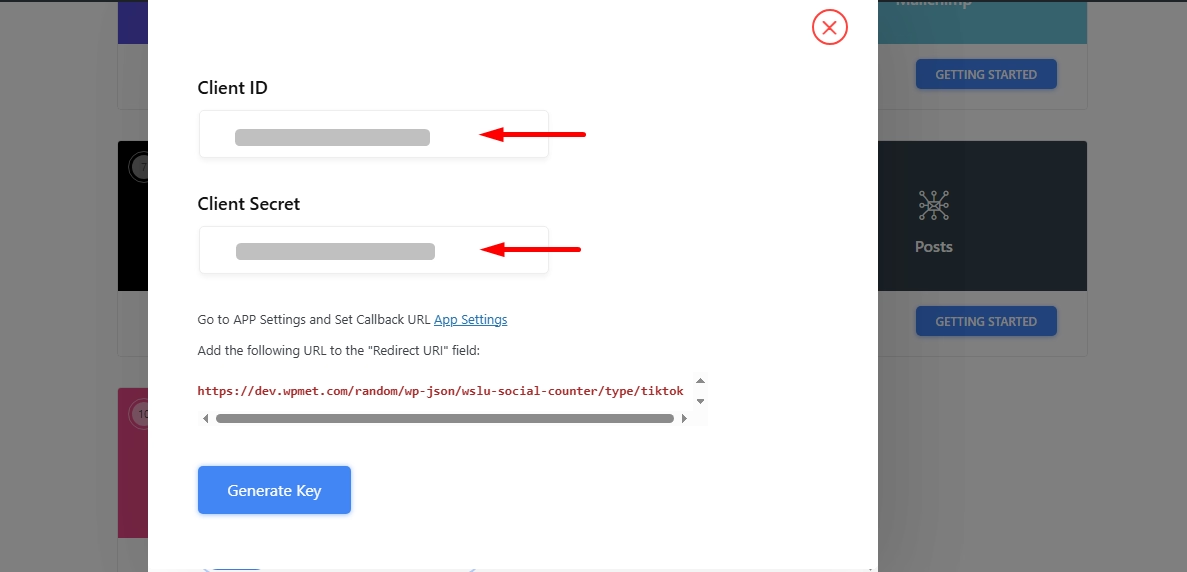
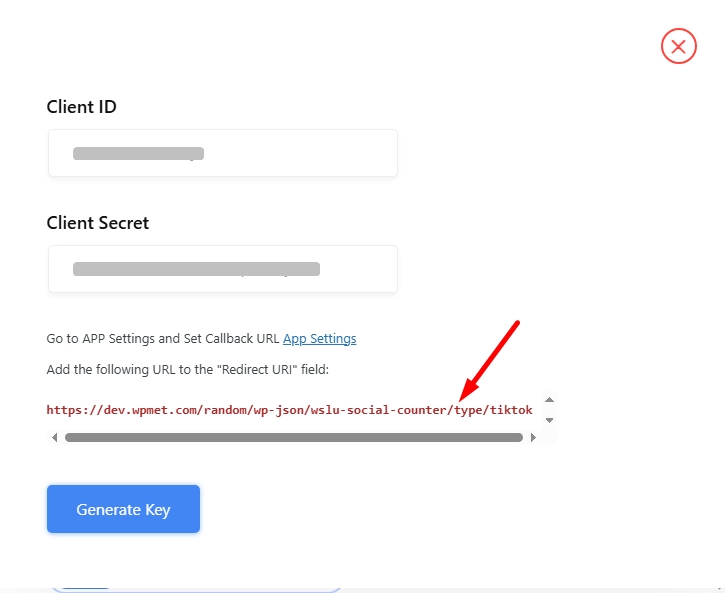
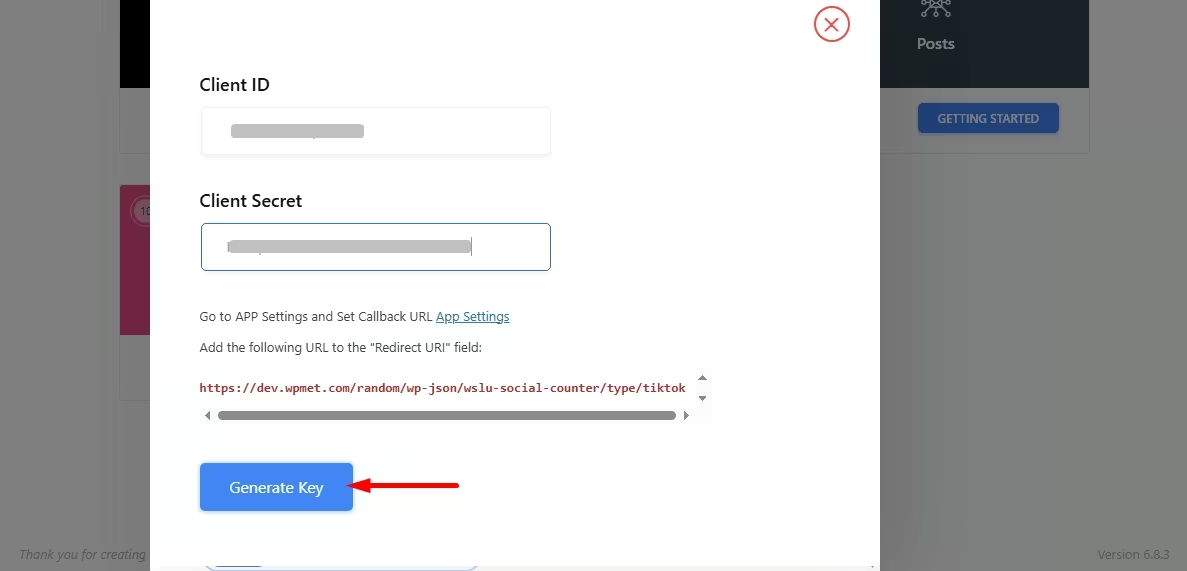
Now, it will ask you to submit Client ID and Client Secret for key generation. You will find these credentials in your TikTok account. Click on “App Settings,” which will redirect you to TikTok’s developer site.
Step 2: Create and log in TikTok account
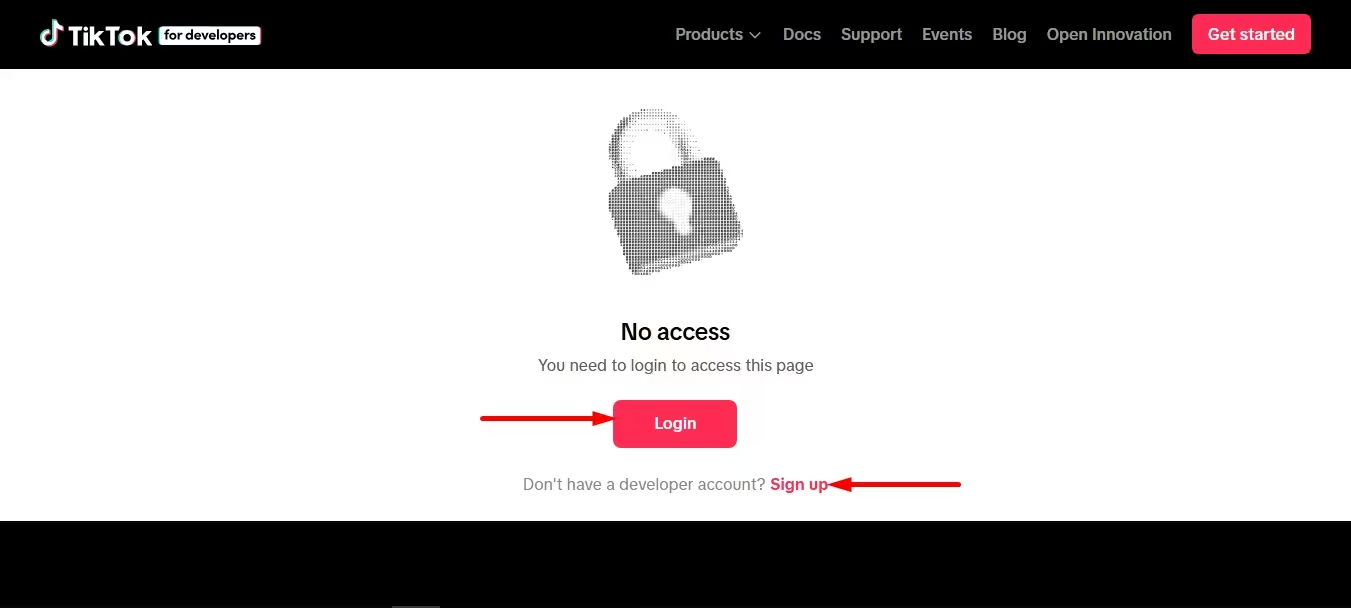
Nel secondo passaggio, devi farlo login to your TikTok account or sign up if you don’t have a developer TikTok account.
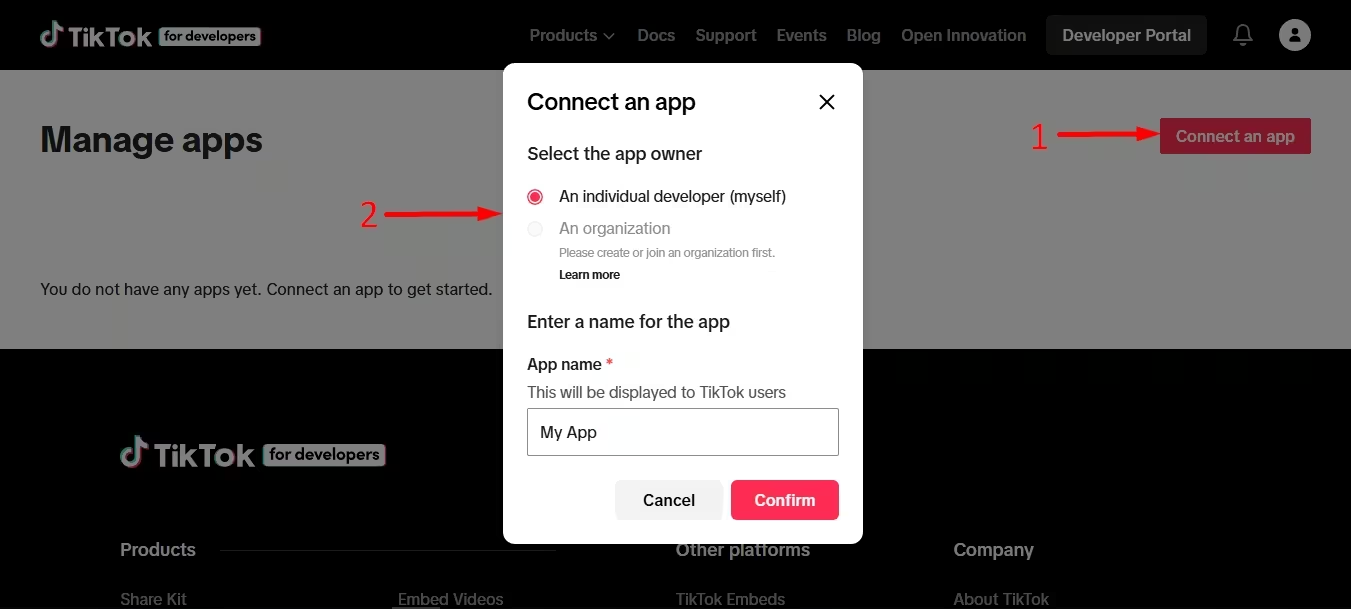
Then, go to Manage apps under Developer Portal, which will take you to an app connection section.

Qui, fai clic su “Connect an app” button, and a tab will pop up where you need to select “An individual developer” and enter the “App name”. Afterwards, Chit the “Confirm” pulsante.
Your app will be created after pressing the “Confirm” button. Go to the “Sandbox” tab after app creation.
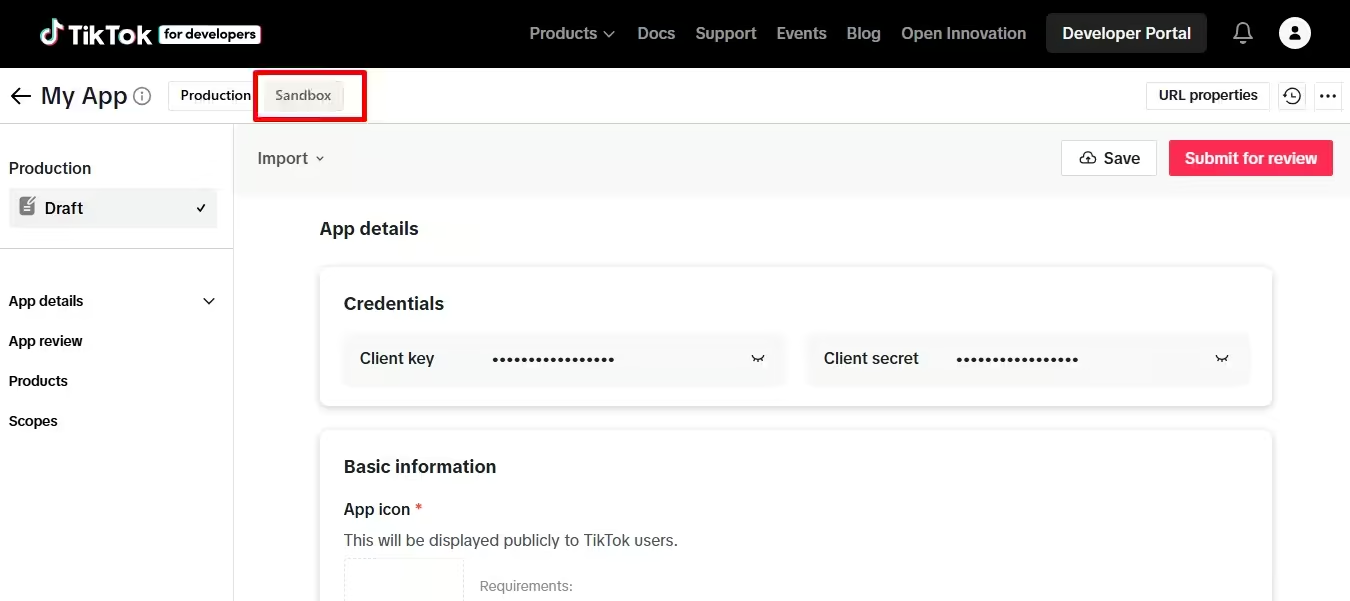
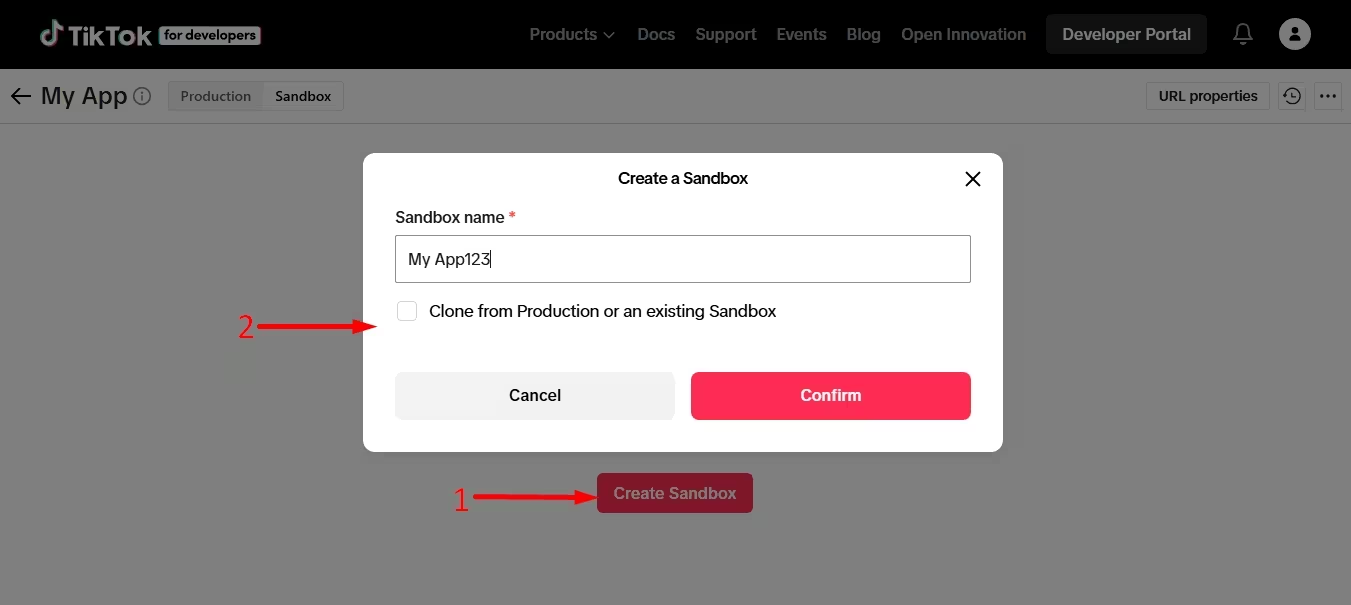
From there, click the “Create Sandbox” button and add a Sandbox name. Then, hit the “Confirm” pulsante.
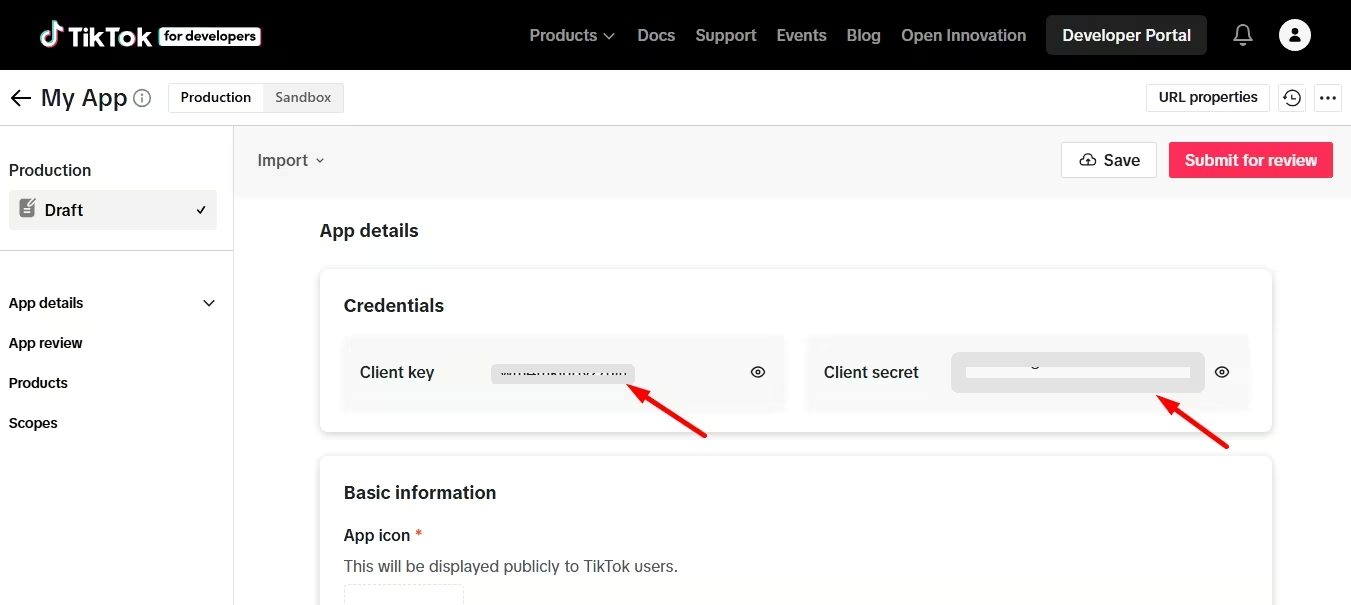
Così, Client key and Client secret will be visible, which you have to copy.
Go to the WP Social TikTok counter settings and paste those credentials in the respective fields.
Step 3: Configure basic information.
In the third step, revisit the Sandbox and scroll down. Now, fill in the following fields to submit basic information:
- App icon: Enter a 1024*1024px app icon.
- App name: Add an app name.
- Category: Select category from the dropdown menu.
- Descrizione: Add description for your website or mobile app.
- Terms of service URL: Link your website’s official terms of service URL.
- Privacy Policy URL: Link your website’s official privacy policy URL.
- Piattaforme: Choose a platform.
- Web/desktop URL: Add your official website’s URL.
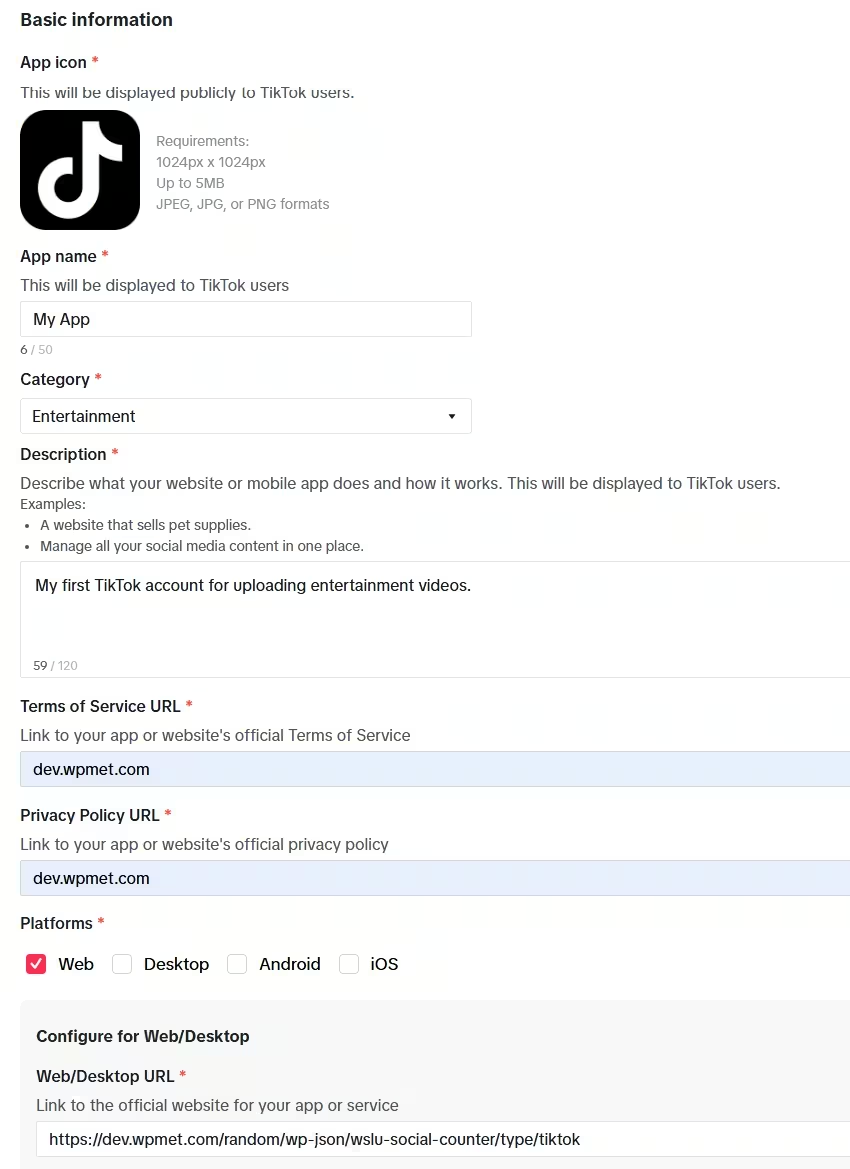
Troverai questo web/Desktop URL in the WP Social TikTok counter settings window.
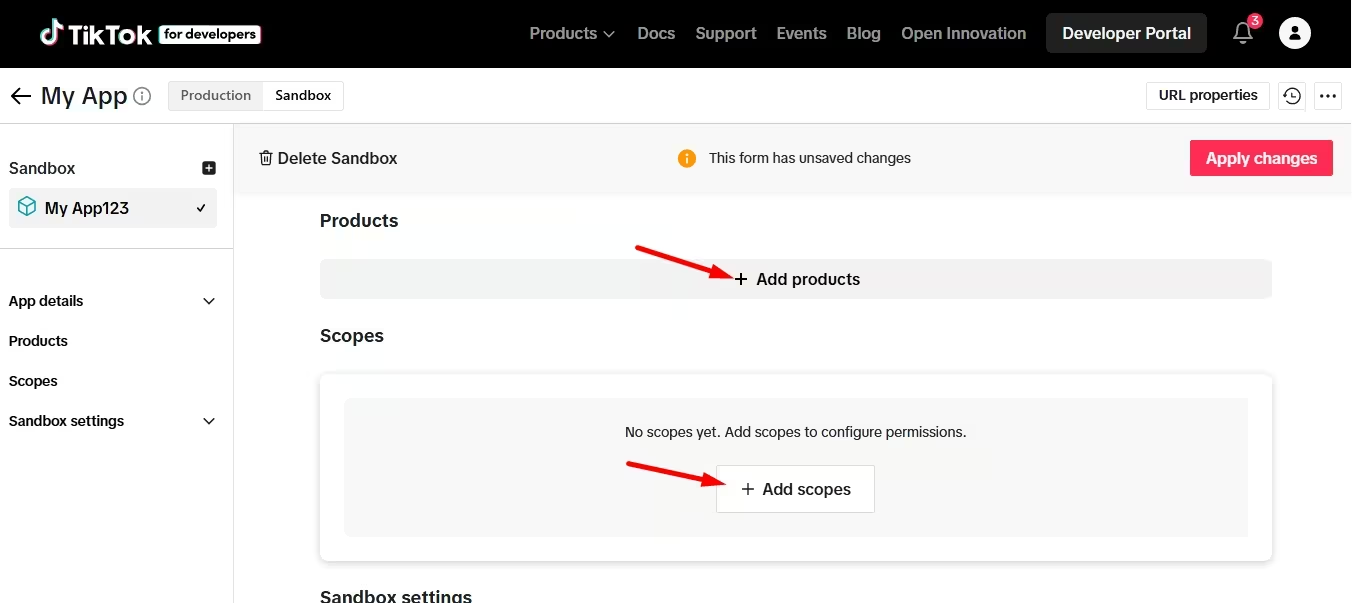
Ancora, visit the Sandbox of your developer’s account and add products as well as scopes.
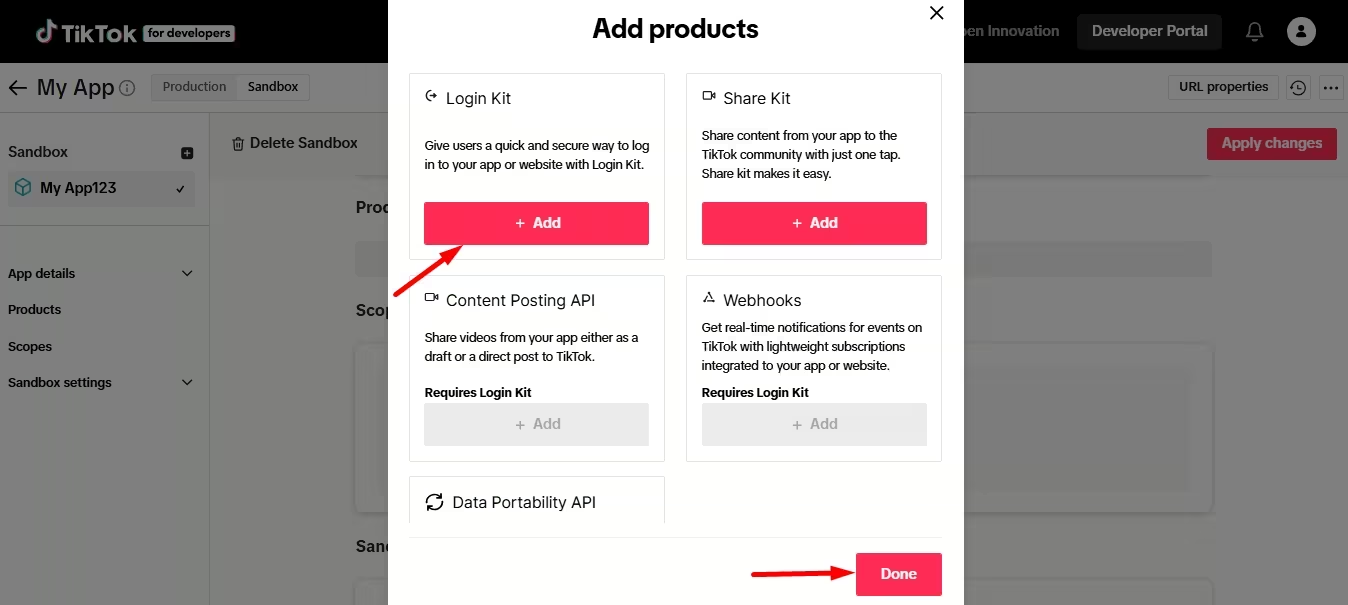
After hitting the “Add products” button, you will get to see a popup where add the Login Kit e premere il “Done” pulsante.
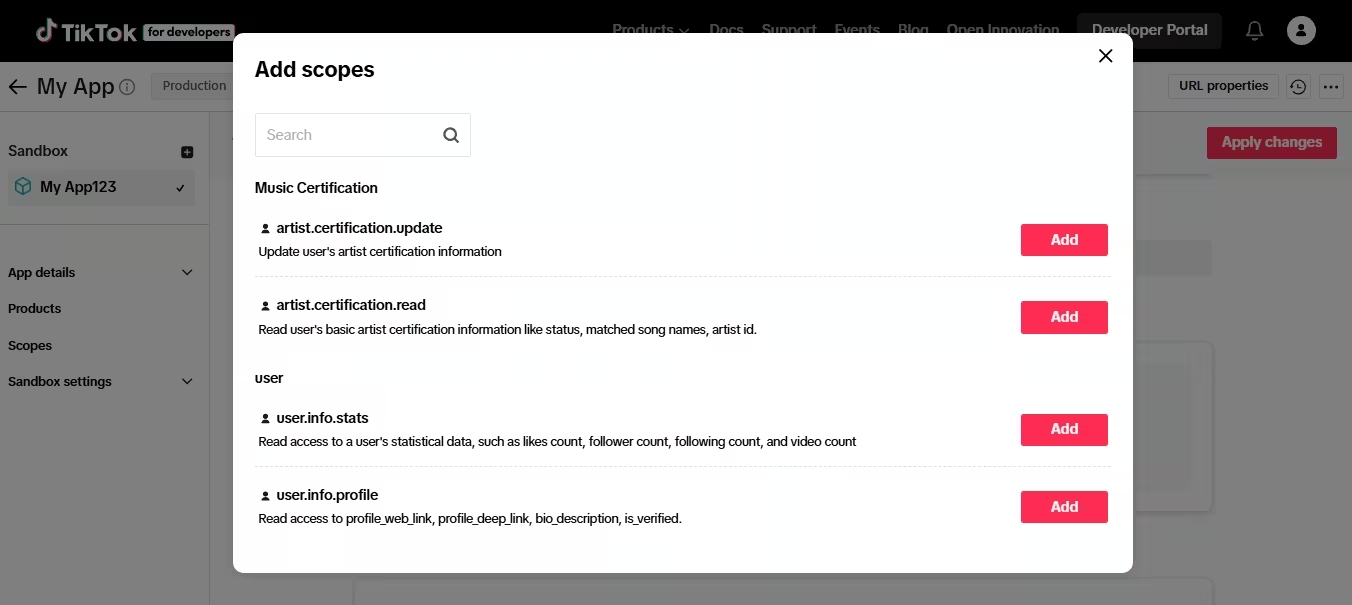
Similarly, add scopes by clicking the add button.
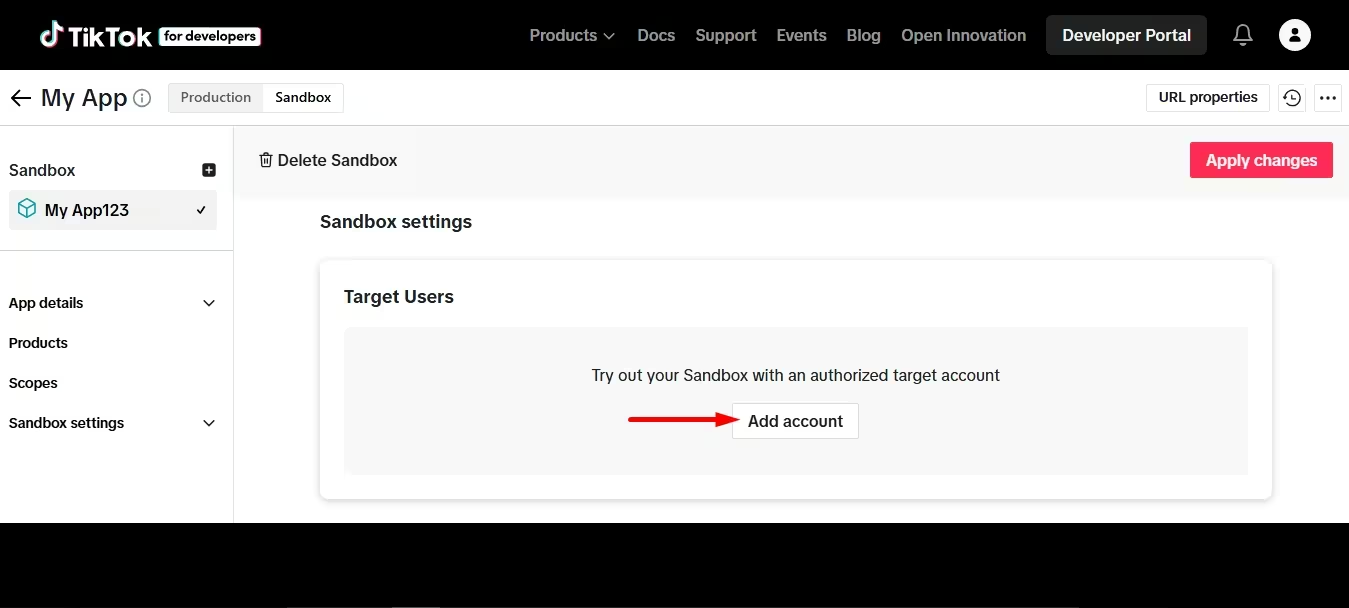
Finally, scroll down and hit the “Add account” under the Target Users. This further redirects you to a tab where you will be asked to log in to TikTok.
Simply login to your TikTok account.

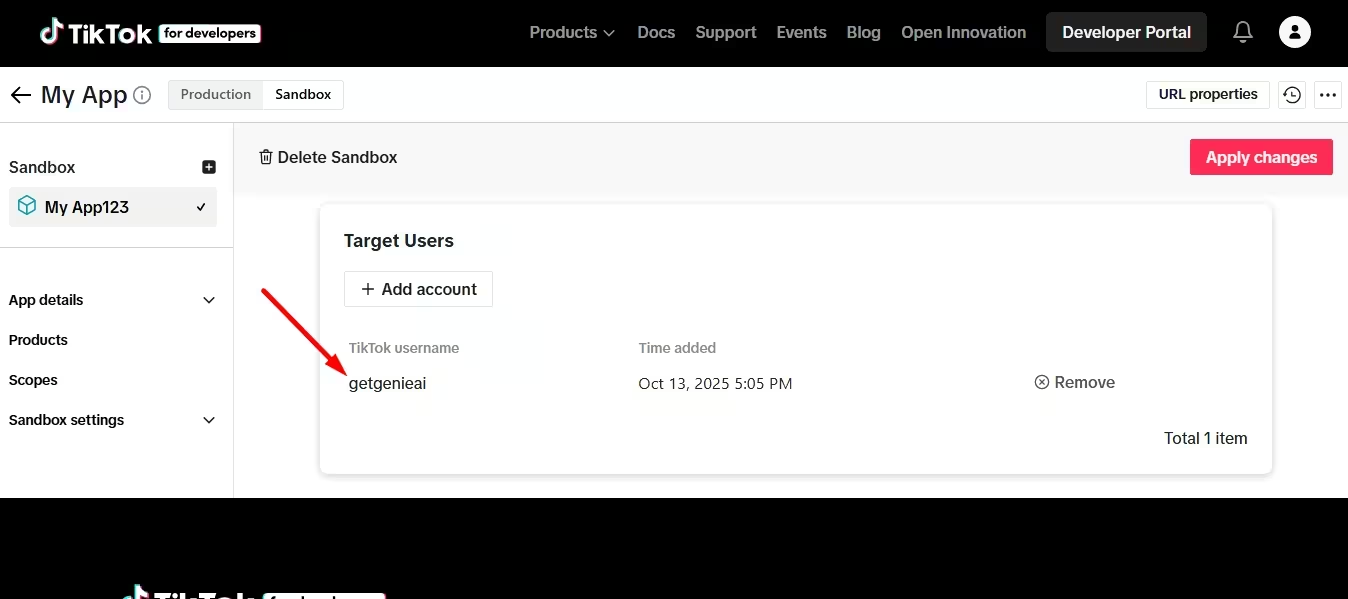
And you will find successful account integration after login.
Step 4: Connect TikTok
In this step, you have to wrap up the TikTok connection by pressing the “Generate Key” pulsante.
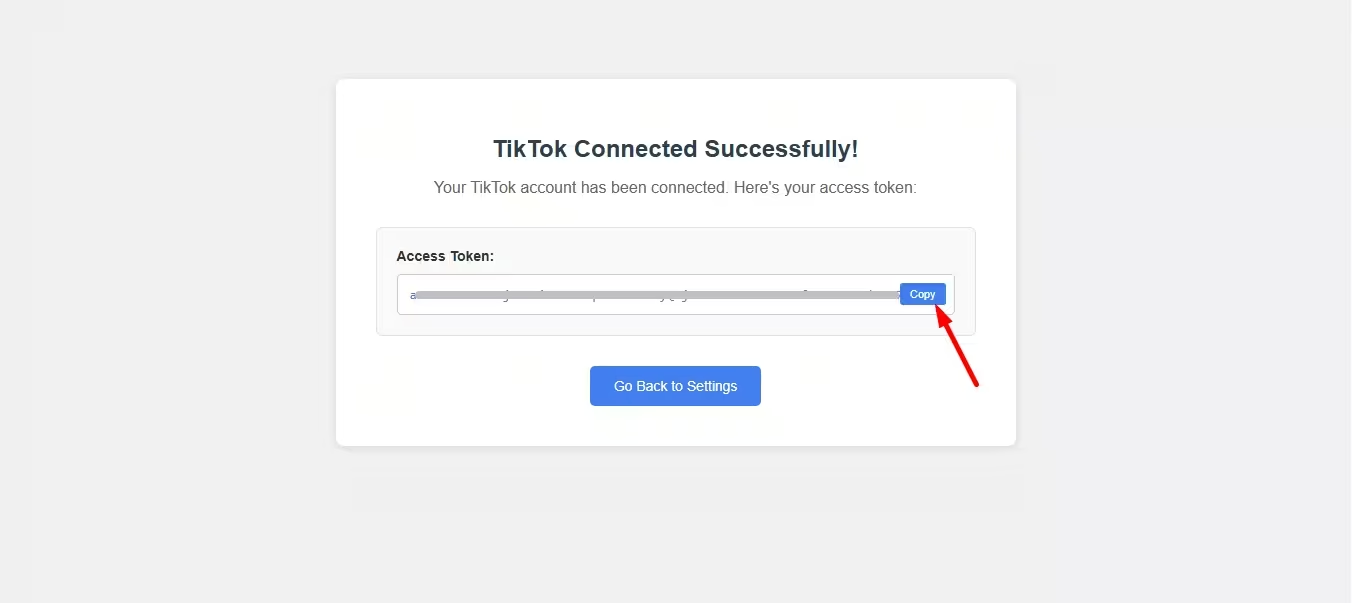
This instantly shows an access token. Copy that token e premere il “Go Back to Settings” button for TikTok integration.
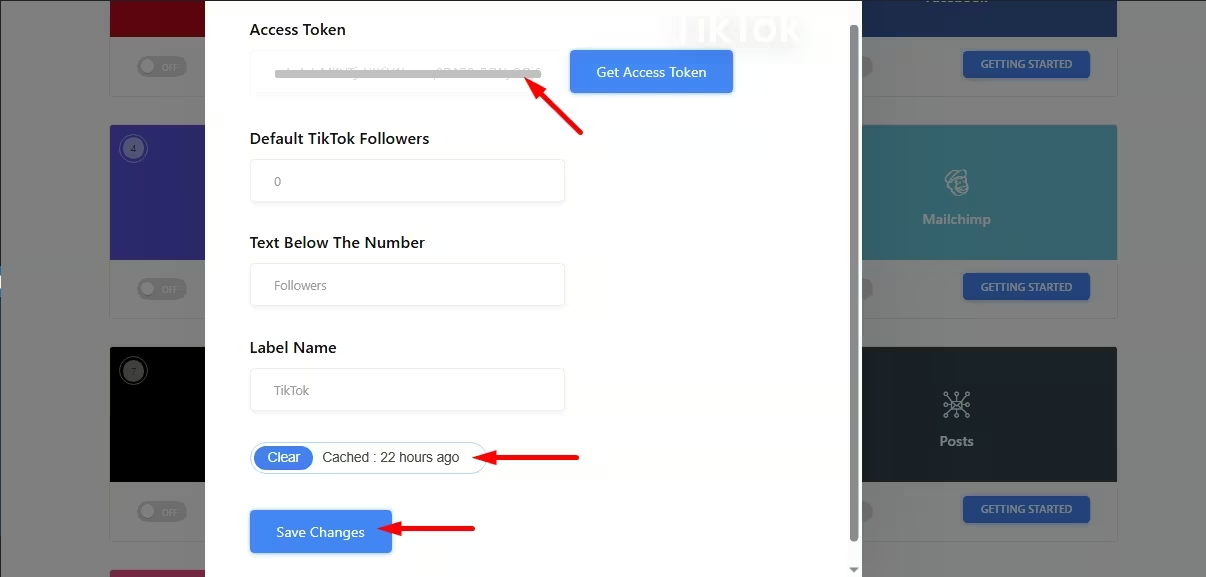
Next to redirecting the WP Social’s settings tab, paste your copied access token and clear the cache to hit the "Salvare le modifiche" pulsante.
Step 5: Check TikTok connection
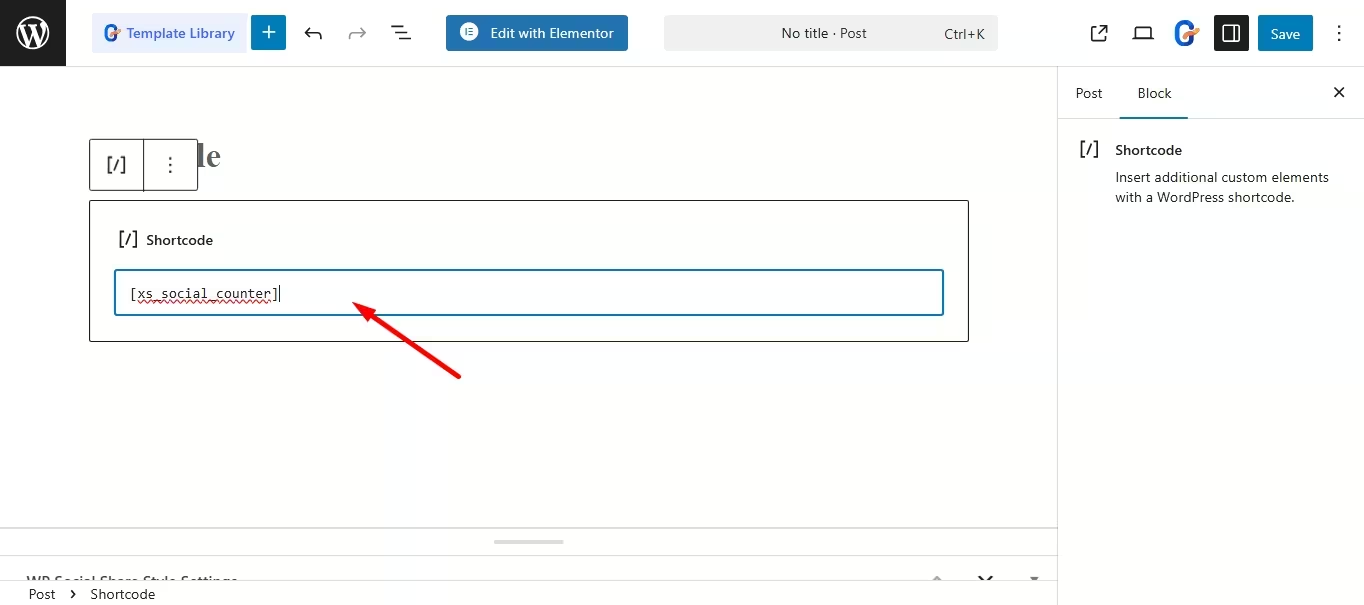
Finally, test the TikTok connection by opening any page of your site and adding a shortcode block. From here, add shortcodes to the respective field of the Shortcode block and premere il pulsante “Salva” pulsante.
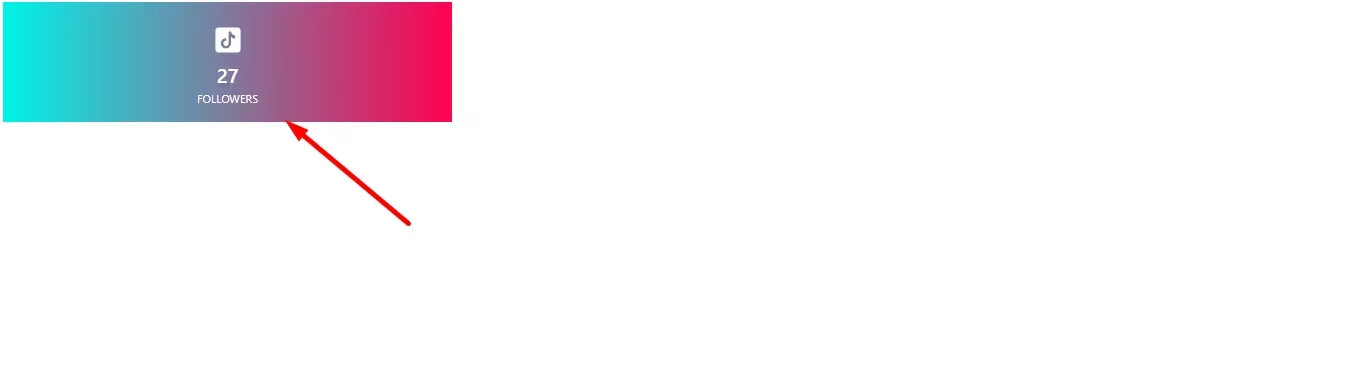
Therefore, your TikTok follower count will be added just after pressing the “Save” button.
Common errors while showing TikTok follower counter
Here are the most common pitfalls while integrating TikTok follower counter:
- Using wrong or expired access token.
- Due to failed API request.
- Adding wrong shortcodes.
- Not showing live follower count.
Domande frequenti
Can you show real-time TikTok follower count on WordPress?
Yes, you can show real-time TikTok follower count on WordPress using tools like WP Social. This tool will show the up-to-date TikTok follower count on your site.
Will showing TikTok follower count slow down your site?
Not at all. You can avoid site speed-related issues by using reliable tools. WP Social is a lightly-coded and speed-optimized plugin so that it loads follower data efficiently without affecting page performance.
Do you need coding to display TikTok follower count on WordPress?
No. Most plugins offer simple block setups or shortcodes that require zero coding skill.
What if my follower count doesn’t match with TikTok?
Caching delays, backdated plugins, etc., can cause these issues. This can be avoided by using robust solutions and undergoing a force refresh.
Why TikTok follower count not updating?
TikTok follower count may not update due to API caching, delayed synchronization, or temporary restrictions on third-party data access.
Avvolgendo
Adding a TikTok follower counter to a WordPress site is one of the simplest ways to highlight your social presence and strengthen brand credibility. Thankfully, with WP Social, the complete process becomes effortless, where you won’t require coding expertise and complicated integrations.
All you need to do is take the first initiative, and your real-time TikTok follower counter will be displayed on your site in no time. If you want to showcase social authority, then this will be a quick win you shouldn’t skip.


Lascia un commento