






Welcome to the TableKit documentation!
Here, you’ll discover how the plugin works, dive into its standout features, and follow clear, step-by-step instructions to build and customize tables in WordPress.
We’ll start at the very beginning with installing this WordPress Table plugin and then give you a quick look around the dashboard so you know exactly where everything is.
How to Install WordPress Table Plugin #
TableKit is a WordPress Table Plugin for Gutenberg blocks. So you can add a table to WordPress pages or posts if you are using the block editor.
Requisiti #
Make sure you are using the Gutenberg block editor and a compatible block theme ( like Ciao Blocchi or Twenty Twenty-Five).
Method 1: Install TableKit directly into WordPress #
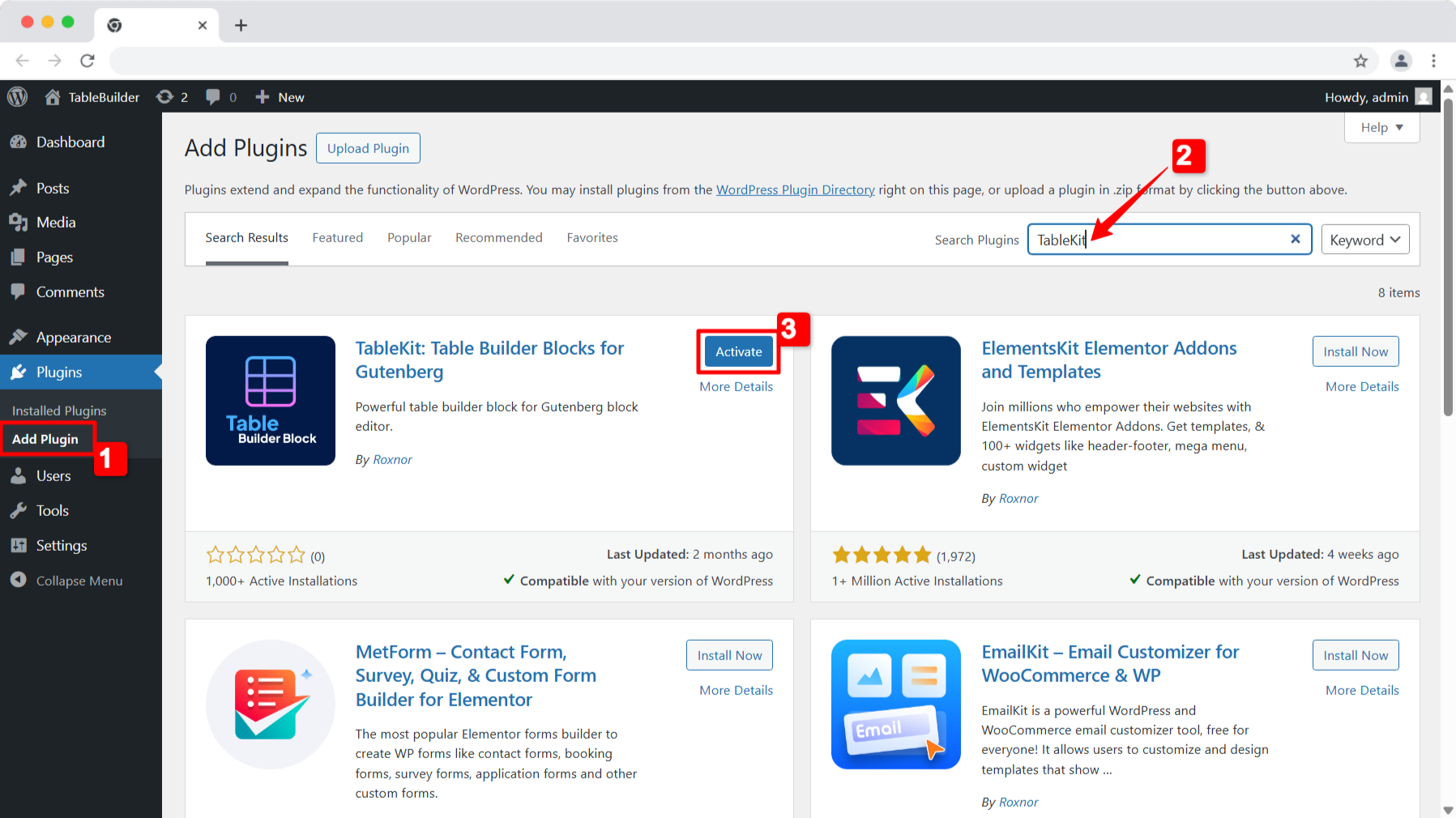
You can install the TableKit WordPress table plugin directly from the WordPress plugin directory in your dashboard. Follow these steps:
- Passo 1: Go to your WordPress dashboard and open Plugin → Aggiungi nuovo.
- Passo 2: In the search bar at the top right, type TableKit.
- Passaggio 3: When it appears in the search results, click ‘Install Now’ and allow a few seconds to complete.
- Passaggio 4: Once installed, you’ll see the ‘Activate’ button. Click on the button to get the plugin up and running.
Method 2: Manually install WordPress Table Plugin #
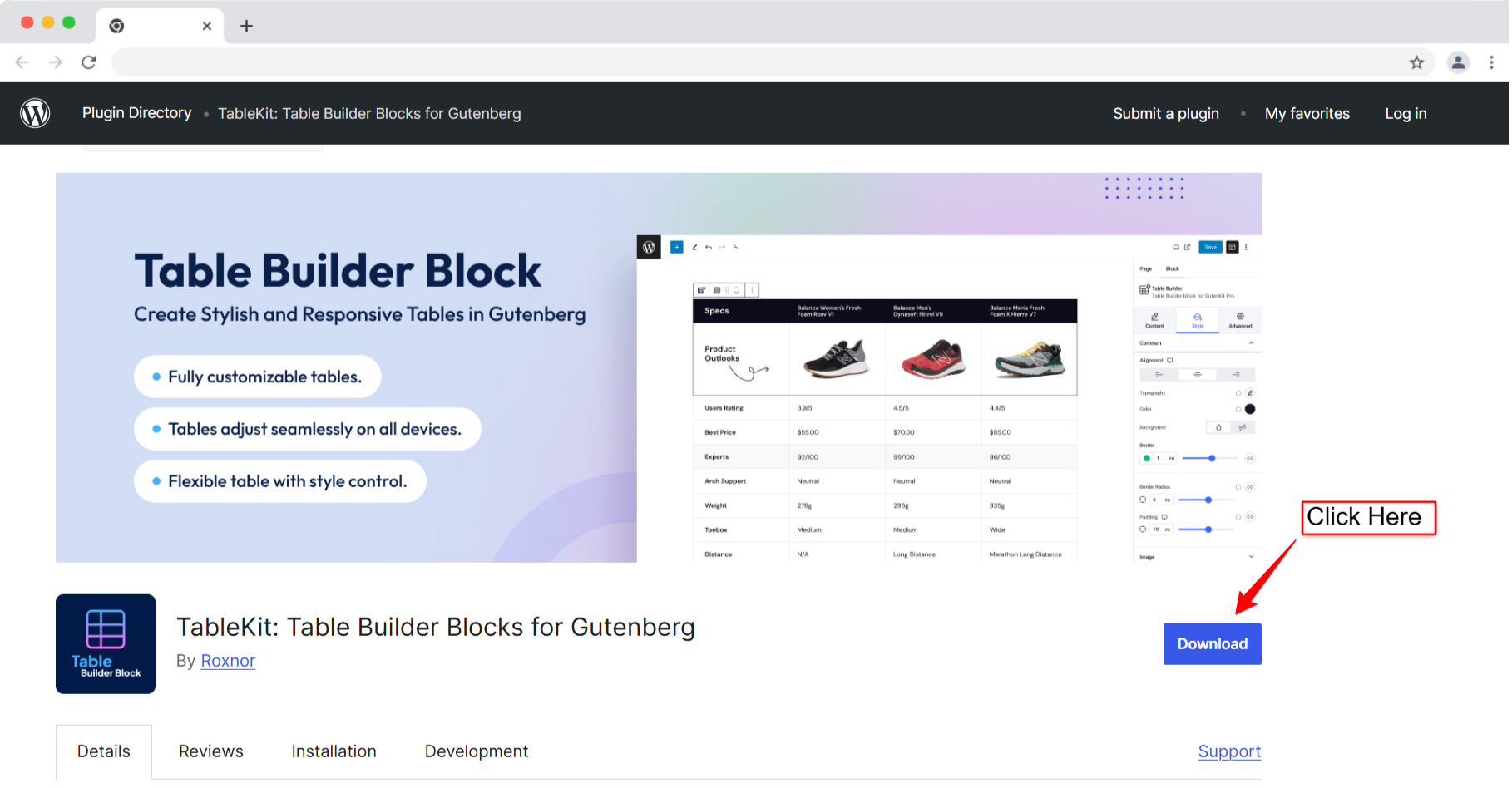
To install the TableKit—table builder manually, you need to download the plugin from the WordPress plugin directory.
Step 1: Download TableKit plugin #
Per questo, vai a TableKit plugin page on WordPress.org and hit the Download button at the top right. Once downloaded, save the .zip file to your local storage for the next step.
Step 2: Install and activate TableKit plugin #
- First, sign in to your WordPress dashboard and navigate to Plugin → Aggiungi nuovo → Carica plugin.
- Colpire il Scegli il file button, select the TableKit.zip file you downloaded earlier, and upload it.
It will take a few seconds to install the plugin. Once that’s done, click Attivare to start using TableKit.
Once the plugin is installed, you can start building the tables in the block editor with TableKit—WordPress Table Plugin.


