





MailerLite is your engine for email campaigns, and PopupKit is your lead collector. This powerful integration creates a direct pipeline, ensuring every contact captured by your website popups instantly appears, ready to go, in your MailerLite subscriber list.
Let’s build that quick connection.
MailerLite Integration with PopupKit #
Prerequisito:
Accessing MailerLite integration requires a PopupKit Pro subscription. Before moving forward, ensure your current plan meets this requirement.
Step 1: Log in to the MailerLite account #
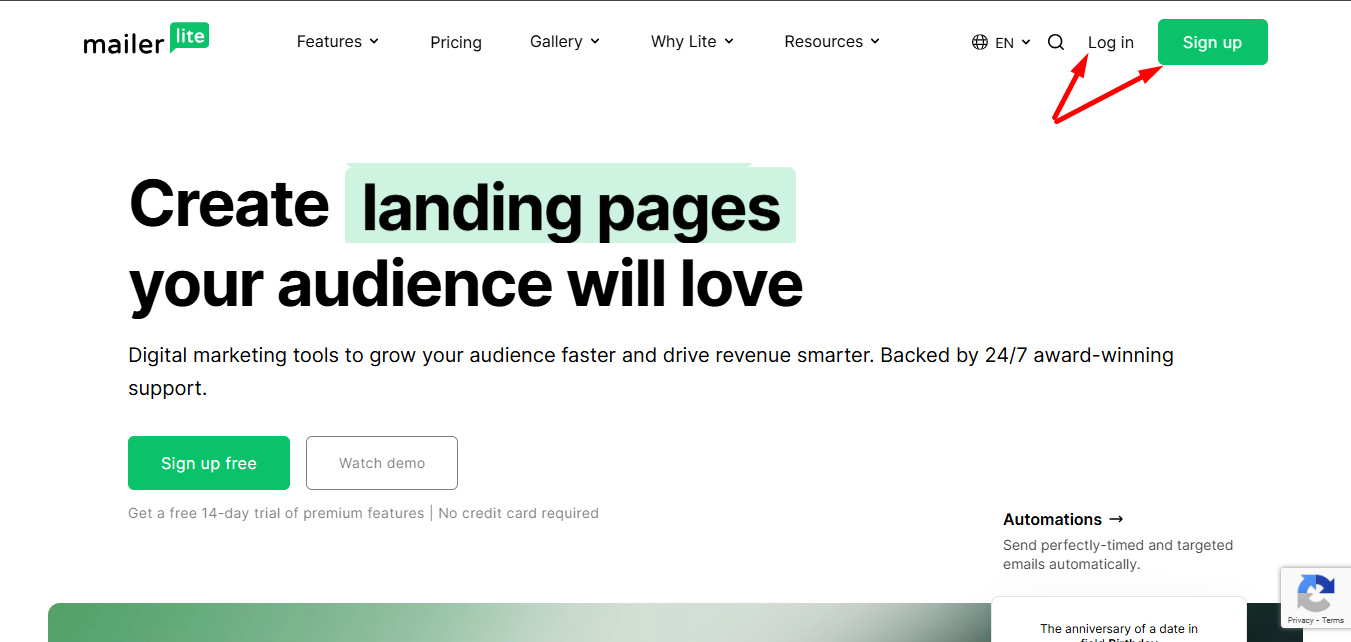
Begin by signing up or signing in to your MailerLite account.
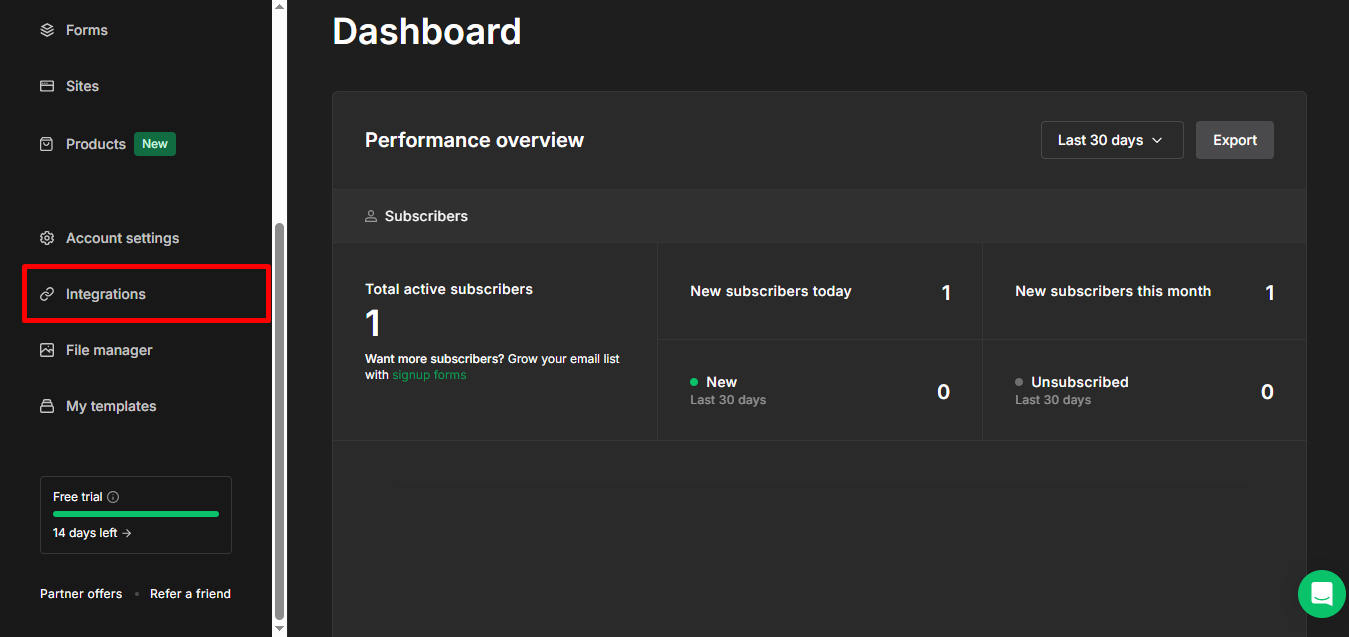
Find Integrations on the left side of your dashboard and click on it.
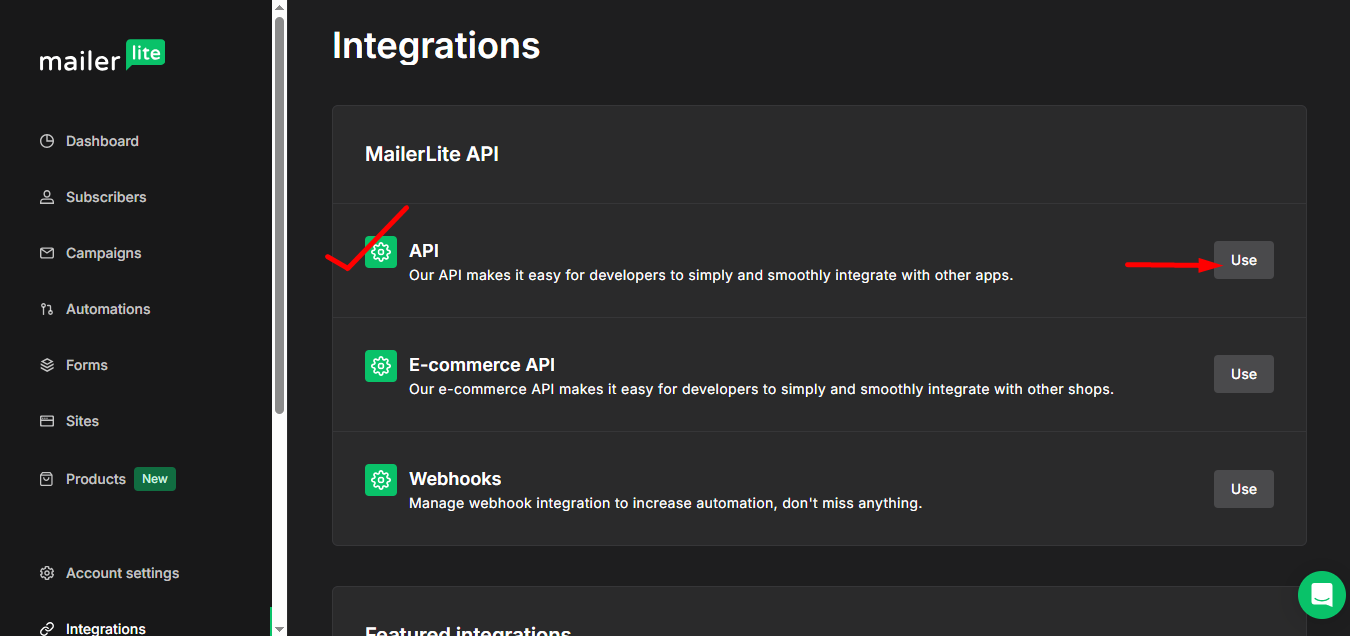
Nel MailerLite option select API and click Use.
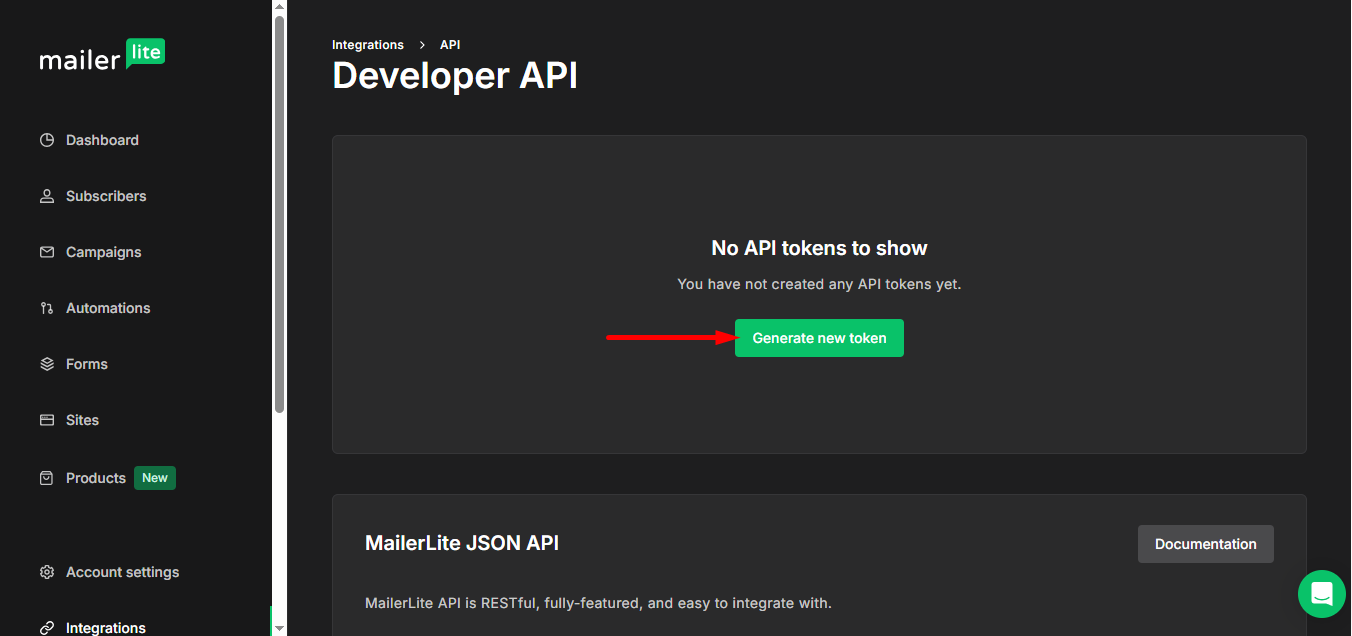
Now, press the Generate new token pulsante.
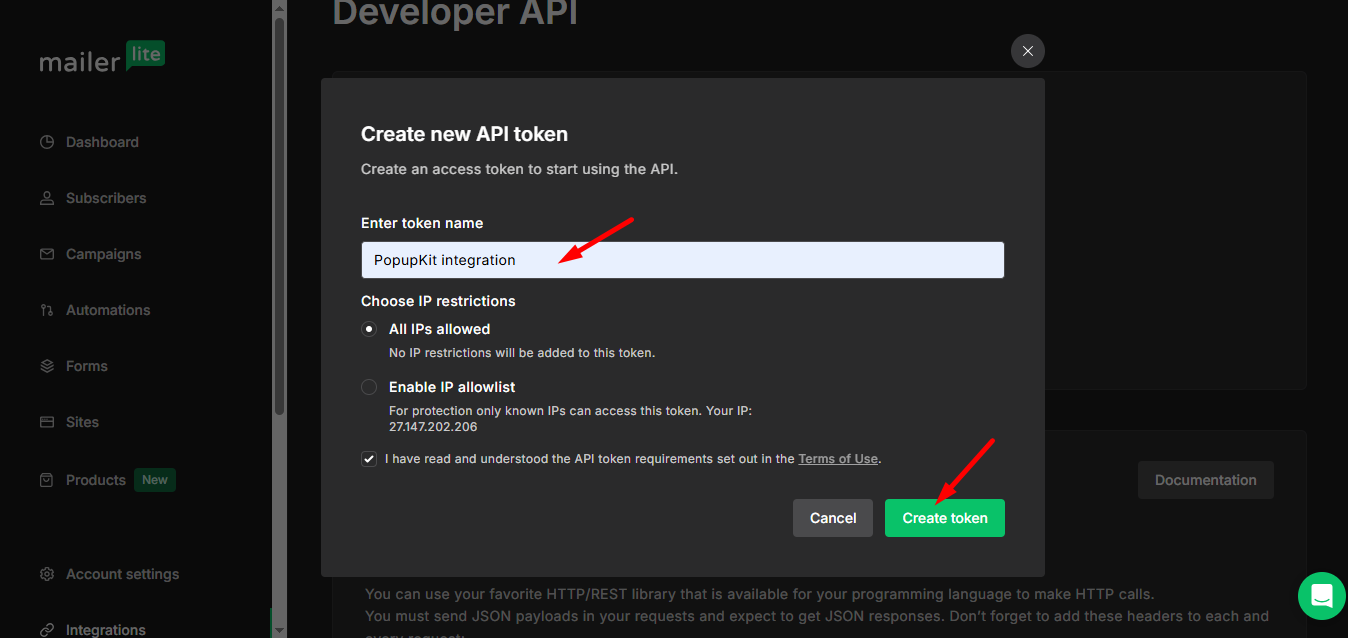
Here, enter a token name and create a token.
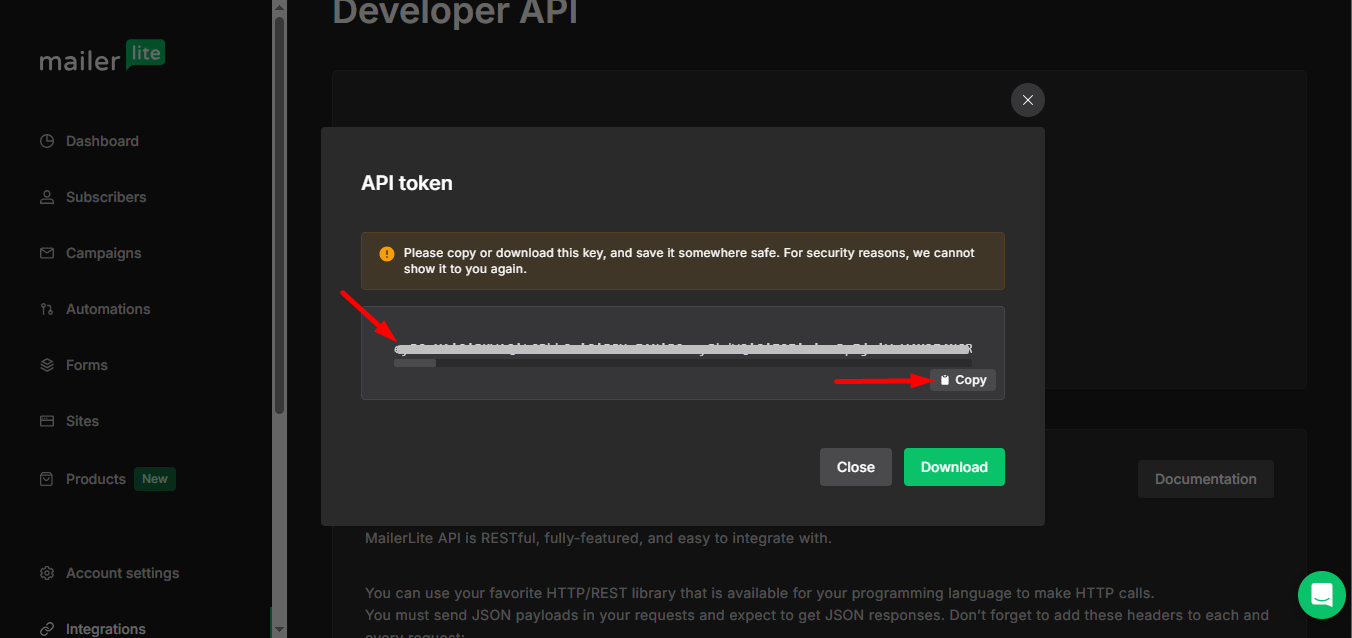
Qui è il tuo unique token, copy it.
Step 2: Go to your WordPress dashboard #
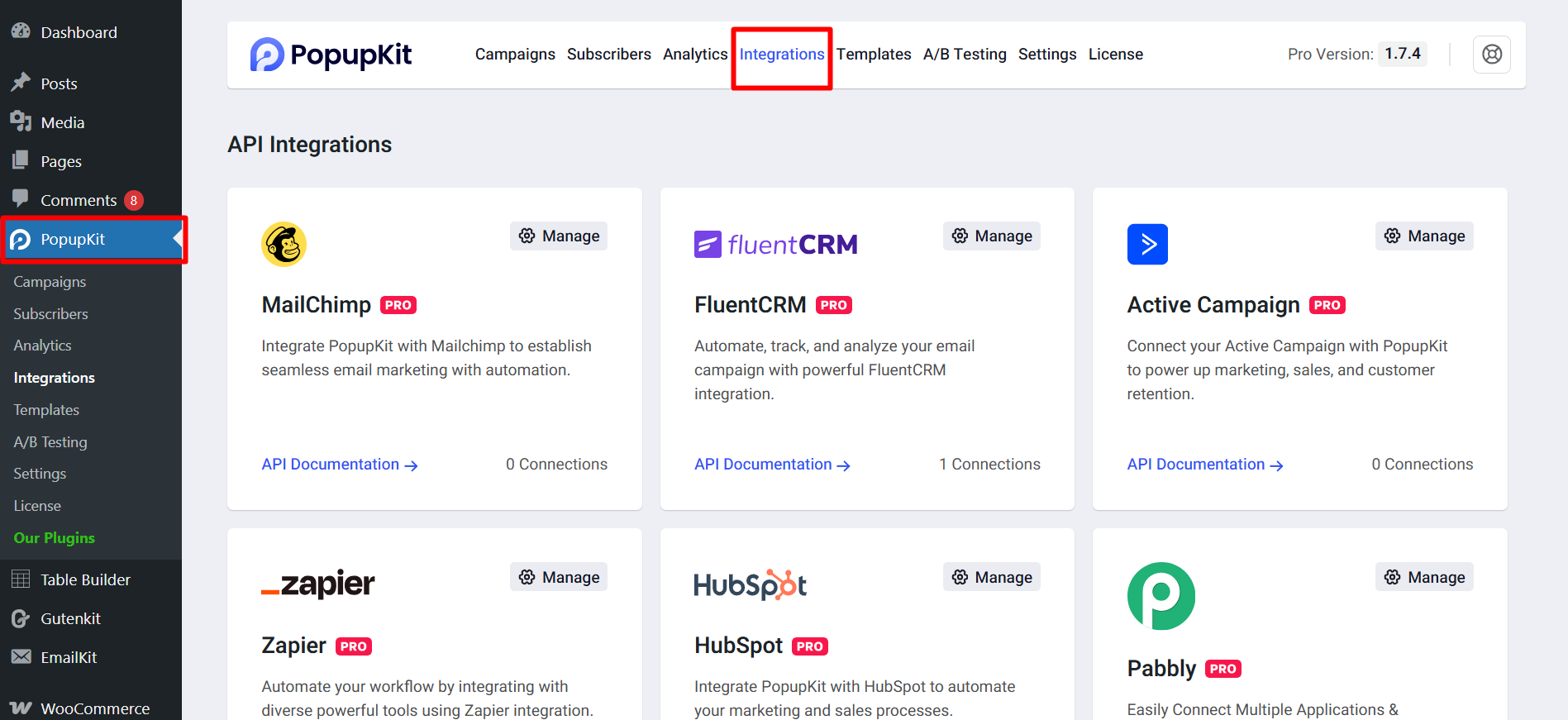
From the Dashboard, navigate to the left menu, find PopupKit, and then select the Integrations tab.
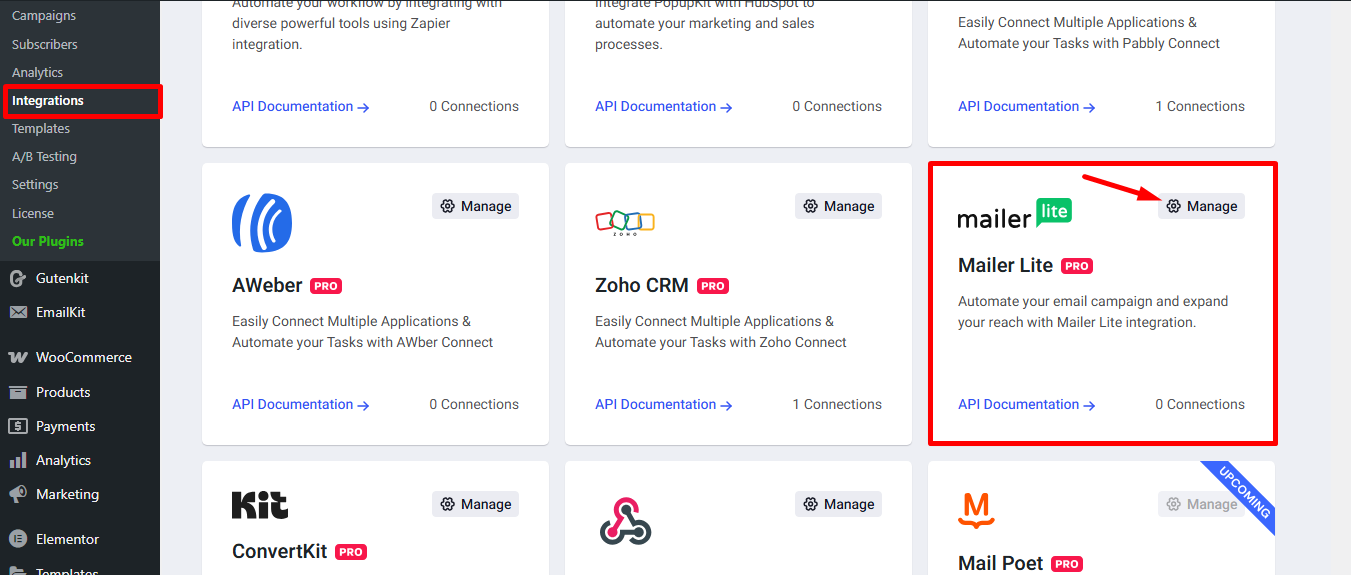
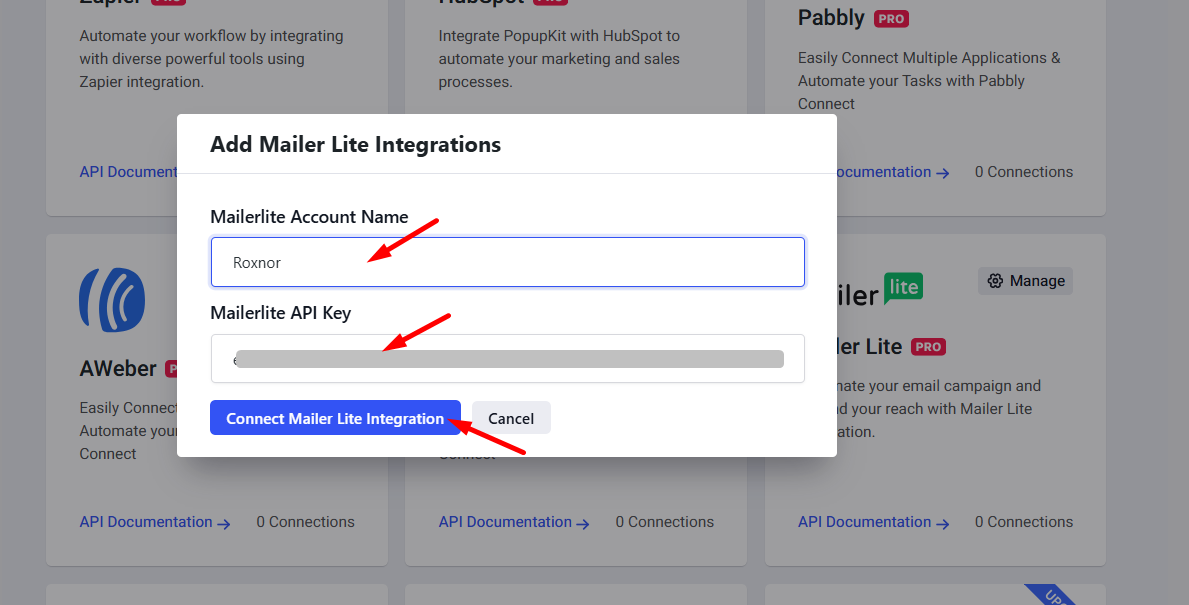
Find MailerLite e fare clic su Manage settings icon.
Follow these steps:
- Provide MailerLite account name
- MailerLite API key you copied earlier
- Press the MailerLite integration button
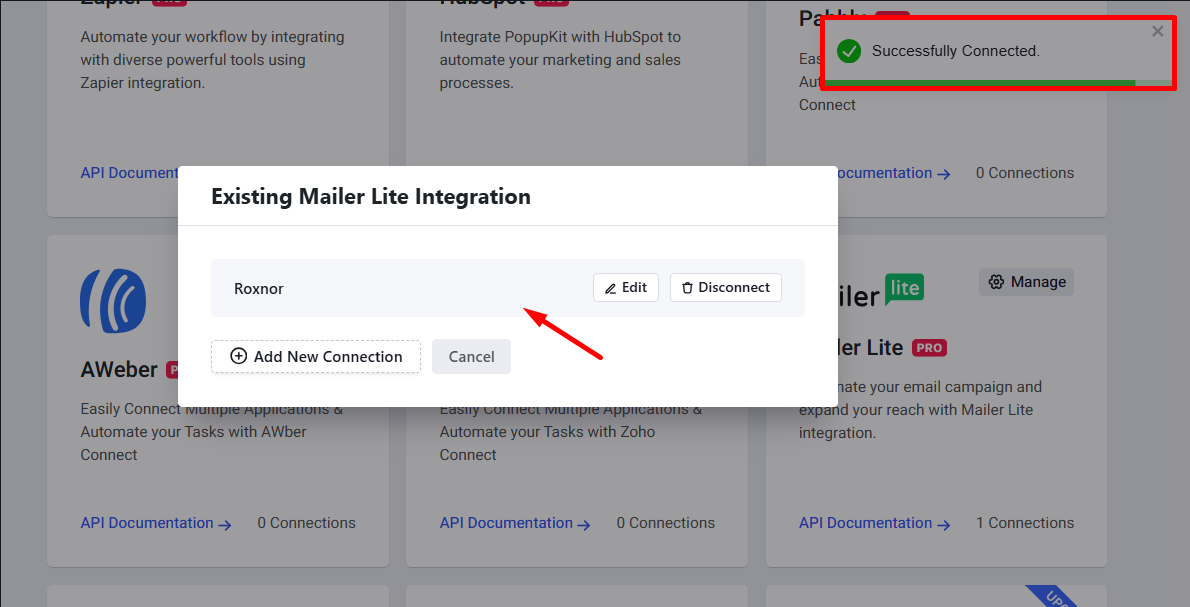
The MailerLite successfully connected.
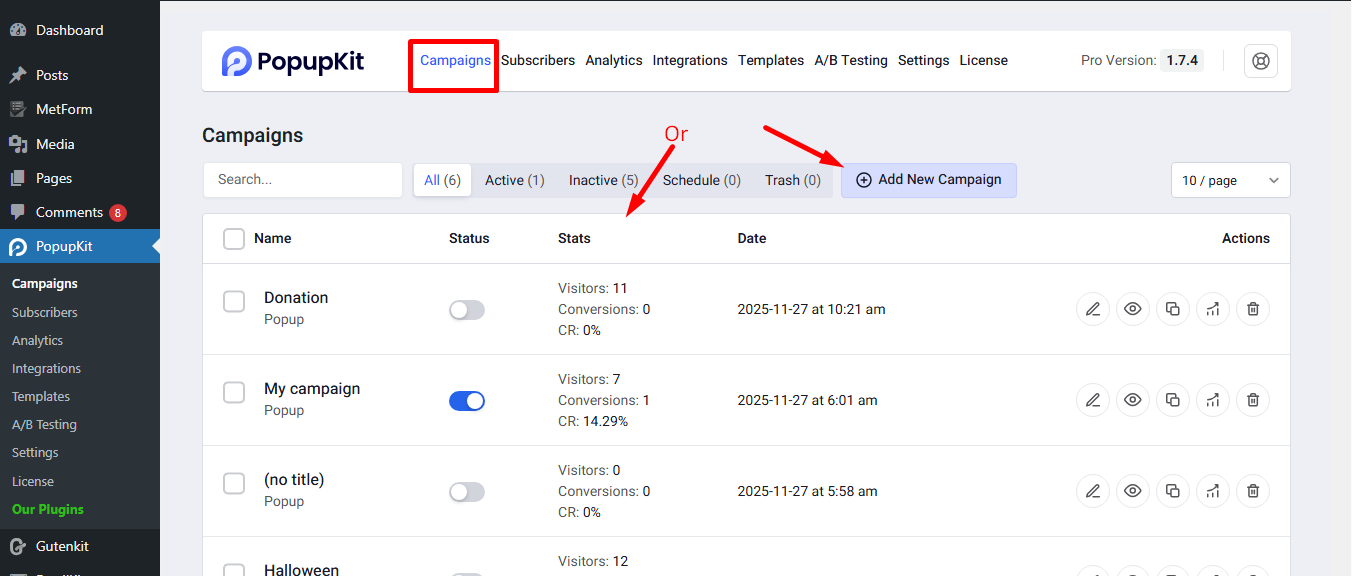
STEP 3: Create a campaign #
Il prossimo passo è create a new campaign. Alternatively, you may select an active campaign to resume.
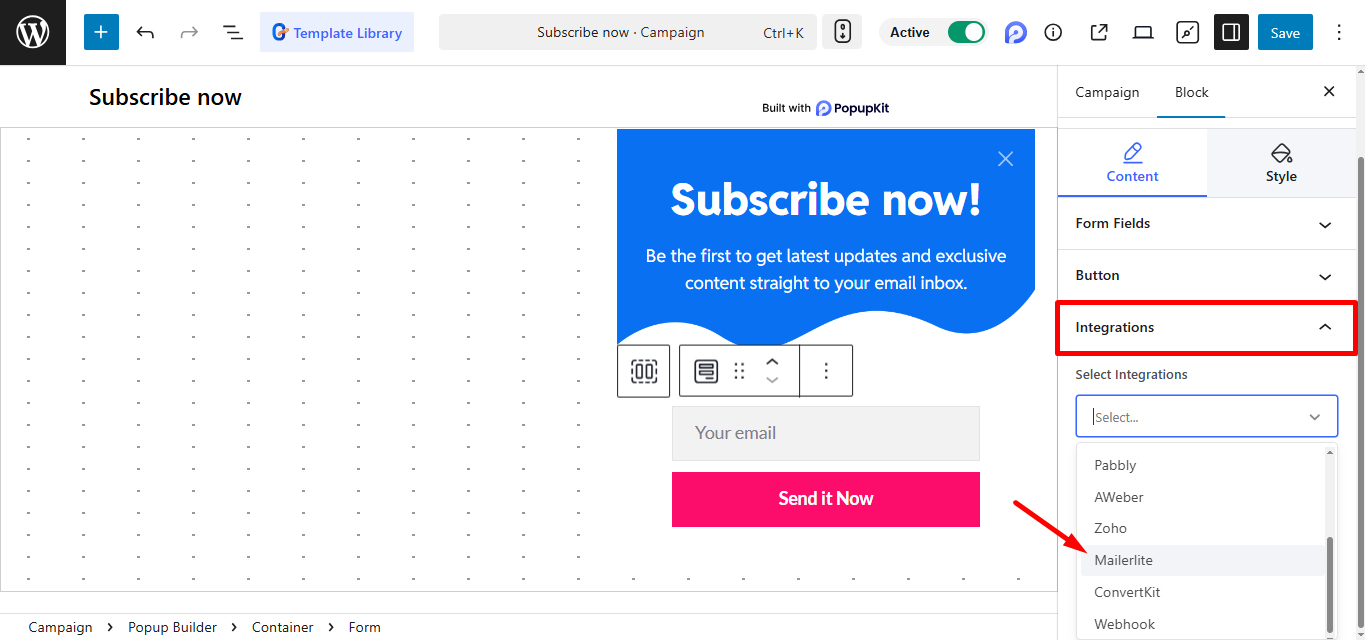
Select MailerLite from the integrations list and save the changes.
Now, preview the popup and submit the subscriber form.

Finally, return to your MailerLite account, click on Subscribers in the left-hand menu, and verify that the submitted email has been added to the list.
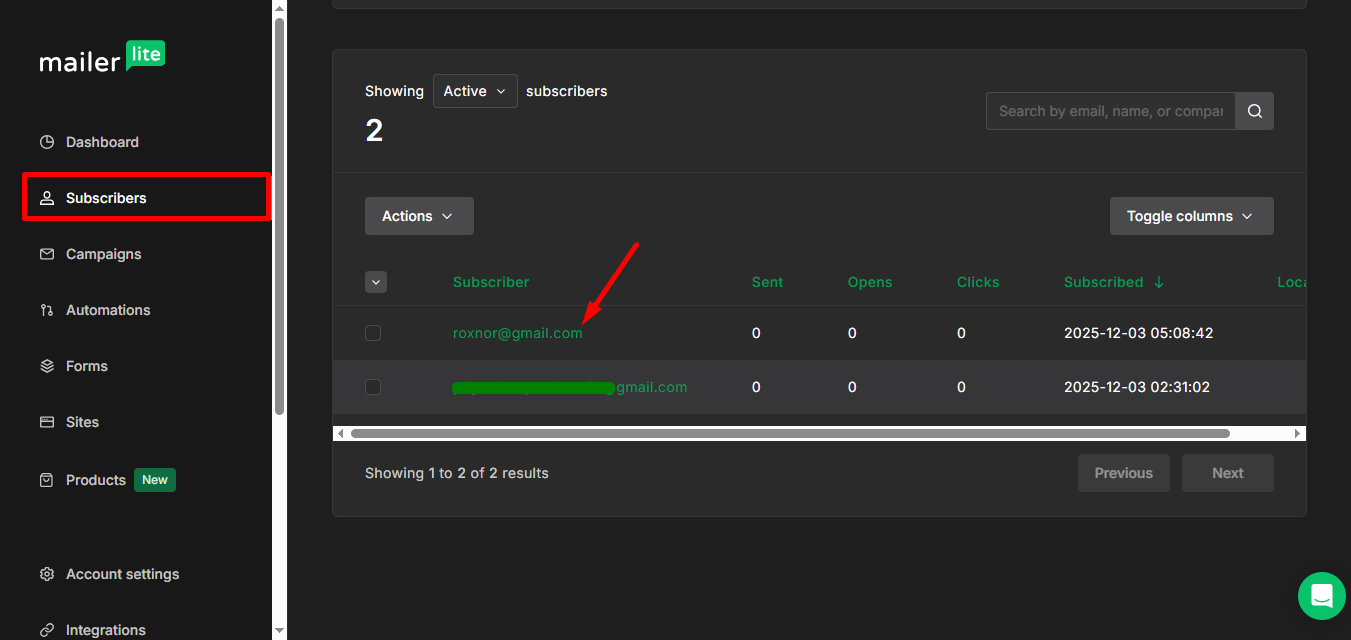
You have successfully integrated PopupKit with MailerLite! Happy email marketing!


