




PopupKit’s WooCommerce integration helps you show targeted popups on your store pages to capture leads, promote offers, and boost conversions. By connecting PopupKit with WooCommerce, you can engage shoppers at the right time and turn visits into sales with ease.
PopupKit WooCommerce Integration #
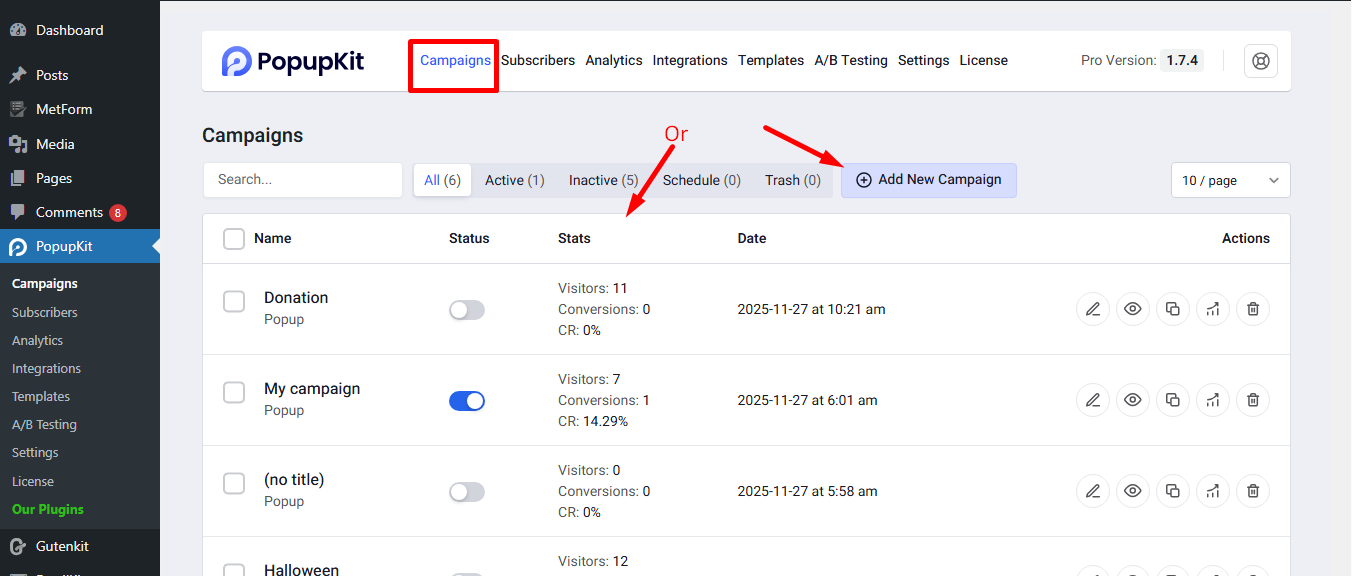
To add a popup to your WooCommerce pages, start by opening the popup or campaign you want to use.
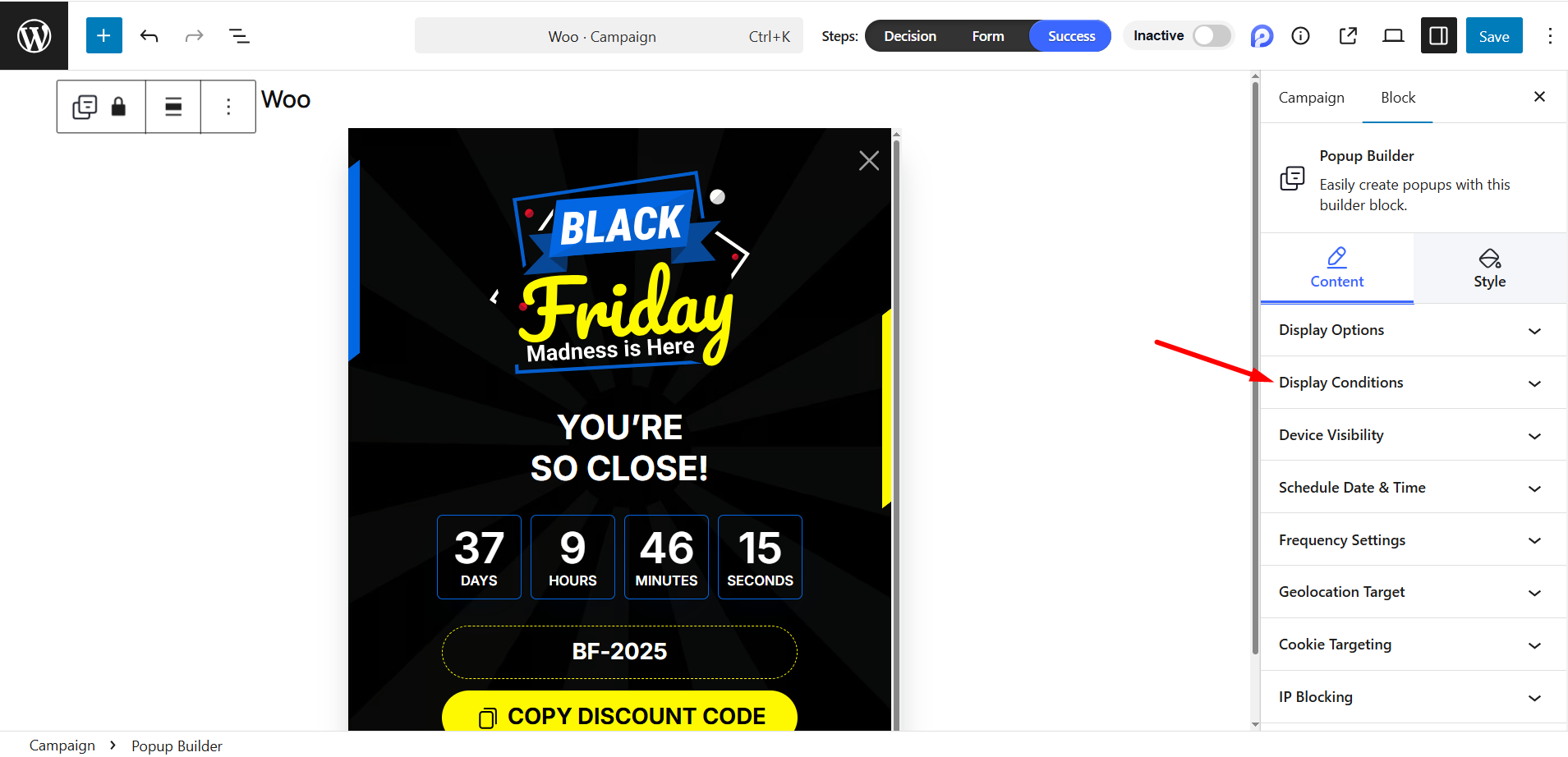
Find Display Conditions and expand it.
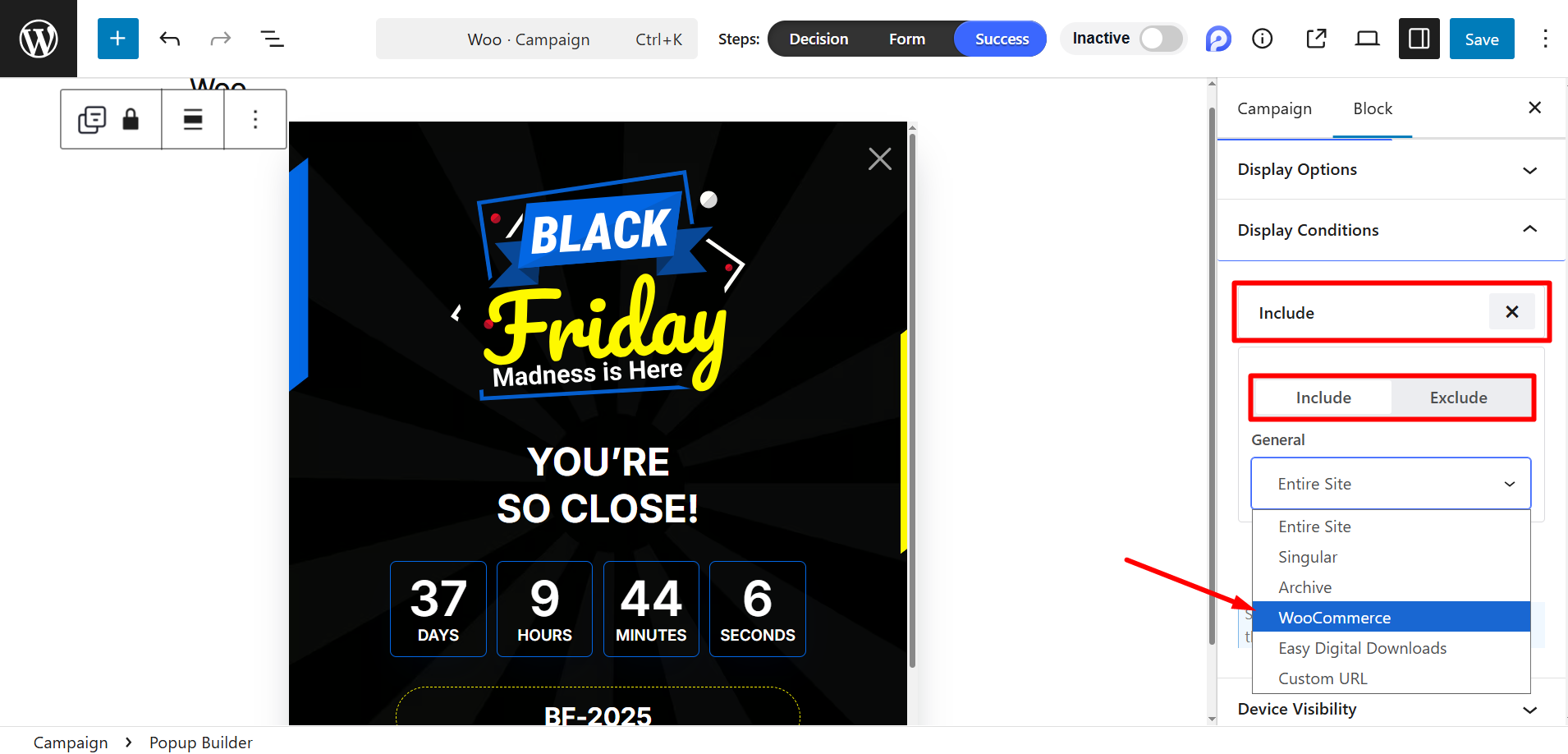
Elegir ‘WooCommerce’ from the General list.
Desde el Select WooCommerce list, choose accordingly.
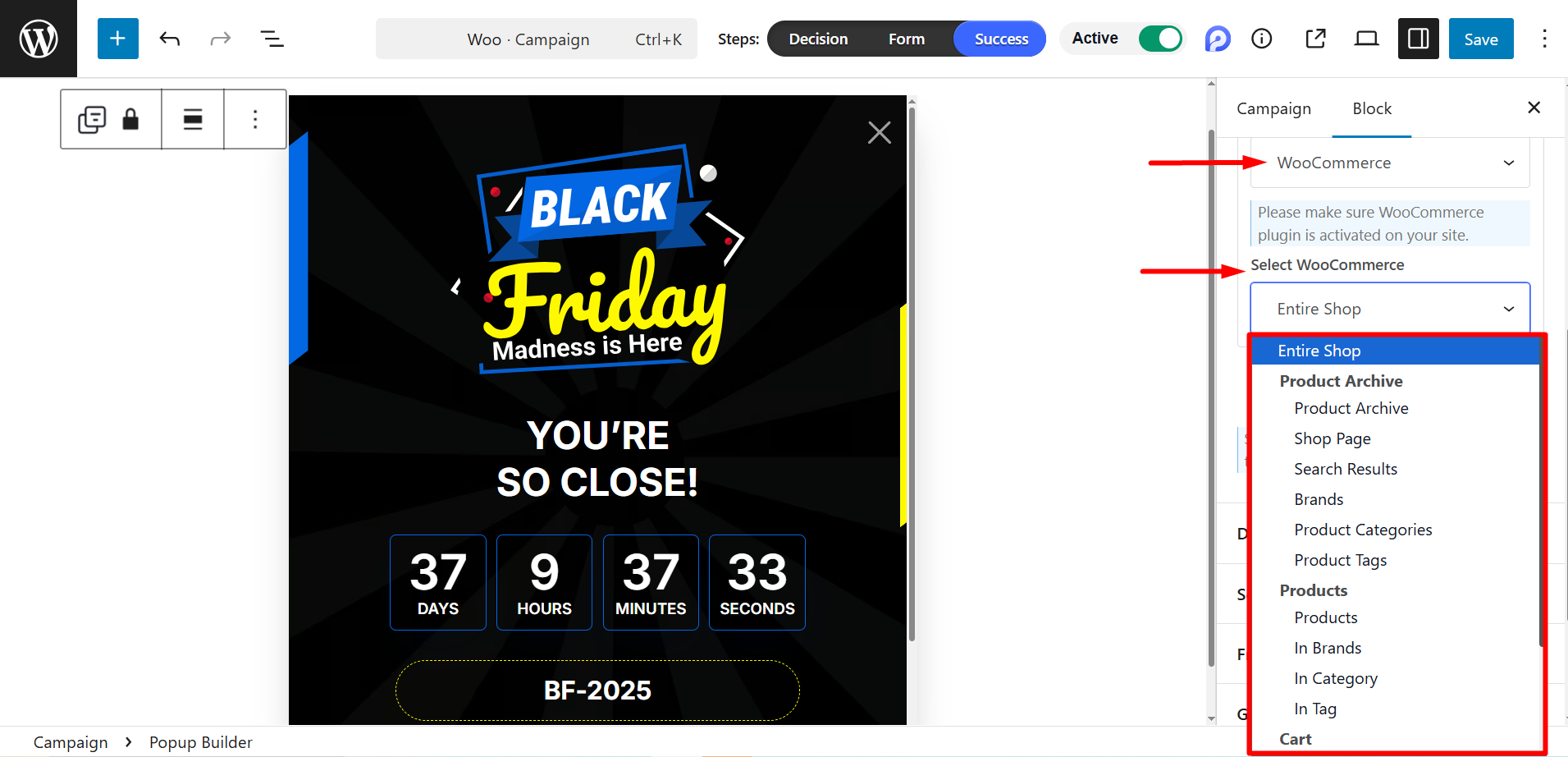
Suppose you chose the Shop Page. After saving the popup, visit the shop page, and you’ll see the popup displayed there.
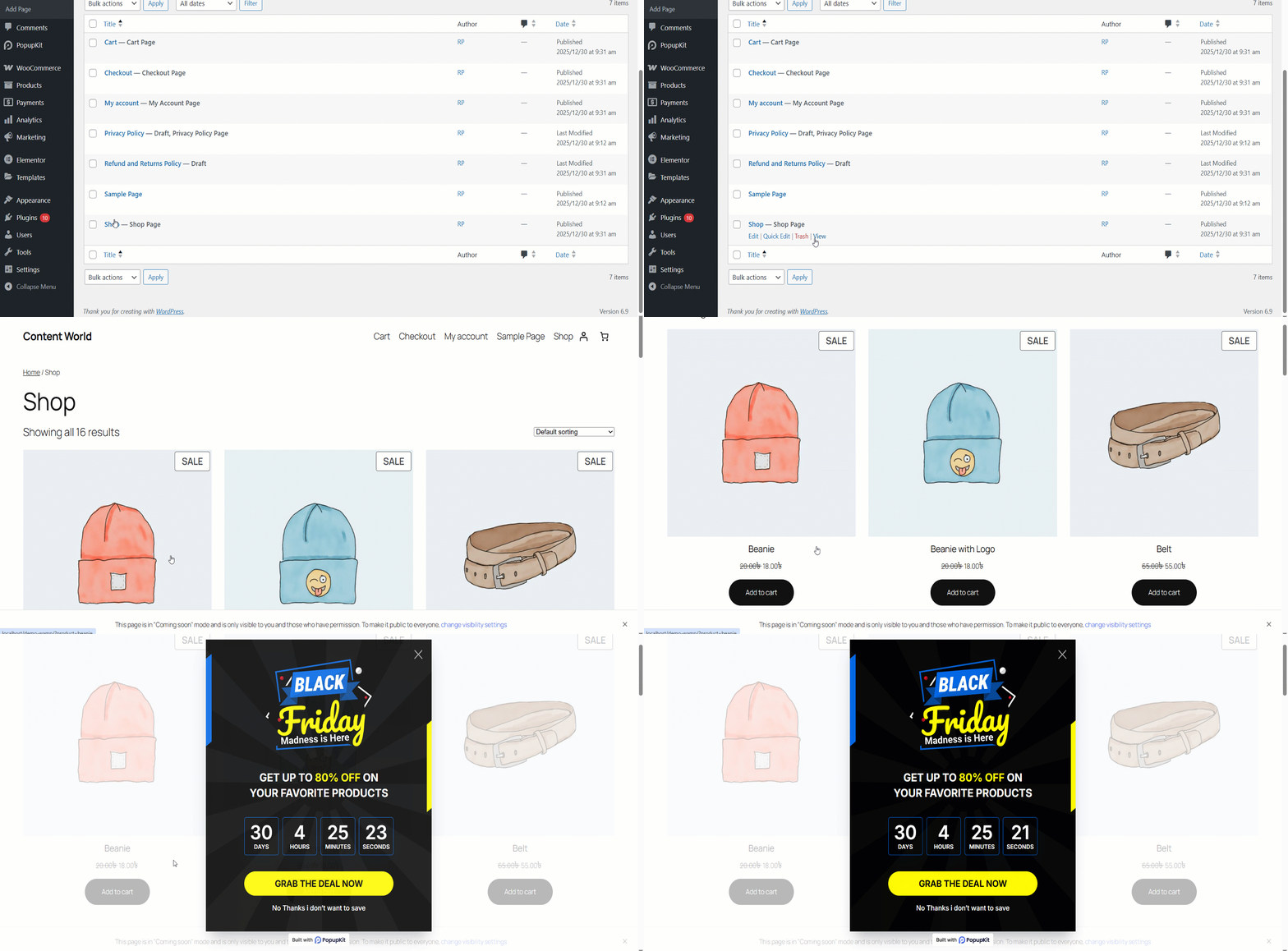
That’s all! This is how you can integrate WooCommerce with your popup.


