






With MetForm, you can export the entire form in a CSV format with just one click.
Complementos necesarios:
- Elementor: Descargar complemento
- MetForm: Obtener complemento
👑 This is a premium feature. Obtenga MetForm Pro to use this feature.
How to export WordPress forms to CSV format #
Once you create a WordPress form with MetForm, you can export it in CSV format.
Para eso,
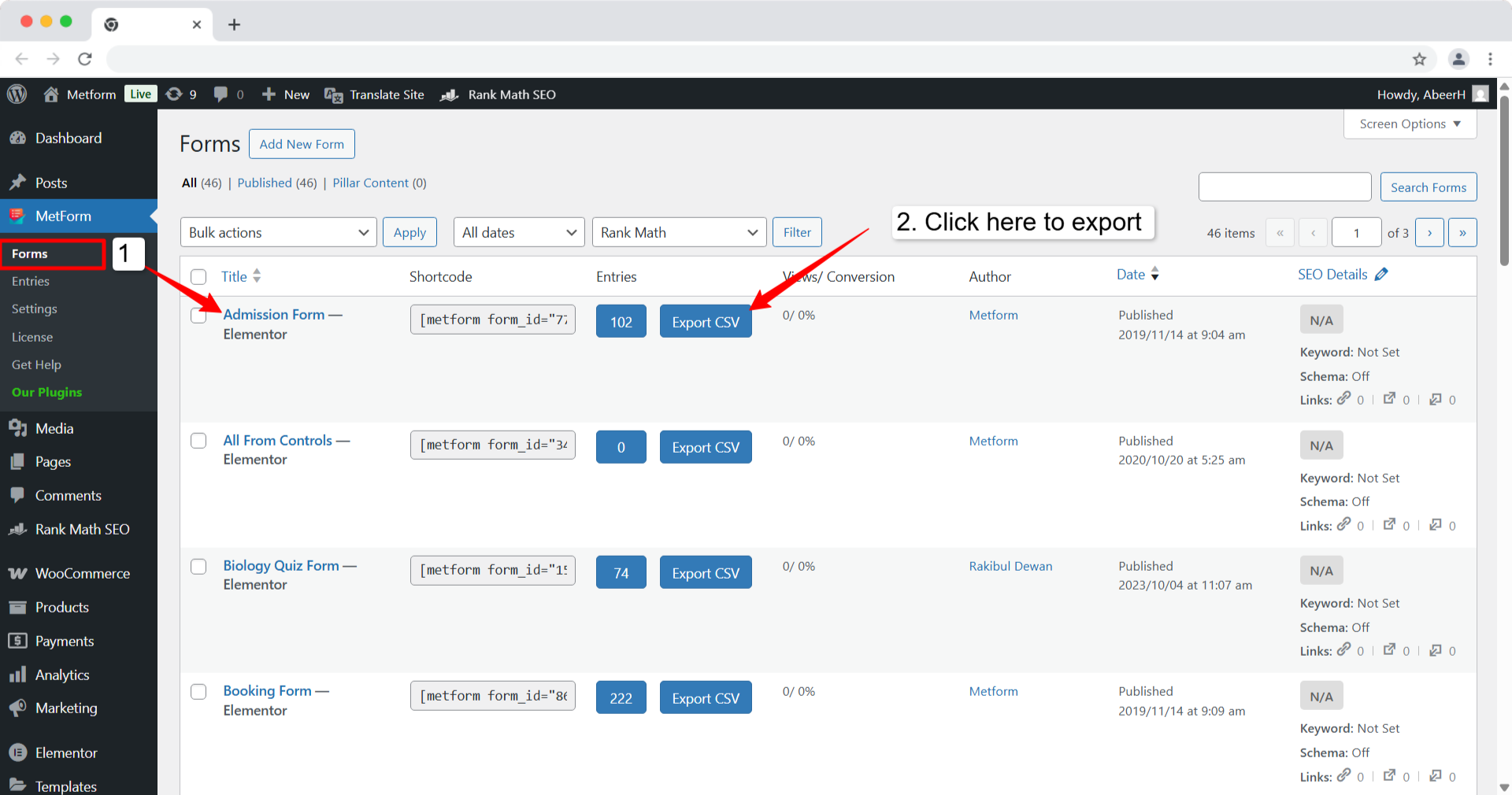
- Navegar a MetForm → Forms desde su panel de WordPress.
- Find the form you want to export.
- Luego haga clic en el Export CSV button in the row for your selected form.
Like exporting CSV, MetForm comes with 45+ form templates, 40+ input styles, and tons of features, including conditional formatting, form calculation, multi-step forms, and so on.


